
Remote for Tesla 5.3.0
Add Apple Watch & Siri/Shortcut support to your Tesla vehicle
Download
24.92 MB
11downloads
7this week
FreeCommercial
0reviews
Screenshots
About Remote for Tesla
Add Apple Watch & Siri/Shortcut support to your Tesla vehicle
- Very reliable Siri & Shortcuts support that works even if the car is asleep. Control and get your car stats on the watch or phone without opening the app. You can combine/schedule/automate commands based on triggers/conditions such as when you're driving, if your charging cable isn't plugged in, when you're sleeping, when you're about to go to work, when you're connected to certain Bluetooth or WiFi connections, when you tap a NFC tag, when your alarm goes off, or a certain time each day. Add Shortcuts as icons on your home screen or widgets for quick access to your car's stats or to control it.
- Fully functional Apple Watch app with vehicle stats complications
- Opens, connects, and issues commands faster than other Tesla apps
- Queued commands. You can close the app after issuing a few commands even if your car is asleep and it'll still do them.
- View your battery stats such as the current/total usable kWh of your car compared to the stated capacity, how much phantom drain your car currently has, and a history of your car's range vs its odometer/time.
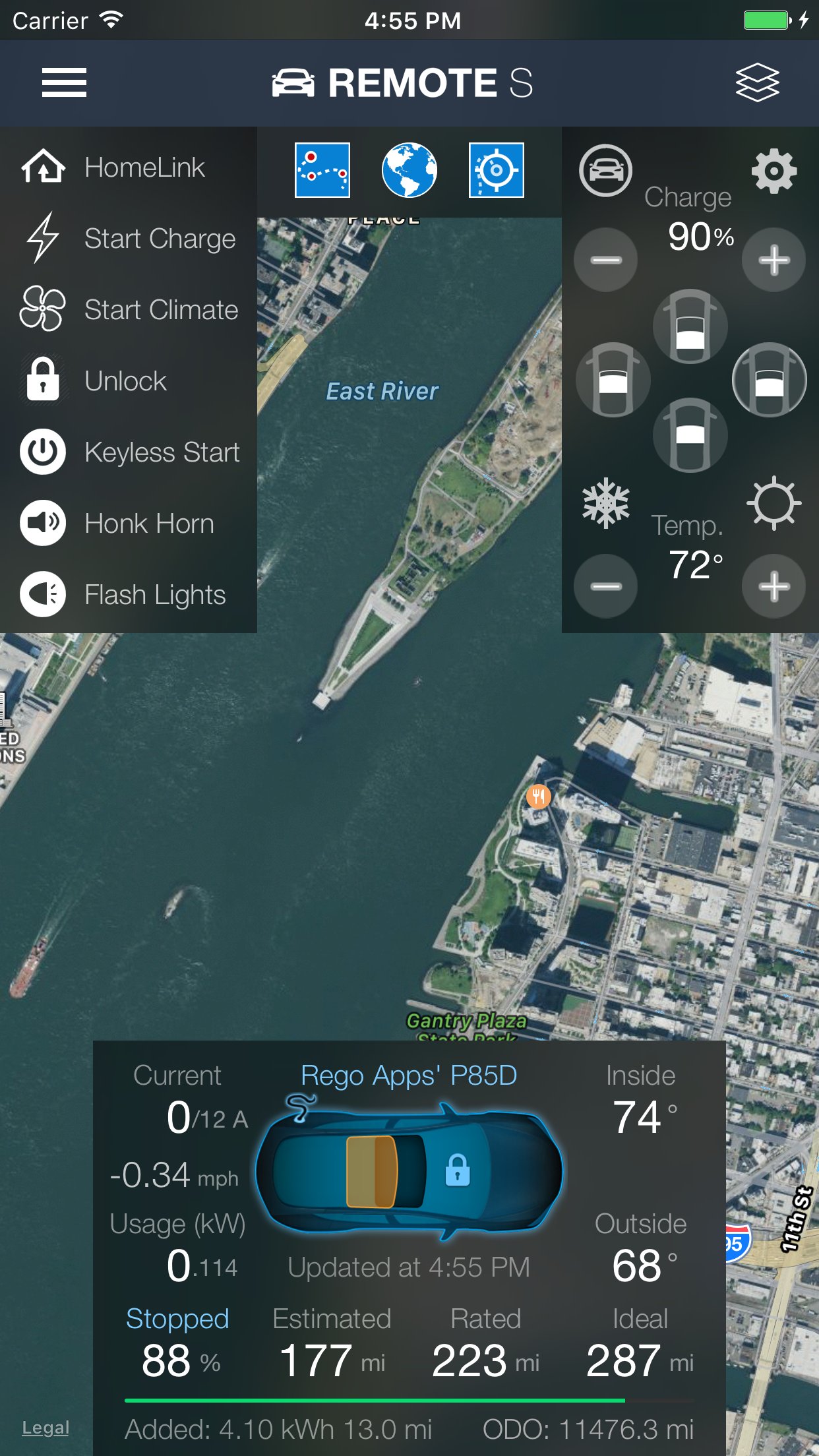
- Display battery/power usage even when not charging
- No phantom drain or background usage. This app doesn't use your car's batteries when the app isn't in use.
- See the total miles/kWh added from the last charge session
- Estimated range is displayed (this estimates your battery range based on your past 30 miles of usage)
- Consolidated stats and commands into one screen for quicker access to information. View all three ranges (estimated, rated, ideal/typical, odometer) at the same time and up to the nearest 1/100th mi/km
- See and copy the raw vehicle data returned by Tesla's API servers
- Hold the app icon for quick commands from the Home Screen
- Use HomeLink or Summon your car when not near it and without continuous press needed (autopilot required). Activate keyless start prior to Summon to avoid needing a keyfob nearby.
- Avoid idle fees from Tesla by setting an in-app alarm that alerts you when charging reaches a certain kW or % level
- Camp/Dog Mode allows you to keep the HVAC on in the car even though there is no activity. Normally, the car will turn off HVAC after 30 minutes.
- View how many range miles are being used per hour
- Use the remotes:// URL schema with parameters to issues commands
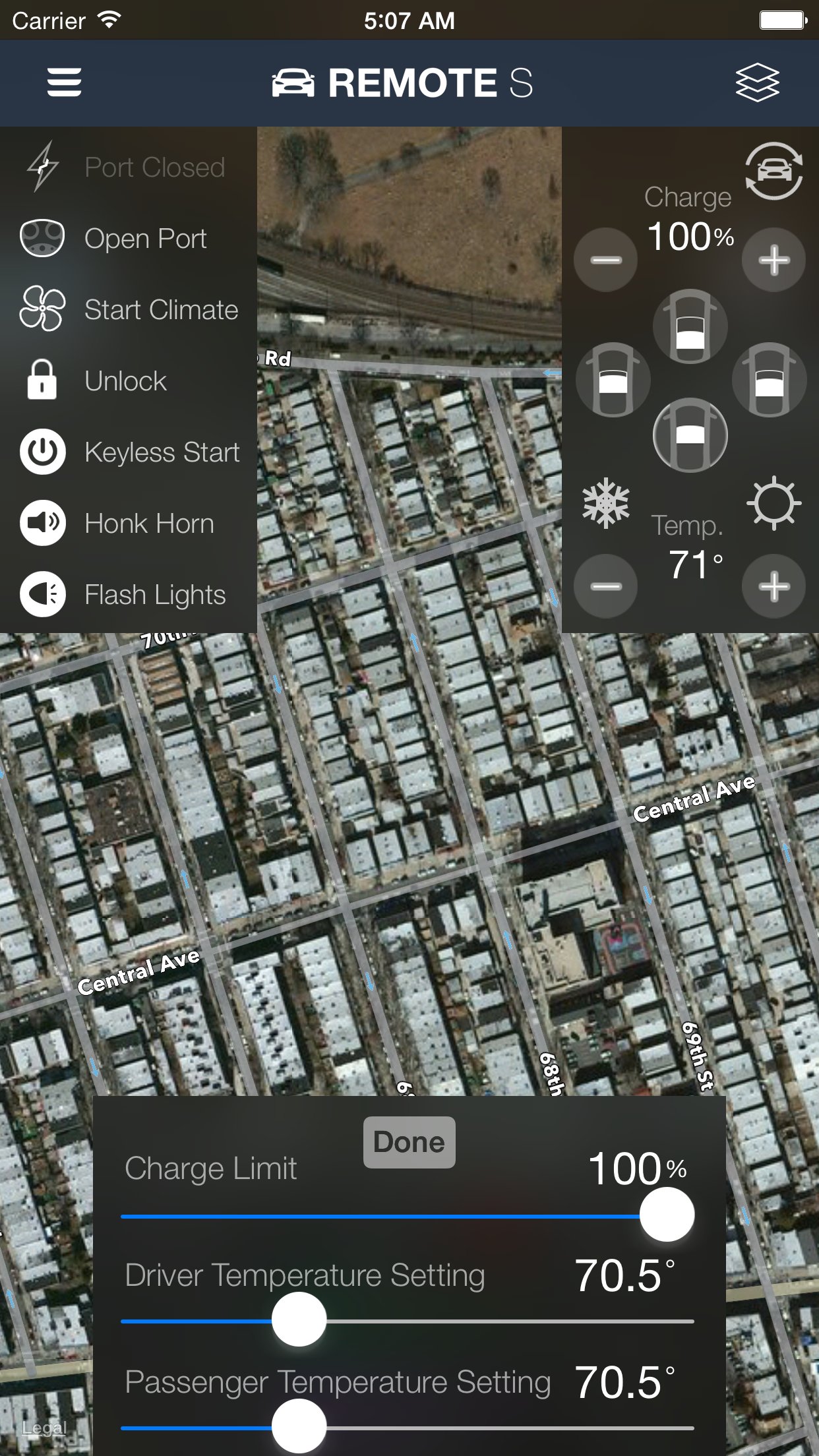
- Max cool and Max heat buttons to quickly send multiple commands to your car to optimize cooling and heating
- No-Commands Mode lets you log in the app for your family/friends to monitor your Tesla's location without allowing them to control to your car
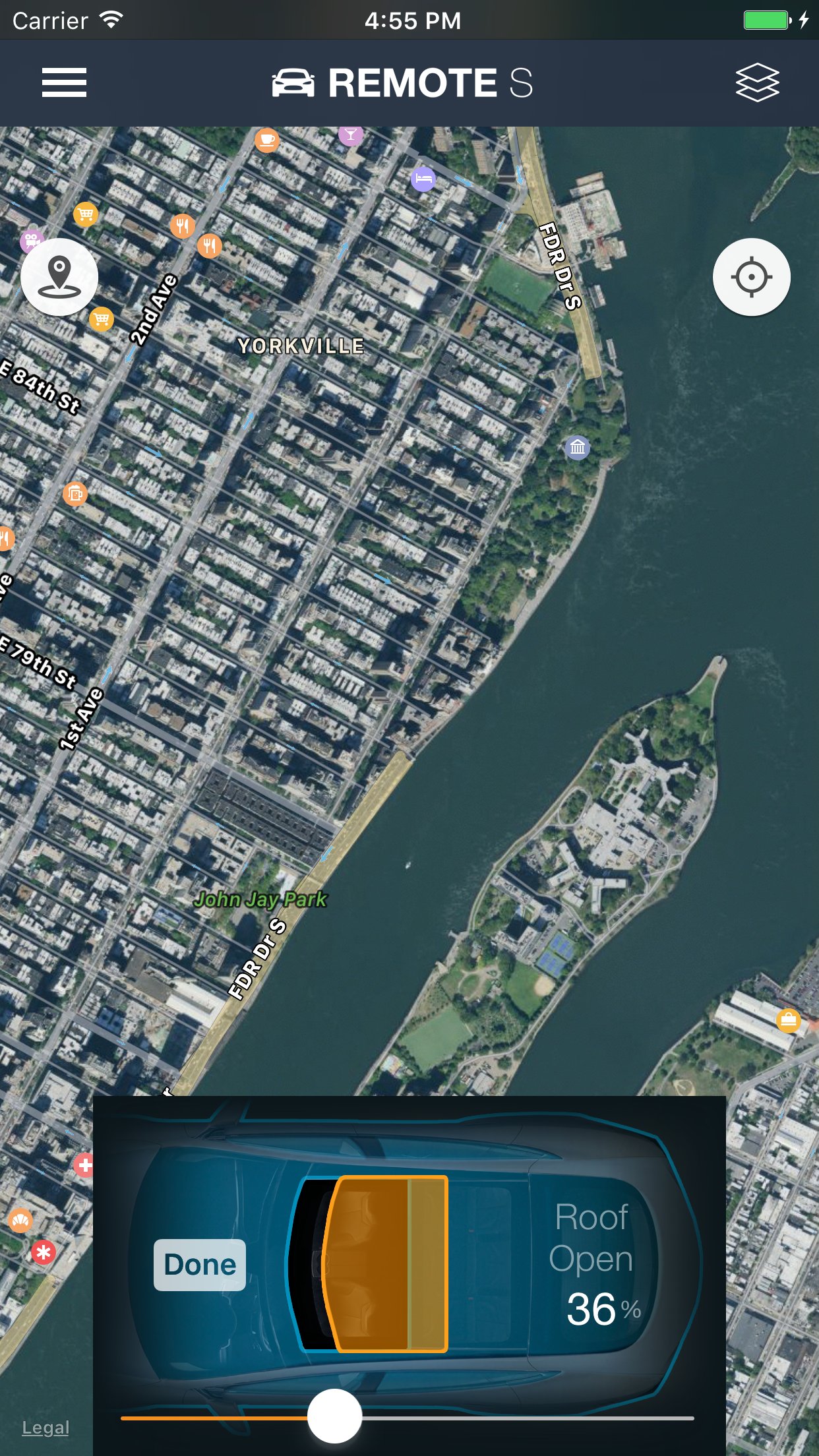
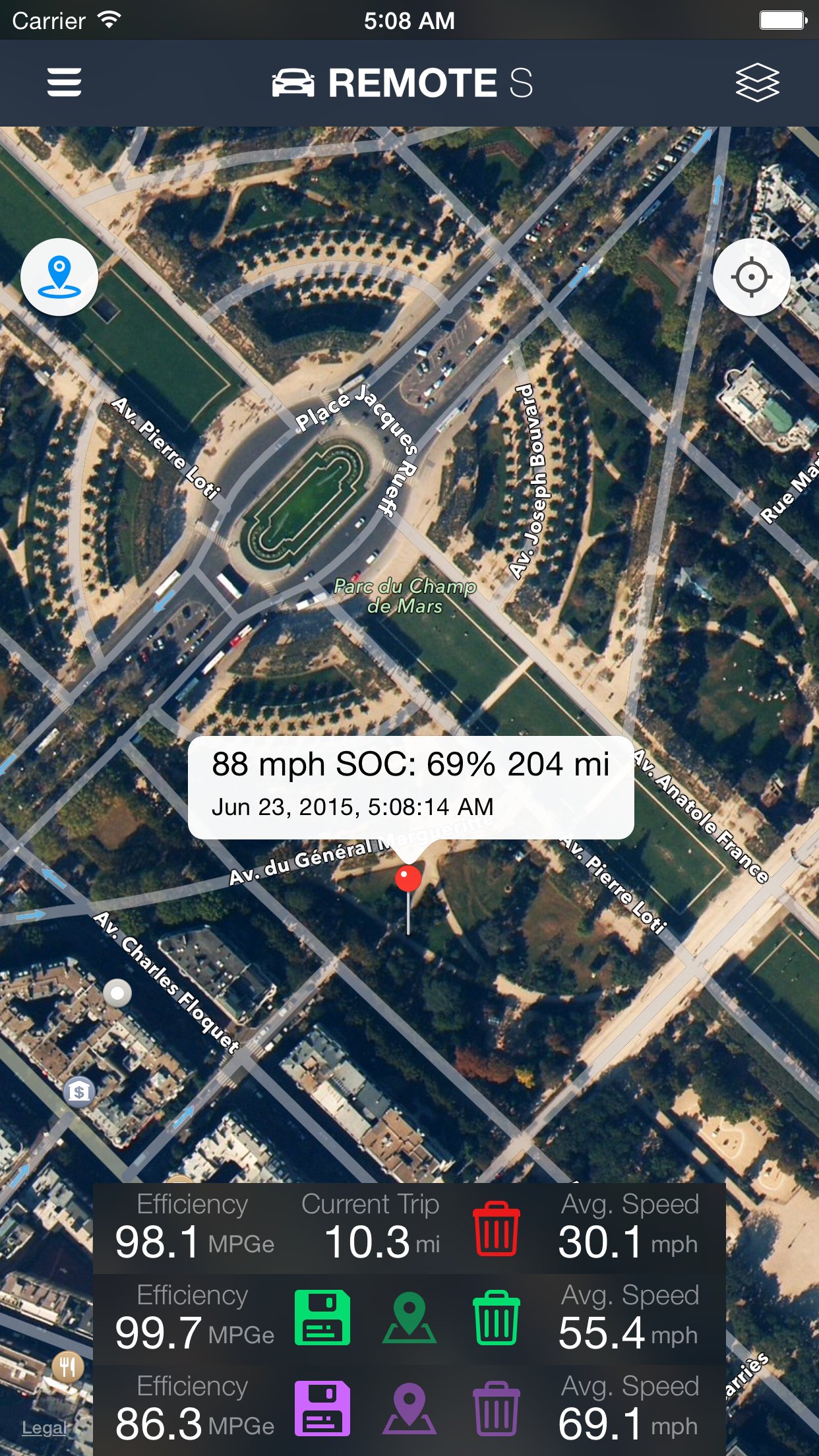
- Breadcrumb tracking allows you to see the path that the car has recently taken
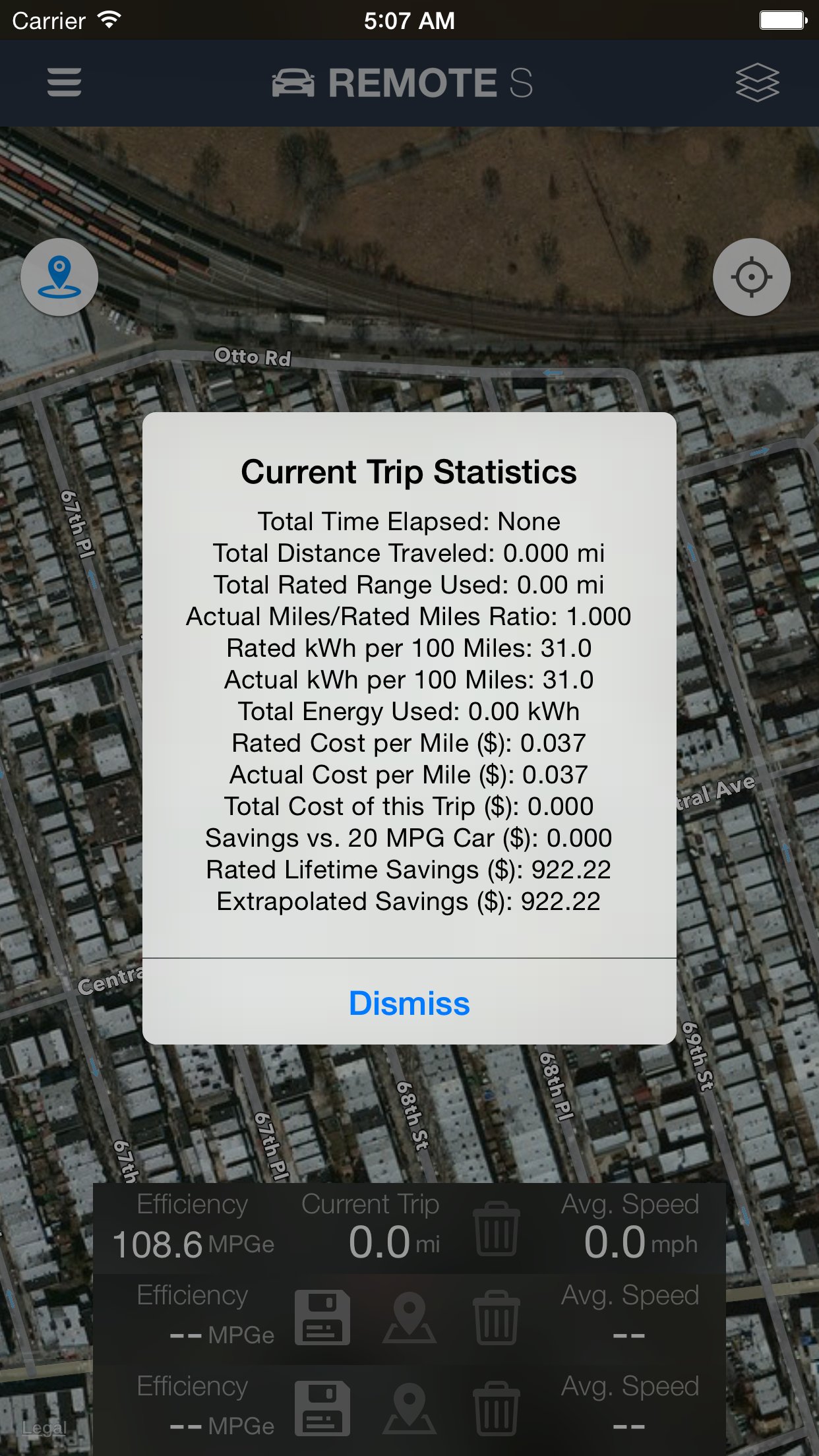
- Trip statistics shows your current MPGe, kWh used, miles traveled, kWh per 100 miles, cost savings vs. a gas car, cost savings over the car's lifetime, and many more fun stats
- Save trip routes to different save slots and compare the distance, kWh used, cost, and more for each route
- In-app browser can detect commands from javascript so that you can create scheduled, queued or repeated commands
- Change passenger and driver temperature separately
Privacy/Security notice: This app only communicates directly to Tesla's servers when sending login credentials and commands. No identifying information is stored by our company.
Disclaimer: This software and documentation do not come from nor is endorsed by Tesla Inc. Use this app at your own risk. The author does not guarantee its proper functioning. Commands may not work on newer vehicles. Some features require certain vehicle options to work (e.g. HomeLink/Summon require the autopilot options enabled). This app attempts to use the same interface used by the official Tesla apps. However, you are responsible for any changes to your car caused by using this app. Use of this app can move or change settings to your car and we are not liable for any damages to you, your car or any other object in conjunction with the use of this app.
License: Commercial
- Very reliable Siri & Shortcuts support that works even if the car is asleep. Control and get your car stats on the watch or phone without opening the app. You can combine/schedule/automate commands based on triggers/conditions such as when you're driving, if your charging cable isn't plugged in, when you're sleeping, when you're about to go to work, when you're connected to certain Bluetooth or WiFi connections, when you tap a NFC tag, when your alarm goes off, or a certain time each day. Add Shortcuts as icons on your home screen or widgets for quick access to your car's stats or to control it.
- Fully functional Apple Watch app with vehicle stats complications
- Opens, connects, and issues commands faster than other Tesla apps
- Queued commands. You can close the app after issuing a few commands even if your car is asleep and it'll still do them.
- View your battery stats such as the current/total usable kWh of your car compared to the stated capacity, how much phantom drain your car currently has, and a history of your car's range vs its odometer/time.
- Display battery/power usage even when not charging
- No phantom drain or background usage. This app doesn't use your car's batteries when the app isn't in use.
- See the total miles/kWh added from the last charge session
- Estimated range is displayed (this estimates your battery range based on your past 30 miles of usage)
- Consolidated stats and commands into one screen for quicker access to information. View all three ranges (estimated, rated, ideal/typical, odometer) at the same time and up to the nearest 1/100th mi/km
- See and copy the raw vehicle data returned by Tesla's API servers
- Hold the app icon for quick commands from the Home Screen
- Use HomeLink or Summon your car when not near it and without continuous press needed (autopilot required). Activate keyless start prior to Summon to avoid needing a keyfob nearby.
- Avoid idle fees from Tesla by setting an in-app alarm that alerts you when charging reaches a certain kW or % level
- Camp/Dog Mode allows you to keep the HVAC on in the car even though there is no activity. Normally, the car will turn off HVAC after 30 minutes.
- View how many range miles are being used per hour
- Use the remotes:// URL schema with parameters to issues commands
- Max cool and Max heat buttons to quickly send multiple commands to your car to optimize cooling and heating
- No-Commands Mode lets you log in the app for your family/friends to monitor your Tesla's location without allowing them to control to your car
- Breadcrumb tracking allows you to see the path that the car has recently taken
- Trip statistics shows your current MPGe, kWh used, miles traveled, kWh per 100 miles, cost savings vs. a gas car, cost savings over the car's lifetime, and many more fun stats
- Save trip routes to different save slots and compare the distance, kWh used, cost, and more for each route
- In-app browser can detect commands from javascript so that you can create scheduled, queued or repeated commands
- Change passenger and driver temperature separately
Privacy/Security notice: This app only communicates directly to Tesla's servers when sending login credentials and commands. No identifying information is stored by our company.
Disclaimer: This software and documentation do not come from nor is endorsed by Tesla Inc. Use this app at your own risk. The author does not guarantee its proper functioning. Commands may not work on newer vehicles. Some features require certain vehicle options to work (e.g. HomeLink/Summon require the autopilot options enabled). This app attempts to use the same interface used by the official Tesla apps. However, you are responsible for any changes to your car caused by using this app. Use of this app can move or change settings to your car and we are not liable for any damages to you, your car or any other object in conjunction with the use of this app.
License: Commercial
| Release info | New Release on Jun 19, 2026 |
|---|---|
| Release notes | Fixed an issue for some users who were unable to log into the app. Keyless start now no longer requires a password. |
| Listing data | App Store |
Reviews
No reviews yet. Be the first to review Remote for Tesla.
Used Remote for Tesla? Tell other visitors what you thought.
Log in to write a reviewOther products by this publisher
- "No Distractions" for YouTube 4.10 ----
- #Bible 11.6 "Incredible App - My sister shared this app with me a few weeks ago and it is truly incredible.
- #filmphotography 1.4.2 So, you decided to shoot on film?
- $quirrel 1.5.1 $quirrel Budget & Finance helps you plan each paycheck, track spending, manage debt, and see what is safe to spend before the next payday.
- % Percentage Calculator Pro 1.41 This is the Pro version of % Percentage Calculator.
Most viewed iOS Lifestyle
-
1
 Shefa Gold 1.6.2.5
More than 100 new and delicious Hallelu-Yah chants to exalt and bless and celebrate the simple fact of existence.
-
2
 Light Language Grid Creator 6.3
Light Language Grid Creator lets you create Grids with 3D shapes and colours, then export them as images.
-
3
 UltiPro 3.0
Ulti Servives is your one stop destination for your day by day services.
-
4
 CHAI 2.198
Our app revolutionizes the way we interact with AI chatbots.
-
5
 CopperKnob 2.1.1
CopperKnob is an App which allows you to browse over 185,000 line dance stepsheets from the CopperKnob website.
-
6
 Roomba Home 3.4
The Roomba® Home App is compatible with Roomba® 100, 200, 400, 500, 700, 800, and Mini series robots sold after March 2025.
-
7
 Booksy for Customers 26.11.1000
Self-care, on your schedule.
-
8
 12 Steps Companion 3.0.9
First developed in 2008, 12 Steps Companion was the world’s first recovery app.
-
9
 Anker eufy 6.1.31
The new all-in-one eufy app that designed to bring together all your favorite eufy products—eufy Security, eufy Clean, eufy Baby, eufy Life, and eufy Pet—into one seamless platform.
-
10
 Tesla 4.62.5
The Tesla app puts owners in direct communication with their vehicles and energy products anytime, anywhere.
Most downloaded iOS Lifestyle
-
1
Light Language Grid Creator 6.3
Light Language Grid Creator lets you create Grids with 3D shapes and colours, then export them as images.
-
2
 Pieceful 3.1.0
Capture briefly. Remember deeply.
-
3
UltiPro 3.0
Ulti Servives is your one stop destination for your day by day services.
-
4
 Joguman Daily Calendar 1.0.14
New drawings every day, and every day feels brand new.
-
5
 Electronic Rosary 4.0.3
The Rosary (from Latin rosarium, meaning "rose garden") is a traditional Catholic devotion.
-
6
 Core Values 1.0.1
Core Values: Find Yours is a guided self-reflection exercise that helps you identify your top five values that matter most to you.
-
7
CopperKnob 2.1.1
CopperKnob is an App which allows you to browse over 185,000 line dance stepsheets from the CopperKnob website.
-
8
 Flush Toilet Finder Pro 26.4.6
Flush Toilet Finder Pro is the quickest, simplest way of finding a public bathroom or restroom.
-
9
CHAI 2.198
Our app revolutionizes the way we interact with AI chatbots.
-
10
 Santa Christmas Snowing 1.1.0
Experience the magic of Christmas right on your wrist!