9downloads
0this week
FreeCommercial
0reviews
Screenshots
About Red Mode
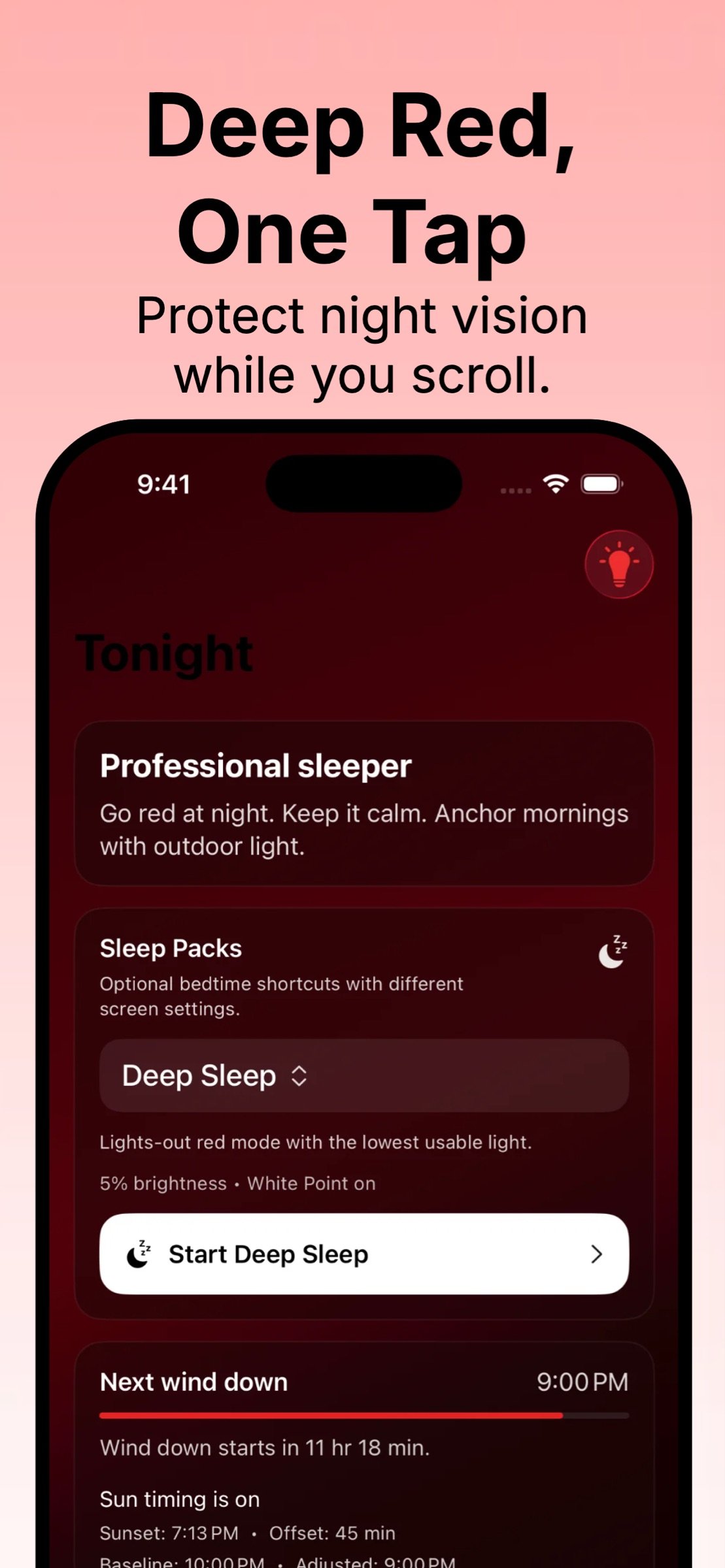
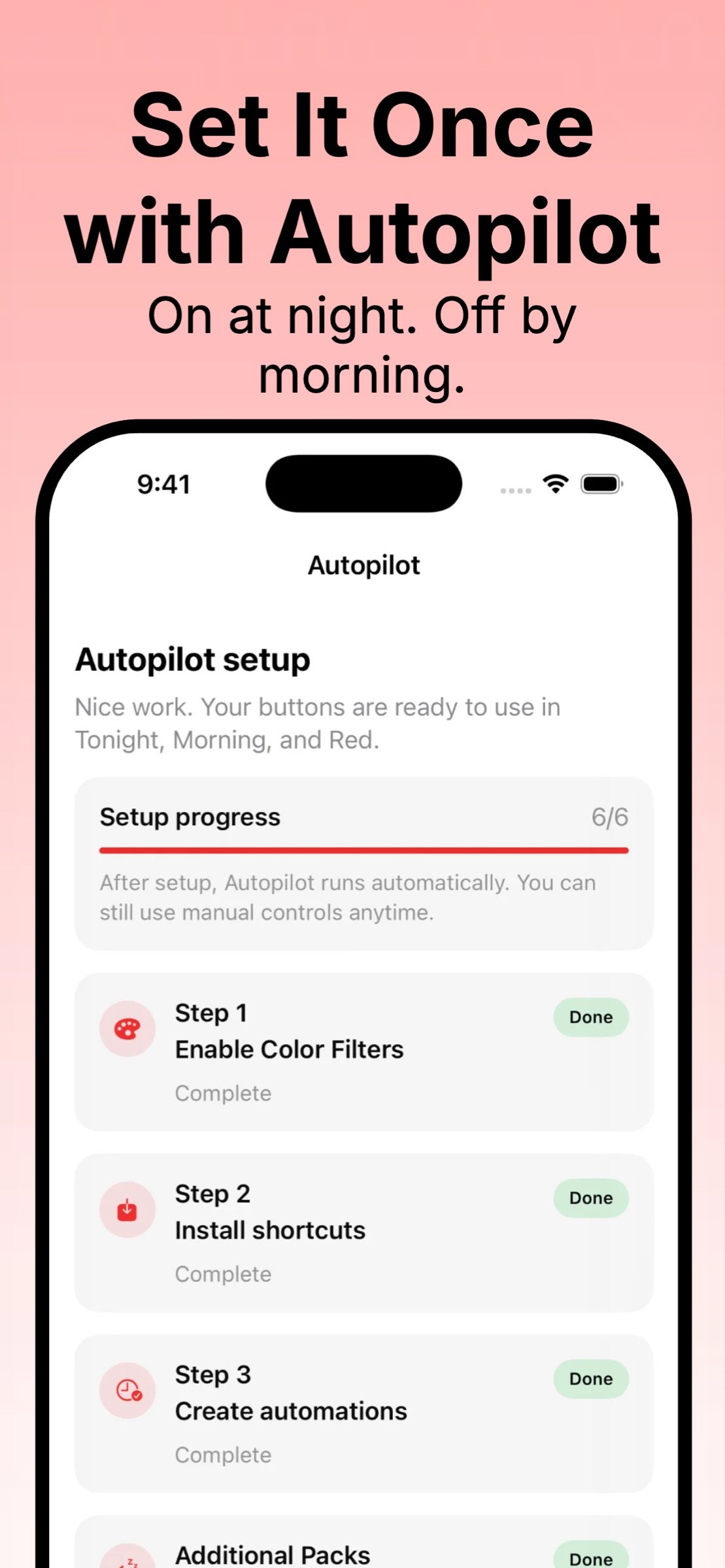
Still scrolling after dark? Red Mode gives you a deep red screen in one tap. Use Autopilot to turn your red screen on at night and off by morning, automatically. If you want a night red screen, a red light screen, a red light filter, or a red screen filter for calmer scrolling, Red Mode makes it simple.
Red Mode is built for anyone who wants a night friendly screen and an easier sleep routine: bedtime scrollers, parents checking a phone in a dark room, night shift users, stargazers, and photographers who want a night vision friendly red screen.
Why a red screen at night
A deep red screen can help preserve night vision and keep your phone more comfortable after dark. If you have ever searched for red screen, night red screen, red filter, red light filter, red screen filter, night vision screen, or preserve night vision, Red Mode is made for you.
What you get
Night Red Screen and Red Light Filter
• Deep Red Screen: Switch to a stronger, night friendly red screen using iOS Color Filters
• Red Screen Filter: A consistent red filter look designed for night time use
• Red Light Screen: A deep red screen that is easier on eyes in a dark room
• Preserve Night Vision: Great for stargazing, astronomy, and dark adaptation routines
Autopilot Scheduling and Shortcuts Automation
• Autopilot Scheduling: Turn Red Mode on at night and off in the morning using iOS Shortcuts Automations
• Set It Once: Enable Autopilot and your night red screen runs automatically
• Reliable Routine: A simple schedule you can stick to across weekdays and weekends
Wind Down Routine and Sleep Packs
• Wind Down: Go red and dim your screen at night for calmer scrolling after dark
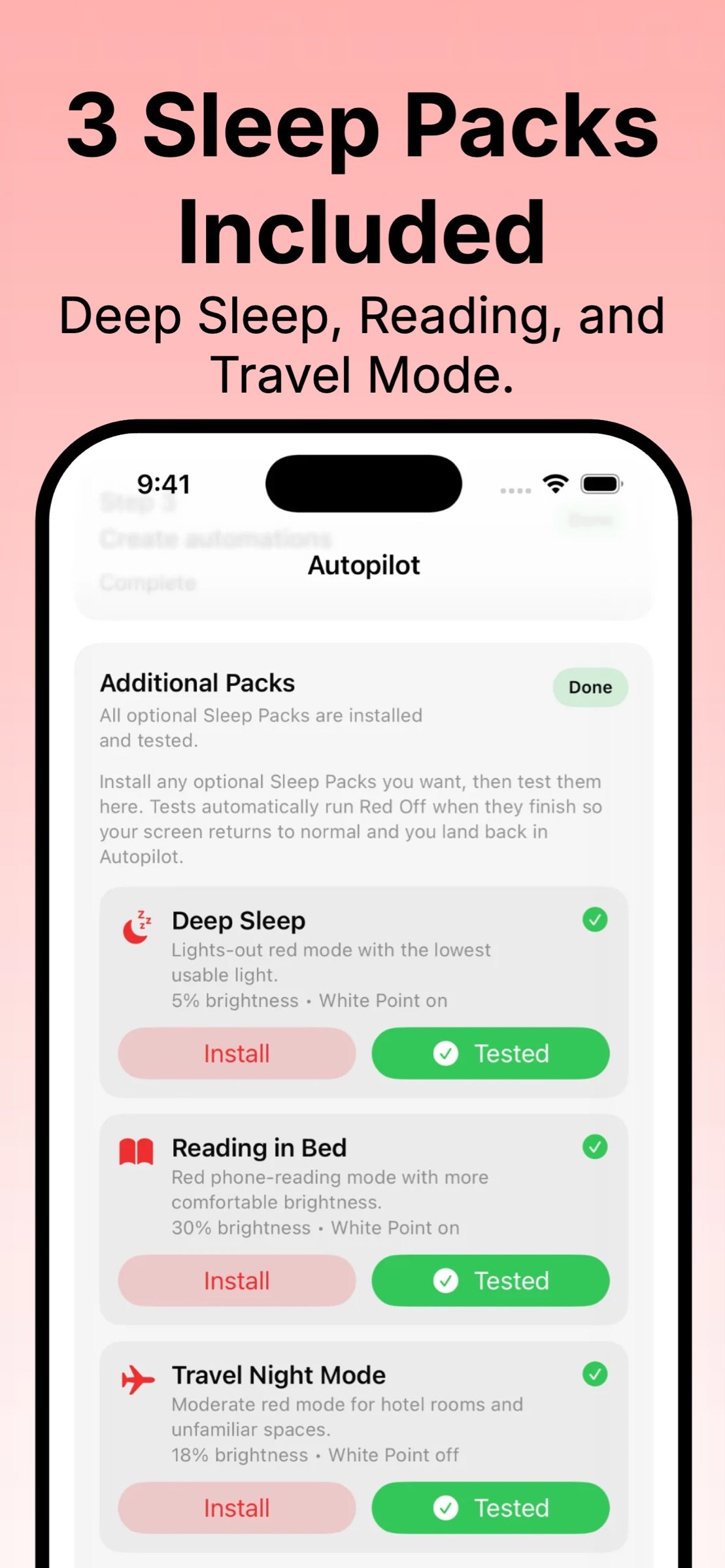
• Sleep Packs Included: Ready made bedtime modes with different screen settings for different nights
• Bedtime Routine: Pick a Sleep Pack when you want a more intentional wind down
• Night Mode Red: A practical night mode for reading in bed and late night check ins
Optional Sun-Aware Timing
• Sun-Aware Timing: Align wind down timing with sunset and sunrise across seasons
• Consistent Nights: Helpful if your bedtime routine shifts with daylight changes
Night Light for Dark Rooms
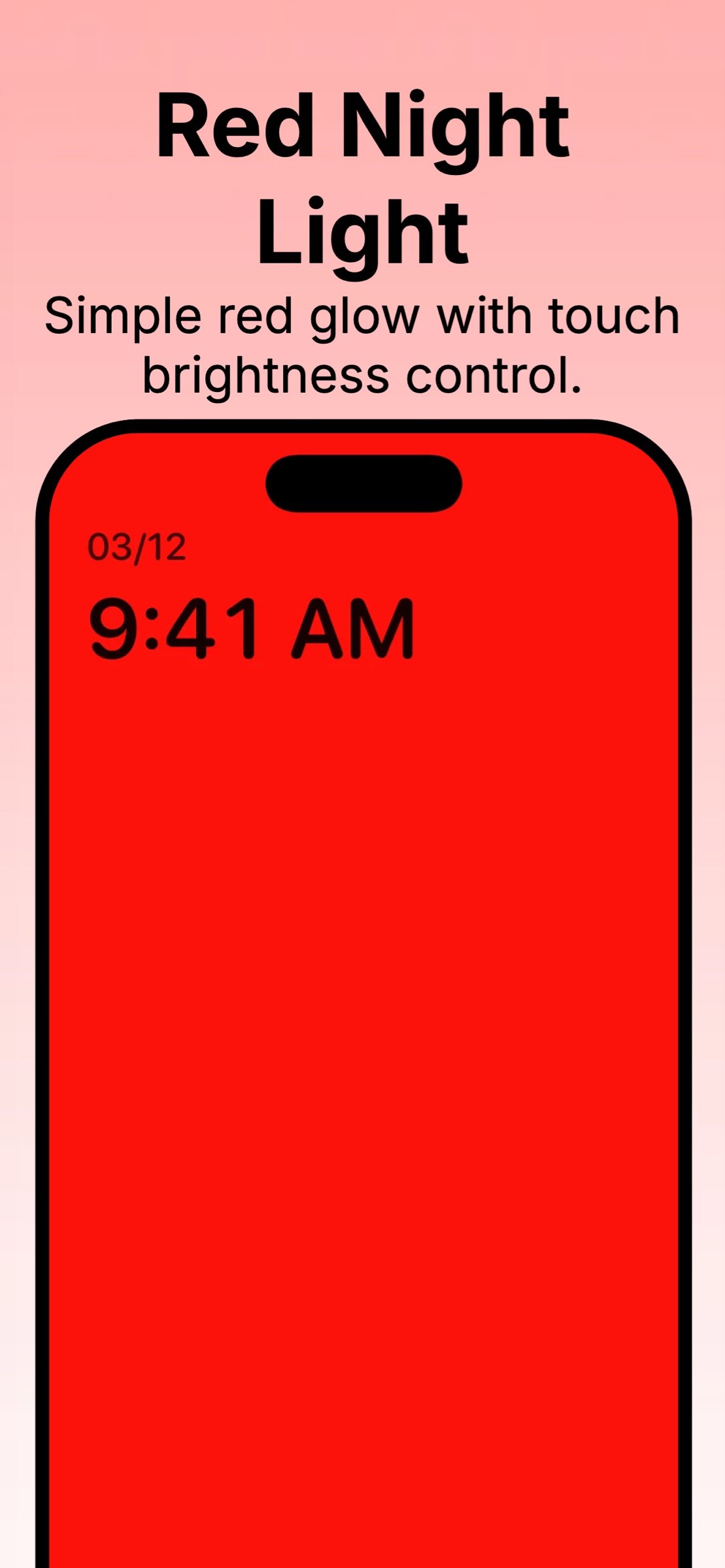
• Night Light: A simple red night light with an always on display while open
• Touch Brightness Control: Adjust brightness for dark rooms, late night check ins, and gentle light after dark
• Parent Friendly: Great for checking a phone in a nursery or bedroom without harsh light
Morning and Anytime
Morning Red Session
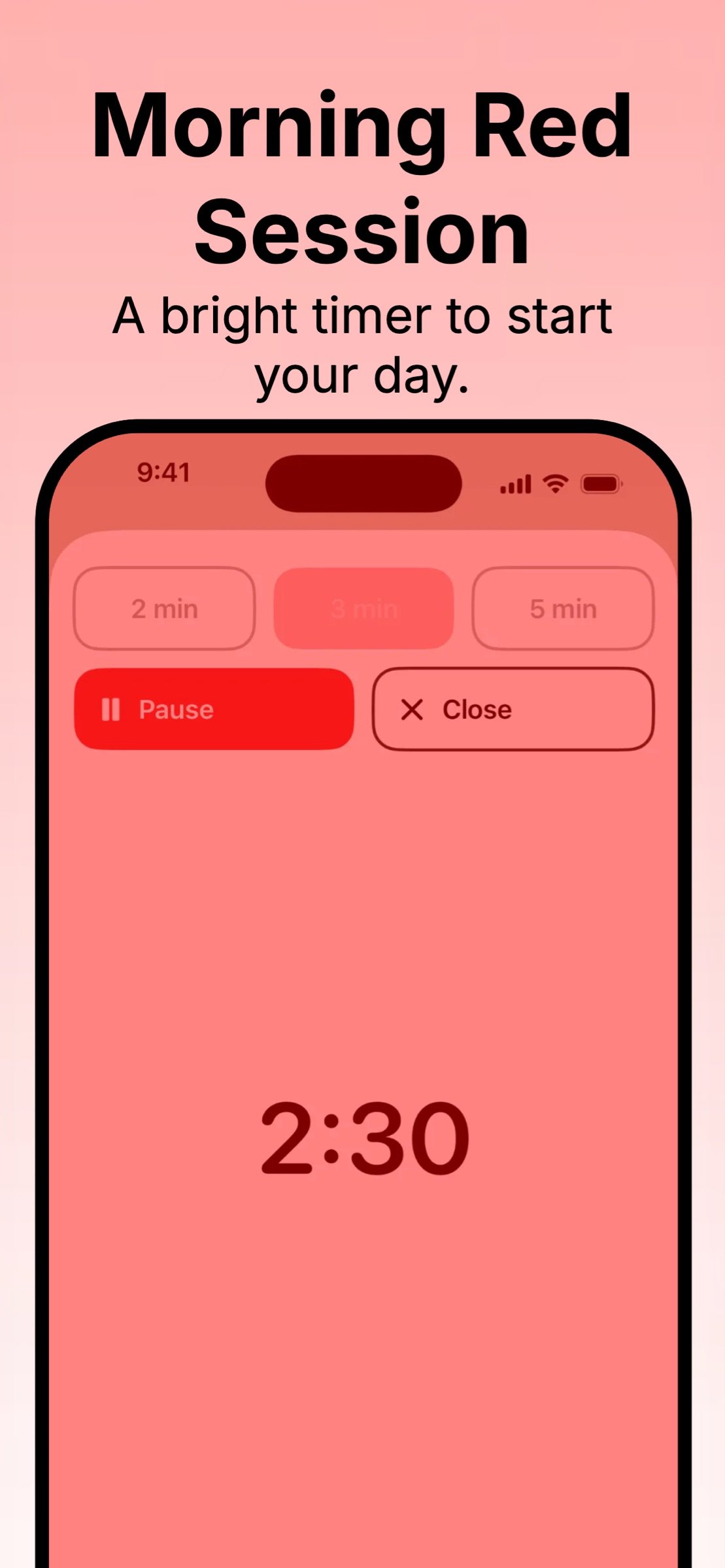
• Morning Red Session: A bright, timed red screen session to start your day
• Quick Timer: A simple session that is easy to repeat as a morning habit
Manual Controls
• Red On: Turn the red screen on instantly
• Red Off: Turn the red screen off instantly
• Instant On or Off: Quick manual controls anytime
Reminders and Consistency
• Reminders: A wind down nudge plus a morning light check in to help you stay consistent
• Habit Support: Designed for routine building, not medical treatment
Home Screen Widgets
Add Red Mode widgets for one tap access to Wind Down, Red On, Red Off, and Morning Red Session right from your Home Screen. If you want your red screen, red filter, or night red screen available instantly, widgets make it faster.
Setup is quick
Red Mode guides you step by step through enabling iOS Color Filters, installing the included Shortcuts, and setting up nightly automations. Autopilot setup is simple and the app walks you through it clearly.
Perfect for
• Red screen at night and night red screen routines
• Red light filter for calmer scrolling after dark
• Night vision friendly screen for stargazing and astronomy
• Darkroom and photography workflows that prefer red light
• Parents checking a phone in a dark room
• Night shift users who want a night friendly screen
• Anyone who wants a sleep routine and wind down habit that is easy to repeat
Note
Red Mode supports night friendly viewing with red light filters and simple habit reminders. It does not provide medical advice.
License: Commercial
Red Mode is built for anyone who wants a night friendly screen and an easier sleep routine: bedtime scrollers, parents checking a phone in a dark room, night shift users, stargazers, and photographers who want a night vision friendly red screen.
Why a red screen at night
A deep red screen can help preserve night vision and keep your phone more comfortable after dark. If you have ever searched for red screen, night red screen, red filter, red light filter, red screen filter, night vision screen, or preserve night vision, Red Mode is made for you.
What you get
Night Red Screen and Red Light Filter
• Deep Red Screen: Switch to a stronger, night friendly red screen using iOS Color Filters
• Red Screen Filter: A consistent red filter look designed for night time use
• Red Light Screen: A deep red screen that is easier on eyes in a dark room
• Preserve Night Vision: Great for stargazing, astronomy, and dark adaptation routines
Autopilot Scheduling and Shortcuts Automation
• Autopilot Scheduling: Turn Red Mode on at night and off in the morning using iOS Shortcuts Automations
• Set It Once: Enable Autopilot and your night red screen runs automatically
• Reliable Routine: A simple schedule you can stick to across weekdays and weekends
Wind Down Routine and Sleep Packs
• Wind Down: Go red and dim your screen at night for calmer scrolling after dark
• Sleep Packs Included: Ready made bedtime modes with different screen settings for different nights
• Bedtime Routine: Pick a Sleep Pack when you want a more intentional wind down
• Night Mode Red: A practical night mode for reading in bed and late night check ins
Optional Sun-Aware Timing
• Sun-Aware Timing: Align wind down timing with sunset and sunrise across seasons
• Consistent Nights: Helpful if your bedtime routine shifts with daylight changes
Night Light for Dark Rooms
• Night Light: A simple red night light with an always on display while open
• Touch Brightness Control: Adjust brightness for dark rooms, late night check ins, and gentle light after dark
• Parent Friendly: Great for checking a phone in a nursery or bedroom without harsh light
Morning and Anytime
Morning Red Session
• Morning Red Session: A bright, timed red screen session to start your day
• Quick Timer: A simple session that is easy to repeat as a morning habit
Manual Controls
• Red On: Turn the red screen on instantly
• Red Off: Turn the red screen off instantly
• Instant On or Off: Quick manual controls anytime
Reminders and Consistency
• Reminders: A wind down nudge plus a morning light check in to help you stay consistent
• Habit Support: Designed for routine building, not medical treatment
Home Screen Widgets
Add Red Mode widgets for one tap access to Wind Down, Red On, Red Off, and Morning Red Session right from your Home Screen. If you want your red screen, red filter, or night red screen available instantly, widgets make it faster.
Setup is quick
Red Mode guides you step by step through enabling iOS Color Filters, installing the included Shortcuts, and setting up nightly automations. Autopilot setup is simple and the app walks you through it clearly.
Perfect for
• Red screen at night and night red screen routines
• Red light filter for calmer scrolling after dark
• Night vision friendly screen for stargazing and astronomy
• Darkroom and photography workflows that prefer red light
• Parents checking a phone in a dark room
• Night shift users who want a night friendly screen
• Anyone who wants a sleep routine and wind down habit that is easy to repeat
Note
Red Mode supports night friendly viewing with red light filters and simple habit reminders. It does not provide medical advice.
License: Commercial
| Release info | New Release on May 19, 2026 |
|---|---|
| Release notes | • Refined the Tonight screen with a cleaner layout and more focused wind-down flow. • Reduced Morning and Red screen clutter by keeping review options less intrusive. • Added better tracking for key positive actions like Wind Down, Morning Light, Red controls, Red Session, and widget launches. |
| Listing data | App Store |
Reviews
No reviews yet. Be the first to review Red Mode.
Used Red Mode? Tell other visitors what you thought.
Log in to write a reviewOther products by this publisher
- "No Distractions" for YouTube 4.10 ----
- #Bible 11.6 "Incredible App - My sister shared this app with me a few weeks ago and it is truly incredible.
- #filmphotography 1.4.2 So, you decided to shoot on film?
- $quirrel 1.5.1 $quirrel Budget & Finance helps you plan each paycheck, track spending, manage debt, and see what is safe to spend before the next payday.
- % Percentage Calculator Pro 1.41 This is the Pro version of % Percentage Calculator.
Most viewed iOS Health & Fitness
-
1
 Cal AI 26.45.0
HOW TO USE CAL AI:
-
2
 HealthPatch 1.0.3
Take Full Control of Your Apple Health Workout Data
-
3
 Dysphagia 2.3
Excellent visual tool to aid professionals in educating patients and families about swallowing disorders.
-
4
 Environments 1.7
Environments is a historic catalog of long form field recordings created for the way you live.
-
5
 Stromno 1.3.0
Stromno app allows you easily broadcast your heart rate data from Apple Watch and show it on live stream.
-
6
 I am 7.9.0
How many negative thoughts have been repeating in your mind?
-
7
 AllTrails 26.11.21
Whether you hike, bike, run, or walk, AllTrails is your companion and guide to the outdoors.
-
8
 Fitness Test Pro Elite 3.5.6
Fitness Test Pro Elite is a fitness test calculator for the Army, Navy, Air Force, Marine Corps, Coast Guard and special operations screening tests.
-
9
 Periodic Timer + 4.8
Keep track of time without being distracted by the device!
-
10
 2026 Long Beach Marathon 3.2.2
Long Beach Marathon app is for race day tracking to receive turn-by-turn instructions and for your friends and family to track your progress in real-time.
Most downloaded iOS Health & Fitness
-
1
HealthPatch 1.0.3
Take Full Control of Your Apple Health Workout Data
-
2
Stromno 1.3.0
Stromno app allows you easily broadcast your heart rate data from Apple Watch and show it on live stream.
-
3
 Fitness Data Sync 1.2
Tired of subscriptions just to sync your own fitness data?
-
4
 Adrian James 5.0.2019010401
Adrian James 6 Pack Abs Workout has become an international sensation.
-
5
 TonalBloom Sound Bath 1.0
TonalBloom turns your iPhone into a tactile sound bath instrument with singing bowl tones, warm drones, shimmer controls, and saved local patches.
-
6
 BrainWave 11.0.2
Advanced Binaural Brainwave Entrainment combined with Ambient Music, Nature Sounds, Other Audio Apps or your own iTunes Music.
-
7
Fitness Test Pro Elite 3.5.6
Fitness Test Pro Elite is a fitness test calculator for the Army, Navy, Air Force, Marine Corps, Coast Guard and special operations screening tests.
-
8
 Epic Haiku & Limerick 11.9.3
Haiku provides authorized clinical users of Epic’s Electronic Health Record with secure access to clinic schedules, hospital patient lists, health summaries, test results and notes.
-
9
 VagusCalm 1.5.0
WHY VAGUSCALM?
-
10
 Flo Cycle & Period Tracker 10.10.0
Flo Health is a science-backed cycle, ovulation, pregnancy, and period tracker with over 570 million downloads worldwide.*