
22downloads
1this week
FreeFreeware
0reviews
Screenshots
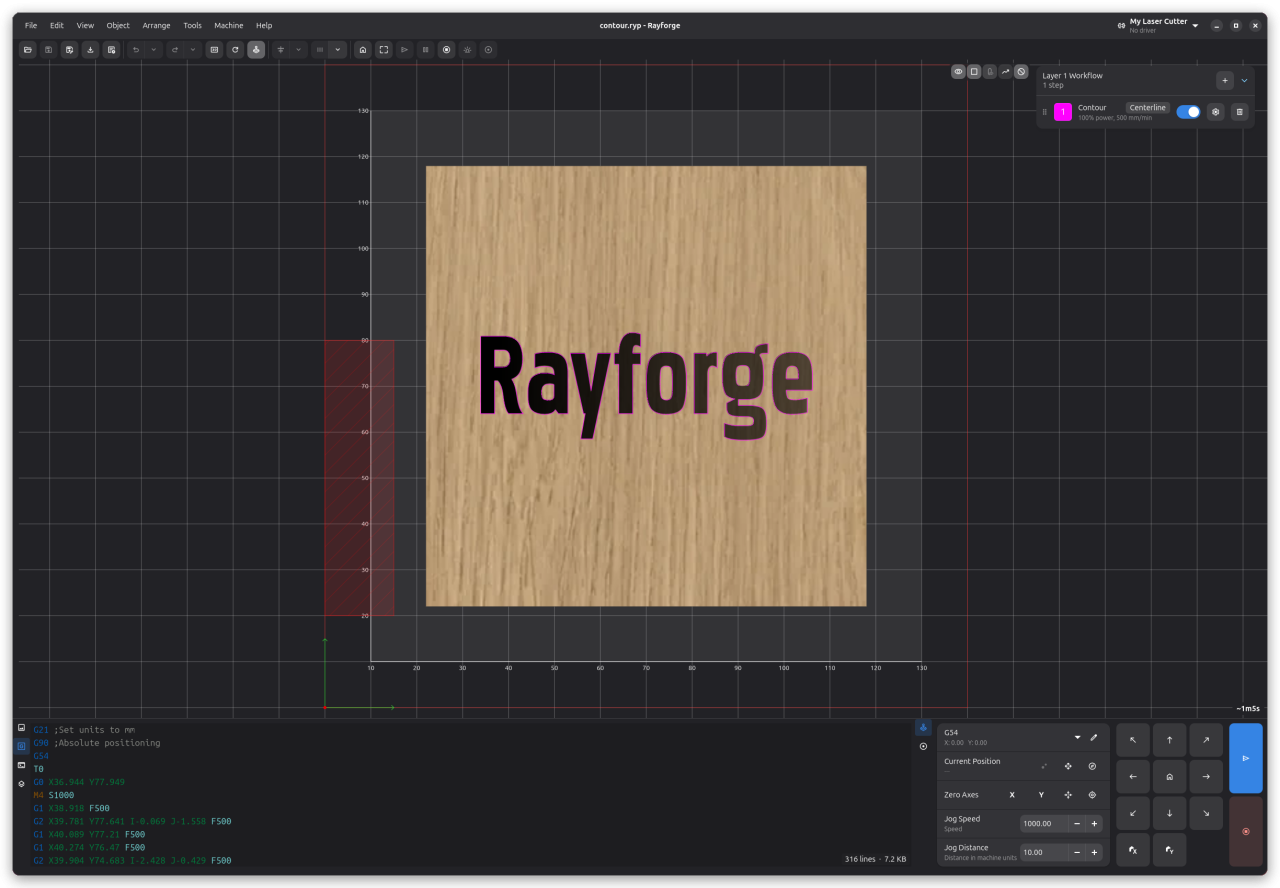
About Rayforge
Rayforge is a desktop application for laser cutting and engraving. It provides an intuitive
interface to create and manage laser cutting projects. Rayforge support communicating with GRBL
based laser cutters. Rayforge supports importing SVG, DXF, PDF, and PNGs, and provides advanced
features such as multi step jobs, automatic path optimization, interpolation based on laser dot
size, and much more.
License: MIT
| Release info | Update on Nov 13, 2026 |
|---|---|
| Release notes | Remote machines driven through raydriver daemons on the network, raster scan lines kept in emission order to avoid banding, a mode-aware Sample Interval, a remembered import layer source, and a Windows OpenCV fix that unblocks the app launch New Features: • Machine: remote machines. Rayforge can now drive a machine that is attached to another computer on the network: a raydriver daemon running next to the hardware hosts the connection, and the new "Remote machine (raydriver)" driver connects to a device on that daemon. The daemon resolves the device's protocol and capabilities, so one driver covers GRBL, Smoothie and Marlin devices alike. The machine wizard discovers daemons and their devices on the network; alternatively the daemon is entered manually with hostname, port and token, and the device list is read live from the daemon. Probing works over the remote connection. Jobs run on the device host and keep going if Rayforge disconnects; reconnecting resyncs progress exactly (raydriver 1.3.2) • Import: the import dialog's Layer Source combo starts from the choice made in the previous import. The auto-switch to color grouping only applies until a source has been picked manually; a remembered choice always wins Changes: • Optimize: raster scan lines stay in emission order by default. Reordering them makes the machine reverse and hop its Y axis between rows, and the mechanical play taken up on every reversal displaces the rows enough to show up as irregular horizontal banding. A new Reorder Scan Lines toggle (off by default) restores the old travel-optimizing behavior for machines with calibrated axes (raygeo 1.76.0, discussion #686) • Engrave: the Sample Interval row is shown in every raster mode, and its auto value is mode-aware. In dithering the sample pitch is the length of each dot, not just a power-sampling distance; dither and constant-power modes now default it to the line spacing for square cells, while power-modulated modes keep half the spot width… |
| Listing data | Flathub |
Reviews
No reviews yet. Be the first to review Rayforge.
Used Rayforge? Tell other visitors what you thought.
Log in to write a reviewOther products by this publisher
- "No Distractions" for YouTube 4.10 ----
- #Bible 11.6.1 "Incredible App - My sister shared this app with me a few weeks ago and it is truly incredible.
- #filmphotography 1.4.2 So, you decided to shoot on film?
- #LookBusy Fake Calendar Events 1.0.6 Look Busy scans your work calendar for open time slots and fills them with realistic-looking (but secretly fake) work events.
- #Small Talk Is Canceled 1.0.2 #Small Talk Is Canceled — Conversations That Matter
Most viewed Linux Utilities
-
1
 Press 0.4.0
Music library compressor
-
2
 Anytype 0.57.8-alpha
The everything app for those who celebrate trust and autonomy
- 3 vCard Studio 1.5.0 Contact management application
-
4
 Secrets 14.1
Manage your passwords
-
5
 SlimeVR 21.1.0
Accessible full-body tracking in VR
-
6
 openterfaceQT 0.5.33
App control openterface-Mini-KVM
-
7
 Tasks 0.3.1
Get things done
-
8
 Luna 1.1.6
An amazing calendar widget
-
9
 Greenery 1.0.0
Crypto bookkeeping wallet
-
10
 Barrier 2.4.0-5.15-23.08
Barrier - Share mouse and keyboard over the local network
Most downloaded Linux Utilities
-
1
 FormatLab 2026.11.3
Convert Video, Audio and Images
-
2
 Millisecond 0.2.3
Optimize for low latency
-
3
 VNote 4.14.1
A pleasant note-taking platform
-
4
 NeoRegex 3.2.0
Regular expression editor and tester.
-
5
openterfaceQT 0.5.33
App control openterface-Mini-KVM
-
6
 Vikunja 2.8.0
The open-source to-do app
-
7
 JRomManager 3.0.5
A Mame and Retrogaming Rom Manager
-
8
 Lenspect 1.0.7
Scan files for threats
-
9
 RustDiff 1.0.6
Semantic JSON, XML and SQL comparator
-
10
 QR Scanner 1.1.0
A QR code scanner/generator