
ProcrastiLearn 1.4.7
Block distracting apps until you review a spaced-repetition flashcard
Download
17.60 MB · app-release.apk
49downloads
4this week
FreeFreeware
0reviews
Screenshots
About ProcrastiLearn
There's Anki on your phone, there's Duolingo, and you do mean to get around to them. Then you pick the phone up, and twenty minutes later you're somewhere in TikTok, not really sure how you got there.
ProcrastiLearn steps in right at that moment. It catches you just as you're about to disappear into another time sink, and asks you for one word first.
That's how mindless app-opening turns into vocabulary practice. Choose which apps you tend to open out of habit — social media, browsers, games — and whenever you launch one, a full-screen flashcard overlay appears. Reveal the translation, rate how well you remembered it, and the app you wanted opens immediately. No subscription, no ads, no accounts.
HOW IT WORKS
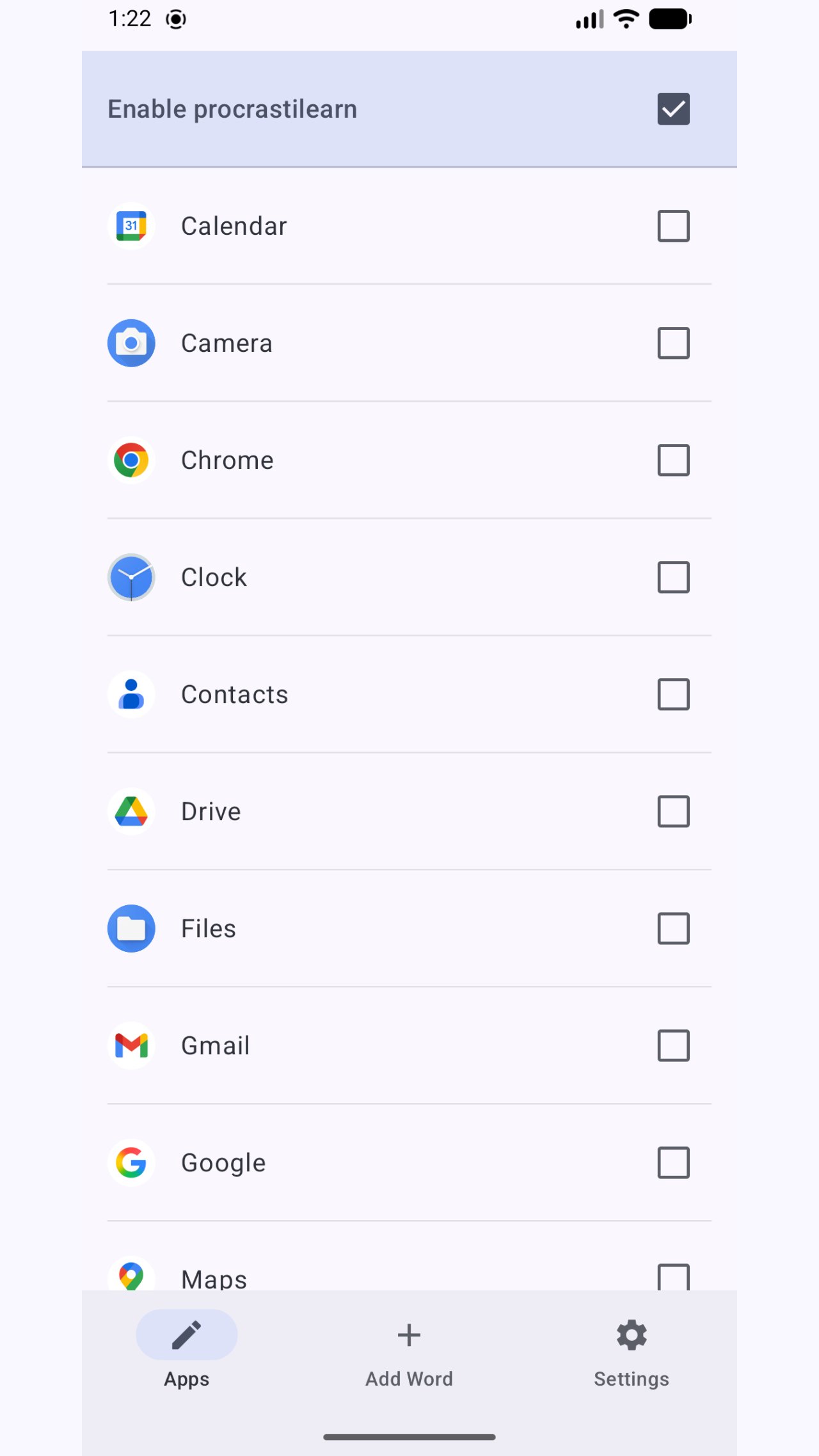
Pick the apps you want to gate in the Apps tab. From that point on, opening any of those apps shows a flashcard first. You rate your answer (Again / Hard / Good / Easy) and the FSRS spaced-repetition algorithm schedules the next review automatically. Daily caps prevent you from being overwhelmed.
If you tend to lose track of time once you're inside a gated app, the optional recurring reminder has you covered: set an interval (e.g. every 3 minutes) and the overlay reappears as long as you stay in that app, turning each lingering session into extra review reps.
VOCABULARY
Add words manually or use the optional AI translation feature: paste a word, tap Generate, and the app drafts a translation using OpenAI. The AI prompt is fully editable so you can control tone, context, or target language.
You can also import existing Anki decks (.apkg files) to get started immediately with a vocabulary set you already trust. After that you can be sure that you'll learn it eventually, while watching tiktok or your favourite YouTuber.
Come across a word somewhere else — an article, a chat, another app? Select it and tap "ProcrastiLearn this" from the menu to add it right away, no need to switch apps first.
LANGUAGE SUPPORT
The AI prompt automatically adapts to whatever native and target languages you choose in Settings: explanations appear in your native language, and examples in the language you're learning. Any language pair works out of the box — no manual prompt editing needed. Further language-related improvements will keep arriving, especially based on user requests in GitHub issues or via email.
PRIVACY
All data — vocabulary, blocked apps list, review history, and settings — is stored entirely on your device. There are no analytics, no crash reporters, and no advertising SDKs. The only outbound network traffic is the optional OpenAI API call you initiate by tapping Generate, using your own API key entered in Settings.
PERMISSIONS
Accessibility Service: used solely to detect which app is currently in the foreground so ProcrastiLearn knows when to show the overlay. The service does not read screen content, keystrokes, or any other input.
Display Over Other Apps: required to draw the flashcard overlay on top of the gated app.
OPEN SOURCE
ProcrastiLearn is free and open-source software (Apache 2.0 license). Source code and issue tracker are on GitHub.
License: Apache-2.0
ProcrastiLearn steps in right at that moment. It catches you just as you're about to disappear into another time sink, and asks you for one word first.
That's how mindless app-opening turns into vocabulary practice. Choose which apps you tend to open out of habit — social media, browsers, games — and whenever you launch one, a full-screen flashcard overlay appears. Reveal the translation, rate how well you remembered it, and the app you wanted opens immediately. No subscription, no ads, no accounts.
HOW IT WORKS
Pick the apps you want to gate in the Apps tab. From that point on, opening any of those apps shows a flashcard first. You rate your answer (Again / Hard / Good / Easy) and the FSRS spaced-repetition algorithm schedules the next review automatically. Daily caps prevent you from being overwhelmed.
If you tend to lose track of time once you're inside a gated app, the optional recurring reminder has you covered: set an interval (e.g. every 3 minutes) and the overlay reappears as long as you stay in that app, turning each lingering session into extra review reps.
VOCABULARY
Add words manually or use the optional AI translation feature: paste a word, tap Generate, and the app drafts a translation using OpenAI. The AI prompt is fully editable so you can control tone, context, or target language.
You can also import existing Anki decks (.apkg files) to get started immediately with a vocabulary set you already trust. After that you can be sure that you'll learn it eventually, while watching tiktok or your favourite YouTuber.
Come across a word somewhere else — an article, a chat, another app? Select it and tap "ProcrastiLearn this" from the menu to add it right away, no need to switch apps first.
LANGUAGE SUPPORT
The AI prompt automatically adapts to whatever native and target languages you choose in Settings: explanations appear in your native language, and examples in the language you're learning. Any language pair works out of the box — no manual prompt editing needed. Further language-related improvements will keep arriving, especially based on user requests in GitHub issues or via email.
PRIVACY
All data — vocabulary, blocked apps list, review history, and settings — is stored entirely on your device. There are no analytics, no crash reporters, and no advertising SDKs. The only outbound network traffic is the optional OpenAI API call you initiate by tapping Generate, using your own API key entered in Settings.
PERMISSIONS
Accessibility Service: used solely to detect which app is currently in the foreground so ProcrastiLearn knows when to show the overlay. The service does not read screen content, keystrokes, or any other input.
Display Over Other Apps: required to draw the flashcard overlay on top of the gated app.
OPEN SOURCE
ProcrastiLearn is free and open-source software (Apache 2.0 license). Source code and issue tracker are on GitHub.
License: Apache-2.0
| Release info | Update on Nov 01, 2026 |
|---|---|
| Release notes | Fix a crash when importing some Anki decks. |
| Listing data | F-Droid |
Reviews
No reviews yet. Be the first to review ProcrastiLearn.
Used ProcrastiLearn? Tell other visitors what you thought.
Log in to write a reviewOther products by this publisher
- "No Distractions" for YouTube 4.10 ----
- #Bible 11.6 "Incredible App - My sister shared this app with me a few weeks ago and it is truly incredible.
- #filmphotography 1.4.2 So, you decided to shoot on film?
- $quirrel 1.5.1 $quirrel Budget & Finance helps you plan each paycheck, track spending, manage debt, and see what is safe to spend before the next payday.
- % Percentage Calculator Pro 1.41 This is the Pro version of % Percentage Calculator.
Most viewed Android Education
- 1 NASA Images 1.1.1 Show images and their info from NASA repository
-
2
 Logic Labs 1.1.2
A pocket digital-logic lab — breadboard, 74xx TTL chips, offline coursework.
-
3
 SnowRaven 1.0.70
Birding tools and data explorer for your eBird and Macaulay Library exports
-
4
 JPortal 0.2.1
Unofficial app for the JIIT webportal: attendance, marks, grades and exams
- 5 Kanji draw 2.1 A simple drawn kanji character recognition application
-
6
 StudyDesk 1.20.0
Know what to study next — a decision-free study tracker
- 7 RPN 2.0.4 Reverse Polish Notation Calculator
-
8
 ClaviRom 3.8.1
Customizable open-source keyboard with a flavour of Swiss-Romansh
-
9
 AnyMemo 10.12.2
Learn with Flashcards
- 10 windvolt Germany 2021.10 strategical usage of regenerative energy
Most downloaded Android Education
- 1 DayExam 1.1.5 Exam question management and learning tool with AI-powered document parsing.
- 2 Flybook 1.0.5 Private offline flight logbook for aviation enthusiasts
-
3
SnowRaven 1.0.70
Birding tools and data explorer for your eBird and Macaulay Library exports
- 4 Celestia 26.10.0 3D interactive planetarium
- 5 EstudiaTAI 1.0.11 Practice tests for the Spanish AGE IT Assistant exams.
-
6
 Point Forecast 1.1.12
NWS point forecasts with maps, tides, and weather hazards
- 7 Aard 2 0.61 Offline dictionary
-
8
StudyDesk 1.20.0
Know what to study next — a decision-free study tracker
- 9 FastTrack 5.1.1 Track what your body is doing while fasting
-
10
 OpenUSOS 1.1.0
An open source unofficial USOS app, for students in Poland