
Pocket Sense 2.5.0
Private, offline money tracker in English and Arabic, in JOD and 68 currencies
Download
27.21 MB
26downloads
1this week
FreeFreeware
0reviews
Screenshots
About Pocket Sense
Pocket Sense tracks your income, spending, budgets, bills and loans without an account and without the internet. Everything stays on your phone in an encrypted database. It leaves only as an encrypted backup, or, if you turn on sync, encrypted to your own paired devices on your Wi-Fi.
Private by design• No sign-in, no servers, no ads, no analytics. The network is used only to sync with your own devices on your local network, and only if you turn that on.
• Your data is encrypted with SQLCipher, using a key kept in the Android Keystore.
• Optional app lock with a 4–6 digit PIN, and fingerprint or face unlock.
• Hide amounts: every amount shows as ••• until you tap the eye. On by default.
Made for Jordan• Amounts in Jordanian dinars with three decimals (JOD 12.500), or in one of 68 other currencies, from SAR and AED to USD and EUR.
• Full Arabic interface, right to left, with Latin digits.
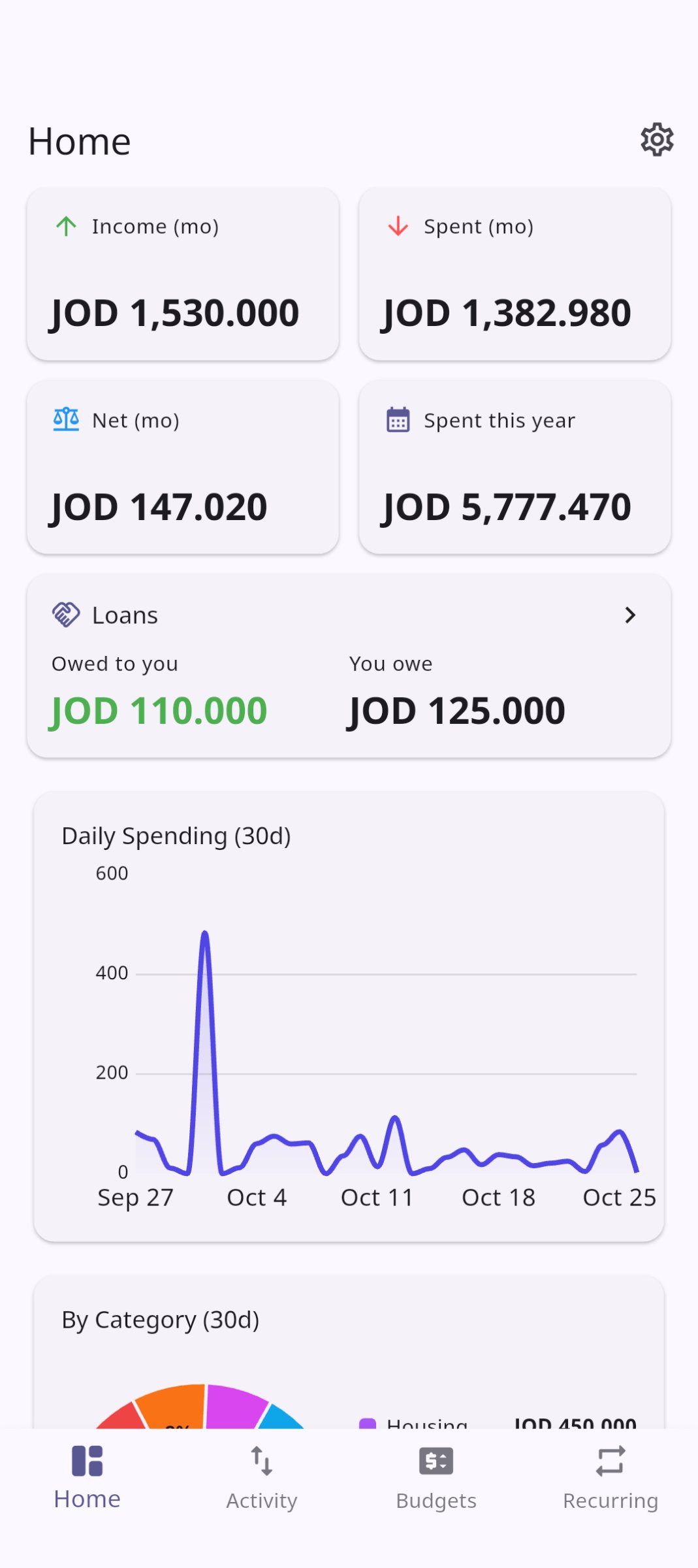
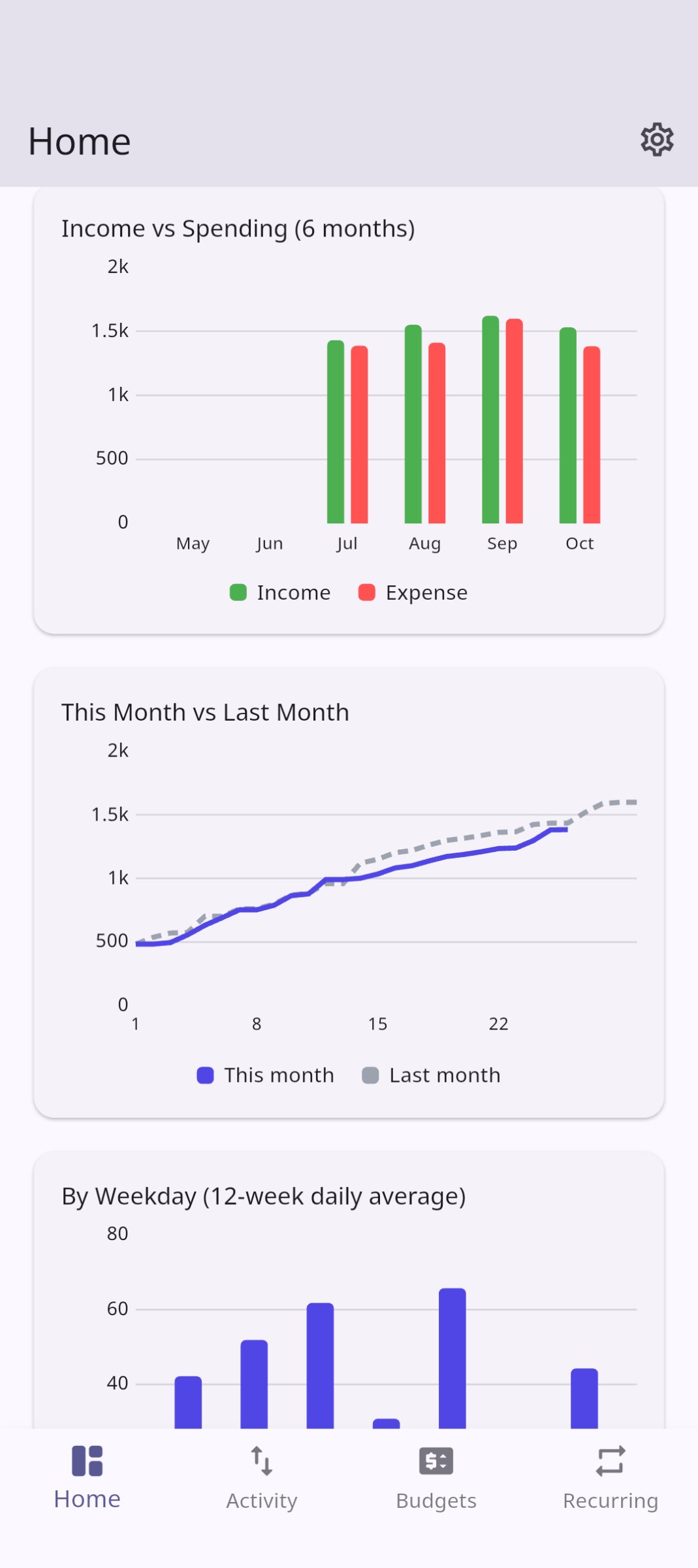
Features• Home: this month's income, spending and net, a 30-day spending chart, breakdowns by category and by merchant, income vs spending over 6 months, this month against last, spending by weekday, and the income and spending of any month you pick.
• Quick add: a home-screen widget and app-icon shortcuts for a new expense, income or voice entry.
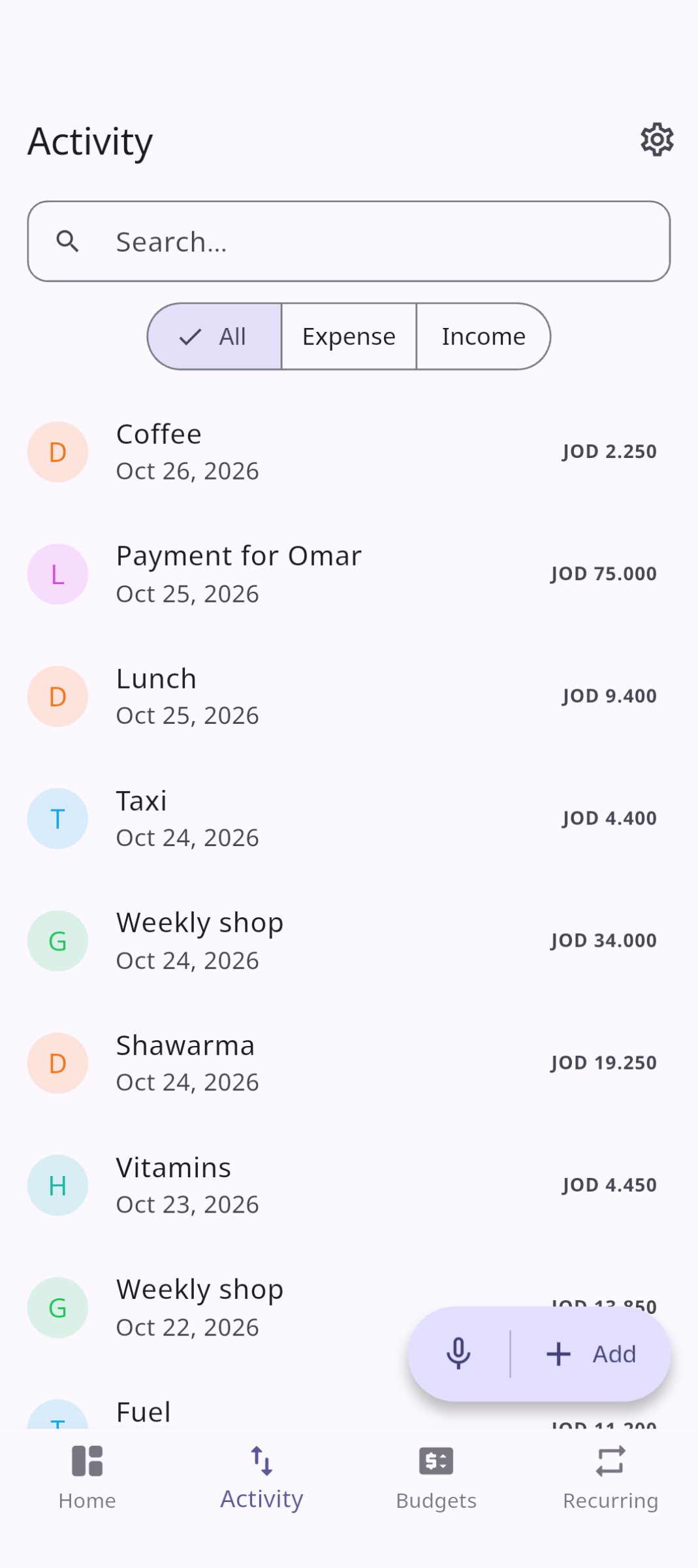
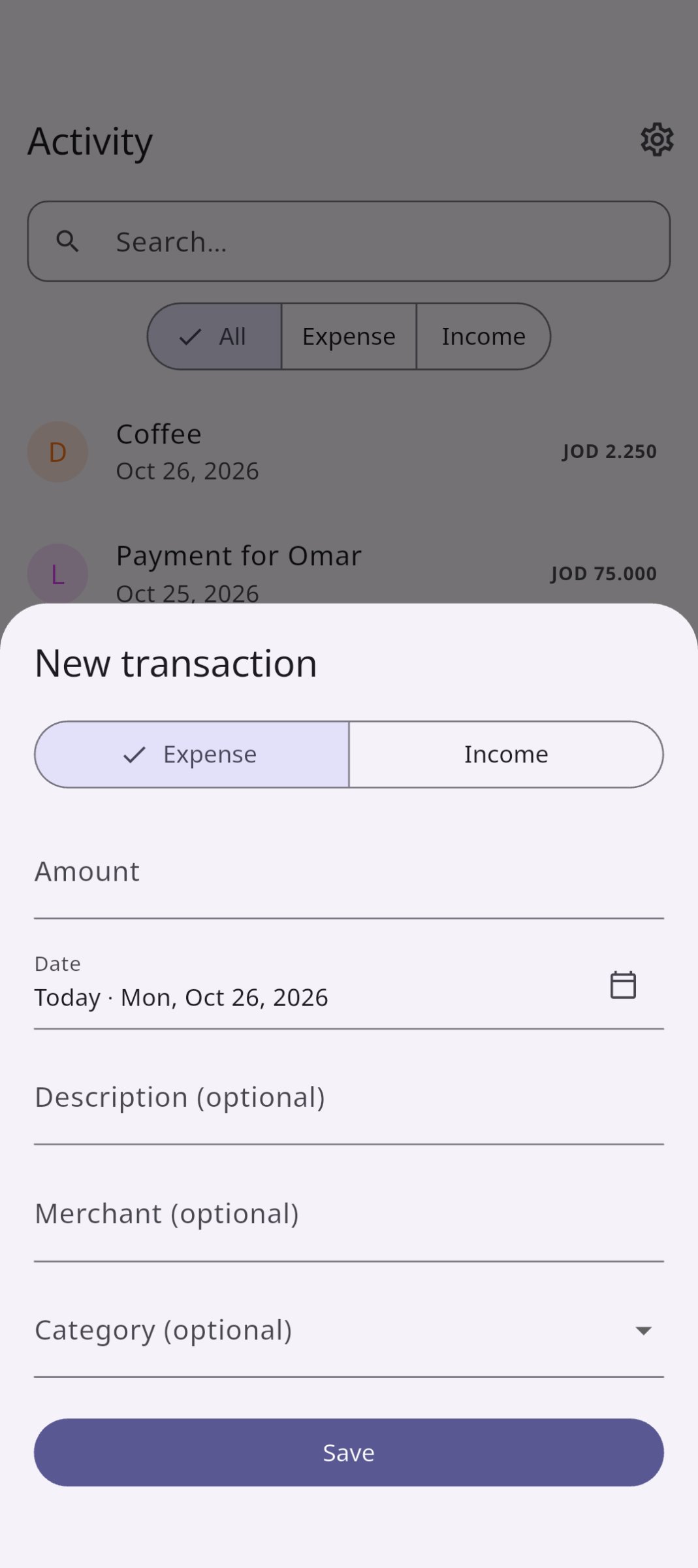
• Activity: add, edit, search and filter transactions, each with a description, merchant and category.
• Merchants: keep a list in Settings. The merchant field searches it as you type and adds names it doesn't find.
• Voice entry (English): say "Spent 3.5 on lunch at Reem yesterday" and check the filled-in form.
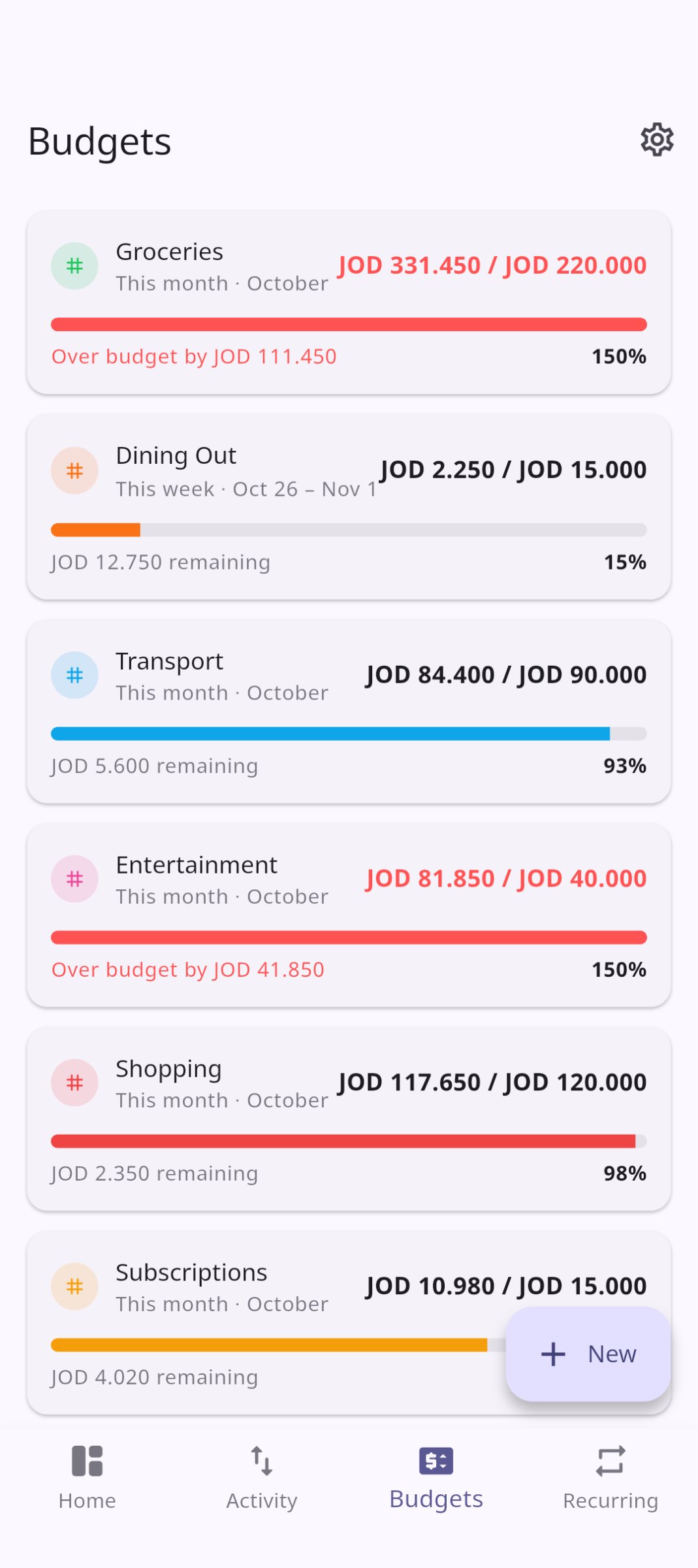
• Budgets: weekly or monthly limits per category, with progress and over-budget warnings.
• Recurring: bills, subscriptions and salary with due dates, posted as transactions in one tap.
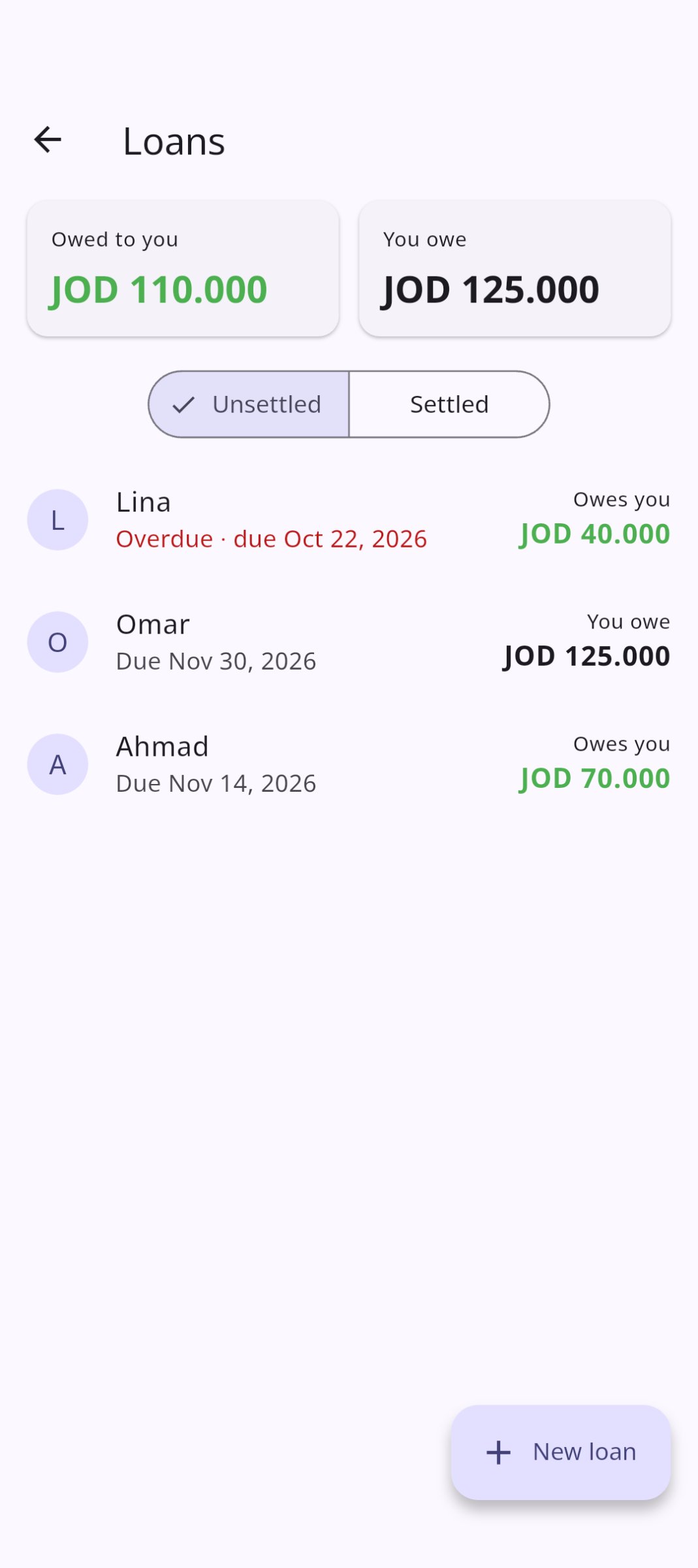
• Loans: money you lend or borrow, per person, with partial repayments and due dates. Each payment is also a normal entry, so your totals follow the cash.
• Backup: export everything to a password-encrypted file, or back up automatically once a day, and import it on another phone.
• Sync: pair your phone with your computer or another phone, and keep the same data on both over your Wi-Fi. No server, no internet.
Voice entry uses your phone's speech recognizer. On most phones that is a separate app with its own privacy terms; the sentence itself is interpreted inside Pocket Sense.
License: GPL-3.0-or-later
Private by design• No sign-in, no servers, no ads, no analytics. The network is used only to sync with your own devices on your local network, and only if you turn that on.
• Your data is encrypted with SQLCipher, using a key kept in the Android Keystore.
• Optional app lock with a 4–6 digit PIN, and fingerprint or face unlock.
• Hide amounts: every amount shows as ••• until you tap the eye. On by default.
Made for Jordan• Amounts in Jordanian dinars with three decimals (JOD 12.500), or in one of 68 other currencies, from SAR and AED to USD and EUR.
• Full Arabic interface, right to left, with Latin digits.
Features• Home: this month's income, spending and net, a 30-day spending chart, breakdowns by category and by merchant, income vs spending over 6 months, this month against last, spending by weekday, and the income and spending of any month you pick.
• Quick add: a home-screen widget and app-icon shortcuts for a new expense, income or voice entry.
• Activity: add, edit, search and filter transactions, each with a description, merchant and category.
• Merchants: keep a list in Settings. The merchant field searches it as you type and adds names it doesn't find.
• Voice entry (English): say "Spent 3.5 on lunch at Reem yesterday" and check the filled-in form.
• Budgets: weekly or monthly limits per category, with progress and over-budget warnings.
• Recurring: bills, subscriptions and salary with due dates, posted as transactions in one tap.
• Loans: money you lend or borrow, per person, with partial repayments and due dates. Each payment is also a normal entry, so your totals follow the cash.
• Backup: export everything to a password-encrypted file, or back up automatically once a day, and import it on another phone.
• Sync: pair your phone with your computer or another phone, and keep the same data on both over your Wi-Fi. No server, no internet.
Voice entry uses your phone's speech recognizer. On most phones that is a separate app with its own privacy terms; the sentence itself is interpreted inside Pocket Sense.
License: GPL-3.0-or-later
| Release info | Update on Nov 09, 2026 |
|---|---|
| Release notes | ? Before you update o Update every paired device. This version stores accounts, so its data is a newer version. Sync only works between devices on the same version: until all your paired devices have updated, they won't sync with each other. o There's no going back to 2.4.2. The first time 2.5.0 opens, it upgrades your data and puts every entry you already have into one account, Cash. An older version can't open it afterwards, or import a backup made by 2.5.0. Your entries, totals and charts stay exactly as they were. Accounts Keep track of where your money is: cash, a bank account, savings, a card (#16). o Everyone starts with one account, Cash, and adds the ones they need in Settings -> Data -> Accounts, or from Home. Each has an opening balance; a card can start below zero. o Home's new Accounts section shows the total and each balance. Tap an account to see its entries and transfers, and what came in and went out this month. o Transfer moves money between your accounts. It isn't income or spending, so your totals, charts and budgets stay the same. o With only Cash, the entry form looks as before. Add a second account and it gets an Account field; new entries go into the account you choose as default. o Close an account you stopped using: money left in it moves to another account (a card's debt is paid off from it), its history stays, and you can reopen it. Delete is for mistakes: everything in it moves to the account you pick, so no money is lost. Reminders for bills and loans A recurring item, or a loan with a due date, can remind you on the day or 1, 3 or 7 days before, at a due time you pick (#11). o Create Transaction on the notification records the bill, or opens Record repayment for a loan, after your app lock. Dismiss closes it. o Notifications show no amounts unless you turn on Settings -> Security -> Amounts in reminders. o On Android they come even when the app is closed. Phones that stop apps' alarms (Xiaomi, Samsung and others) get a hint... |
| Listing data | F-Droid |
Reviews
No reviews yet. Be the first to review Pocket Sense.
Used Pocket Sense? Tell other visitors what you thought.
Log in to write a reviewOther products by this publisher
- "No Distractions" for YouTube 4.10 ----
- #Bible 11.6 "Incredible App - My sister shared this app with me a few weeks ago and it is truly incredible.
- #filmphotography 1.4.2 So, you decided to shoot on film?
- $quirrel 1.5.1 $quirrel Budget & Finance helps you plan each paycheck, track spending, manage debt, and see what is safe to spend before the next payday.
- % Percentage Calculator Pro 1.41 This is the Pro version of % Percentage Calculator.
Most viewed Android Finance Manager
- 1 Denaro 2.10.4 Private, offline personal finance with accounts, categories and insights.
- 2 Tally 1.4.4 One tap per expense. Every account, every currency. Private, offline, no ads.
- 3 Bote 3.0 Split shared group expenses and settle up with minimal transfers
- 4 NanoLedger 1.5.0 Data entry app for plain text accounting
- 5 Bily 2.1.4 Aids in splitting shared receipts fairly
- 6 cone 0.2.20 Data entry tool for the plain text accounting ledger format
- 7 RapidSplit 4.2.2 Split trip costs fairly: per leg, not flat. Offline, no account needed.
- 8 Debitum 1.7.2 keep track of lent money and items
-
9
 piggybudget 2.5
Easily track your expenses
- 10 Decred Address Scanner 1.10 Scans Decred addresses for available funds and notifies of changes.
Most downloaded Android Finance Manager
-
1
 Tallybook 1.16.0
Private, offline-first expense and budget tracker, no account required
-
2
 WallosMobile 1.1.0
Unofficial Android client for the Wallos subscription tracker
-
3
 Nexus Command Center 1.20.0
One Life Score for finance, fitness, study, work and habits
- 4 Denaro 2.10.4 Private, offline personal finance with accounts, categories and insights.
-
5
 Ricevapp Documento Commerciale 1.9.6
Third-party app for quick access, not affiliated with Agenzia delle Entrate
-
6
 MRT Buddy 0.0.26
Check your Dhaka MRT / Rapid Pass balances and trips instantly
-
7
 Okanzo 1.4.2
Private, offline-first net worth tracker with on-device encryption
-
8
 Leftovers 1.9.0
Private expense tracker: log in two taps and see what is safe to spend today.
-
9
 Split It Easy 1.1
Split bills with friends easily.
-
10
 Beanbook 1.0.4
Plain-text accounting for Beancount, on your phone, with no account.