PerfDial 1.1.0
PerfDial times your acceleration runs with the GPS and motion sensors in your iPhone, and keeps every run on your phone.
Download
7.73 MB
5downloads
1this week
FreeCommercial
0reviews
Screenshots
About PerfDial
PerfDial times your acceleration runs with the GPS and motion sensors in your iPhone, and keeps every run on your phone.
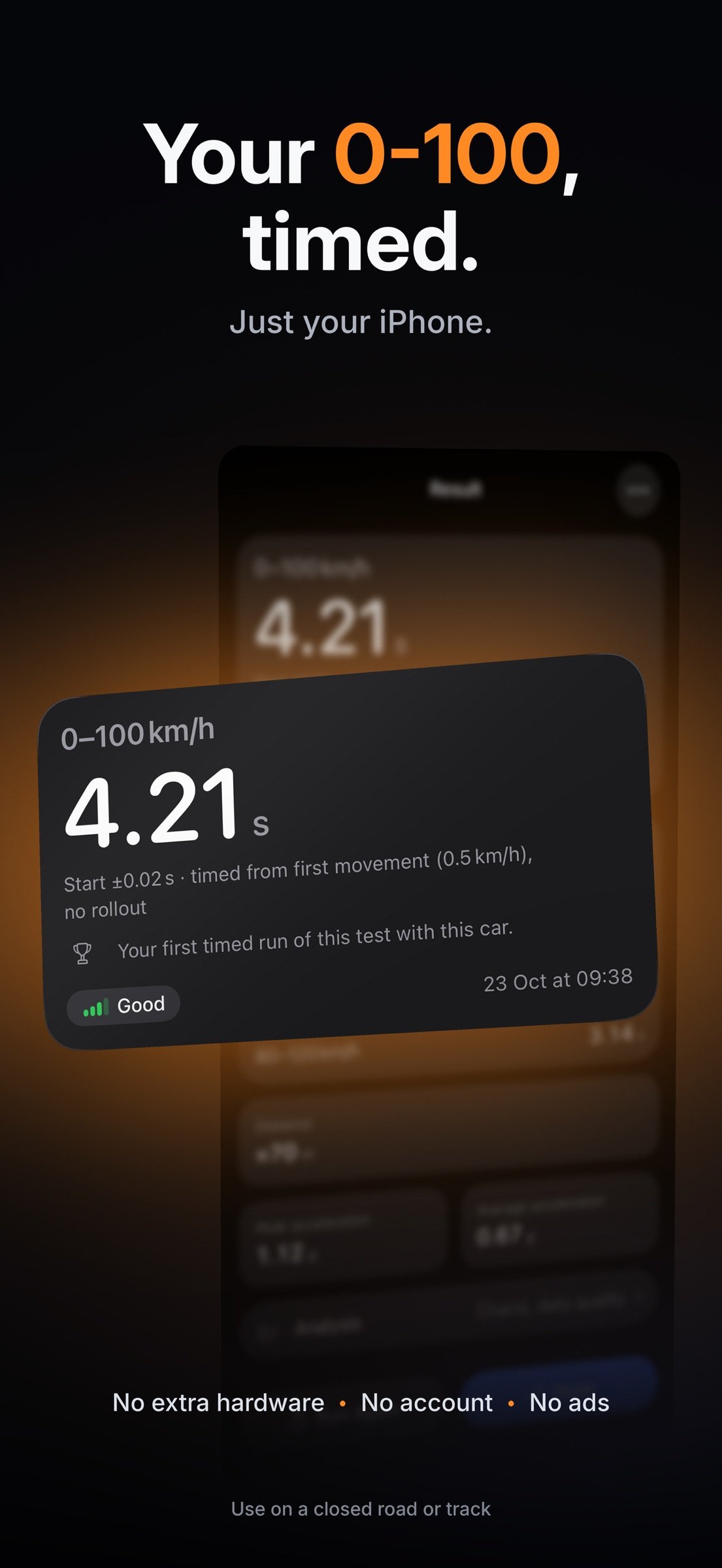
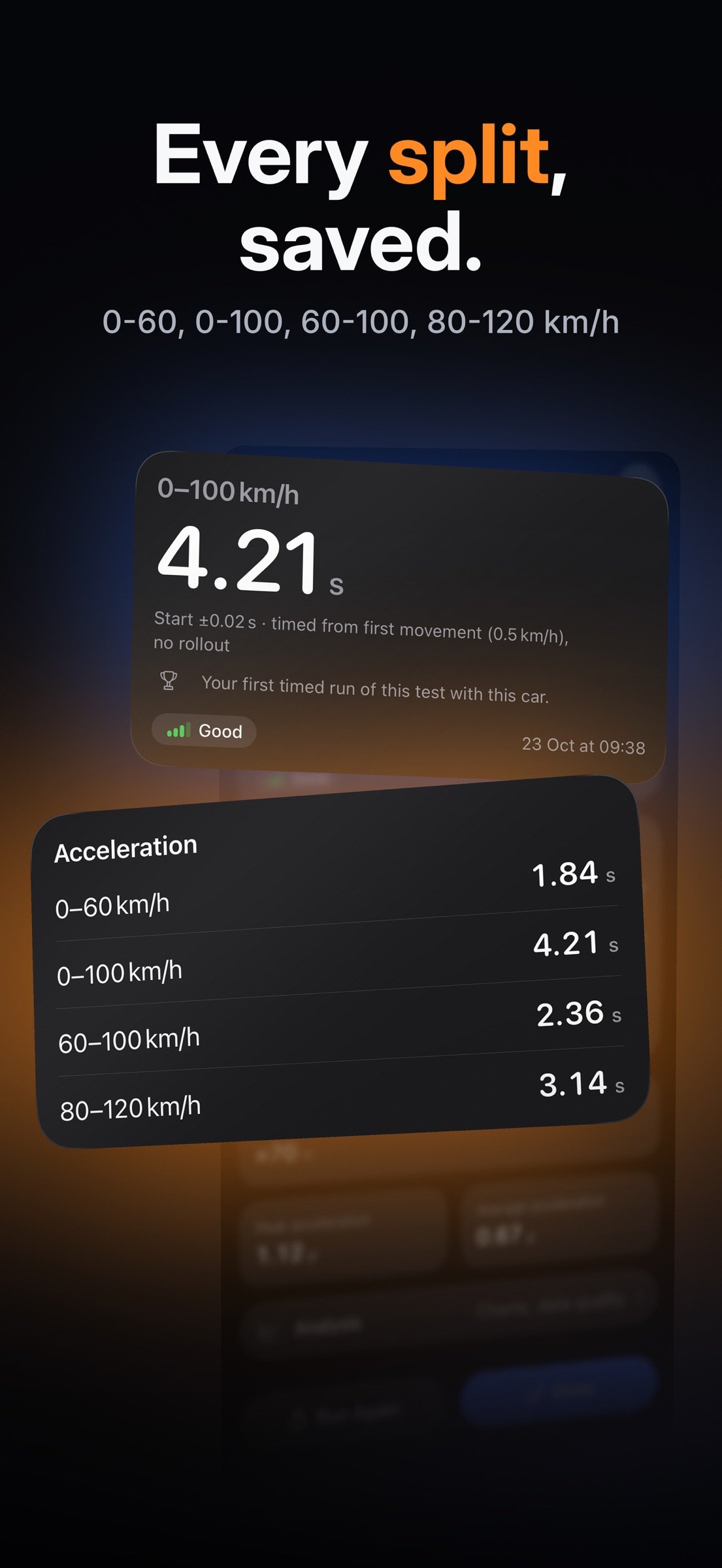
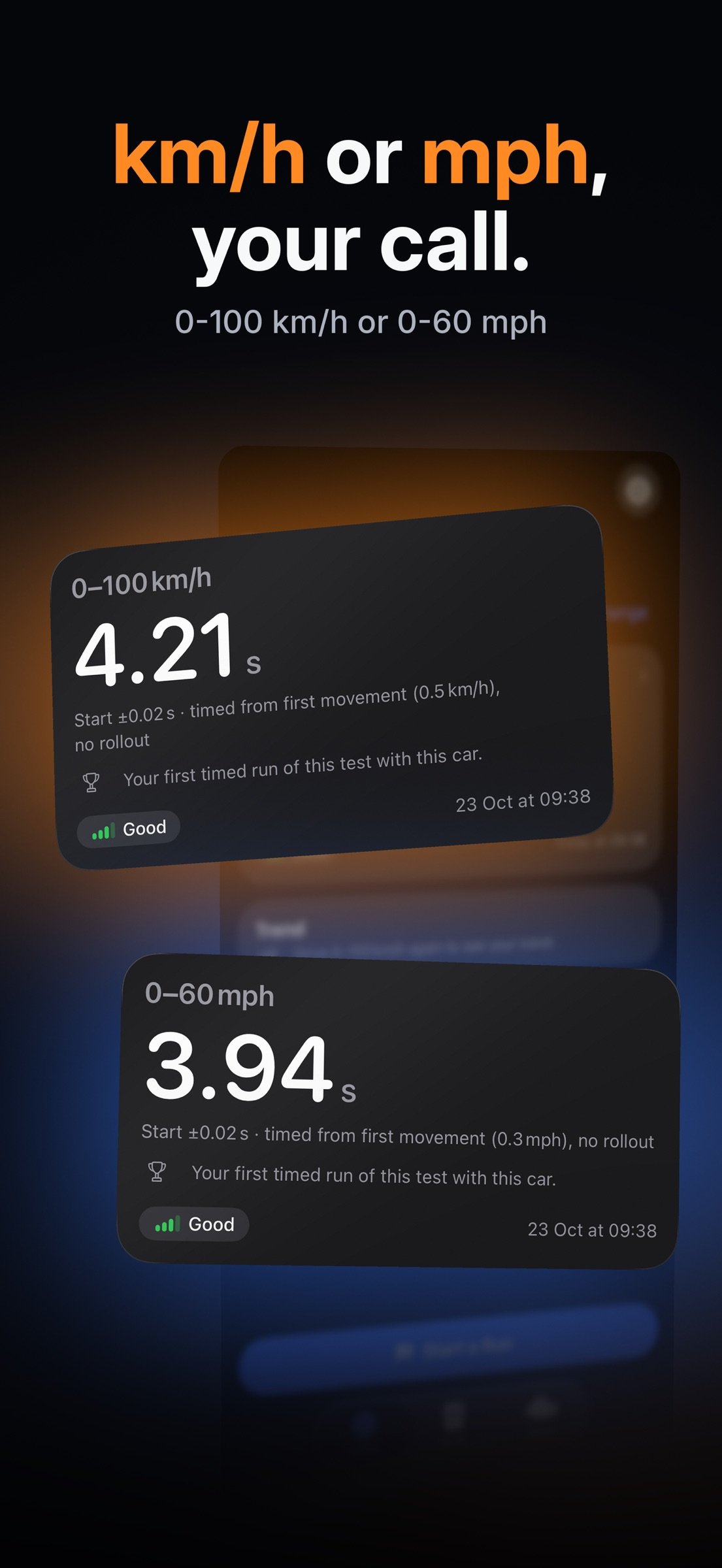
Mount the iPhone, tap Go and drive. PerfDial finds the start and the stop itself, and times the intervals the run crossed: 0-60, 0-100, 60-100, 80-120 or 100-200 km/h.
WHAT IT DOES
- Auto run. One screen and nothing to set up: tap Go, start from a standstill, and the list fills in with every standard interval the run crosses.
- Choose your own test instead: a standing start, a rolling start or a custom speed range.
- A run is checked before it is timed. If the mount, the sky or the standstill was not right, the run shows no time and says why, rather than a doubtful number.
- Data quality on every result: a grade, plus a plain sentence about what the sensors saw.
- History: every saved run, grouped by day, with favourites and delete.
- Compare two runs side by side, with both traces on one chart.
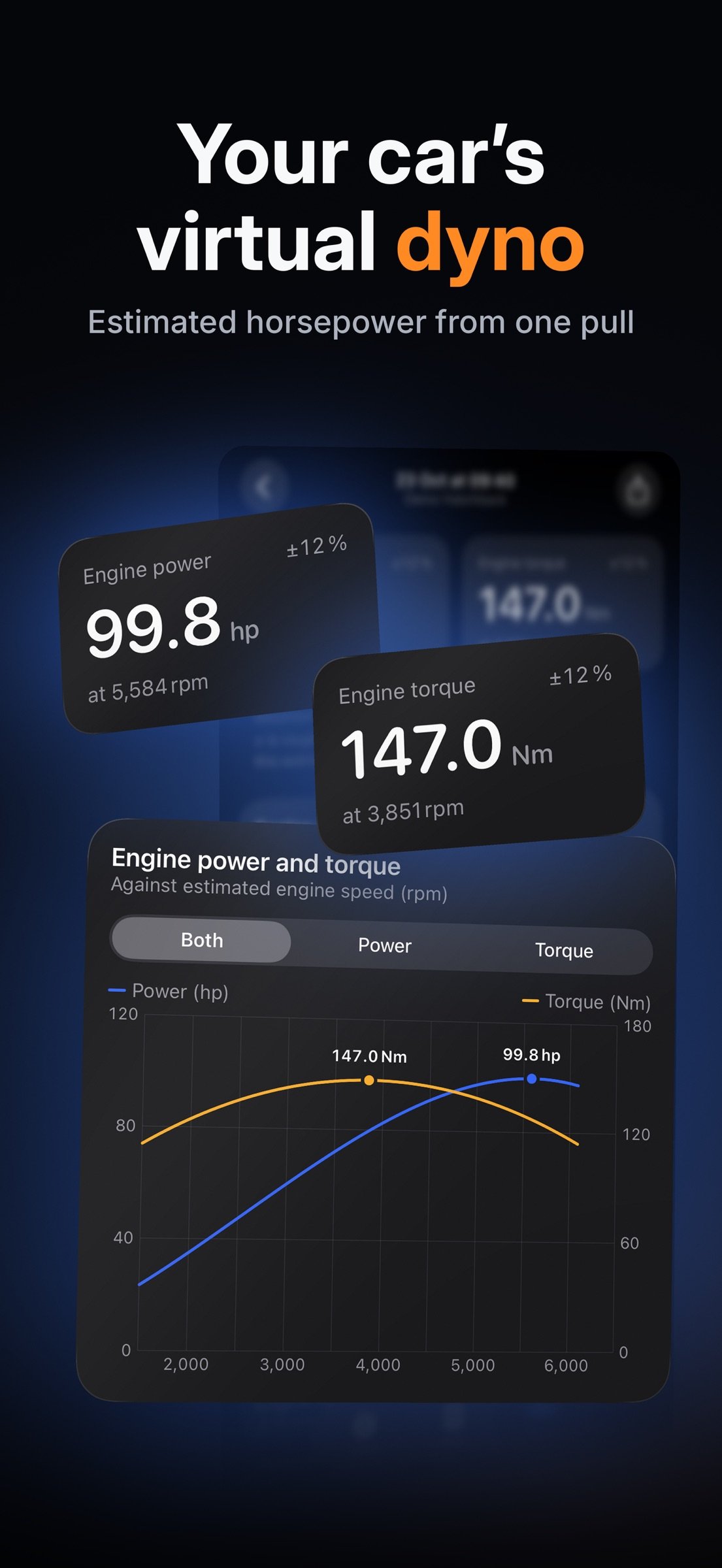
- Virtual dyno. From one dedicated pull, PerfDial estimates engine power and torque, shows a margin, can average the pull with its return pull, and corrects for the weather when the phone's barometer has a reading.
- Charts of speed, acceleration and distance against time.
- Export. Share the whole recording as JSON, or the processed table as CSV, whenever you want to.
- Onboarding and How It Works: four short cards on the first launch, and a page that explains what the app measures and why a run can have no time.
- Your units: speed in km/h or mph, power in horsepower, torque in newton-metres.
iPHONE DUO
On iPhone Duo the layout adapts to the folded and unfolded screens, and the live run and the result keep clear of the fold. Folding or unfolding the phone during a run ends that run with no time, because the sensors moved.
WHAT YOU NEED
- An iPhone running iOS 26 or later, with GPS. Real runs need open sky and a firm mount.
- A closed road or track where testing is allowed, and a standstill to start from.
- PerfDial asks for Location While In Use, and for Precise Location for the seconds of a run, because approximate location cannot measure speed. The accelerometer and the gyroscope need no extra permission; the barometer does, so iOS asks for Motion & Fitness the first time a dyno pull starts.
SAFETY
Before the first run, PerfDial shows this notice and the driver has to acknowledge it:
"Use PerfDial only on a closed road or track where this is allowed. Never use it on public roads, in traffic or above the speed limit. Mount the iPhone and do not touch it while driving. The figures are estimates, and the driver is responsible for driving safely."
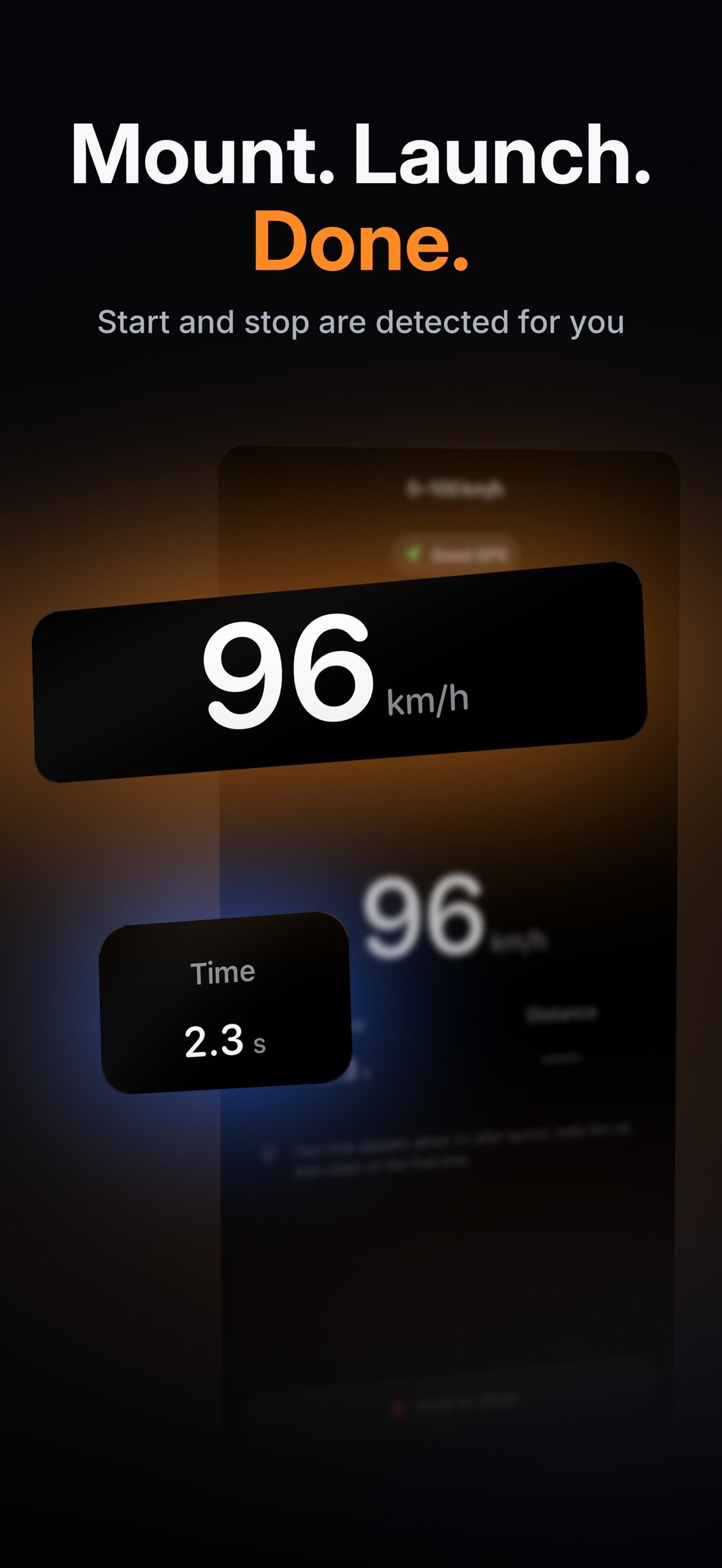
The app never asks for a tap while driving: the start and the stop are detected for you, and the phone is meant to stay mounted. The Dyno procedure gives the same rule: every pull is meant for a closed road or track where this is allowed.
YOUR DATA
No account, no login, no server, no cloud sync, no analytics, no advertising and no third-party SDKs. Location, motion and air-pressure readings are processed on your iPhone and stored in the app's own database on the device, which can be included in your own iPhone backup. Nothing is uploaded unless you choose to export a run yourself, and even then the file goes only where you send it. PerfDial's App Store privacy label says that no data is collected.
ABOUT THE NUMBERS
Every physics output is labelled as estimated: estimated power, estimated torque, estimated revs (RPM). The app makes no accuracy claim, states no tolerance or percentage, and never compares a run with a published time. A run's time is what your own car and your own phone measured, and the quality grade tells you how the conditions were.
iPhone is a trademark of Apple Inc., registered in the U.S. and other countries and regions. IOS is a trademark or registered trademark of Cisco in the U.S. and other countries and is used under license. PerfDial is an independent product, not affiliated with, endorsed by or sponsored by Apple.
License: Commercial
Mount the iPhone, tap Go and drive. PerfDial finds the start and the stop itself, and times the intervals the run crossed: 0-60, 0-100, 60-100, 80-120 or 100-200 km/h.
WHAT IT DOES
- Auto run. One screen and nothing to set up: tap Go, start from a standstill, and the list fills in with every standard interval the run crosses.
- Choose your own test instead: a standing start, a rolling start or a custom speed range.
- A run is checked before it is timed. If the mount, the sky or the standstill was not right, the run shows no time and says why, rather than a doubtful number.
- Data quality on every result: a grade, plus a plain sentence about what the sensors saw.
- History: every saved run, grouped by day, with favourites and delete.
- Compare two runs side by side, with both traces on one chart.
- Virtual dyno. From one dedicated pull, PerfDial estimates engine power and torque, shows a margin, can average the pull with its return pull, and corrects for the weather when the phone's barometer has a reading.
- Charts of speed, acceleration and distance against time.
- Export. Share the whole recording as JSON, or the processed table as CSV, whenever you want to.
- Onboarding and How It Works: four short cards on the first launch, and a page that explains what the app measures and why a run can have no time.
- Your units: speed in km/h or mph, power in horsepower, torque in newton-metres.
iPHONE DUO
On iPhone Duo the layout adapts to the folded and unfolded screens, and the live run and the result keep clear of the fold. Folding or unfolding the phone during a run ends that run with no time, because the sensors moved.
WHAT YOU NEED
- An iPhone running iOS 26 or later, with GPS. Real runs need open sky and a firm mount.
- A closed road or track where testing is allowed, and a standstill to start from.
- PerfDial asks for Location While In Use, and for Precise Location for the seconds of a run, because approximate location cannot measure speed. The accelerometer and the gyroscope need no extra permission; the barometer does, so iOS asks for Motion & Fitness the first time a dyno pull starts.
SAFETY
Before the first run, PerfDial shows this notice and the driver has to acknowledge it:
"Use PerfDial only on a closed road or track where this is allowed. Never use it on public roads, in traffic or above the speed limit. Mount the iPhone and do not touch it while driving. The figures are estimates, and the driver is responsible for driving safely."
The app never asks for a tap while driving: the start and the stop are detected for you, and the phone is meant to stay mounted. The Dyno procedure gives the same rule: every pull is meant for a closed road or track where this is allowed.
YOUR DATA
No account, no login, no server, no cloud sync, no analytics, no advertising and no third-party SDKs. Location, motion and air-pressure readings are processed on your iPhone and stored in the app's own database on the device, which can be included in your own iPhone backup. Nothing is uploaded unless you choose to export a run yourself, and even then the file goes only where you send it. PerfDial's App Store privacy label says that no data is collected.
ABOUT THE NUMBERS
Every physics output is labelled as estimated: estimated power, estimated torque, estimated revs (RPM). The app makes no accuracy claim, states no tolerance or percentage, and never compares a run with a published time. A run's time is what your own car and your own phone measured, and the quality grade tells you how the conditions were.
iPhone is a trademark of Apple Inc., registered in the U.S. and other countries and regions. IOS is a trademark or registered trademark of Cisco in the U.S. and other countries and is used under license. PerfDial is an independent product, not affiliated with, endorsed by or sponsored by Apple.
License: Commercial
| Release info | Update on Nov 10, 2026 |
|---|---|
| Release notes | When you beat your previous time on the same test and the same car, the Result screen shows New best and how many seconds quicker you were, once the phone is still. You can share a timed result as an image card. The card shows the time, the test, the day, and Closed road or track only. It has no location. The car name stays hidden until you turn it on in the preview. In Runs, a chart of your recent times appears when you have at least two timed runs of the same test and car. It uses the same bars as the Trend card on Home. |
| Listing data | App Store |
Reviews
No reviews yet. Be the first to review PerfDial.
Used PerfDial? Tell other visitors what you thought.
Log in to write a reviewOther products by this publisher
- "No Distractions" for YouTube 4.10 ----
- #Bible 11.6 "Incredible App - My sister shared this app with me a few weeks ago and it is truly incredible.
- #filmphotography 1.4.2 So, you decided to shoot on film?
- $quirrel 1.5.1 $quirrel Budget & Finance helps you plan each paycheck, track spending, manage debt, and see what is safe to spend before the next payday.
- % Percentage Calculator Pro 1.41 This is the Pro version of % Percentage Calculator.
Most viewed iOS Sports
-
1
 VolleyWrite Buddy 2.4
The VolleyWrite Buddy connects to the Windows version (for now) of VolleyWrite via bluetooth or WiFi.
-
2
 ZephyrAir 1.5.4
ZEPHYRAIR — Stop Guessing...
-
3
 Draft Edge 1.1.2
STOP FOLLOWING THE EXPERTS.
-
4
 FlyBox 6.1
FlyBox is your personal fly fishing reference and collection manager for iPhone, iPad, and Mac.
-
5
 Fox Magnet 1.0
On the edge of the field you're sitting on the ground in camouflage with a distressed rabbit decoy in front of you.
-
6
 Avalanche Inclinometer 1.0.1
Avy savvy backcountry skiers and riders know that three things count when it comes to the terrain’s influence on avalanches: the slope, the elevation, and the (compass) aspect.
-
7
 Adult 1-6 4.0
Learn to Skate USA, the premier source for all things figure skating, has teamed up with Rink Tank Interactive to bring you the ' Learn to Skate USA 'Skate Coach' app series for iOS!
-
8
 TCS Toronto WaterfrontMarathon 5.2
The TCS Toronto Waterfront Marathon is Canada’s premier running event and the grand finale of the Canada Running Series.
-
9
 DraftKings 5.56.0
Now Live in All 50 States!
-
10
 ESPN 8.29.1
All of ESPN. All in One Place.
Most downloaded iOS Sports
-
1
 Coyote Magnet 2.1
Coyote Magnet puts 79 full-quality predator sounds in your pocket, recorded clean and organized the way a hunt actually unfolds.
-
2
TCS Toronto WaterfrontMarathon 5.2
The TCS Toronto Waterfront Marathon is Canada’s premier running event and the grand finale of the Canada Running Series.
-
3
Adult 1-6 4.0
Learn to Skate USA, the premier source for all things figure skating, has teamed up with Rink Tank Interactive to bring you the ' Learn to Skate USA 'Skate Coach' app series for iOS!
-
4
ZephyrAir 1.5.4
ZEPHYRAIR — Stop Guessing...
-
5
Draft Edge 1.1.2
STOP FOLLOWING THE EXPERTS.
-
6
 Spectrum SportsNet 5.0.1
Stay connected with the Lakers, Dodgers, and Sparks with the Spectrum SportsNet app!
-
7
VolleyWrite Buddy 2.4
The VolleyWrite Buddy connects to the Windows version (for now) of VolleyWrite via bluetooth or WiFi.
-
8
 100 Climbs of Italy 4.3
The 100 greatest Cycling Climbs of Italy App is an indispensable tool if you’re planning a cycling trip to Italy.
-
9
 ESPN Fantasy Sports & More 9.12.2
With the #1 fantasy sports app, fantasy sports are always in-season.
-
10
DraftKings 5.56.0
Now Live in All 50 States!