
1downloads
1this week
FreeCommercial
0reviews
Screenshots
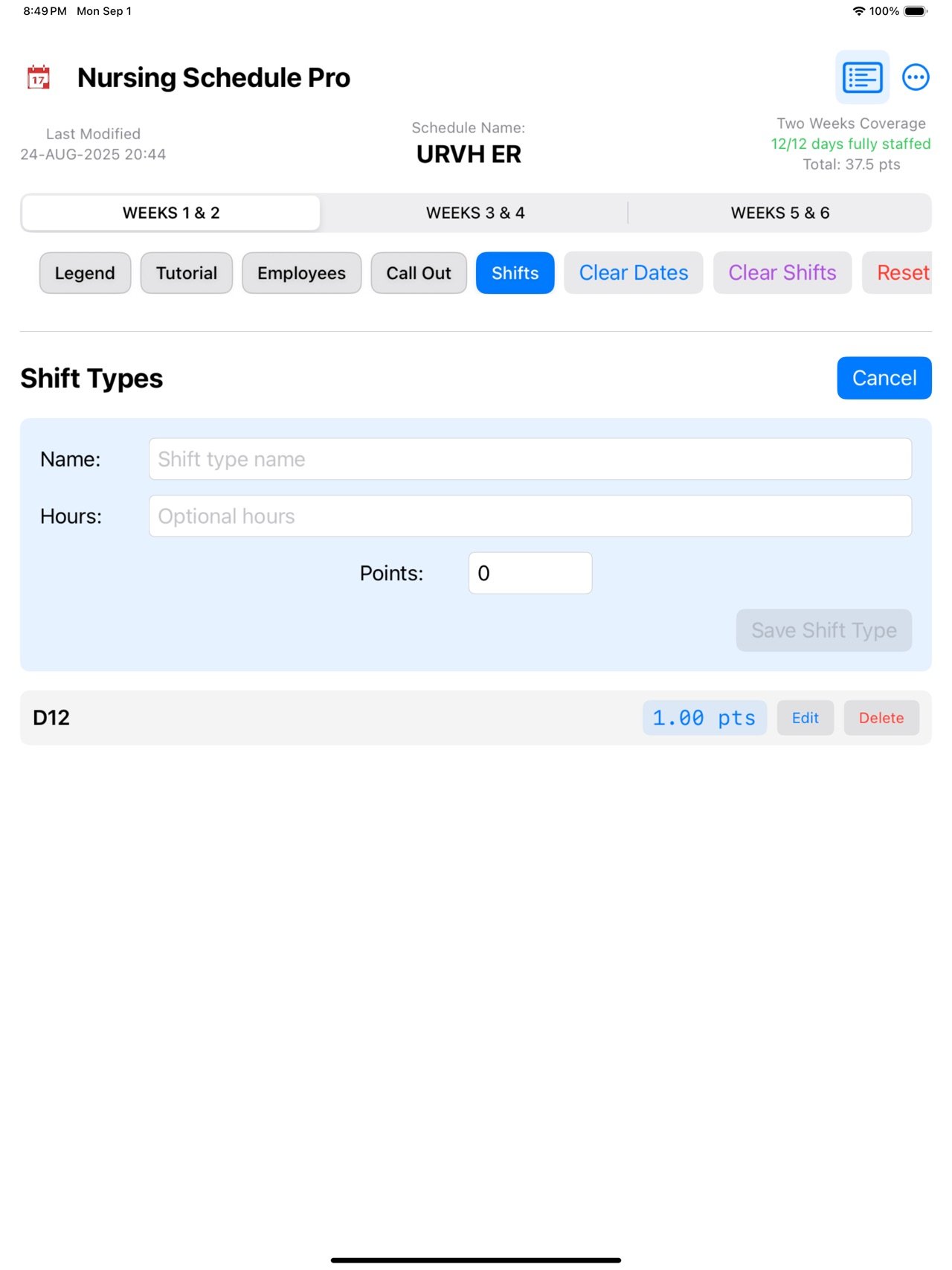
About Nursing Schedule Pro
OVERVIEW
========
Nursing Schedule Pro is a professional healthcare scheduling application designed to manage nursing staff schedules efficiently. The app provides comprehensive tools for creating, managing, and printing staff schedules with advanced features for call-in management, employee tracking, and professional output.
KEY FEATURES
============
• Professional 14-day schedule management
• Employee categorization system (RNs, Aides, CUPE)
• Custom shift types with point-based scheduling
• Call-in management and replacement tracking
• Contact information for printed schedules
• PDF export and professional printing
• Employee information management
• Undo/Redo functionality
• Automatic data saving and file management
MAIN INTERFACE
==============
Schedule Grid:
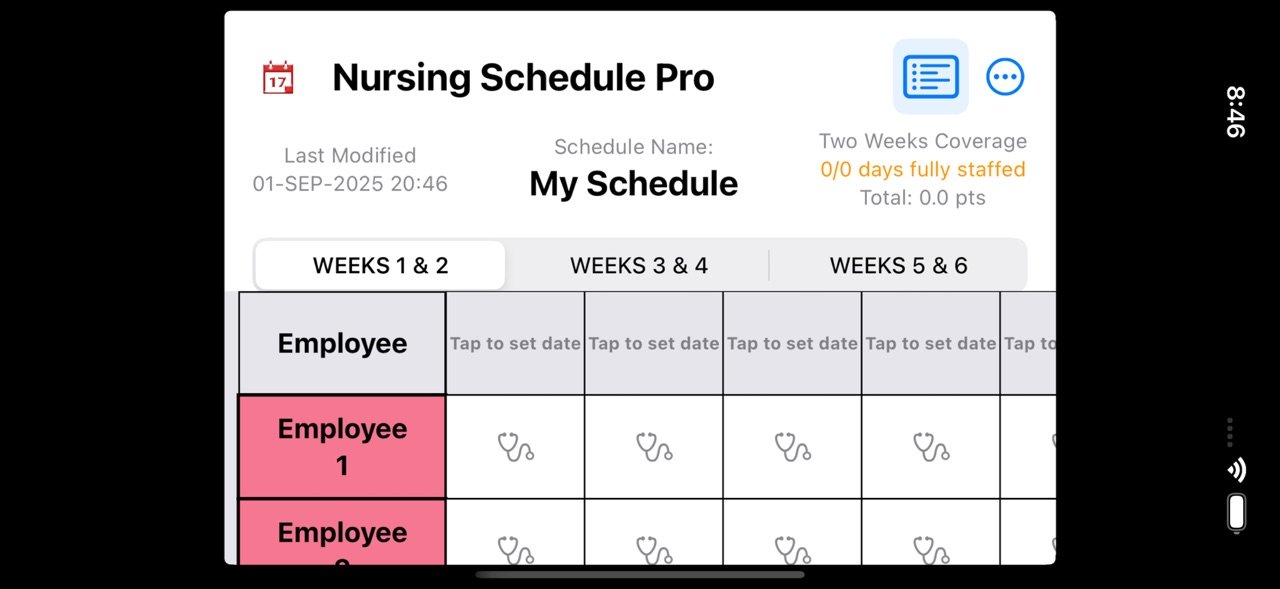
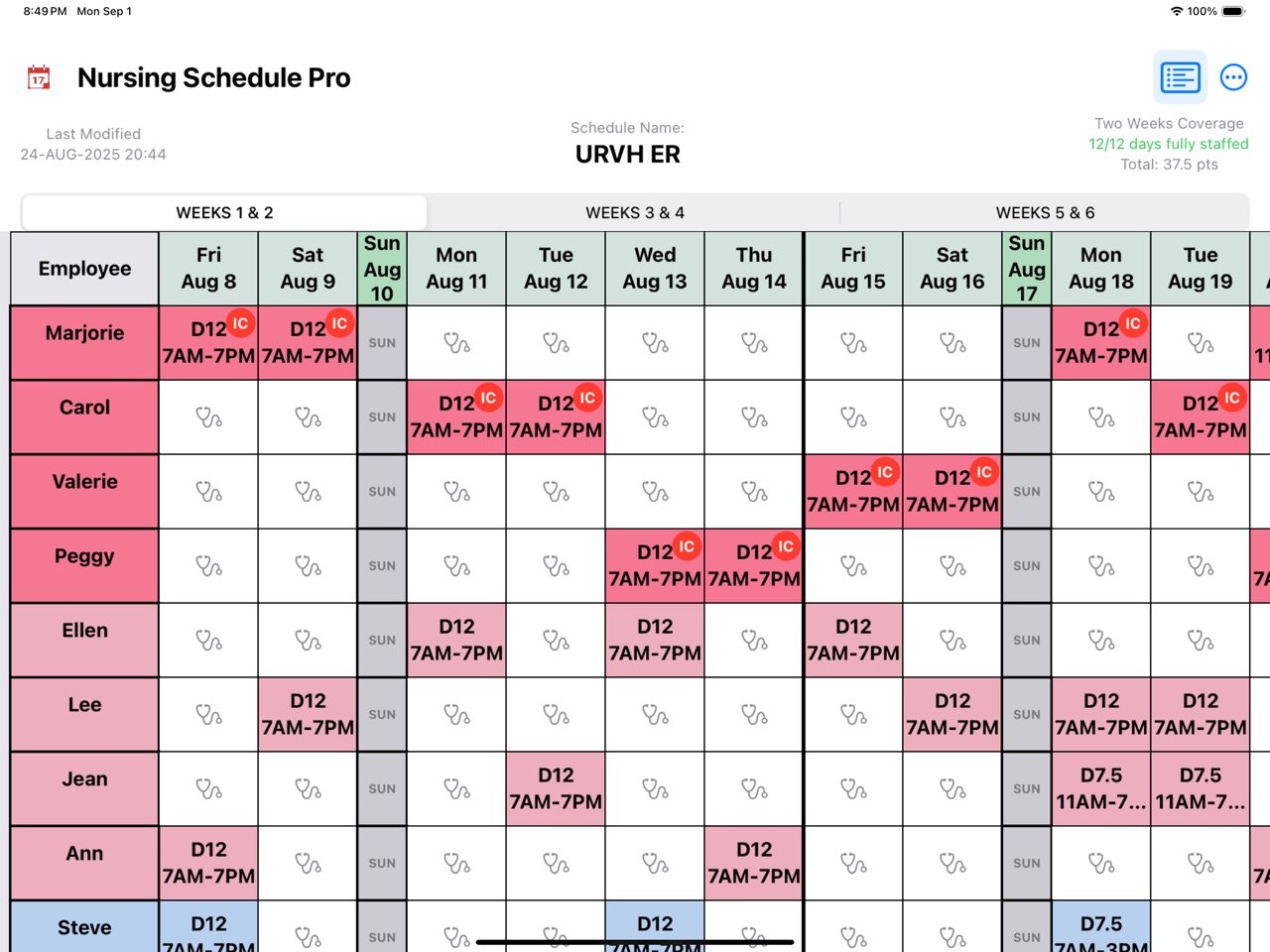
• 14-day schedule displayed in a grid format
• Each day shows morning and evening shifts
• Click any cell to add or edit shifts
• Color-coded by employee category
• Visual indicators for shift status
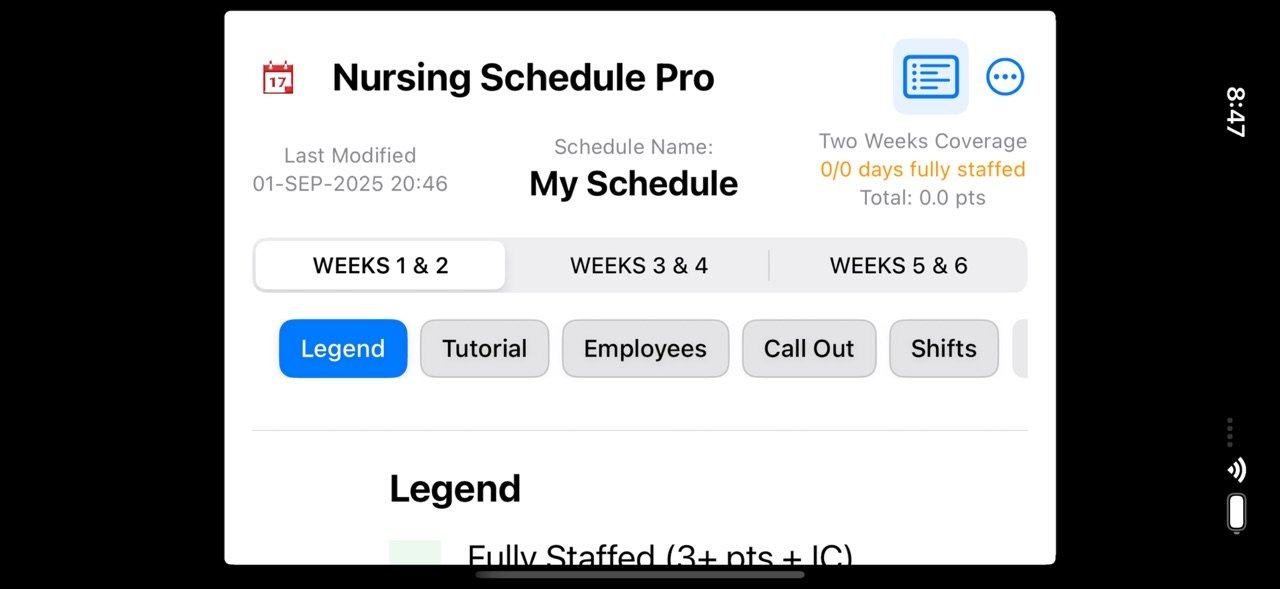
Legend Panel (Right Side):
• Tutorial - Guided learning experience
• Employee Management - Edit staff information
• Contact Info - Set contact details for printing
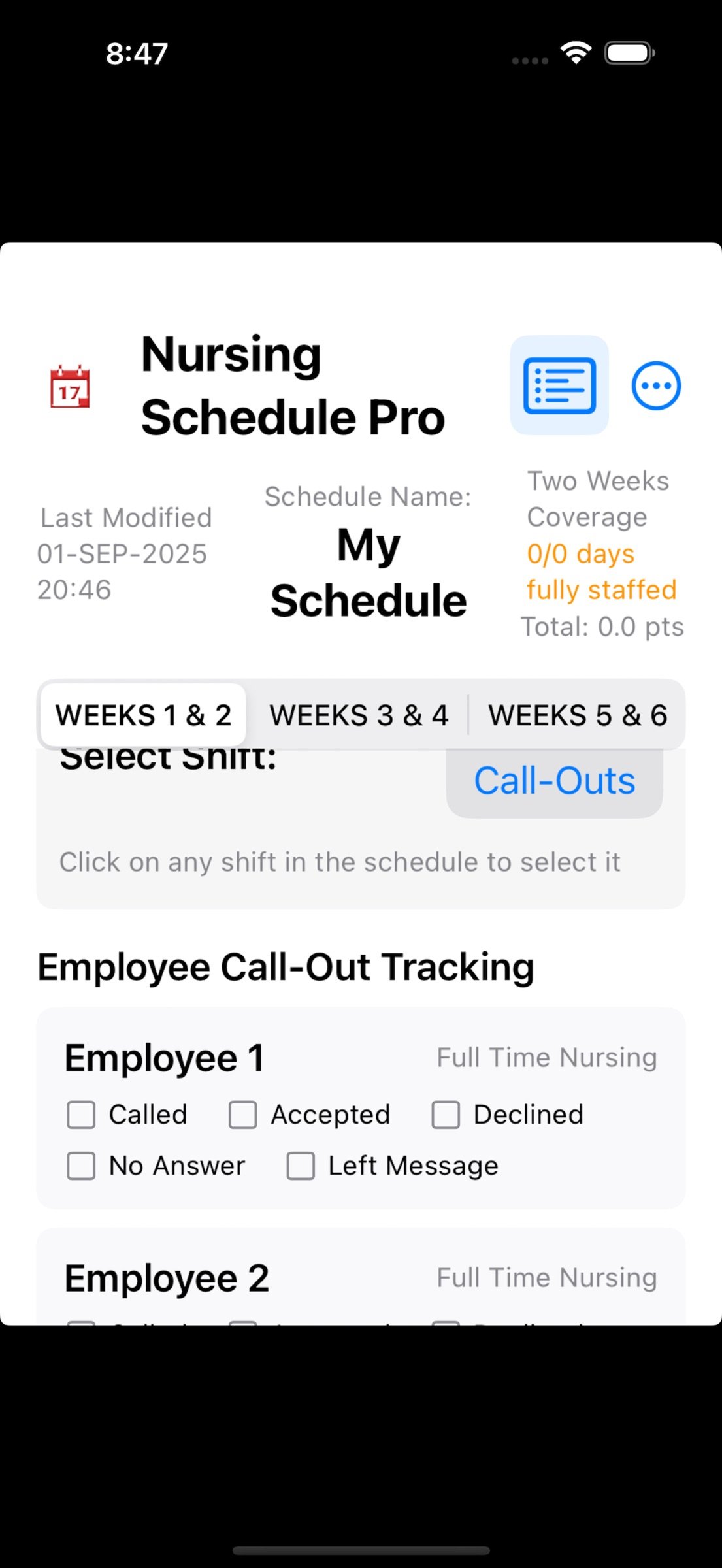
• Call-In List - Manage call-ins and replacements
• Clear Dates - Remove all date assignments
• Clear Shifts - Remove all shift assignments
• Clear All Data - Reset to default template
EMPLOYEE MANAGEMENT
==================
Accessing Employee Management:
• Click "Employee Management" button in legend panel
• Edit employee names, categories, and contact info
• Add new employees or remove existing ones
• Employees automatically sort by category
Employee Categories:
• RN categories listed first: Full Time RN, Part Time RN, Casual RN
• Aide categories listed second: Aides
• Each category has distinct color coding
• Categories determine cell appearance in schedule
CONTACT INFORMATION
==================
Setting Contact Details:
• Click "Contact Info" button in legend panel
• Set Administrative Director contact information
• Set Secretary contact information
• Set Nurse Manager contact information
• Contact info appears only on printed schedules
• Hidden from main interface for privacy
PRINTING AND EXPORT
===================
Printing Schedules:
• Use File > Print/Export menu option
• Schedules print in landscape orientation
• Contact information appears at top if set
• Optimized for standard letter paper
• Minimal margins (0.25cm) for maximum content
PDF Export:
• Use File > Export to PDF menu option
• Save schedules as PDF files
• Same professional formatting as printed version
• Ideal for digital distribution and email
TIPS AND BEST PRACTICES
=======================
1. Set your schedule name early to avoid confusion
2. Use date headers to establish your schedule timeline
3. Aim for minimum 3.0 points per day (excluding Sundays)
4. Use the legend panel for quick access to all features
5. Save important schedules as files for backup
6. Use call-in management to track replacement assignments
7. Set contact information for professional printed schedules
8. Use employee categories to maintain proper staffing ratios
9. Always list RN categories first, then aide categories
10. Keep print margins narrow (0.25cm) for maximum content
SUPPORT AND CONTACT
==================
For technical support or questions:
• Check this help documentation first
• Use the Tutorial button for guided learning
• Contact: halhitchcock.com
CHANGE LOG
==========
Version 3.0.0 (January 2025):
• Major version update to 3.0.0
• Streamlined shift types for better usability
• Enhanced user interface and performance
• Improved schedule management features
COPYRIGHT AND LEGAL
==================
Copyright © 2025 halhitchcock.com App Design
All rights reserved. This software is protected by copyright laws and international treaties.
• Nursing Schedule Pro is a trademark of halhitchcock.com App Design
• This software is provided "as is" without warranty
• Use at your own risk
• No liability for data loss or damages
License: Commercial
| Release info | New Release on Nov 10, 2026 |
|---|---|
| Release notes | Minor bug fixes. |
| Listing data | App Store |
Reviews
No reviews yet. Be the first to review Nursing Schedule Pro.
Used Nursing Schedule Pro? Tell other visitors what you thought.
Log in to write a reviewOther products by this publisher
- "No Distractions" for YouTube 4.10 ----
- #Bible 11.6.1 "Incredible App - My sister shared this app with me a few weeks ago and it is truly incredible.
- #filmphotography 1.4.2 So, you decided to shoot on film?
- #LookBusy Fake Calendar Events 1.0.6 Look Busy scans your work calendar for open time slots and fills them with realistic-looking (but secretly fake) work events.
- #Small Talk Is Canceled 1.0.2 #Small Talk Is Canceled — Conversations That Matter
Most viewed iOS Business
-
1
 Navy Federal Credit Union 2026.10.2
Bank easy with the Navy Federal mobile app!
-
2
 Paycom 8.0.16
If you or your company use Paycom’s HR and software, the Paycom app helps you manage everyday HR and payroll tasks in one place — like checking your schedule, requesting time off and reviewing your pay.
-
3
 Entrust Identity 26.4.0
The Entrust Identity mobile application is the new Entrust mobile platform for delivering strong identity credentials to both employee and consumer users.
- 4 % Percentage Calculator Pro 1.41 This is the Pro version of % Percentage Calculator.
-
5
 Intune Company Portal 5.2610.0
Microsoft Intune helps organizations manage access to corporate apps, data, and resources.
-
6
 Budget-Beacon 1.5
Budget Beacon connects to your Apple Wallet to help you understand and manage your spending.
-
7
 ParkNYC Powered by Flowbird 2.2.1
Have you ever been late to an important meeting and you can’t find a parking spot?
-
8
 Shopify 11.2646.0
Shopify: build your online store, sell anywhere, run your business
- 9 $quirrel 1.5.1 $quirrel Budget & Finance helps you plan each paycheck, track spending, manage debt, and see what is safe to spend before the next payday.
-
10
 MiniVAN Touch 9.4.7
miniVAN Touch is a mobile canvassing application that integrates with websites provided by NGP VAN.
Most downloaded iOS Business
-
1
ParkNYC Powered by Flowbird 2.2.1
Have you ever been late to an important meeting and you can’t find a parking spot?
-
2
Budget-Beacon 1.5
Budget Beacon connects to your Apple Wallet to help you understand and manage your spending.
-
3
 Business Timesheet 6.0
Are you looking for timesheet to track the work hours spent on hourly, daily or weekly basis accurately?
-
4
 Rocket.Chat 4.78.1
Rocket.Chat Secure CommsOS™ is a communication platform that unifies messaging, voice, video, AI, and mission-critical applications—ensuring uncompromising security, compliance, and operational efficiency for governments, defense, and critical infra…
-
5
 Receivable Payment Ledger2026 1.1
Payment Ledger is a fully offline accounts receivable management tool for small businesses, shops, wholesalers, and salespeople who need to track customer debts and payment progress.
-
6
 Simple Budget Envelopes 2.2.1
An incredibly simple app, perfect for keeping track of how much money remains in your budget.
-
7
 Cvent Events 2.9.0
Cvent Events is your place to easily plan out your event experience, find where you need to go next, network with other attendees, and learn more about sponsors and exhibitors.
-
8
 Vola 4.9.02
Vola is the only cash advance app built for Real-Time Payments (RTP).
-
9
 Power Apps 3.26112.10
Get Power Apps to conveniently access your work or school apps no matter where you are: at home, on the road, in the field, off-campus, at the airport, or at the beach – anywhere life takes you.
-
10
 Checkbook Pro 3.3.5
An easy & quick way to manage your daily finances, Checkbook Pro keeps track of your credit card charges, cash expenditures...etc.