NMEA Monitor 1.2
NMEA Monitor is a powerful, easy-to-use tool to record and display a wealth of real-time information directly from NMEA or AIS WiFi devices such as the Vesper Marine XB8000.
Download
46.42 MB
6downloads
6this week
FreeCommercial
0reviews
Screenshots
About NMEA Monitor
NMEA Monitor is a powerful, easy-to-use tool to record and display a wealth of real-time information directly from NMEA or AIS WiFi devices such as the Vesper Marine XB8000. Information is sourced in real-time directly from the connected AIS device and data is logged to a file on your device which you can view directly on your mobile device, or email to yourself for later data analyses and archiving. Information is also displayed and updated in real-time on the screen of your mobile device during the logging process.
View, display and log a wide range of real-time measurements, including:
GPS position
Satellites in View
Position error estimates
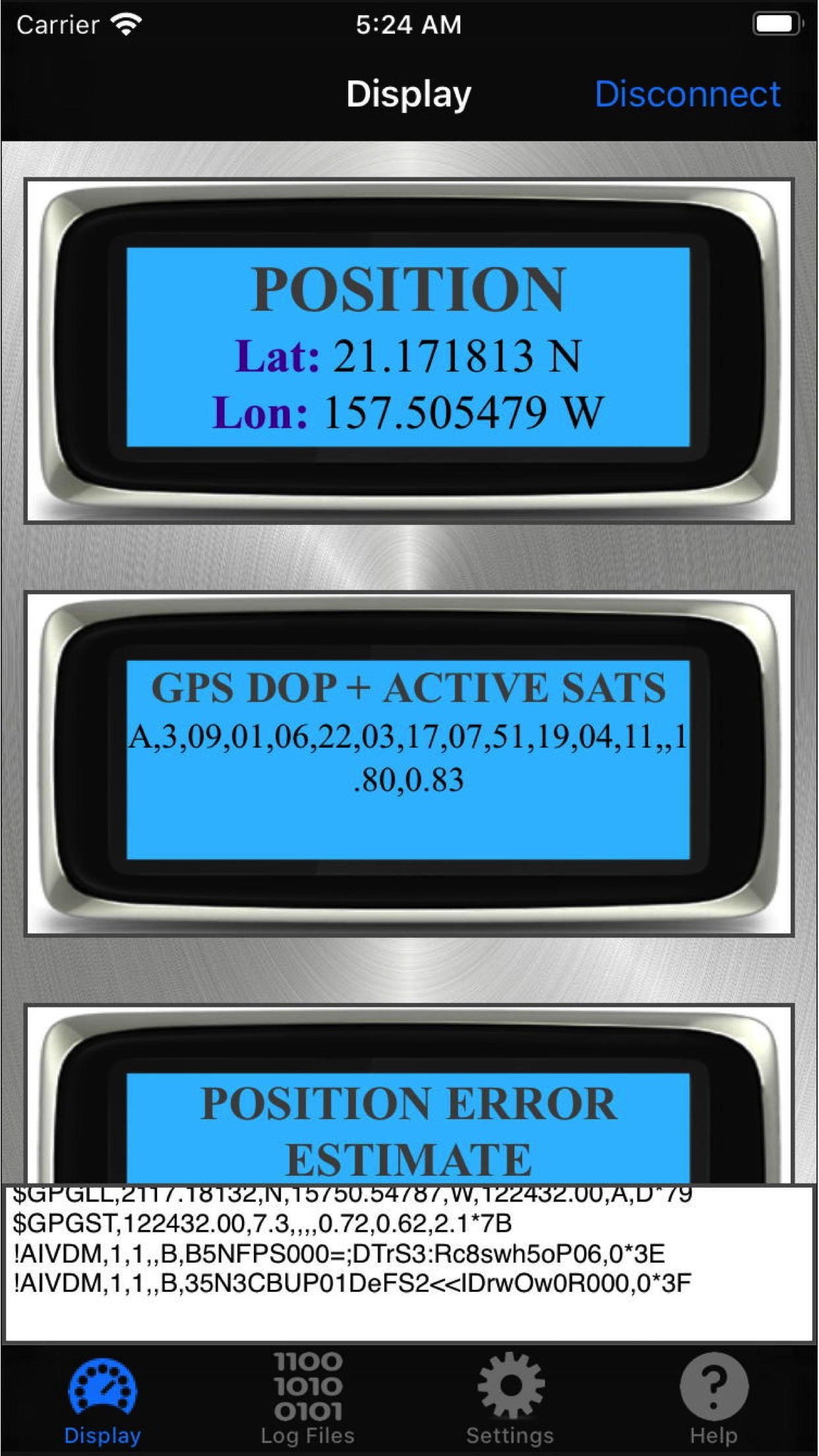
GPS DOP and active satellites
Track-made-good and ground speed
Recommended minimum GPS data
Received AIS data
Received Wind data
And many others
With NMEA Monitor you can view, access and log all the NMEA sentences being broadcast from your AIS device. Use this data log to answer a wealth of questions including:
exactly how fast is my ship?
exactly where did my ship go?
what is the average and maximum speed of my ship?
how fast was the wind? maximum wind speed? direction?
what are the polars for my boat?
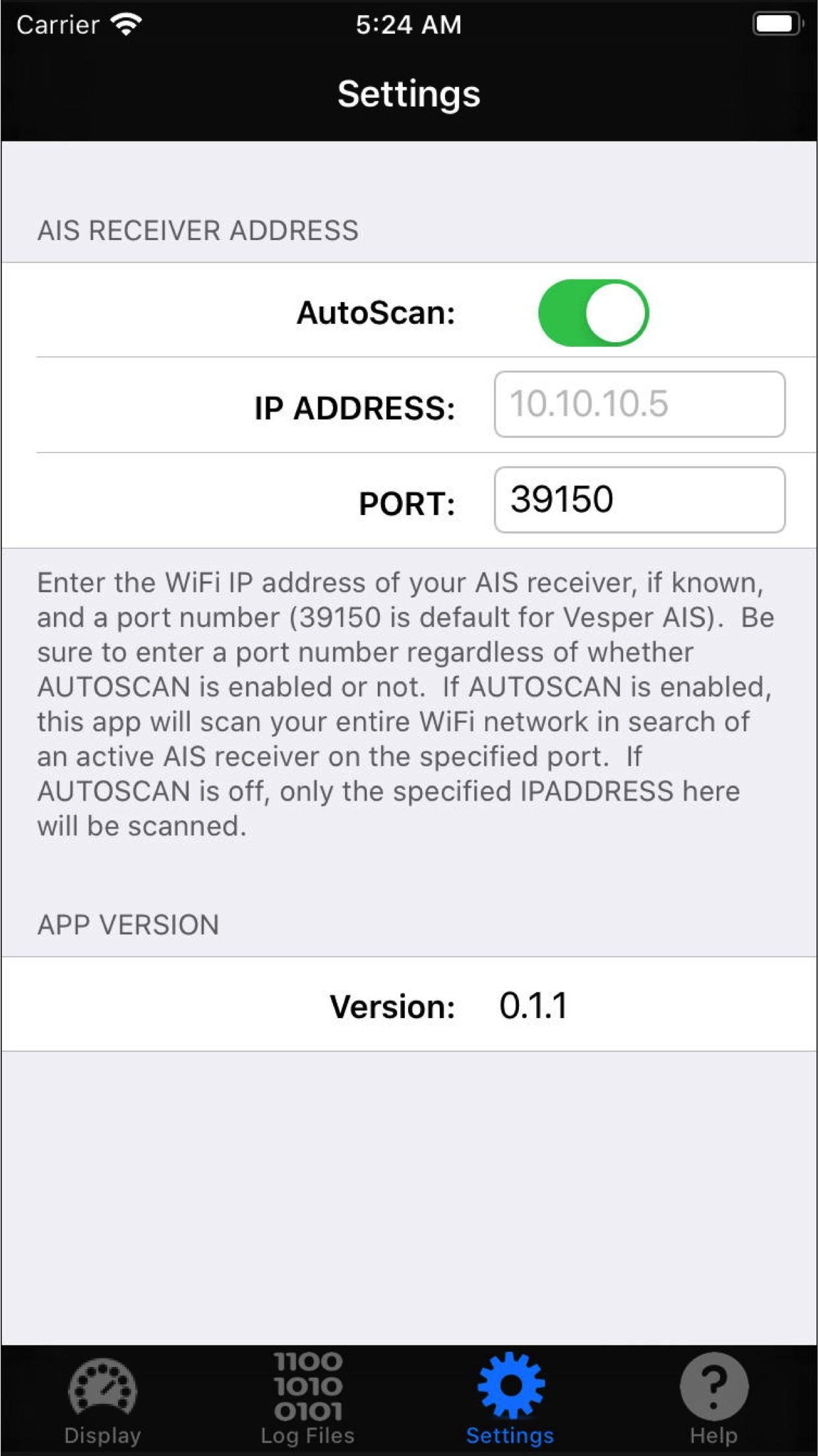
NMEA Monitor is very easy to use: Simply start and view your measurements with one touch of a button. NMEA Monitor does require that your iPhone or iPad be connected to the same wifi internet connection as your NMEA/AIS device. You do not need to know the exact IP address of your NMEA device as this app has AUTOSCAN capabilities. However you should know the default port number (or accept the default settings on the app for your AIS. The default for Vesper Marine XB8000 is 39150).
NMEA Monitor communicates wirelessly with your AIS device. To use NMEA Monitor you need to own or have access to an NMEA device such as the Vesper Marine XB8000. All your NMEA data is stored strictly on your device only and never transmitted elsewhere. You own your data and you only have access to it.
To get started, launch the app, select its Settings tab, and enter IP address of your AIS device (if known), and port number. If unknown, be sure to enable AUTOSCAN (on by default). You may disable the AUTOSCAN feature here if you know for certain the IP address of your NMEA device and are certain you do not need AUTOSCAN. In that case be sure to enter the correct IP address.
Ensure your mobile device is connected to the same WiFi network as your NMEA device. Then from the "DISPLAY" module of the app, tap on the "CONNECT" button at the top right corner of the screen.
Once you have selected CONNECT, the app will try to establish a connection with your NMEA device through the WiFi network. If AUTOSCAN is enabled, the app will methodically scan the network searching for an active NMEA device, and will connect to the first one it finds. If AUTOSCAN is disabled, the app will try only the IP address saved in the SETTINGS module, and give-up if no NMEA device is found there. It is recommended that you enable AUTOSCAN if you are unsure of the IP address of your NMEA device.
With AUTOSCAN enabled, the first scan may take a few minutes. When the app scans and finds an NMEA device, it remembers its IP address, such that the next time you try to use the app it should connect much faster - almost instantaneously.
The primary dash displays of the app will show all the transmitted NMEA sentences in real time, as well as stream the live raw data in the lower portion of the screen.
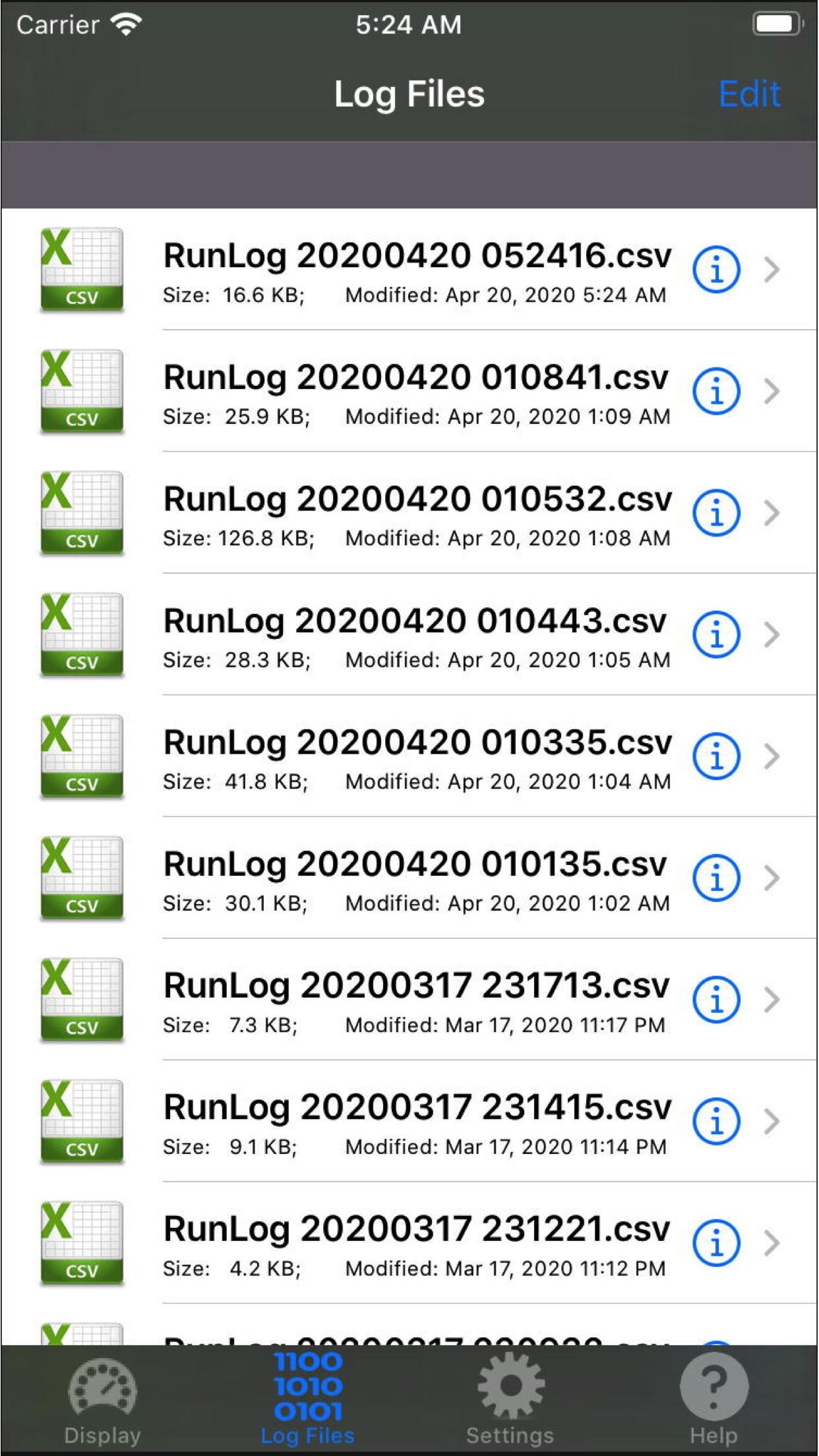
All runs will automatically be logged and the raw log files will be available under the "Log Files" module of this app.
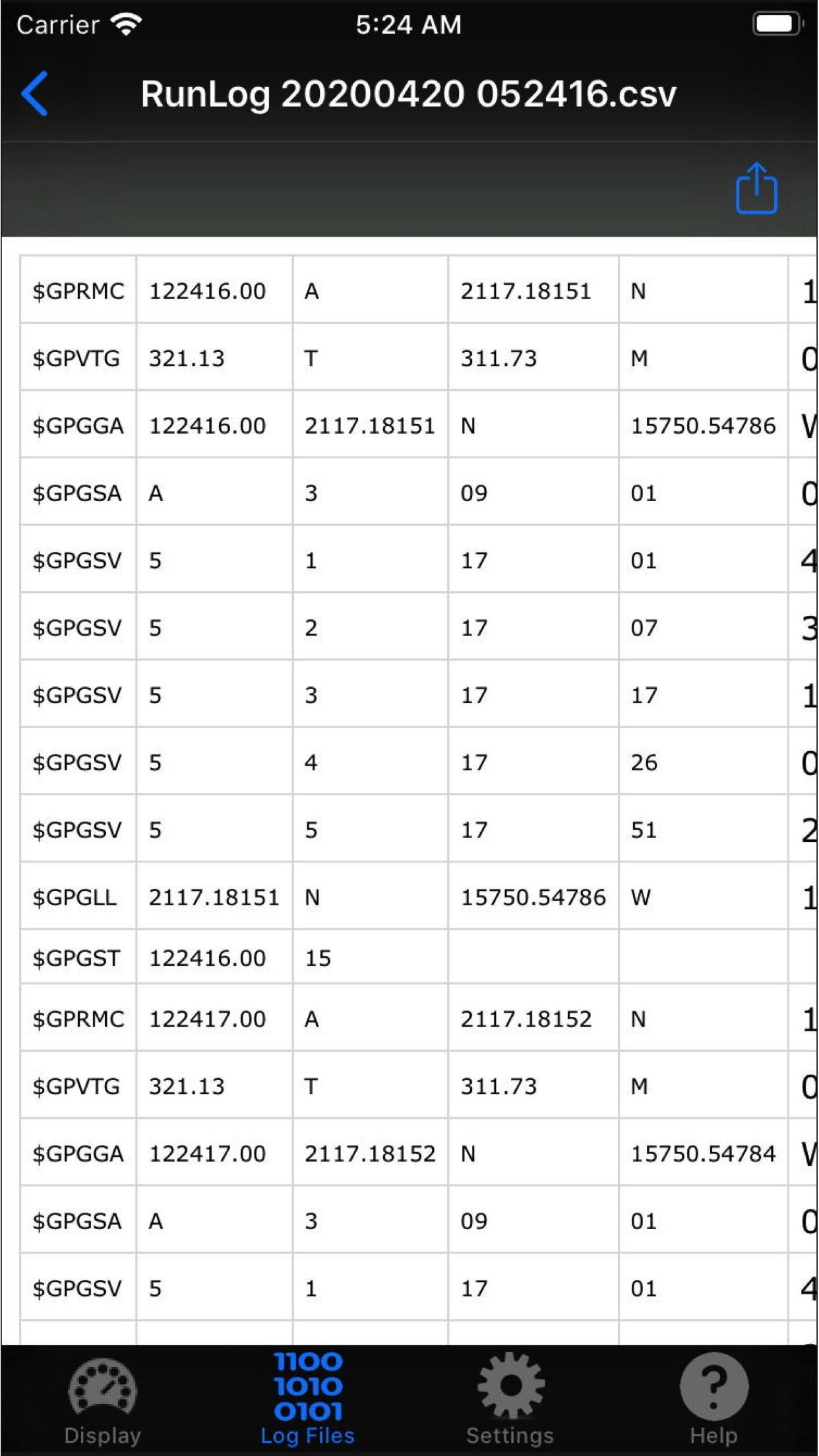
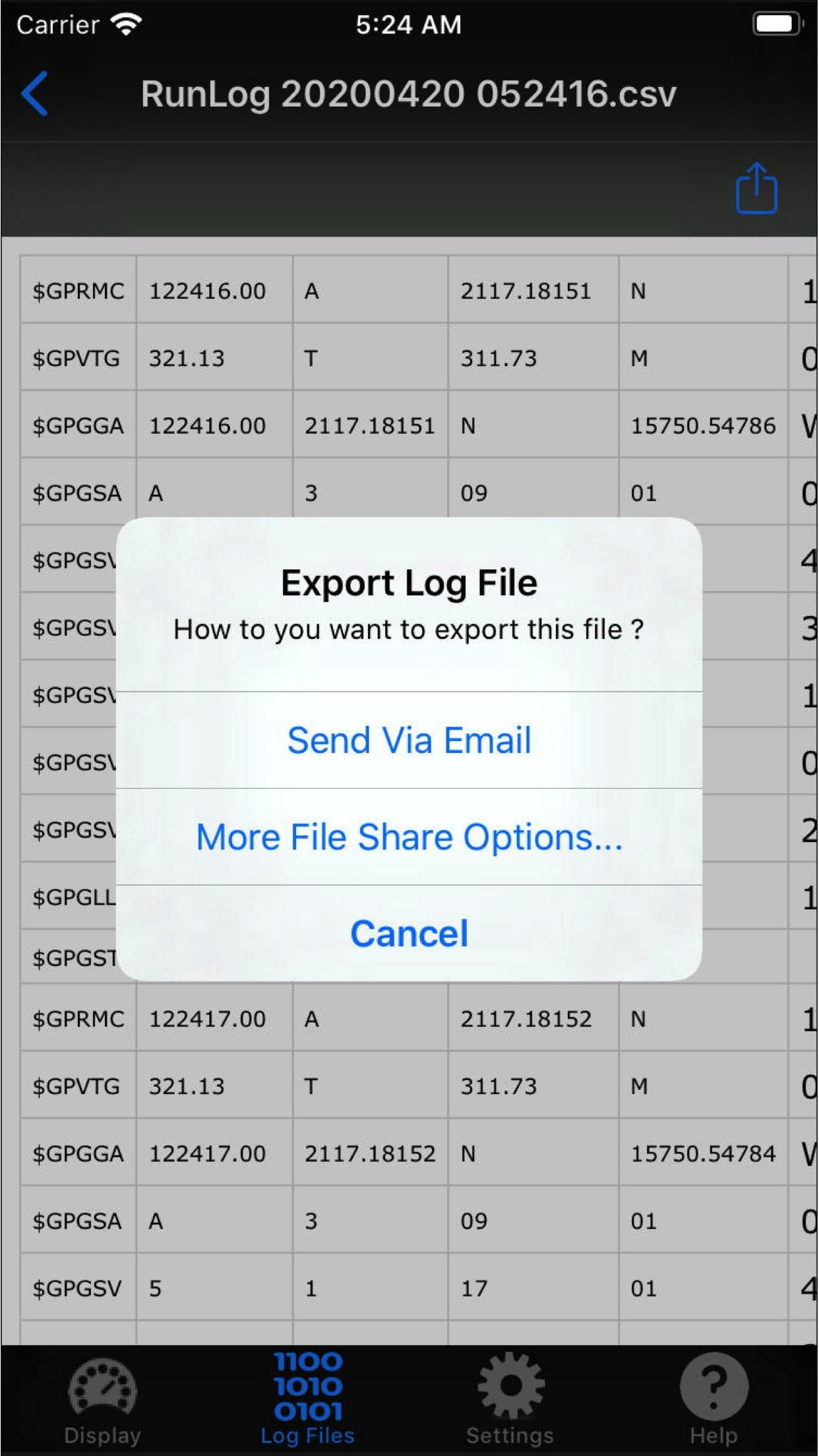
You can view raw data from current and past log files from the "Log Files" module of this app. You can email these log files to yourself, or export them to your other apps. The log files are text-based comma-delimitted files (CSV), which you should be able to view with a wide variety of common apps or text editors.
Ndili Technologies, Inc. has no affiliation to, and is not associated or sponsored by any AIS / NMEA company.
License: Commercial
| Release info | New Release on Nov 16, 2024 |
|---|---|
| Release notes | - enhancements, added compatibility with GPS-streaming 5G routers (Inseego) |
| Listing data | App Store |
Reviews
No reviews yet. Be the first to review NMEA Monitor.
Used NMEA Monitor? Tell other visitors what you thought.
Log in to write a reviewOther products by this publisher
- "No Distractions" for YouTube 4.10 ----
- #Bible 11.6.1 "Incredible App - My sister shared this app with me a few weeks ago and it is truly incredible.
- #filmphotography 1.4.2 So, you decided to shoot on film?
- #LookBusy Fake Calendar Events 1.0.6 Look Busy scans your work calendar for open time slots and fills them with realistic-looking (but secretly fake) work events.
- #Small Talk Is Canceled 1.0.2 #Small Talk Is Canceled — Conversations That Matter
Most viewed iOS Navigation
-
1
 Origin Ireland 4.0.3
The Origin Ireland App is your guide to exploring the ancient past of this fascinating island.
-
2
 Compass App 1.0.5
Find your direction with style.
-
3
 Open Road 1.2
Open Road is the one driving app for your iPhone.
-
4
 CARFACE Car Widgets & Lyrics 1.2.1
Make every drive feel more personal with CarFace.
-
5
 Turo 26.46.0
Turo is a better car rental app for travelers who want to rent a car without the rental counter.
-
6
 iGlide Lite 2.9.66
NaviLogic iGlide - the Soaring Navigation app for iOS
-
7
 Pocket Luach Deluxe 60058
Pocket Luach Deluxe is a Jewish calendar, zmanim, Siddur, Tehillim, and personal-event companion for iPhone, iPad, and Apple Watch.
-
8
 Lyft 2026.44.3
Get where you’re going with Lyft.
-
9
 Amtrak 6.1.8
Discover the convenience of traveling with Amtrak.
-
10
 Fly Delta 7.17.3
Welcome to Fly Delta, Delta’s award winning iOS app.
Most downloaded iOS Navigation
-
1
 Live Traffic 2.4
Navigate the globe with live traffic updates, satellite views, and location tools that make every journey clearer, smarter, and more confident from the very first tap.
-
2
 Peru’s Best 2.5
PERU’S BEST is the ideal travel guide to this extraordinary country.
-
3
 Grand Egyptian Museum (GEM) 0.1.060
You could call this a coincidence but the acronym of the Grand Egyptian Museum is an apt title for the GEM, which is truly one!
-
4
Pocket Luach Deluxe 60058
Pocket Luach Deluxe is a Jewish calendar, zmanim, Siddur, Tehillim, and personal-event companion for iPhone, iPad, and Apple Watch.
-
5
 Outdoor Photography Magazine 7.2.10
Outdoor Photography is the magazine for photographers who are passionate about being out in wild places, seeing inspiring nature and having great adventures.
-
6
 Passeporté 1.3.2
Passeporté reads the NFC chip in your biometric passport or national eID card, verifies its authenticity, and stores the data securely on your device.
-
7
 UK Map 4.12
* Unlimited free map downloads based on Ordnance Survey® OpenData, at 1:25,000 and 1:10,000 scales, and now also paid map downloads at 1:50,000, 1:25,000 and 1:10,000 scales, just like the paper maps.
-
8
 Connecticut-Parks & Trails 1.0
App Feature
-
9
 Great Circle Map 1.8.0
The no nonsense, no ads Great Circle Map app lets you enjoyably plot routes around the globe.
-
10
 Cell Phone Towers World Map 1.1.6
219 countres !! The world's largest Database of Cell & Net Towers