
6downloads
1this week
FreeCommercial
0reviews
Screenshots
About MuteCast
ADS OUT. PODCASTS ON.
Listen for the conversations, stories and ideas. MuteCast combines a podcast player with transparent on-device segment detection and Auto-Skip.
AUTO-SKIP—YOU DECIDE
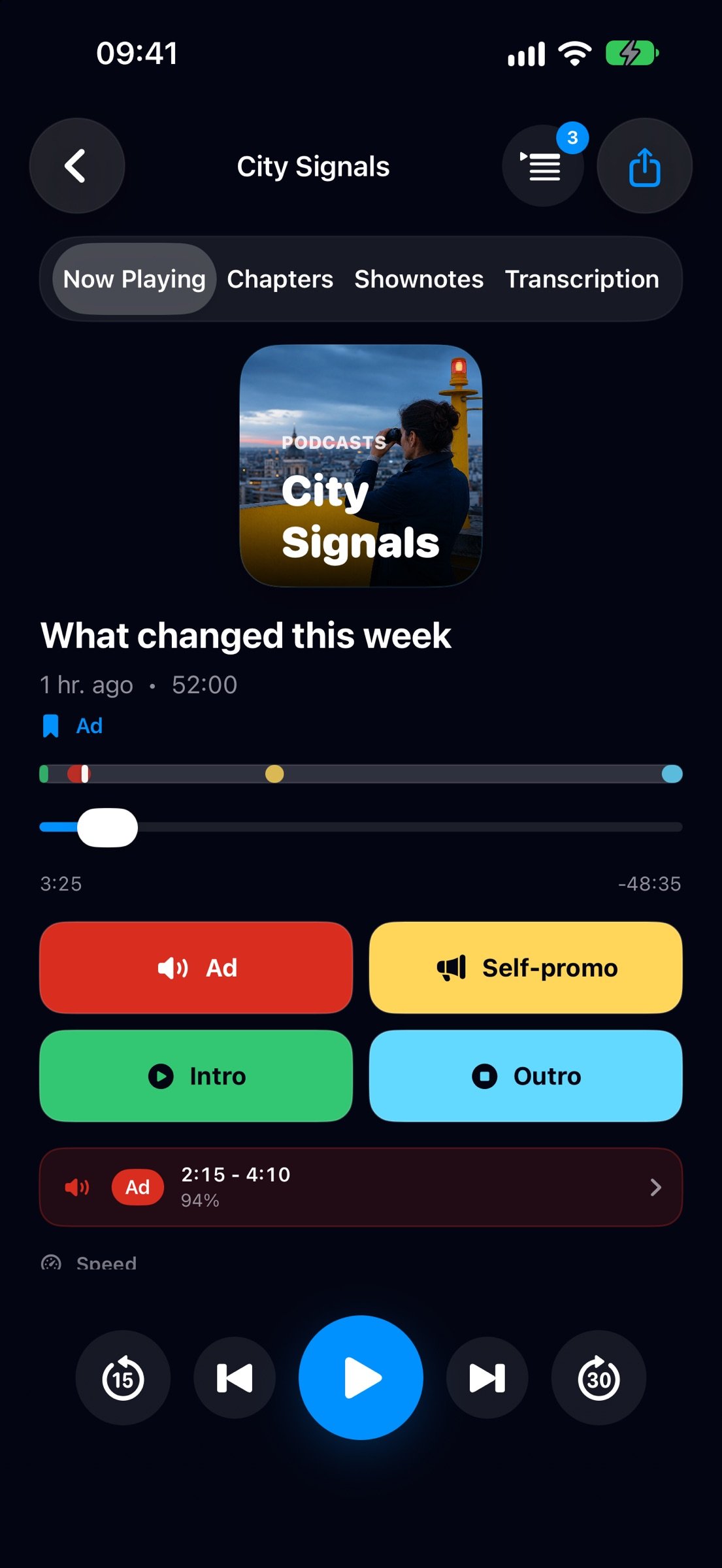
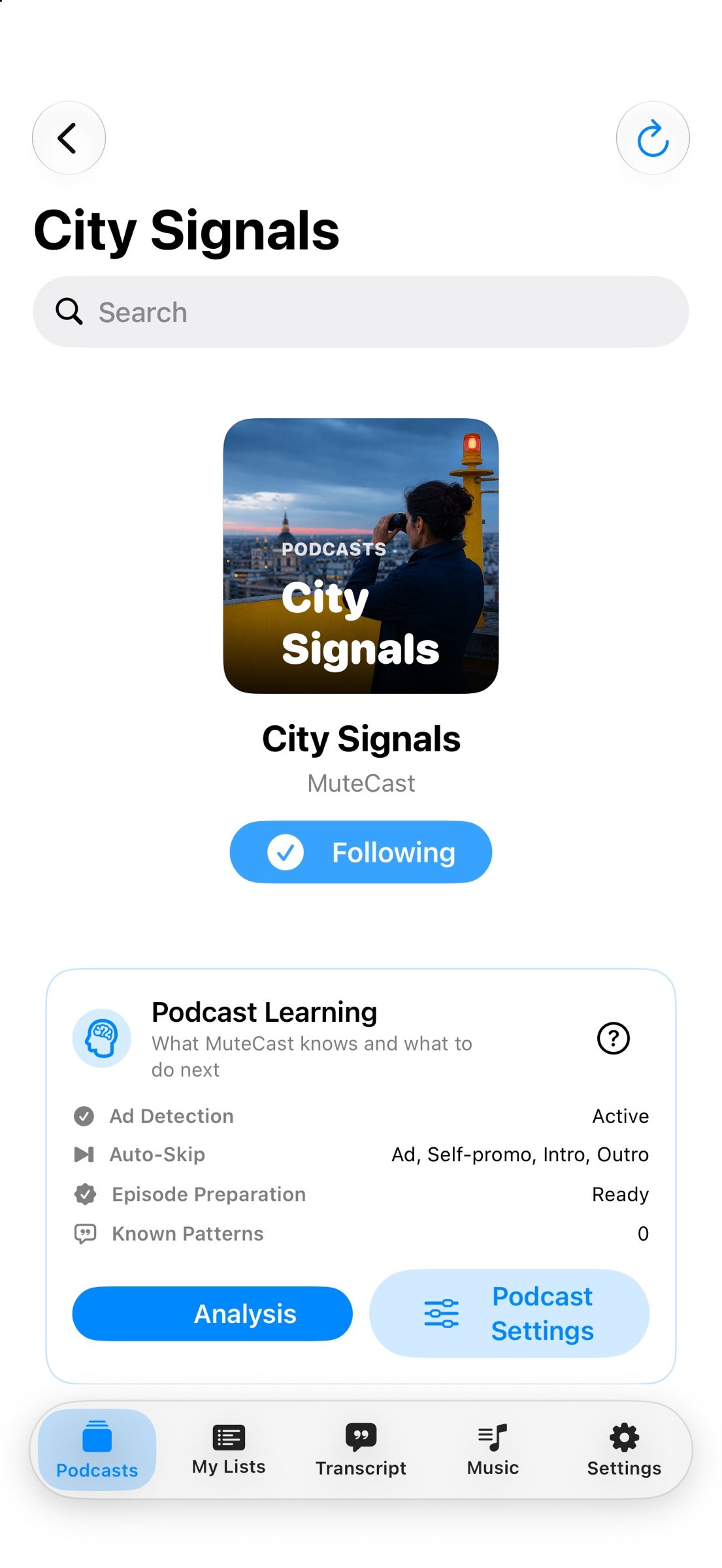
MuteCast detects likely ads, self-promotion, introductions and endings on your device. Choose which types may be skipped for each podcast. Donation appeals count as self-promotion. Detection uses available transcripts, chapters, show notes, known patterns and audio cues. The four marking buttons follow your settings and require a readable timed transcript. Refined detection covers sponsor partnerships and consecutive ads. Better-bounded skips help preserve the conversation when the ad break ends.
SEE WHAT WAS SKIPPED
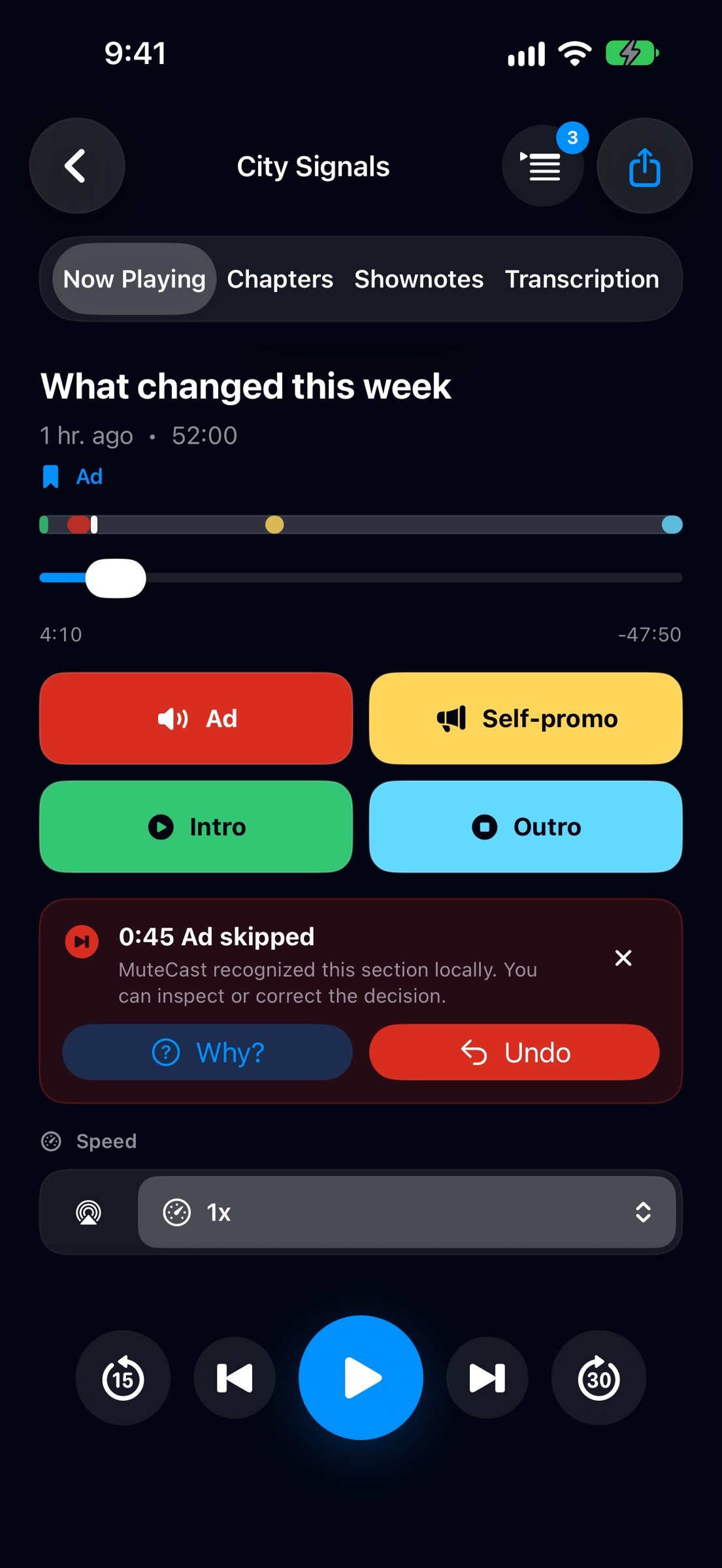
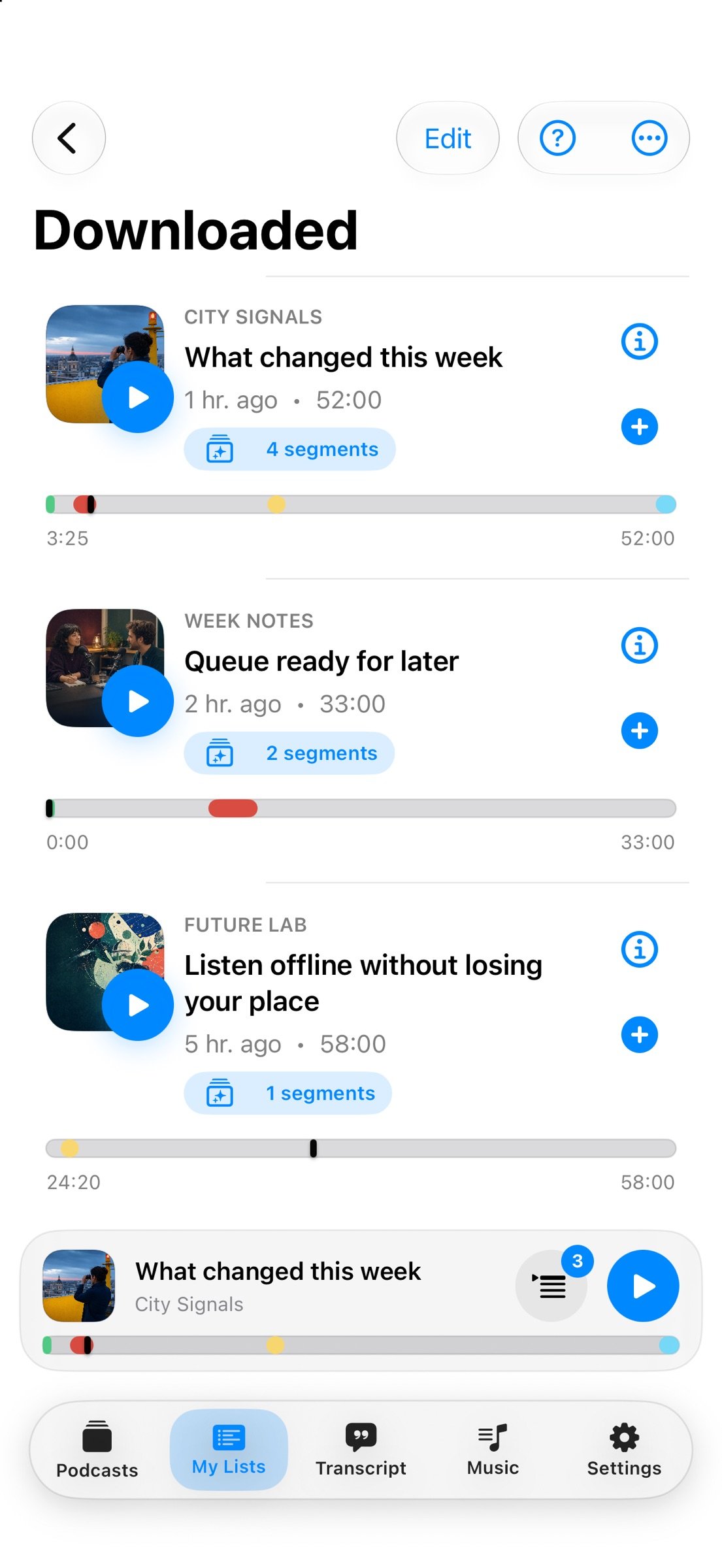
The timeline shows detected segments and confidence. Skip History records automatic skips with reasons and lets you return to the original position later. Review the transcript and correct a label; corrections inform future analysis for that podcast.
OPTIONALLY SHORTEN PAUSES
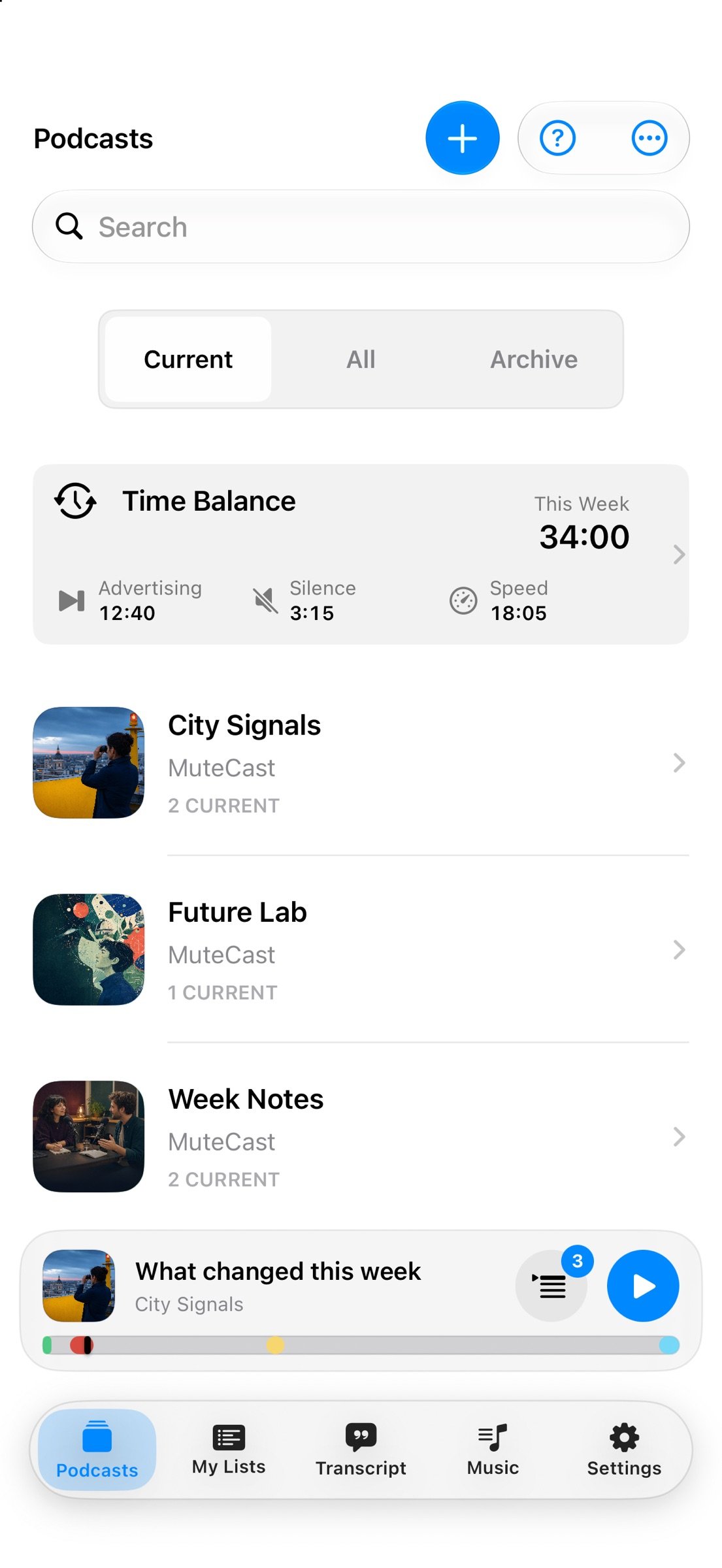
Silence Reduction shortens longer speech pauses in podcasts. It is off by default, with global and per-podcast controls. Time Saved reports the shortened seconds separately. Music is not affected.
LISTEN, ORGANIZE AND FIND
• Subscribe to and refresh RSS podcasts; stream or listen offline
• View downloaded episodes with artwork in My Lists and drag them into a saved order
• Control your queue, chapters, speed and sleep timer
• Search available transcripts across your library, jump to a match and share text quotes
• Follow download, transcription and analysis progress
NEW EPISODES, YOUR RULES
After a feed refresh, eligible episodes from the last seven days are automatically queued when your download and network settings allow. New downloads can be prepared for transcription and analysis. Choose local notifications for new episodes, finished downloads and completed analyses per podcast. Delivery depends on permissions and background activity.
ACROSS YOUR APPLE DEVICES
Use MuteCast on iPhone, iPad and Mac. Control playback, volume, chapters and queue from Apple Watch. CarPlay offers podcast and music browsing plus playback controls. Subscriptions, playback positions, queue and analysis data sync through your private iCloud database, when iCloud sync is enabled.
YOUR MUSIC LIBRARY, TOO
Browse your Apple Music library with artwork, an album queue, shuffle and repeat. Music and podcasts retain separate listening positions. Title and timeline are updated together, including when returning to the app. iCloud shows the last shared title and listening position on iPhone, iPad and Mac; another device takes over audio only after you press Play. Music must be available in both libraries. Access depends on Apple permissions; some content requires an Apple Music subscription.
PRIVATE BY DESIGN
Analysis happens on your device. No MuteCast account, analytics, tracking SDKs, server-side analysis or in-app ads.
PAY ONCE. NO MUTECAST SUBSCRIPTION.
A podcast player with Auto-Skip, without a recurring MuteCast fee.
License: Commercial
| Release info | Update on Nov 21, 2026 |
|---|---|
| Release notes | 1.9.9: Bug fixes for episode lists and downloads, addressing duplicate entries, unwanted automatic redownloads and the continuation of interrupted downloads. 1.9.8: Maintenance update for MuteCast on iPhone and iPad. 1.9.7: Corrected the appearance of small and medium player widgets. 1.9.6: Clear Play Next with confirmation. Open notes and transcripts from analysis without changing playback. The learning card sums up ten analyses, Skip History shows evidence. Seven rules default to on and can be turned off individually. Existing choices stay. Restart for new analyses after changes, and reanalyze older episodes. 1.9.5: Improved ad detection and segment boundaries, including sponsor partnerships and consecutive ads. Automatic skips are better bounded at the return to conversation. Improved saving of the listening position when headphones disconnect and playback pauses in the background, addressing a suspension-related crash risk. 1.9.4: Improved music title and timeline updates after background playback, and restoration of the listening position. Faster handoff of available local tracks, better music artwork handling and more robust playback start and timeout handling. iCloud displays the last shared listening position; another device takes over audio only after Play. Fixed a crash when applying podcast analysis results. 1.9.3: Music player: the current title, artwork and timeline update together when tracks change; saved playback positions belong to the correct track. Albums follow disc and track order unless shuffle or repeat is set differently. Podcast chapters can show their own pictures and diagrams in the player without cropping. 1.9.2: Podcast lists and podcast and music players are more comfortable in landscape on iPhone and iPad. Search and queue actions are easier to reach, with your search text and reading position preserved when you rotate. Auto-Skip responds sooner to newly detected ads and self-promotion and more precisely handles measured lead-in |
| Listing data | App Store |
Reviews
No reviews yet. Be the first to review MuteCast.
Used MuteCast? Tell other visitors what you thought.
Log in to write a reviewOther products by this publisher
- "No Distractions" for YouTube 4.10 ----
- #Bible 11.6.1 "Incredible App - My sister shared this app with me a few weeks ago and it is truly incredible.
- #filmphotography 1.4.2 So, you decided to shoot on film?
- #LookBusy Fake Calendar Events 1.0.6 Look Busy scans your work calendar for open time slots and fills them with realistic-looking (but secretly fake) work events.
- #Small Talk Is Canceled 1.0.2 #Small Talk Is Canceled — Conversations That Matter
Most viewed iOS News
-
1
 The People's Poll 1.0.1
People’s Poll puts the 2026 midterm polls in one place: every Senate and governor race and every House district with published polls, the polling average for each race, how it has moved, and a link to every poll behind it.
-
2
 NYTimes 12.0.0
Discover original reporting and understand the events shaping the world in The New York Times app.
-
3
 content 1.3.2
The internet used to feel different.
-
4
 LingRoll 2.1.2
LingRoll brings reading and listening together with flexible ebook layouts, rich TTS tools, and practical file management.
-
5
 Current 1.0.15
Current is an RSS reader built on a simple idea: your feed should never make you feel behind.
-
6
 NewsBreak 26.46.0
Get daily news and events sent straight to your phone, because small news makes a big difference to communities!
-
7
 NBC LA 8.10.1
The NBC LA app is your trusted source for local news, First Alert Weather forecasts and breaking alerts.
-
8
 Readest 0.12.20
Readest is an ebook reader for people who read a lot, and who want their books, notes and reading position on whatever device is nearest.
-
9
 Ground News 4.38.0
Get all your news in one place on an eye-opening platform that shows you the bias, reliability and ownership of every source you read.
-
10
 Substack 3.25.0
Substack is a new media app that connects you with the creators, ideas, and communities you care about most.
Most downloaded iOS News
-
1
 KMBC 9 News 5.15.2344
Take the KMBC 9 News app with you everywhere you go and be the first to know of breaking news happening in Kansas City and the surrounding area.
-
2
 Color Goods™ 2.0.11
Explore hundreds of adorable pages—from cute animals and cozy spaces to tasty treats and fun seasonal themes.
-
3
Readest 0.12.20
Readest is an ebook reader for people who read a lot, and who want their books, notes and reading position on whatever device is nearest.
-
4
 MSN 34.5.441117001
The MSN app keeps you informed, productive, and entertained with tailored content, real-time weather, stock tracking, short videos and more.
-
5
 The Free Press 1.1.3
We publish investigative stories and provocative commentary about the world as it actually is—with the quality once expected from the legacy press, and the fearlessness of the new.
-
6
 NITAS 91.1
Ad free version of the Doctor Who News App.
-
7
NewsBreak 26.46.0
Get daily news and events sent straight to your phone, because small news makes a big difference to communities!
-
8
 Marvel Unlimited 7.101.0
Marvel Unlimited is the premier subscription service to access over 30,000 digital comics.
-
9
 Spectrum News 3.0.1
Spectrum News is your all-in-one destination for local news, weather forecasts and information.
-
10
NYTimes 12.0.0
Discover original reporting and understand the events shaping the world in The New York Times app.