
Moonlight Game Streaming 12.2
Play games from your PC on Android
Download
10.62 MB · app-nonRoot-release.apk
14downloads
1this week
FreeFreeware
0reviews
Screenshots
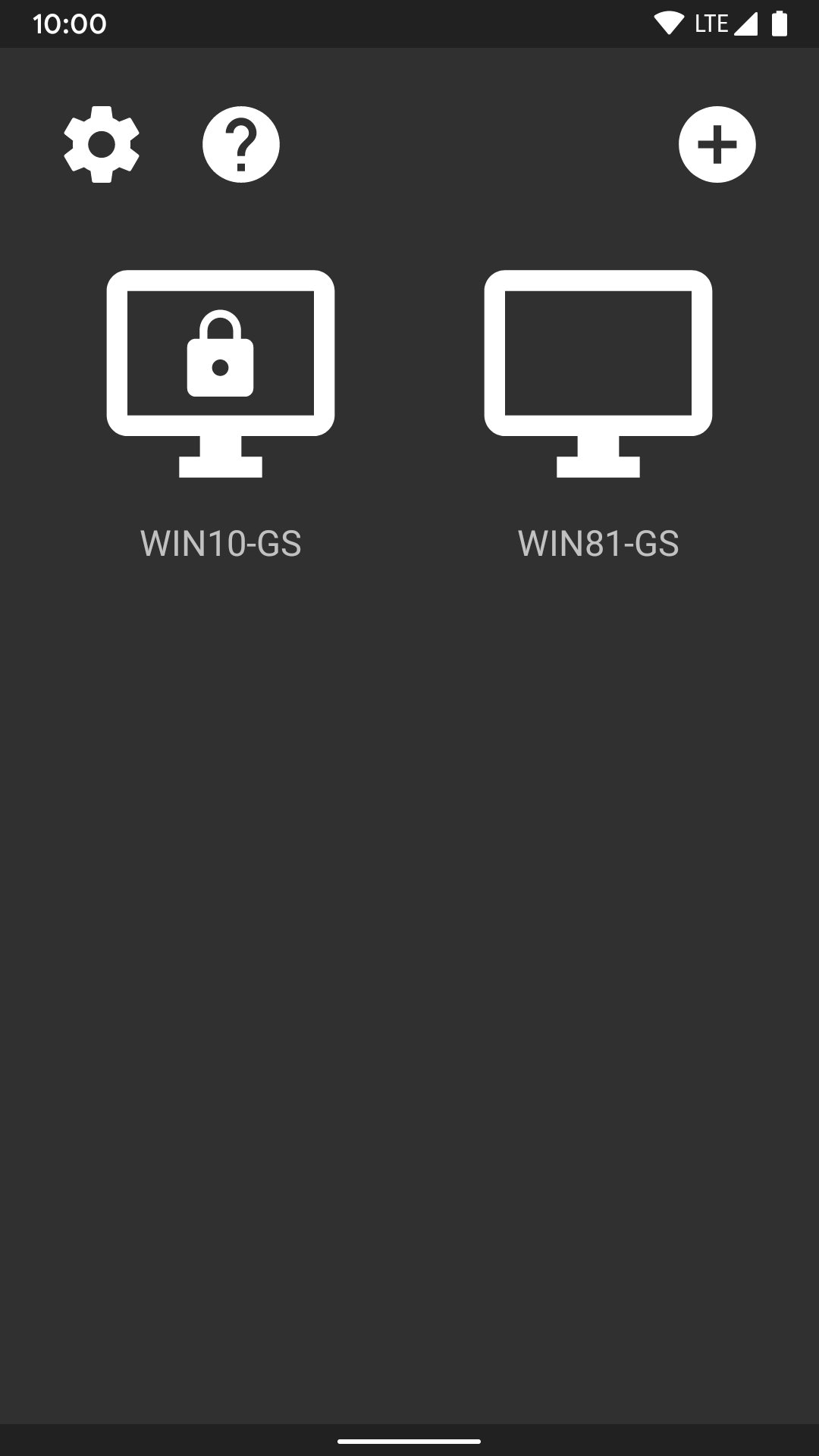
About Moonlight Game Streaming
This app streams games, programs, or your full desktop from your PC or Sunshine on your local network or the Internet. Mouse, keyboard, and controller input is sent from your Android device to the PC.
Streaming performance may vary based on your client device and network setup. HDR requires an HDR10-capable device, a GPU that can encode HEVC Main 10, and an HDR10-enabled game.
'''Features'''
* Open-source and completely free (no ads, IAPs, or "Pro")
* Streams games purchased from any store
* Works on your home network or over the Internet/LTE
* Up to 4K 120 FPS HDR streaming with 7.1 surround sound
* H.264, HEVC, and AV1 codec support (AV1 requires Sunshine and a supported host GPU)
* Keyboard and mouse support (best with Android 8.0 or later)
* Stylus/S-Pen support
* Supports PS3/4/5, Xbox 360/One/Series, and Android gamepads
* Local co-op with up to 16 connected controllers (max of 4 controllers with GFE)
* Force feedback and gamepad motion sensor support
* Mouse control via gamepad by long-pressing Start
'''Quick Setup Host Instructions for GeForce Experience (NVIDIA-only)'''
# Make sure GeForce Experience is open on your PC. Turn on GameStream in the SHIELD settings page.
# Tap on the PC in Moonlight and type the PIN on your PC
# Start streaming!
'''Quick Setup Host Instructions for Sunshine (all GPUs)'''
# Install Sunshine on your PC from [link removed]
# Navigate to the Sunshine Web UI on your PC for first-time setup
# Tap on the PC in Moonlight and type the PIN in the Sunshine Web UI on your PC
# Start streaming!
To have a good experience, you need a mid to high-end wireless router with a good wireless connection to your Android device (5 GHz highly recommended) and a good connection from your PC to your router (Ethernet highly recommended).
'''Detailed Setup Instructions'''
See the full setup guide [link removed] for:
* Adding a PC manually (if your PC is not detected)
* Streaming over the Internet or LTE
* Using a controller connected directly to your PC
* Streaming your full desktop
* Adding custom apps to stream
License: GPL-3.0-or-later
Streaming performance may vary based on your client device and network setup. HDR requires an HDR10-capable device, a GPU that can encode HEVC Main 10, and an HDR10-enabled game.
'''Features'''
* Open-source and completely free (no ads, IAPs, or "Pro")
* Streams games purchased from any store
* Works on your home network or over the Internet/LTE
* Up to 4K 120 FPS HDR streaming with 7.1 surround sound
* H.264, HEVC, and AV1 codec support (AV1 requires Sunshine and a supported host GPU)
* Keyboard and mouse support (best with Android 8.0 or later)
* Stylus/S-Pen support
* Supports PS3/4/5, Xbox 360/One/Series, and Android gamepads
* Local co-op with up to 16 connected controllers (max of 4 controllers with GFE)
* Force feedback and gamepad motion sensor support
* Mouse control via gamepad by long-pressing Start
'''Quick Setup Host Instructions for GeForce Experience (NVIDIA-only)'''
# Make sure GeForce Experience is open on your PC. Turn on GameStream in the SHIELD settings page.
# Tap on the PC in Moonlight and type the PIN on your PC
# Start streaming!
'''Quick Setup Host Instructions for Sunshine (all GPUs)'''
# Install Sunshine on your PC from [link removed]
# Navigate to the Sunshine Web UI on your PC for first-time setup
# Tap on the PC in Moonlight and type the PIN in the Sunshine Web UI on your PC
# Start streaming!
To have a good experience, you need a mid to high-end wireless router with a good wireless connection to your Android device (5 GHz highly recommended) and a good connection from your PC to your router (Ethernet highly recommended).
'''Detailed Setup Instructions'''
See the full setup guide [link removed] for:
* Adding a PC manually (if your PC is not detected)
* Streaming over the Internet or LTE
* Using a controller connected directly to your PC
* Streaming your full desktop
* Adding custom apps to stream
License: GPL-3.0-or-later
| Release info | Update on Sep 12, 2026 |
|---|---|
| Release notes | • Updated target API to Android 16 • Added support for keyboard capture on Android 16.1 and later • Added mappings for newer keycodes (like F13-F24) • Fixed crashes and ANRs when using gamepads with RGB LEDs • Fixed '+' key on the virtual keyboard • Fixed crash on Meta Quest • Improved Xbox controller support using the built-in USB driver • Updated dependencies to the latest versions • Updated translations |
| Listing data | F-Droid |
Reviews
No reviews yet. Be the first to review Moonlight Game Streaming.
Used Moonlight Game Streaming? Tell other visitors what you thought.
Log in to write a reviewOther products by this publisher
- "No Distractions" for YouTube 4.10 ----
- #Bible 11.6 "Incredible App - My sister shared this app with me a few weeks ago and it is truly incredible.
- #filmphotography 1.4.2 So, you decided to shoot on film?
- $quirrel 1.5.1 $quirrel Budget & Finance helps you plan each paycheck, track spending, manage debt, and see what is safe to spend before the next payday.
- % Percentage Calculator Pro 1.41 This is the Pro version of % Percentage Calculator.
Most viewed Android Games
-
1
 Waste Works 0.2.2
A casual recycling clicker: take trash apart, find valuables, equip your worker
-
2
 Brick Blast 1.6.0
Turn-based brick breaker: aim, shoot, bounce and clear the bricks.
-
3
 ConnectFour Studio 1.0.1
Connect Four with 15 levels, 20 boards, match mode and perfect analysis
-
4
 Matewave 1.0.46
Play chess offline, sharpen tactics, and practice openings with AI or friends.
-
5
 Echo Tiles - Play Your Music 1.0.1
Play piano tiles to your own music. Open-source, offline, and completely ad-free
- 6 Ball2Box 4.1.9 Swipe to shoot the ball in over 120 Levels. Can you collect the 3 stars?
- 7 AeroPayout 1.0.15 Become a pilot in 7 days — buy tickets, advance seats, earn real rewards
- 8 Umpire Assistant 1.1.0 Pitch count and score tracker for baseball, softball, and kickball officials.
- 9 freeminer 5.17.0 Voxel-based multiplayer game platform
- 10 King Pong 2.0.0 Retro Pong campaign with multiplayer and a secret ending
Most downloaded Android Games
-
1
 Square Chess 1.5.0
Chess built for square screens, compact devices, e-ink and physical keyboards.
-
2
 MoveAPiece: Offline Chess 1.9.0
Offline chess vs Stockfish or Maia, opening trainer, Pegasus & Chessnut boards
-
3
 Shikaku 1.0.1
A minimalist block logic puzzle game
-
4
 Plutonic 1.1.2
Suika physics-based planet shooter
- 5 King Pong 2.0.0 Retro Pong campaign with multiplayer and a secret ending
-
6
 Match 3 1.0.14
Minimal and open-source Match-3 puzzle game
-
7
 TheXTech 1.7.4.1
2D-platformer game engine
- 8 Idle Fantasy 1.16.0 Idle RPG: train skills, fight dungeons, craft gear. No ads, no accounts.
-
9
 SDCard StoryTeller 1.4.4
Play stories in Lunii® format from the SDCard
-
10
 werewolves_game 5.2.6.3
Multiplayer server for Mafia party game Werewolves. Plays in webbrowser on WiFi.