
9downloads
2this week
FreeFreeware
0reviews
Screenshots
About Minder
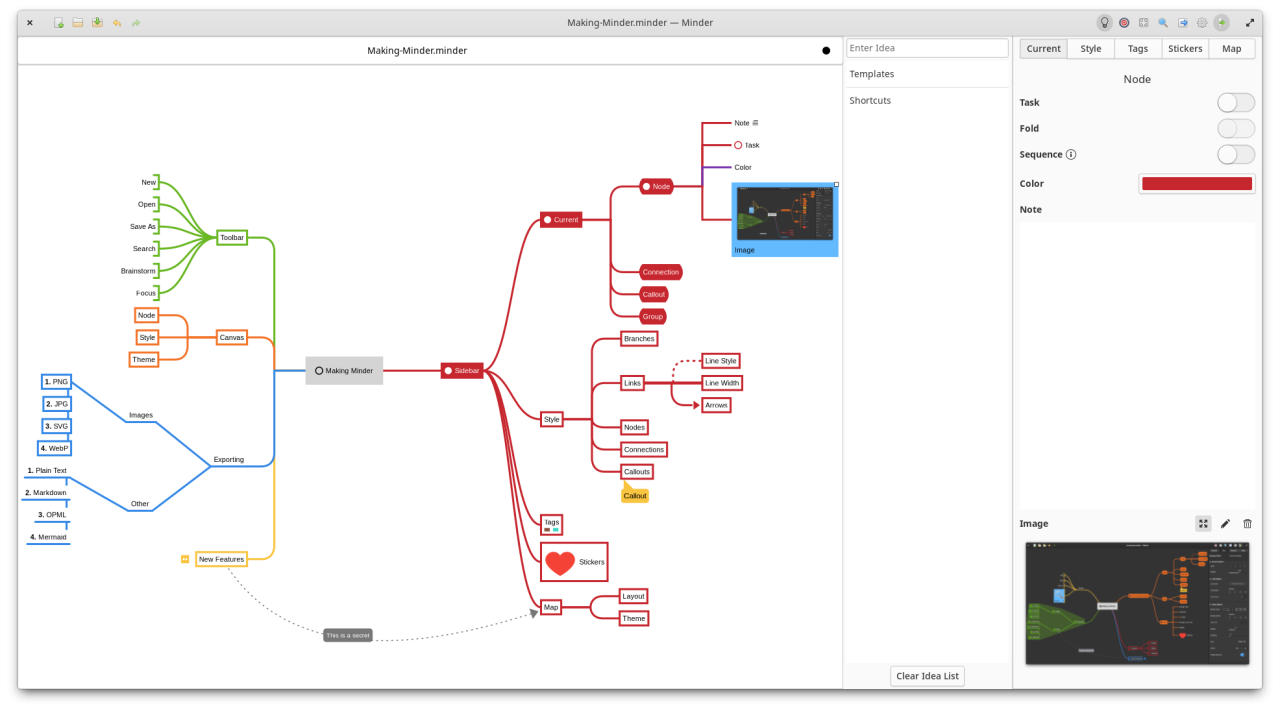
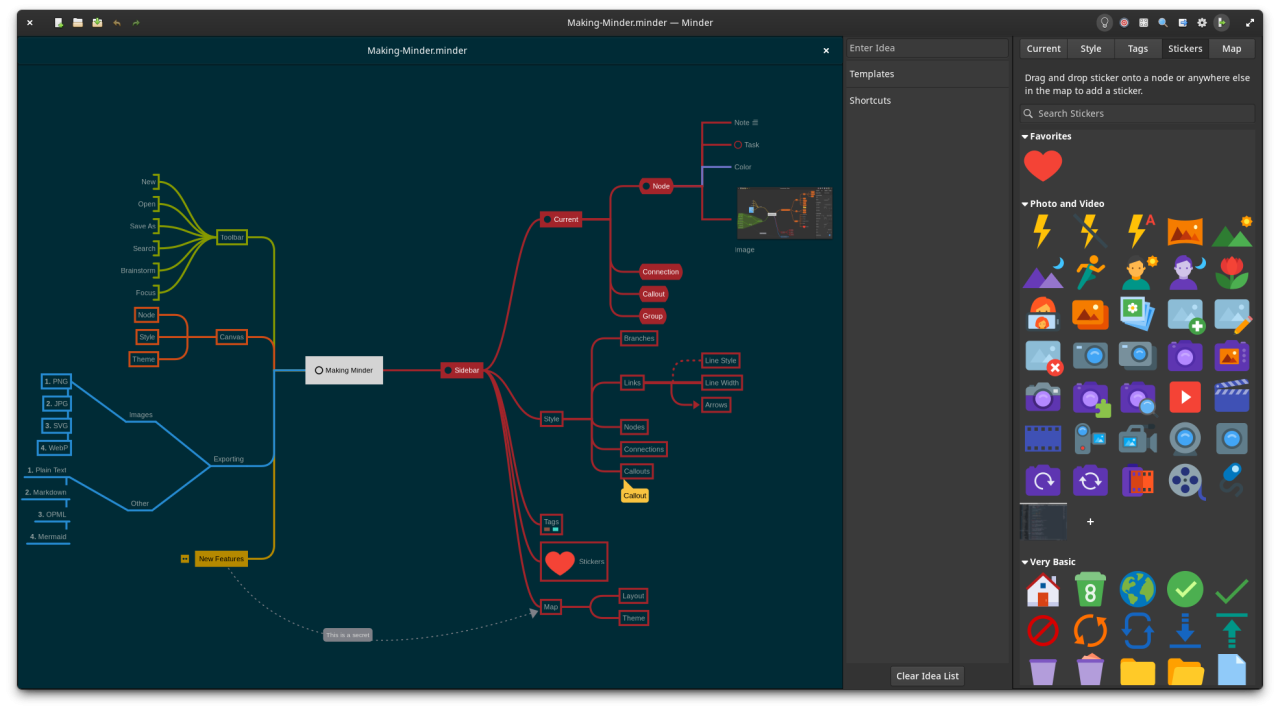
Use the power of mind-mapping to make your ideas come to life. Minder provides a mindmap creation and
exploration environment that focuses on a clean interface with smooth animations and rich, expressive elements
to help capture and organize your ideas quickly and stay in the your flow.
• Quickly create visual mind-maps using the keyboard and automatic layout.
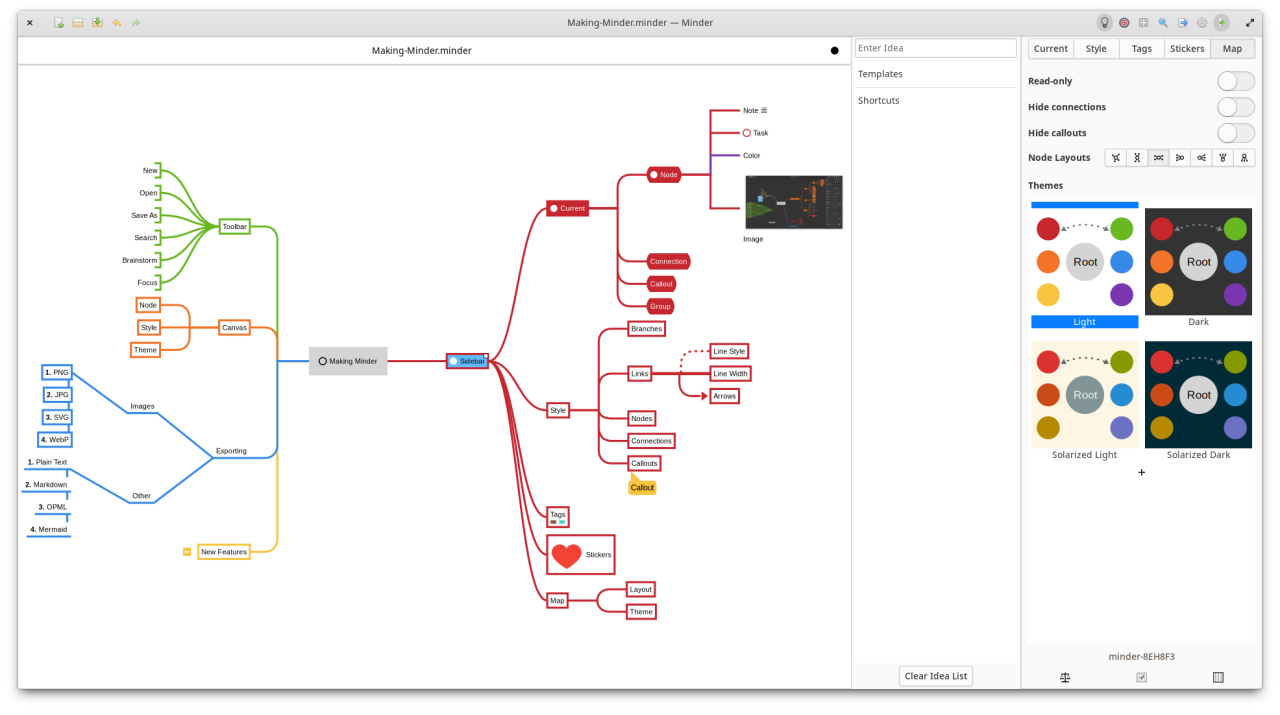
• Choose from many tree layout choices.
• Support for Markdown formatting.
• Support for insertion of Unicode characters.
• Add notes, tasks, and images to your nodes.
• Add node-to-node connections with optional text and notes.
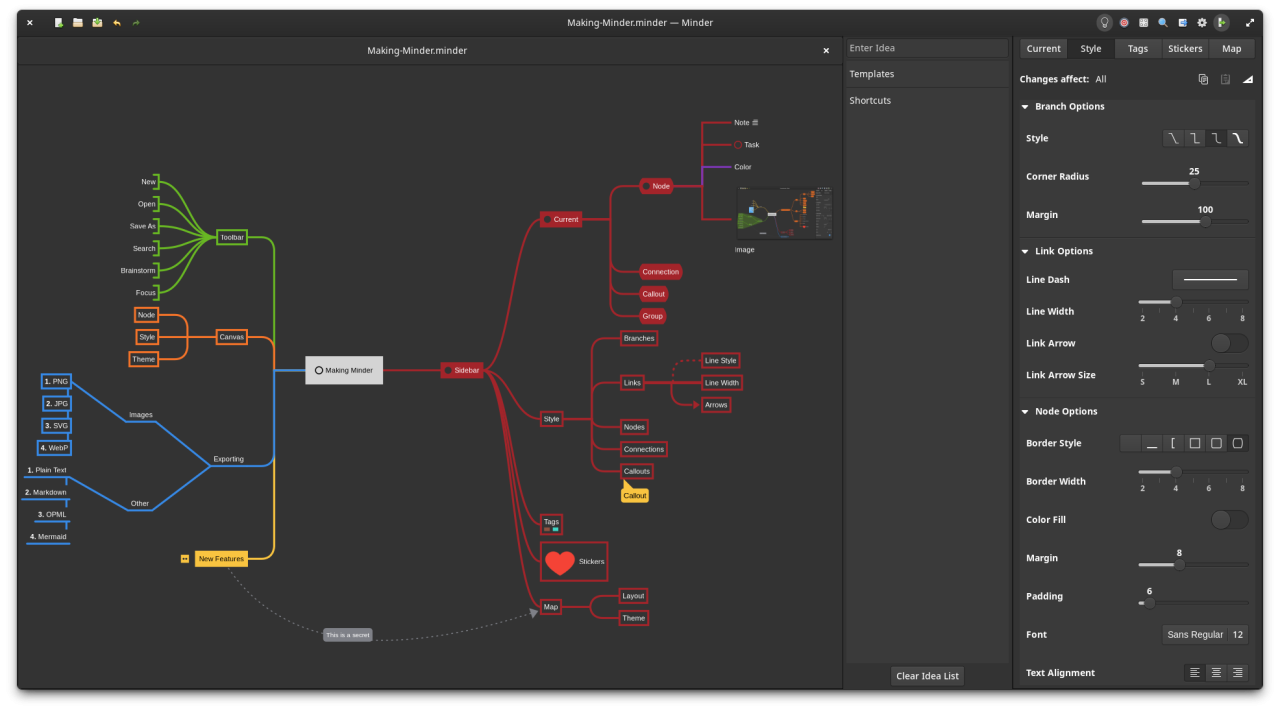
• Stylize nodes, callouts, links and connections to add more meaning and improve readability.
• Save and reuse style settings within and across open mindmaps.
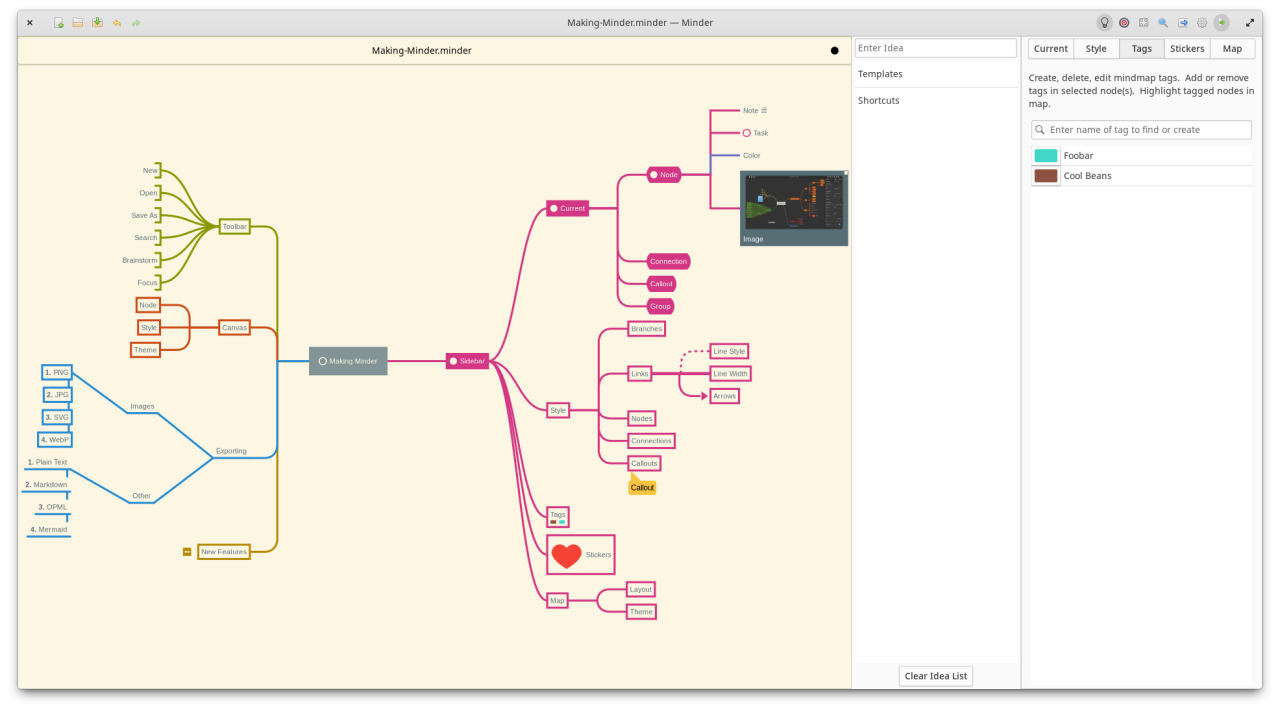
• Add stickers, tags, callouts and node groups to call out and visibly organize information.
• Quick search of node and connection titles and notes, including filtering options.
• Zoom in or enable focus mode to focus on certain ideas or zoom out to see the bigger picture.
• Enter focus mode to better view and understand portions of the map.
• Quickly brainstorm ideas with the brainstorming interface and worry about where those ideas belong in the
mindmap later.
• Unlimited undo/redo of any change.
• Automatically and manual saving supported.
• Colorized node branches.
• Open multiple mindmaps with the use of tabs.
• Built-in and customizable theming.
• Gorgeous animations.
• Import from OPML, FreeMind, Freeplane, PlainText/Markdown (formatted), Outliner, Portable Minder, filesystem
and XMind formats.
• Export to CSV, FreeMind, Freeplane, JPEG, BMP, SVG, WebP, Markdown, Mermaid, Mermaid Mindmap, OPML, Org-Mode,
Outliner, PDF, PNG, PlainText, filesystem, XMind and yEd formats.
• Printer support.
License: GPL-3.0+
exploration environment that focuses on a clean interface with smooth animations and rich, expressive elements
to help capture and organize your ideas quickly and stay in the your flow.
• Quickly create visual mind-maps using the keyboard and automatic layout.
• Choose from many tree layout choices.
• Support for Markdown formatting.
• Support for insertion of Unicode characters.
• Add notes, tasks, and images to your nodes.
• Add node-to-node connections with optional text and notes.
• Stylize nodes, callouts, links and connections to add more meaning and improve readability.
• Save and reuse style settings within and across open mindmaps.
• Add stickers, tags, callouts and node groups to call out and visibly organize information.
• Quick search of node and connection titles and notes, including filtering options.
• Zoom in or enable focus mode to focus on certain ideas or zoom out to see the bigger picture.
• Enter focus mode to better view and understand portions of the map.
• Quickly brainstorm ideas with the brainstorming interface and worry about where those ideas belong in the
mindmap later.
• Unlimited undo/redo of any change.
• Automatically and manual saving supported.
• Colorized node branches.
• Open multiple mindmaps with the use of tabs.
• Built-in and customizable theming.
• Gorgeous animations.
• Import from OPML, FreeMind, Freeplane, PlainText/Markdown (formatted), Outliner, Portable Minder, filesystem
and XMind formats.
• Export to CSV, FreeMind, Freeplane, JPEG, BMP, SVG, WebP, Markdown, Mermaid, Mermaid Mindmap, OPML, Org-Mode,
Outliner, PDF, PNG, PlainText, filesystem, XMind and yEd formats.
• Printer support.
License: GPL-3.0+
| Release info | Update on Nov 04, 2026 |
|---|---|
| Release notes | *Important Note*: This release changes Minder's application ID which effectively makes it new application according to your system.If you have previously used Minder, it is highly recommended that you save any unsaved documents in the older version of Minder to your file system; otherwise, your data could be lost.Note that any mindmaps created with 2.x versions of Minder will still be compatible with this version. New • Added keyboard support for moving up and down search results in search entry field. • Added support for showing Markdown text styling in callouts and connections. • Added support for removing Markdown markup in callouts and connections. • Added support for displaying highlighted text in note tooltips. • Added new default keyboard shortcuts for attaching nodes. • Added support for embedding LaTeX formulas in node text (thanks to @dragonleopardpig). • Added support for formula OCR on image paste (thanks to @dragonleopardpig). • Added support for editable tables in nodes (thanks to @dragonleopardpig). • Added support for embedding LaTeX into node text (thanks to @dragonleopardpig). • Added support for adding priority flags to nodes. • Added release notes on startup after upgrade and via the miscellaneous menu. • Added Persian translation (thanks to Farooq Karimi Zadeh). Changes • Updated Swedish translation (thanks to Daniel Nylander). • Updated German translation (thanks to Benjamin Weis). • Changed application ID from com.github.phase1geo.minder to io.github.phase1geo.minder. • Updated application icon. • Updated codebase to eliminate using obsoleted library functions. • Improved search results to eliminate displaying Markdown markup characters. • Cleaned up Minder local data directory contents. • Improvements to symbolic icons to improve memory footprint of application. • Improved shortcut searching in preferences to include section and group text. • Added support for mousing over the sidebar button to display the sidebar without stickiness. Bug… |
| Related tags | Mind Mapping |
| Listing data | Flathub |
Reviews
No reviews yet. Be the first to review Minder.
Used Minder? Tell other visitors what you thought.
Log in to write a reviewOther products by this publisher
- "No Distractions" for YouTube 4.10 ----
- #Bible 11.6 "Incredible App - My sister shared this app with me a few weeks ago and it is truly incredible.
- #filmphotography 1.4.2 So, you decided to shoot on film?
- $quirrel 1.5.1 $quirrel Budget & Finance helps you plan each paycheck, track spending, manage debt, and see what is safe to spend before the next payday.
- % Percentage Calculator Pro 1.41 This is the Pro version of % Percentage Calculator.
Most viewed Linux Utilities
-
1
 Press 0.4.0
Music library compressor
-
2
 Anytype 0.57.8-alpha
The everything app for those who celebrate trust and autonomy
-
3
 Secrets 14.0
Manage your passwords
- 4 vCard Studio 1.5.0 Contact management application
-
5
 SlimeVR 21.1.0
Accessible full-body tracking in VR
-
6
 Tasks 0.3.1
Get things done
-
7
 Luna 1.1.6
An amazing calendar widget
-
8
 openterfaceQT 0.5.33
App control openterface-Mini-KVM
-
9
 Greenery 1.0.0
Crypto bookkeeping wallet
-
10
 Barrier 2.4.0-5.15-23.08
Barrier - Share mouse and keyboard over the local network
Most downloaded Linux Utilities
-
1
 FormatLab 2026.11.3
Convert Video, Audio and Images
-
2
 YankLog 2.5.2
Searchable clipboard history
-
3
 Millisecond 0.2.3
Optimize for low latency
-
4
 NeoRegex 3.2.0
Regular expression editor and tester.
-
5
 VNote 4.14.1
A pleasant note-taking platform
-
6
 Dabri 2.4.1
Offline speech-to-text desktop app
-
7
openterfaceQT 0.5.33
App control openterface-Mini-KVM
-
8
 Khushu 1.3.5
An all-in-one Muslim app for Linux
-
9
 Redumper GUI 1.1.1
Dump optical discs with a graphical interface
-
10
 JRomManager 3.0.5
A Mame and Retrogaming Rom Manager