
Marmalade STT 1.2.3
Private, offline speech-to-text for your keyboard. Your voice stays on device.
Download
30.03 MB
26downloads
13this week
FreeFreeware
0reviews
Screenshots
About Marmalade STT
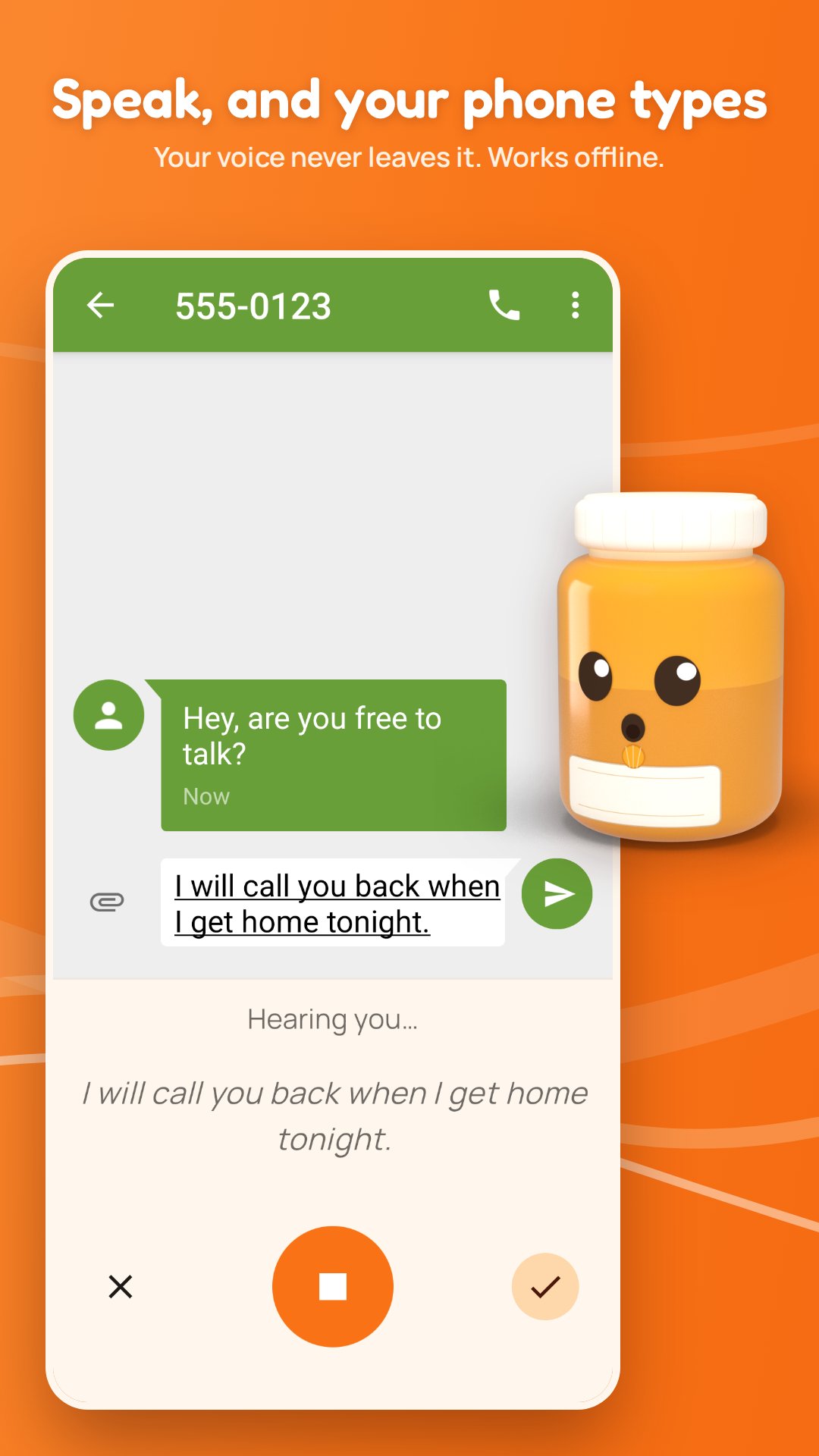
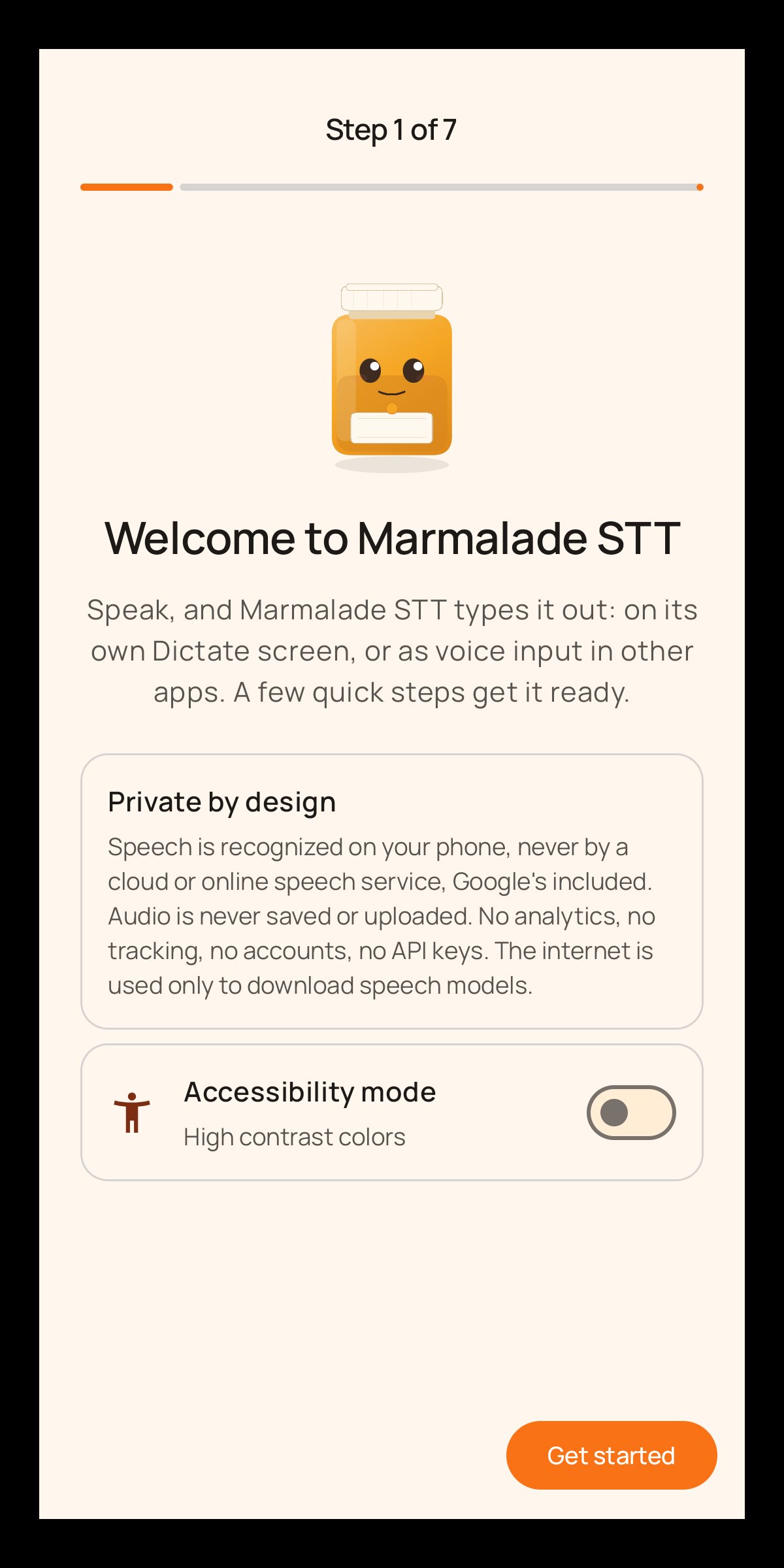
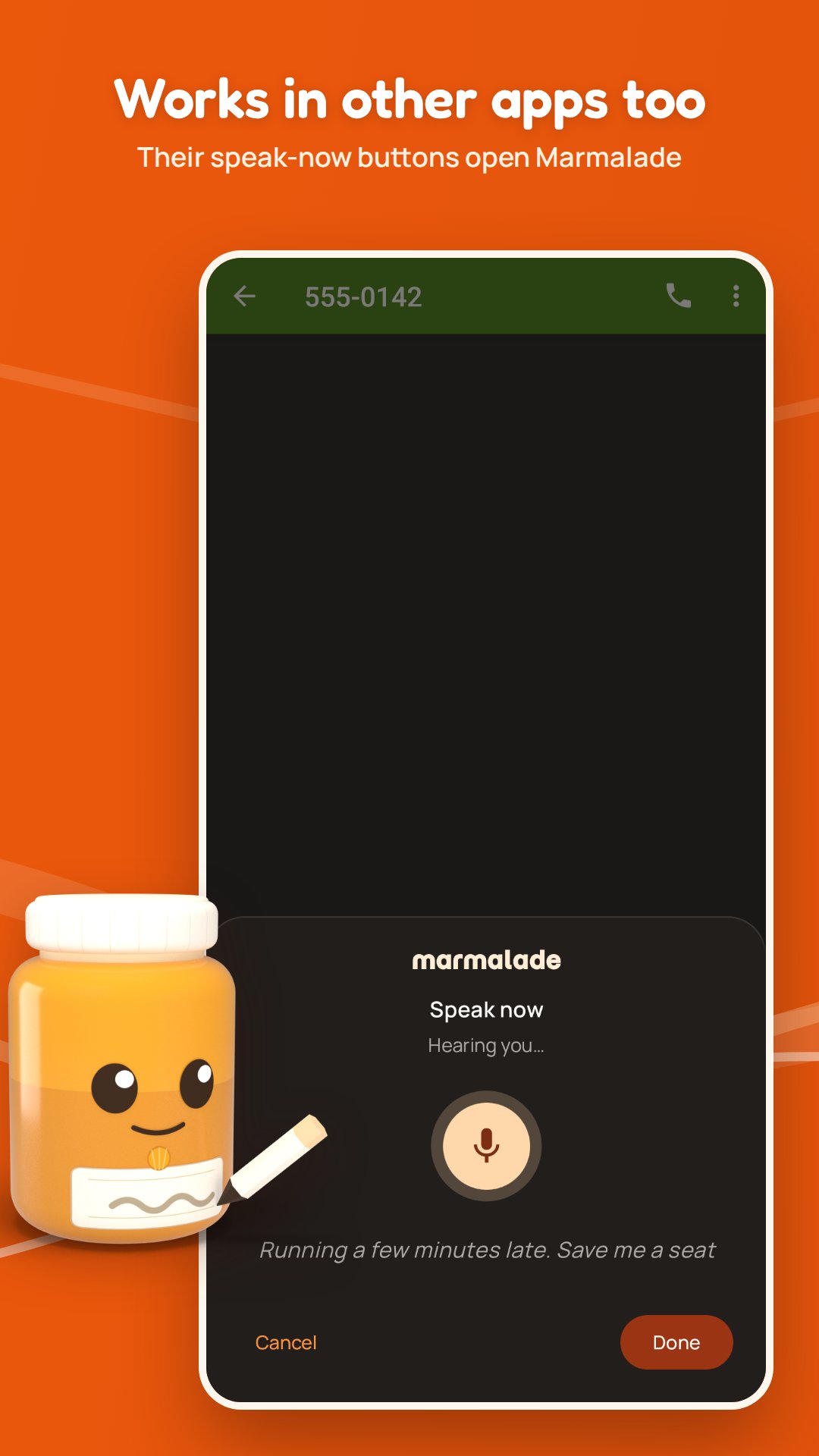
Marmalade STT turns your speech into text on your phone. Use it as the voice input of your keyboard (FUTO Keyboard, HeliBoard, FlorisBoard and others), and of apps that ask Android for speech input. Your voice never leaves the device.
o Private. Speech is recognized on the phone. Audio is never saved or uploaded
o Offline. After a one-time download of a speech engine, it works without a connection
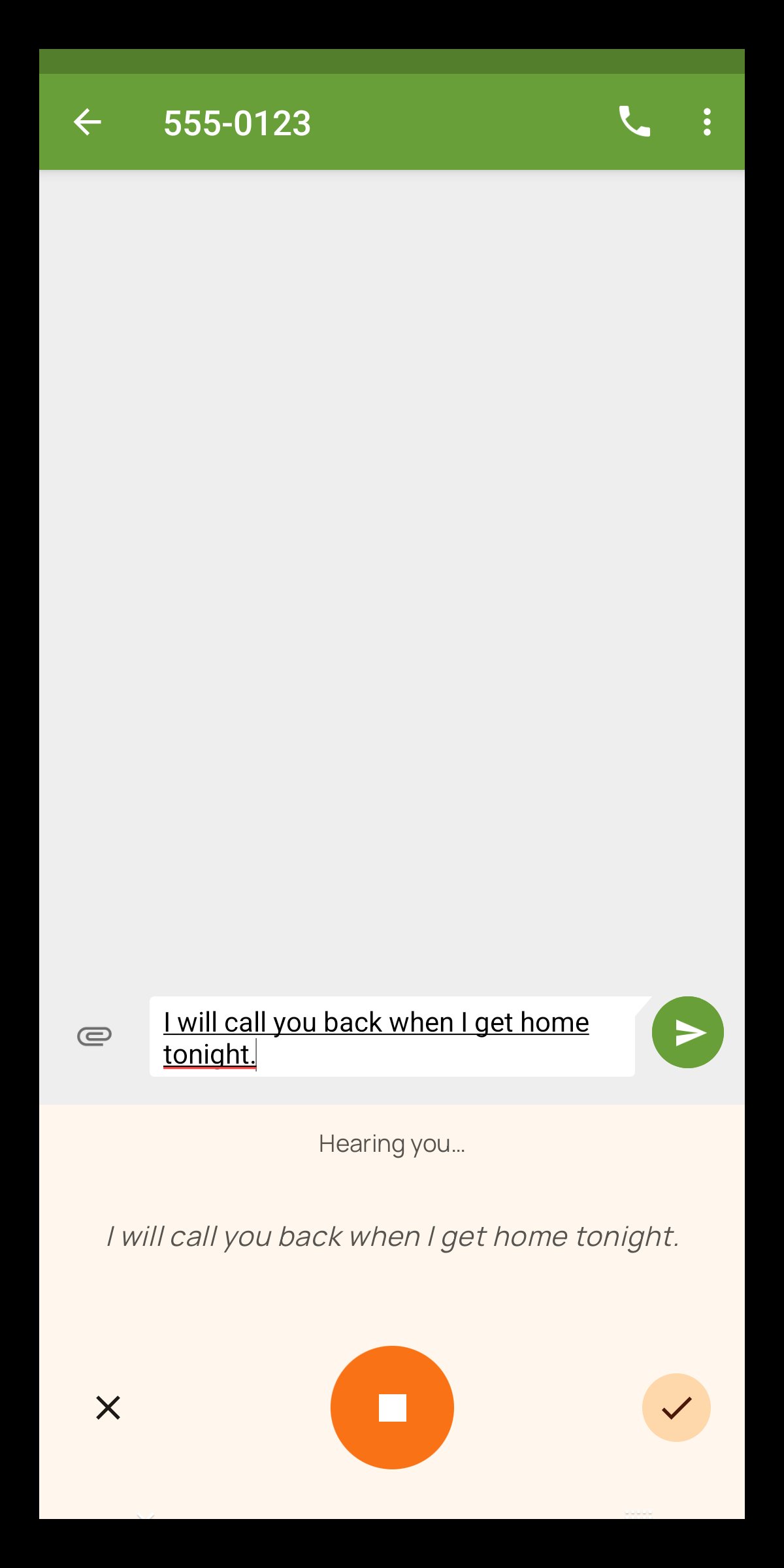
o Live text. Shows your words in real time as you speak, on most engines
o Knows when you're done. Smart Turn, the default for the speak-now popup, waits until you sound finished, so a pause to think rarely cuts you off
o Multilingual. 100 languages, with the best engine for yours picked automatically
o Clean output. Filler words removed, numbers as digits, your own replacements and verbal snippets
o Free and open source. No ads, no accounts, no analytics
PRIVATE BY DESIGN
No analytics, no tracking, no crash reporting, no accounts, and no server of ours. The internet is used only to download the speech engines you choose, from GitHub, and every file is checked against a pinned SHA-256 hash. Android backup is turned off, so nothing is copied to the cloud.
YOU DECIDE WHEN IT STOPS
In the speak-now popup and other apps, Marmalade uses Smart Turn v3 technology by default to detect when you have finished speaking. No hands required. Does it cut you off too early? Switch to stopping at a pause, or set an end word instead. On the keyboard it listens until you tap, or it can use Smart Turn too.
CLEAN TEXT
Optional cleanup fixes capitals, and in English removes filler words, turns "new line" and "period" into the real thing and writes numbers as digits. Replacements for names the engine gets wrong, and snippets for text you type often, work in any language.
WORKS WITH YOUR KEYBOARD
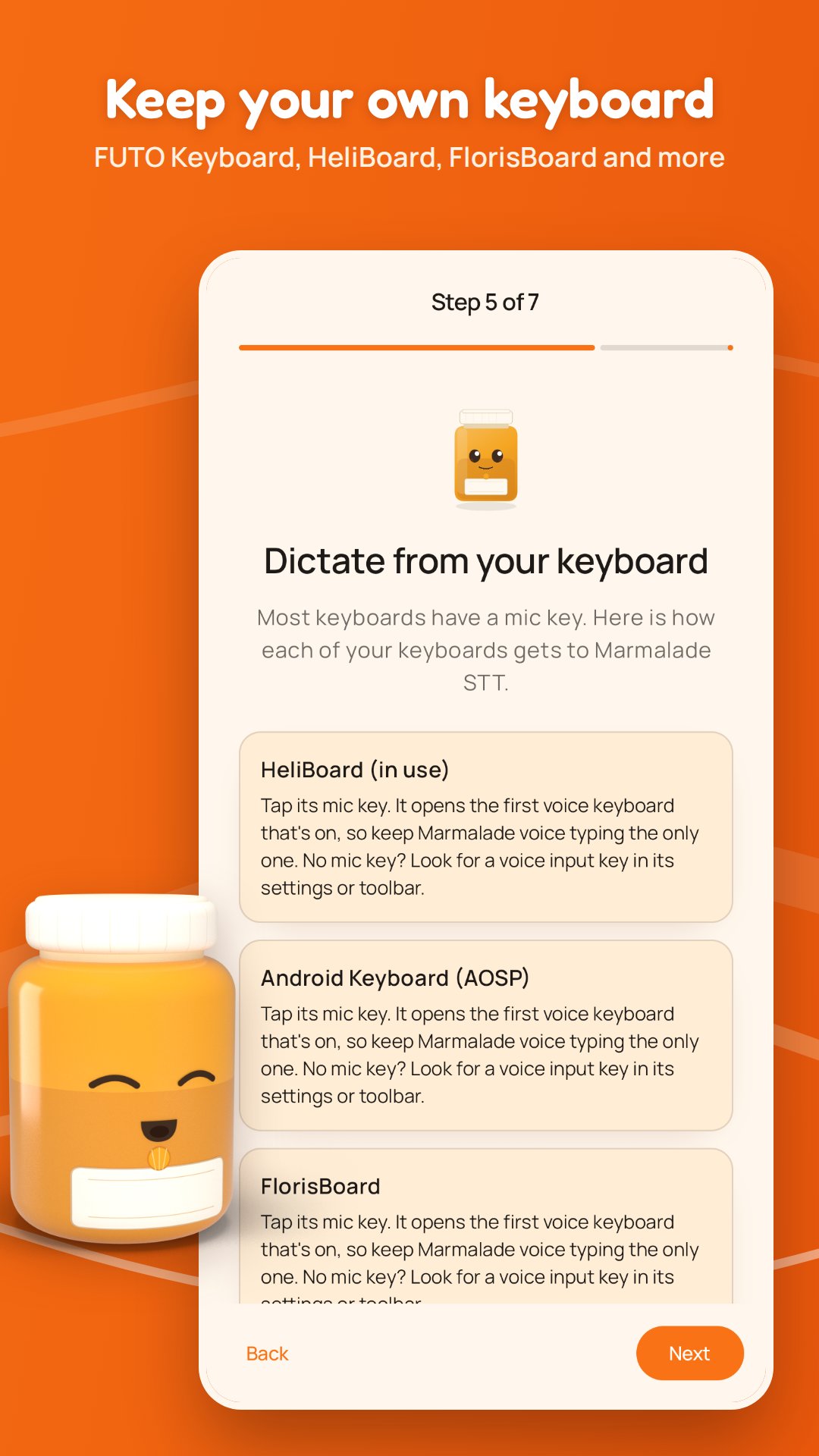
Turn on "Marmalade voice typing" and your keyboard's mic key opens a small Marmalade panel that types what you say. It works with FUTO Keyboard, HeliBoard, FlorisBoard, AnySoftKeyboard, Unexpected Keyboard, AOSP's keyboard and others with a voice key.
AN ENGINE THAT SUITS YOUR PHONE
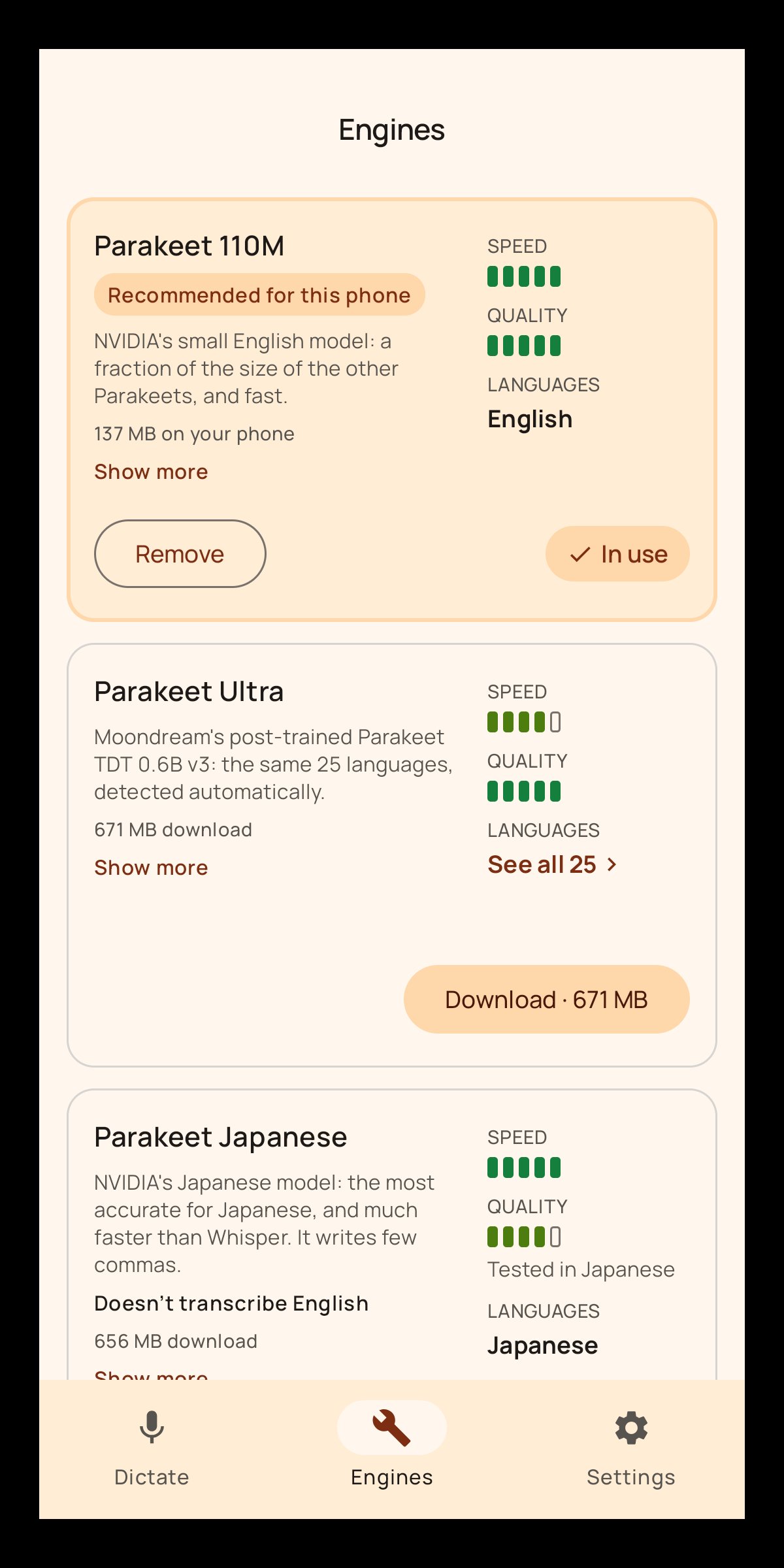
The setup guide recommends a speech engine for your language and for your phone's memory and speed, with the option to download and try out other models.
LANGUAGES
Fast engines cover English, Bulgarian, Croatian, Czech, Danish, Dutch, Estonian, Finnish, French, German, Greek, Hungarian, Italian, Latvian, Lithuanian, Maltese, Polish, Portuguese, Romanian, Russian, Slovak, Slovenian, Spanish, Swedish, Ukrainian, Japanese, Hindi, Arabic and Vietnamese. Chinese and Korean get Qwen3-ASR, lighter than Whisper. You can also pick it for its 28 other languages, English included. Other languages work through Whisper Large v3 Turbo, with more delay.
OPEN SOURCE
Marmalade STT is MIT licensed. If you'd like to support it, Settings -> Support links to GitHub Sponsors; the app is the same either way.
o Private. Speech is recognized on the phone. Audio is never saved or uploaded
o Offline. After a one-time download of a speech engine, it works without a connection
o Live text. Shows your words in real time as you speak, on most engines
o Knows when you're done. Smart Turn, the default for the speak-now popup, waits until you sound finished, so a pause to think rarely cuts you off
o Multilingual. 100 languages, with the best engine for yours picked automatically
o Clean output. Filler words removed, numbers as digits, your own replacements and verbal snippets
o Free and open source. No ads, no accounts, no analytics
PRIVATE BY DESIGN
No analytics, no tracking, no crash reporting, no accounts, and no server of ours. The internet is used only to download the speech engines you choose, from GitHub, and every file is checked against a pinned SHA-256 hash. Android backup is turned off, so nothing is copied to the cloud.
YOU DECIDE WHEN IT STOPS
In the speak-now popup and other apps, Marmalade uses Smart Turn v3 technology by default to detect when you have finished speaking. No hands required. Does it cut you off too early? Switch to stopping at a pause, or set an end word instead. On the keyboard it listens until you tap, or it can use Smart Turn too.
CLEAN TEXT
Optional cleanup fixes capitals, and in English removes filler words, turns "new line" and "period" into the real thing and writes numbers as digits. Replacements for names the engine gets wrong, and snippets for text you type often, work in any language.
WORKS WITH YOUR KEYBOARD
Turn on "Marmalade voice typing" and your keyboard's mic key opens a small Marmalade panel that types what you say. It works with FUTO Keyboard, HeliBoard, FlorisBoard, AnySoftKeyboard, Unexpected Keyboard, AOSP's keyboard and others with a voice key.
AN ENGINE THAT SUITS YOUR PHONE
The setup guide recommends a speech engine for your language and for your phone's memory and speed, with the option to download and try out other models.
LANGUAGES
Fast engines cover English, Bulgarian, Croatian, Czech, Danish, Dutch, Estonian, Finnish, French, German, Greek, Hungarian, Italian, Latvian, Lithuanian, Maltese, Polish, Portuguese, Romanian, Russian, Slovak, Slovenian, Spanish, Swedish, Ukrainian, Japanese, Hindi, Arabic and Vietnamese. Chinese and Korean get Qwen3-ASR, lighter than Whisper. You can also pick it for its 28 other languages, English included. Other languages work through Whisper Large v3 Turbo, with more delay.
OPEN SOURCE
Marmalade STT is MIT licensed. If you'd like to support it, Settings -> Support links to GitHub Sponsors; the app is the same either way.
| Release info | Update on Oct 28, 2026 |
|---|---|
| Release notes | Marmalade STT 1.2.3 makes Waze's voice commands finish soon after you stop talking, instead of 10 seconds in (#7). Fixed • Waze's voice commands now finish soon after you stop talking. Waze stops listening when the speech recognizer reports the end of speech, and it asks for several sentences in a row; Marmalade STT reported that end only when the whole request ended, at Waze's own 10-second limit. Apps that ask for several sentences now hear the end of each one as soon as it is detected, before it is transcribed. • Where the chosen engine can't keep up with the audio an app streams to it, the words shown while speaking are skipped to catch up, as they already were for the microphone. Changed • Short voice commands from other apps (apps that record their own audio, such as Waze, and searches) end with Auto-stop after a pause instead of Auto-stop with Smart Turn. A command has no pause to think in, so Smart Turn's extra check at its end gains nothing (it costs more on slower phones). Longer speech keeps Smart Turn. Once you choose an End of speech for other apps in Settings, your choice applies to these too. Which APK? Most phones: marmalade-stt-1.2.3-arm64-v8a.apk. Older 32-bit phones: marmalade-stt-1.2.3-armeabi-v7a.apk. Android 9 or later. Both are signed with the same key as earlier releases, so they install over them. Full list of changes: CHANGELOG.md. |
| Listing data | F-Droid |
Reviews
No reviews yet. Be the first to review Marmalade STT.
Used Marmalade STT? Tell other visitors what you thought.
Log in to write a reviewOther products by this publisher
- "No Distractions" for YouTube 4.10 ----
- #Bible 11.6 "Incredible App - My sister shared this app with me a few weeks ago and it is truly incredible.
- #filmphotography 1.4.2 So, you decided to shoot on film?
- $quirrel 1.5.1 $quirrel Budget & Finance helps you plan each paycheck, track spending, manage debt, and see what is safe to spend before the next payday.
- % Percentage Calculator Pro 1.41 This is the Pro version of % Percentage Calculator.
Most viewed Android Keyboard & Ime
-
1
 VocaPhone 0.2.7
Voice dictation keyboard that transcribes on hardware you control
- 2 FlorisBoard 0.5.2 An open-source keyboard which respects your privacy. Currently in beta.
- 3 Kinetica 3.0.1 Two-thumb keyboard: both thumbs swipe and tap at once. No network access.
- 4 KeliBoard 4.0.1 Customizable open-source keyboard
- 5 AdaptKey 1.2.97 Privacy-first Android keyboard that learns your typing style. Fully offline.
-
6
 Parakeetype 0.5.0
Fast on-device speech-to-text keyboard and voice input - no cloud, no tracking.
-
7
 Xime IME 3.5.0-alpha.3
A Rime-based Chinese IME for Wubi and Pinyin input
- 8 Afrikaans for AnySoftKeyboard 5.1.6158 Afrikaans Language Pack for AnySoftKeyboard
- 9 ICS Theme for AnySoftKeyboard 5.1.6158 Ice Cream Sandwich Theme for AnySoftKeyboard
- 10 8Vim Keyboard 0.17.5 A small screen keyboard inspired by VIM and 8Pen
Most downloaded Android Keyboard & Ime
- 1 Kinetica 3.0.1 Two-thumb keyboard: both thumbs swipe and tap at once. No network access.
-
2
Parakeetype 0.5.0
Fast on-device speech-to-text keyboard and voice input - no cloud, no tracking.
-
3
 Ezhuthola: Malayalam Keyboard 0.6.0
Type Malayalam in Manglish. No ads, no tracking, no internet.
-
4
 zinna-IME 0.1.2
Offline Japanese keyboard with mozc conversion, flick and qwerty
-
5
 KeyTab 0.23
Keyboard (IME) with tabbed file manager, offline word prediction and TAB key.
-
6
 Traditional T9 64.0
A T9 keyboard inspired by the classic Nokia phones of the 2000s.
- 7 Guileless Bopomofo Keyboard 5.2.1 A simple Bopomofo software keyboard (input method editor) for typing Hanyu
-
8
 Ramblr 1.0.49
Tap, ramble, tap. Clean dictated text lands wherever your cursor is.
-
9
Xime IME 3.5.0-alpha.3
A Rime-based Chinese IME for Wubi and Pinyin input
- 10 AdaptKey 1.2.97 Privacy-first Android keyboard that learns your typing style. Fully offline.