LumaFusion 5.6.1
LumaFusion: The Ultimate Storytelling Experience for Video Editing
Download
237.53 MB
11downloads
2this week
FreeCommercial
0reviews
Screenshots
About LumaFusion
LumaFusion: The Ultimate Storytelling Experience for Video Editing
Welcome to the App Store’s “App of the Year” for 2021 and the recipient of the Editors’ Choice Award! The gold standard for storytellers worldwide. Offering a fluid, intuitive, touch-screen editing experience.
PROFESSIONAL EDITING MADE EASY
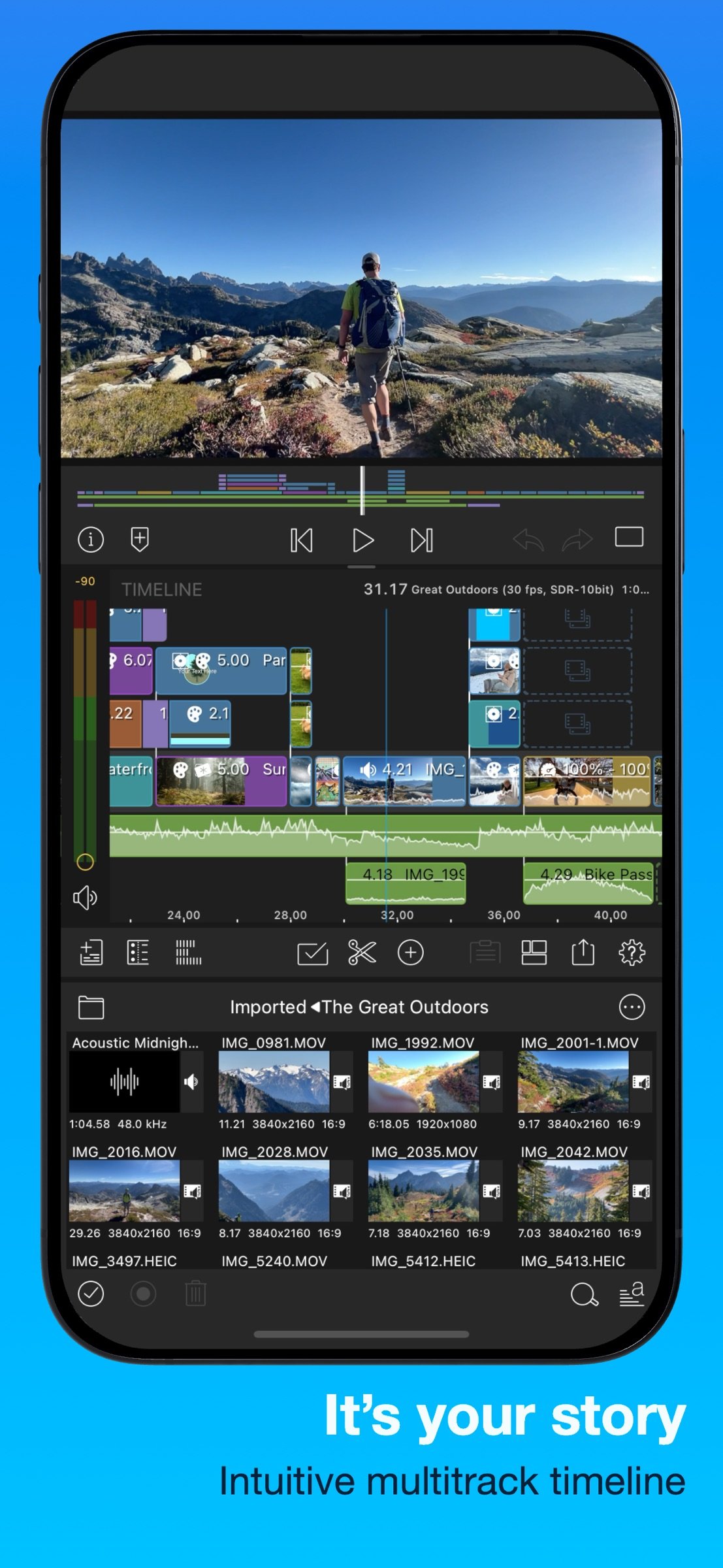
• Six video/audio or graphic tracks: Create multiple layer edits with smooth handling of 4K ProRes and HDR media.
• Six Additional audio tracks: Build your soundscape.
• The ultimate Timeline: Fluent editing using the world’s most flexible track-based AND magnetic timeline.
• Loads of transitions: Keep your story moving.
• External Monitor Preview: View on a big screen.
• Markers, tags and notes: Stay organized.
• Voiceover: Record VO while playing your movie.
LAYERED EFFECTS AND COLOR CORRECTION
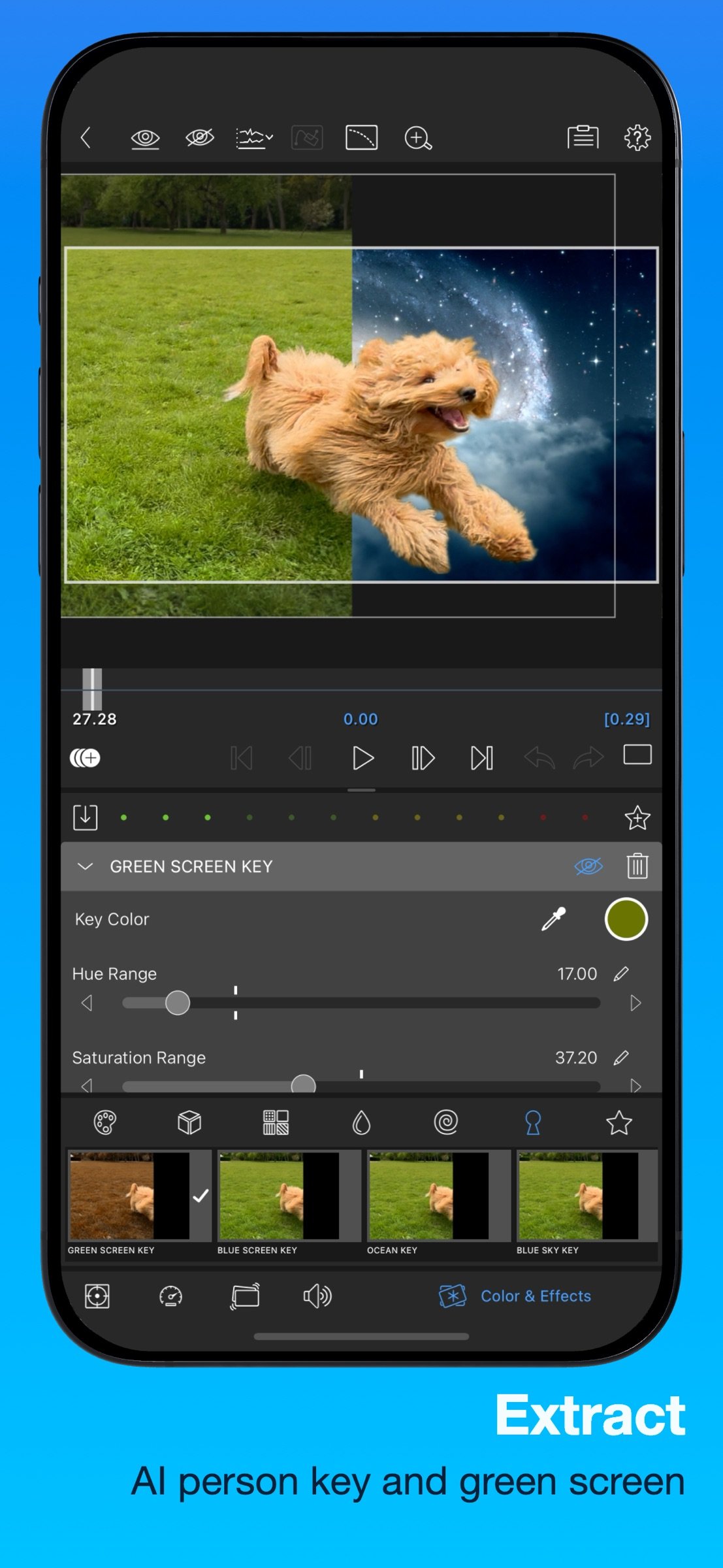
• Green screen, luma, and chroma keys: For creative compositing.
• Lock & Load Video Stabilizer: Steady your footage.
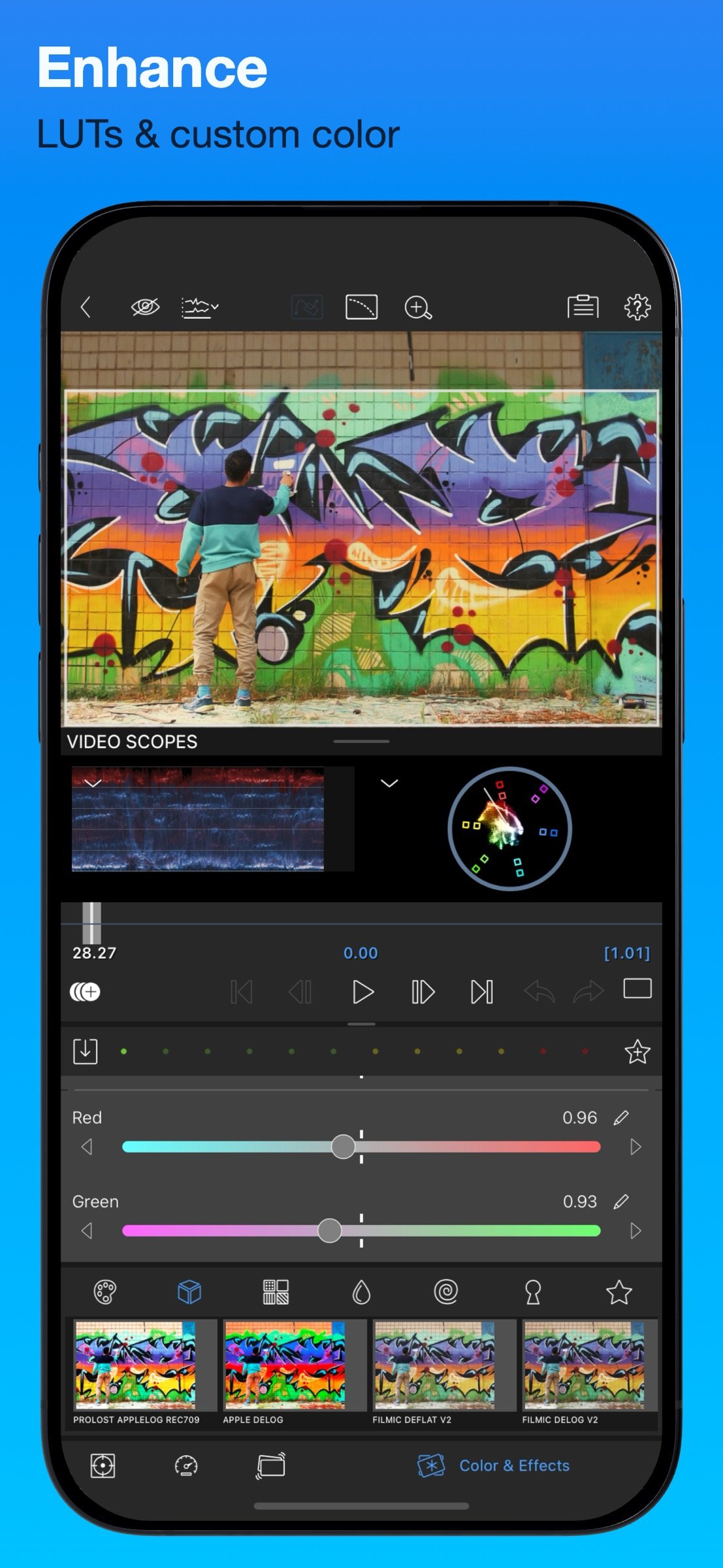
• Powerful color correction: Create your own look.
• Video Waveform, vector and histogram scopes.
• LUTs: Import and apply multiple .cube or .3dl LUTs.
• Unlimited keyframes: Animate effects with precision.
• Customizable text and effect presets: Save and share your favorite animations and looks.
• Grids and Guides: Precisely align elements with Title-Safe, Action-Safe and horizon line.
ADVANCED AUDIO CONTROL
• Graphic EQ, Parametric EQ and Voice Isolation: Fine-tune audio.
• Keyframe audio levels, panning, and EQ: Craft seamless mixes.
• Stereo and Dual-mono audio support: For interviews with multiple mics on one clip.
• Audio Ducking: Balance your music and dialogue.
• Third-party audio plugins: Enhance your sound.
CREATIVE TITLES AND MULTILAYER TEXT
• Multilayer titles: Combine shapes, images, and text into your graphic.
• Customizable fonts, colors, borders, and shadows: Design eye-catching titles.
• Import custom fonts: Strengthen your brand.
• Save and share title presets: Perfect for collaboration.
PROJECT FLEXIBILITY AND MEDIA LIBRARY
• Aspect ratios for all uses: From widescreen cinema to social media.
• Frame rates from 18fps to 240fps: Flexibility for any workflow.
• Edit from Photos, Frame.io, and directly from USB-C drives: Access your content anywhere.
• Import media from cloud storage: Wherever you store it.
SHARE YOUR MASTERPIECES
• Control resolution, quality, and format:
• Share movies to social media, local storage or cloud storage.
• Edit on multiple devices: Seamlessly transfer projects.
ENHANCED FEATURES (purchase individually, or get them ALL as part of the Creator Pass subscription - see below)
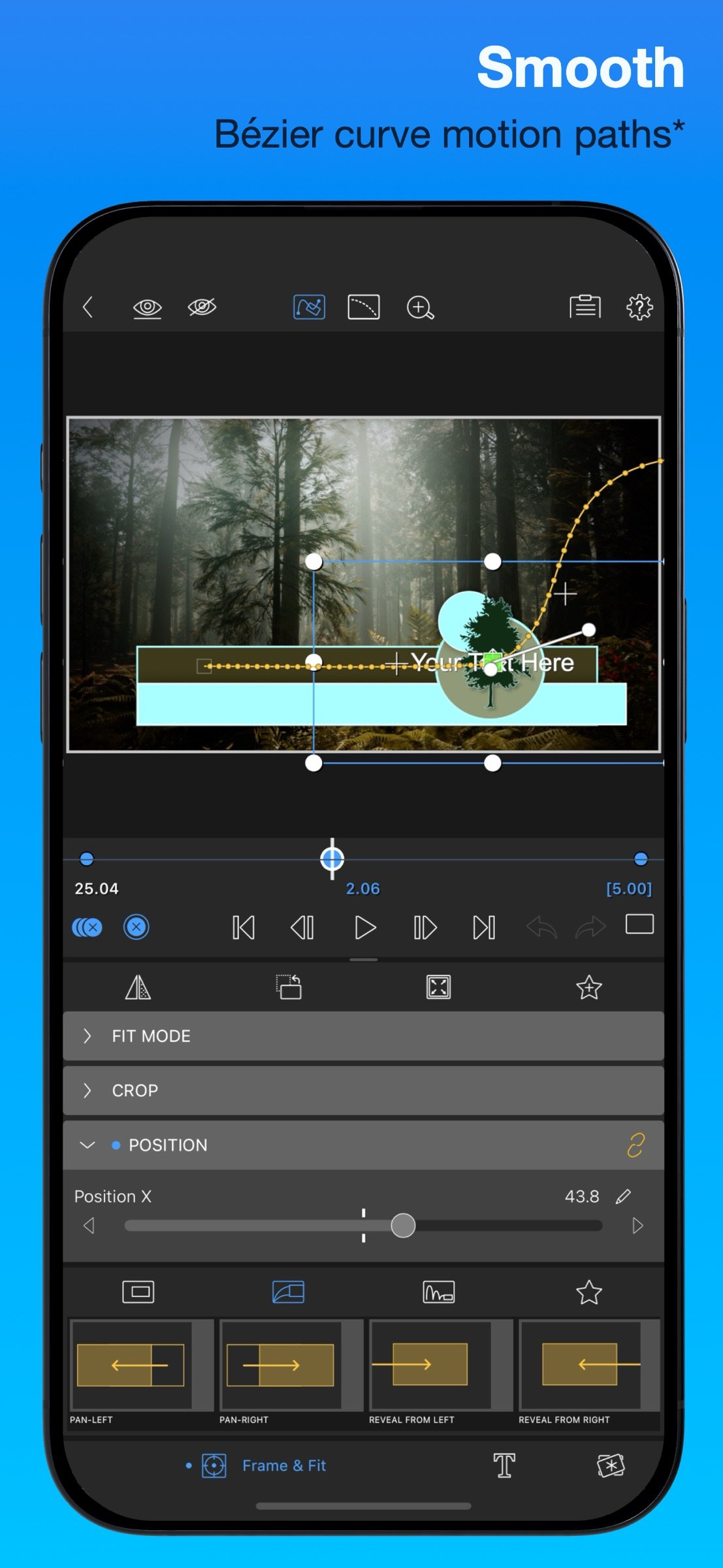
• Speed Ramping and Enhanced Keyframing - Create speed ramps, Bézier curves, and easing with this one-of-a-kind, easy to use feature.
• XML Export: Send your project to Final Cut Pro for Mac
• Multicam Studio: Synchronize 6 cameras or audio and tap to switch angles
CREATOR PASS SUBSCRIPTION
• Get full access to Storyblocks for LumaFusion: Millions of High-quality royalty-free music, SFX, and videos, PLUS get ALL the Enhanced Features above.
EXCEPTIONAL FREE SUPPORT
• Online tutorials: www.youtube.com/@LumaTouch
• Reference Guide: luma-touch.com/lumafusion-reference-guide
• Support: lumatouch.co/support
License: Commercial
Welcome to the App Store’s “App of the Year” for 2021 and the recipient of the Editors’ Choice Award! The gold standard for storytellers worldwide. Offering a fluid, intuitive, touch-screen editing experience.
PROFESSIONAL EDITING MADE EASY
• Six video/audio or graphic tracks: Create multiple layer edits with smooth handling of 4K ProRes and HDR media.
• Six Additional audio tracks: Build your soundscape.
• The ultimate Timeline: Fluent editing using the world’s most flexible track-based AND magnetic timeline.
• Loads of transitions: Keep your story moving.
• External Monitor Preview: View on a big screen.
• Markers, tags and notes: Stay organized.
• Voiceover: Record VO while playing your movie.
LAYERED EFFECTS AND COLOR CORRECTION
• Green screen, luma, and chroma keys: For creative compositing.
• Lock & Load Video Stabilizer: Steady your footage.
• Powerful color correction: Create your own look.
• Video Waveform, vector and histogram scopes.
• LUTs: Import and apply multiple .cube or .3dl LUTs.
• Unlimited keyframes: Animate effects with precision.
• Customizable text and effect presets: Save and share your favorite animations and looks.
• Grids and Guides: Precisely align elements with Title-Safe, Action-Safe and horizon line.
ADVANCED AUDIO CONTROL
• Graphic EQ, Parametric EQ and Voice Isolation: Fine-tune audio.
• Keyframe audio levels, panning, and EQ: Craft seamless mixes.
• Stereo and Dual-mono audio support: For interviews with multiple mics on one clip.
• Audio Ducking: Balance your music and dialogue.
• Third-party audio plugins: Enhance your sound.
CREATIVE TITLES AND MULTILAYER TEXT
• Multilayer titles: Combine shapes, images, and text into your graphic.
• Customizable fonts, colors, borders, and shadows: Design eye-catching titles.
• Import custom fonts: Strengthen your brand.
• Save and share title presets: Perfect for collaboration.
PROJECT FLEXIBILITY AND MEDIA LIBRARY
• Aspect ratios for all uses: From widescreen cinema to social media.
• Frame rates from 18fps to 240fps: Flexibility for any workflow.
• Edit from Photos, Frame.io, and directly from USB-C drives: Access your content anywhere.
• Import media from cloud storage: Wherever you store it.
SHARE YOUR MASTERPIECES
• Control resolution, quality, and format:
• Share movies to social media, local storage or cloud storage.
• Edit on multiple devices: Seamlessly transfer projects.
ENHANCED FEATURES (purchase individually, or get them ALL as part of the Creator Pass subscription - see below)
• Speed Ramping and Enhanced Keyframing - Create speed ramps, Bézier curves, and easing with this one-of-a-kind, easy to use feature.
• XML Export: Send your project to Final Cut Pro for Mac
• Multicam Studio: Synchronize 6 cameras or audio and tap to switch angles
CREATOR PASS SUBSCRIPTION
• Get full access to Storyblocks for LumaFusion: Millions of High-quality royalty-free music, SFX, and videos, PLUS get ALL the Enhanced Features above.
EXCEPTIONAL FREE SUPPORT
• Online tutorials: www.youtube.com/@LumaTouch
• Reference Guide: luma-touch.com/lumafusion-reference-guide
• Support: lumatouch.co/support
License: Commercial
| Release info | Update on Oct 29, 2026 |
|---|---|
| Release notes | NEW: * Five new Reflected Tiles effects * Support for iPhone Duo FIXED: * External display not detected properly * Reordering effects not always working on macOS * Export could fail due to screen recordings with non standard colorspace values * Optimize could result in significantly larger files for some media * Incorrect Clip Editor layout on some iPhones * Stability and performance improvements In upcoming releases we will continue adding new features, and will continue to enhance every aspect of LumaFusion. Find tutorials, reference guide, answers to your questions, and contact us directly at lumatouch.co/support |
| Listing data | App Store |
Reviews
No reviews yet. Be the first to review LumaFusion.
Used LumaFusion? Tell other visitors what you thought.
Log in to write a reviewOther products by this publisher
- "No Distractions" for YouTube 4.10 ----
- #Bible 11.6 "Incredible App - My sister shared this app with me a few weeks ago and it is truly incredible.
- #filmphotography 1.4.2 So, you decided to shoot on film?
- $quirrel 1.5.1 $quirrel Budget & Finance helps you plan each paycheck, track spending, manage debt, and see what is safe to spend before the next payday.
- % Percentage Calculator Pro 1.41 This is the Pro version of % Percentage Calculator.
Most viewed iOS Photo & Video
-
1
 ShortDiShow 2.0
Drama Quest Island — An offline interactive short-drama adventure.
-
2
 Infuse 8.5.10
Infuse: Enterprise provides the same great features as the standard version of Infuse and includes permanent access to all Pro features via a traditional paid app.
-
3
 AI Video Generator 2.0.2
Vixel – AI Video Generator
-
4
 OPlayer 4.8
Play all your videos directly without having to convert them!
-
5
 Necrometer II 1.2
Necrometer II is a paranormal investigation companion designed for ghost hunters and researchers.
-
6
 CapCut 20.1.0
CapCut offers easy-to-use video editing functions, in-APP fonts and effects, advanced features such as keyframe animation, smooth slow-motion, chroma key, and stabilization, to help you capture and snip moments.
-
7
 Ai Photo 1.1.2
AI Photo Retouch – BG Eraser
-
8
 Treblo 1.6.0
Make songs with the world's best AI music model.
-
9
 CNU 3.0.12
CNU?????????????????????,???????????????
-
10
 TouchSiren Delta 3.1
--------------------------------------------------------------
Most downloaded iOS Photo & Video
-
1
Infuse 8.5.10
Infuse: Enterprise provides the same great features as the standard version of Infuse and includes permanent access to all Pro features via a traditional paid app.
-
2
 DJI Fly 1.21.18
DJI Fly is designed to help pilots fly drones with ease.
-
3
 Analog Radio 3.0
The iPhone and iPad devices don't have the FM/AM radio antenna installed.
-
4
 TurboCollage Automatic 1.2.4
#1 Easy automatic photo collage maker for iPhone & iPad.
-
5
 ReelyGo 1.1.42
ReelyGo: Your Daily Drama Escape
-
6
 AGAIN. Rehearsal Notes 2.0.1
AGAIN. is the rehearsal app that remembers why the band stopped — and, new in Version 2, who said what in a writing session or a table read.
-
7
Treblo 1.6.0
Make songs with the world's best AI music model.
-
8
 Rozeta Sequencer Suite 1.3.16
Rozeta is a suite of MIDI sequencers and controllers that lets you explore a new, freeform approach to sequencing and controlling mobile music apps.
-
9
 SSS IPTV, Simple, Smart Super 1.0.2
An Easiest way to watch TV Online or Movies or Series, Bring your Own list M3u,
-
10
 Pop Dot Comics 1.48
Create a comic worthy of the Sunday newspaper or your favorite pulp-fiction cover.