
14downloads
2this week
FreeCommercial
0reviews
Screenshots

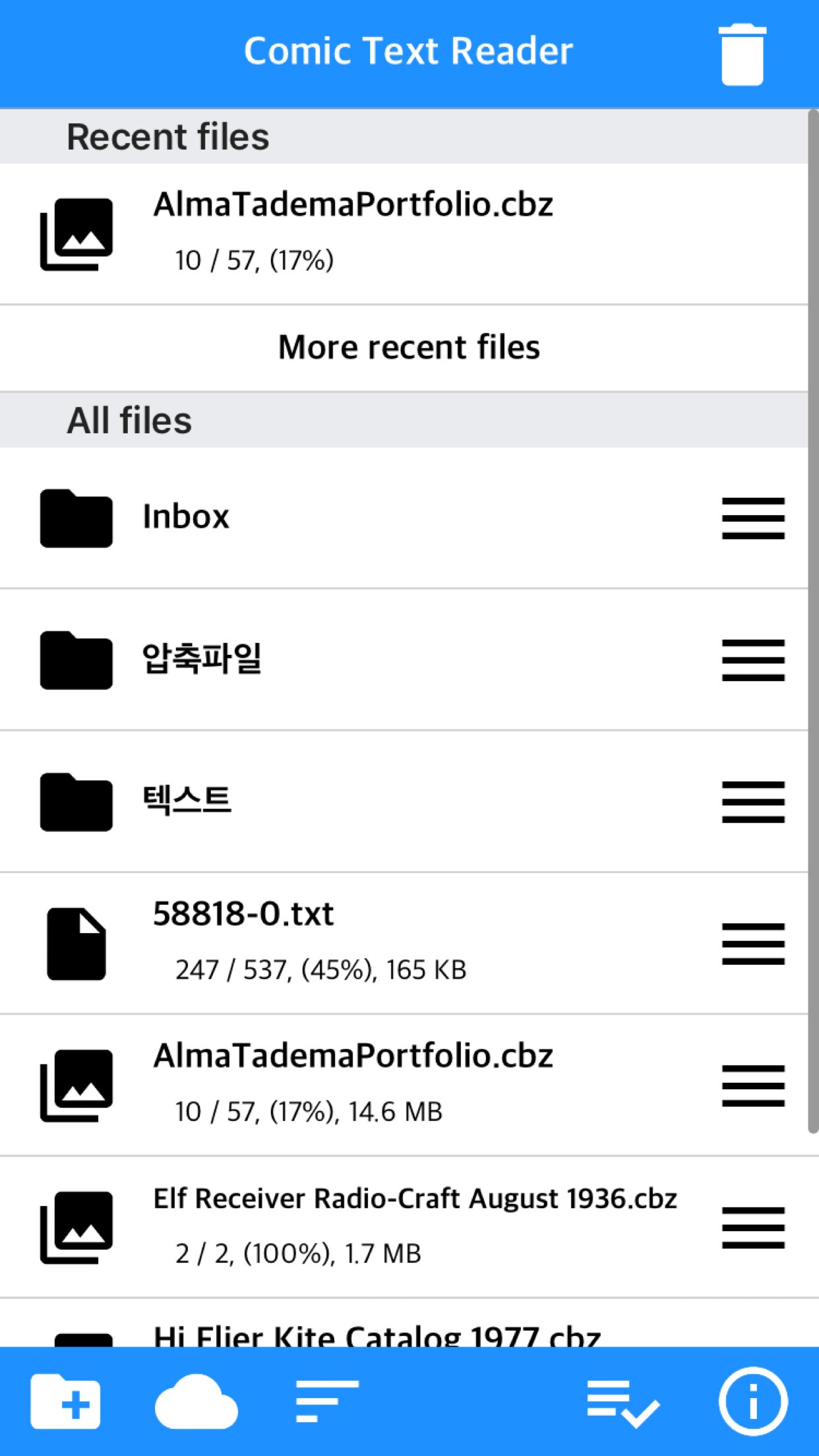

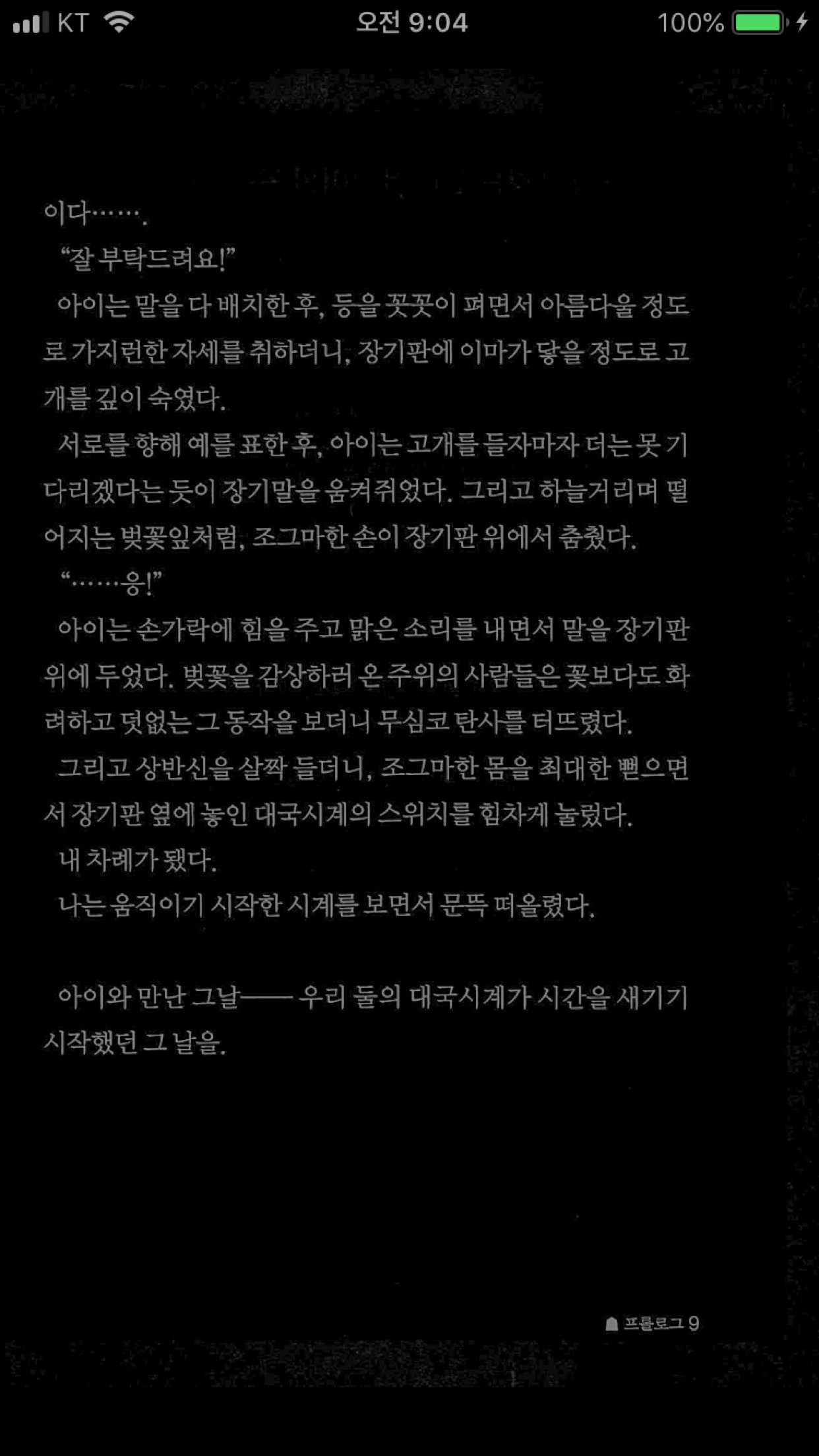
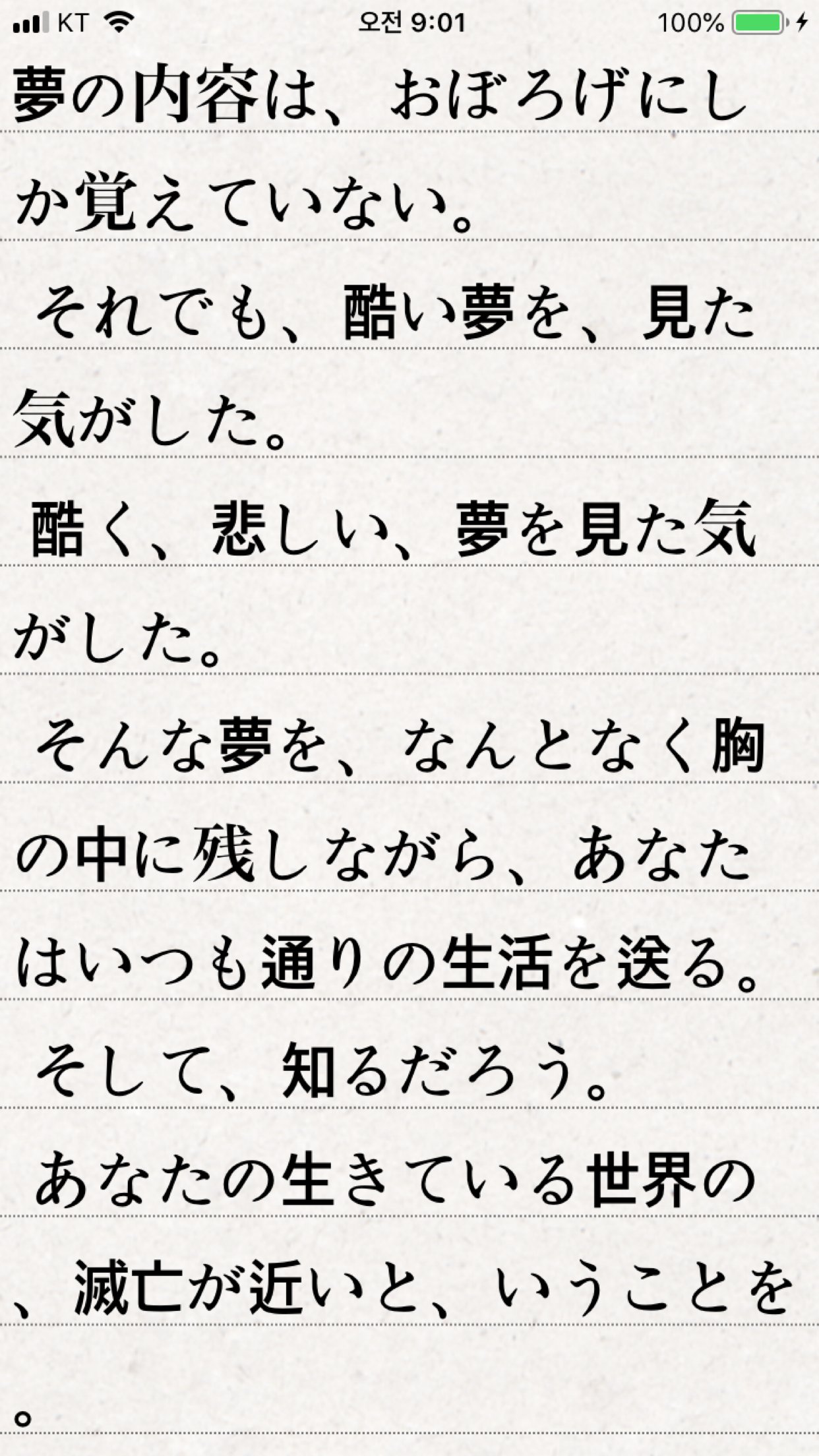
About Komi Reader
Text files and images contained in compressed files
Apps that all can see in one app
Also supports PDF
Put text and zipped files in your app
Apps that can be viewed in one app
See comics and novels in one app.
iPhone, iPad, Mac (Apple Silicon) support
* Some functions may not be supported on Mac
Previously integrated Komi Viewer and Text Viewer app.
You can also try using the Komi Viewer or Text Viewer in the App Store before purchasing the app.
** Characteristic **
- You can view the text file and the image included in the compressed file.
- zip, rar, 7z, cbz, cbr, cb7 compressed files are supported (png, jpeg, jpg, gif, bmp, tif, tiff, webp, jxl, heif extension images are included)
- Support for locked files (zip, rar, 7z, pdf)
- PDF file
- TIF/TIFF file
- ePub file , only text in ePub to display the same (with the same function) as the existing txt file. (No media such as audio, no chapter function)
- both landscape and portrait
- iPad multitasking
- iPhone, iPad, Mac(Apple Silicon)
- Upload via PC web browser (WIFI)
- Import of files from iCloud, Dropbox, One Drive, Box, and other cloud apps (cbr, cbz, cb7 are not supported in the cloud service, please upload in other ways.)
- FTP/SFTP support (FTPS not supported)
- Upload files to iTunes file share
- Text font, color, left margin, background can be changed
- Show status bar
- App lock, file lock
- Image/PDF Night Mode: Invert Color / Image Brightness (1 ~ 3 steps)
- Screen off option: When set to ON, the screen automatically turns off at the time the device turns off.
- Last file view, On / Off in setting
- Bluetooth keyboard: Supports page switching and screen closing function, direction key (asdw) page switch, ESC key viewer screen close
- Pad text file viewer "Two-page view" support: left-right, right-left page orientation can also be selected, please adjust the page interval to "left and right margin" value.
- Text file autoscrolling: Text files can now be autoranged vertically (down).
Sets the total amount of time a page goes from 1 second (fast) to 30 seconds (slow)
Now you do not have to manually scroll the text file.
- Vertical scrolling added: Vertical scrolling can be dragged by the user. You can change it in the setting screen. The existing "vertical touch" does not work.
- Image next page Zoom-in keep-alive function: Apply the previous book's zoom-in status in the following book. Please change your settings.
- Next book auto-switching options: If you automatically change the next book switching option in Settings, tabs on the last page will automatically switch to the next book. (Default manual)
- Image / PDF Automatic page turnover and auto scroll: Automatically flips to the next page after a certain amount of time. If it is zoomed in, it will automatically scroll down. Speed settable (in-app purchase required)
- Text file underline function: 3 kinds of underline can be selected, and underlining transparency can be set on iOS 11 or higher
- A function that changes to the next page when the volume is changed. (The sound size will change as well. Please be careful. ON / OFF in setting.)
- Convert copied text to clipboard into txt file
- iCloud Sync : Synchronize the information (read location) of the read file and open the same file on another device (signed in with the same iCloud account) so that you can see it again. (The bookmark information in the text file is also synchronized.) (iOS 11+)
- Font file (ttf, otf) registration: After adding the file, you can register by clicking the file in the app. You can enable it in the "Font - Type" item of the setting.
- Blink: Recognizes eye blinks to switch pages (iPhone only, iOS 18+)
- Automatic Image Crop: Automatically crops the empty space on all four sides of images with a white background. (iOS 16+)
- Content Color: Changes and unifies the content (pictures or text) within the image to a single color
Please send bugs or suggestions to junhuloveapple@gmail.com at the top right of the setting screen.
License: Commercial
Apps that all can see in one app
Also supports PDF
Put text and zipped files in your app
Apps that can be viewed in one app
See comics and novels in one app.
iPhone, iPad, Mac (Apple Silicon) support
* Some functions may not be supported on Mac
Previously integrated Komi Viewer and Text Viewer app.
You can also try using the Komi Viewer or Text Viewer in the App Store before purchasing the app.
** Characteristic **
- You can view the text file and the image included in the compressed file.
- zip, rar, 7z, cbz, cbr, cb7 compressed files are supported (png, jpeg, jpg, gif, bmp, tif, tiff, webp, jxl, heif extension images are included)
- Support for locked files (zip, rar, 7z, pdf)
- PDF file
- TIF/TIFF file
- ePub file , only text in ePub to display the same (with the same function) as the existing txt file. (No media such as audio, no chapter function)
- both landscape and portrait
- iPad multitasking
- iPhone, iPad, Mac(Apple Silicon)
- Upload via PC web browser (WIFI)
- Import of files from iCloud, Dropbox, One Drive, Box, and other cloud apps (cbr, cbz, cb7 are not supported in the cloud service, please upload in other ways.)
- FTP/SFTP support (FTPS not supported)
- Upload files to iTunes file share
- Text font, color, left margin, background can be changed
- Show status bar
- App lock, file lock
- Image/PDF Night Mode: Invert Color / Image Brightness (1 ~ 3 steps)
- Screen off option: When set to ON, the screen automatically turns off at the time the device turns off.
- Last file view, On / Off in setting
- Bluetooth keyboard: Supports page switching and screen closing function, direction key (asdw) page switch, ESC key viewer screen close
- Pad text file viewer "Two-page view" support: left-right, right-left page orientation can also be selected, please adjust the page interval to "left and right margin" value.
- Text file autoscrolling: Text files can now be autoranged vertically (down).
Sets the total amount of time a page goes from 1 second (fast) to 30 seconds (slow)
Now you do not have to manually scroll the text file.
- Vertical scrolling added: Vertical scrolling can be dragged by the user. You can change it in the setting screen. The existing "vertical touch" does not work.
- Image next page Zoom-in keep-alive function: Apply the previous book's zoom-in status in the following book. Please change your settings.
- Next book auto-switching options: If you automatically change the next book switching option in Settings, tabs on the last page will automatically switch to the next book. (Default manual)
- Image / PDF Automatic page turnover and auto scroll: Automatically flips to the next page after a certain amount of time. If it is zoomed in, it will automatically scroll down. Speed settable (in-app purchase required)
- Text file underline function: 3 kinds of underline can be selected, and underlining transparency can be set on iOS 11 or higher
- A function that changes to the next page when the volume is changed. (The sound size will change as well. Please be careful. ON / OFF in setting.)
- Convert copied text to clipboard into txt file
- iCloud Sync : Synchronize the information (read location) of the read file and open the same file on another device (signed in with the same iCloud account) so that you can see it again. (The bookmark information in the text file is also synchronized.) (iOS 11+)
- Font file (ttf, otf) registration: After adding the file, you can register by clicking the file in the app. You can enable it in the "Font - Type" item of the setting.
- Blink: Recognizes eye blinks to switch pages (iPhone only, iOS 18+)
- Automatic Image Crop: Automatically crops the empty space on all four sides of images with a white background. (iOS 16+)
- Content Color: Changes and unifies the content (pictures or text) within the image to a single color
Please send bugs or suggestions to junhuloveapple@gmail.com at the top right of the setting screen.
License: Commercial
| Release info | Update on Nov 12, 2026 |
|---|---|
| Release notes | - Optimizations for iPhone Duo - iPhone Duo: Added an option to view image/PDF files in a two-page layout exclusively on the internal display - iPhone Duo: Added an option to display a separator line between the two pages - Fixed reported crashes |
| Listing data | App Store |
Reviews
No reviews yet. Be the first to review Komi Reader.
Used Komi Reader? Tell other visitors what you thought.
Log in to write a reviewOther products by this publisher
- "No Distractions" for YouTube 4.10 ----
- #Bible 11.6.1 "Incredible App - My sister shared this app with me a few weeks ago and it is truly incredible.
- #filmphotography 1.4.2 So, you decided to shoot on film?
- $quirrel 1.5.1 $quirrel Budget & Finance helps you plan each paycheck, track spending, manage debt, and see what is safe to spend before the next payday.
- % Percentage Calculator Pro 1.41 This is the Pro version of % Percentage Calculator.
Most viewed iOS News
-
1
 The People's Poll 1.0.1
People’s Poll puts the 2026 midterm polls in one place: every Senate and governor race and every House district with published polls, the polling average for each race, how it has moved, and a link to every poll behind it.
-
2
 NYTimes 12.0.0
Discover original reporting and understand the events shaping the world in The New York Times app.
-
3
 content 1.3.2
The internet used to feel different.
-
4
 Current 1.0.15
Current is an RSS reader built on a simple idea: your feed should never make you feel behind.
-
5
 LingRoll 2.1.2
LingRoll brings reading and listening together with flexible ebook layouts, rich TTS tools, and practical file management.
-
6
 NBC LA 8.10.1
The NBC LA app is your trusted source for local news, First Alert Weather forecasts and breaking alerts.
-
7
 Readest 0.12.20
Readest is an ebook reader for people who read a lot, and who want their books, notes and reading position on whatever device is nearest.
-
8
 NewsBreak 26.46.0
Get daily news and events sent straight to your phone, because small news makes a big difference to communities!
-
9
 The Post 116.117.5645
The Post – Your Neighborhood, Your News, Your World
-
10
 Substack 3.25.0
Substack is a new media app that connects you with the creators, ideas, and communities you care about most.
Most downloaded iOS News
-
1
 KMBC 9 News 5.15.2344
Take the KMBC 9 News app with you everywhere you go and be the first to know of breaking news happening in Kansas City and the surrounding area.
-
2
 MSN 34.4.441029001
The MSN app keeps you informed, productive, and entertained with tailored content, real-time weather, stock tracking, short videos and more.
-
3
 Color Goods™ 2.0.10
Explore hundreds of adorable pages—from cute animals and cozy spaces to tasty treats and fun seasonal themes.
-
4
Readest 0.12.20
Readest is an ebook reader for people who read a lot, and who want their books, notes and reading position on whatever device is nearest.
-
5
NewsBreak 26.46.0
Get daily news and events sent straight to your phone, because small news makes a big difference to communities!
-
6
 The Free Press 1.1.3
We publish investigative stories and provocative commentary about the world as it actually is—with the quality once expected from the legacy press, and the fearlessness of the new.
-
7
 Steam Train, Dream Train 2.8.1
*** From the #1 New York Times bestselling author of Goodnight, Goodnight, Construction Site ***
-
8
content 1.3.2
The internet used to feel different.
-
9
NYTimes 12.0.0
Discover original reporting and understand the events shaping the world in The New York Times app.
-
10
Substack 3.25.0
Substack is a new media app that connects you with the creators, ideas, and communities you care about most.