4downloads
4this week
FreeCommercial
0reviews
Screenshots
About iTranscription
Transform Your Audio into Text—Completely Offline
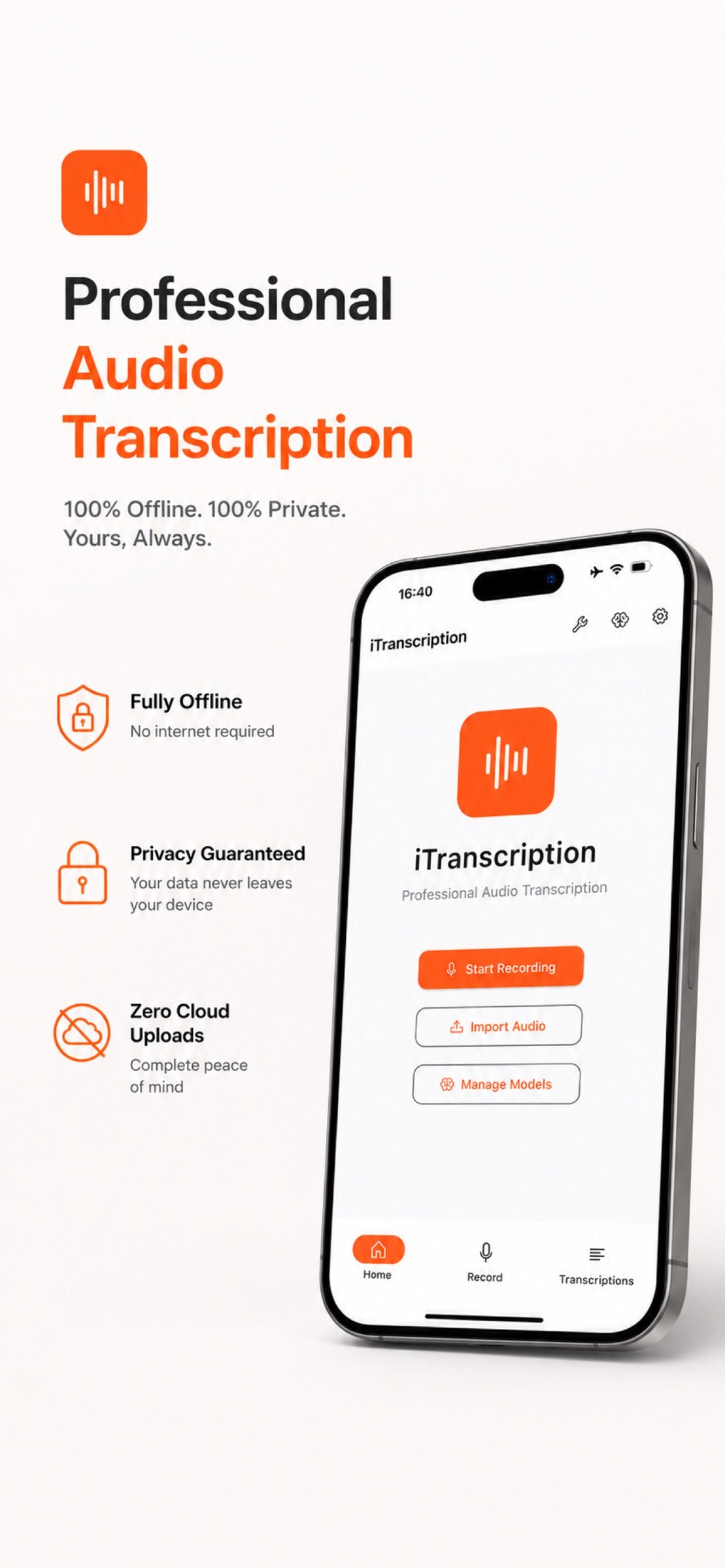
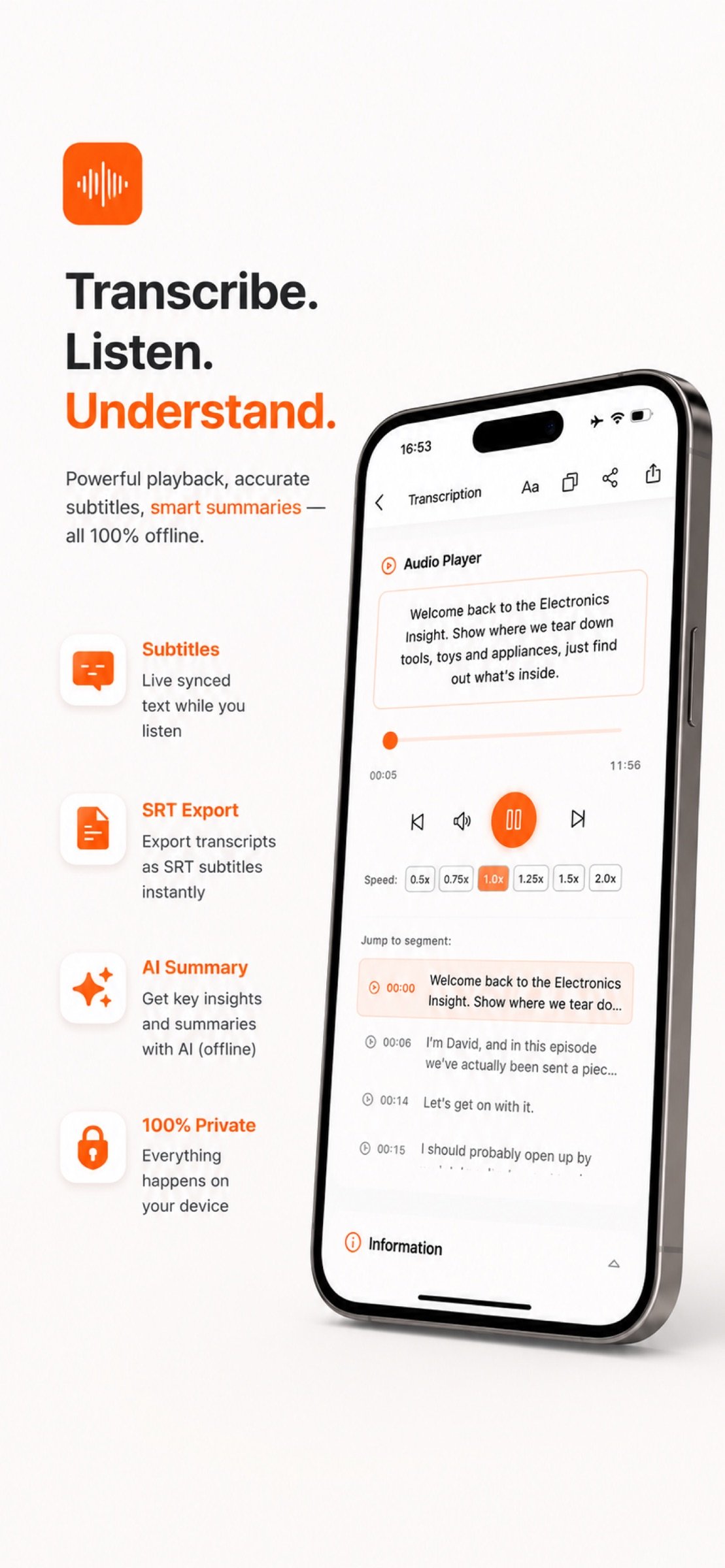
iTranscription converts your recordings, audio files, and video files into accurate text—all without ever leaving your device. Powered by OpenAI's industry-leading Whisper AI, it delivers professional-grade results while keeping your data completely private.
NEW: Your Own Private Transcription Server
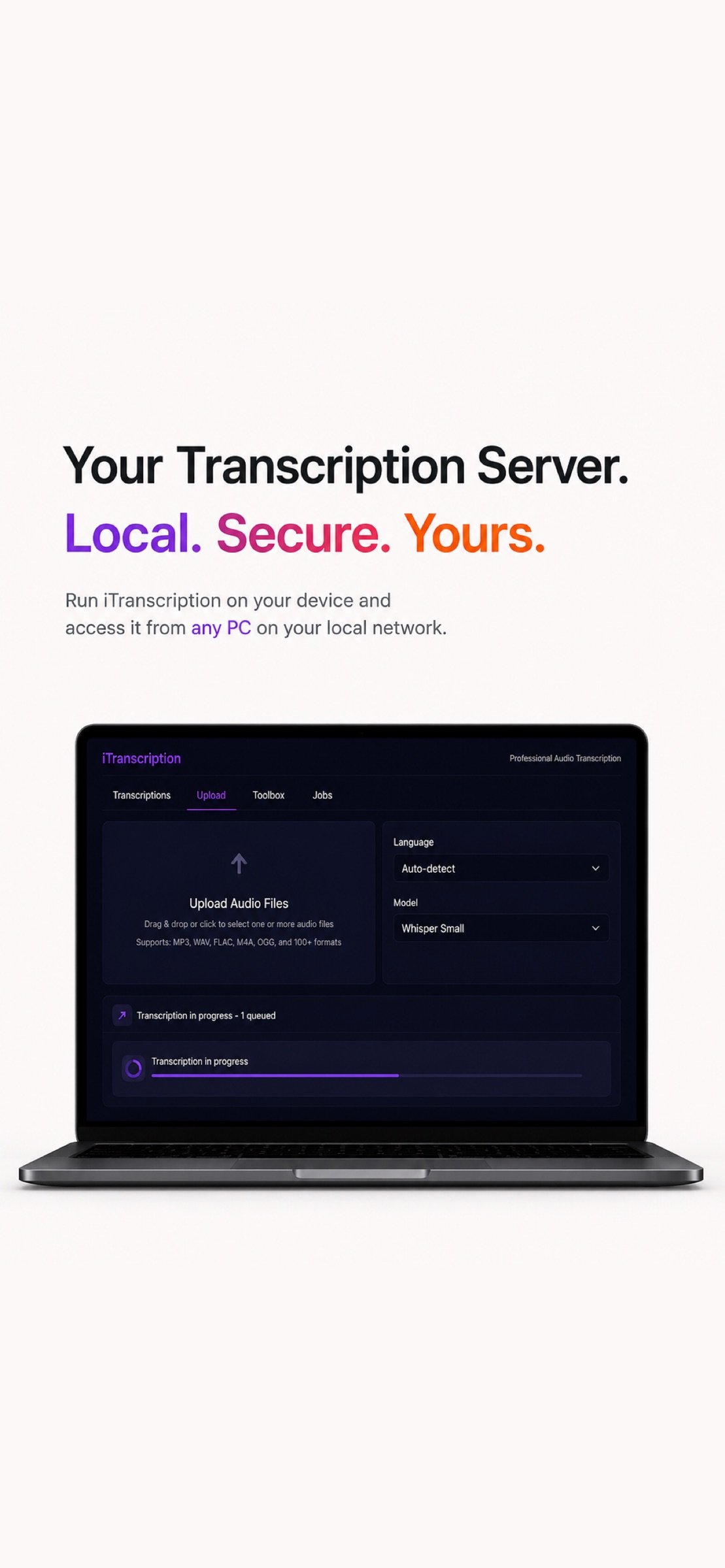
Turn your iPhone or iPad into a local transcription server. With one tap, iTranscription starts a built-in web server on your local Wi-Fi network—accessible from any PC, Mac, or laptop with a web browser.
- Drag & drop large audio and video files straight from your desktop file manager—no cables, no cloud, no file size headaches
- Queue and manage bulk transcriptions from a full-size keyboard and screen
- Works with any browser: Chrome, Safari, Firefox, Edge
- Stays on your LAN, period. Never exposed to the internet, never routed through a cloud service
- Same on-device Whisper engine—all transcription still runs locally on your device
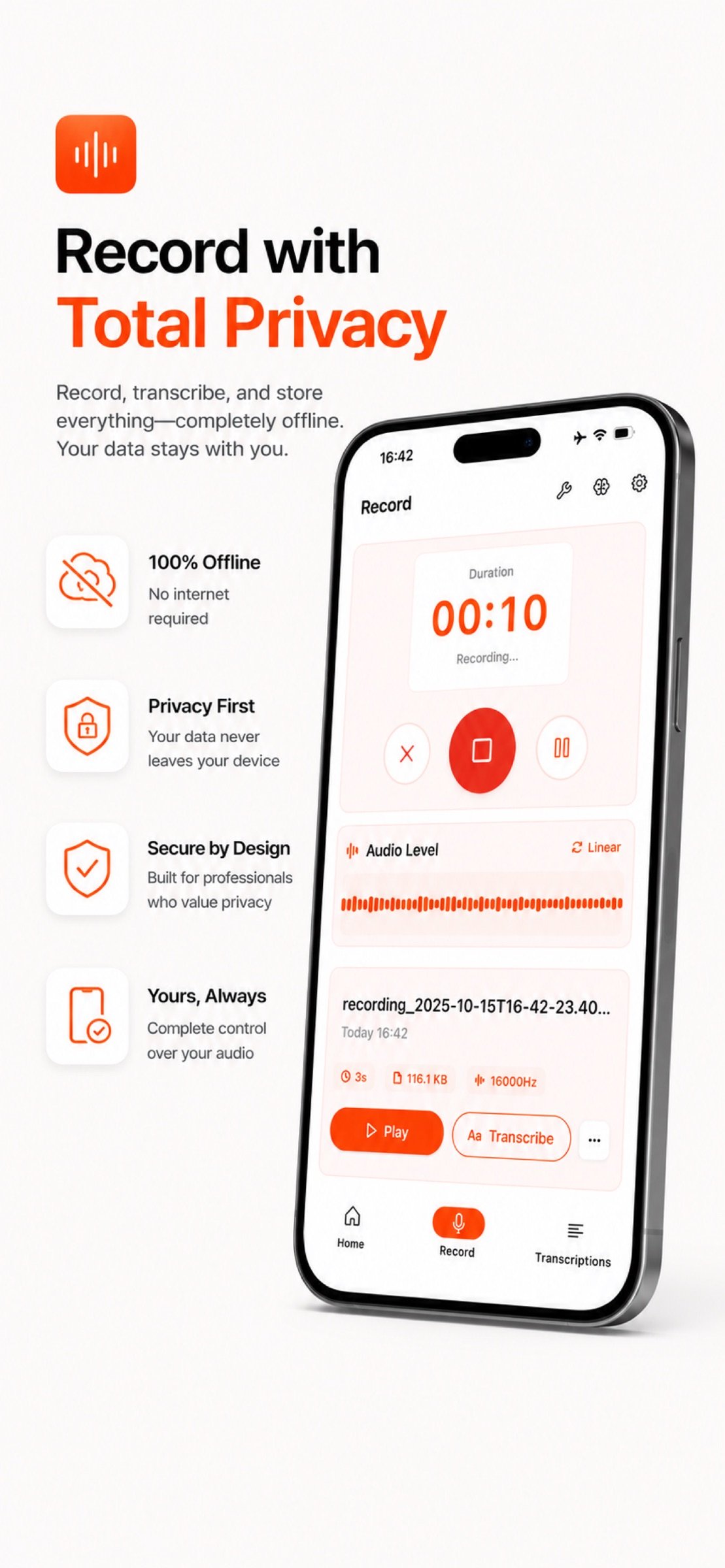
Record high-quality audio directly in the app
- Perfect for meetings, lectures, interviews, and voice memos
- Support for 99+ languages with exceptional accuracy
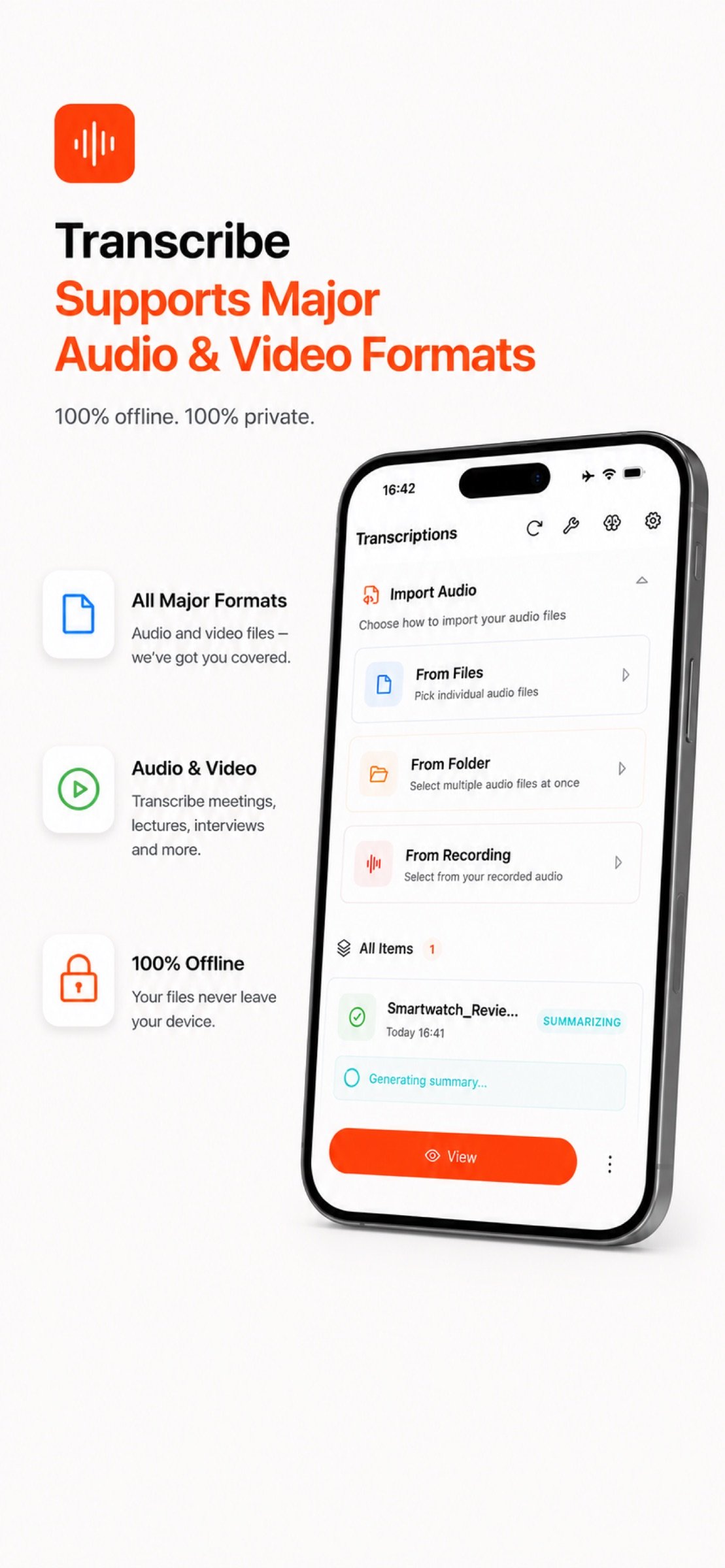
Import & Process Any Media
- Audio: MP3, WAV, FLAC, M4A, AAC, OGG, OPUS, WMA, APE, TAK, TTA, WavPack, ALAC, AIFF, CAF, AU, AC3, MKA, AMR, 3GA, GSM, Speex, RealAudio, and more.
- Video: MP4, MOV, AVI, MKV, WEBM, FLV, WMV, M4V, MPEG, 3GP, VOB, OGV, MXF, ASF, DivX, RealMedia, and more.
- Audio is automatically extracted from video files—ideal for conference recordings, interviews, lectures, and online content.
AI-Powered Features (iOS 18+)
- Smart Summarization: concise summaries of your transcriptions
- Multi-Language Translation: translate transcriptions across languages
- All AI processing happens entirely on your device—no internet required
Privacy First, Always
- 100% local processing for transcription, summarization, and translation
- Zero cloud uploads—your audio and text never leave your device, including over the LAN server
- LAN-only access: the built-in web server is reachable only on your local network
- No tracking, no data collection, no telemetry
- Internet used exclusively to download AI models from Hugging Face
- Once models are downloaded, work fully offline
Professional Features
- Multiple Whisper model sizes to balance speed and accuracy
- Export to TXT and SRT
- Timestamp support for subtitles and captions
- Batch processing for multiple files
- Drag-and-drop upload from desktop via the LAN web interface
- Searchable transcription history
- Dark mode and accessible design
Truly Global
- Support for 99+ languages including English, Spanish, French, German, Italian, Portuguese, Chinese, Japanese, Korean, Arabic, Russian, Hindi, Dutch, Polish, Turkish, Vietnamese, Thai, and many more.
System Requirements
- iOS 16.0+ for transcription
- iOS 18.0+ for AI summarization and translation
- Wi-Fi required for the LAN web server
- Sufficient storage for AI models
- iPhone Pro or iPad Mini series recommended for summarization and translation
Perfect For
- Journalists, students, researchers, content creators, podcasters, business and medical professionals, legal practitioners, language learners—anyone who needs accurate, confidential transcription.
Why Choose iTranscription?
- No subscriptions, no usage limits, no data mining, no privacy concerns. Your sensitive audio—confidential meetings, medical consultations, legal interviews, personal recordings—stays on your device where it belongs. And with the built-in LAN web server, you can now work comfortably from your desktop without ever sacrificing that privacy.
- Download iTranscription today and experience truly private, professional-grade transcription.
License: Commercial
| Release info | New Release on Nov 12, 2026 |
|---|---|
| Release notes | Enhanced transcription reliability and speed on large files |
| Listing data | App Store |
Reviews
No reviews yet. Be the first to review iTranscription.
Used iTranscription? Tell other visitors what you thought.
Log in to write a reviewOther products by this publisher
- "No Distractions" for YouTube 4.10 ----
- #Bible 11.6.1 "Incredible App - My sister shared this app with me a few weeks ago and it is truly incredible.
- #filmphotography 1.4.2 So, you decided to shoot on film?
- #LookBusy Fake Calendar Events 1.0.6 Look Busy scans your work calendar for open time slots and fills them with realistic-looking (but secretly fake) work events.
- #Small Talk Is Canceled 1.0.2 #Small Talk Is Canceled — Conversations That Matter
Most viewed iOS Business
-
1
 Navy Federal Credit Union 2026.10.2
Bank easy with the Navy Federal mobile app!
-
2
 Paycom 8.0.16
If you or your company use Paycom’s HR and software, the Paycom app helps you manage everyday HR and payroll tasks in one place — like checking your schedule, requesting time off and reviewing your pay.
-
3
 Entrust Identity 26.4.0
The Entrust Identity mobile application is the new Entrust mobile platform for delivering strong identity credentials to both employee and consumer users.
- 4 % Percentage Calculator Pro 1.41 This is the Pro version of % Percentage Calculator.
-
5
 Intune Company Portal 5.2610.0
Microsoft Intune helps organizations manage access to corporate apps, data, and resources.
-
6
 Budget-Beacon 1.5
Budget Beacon connects to your Apple Wallet to help you understand and manage your spending.
-
7
 ParkNYC Powered by Flowbird 2.2.1
Have you ever been late to an important meeting and you can’t find a parking spot?
- 8 $quirrel 1.5.1 $quirrel Budget & Finance helps you plan each paycheck, track spending, manage debt, and see what is safe to spend before the next payday.
-
9
 Shopify 11.2646.0
Shopify: build your online store, sell anywhere, run your business
-
10
 MiniVAN Touch 9.4.7
miniVAN Touch is a mobile canvassing application that integrates with websites provided by NGP VAN.
Most downloaded iOS Business
-
1
ParkNYC Powered by Flowbird 2.2.1
Have you ever been late to an important meeting and you can’t find a parking spot?
-
2
Budget-Beacon 1.5
Budget Beacon connects to your Apple Wallet to help you understand and manage your spending.
-
3
 Business Timesheet 6.0
Are you looking for timesheet to track the work hours spent on hourly, daily or weekly basis accurately?
-
4
 Rocket.Chat 4.78.1
Rocket.Chat Secure CommsOS™ is a communication platform that unifies messaging, voice, video, AI, and mission-critical applications—ensuring uncompromising security, compliance, and operational efficiency for governments, defense, and critical infra…
-
5
 Receivable Payment Ledger2026 1.1
Payment Ledger is a fully offline accounts receivable management tool for small businesses, shops, wholesalers, and salespeople who need to track customer debts and payment progress.
-
6
 Simple Budget Envelopes 2.2.1
An incredibly simple app, perfect for keeping track of how much money remains in your budget.
-
7
 Cvent Events 2.9.0
Cvent Events is your place to easily plan out your event experience, find where you need to go next, network with other attendees, and learn more about sponsors and exhibitors.
-
8
 Vola 4.9.02
Vola is the only cash advance app built for Real-Time Payments (RTP).
-
9
 Power Apps 3.26112.10
Get Power Apps to conveniently access your work or school apps no matter where you are: at home, on the road, in the field, off-campus, at the airport, or at the beach – anywhere life takes you.
-
10
 Checkbook Pro 3.3.5
An easy & quick way to manage your daily finances, Checkbook Pro keeps track of your credit card charges, cash expenditures...etc.