Imaging Console 2.9.0
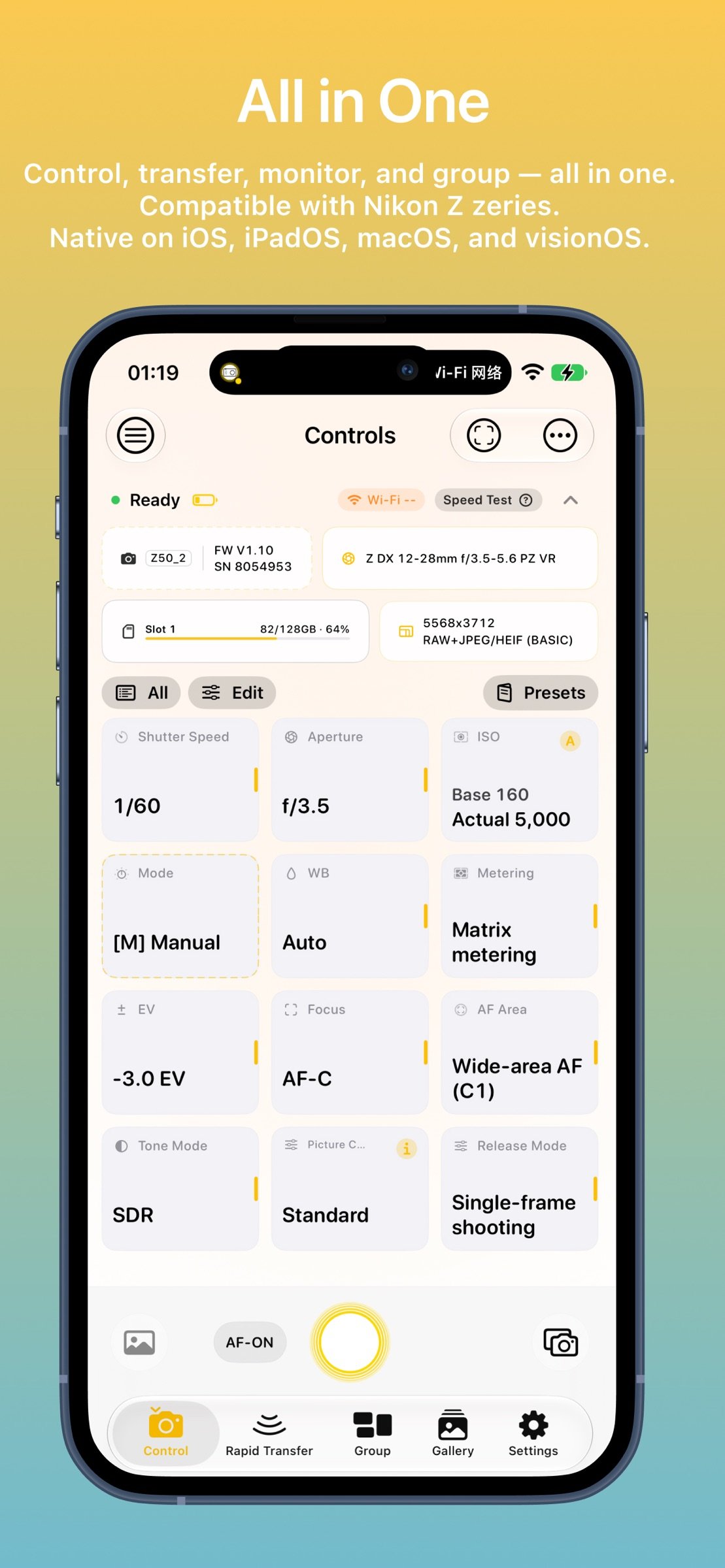
Imaging Console is a professional third-party camera control, monitoring, and file transfer application compatible with Nikon Z series mirrorless cameras and cinema cameras.
Download
157.49 MB
28downloads
4this week
FreeCommercial
0reviews
Screenshots
About Imaging Console
Imaging Console is a professional third-party camera control, monitoring, and file transfer application compatible with Nikon Z series mirrorless cameras and cinema cameras.
**Compatibility**
Expeed 7 models (Z9, Z8, ZR, Z6III, Z5II, Zf, Z50II) are fully compatible and support all app features.
Expeed 6 models (Z5, Z6, Z7, Z6II, Z7II, Z50, Z30, Zfc) do not support group functions. For wireless connections: use "Connect to Smart Device" for control, monitoring, and in-camera file access; use "Connect to Computer" for control and monitoring only.
Important Notice
Imaging Console is independently developed and is not affiliated with, endorsed by, authorized by, or associated with Nikon Corporation, RED Digital Cinema, or their affiliated companies. References to Nikon, RED, and related product names are used solely to identify compatible devices.
Key Features
Hybrid Connectivity
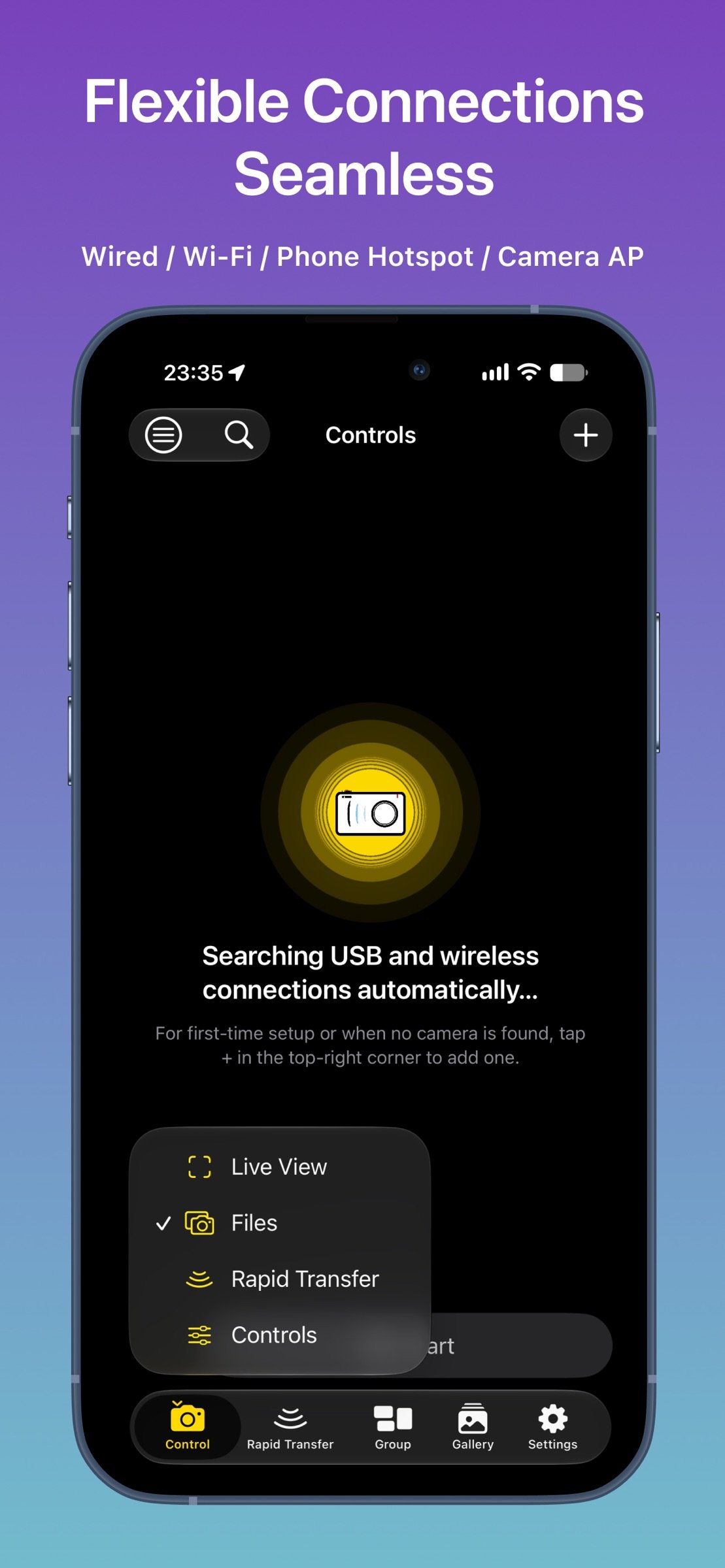
Supports USB (MTP/PTP) and wireless (PTP/IP) connections, including camera hotspot, Wi-Fi, and mobile hotspot. Supports both single-camera and multi-camera workflows.
Multi-Camera Control
Manage and control multiple cameras wirelessly with synchronized photo capture, video recording, mixed capture modes, live monitoring, and synchronized operation for supported shooting modes.
Professional Live View
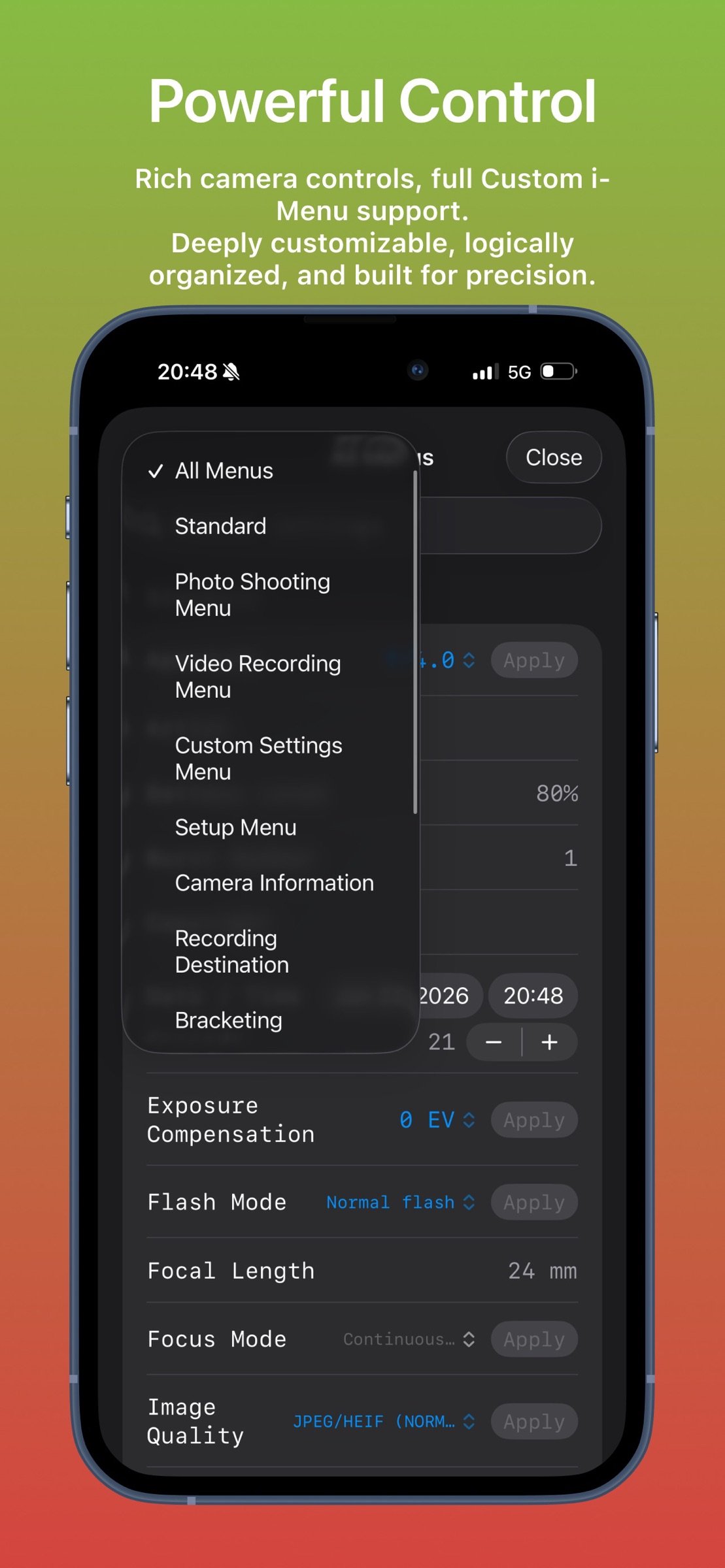
Monitor live video with touch focus and convenient camera parameter control. Includes professional monitoring tools such as LUT preview, false color, zebra, histogram, waveform, safe area, level indicator, and composition grids.
In-Camera File Management
Browse, review, download, protect, rate, and preview files with LUT support. Batch download and advanced filtering are supported. Voice memo management is available on supported flagship cameras.
Rapid Transfer Workflow
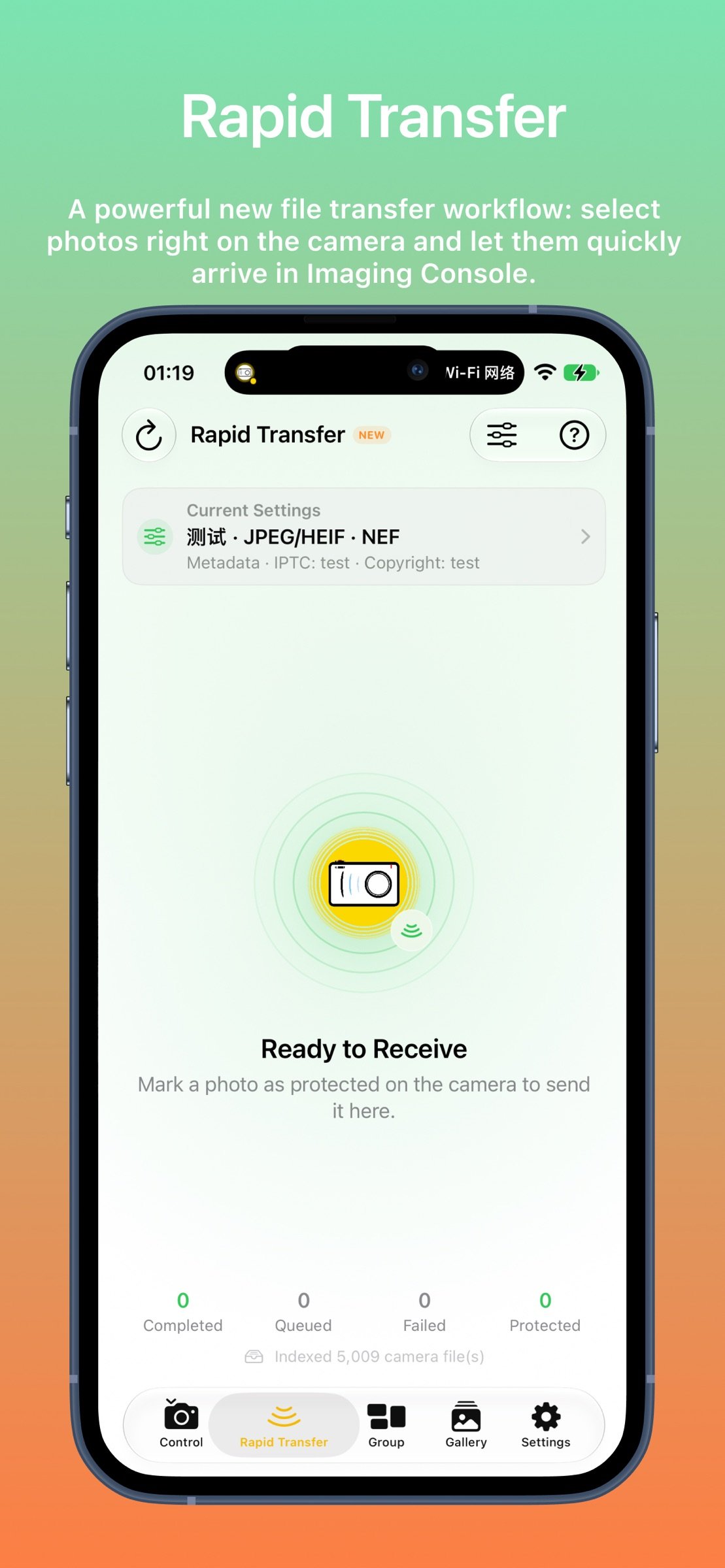
Automatically download newly captured files--or mark selected files as protected on the camera to send them directly to Imaging Console. Choose Gallery, Photos, or Files as the destination, automatically attach GPS, IPTC, and copyright metadata, and support cardless shooting workflows. Review, edit, and deliver selected content faster without interrupting camera operation.
LUT & Image Optimization
Import custom LUTs and optimization profiles for live preview, in-camera file browsing, post-capture preview, and library viewing.
LivePhoto generation and export
Supports flexible export from in-camera video files or imported gallery videos, with HDR preservation and automatic GPS location tagging.
Imaging Console is designed to provide photographers, filmmakers, and professional creators with a reliable and efficient camera control workflow.
License: Commercial
**Compatibility**
Expeed 7 models (Z9, Z8, ZR, Z6III, Z5II, Zf, Z50II) are fully compatible and support all app features.
Expeed 6 models (Z5, Z6, Z7, Z6II, Z7II, Z50, Z30, Zfc) do not support group functions. For wireless connections: use "Connect to Smart Device" for control, monitoring, and in-camera file access; use "Connect to Computer" for control and monitoring only.
Important Notice
Imaging Console is independently developed and is not affiliated with, endorsed by, authorized by, or associated with Nikon Corporation, RED Digital Cinema, or their affiliated companies. References to Nikon, RED, and related product names are used solely to identify compatible devices.
Key Features
Hybrid Connectivity
Supports USB (MTP/PTP) and wireless (PTP/IP) connections, including camera hotspot, Wi-Fi, and mobile hotspot. Supports both single-camera and multi-camera workflows.
Multi-Camera Control
Manage and control multiple cameras wirelessly with synchronized photo capture, video recording, mixed capture modes, live monitoring, and synchronized operation for supported shooting modes.
Professional Live View
Monitor live video with touch focus and convenient camera parameter control. Includes professional monitoring tools such as LUT preview, false color, zebra, histogram, waveform, safe area, level indicator, and composition grids.
In-Camera File Management
Browse, review, download, protect, rate, and preview files with LUT support. Batch download and advanced filtering are supported. Voice memo management is available on supported flagship cameras.
Rapid Transfer Workflow
Automatically download newly captured files--or mark selected files as protected on the camera to send them directly to Imaging Console. Choose Gallery, Photos, or Files as the destination, automatically attach GPS, IPTC, and copyright metadata, and support cardless shooting workflows. Review, edit, and deliver selected content faster without interrupting camera operation.
LUT & Image Optimization
Import custom LUTs and optimization profiles for live preview, in-camera file browsing, post-capture preview, and library viewing.
LivePhoto generation and export
Supports flexible export from in-camera video files or imported gallery videos, with HDR preservation and automatic GPS location tagging.
Imaging Console is designed to provide photographers, filmmakers, and professional creators with a reliable and efficient camera control workflow.
License: Commercial
| Release info | Update on Nov 11, 2026 |
|---|---|
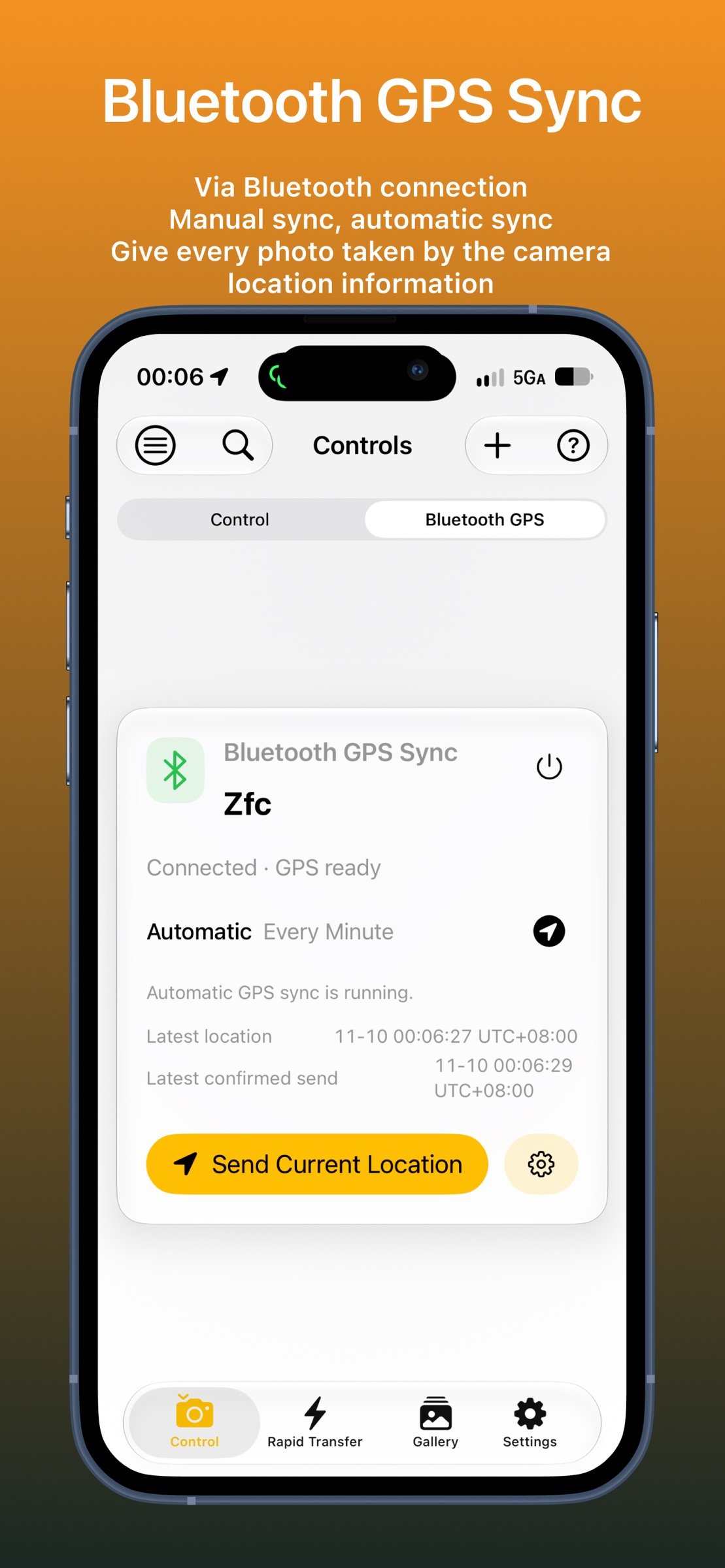
| Release notes | • Added Bluetooth GPS sync, allowing phone location to be manually or automatically synced to compatible Nikon cameras. • Added paired camera management, with improved connection status and GPS sync feedback. • Enhanced location details, supporting coordinate display switching and information copying. • Improved Bluetooth and location permission descriptions for a better user experience. • Optimized safe frame display, adding a 3:4 aspect ratio. • Optimized compatibility with the original Nikon Z6/Z7 models. • Bug fixes and experience optimizations. |
| Listing data | App Store |
Reviews
No reviews yet. Be the first to review Imaging Console.
Used Imaging Console? Tell other visitors what you thought.
Log in to write a reviewOther products by this publisher
- "No Distractions" for YouTube 4.10 ----
- #Bible 11.6 "Incredible App - My sister shared this app with me a few weeks ago and it is truly incredible.
- #filmphotography 1.4.2 So, you decided to shoot on film?
- $quirrel 1.5.1 $quirrel Budget & Finance helps you plan each paycheck, track spending, manage debt, and see what is safe to spend before the next payday.
- % Percentage Calculator Pro 1.41 This is the Pro version of % Percentage Calculator.
Most viewed iOS Photo & Video
-
1
 ShortDiShow 2.0
Drama Quest Island — An offline interactive short-drama adventure.
-
2
 Infuse 8.5.10
Infuse: Enterprise provides the same great features as the standard version of Infuse and includes permanent access to all Pro features via a traditional paid app.
-
3
 AI Video Generator 2.0.2
Vixel – AI Video Generator
-
4
 OPlayer 4.8
Play all your videos directly without having to convert them!
-
5
 Necrometer II 1.2
Necrometer II is a paranormal investigation companion designed for ghost hunters and researchers.
-
6
 CapCut 20.1.0
CapCut offers easy-to-use video editing functions, in-APP fonts and effects, advanced features such as keyframe animation, smooth slow-motion, chroma key, and stabilization, to help you capture and snip moments.
-
7
 Ai Photo 1.1.2
AI Photo Retouch – BG Eraser
-
8
 Treblo 1.6.0
Make songs with the world's best AI music model.
-
9
 CNU 3.0.12
CNU?????????????????????,???????????????
-
10
 TouchSiren Delta 3.1
--------------------------------------------------------------
Most downloaded iOS Photo & Video
-
1
Infuse 8.5.10
Infuse: Enterprise provides the same great features as the standard version of Infuse and includes permanent access to all Pro features via a traditional paid app.
-
2
 DJI Fly 1.21.18
DJI Fly is designed to help pilots fly drones with ease.
-
3
 Analog Radio 3.0
The iPhone and iPad devices don't have the FM/AM radio antenna installed.
-
4
 TurboCollage Automatic 1.2.4
#1 Easy automatic photo collage maker for iPhone & iPad.
-
5
 ReelyGo 1.1.42
ReelyGo: Your Daily Drama Escape
-
6
 AGAIN. Rehearsal Notes 2.0.1
AGAIN. is the rehearsal app that remembers why the band stopped — and, new in Version 2, who said what in a writing session or a table read.
-
7
Treblo 1.6.0
Make songs with the world's best AI music model.
-
8
 Rozeta Sequencer Suite 1.3.16
Rozeta is a suite of MIDI sequencers and controllers that lets you explore a new, freeform approach to sequencing and controlling mobile music apps.
-
9
 SSS IPTV, Simple, Smart Super 1.0.2
An Easiest way to watch TV Online or Movies or Series, Bring your Own list M3u,
-
10
 Pop Dot Comics 1.48
Create a comic worthy of the Sunday newspaper or your favorite pulp-fiction cover.