High-Frequency Noise Monitor 6.1
"High-Frequency Noise Monitor" is a noise analysis tool that specializes in high-frequency bands above 8 kHz.
Download
0.52 MB
14downloads
1this week
FreeCommercial
0reviews
Screenshots
About High-Frequency Noise Monitor
"High-Frequency Noise Monitor" is a noise analysis tool that specializes in high-frequency bands above 8 kHz.
You may be exposed to artificial high-frequency noise on a daily basis that is inaudible to the human ear. This app allows you to monitor these noises and examine their occurrence.
Generally, noise contains relatively high-frequency components depending on its source, which is classified as high-frequency noise.
For instance, harmonic noise radiates from electronic devices' main bodies or power lines of power conversion devices, such as AC-DC power adapters. Depending on its power level, this noise may affect peripheral devices.
Some devices generate high-frequency noise to drive away vermin, such as rats and weasels. The frequency of the sound varies depending on the type of vermin. Some devices incorporate sensors that change the volume and frequency over time. When such devices are installed nearby, they can sometimes cause noise problems that have adverse effects on human health.
High-frequency noise does not often occur at a constant volume or frequency, but rather in cycles or randomly. Such noise is not easy to detect.
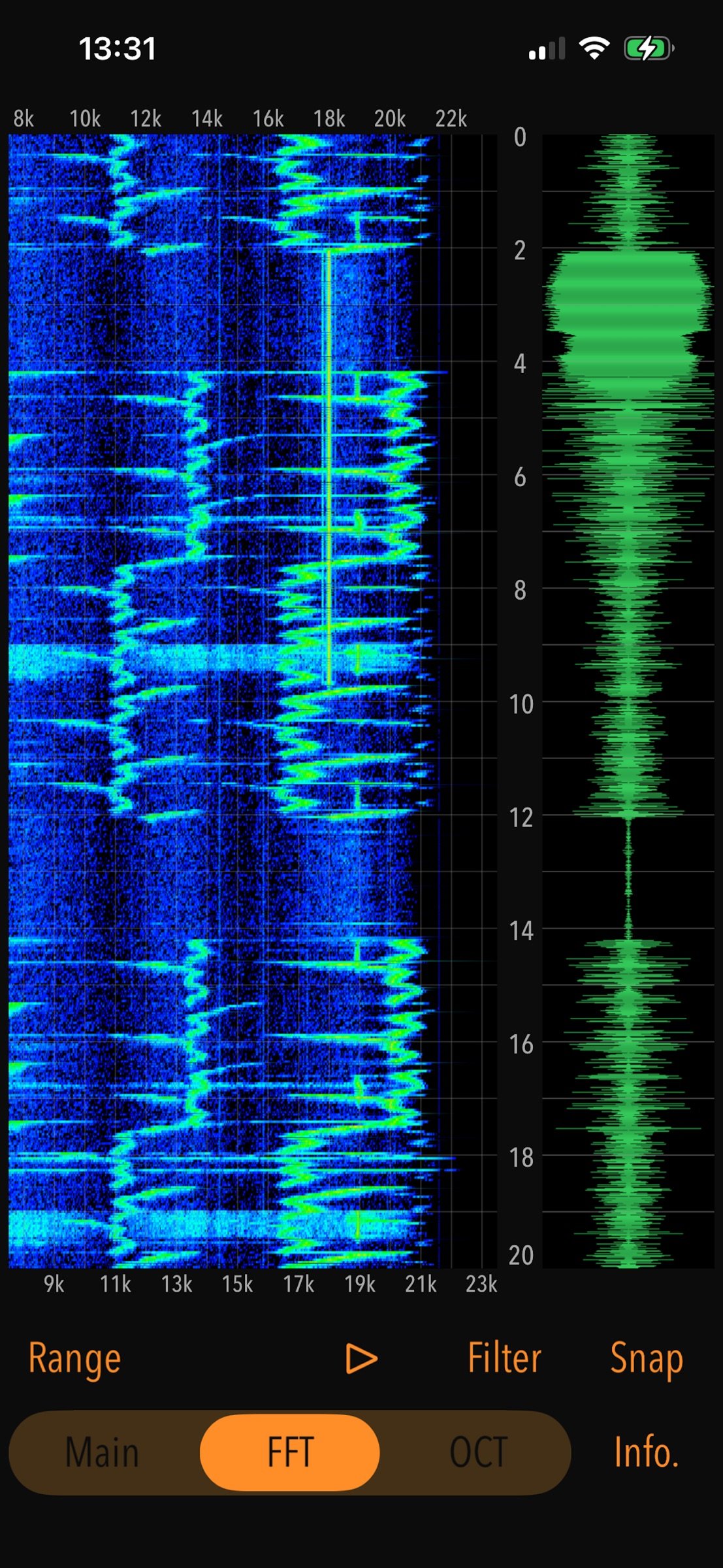
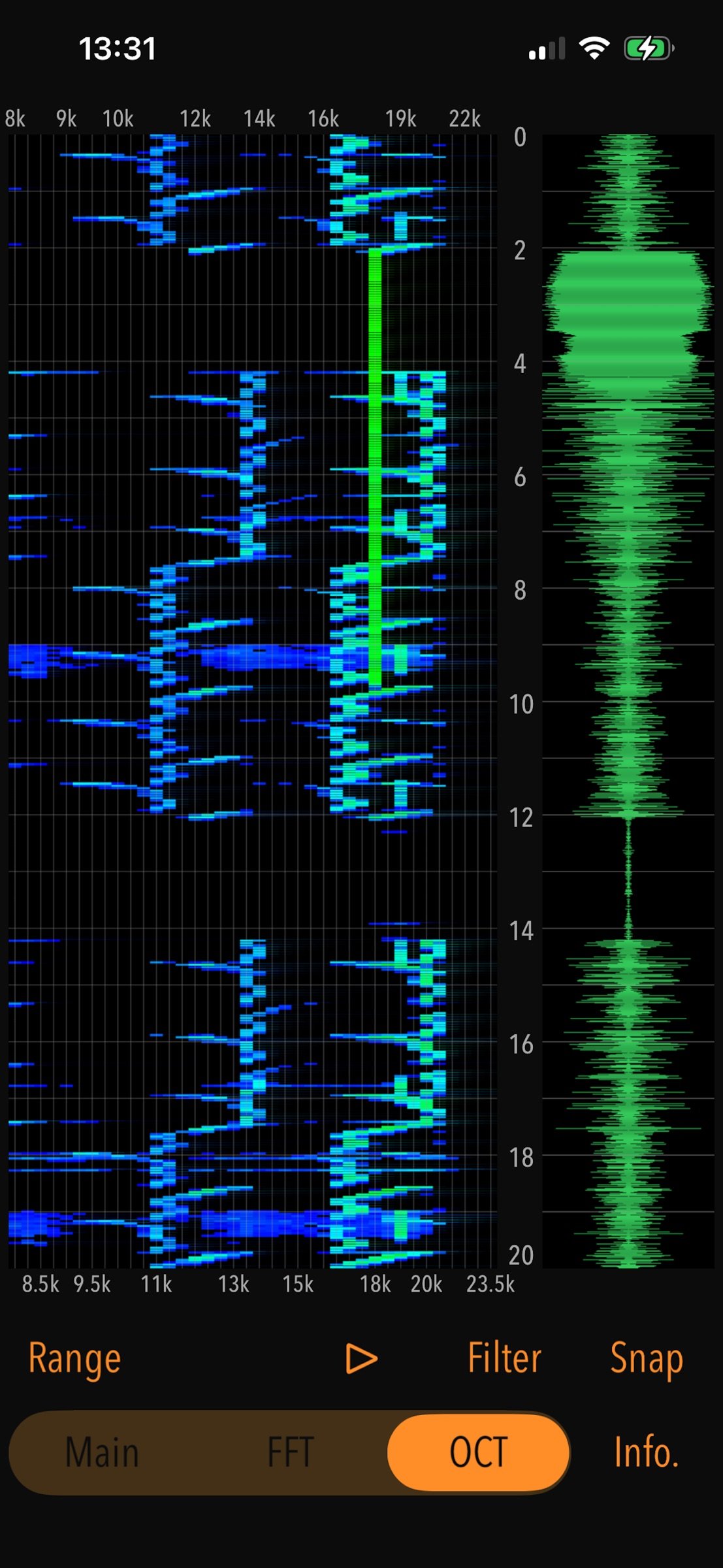
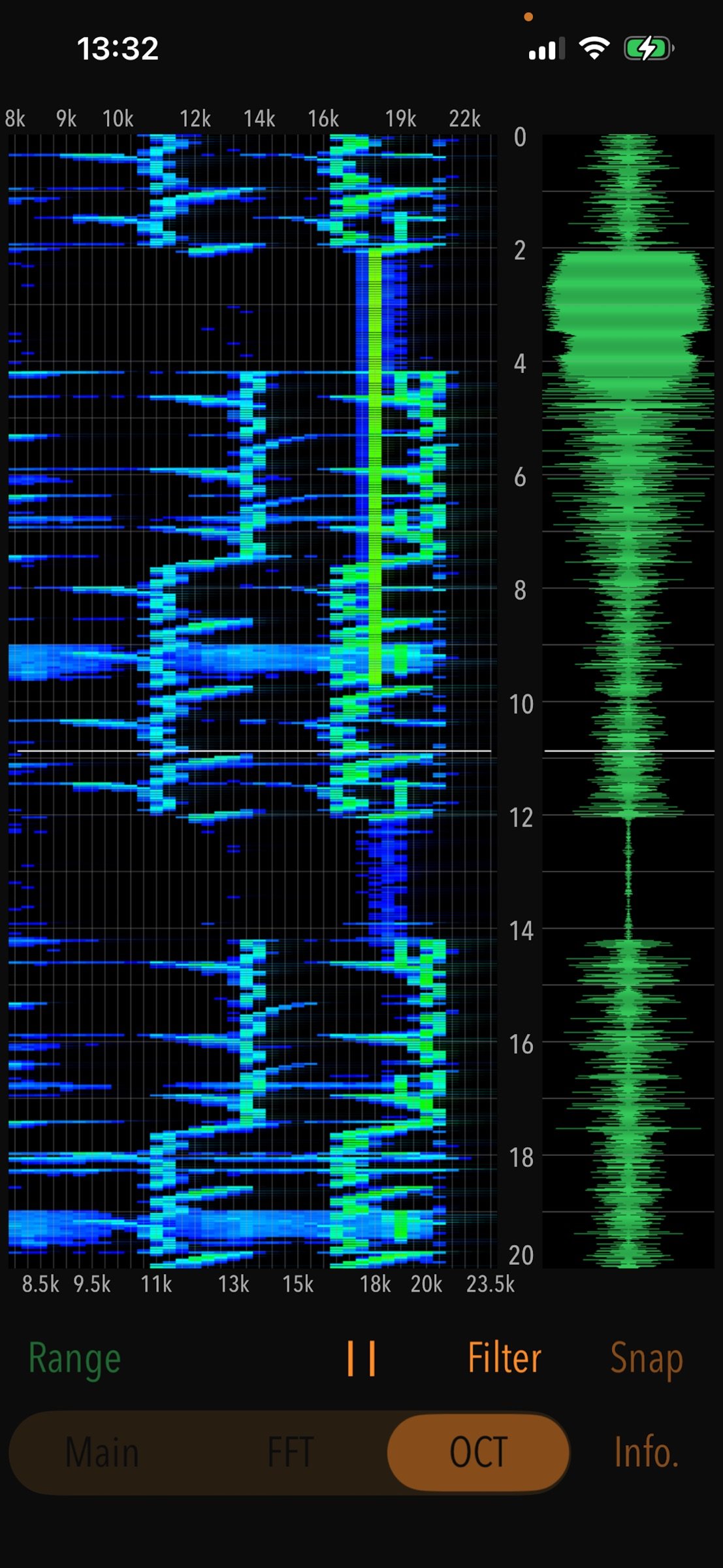
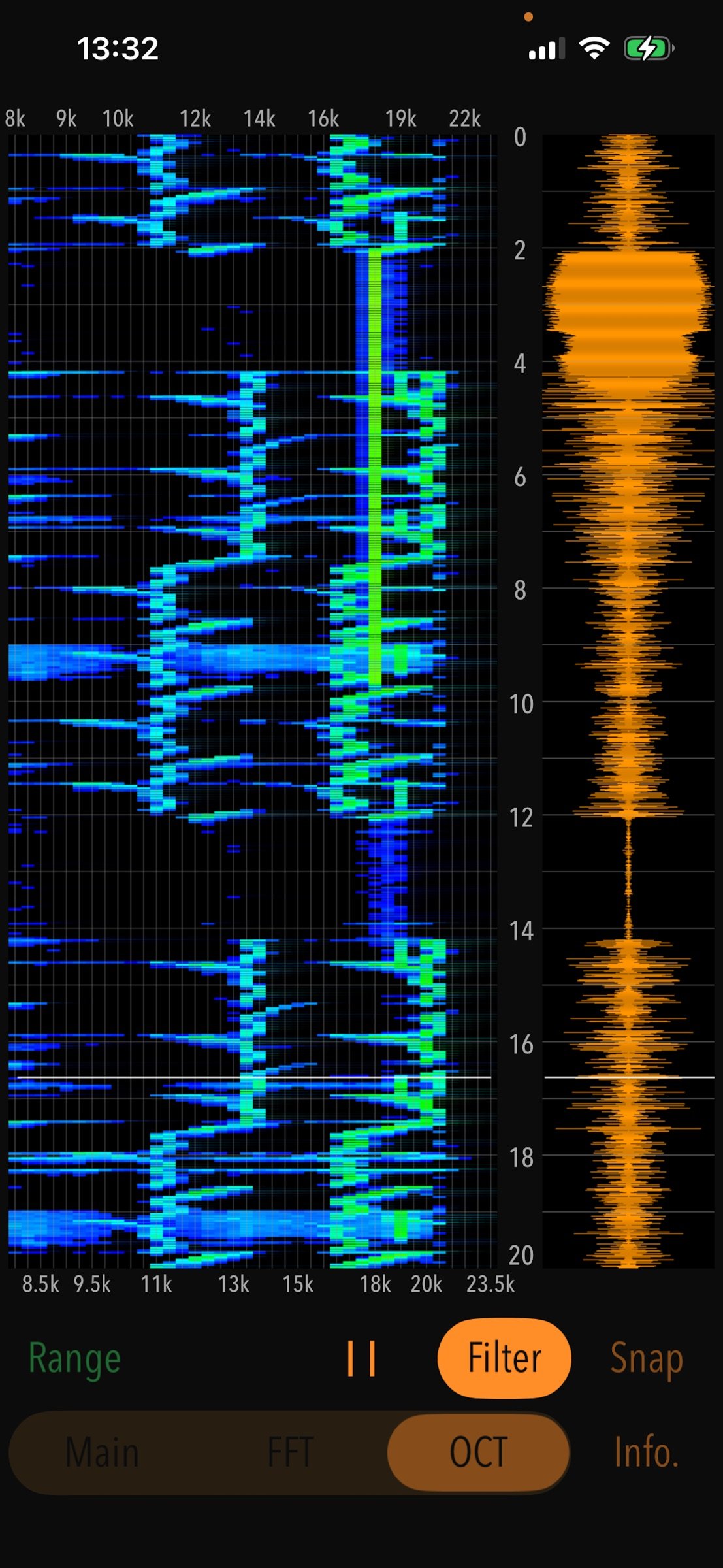
This app collects randomly fluctuating high-frequency noise from the iPhone's built-in microphone and performs a frequency analysis. It also retains PCM data from the 20 seconds just before measurement stop, enabling the display of spectrograms for FFT and octave band analysis. A spectrogram is a graph showing the results of a frequency spectrum analysis, with time on the vertical axis, frequency on the horizontal axis, and signal strength represented by colors. With this app, you can visually monitor the occurrence of high-frequency noise.
Features:
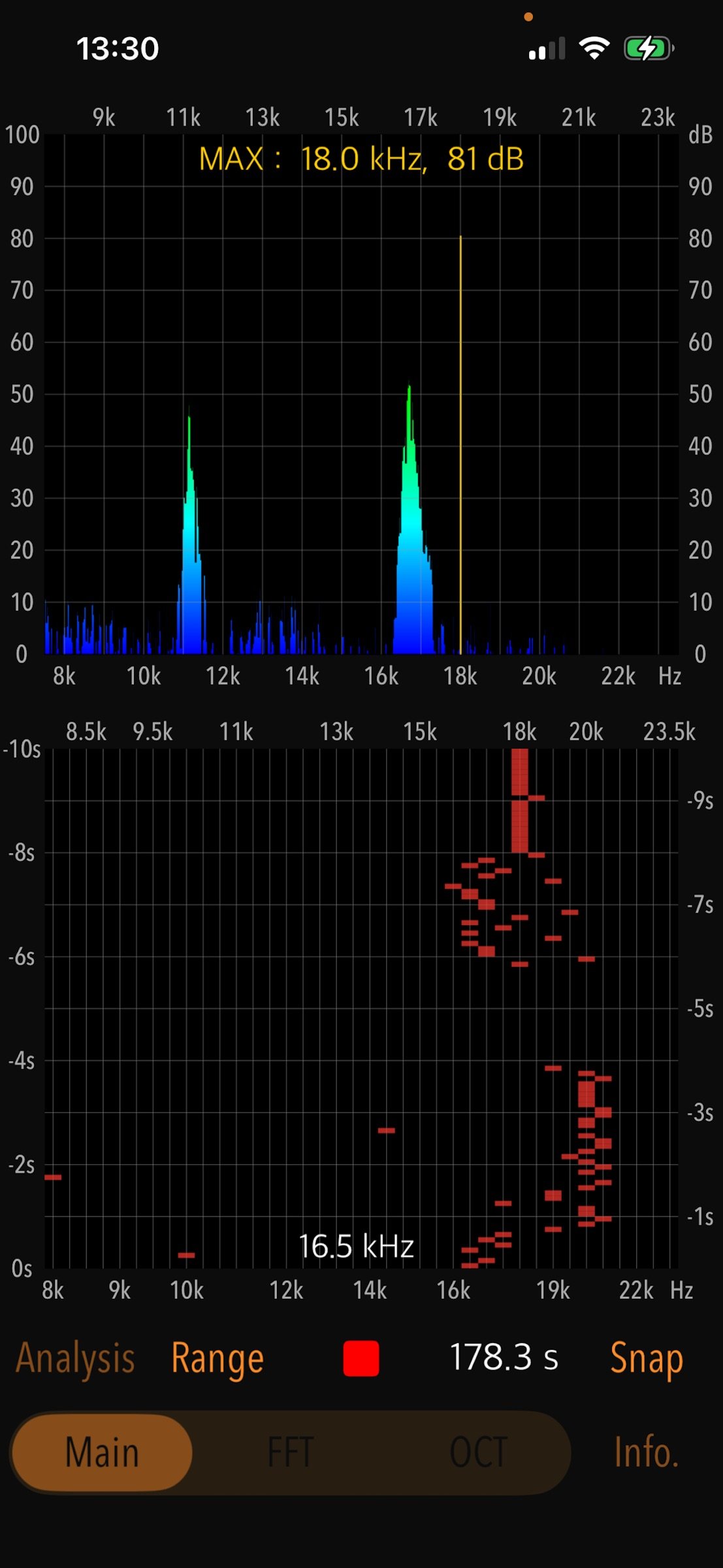
# Main: Real-time frequency analysis function.
- Real-time measurement: Automatically stops after a maximum of approximately 180 seconds.
- Maximum frequency detection and power level display (dB unit in 20 uPa standard)
- Time trace display: approx. 10 seconds
- Display gain adjustment (Range): 3 levels (0dB - 90dB / -10dB - 80dB / -20dB - 70dB)
# Analysis: FFT/octave band spectrogram analysis function (PCM data for 20 seconds immediately before the measurement is stopped is saved, and spectrogram analysis is performed.)
- FFT spectrogram analysis (FFT)
- Octave spectrogram analysis (OCT)
- Display gain switching (Range): 3 levels
- Playback function: approx. 20 seconds.
- Playback sound filter (Filter): 8kHz high-pass filter to cut off low-mid range sound.
# Snapshot (Snap): Save the analysis result as an image file.
Operation Procedure:
1) Sound measurement and real-time frequency analysis (Main)
Tap Start button in Main mode to start measurement. It displays the real-time instantaneous frequency analysis result and the trace of frequency time variation. The frequency and signal level at which the maximum level is detected can be displayed numerically.
2) Spectrogram analysis (Analysis)
After measurement in Main mode, tap the Analysis button to perform spectrogram analysis. Tap FFT or OCT button to display the spectrogram by FFT or octave band analysis.
Notes:
- The measurement of high frequency sounds depends on the sensitivity characteristics of the built-in microphone, so it may vary depending on the iPhone model.
- Wireless (Bluetooth) headphones and headset are not supported.
- At the time of the first access to Microphone and Photos after installing the app, you will be asked authorization to access them by the iOS system. If you have not enabled this setting, the app cannot access them by privacy restrictions of the iOS system. Please enable the access permission on the iOS setting, "Settings > Privacy & Security > Photos or Microphone".
Please visit our iOS app support page for more information on this app.
License: Commercial
You may be exposed to artificial high-frequency noise on a daily basis that is inaudible to the human ear. This app allows you to monitor these noises and examine their occurrence.
Generally, noise contains relatively high-frequency components depending on its source, which is classified as high-frequency noise.
For instance, harmonic noise radiates from electronic devices' main bodies or power lines of power conversion devices, such as AC-DC power adapters. Depending on its power level, this noise may affect peripheral devices.
Some devices generate high-frequency noise to drive away vermin, such as rats and weasels. The frequency of the sound varies depending on the type of vermin. Some devices incorporate sensors that change the volume and frequency over time. When such devices are installed nearby, they can sometimes cause noise problems that have adverse effects on human health.
High-frequency noise does not often occur at a constant volume or frequency, but rather in cycles or randomly. Such noise is not easy to detect.
This app collects randomly fluctuating high-frequency noise from the iPhone's built-in microphone and performs a frequency analysis. It also retains PCM data from the 20 seconds just before measurement stop, enabling the display of spectrograms for FFT and octave band analysis. A spectrogram is a graph showing the results of a frequency spectrum analysis, with time on the vertical axis, frequency on the horizontal axis, and signal strength represented by colors. With this app, you can visually monitor the occurrence of high-frequency noise.
Features:
# Main: Real-time frequency analysis function.
- Real-time measurement: Automatically stops after a maximum of approximately 180 seconds.
- Maximum frequency detection and power level display (dB unit in 20 uPa standard)
- Time trace display: approx. 10 seconds
- Display gain adjustment (Range): 3 levels (0dB - 90dB / -10dB - 80dB / -20dB - 70dB)
# Analysis: FFT/octave band spectrogram analysis function (PCM data for 20 seconds immediately before the measurement is stopped is saved, and spectrogram analysis is performed.)
- FFT spectrogram analysis (FFT)
- Octave spectrogram analysis (OCT)
- Display gain switching (Range): 3 levels
- Playback function: approx. 20 seconds.
- Playback sound filter (Filter): 8kHz high-pass filter to cut off low-mid range sound.
# Snapshot (Snap): Save the analysis result as an image file.
Operation Procedure:
1) Sound measurement and real-time frequency analysis (Main)
Tap Start button in Main mode to start measurement. It displays the real-time instantaneous frequency analysis result and the trace of frequency time variation. The frequency and signal level at which the maximum level is detected can be displayed numerically.
2) Spectrogram analysis (Analysis)
After measurement in Main mode, tap the Analysis button to perform spectrogram analysis. Tap FFT or OCT button to display the spectrogram by FFT or octave band analysis.
Notes:
- The measurement of high frequency sounds depends on the sensitivity characteristics of the built-in microphone, so it may vary depending on the iPhone model.
- Wireless (Bluetooth) headphones and headset are not supported.
- At the time of the first access to Microphone and Photos after installing the app, you will be asked authorization to access them by the iOS system. If you have not enabled this setting, the app cannot access them by privacy restrictions of the iOS system. Please enable the access permission on the iOS setting, "Settings > Privacy & Security > Photos or Microphone".
Please visit our iOS app support page for more information on this app.
License: Commercial
| Release info | New Release on Aug 12, 2026 |
|---|---|
| Release notes | - Improved internal processing and performance. |
| Listing data | App Store |
Reviews
No reviews yet. Be the first to review High-Frequency Noise Monitor.
Used High-Frequency Noise Monitor? Tell other visitors what you thought.
Log in to write a reviewOther products by this publisher
- "No Distractions" for YouTube 4.10 ----
- #Bible 11.6.1 "Incredible App - My sister shared this app with me a few weeks ago and it is truly incredible.
- #filmphotography 1.4.2 So, you decided to shoot on film?
- #LookBusy Fake Calendar Events 1.0.6 Look Busy scans your work calendar for open time slots and fills them with realistic-looking (but secretly fake) work events.
- #Small Talk Is Canceled 1.0.2 #Small Talk Is Canceled — Conversations That Matter
Most viewed iOS Utilities
-
1
 Device Lab 1.9.1
Device Lab is an on-device reference and toolkit for your hardware — hardware monitoring, spec references, chip and device comparisons, system information, and practical utilities, so you can understand and manage the devices you use with more struc…
-
2
 APTV 2.4.10
APTV,?????????????? IPTV M3U???,?????????????????
-
3
 VibeSDR 11.0.16
VibeSDR is a mobile-first software-defined radio (SDR) receiver — and far more than a single-server client.
-
4
 V2Box 10.2.0
V2box - VPN Internet network proxy , Supports multiple proxy protocols, such as Shadowsocks, V2ray, Vmess, Trojan , SSH , Socks, Ping Tunnel, Hysteria2, DNSTT, Wireguard
-
5
 DXClock 4.0.0
Connect, collaborate, and operate smarter with DX Clock — the ultimate meeting place for amateur radio operators.
-
6
 Demod 1.6
Demod turns your iPhone into a software-defined radio receiver.
-
7
 Ally Pro 1.4.0
Ally Pro – Amiibo & NFC Tool gives advanced collectors complete control over their Amiibo library.
-
8
 ECHOCAT 1.6.0
ECHOCAT is the iPhone and iPad companion for POTACAT, the desktop app for amateur radio operators chasing Parks on the Air (POTA), Summits on the Air (SOTA), Worldwide Bunkers on the Air (WWBOTA), Tiles on the Air and DX.
-
9
 DRC 2.0.1
A simple to use app to help calculate any dilution ratio.
-
10
 DuckDuckGo, optional Duck.ai 7.246.0
At DuckDuckGo, we believe the best way to protect your personal information from hackers, scammers, and privacy-invasive companies is to stop it from being collected at all.
Most downloaded iOS Utilities
-
1
Demod 1.6
Demod turns your iPhone into a software-defined radio receiver.
-
2
 Rat And Mouse Sound Repeller 2.8
Keep mice and rats away overnight with ultrasonic waves and predator sounds.
-
3
 Guardio 2026.110.3
Protect your identity, accounts, and online activity from scams and digital threats with Guardio.
-
4
 Screen Mirroring With Miracast 2.0
Turn your iPhone into a complete TV companion.
-
5
 Fontcase 2.0.1
Fontcase is an app that lets you install custom fonts on iOS and iPadOS.
-
6
 ParkenDD 2.0.2
ParkenDD shows a list of available public parking lots in several cities.
-
7
 PickerFull 9.18
Export colors from photos as HEX, PDF, RGB, HSB/HSV, HSBA, HSL, LUV, LCH, YUV, YCBCR, YIQ, CMYK, Grayscale, XYZ, L*a*b* (CIE), CSSVAR, SASSVAR, CSSHSL, CSSRGB, AndroidXML, FlutterDart, UnityColor32, Float, Objective-C, Swift, SwiftLiteral, SwiftUI
-
8
 Royal TSi 2.5.4
Royal TSi provides easy and secure access to your remote systems (RDP, VNC, SSH, etc.) by allowing you to open your Royal TS documents created with Royal TSX (for macOS) or Royal TS (for Windows).
-
9
 Passepartout, VPN Client 3.12.7
Protect your online privacy with Passepartout, a smart VPN client seamlessly integrated with iOS, macOS, iPadOS, and tvOS.
-
10
 Universal TV Remote Control* 2.6.8
Control your Smart TV effortlessly with iMote — the ultimate universal remote control for TV.