
8downloads
4this week
FreeCommercial
0reviews
Screenshots
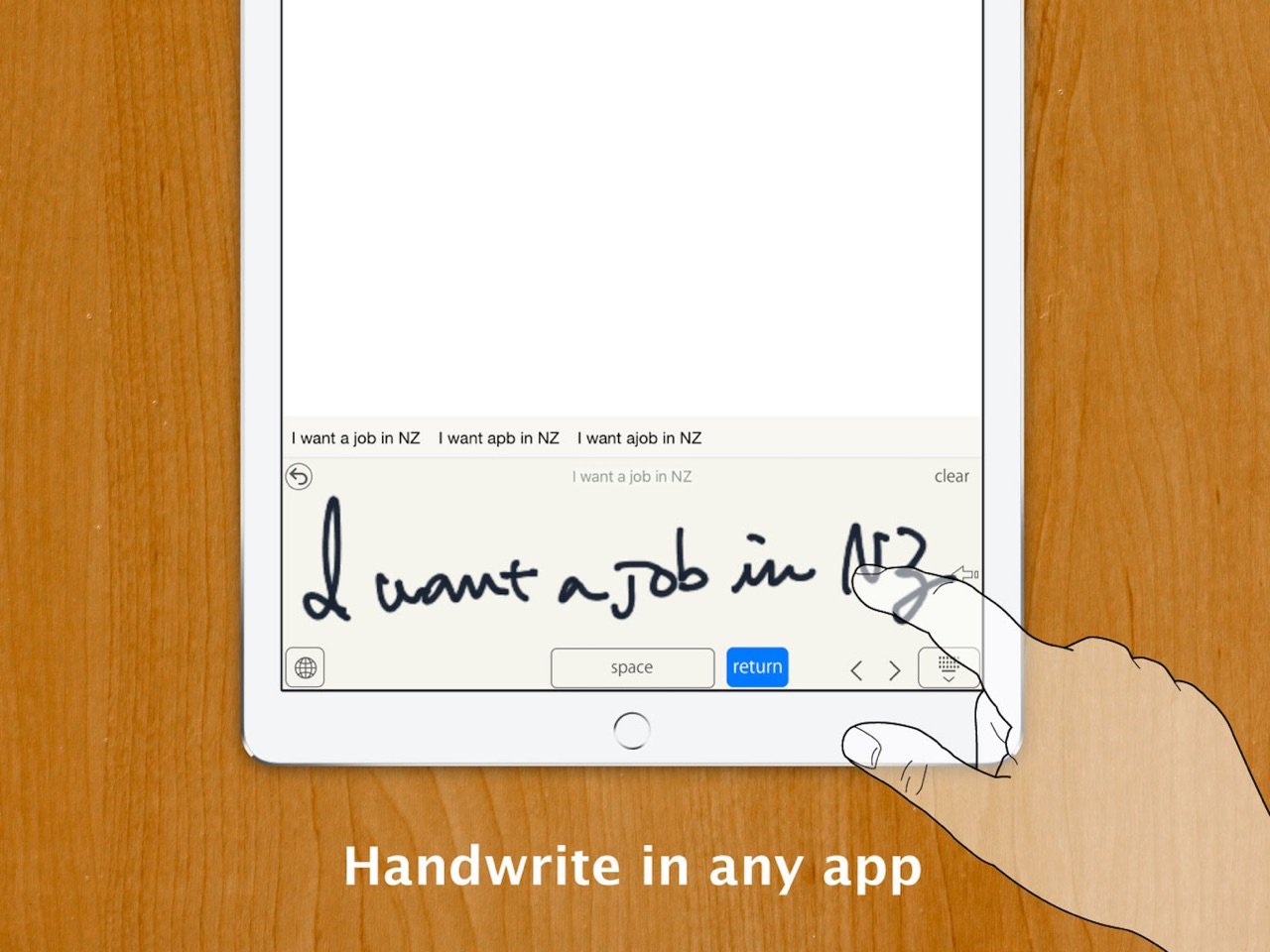
About Handwriting Keyboard
Write by hand. Type in your apps.
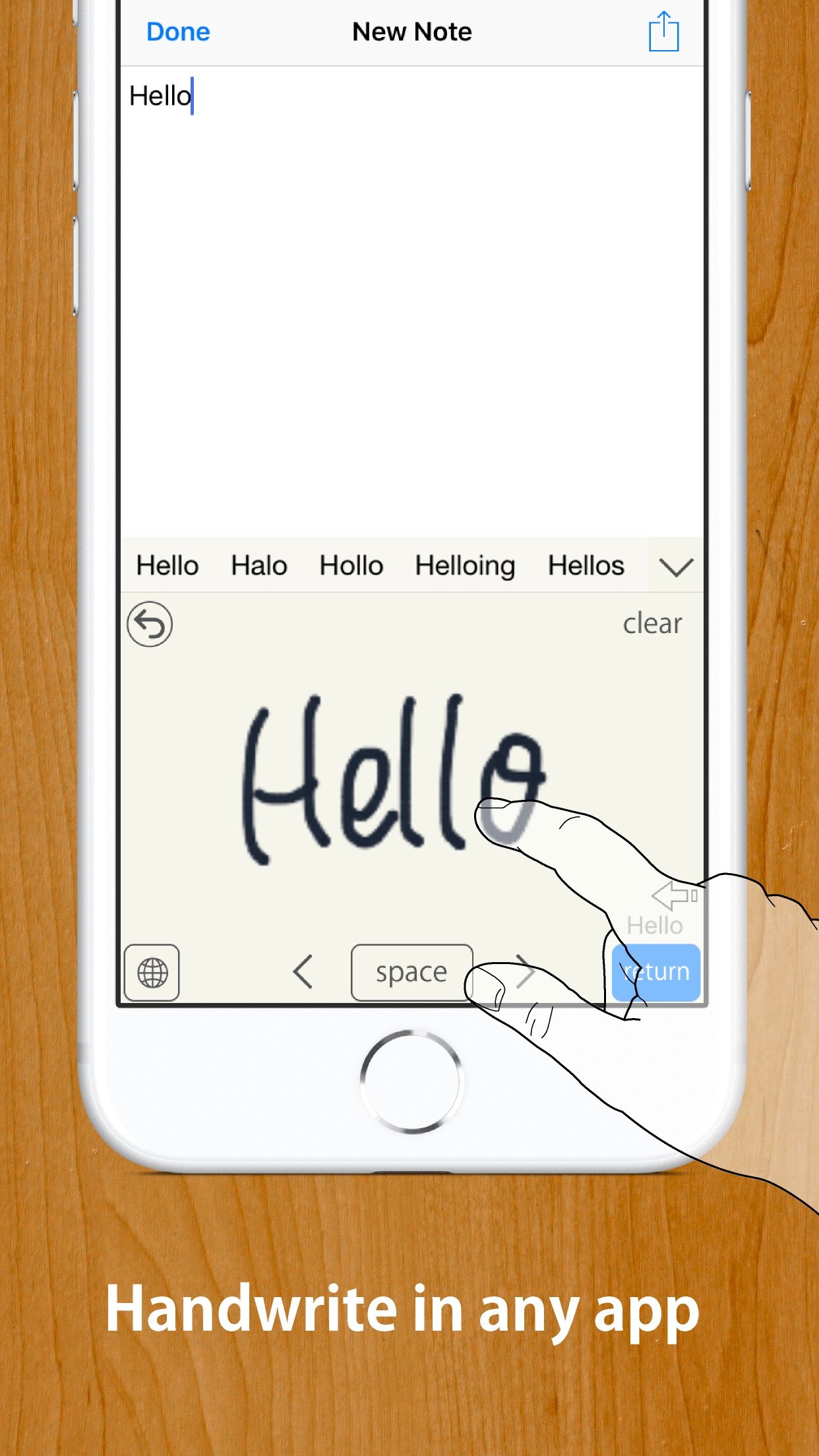
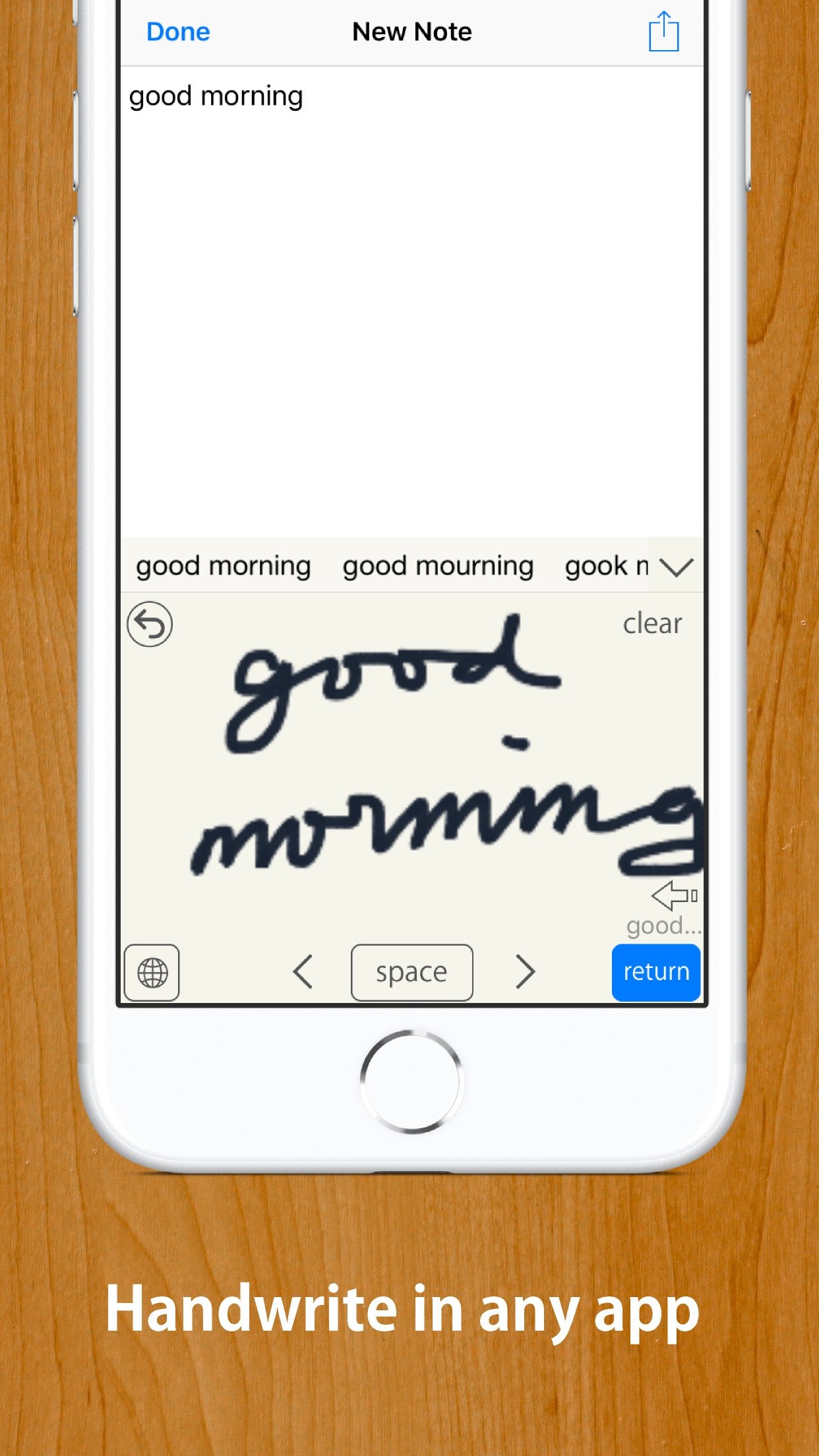
Handwriting Keyboard lets you enter text with your finger or Apple Pencil in apps such as Messages, Mail, Safari, and Notes.
Recognition runs entirely on your device, so the keyboard works offline. Full Access is not required. Your input is not transmitted, and the app does not collect data.
IMPORTANT -- SUPPORTED LANGUAGES
Handwriting recognition supports U.S. English and Japanese only. Other languages, including British English, are not supported.
HOW TO GET STARTED
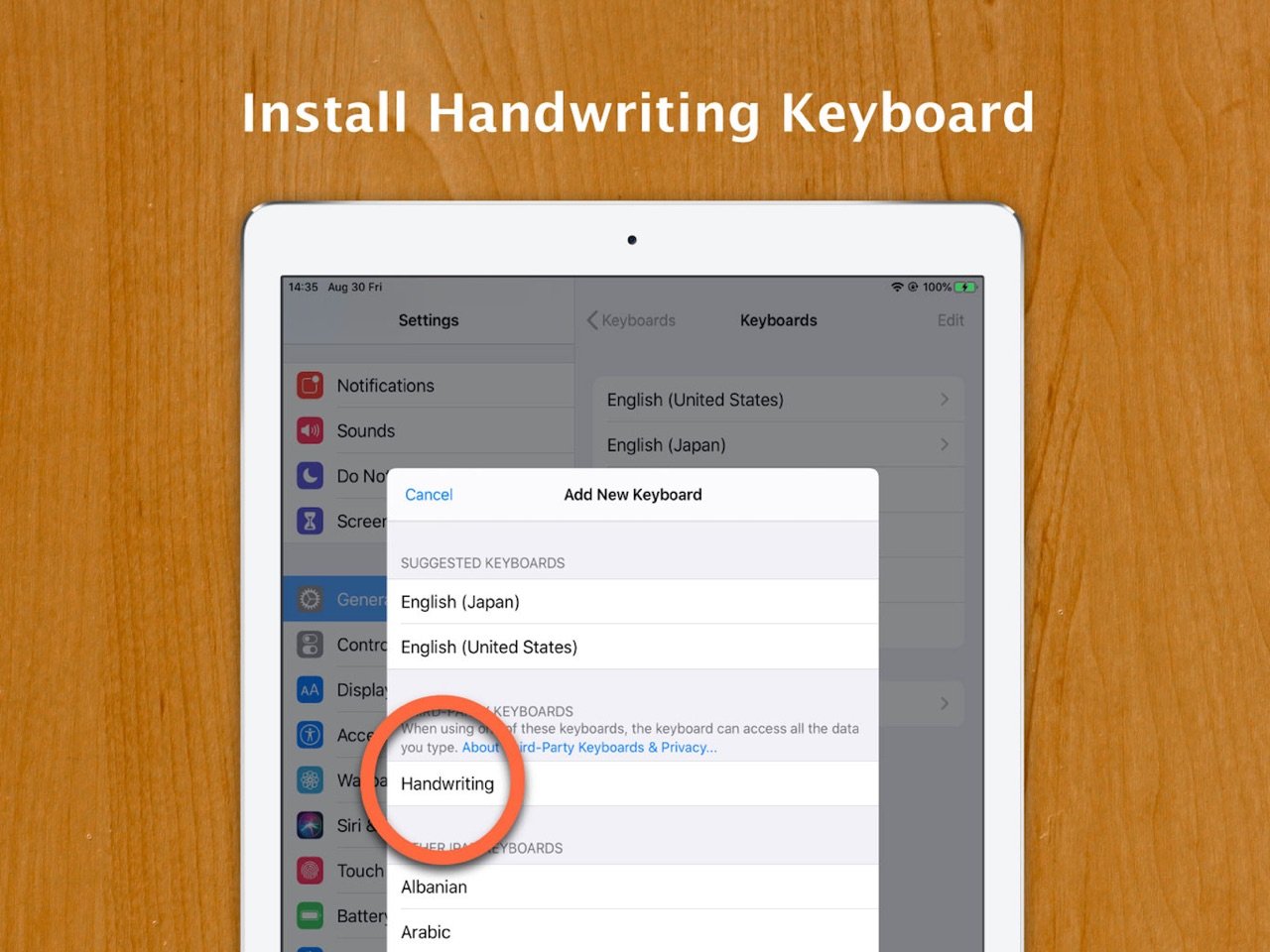
1. Open the Handwriting Keyboard app and tap "Open Settings."
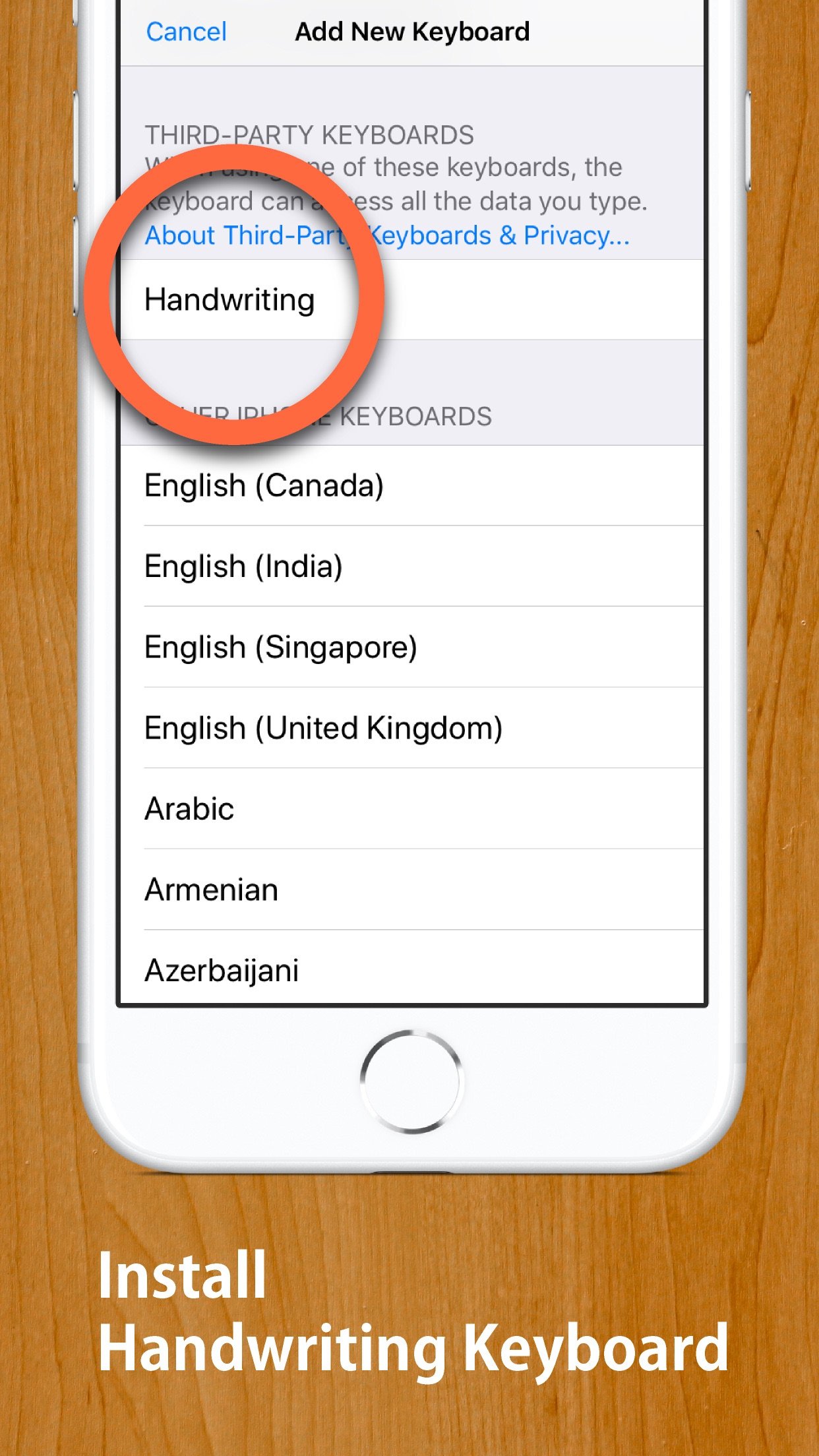
2. Tap "Keyboards," then enable English (US), Japanese, or both. Full Access is not required.
3. In a text field, touch and hold the keyboard switch key, then select Handwriting.
When entering a password, iOS automatically switches to the system keyboard.
If text is duplicated or does not appear correctly in an app with a custom text field, turn off Inline Input in Handwriting Keyboard settings.
FEATURES
o Three writing layouts: Free, Rows, and Boxes
o U.S. English handwriting recognition
o Japanese handwriting recognition with hiragana-to-kanji conversion
o Write with your finger or Apple Pencil
o Palm rejection when using Apple Pencil
o Works entirely offline
o No Full Access required
o Scribble over part of your handwriting to erase it
o Strike through handwriting to erase it together
o Drag recognition candidates together to combine them
o Adjustable auto-enter delay
o Three writing-area sizes
o Customizable Return key position
o Two-finger scrolling or cursor movement
o Adjustable line width and background color
o Text Replacement support
o Dark Mode and floating keyboard support
o Quick Notes home screen widget
SUPPORTED RECOGNITION LANGUAGES
o U.S. English
o Japanese
British English and all other languages are not supported.
Deutsch wird nicht unterstutzt.
El espanol no es compatible.
O portugues nao e compativel.
Svenska stods inte.
Le francais n'est pas pris en charge.
???? ???? ????.
MyScript(R) is a trademark of MyScript.
License: Commercial
Handwriting Keyboard lets you enter text with your finger or Apple Pencil in apps such as Messages, Mail, Safari, and Notes.
Recognition runs entirely on your device, so the keyboard works offline. Full Access is not required. Your input is not transmitted, and the app does not collect data.
IMPORTANT -- SUPPORTED LANGUAGES
Handwriting recognition supports U.S. English and Japanese only. Other languages, including British English, are not supported.
HOW TO GET STARTED
1. Open the Handwriting Keyboard app and tap "Open Settings."
2. Tap "Keyboards," then enable English (US), Japanese, or both. Full Access is not required.
3. In a text field, touch and hold the keyboard switch key, then select Handwriting.
When entering a password, iOS automatically switches to the system keyboard.
If text is duplicated or does not appear correctly in an app with a custom text field, turn off Inline Input in Handwriting Keyboard settings.
FEATURES
o Three writing layouts: Free, Rows, and Boxes
o U.S. English handwriting recognition
o Japanese handwriting recognition with hiragana-to-kanji conversion
o Write with your finger or Apple Pencil
o Palm rejection when using Apple Pencil
o Works entirely offline
o No Full Access required
o Scribble over part of your handwriting to erase it
o Strike through handwriting to erase it together
o Drag recognition candidates together to combine them
o Adjustable auto-enter delay
o Three writing-area sizes
o Customizable Return key position
o Two-finger scrolling or cursor movement
o Adjustable line width and background color
o Text Replacement support
o Dark Mode and floating keyboard support
o Quick Notes home screen widget
SUPPORTED RECOGNITION LANGUAGES
o U.S. English
o Japanese
British English and all other languages are not supported.
Deutsch wird nicht unterstutzt.
El espanol no es compatible.
O portugues nao e compativel.
Svenska stods inte.
Le francais n'est pas pris en charge.
???? ???? ????.
MyScript(R) is a trademark of MyScript.
License: Commercial
| Release info | Update on Nov 09, 2026 |
|---|---|
| Release notes | - Added an emoji keyboard. - Tap the single-kanji or katakana button again to return to normal conversion mode. - Improved the settings layout. - Fixed the delete button’s position on iPad when the Return key is set to the left. |
| Listing data | App Store |
Reviews
No reviews yet. Be the first to review Handwriting Keyboard.
Used Handwriting Keyboard? Tell other visitors what you thought.
Log in to write a reviewOther products by this publisher
- "No Distractions" for YouTube 4.10 ----
- #Bible 11.6 "Incredible App - My sister shared this app with me a few weeks ago and it is truly incredible.
- #filmphotography 1.4.2 So, you decided to shoot on film?
- $quirrel 1.5.1 $quirrel Budget & Finance helps you plan each paycheck, track spending, manage debt, and see what is safe to spend before the next payday.
- % Percentage Calculator Pro 1.41 This is the Pro version of % Percentage Calculator.
Most viewed iOS Utilities
-
1
 Device Lab 1.8.5
Device Lab ??????????????????????? App,?????????????????????????????????,????????????????????????
-
2
 APTV 2.4.8
APTV,?????????????? IPTV M3U???,?????????????????
-
3
 VibeSDR 11.0.16
VibeSDR is a mobile-first software-defined radio (SDR) receiver — and far more than a single-server client.
-
4
 DXClock 4.0.0
Connect, collaborate, and operate smarter with DX Clock — the ultimate meeting place for amateur radio operators.
-
5
 iNetTools 11.0
iNetTools Pro is the Pro Version of iNetTools.
-
6
 DRC 2.0.1
A simple to use app to help calculate any dilution ratio.
-
7
 ECHOCAT 1.5.2
ECHOCAT is the iPhone and iPad companion for POTACAT, the desktop app for amateur radio operators chasing Parks on the Air (POTA), Summits on the Air (SOTA), Worldwide Bunkers on the Air (WWBOTA), Tiles on the Air and DX.
-
8
 Ally Pro 1.4.0
Ally Pro – Amiibo & NFC Tool gives advanced collectors complete control over their Amiibo library.
-
9
 Demod 1.6
Demod turns your iPhone into a software-defined radio receiver.
-
10
 V2Box Pro 10.2.0
V2box Pro - VPN Internet network proxy , Supports multiple proxy protocols, such as Shadowsocks, V2ray, Vmess, Trojan , SSH , Socks, hysteria2, Ping Tunnel, Wireguard, DNSTT
Most downloaded iOS Utilities
-
1
 Rat And Mouse Sound Repeller 2.8
Keep mice and rats away overnight with ultrasonic waves and predator sounds.
-
2
Demod 1.6
Demod turns your iPhone into a software-defined radio receiver.
-
3
 Screen Mirroring With Miracast 2.0
Turn your iPhone into a complete TV companion.
-
4
 Guardio 2026.105.1
Guardio protects every part of your digital life: your devices, identity, accounts, and activity, so you can browse, shop, text, and bank online with confidence.
-
5
 Fontcase 2.0.1
Fontcase is an app that lets you install custom fonts on iOS and iPadOS.
-
6
DRC 2.0.1
A simple to use app to help calculate any dilution ratio.
-
7
 PickerFull 9.18
Export colors from photos as HEX, PDF, RGB, HSB/HSV, HSBA, HSL, LUV, LCH, YUV, YCBCR, YIQ, CMYK, Grayscale, XYZ, L*a*b* (CIE), CSSVAR, SASSVAR, CSSHSL, CSSRGB, AndroidXML, FlutterDart, UnityColor32, Float, Objective-C, Swift, SwiftLiteral, SwiftUI
-
8
 RigCalc 1.0
RigCalc puts the everyday drilling calculations you need on the rig floor, in the mud pit, or in the office into one fast, offline app.
-
9
 Google 446.3
Download the Google app to find quick answers, explore your interests, and ask anything on your mind in any way.
-
10
 DuckDuckGo, optional Duck.ai 7.245.0
At DuckDuckGo, we believe the best way to protect your personal information from hackers, scammers, and privacy-invasive companies is to stop it from being collected at all.