Grocery/ShoppingList 1.2.6
Turn your recipes into a grocery list you can shop from.
Download
2.34 MB
11downloads
3this week
FreeCommercial
0reviews
Screenshots
About Grocery/ShoppingList
Turn your recipes into a grocery list you can shop from.
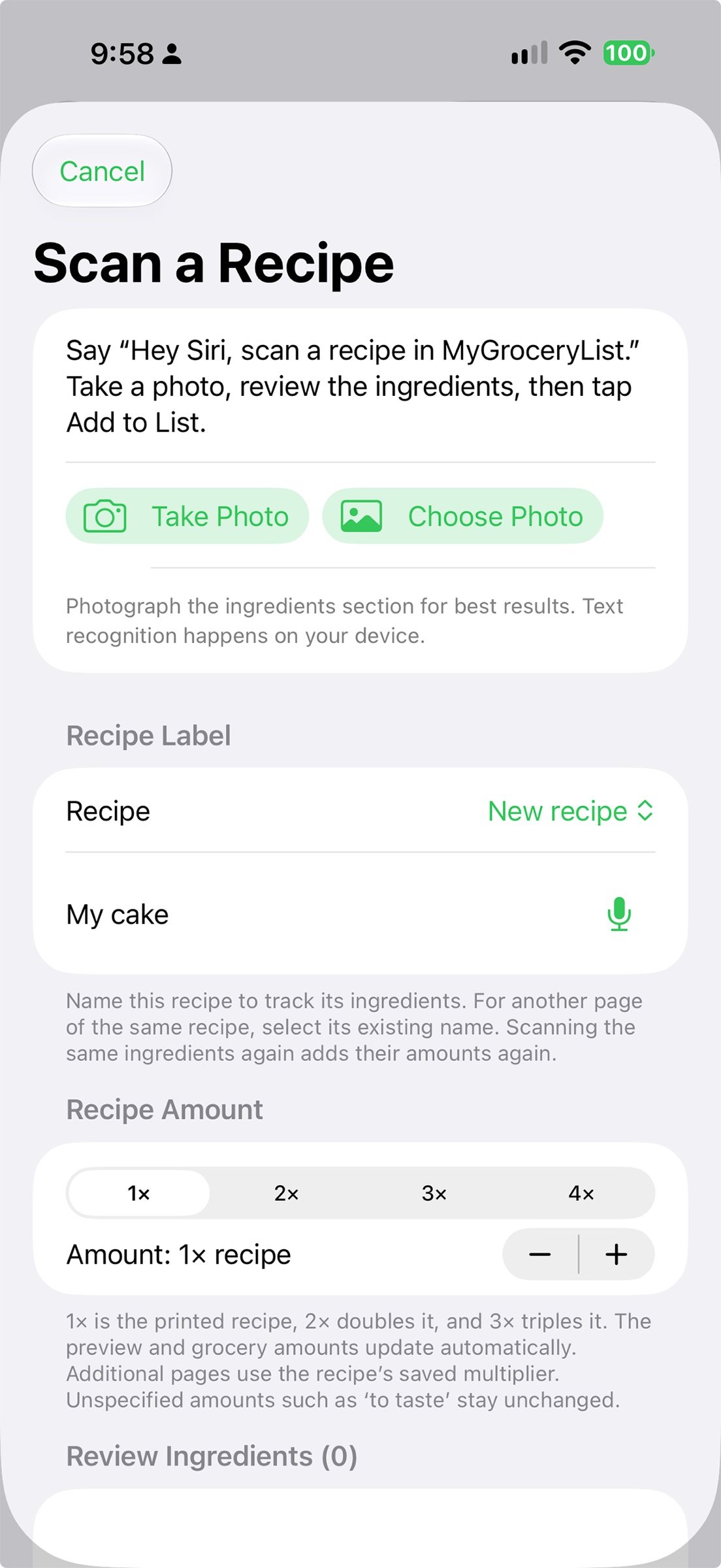
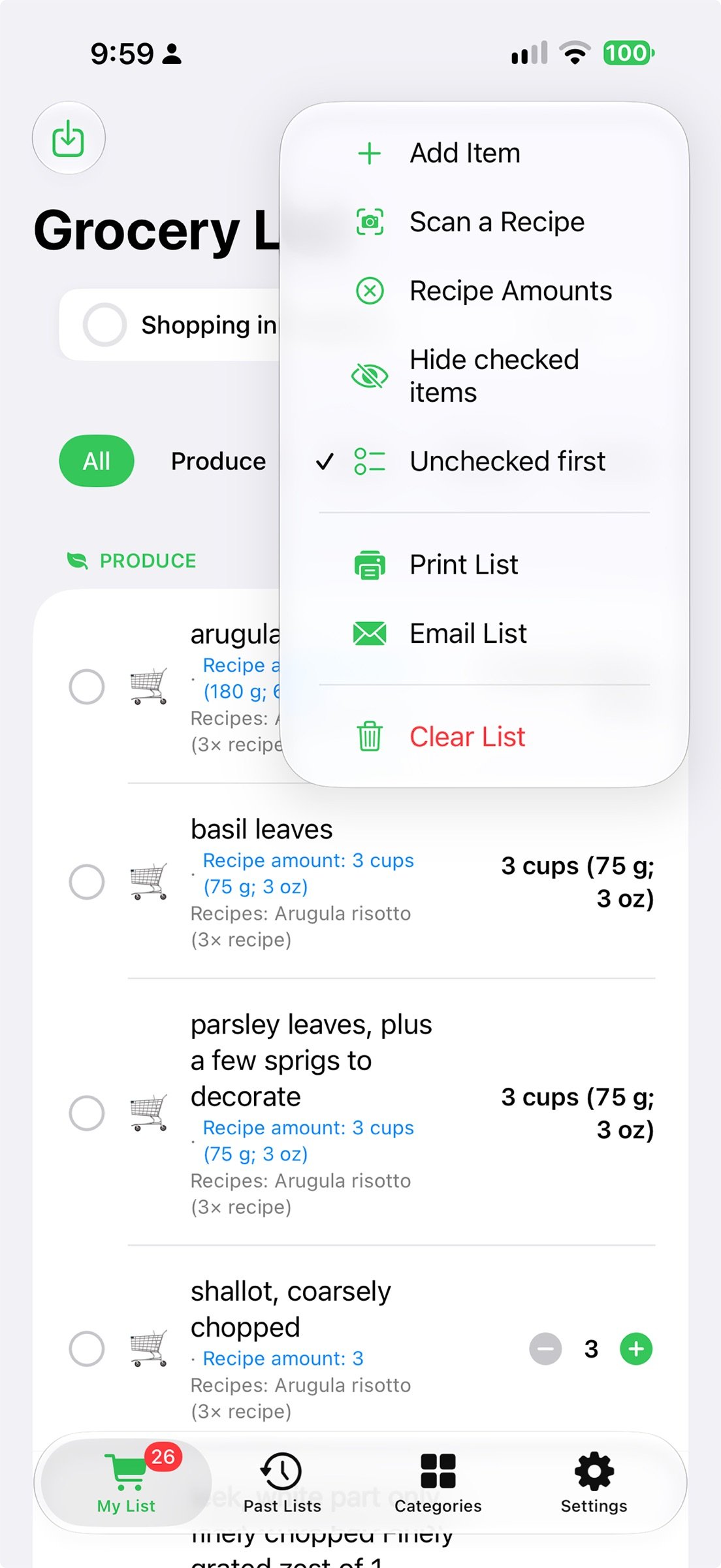
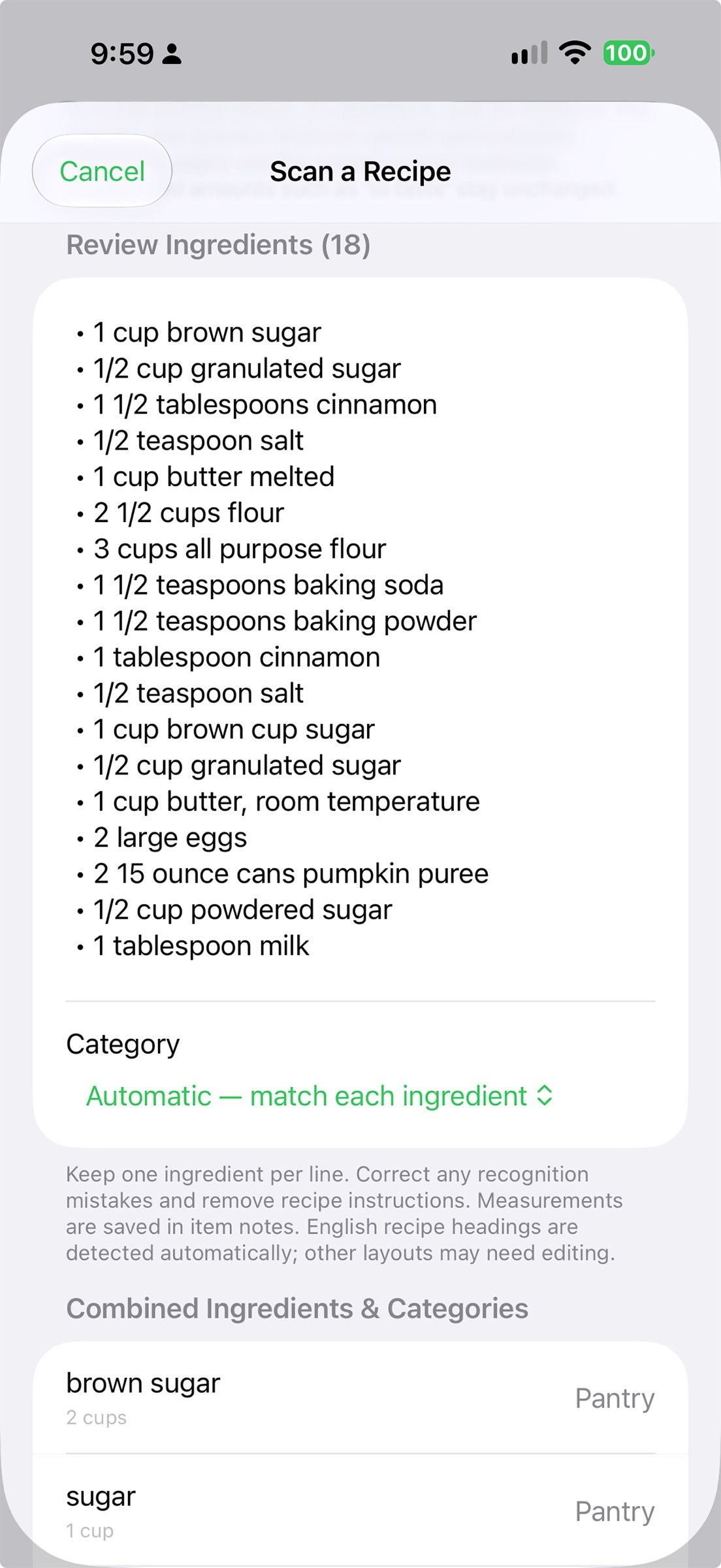
Photograph a printed recipe or choose a recipe image, review the ingredients, and add them to MyGroceryList. Import more recipes one at a time to build a combined list with cumulative ingredient totals.
START WITH SIRI
Say "Hey Siri, scan a recipe in MyGroceryList" to open the recipe scanner. Take a photo, check the recognized text, and add the ingredients to your list. You can also start from the app or Apple's Shortcuts app.
ONE INGREDIENT, ONE TOTAL
Matching recipe ingredients share a single row. Common equivalents, such as flour and all-purpose flour, are combined. Fractions are preserved, and compatible measurements are added together. Different varieties, such as almond flour and regular flour, stay separate. Weight and volume remain visible as separate amounts when they cannot be combined.
COUNTS AND PACKAGE SIZES THAT MAKE SENSE
See the actual number of eggs or cans you need. A recipe calling for two 15-ounce cans keeps both the two-can count and the size of each can. Measured ingredients show totals such as 5 1/2 cups directly in the list.
ORGANIZE AS YOU ADD
Recipe ingredients use matching existing categories and previous ingredient assignments. Supported custom categories, such as Baking, Vegetables, Spices, and Seafood, are used when available. Unmatched ingredients go to Other. Review category assignments before adding.
KEEP EVERYDAY SHOPPING SIMPLE
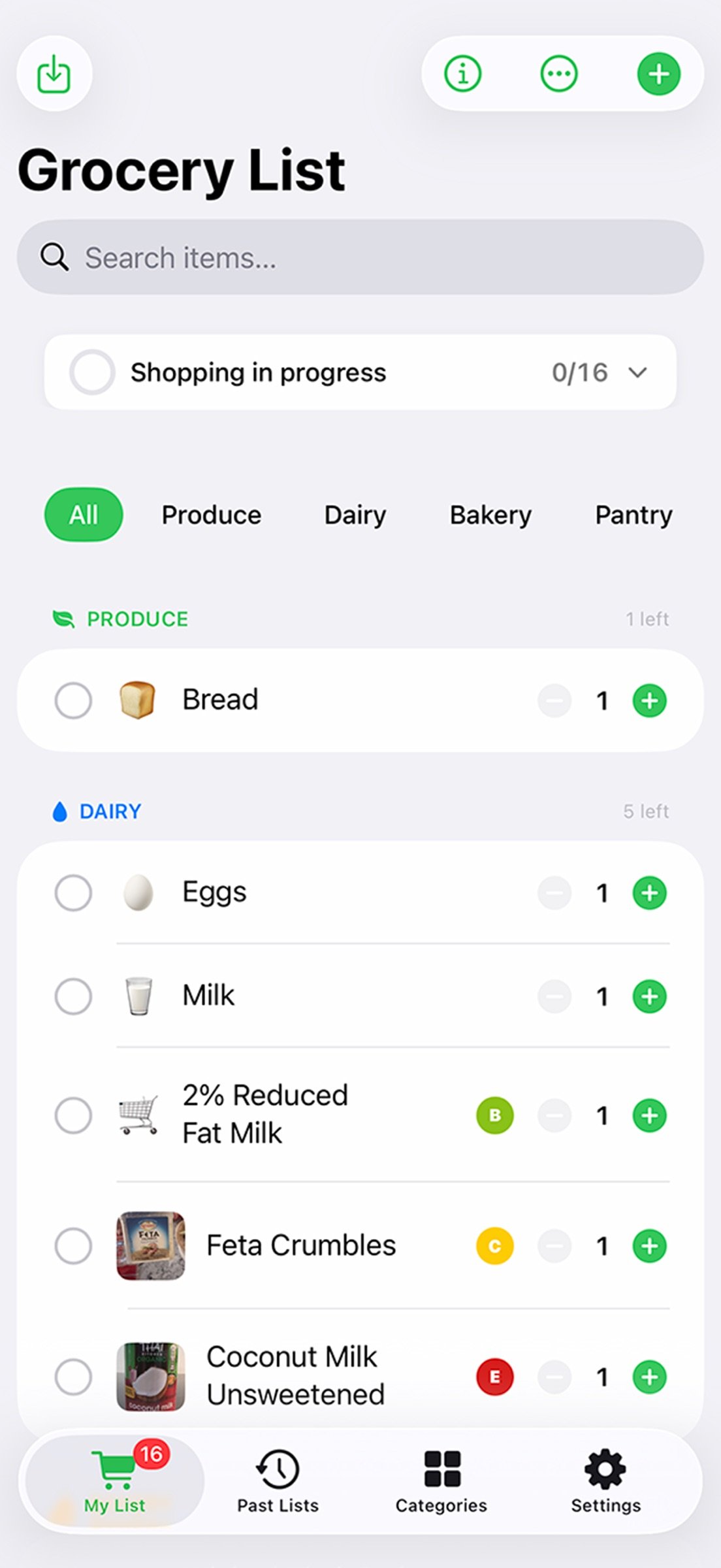
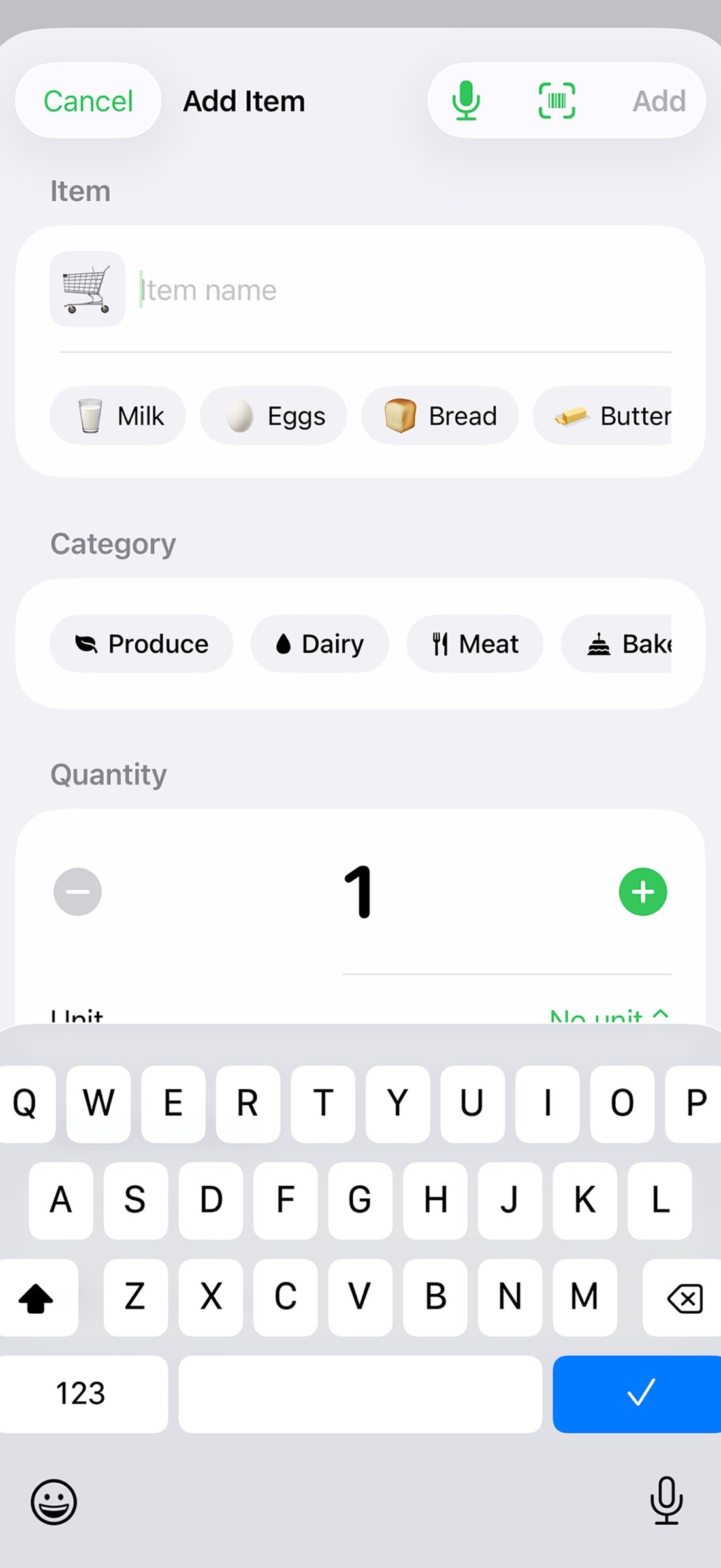
- Add groceries by typing, voice, or quick suggestions.
- Scan product barcodes to look up available nutrition information from Open Food Facts.
- Create and arrange your own categories.
- Check off groceries, search your list, and filter by category.
- Save lists to history and reuse them later.
- Print your grocery list or send it by email.
- Sync lists through iCloud across devices signed in to the same Apple ID.
Recipe text recognition happens on your device. For best results, photograph the ingredients section of a printed English recipe and review the text before adding.
Available for iPhone and iPad running iOS 17 or later.
License: Commercial
| Release info | New Release on Oct 21, 2026 |
|---|---|
| Release notes | Turn your recipes into a grocery list you can shop from. Photograph a printed recipe or choose a recipe image, review the ingredients, and add them to MyGroceryList. Import more recipes one at a time to build a combined list with cumulative ingredient totals. START WITH SIRI Say "Hey Siri, scan a recipe in MyGroceryList" to open the recipe scanner. Choose Take Photo or Choose Photo when you're ready. The camera opens only when you select it. You can also start from the app or Apple's Shortcuts app. KNOW WHICH RECIPE NEEDS WHAT Give each recipe a name by typing or tapping the microphone and speaking. Shared ingredients stay together in one grocery row. Tap an ingredient to see how much each recipe needs. Select an existing recipe when scanning another page to keep its ingredients under the same label. MAKE MORE WITH A RECIPE MULTIPLIER Double, triple, or choose another recipe amount before importing. The ingredient preview and grocery totals adjust automatically. Change a named recipe later from Recipe Amounts in the list menu. Its ingredients update together, while other recipes keep their own amounts. Labels such as "Cake (3x recipe)" help you remember the planned quantity. ONE INGREDIENT, ONE TOTAL Matching recipe ingredients share a single row. Common equivalents, such as flour and all-purpose flour, are combined. Fractions are preserved, and compatible measurements are added together. Different varieties, such as almond flour and regular flour, stay separate. Weight and volume remain visible as separate amounts when they cannot be combined. READ WRAPPED LINES AND RECIPE COLUMNS Recognize ingredients spread across multiple columns or wrapped onto several lines, including complete names such as shredded Monterey Jack cheese. Review and correct recognized text before adding. COUNTS AND PACKAGE SIZES THAT MAKE SENSE See the actual number of eggs or cans you need. A recipe calling for two 15-ounce cans keeps both the two-can count and the size of each can. Mea |
| Listing data | App Store |
Reviews
No reviews yet. Be the first to review Grocery/ShoppingList.
Used Grocery/ShoppingList? Tell other visitors what you thought.
Log in to write a reviewOther products by this publisher
- "No Distractions" for YouTube 4.10 ----
- #Bible 11.6.1 "Incredible App - My sister shared this app with me a few weeks ago and it is truly incredible.
- #filmphotography 1.4.2 So, you decided to shoot on film?
- #LookBusy Fake Calendar Events 1.0.6 Look Busy scans your work calendar for open time slots and fills them with realistic-looking (but secretly fake) work events.
- #Small Talk Is Canceled 1.0.2 #Small Talk Is Canceled — Conversations That Matter
Most viewed iOS Shopping
-
1
 Rips by Triumph 1.56.0
Open Packs. Get Valuable Cards.
-
2
 Capital One Shopping 2.165.0
100% free for everyone – no Capital One bank or credit card account required!
-
3
 Shop 3.21.0
Shop stores you love
-
4
 Boot Barn 4.0.20
Boot Barn is the nation's largest retailer of western and work boots and clothing, hats, accessories, and the latest in western-inspired fashion.
-
5
 Depop 2.422
Depop is the best online marketplace to buy and sell secondhand clothes.
-
6
 Fetch 4.70.1
YOU DESERVE A REWARD
-
7
 Alibaba.com B2B Trade App 26.40.0
What is Alibaba.com?
-
8
 Levi's 9.9.3
The best of Levi’s®, tailored just for you.
-
9
 Costco 26.11.1
It's easy to save time and money while on the go, with the Costco Mobile App!
-
10
 In The Basket 1.0
This app helps you stay organised while you shop.
Most downloaded iOS Shopping
-
1
 Dollar General-Digital Coupons 16.1.230
Download the DG App and join myDG® to earn deals, rewards and bonuses!
-
2
 True Religion 11
Premium denim rooted in streetwear, now with a mobile shopping experience that fits in our signature back pocket.
-
3
 AliExpress 8.180.2
AliExpress: Your Ultimate Black Friday Shopping Destination
-
4
 Opel App 1.0
7600+ OBD-2 Diagnostic Trouble Codes special for OPEL:
-
5
 DealSeek 1.65.0
DealSeek's free app finds hidden promo codes, coupons, and verified price drops to help you save money every day.
-
6
Shop 3.21.0
Shop stores you love
-
7
In The Basket 1.0
This app helps you stay organised while you shop.
-
8
 CrownCards 1.1.5
Pull genuine trading cards from your phone.
-
9
 LEGO® Insiders 1.14.0
Keep track of your points, earn rewards, shop new sets and enjoy all your perks in one place!
-
10
Costco 26.11.1
It's easy to save time and money while on the go, with the Costco Mobile App!