Google Family Link 2.110.50721
Google Family Link is a parental controls app that helps you keep your family safer online.
Download
190.29 MB
15downloads
1this week
FreeFreeware
0reviews
Screenshots
About Google Family Link
Google Family Link is a parental controls app that helps you keep your family safer online. Every family’s relationship with technology is unique, so we built tools for you to choose the right balance for your family, and help them create healthy digital habits. You can use the app to see how your child is spending time on their device, see their device location, manage privacy settings, and more.
With Family Link, you can:
Establish digital ground rules
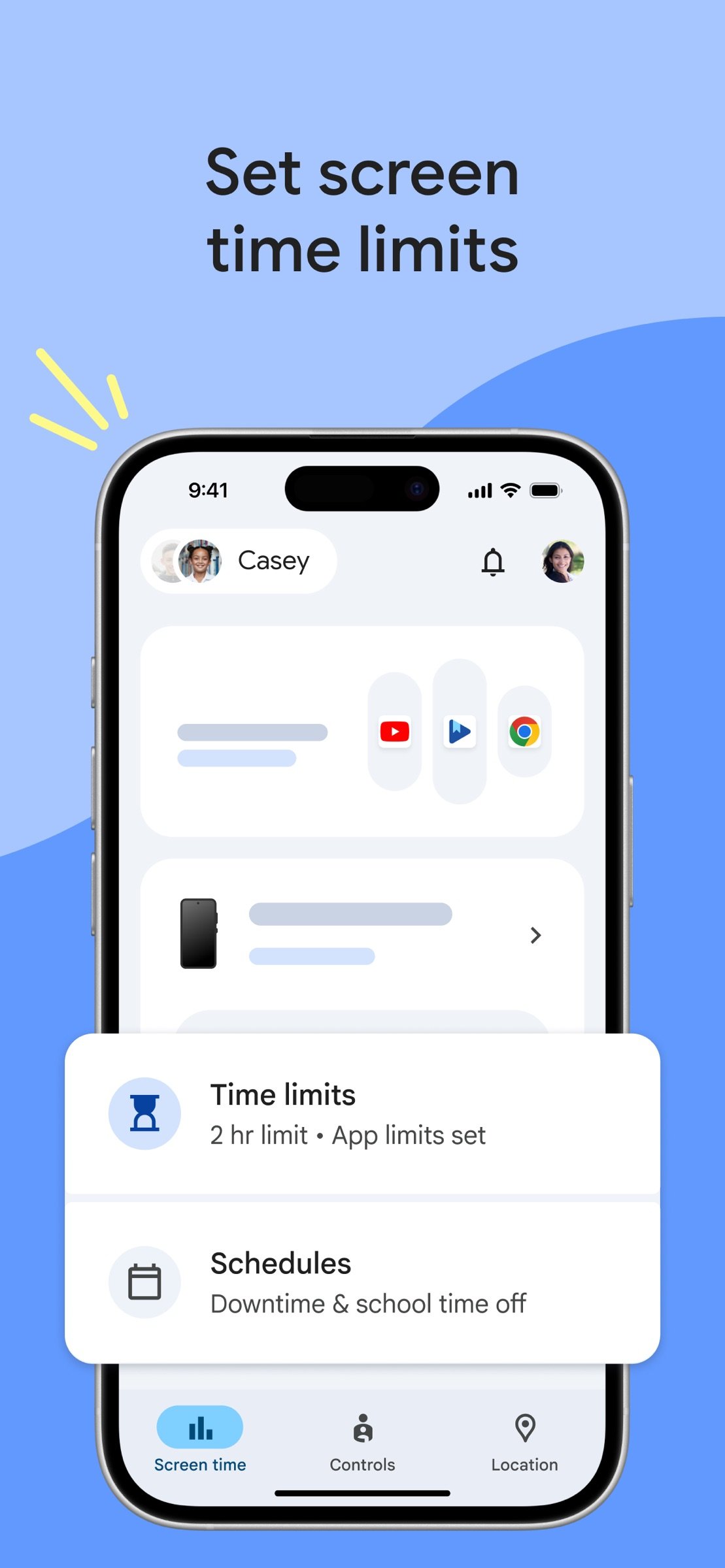
• Set screen time limits — Find the screen time that works best for your child. Family Link lets you set daily time limits, with school time and downtime schedules for their devices, so you can help your child find a healthy balance.
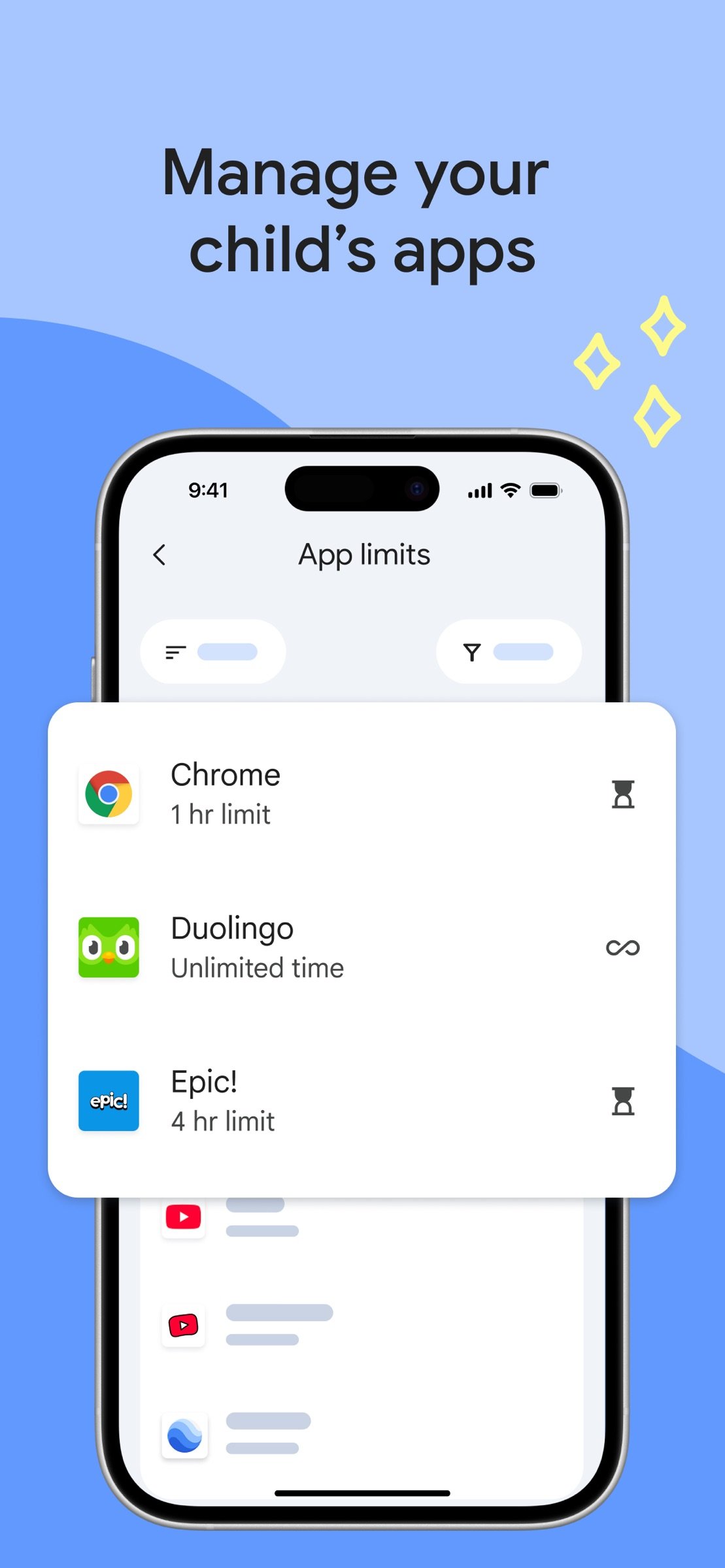
• Manage your child’s apps — Give your child the flexibility they need when it comes to app usage. Set individual app time limits, and unlimited time for educational or regularly used apps. You can block apps, too.
Manage content filters and security & privacy
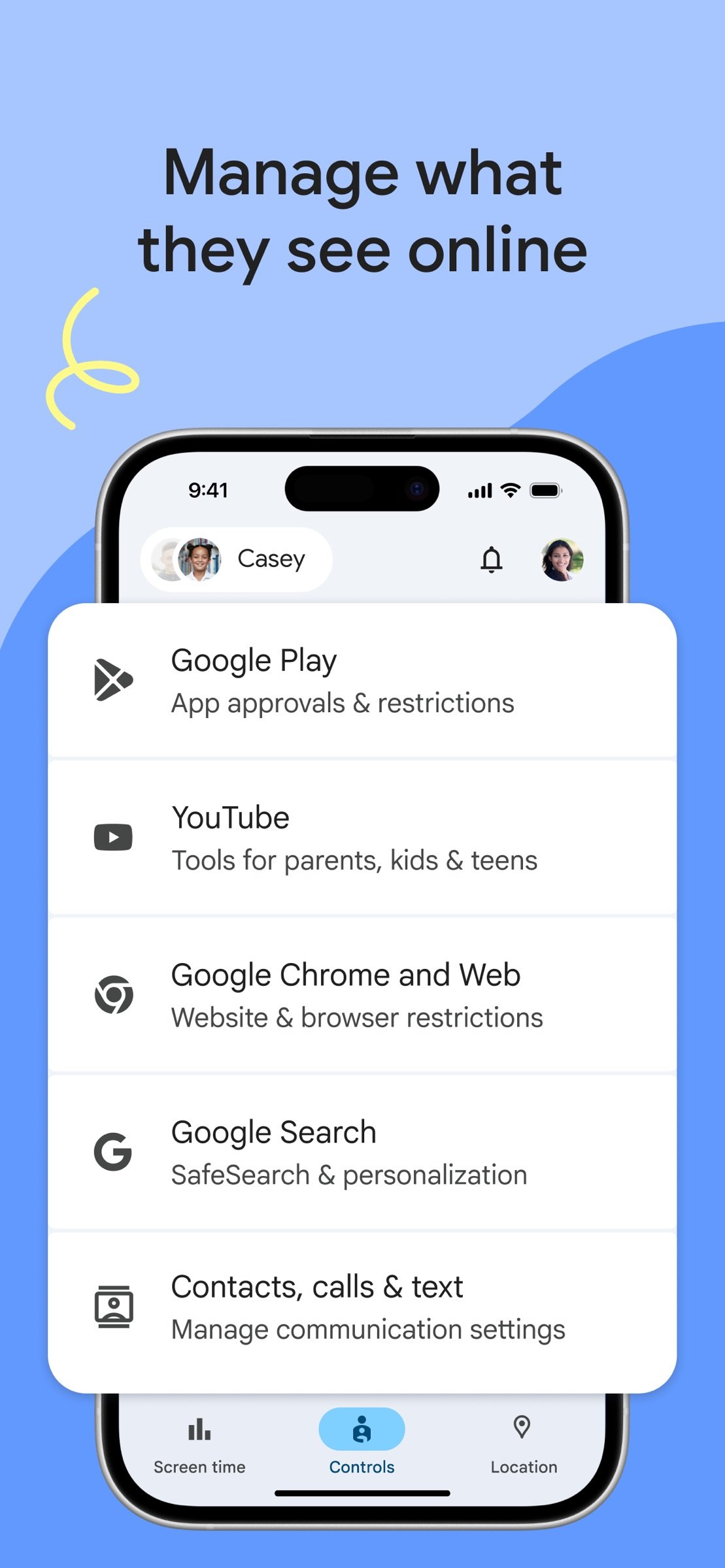
• Manage what they see online — Set up parental controls on Google services like Chrome, Play, YouTube, and Search. Family Link allows you to block inappropriate sites, require approval for new apps, manage permissions for apps and websites, and more.
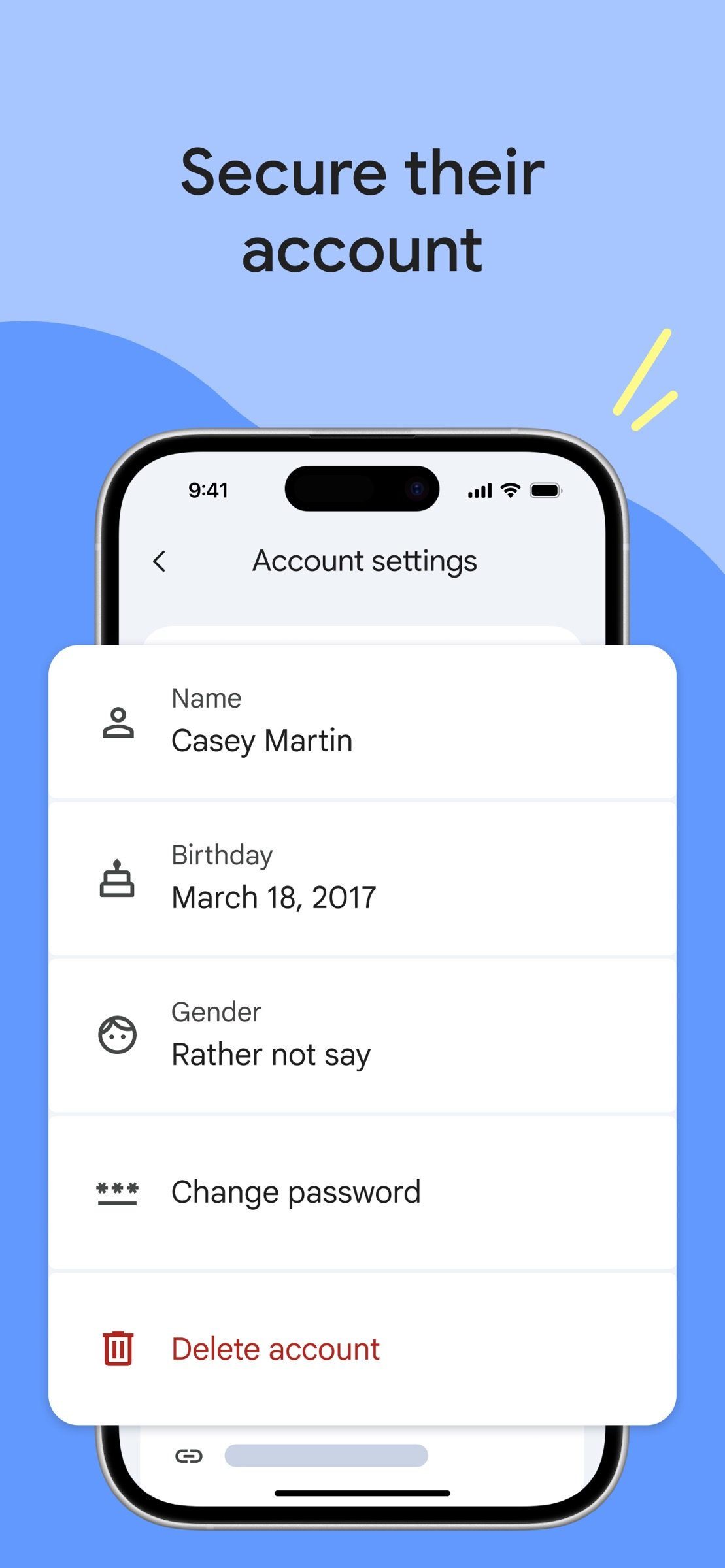
• Secure their account — Family Link gives you access to manage your child’s account and data settings. As a parent, you can help change or reset your child’s password if they forget it, edit their personal information or even delete their account if you feel necessary.*
*Children over the applicable age can manage their own account.
Stay connected on the go
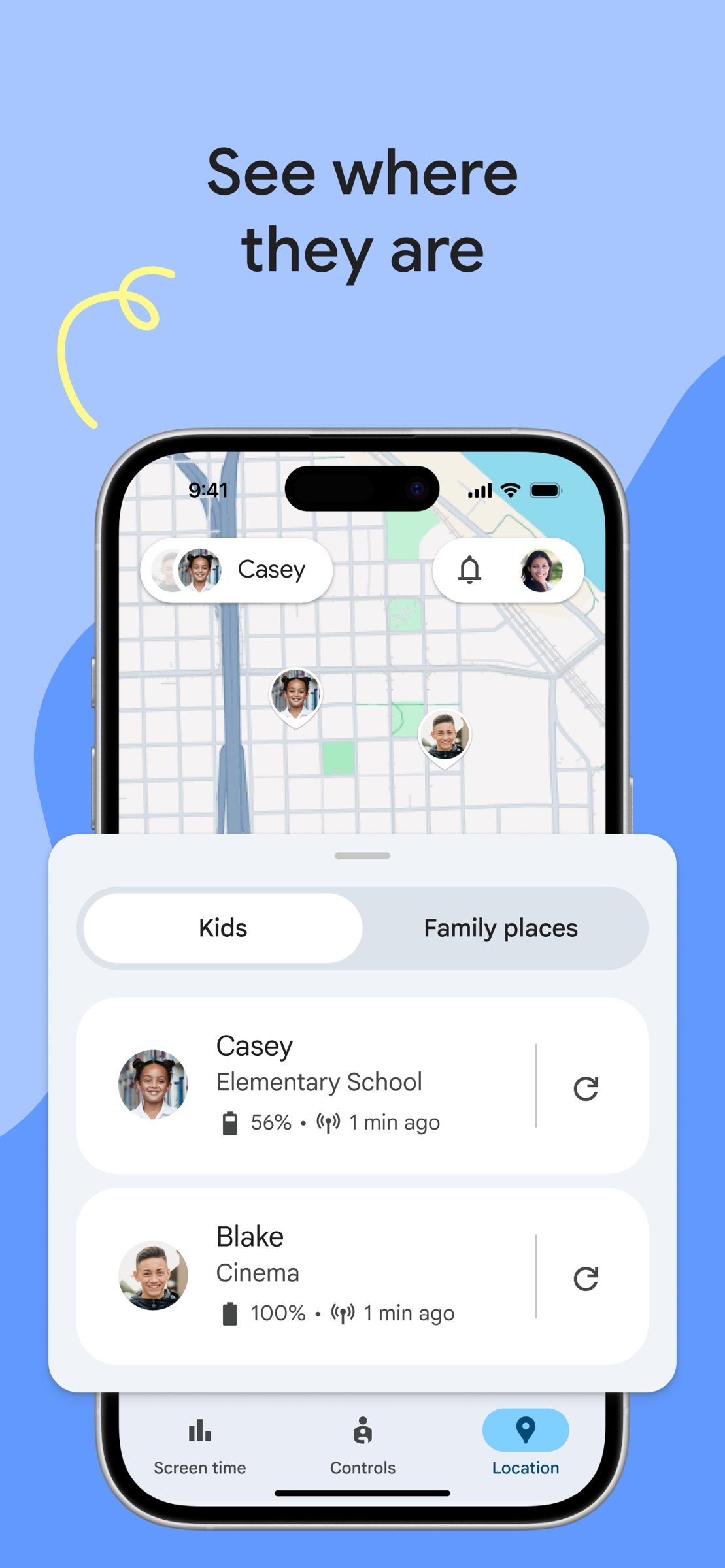
• See where they are — It’s helpful to be able to find your family when they’re on the go. With Family Link, you can locate your children on one map, as long as they’re carrying their device.
• Get notifications and alerts — Family Link delivers critical notifications including when your child arrives or leaves a certain location. You can also ring devices and view the device’s remaining battery life.
Important Information
• Family Link’s tools vary depending on your child’s device. See a list of compatible devices at [link removed]
• While Family Link helps you manage your child’s purchases and downloads from Google Play, they will not need approval to install app updates (including updates that expand permissions), apps you have previously approved, or apps that have been shared in Family Library. In addition, purchase approvals will apply only when your child makes a purchase through Google Play’s billing system and will not apply to purchases made through alternate billing systems. Parents should regularly review their child’s installed apps and app permissions in Family Link.
• You should carefully review the apps on your child’s supervised device and disable those you don’t want them to use. Note that you may not be able to disable some pre-installed apps such as Play, Google, etc.
• To see the location of your child or teen’s device, the device must be powered on, recently active, and connected to the internet through data or wifi.
• Family Link parental controls are only available for supervised Google accounts. With supervised Google Accounts, children get access to Google products like Search, Chrome, and Gmail, and parents can set up basic digital ground rules to supervise them.
• While Family Link provides tools to manage your child’s online experience and keep them safer online, it does not make the internet safe. Family Link can not determine the content on the internet, but it can give parents the opportunity to make decisions about how their child spends time on their device, and determine what path to online safety looks best for your family.
License: Free
| Release info | Update on Nov 23, 2026 |
|---|---|
| Release notes | New simplified design and screen time tab. |
| Listing data | App Store |
Reviews
No reviews yet. Be the first to review Google Family Link.
Used Google Family Link? Tell other visitors what you thought.
Log in to write a reviewOther products by this publisher
- "No Distractions" for YouTube 4.10 ----
- #Bible 11.6.1 "Incredible App - My sister shared this app with me a few weeks ago and it is truly incredible.
- #filmphotography 1.4.2 So, you decided to shoot on film?
- #LookBusy Fake Calendar Events 1.0.6 Look Busy scans your work calendar for open time slots and fills them with realistic-looking (but secretly fake) work events.
- #Small Talk Is Canceled 1.0.2 #Small Talk Is Canceled — Conversations That Matter
Most viewed iOS Utilities
-
1
 Device Lab 1.9.1
Device Lab is an on-device reference and toolkit for your hardware — hardware monitoring, spec references, chip and device comparisons, system information, and practical utilities, so you can understand and manage the devices you use with more struc…
-
2
 APTV 2.4.10
APTV,?????????????? IPTV M3U???,?????????????????
-
3
 V2Box 10.2.0
V2box - VPN Internet network proxy , Supports multiple proxy protocols, such as Shadowsocks, V2ray, Vmess, Trojan , SSH , Socks, Ping Tunnel, Hysteria2, DNSTT, Wireguard
-
4
 VibeSDR 11.0.16
VibeSDR is a mobile-first software-defined radio (SDR) receiver — and far more than a single-server client.
-
5
 ECHOCAT 1.6.0
ECHOCAT is the iPhone and iPad companion for POTACAT, the desktop app for amateur radio operators chasing Parks on the Air (POTA), Summits on the Air (SOTA), Worldwide Bunkers on the Air (WWBOTA), Tiles on the Air and DX.
-
6
 Ally Pro 1.4.0
Ally Pro – Amiibo & NFC Tool gives advanced collectors complete control over their Amiibo library.
-
7
 Demod 1.6
Demod turns your iPhone into a software-defined radio receiver.
-
8
 DXClock 4.0.0
Connect, collaborate, and operate smarter with DX Clock — the ultimate meeting place for amateur radio operators.
-
9
 DuckDuckGo, optional Duck.ai 7.247.0
At DuckDuckGo, we believe the best way to protect your personal information from hackers, scammers, and privacy-invasive companies is to stop it from being collected at all.
-
10
 Nextin 1.4.2
Nextin is a subscription-based configuration and connection tool designed to simplify the setup process and improve everyday usability.
Most downloaded iOS Utilities
-
1
Demod 1.6
Demod turns your iPhone into a software-defined radio receiver.
-
2
 Rat And Mouse Sound Repeller 2.8
Keep mice and rats away overnight with ultrasonic waves and predator sounds.
-
3
 Guardio 2026.111.3
Protect your identity, accounts, and online activity from scams and digital threats with Guardio.
-
4
 Screen Mirroring With Miracast 2.0
Turn your iPhone into a complete TV companion.
-
5
 Fontcase 2.0.1
Fontcase is an app that lets you install custom fonts on iOS and iPadOS.
-
6
 ParkenDD 2.0.2
ParkenDD shows a list of available public parking lots in several cities.
-
7
 Passepartout, VPN Client 3.12.8
Protect your online privacy with Passepartout, a smart VPN client seamlessly integrated with iOS, macOS, iPadOS, and tvOS.
-
8
 PickerFull 9.18
Export colors from photos as HEX, PDF, RGB, HSB/HSV, HSBA, HSL, LUV, LCH, YUV, YCBCR, YIQ, CMYK, Grayscale, XYZ, L*a*b* (CIE), CSSVAR, SASSVAR, CSSHSL, CSSRGB, AndroidXML, FlutterDart, UnityColor32, Float, Objective-C, Swift, SwiftLiteral, SwiftUI
-
9
 Royal TSi 2.5.4
Royal TSi provides easy and secure access to your remote systems (RDP, VNC, SSH, etc.) by allowing you to open your Royal TS documents created with Royal TSX (for macOS) or Royal TS (for Windows).
-
10
 Universal TV Remote Control* 2.6.9
Control your Smart TV effortlessly with iMote — the ultimate universal remote control for TV.