GlucoWatch 0.1.18
Dexcom or Nightscout glucose, chart and forecast on a Wear OS watch
Download
2.18 MB · glucowatch-0.1.18.apk
1downloads
1this week
FreeFreeware
0reviews
Screenshots
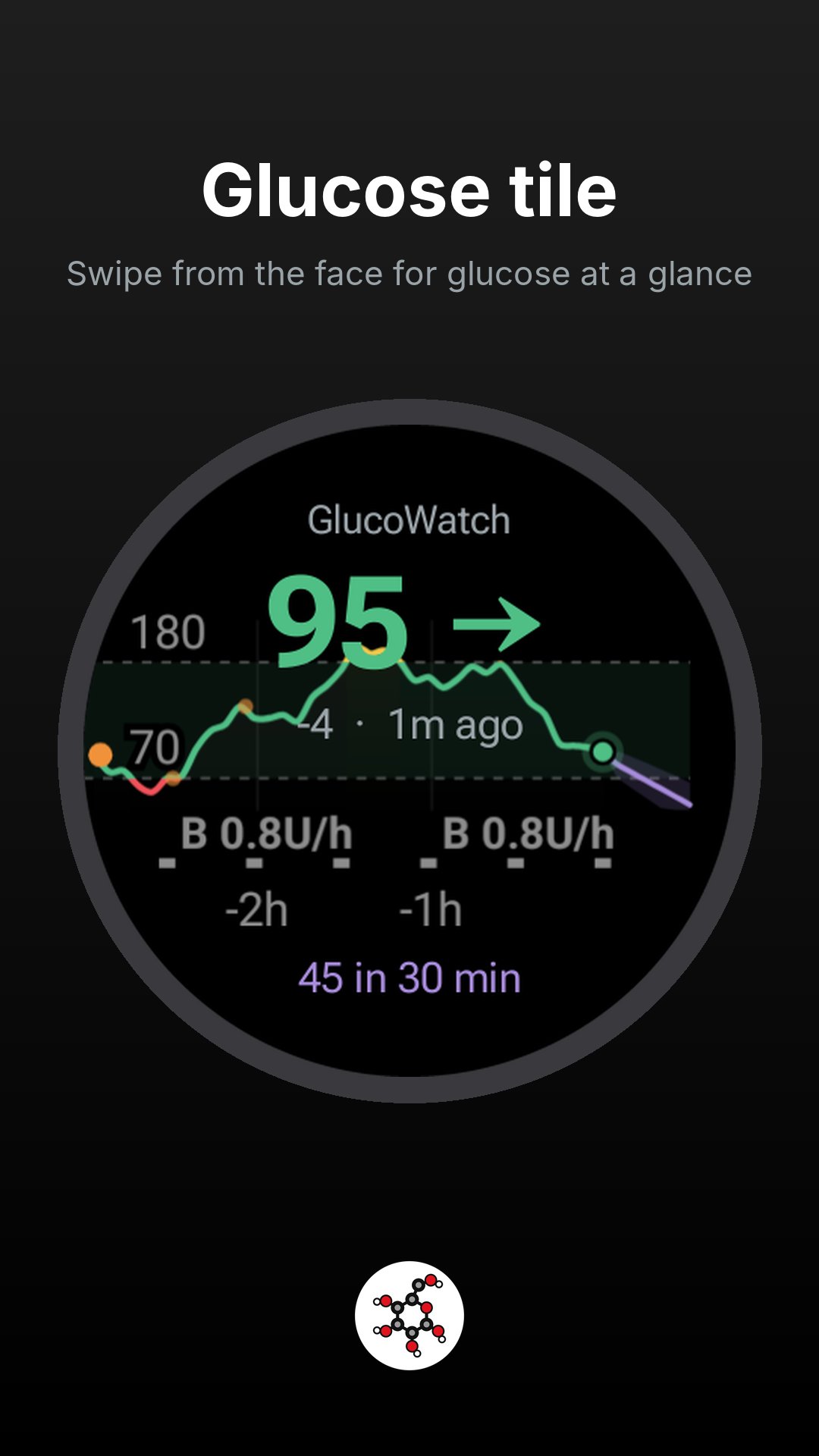
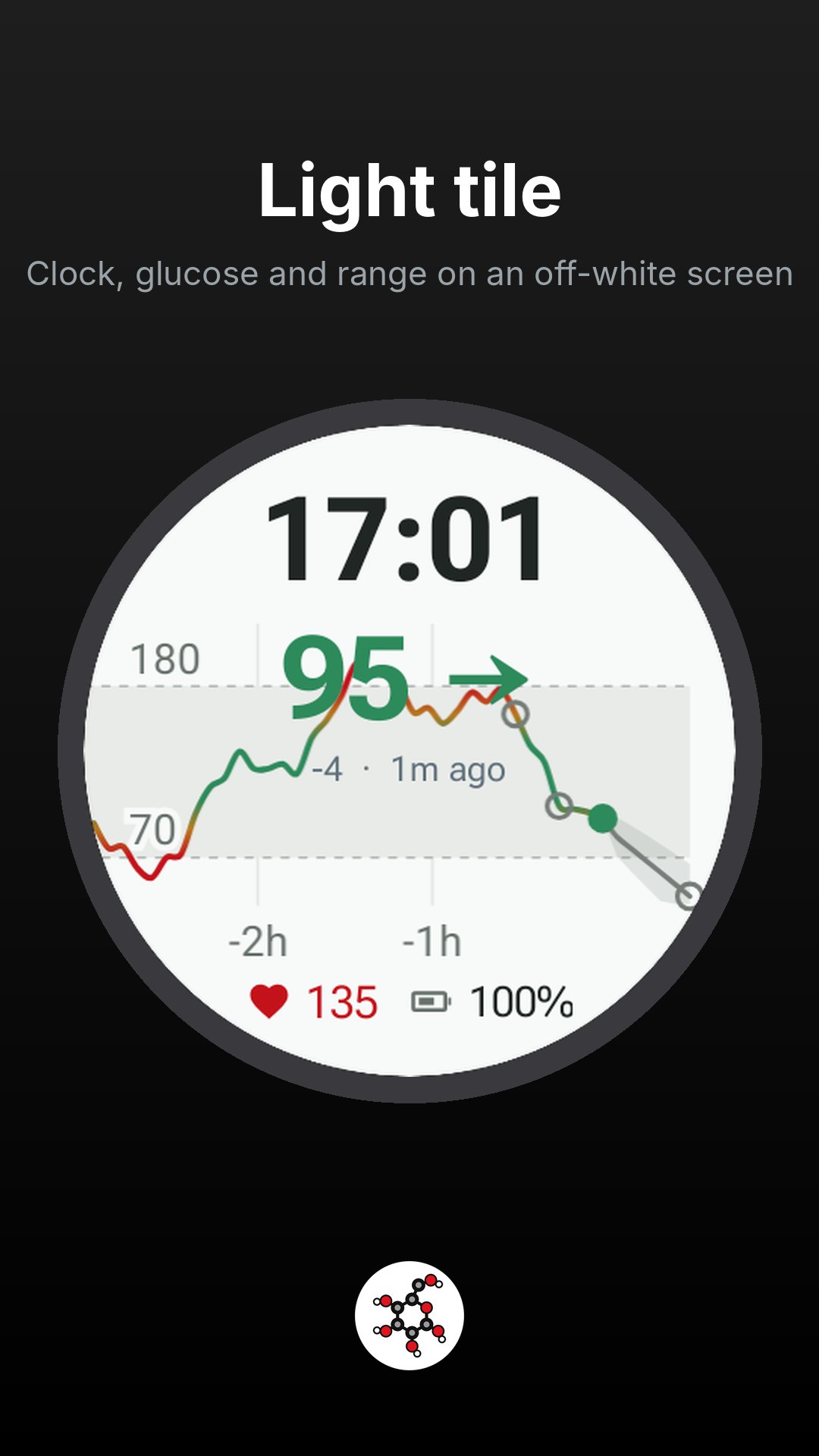
About GlucoWatch
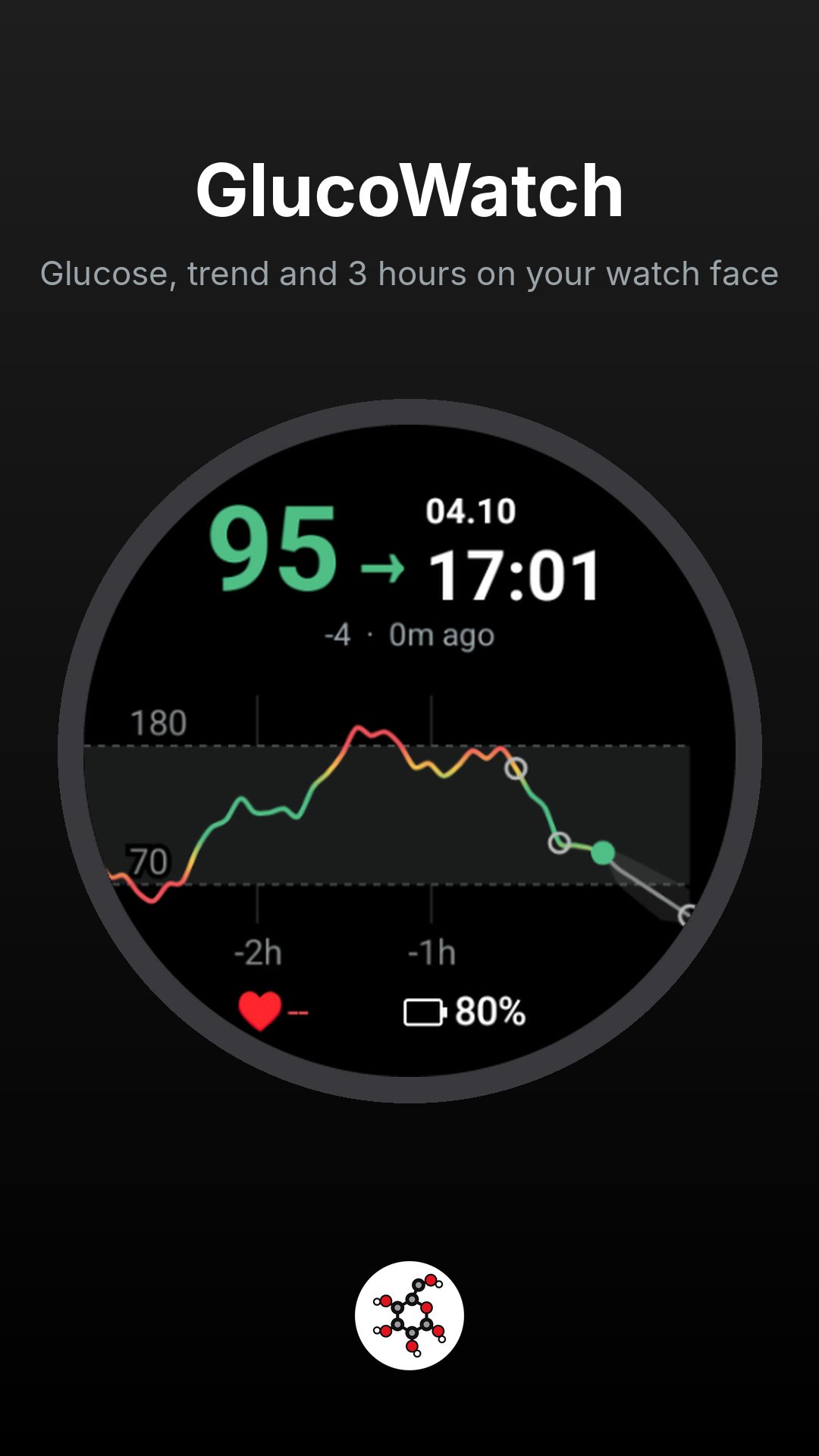
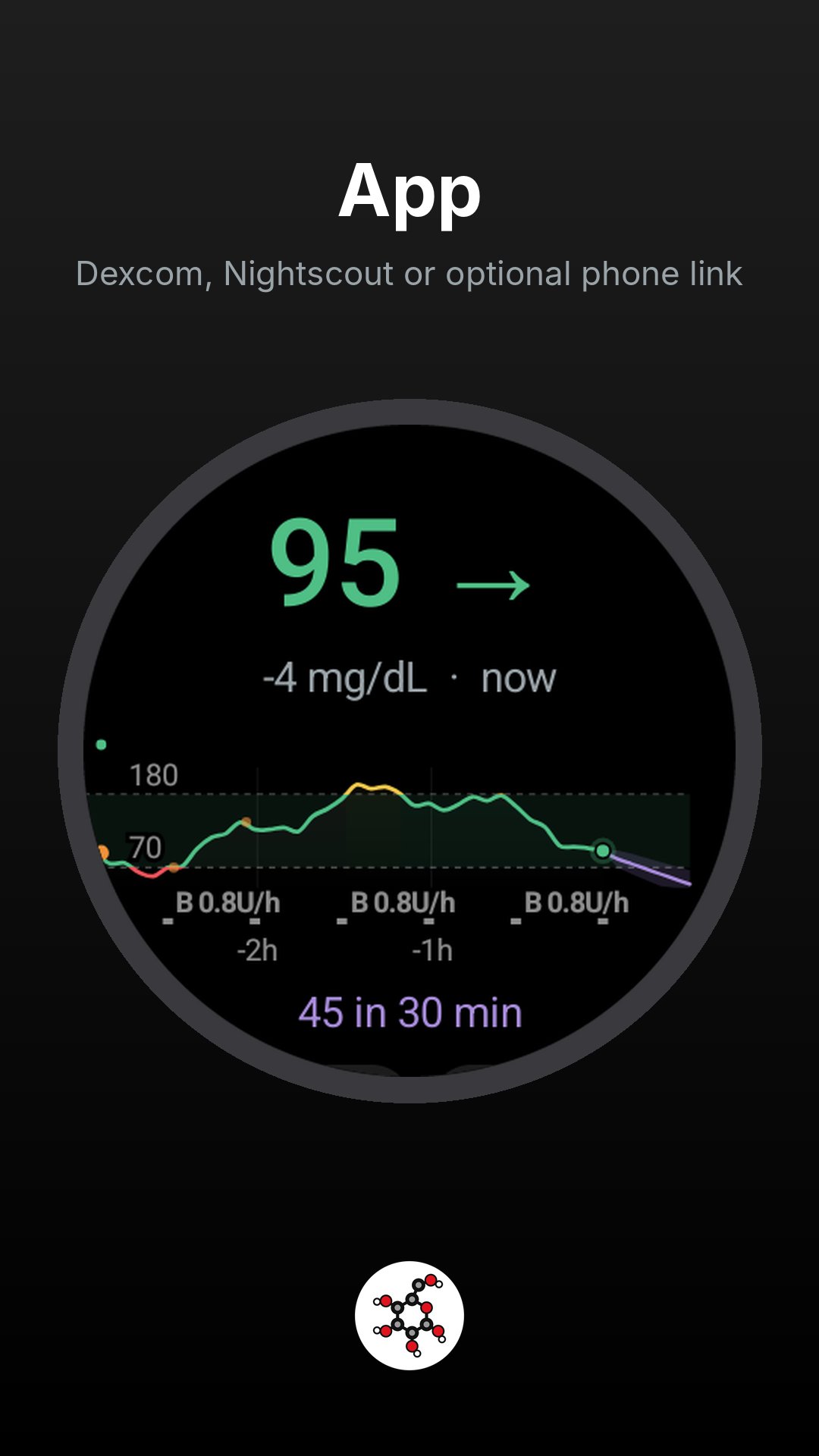
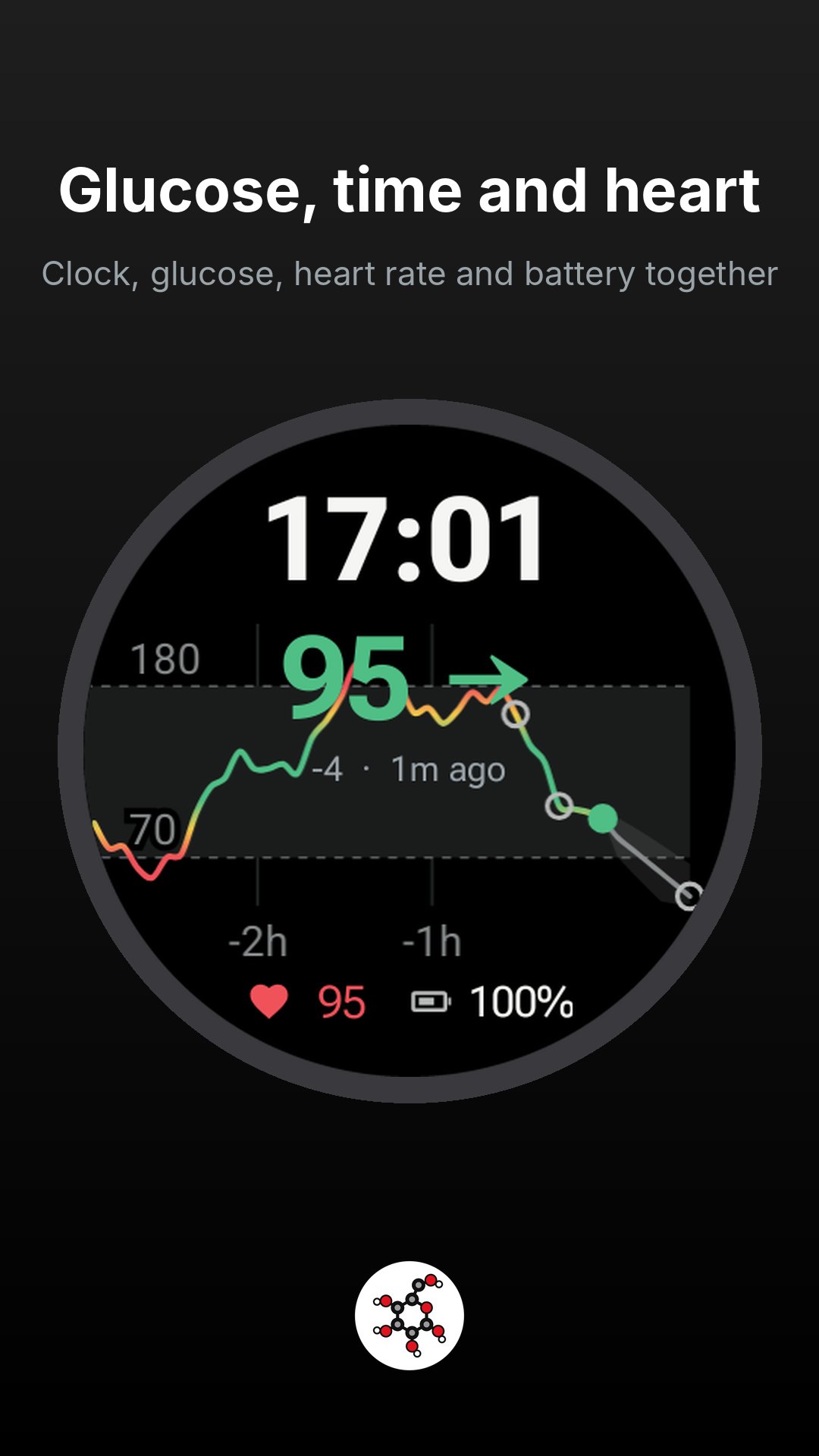
Shows your glucose on a Wear OS watch: the current value with a trend arrow, a chart across the whole round screen, and an optional forecast. It comes as a watch face, three tiles (glucose only; clock, glucose, heart rate and battery; and a light version), and an app, in GlucoseDAO colours. The face and both glucose-and-clock tiles also show your heart rate from the watch's own sensor.
The watch reads Dexcom Share or your own Nightscout directly. The optional GlucoPhone companion can relay readings over Bluetooth or copy the login to the watch. Download the phone APK from [link removed] and install it on the phone. The watch still works without it or any extra server. Dexcom readings need Share turned on in the official Dexcom app, with at least one follower.
For a Medtronic MiniMed pump, the watch can show CareLink glucose and insulin data. Sign in through the GlucoPhone companion, then choose "Get CareLink sign-in from phone" in watch Settings. CareLink is optional; Nightscout and demo data work without it. Phone ONNX forecasts can also be shown on the watch by choosing "Phone app model".
With Nightscout the watch also shows insulin and carbs on board from your loop (AAPS, Trio, iAPS, Loop), boluses and carbs on the chart, the last bolus and carbs, and the loop's own forecast. Nightscout works through API v1 or v3, with an access token or none for a public site.
This is not a medical device. Do not make treatment decisions from it. Keep using your CGM's official app and alarms.
Dexcom Share and CareLink are proprietary services read through undocumented interfaces, so a change on their side can stop that source until an update. Dexcom, Medtronic, MiniMed and CareLink are trademarks of their owners. GlucoWatch is not affiliated with them.
Install GlucoWatch on the watch. To use its watch face, install the separate GlucoWatch face package on the watch too. The app and tiles work without that face. The watch has no F-Droid app, and installing F-Droid on a phone does not copy these packages to the watch.
Download the watch app from its F-Droid page when available, or from [link removed]. Download the separate watch-face APK from its own F-Droid page when available, or from the same GitHub release. Each package is reviewed and published separately. On the watch, open Settings, About watch, Software information, and tap Software version 5 times. In Developer options, turn on ADB debugging and Wireless debugging. The watch and the computer have to be on the same Wi-Fi.
Open Wireless debugging, tap Pair new device, and note the IP address, the pairing port, and the 6-digit code. The main Wireless debugging screen shows a second port. That one is the connection port.
On a computer with Android platform-tools installed:
adb pair :
adb connect :
adb install -r
adb install -r
Open GlucoWatch, tap Settings, and choose Dexcom Share (username, password and region) or Nightscout (the site's address and, for a private site, an access token with the readable role). Tap Save & test. Long-press the current watch face, swipe to the end, tap Add watch face and choose GlucoWatch face. If a slot is empty, long-press the face, tap Customize, tap the slot, and choose Glucose or Glucose chart. For a tile, swipe left from the face to the end of the tiles, tap Add tiles and choose Glucose, Glucose, time and heart, or Glucose (light). For heart rate on the tile, tap Allow heart rate in GlucoWatch Settings.
Turn Wireless debugging off afterwards. It uses extra battery. A newer version is installed the same way: adb install -r replaces the copy already on the watch.
From a phone, download both APKs in the browser, install Wear Installer 2, pair it from the watch's Wireless debugging screen, and send each file with Custom APK.
License: Apache-2.0
The watch reads Dexcom Share or your own Nightscout directly. The optional GlucoPhone companion can relay readings over Bluetooth or copy the login to the watch. Download the phone APK from [link removed] and install it on the phone. The watch still works without it or any extra server. Dexcom readings need Share turned on in the official Dexcom app, with at least one follower.
For a Medtronic MiniMed pump, the watch can show CareLink glucose and insulin data. Sign in through the GlucoPhone companion, then choose "Get CareLink sign-in from phone" in watch Settings. CareLink is optional; Nightscout and demo data work without it. Phone ONNX forecasts can also be shown on the watch by choosing "Phone app model".
With Nightscout the watch also shows insulin and carbs on board from your loop (AAPS, Trio, iAPS, Loop), boluses and carbs on the chart, the last bolus and carbs, and the loop's own forecast. Nightscout works through API v1 or v3, with an access token or none for a public site.
This is not a medical device. Do not make treatment decisions from it. Keep using your CGM's official app and alarms.
Dexcom Share and CareLink are proprietary services read through undocumented interfaces, so a change on their side can stop that source until an update. Dexcom, Medtronic, MiniMed and CareLink are trademarks of their owners. GlucoWatch is not affiliated with them.
Install GlucoWatch on the watch. To use its watch face, install the separate GlucoWatch face package on the watch too. The app and tiles work without that face. The watch has no F-Droid app, and installing F-Droid on a phone does not copy these packages to the watch.
Download the watch app from its F-Droid page when available, or from [link removed]. Download the separate watch-face APK from its own F-Droid page when available, or from the same GitHub release. Each package is reviewed and published separately. On the watch, open Settings, About watch, Software information, and tap Software version 5 times. In Developer options, turn on ADB debugging and Wireless debugging. The watch and the computer have to be on the same Wi-Fi.
Open Wireless debugging, tap Pair new device, and note the IP address, the pairing port, and the 6-digit code. The main Wireless debugging screen shows a second port. That one is the connection port.
On a computer with Android platform-tools installed:
adb pair :
adb connect :
adb install -r
adb install -r
Open GlucoWatch, tap Settings, and choose Dexcom Share (username, password and region) or Nightscout (the site's address and, for a private site, an access token with the readable role). Tap Save & test. Long-press the current watch face, swipe to the end, tap Add watch face and choose GlucoWatch face. If a slot is empty, long-press the face, tap Customize, tap the slot, and choose Glucose or Glucose chart. For a tile, swipe left from the face to the end of the tiles, tap Add tiles and choose Glucose, Glucose, time and heart, or Glucose (light). For heart rate on the tile, tap Allow heart rate in GlucoWatch Settings.
Turn Wireless debugging off afterwards. It uses extra battery. A newer version is installed the same way: adb install -r replaces the copy already on the watch.
From a phone, download both APKs in the browser, install Wear Installer 2, pair it from the watch's Wireless debugging screen, and send each file with Custom APK.
License: Apache-2.0
| Release info | Update on Nov 03, 2026 |
|---|---|
| Release notes | GlucoWatch 0.1.18 adds KronLSTM R.80 and Timestral R.81 local glucose forecasts. • KronLSTM R.80 forecasts up to ten hours. It becomes the default when a GlucoseDao access key is supplied and there is no installed model or explicit prior forecast choice. Explicit model addresses and model choices take precedence. No key or model is required for demo data or the built-in linear forecast. • Timestral R.81 uses up to 72 hours of history and forecasts two hours. Both models are available in the phone's Model tab. config.example.yaml selects KronLSTM. • Supported models receive available historical basal, bolus and carbohydrates from the selected glucose source and additional pump sources. Basal stays in U/h, bolus in U, and carbs in grams. Sensor gaps remain missing; long gaps reset recurrent memory. Corrected glucose or pump history replays the affected memory. • KronLSTM imports its history and decoder graphs together from one pinned repository commit. Validation finishes before replacing a working model. First setup can take several minutes; automatic setup runs in the background while glucose refreshes, warnings and watch syncs continue. Prepared graphs are cached privately for later launches. Startup preparation also runs in the background with a labelled glucose-trend fallback. Large downloads stream into private temporary files rather than being duplicated in the Java heap. • The watch can receive all 120 five-minute points of the ten-hour forecast from GlucoPhone. The pairing protocol and face's complication order are unchanged. The core adapter accepts explicit future meal announcements for both models and planned extra bolus for KronLSTM, restricted to events known at the forecast origin. There is no what-if editor in this release. Delivered insulin is never reinterpreted as a planned extra dose, and future glucose is withheld. All three APKs use versionCode 19 and the existing release certificate. No model weights, credentials, personal readings or health… |
| Listing data | F-Droid |
Reviews
No reviews yet. Be the first to review GlucoWatch.
Used GlucoWatch? Tell other visitors what you thought.
Log in to write a reviewOther products by this publisher
- "No Distractions" for YouTube 4.10 ----
- #Bible 11.6 "Incredible App - My sister shared this app with me a few weeks ago and it is truly incredible.
- #filmphotography 1.4.2 So, you decided to shoot on film?
- $quirrel 1.5.1 $quirrel Budget & Finance helps you plan each paycheck, track spending, manage debt, and see what is safe to spend before the next payday.
- % Percentage Calculator Pro 1.41 This is the Pro version of % Percentage Calculator.
Most viewed Android Health & Fitness
-
1
 Fencing Scores 2.26
Pool and tournament management for fencing competitions
-
2
 Open Biking 1.1.0
Bluetooth application for generating training on an indoor bike (CBC Pro-form)
-
3
 Albi 1.8.1
A health tracking app that respects your privacy
- 4 Daily Dozen 30 Keep track of the foods that Dr Greger recommends in his book How Not to Die
- 5 HIIT 1.0.2 Interval timer
- 6 Bluemoon 1.3.0 Open source, privacy friendly menstruation tracking app. Your period, your data!
-
7
 Baby Monito 1.0.7
Track your baby's feedings, diapers and weight, privately and offline
-
8
 Chompass - Calorie Tracker 6.0.0
Ad-free AI calorie tracker. Snap, speak, or type meals. Open source.
- 9 Spartathlon 0.8.2 View info about the Spartathlon foot race
-
10
 Mood Cairns 1.2.1
Private, fully offline mood tracker with tags and charts. No network access.
Most downloaded Android Health & Fitness
-
1
 Megrim: Migraine Log 1.0.8
Private, offline migraine log with automatic on-device pattern insights.
- 2 Kalimory 1.1.0 Calm, offline bodyweight training with guided workouts and progressions
-
3
 Mindfulness Meditation 7
Selection of audio guides for mindfulness meditation
-
4
Mood Cairns 1.2.1
Private, fully offline mood tracker with tags and charts. No network access.
- 5 iTrack workout tracker 1.8.1 Open-source workout tracker for managing your fitness routines
-
6
 Mindful Attention Awareness Scale 9
Find out how mindful you are on a scale of 1 to 6
-
7
 SimpleHIIT 1.06
Customisable HIIT timer with animated exercises
-
8
 Smoking Tracker 1.9.2
Track your smoking and see daily, weekly, monthly and yearly statistics
-
9
 Open Eats Journal 1.22.0
Open Eats Journal is a free nutrition, calories and weight tracking app
- 10 GDF HEMA Timer 1.1.23+1123 A precise and minimal timer for HEMA training and sparring.