First Then Visual Schedule HD 2.41
The visual supports you can create and use with First Then Visual Schedule (FTVS) HD have proven to be especially beneficial for the following populations:
Download
84.12 MB
5downloads
5this week
FreeCommercial
0reviews
Screenshots
About First Then Visual Schedule HD
The visual supports you can create and use with First Then Visual Schedule (FTVS) HD have proven to be especially beneficial for the following populations:
Typically developing children
Those learning English as a second language
People with developmental disabilities like Autism and Down Syndrome
Individuals with learning disabilities like dyslexia
People affected by anxiety or attention deficits
Anyone with language, hearing or auditory processing deficits
Individuals affected by aphasia after a stroke
And many more...
So, as a parent, teacher, therapist or adult who could benefit from visual supports you want to try them but may be frustrated by how many different apps you seem to need in order to do so?
FTVS HD lets you easily and quickly create and use ALL these visual supports in just one app:
First Then boards
Visual schedules
Task analyses
Social stories
Choice boards
Video models
FTVS HD is designed to be used anywhere and everywhere with everything you need easily accessible from within the app:
It's universal so it will work on any iDevice
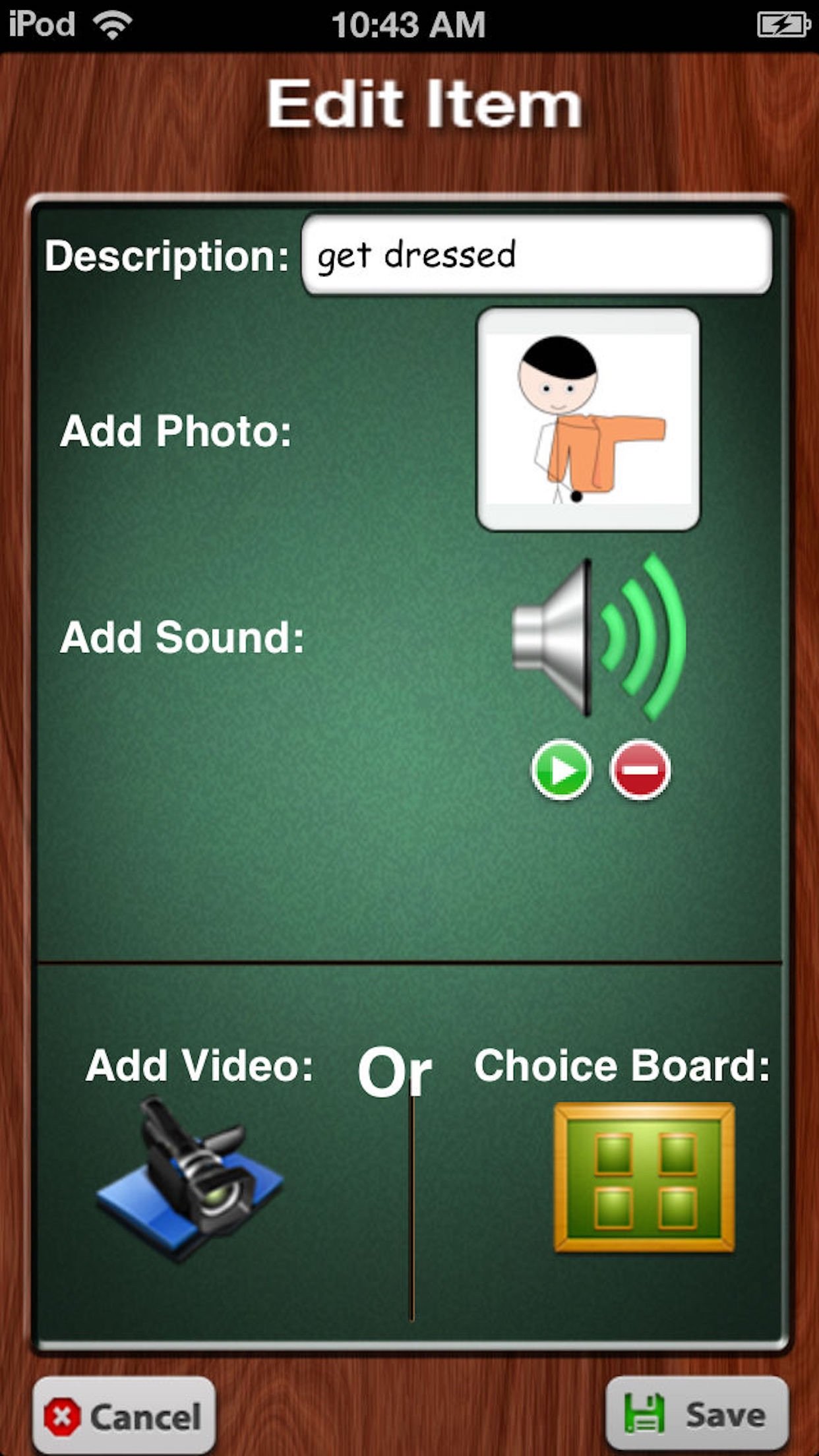
FTVS HD gives you FIVE different options for adding images: take a picture using your device's camera or grab one from the camera roll, use the Internet search feature to look for an image, use one of the stock images in the app or access one of 10,000 Smarty Ears symbols. All the stock images and Smarty Ears symbols are searchable by name.
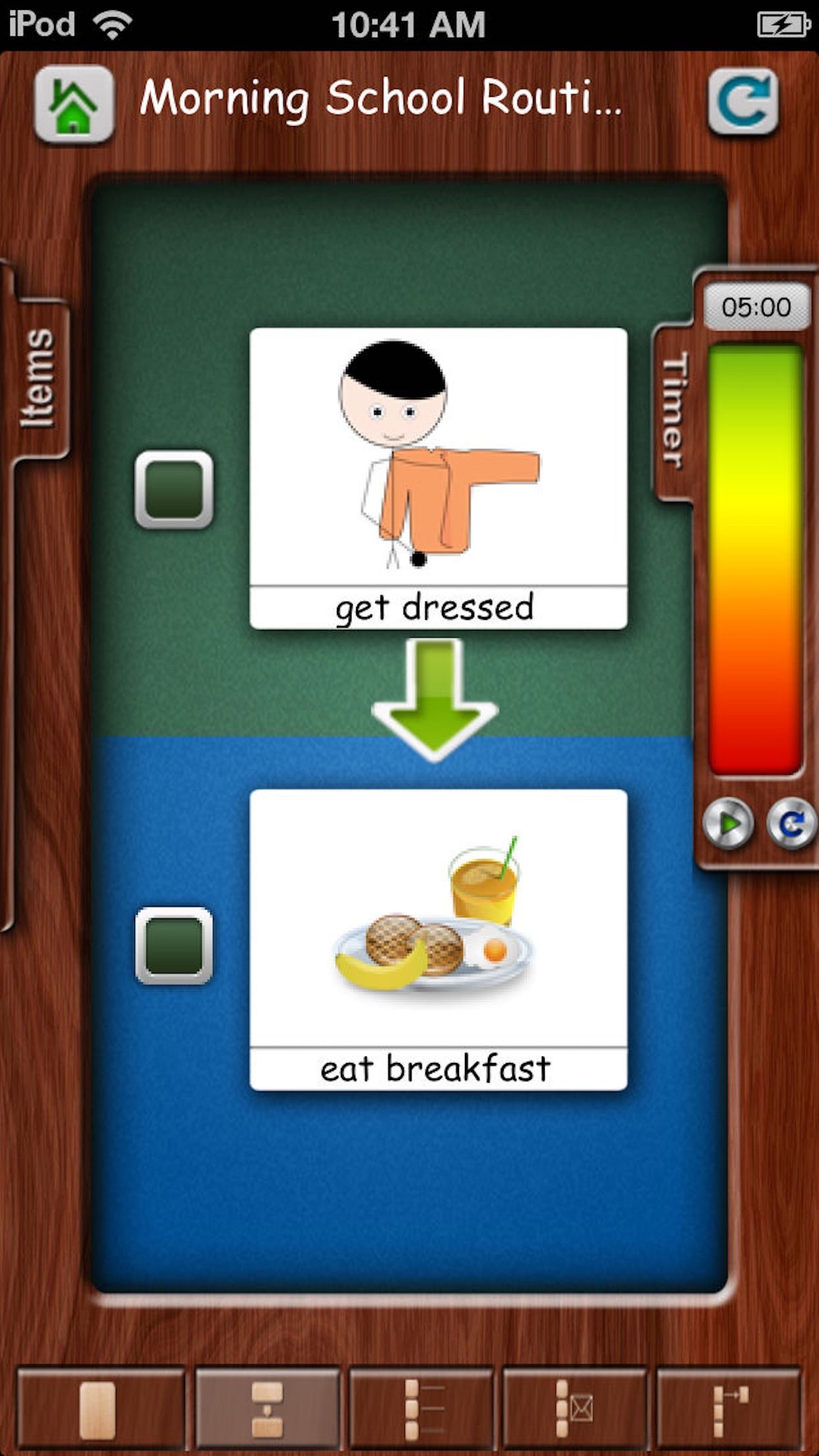
Set a timer for either an entire schedule or for individual steps within it.
Attach a choice board or video to any step.
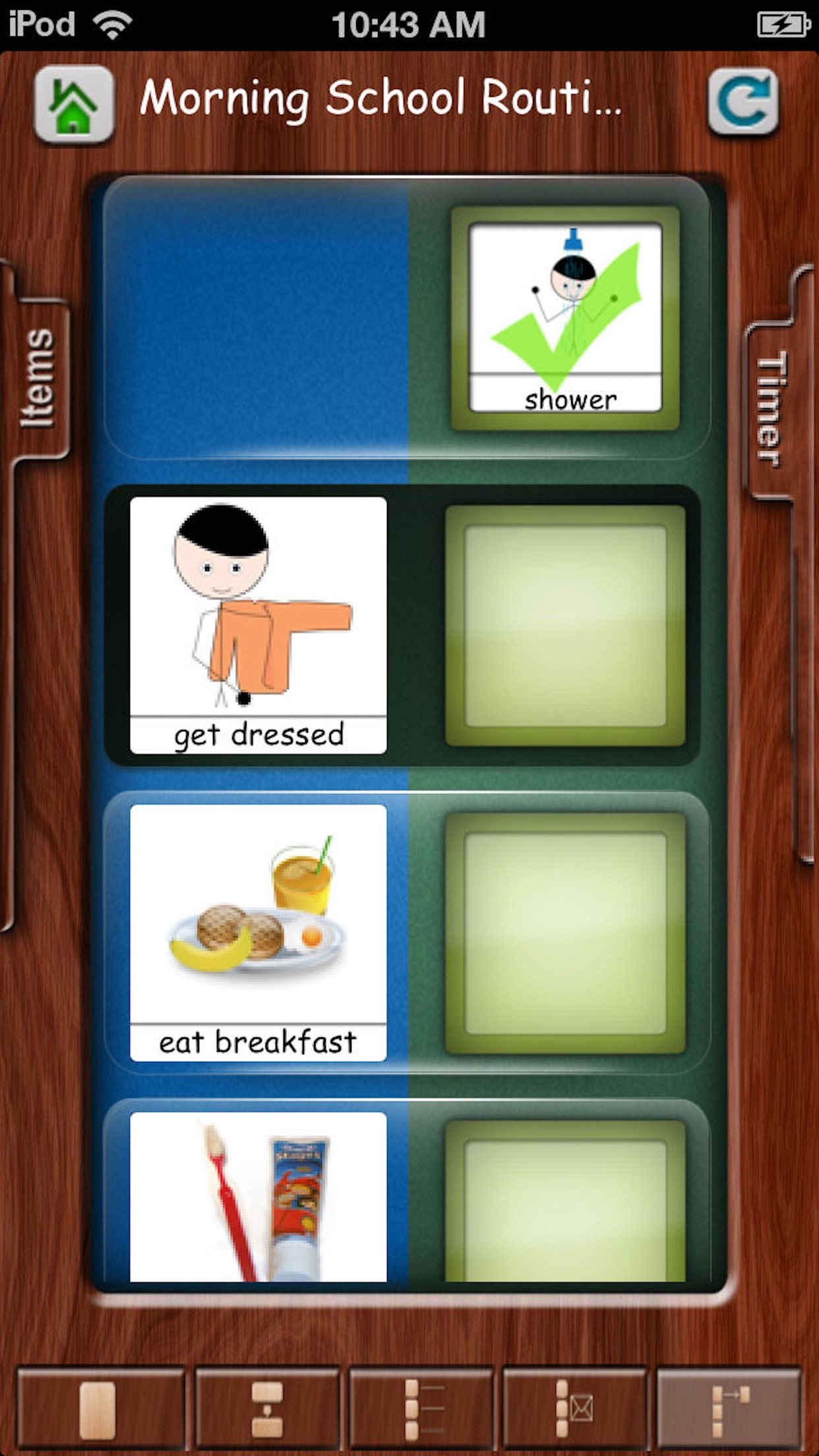
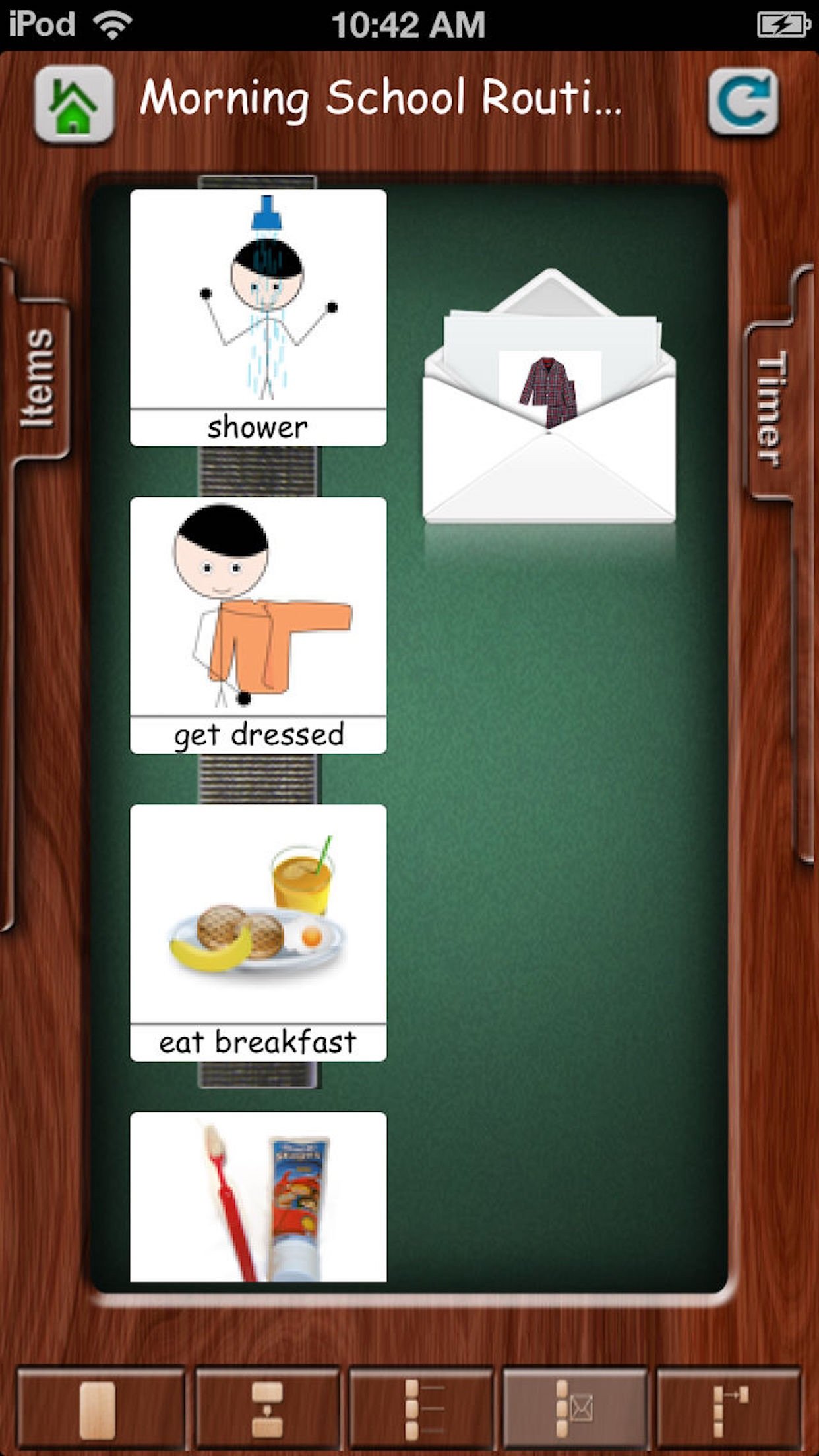
There are FIVE different viewing options: Look at one single image at a time (great for the visually impaired), view two images in a First Then board format, scroll through a checklist, drag and drop an image to another column once a step is complete or drag and drop an image from a strip and put it in an envelope.
FTVS HD makes it easy to create, customize and share schedules.
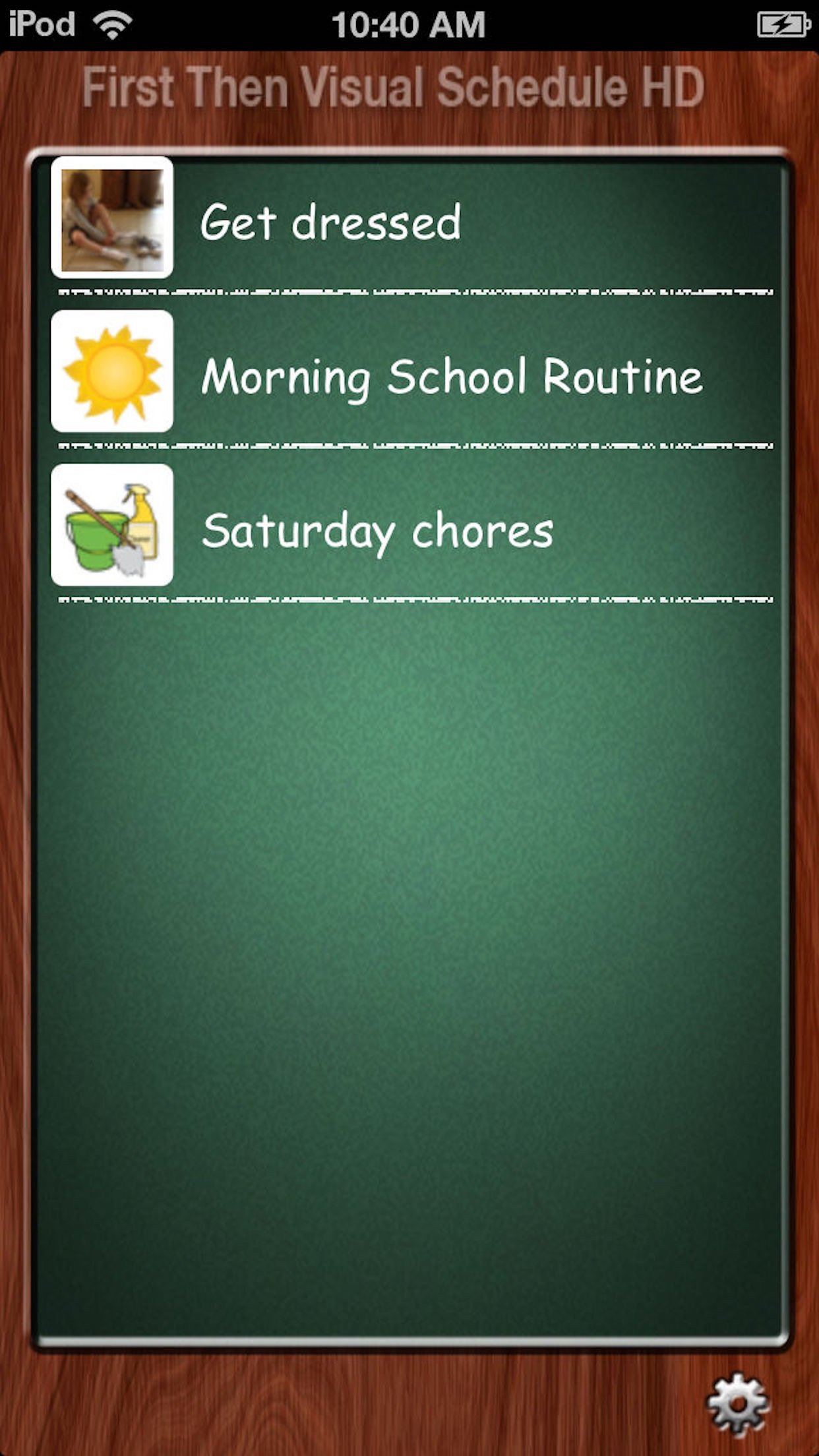
You can copy the templates that come with the app or create your own from scratch.
Easily edit, move, delete or hide steps within schedules.
You can print your schedules and share them with other users via email. Due to size constraints you can currently only email one choice board and cannot email videos.
Good Karma Applications are dedicated to providing apps that are powerful, easy to use and affordable. If you have any feedback or questions in relation to any of our apps, please contact us at support@goodkarmaapplications.com
License: Commercial
Typically developing children
Those learning English as a second language
People with developmental disabilities like Autism and Down Syndrome
Individuals with learning disabilities like dyslexia
People affected by anxiety or attention deficits
Anyone with language, hearing or auditory processing deficits
Individuals affected by aphasia after a stroke
And many more...
So, as a parent, teacher, therapist or adult who could benefit from visual supports you want to try them but may be frustrated by how many different apps you seem to need in order to do so?
FTVS HD lets you easily and quickly create and use ALL these visual supports in just one app:
First Then boards
Visual schedules
Task analyses
Social stories
Choice boards
Video models
FTVS HD is designed to be used anywhere and everywhere with everything you need easily accessible from within the app:
It's universal so it will work on any iDevice
FTVS HD gives you FIVE different options for adding images: take a picture using your device's camera or grab one from the camera roll, use the Internet search feature to look for an image, use one of the stock images in the app or access one of 10,000 Smarty Ears symbols. All the stock images and Smarty Ears symbols are searchable by name.
Set a timer for either an entire schedule or for individual steps within it.
Attach a choice board or video to any step.
There are FIVE different viewing options: Look at one single image at a time (great for the visually impaired), view two images in a First Then board format, scroll through a checklist, drag and drop an image to another column once a step is complete or drag and drop an image from a strip and put it in an envelope.
FTVS HD makes it easy to create, customize and share schedules.
You can copy the templates that come with the app or create your own from scratch.
Easily edit, move, delete or hide steps within schedules.
You can print your schedules and share them with other users via email. Due to size constraints you can currently only email one choice board and cannot email videos.
Good Karma Applications are dedicated to providing apps that are powerful, easy to use and affordable. If you have any feedback or questions in relation to any of our apps, please contact us at support@goodkarmaapplications.com
License: Commercial
| Release info | New Release on Oct 22, 2025 |
|---|---|
| Release notes | Release Notes • Improved Stability: Resolved multiple image-handling crashes by hardening thumbnail generation logic. • Google Image Picker Update: Migrated to WKWebView with safe, main-thread UI updates for smoother performance and improved reliability. • UI Enhancements: Refreshed the Schedule Play screen layout so mode buttons remain visible across all modern iPhones, now fully respecting new safe-area insets. • iCloud Backup Improvements: The backup flow now provides clearer guidance when iCloud Drive is disabled (“Enable iCloud Drive”) and guards against empty URLs — preventing previous crashes while maintaining successful backup and restore operations. • Cloud Restore & Sync Fixes: Fixed iCloud restore issues and improved Dropbox integration for more consistent sync behavior. • iPhone UI Fixes: Addressed multiple interface issues to ensure smoother navigation and visual consistency on all iPhone models.• iPhone UI Fixes: Addressed multiple interface issues to ensure smoother navigation and visual consistency on all iPhone models. |
| Listing data | App Store |
Reviews
No reviews yet. Be the first to review First Then Visual Schedule HD.
Used First Then Visual Schedule HD? Tell other visitors what you thought.
Log in to write a reviewOther products by this publisher
- "No Distractions" for YouTube 4.10 ----
- #Bible 11.6 "Incredible App - My sister shared this app with me a few weeks ago and it is truly incredible.
- #filmphotography 1.4.2 So, you decided to shoot on film?
- $quirrel 1.5.1 $quirrel Budget & Finance helps you plan each paycheck, track spending, manage debt, and see what is safe to spend before the next payday.
- % Percentage Calculator Pro 1.41 This is the Pro version of % Percentage Calculator.
Most viewed iOS Education
-
1
 Bible 11.35.1
Take God’s Word with you wherever you go with the free YouVersion Bible App.
- 2 #Bible 11.6 "Incredible App - My sister shared this app with me a few weeks ago and it is truly incredible.
-
3
 Yanilomo 1.2.0
Yanilomo is a crew board for shorts and student films.
-
4
 Healthy Horse 2.0.2
Determining a horse’s body weight is important for bodyweight and feeding management, and administration of medication.
-
5
 Bible Chat 5.1.5
Bible Chat: Built for Christians Who Want to Hear God in the Noise of Everyday Life
-
6
 ClassLink LaunchPad 41.0.4
Your school or organization must have CLASSLINK LAUNCHPAD WEB EDITION for this app to work.
- 7 (How to) Pronounce PRO 1.5.6 This is a PRO version of (How to) Pronounce.
-
8
 Another Monster At the End... 7.2
This is an animated storybook app, which will humorously help teach your child early reading and logic skills.
-
9
 AntiqSnap 2.11.0
Discover the true value of your antiques with AntiqSnap – from ceramics and glassware to furniture, silverware, jewelry, and other antiques and collectibles.
-
10
 Translate Now 2026.11.3
Translate text, voice, and photos in 320+ languages.
Most downloaded iOS Education
-
1
 Sailing Reference 2.1.4
Sailing Reference is the comprehensive reference guide for all of your nautical navigation needs.
-
2
 Lost Person Behavior 1.0.9
The Lost Person Behavior App is based upon the Search and Rescue (SAR) international gold standard reference tool on where to look for lost and missing persons.
-
3
Another Monster At the End... 7.2
This is an animated storybook app, which will humorously help teach your child early reading and logic skills.
-
4
Yanilomo 1.2.0
Yanilomo is a crew board for shorts and student films.
-
5
 Talking Thai English Dictionary+Phrasebook 2.3
Whether you're on a short trip to Thailand, working with Thais, or studying the Thai language in-depth, this is the one dictionary you can really use.
-
6
 Bible 4.5.0
Bible KJV - Daily Bible Verse is a free KJV Bible study tool that people read bible verse of the day, listen to the audio bible - the holy bible king james version, share and learn king james version bible.
-
7
 Greek English Lexicon 1.0
A Greek–English Lexicon, commonly known as LSJ, is a standard lexicographical work of the Ancient Greek language.
-
8
 Presidents vs. Aliens® 3.3
From the creator of Stack the States!
-
9
 TouchChat HD- AAC w/ WordPower 2026.3.0
TouchChat is a full-featured Augmentative and Alternative Communication (AAC) solution for individuals who have difficulty using their natural voice.
-
10
 Pre-Trip 1.6
Prepare for your CDL pre-trip inspection with guided study, spoken practice, and realistic mock testing.