Finale Keyboard 3.4.0
Finale Keyboard is a gesture-based minimal keyboard loaded with smart features to help you type faster.
Download
214.57 MB
30downloads
4this week
FreeFreeware
0reviews
Screenshots
About Finale Keyboard
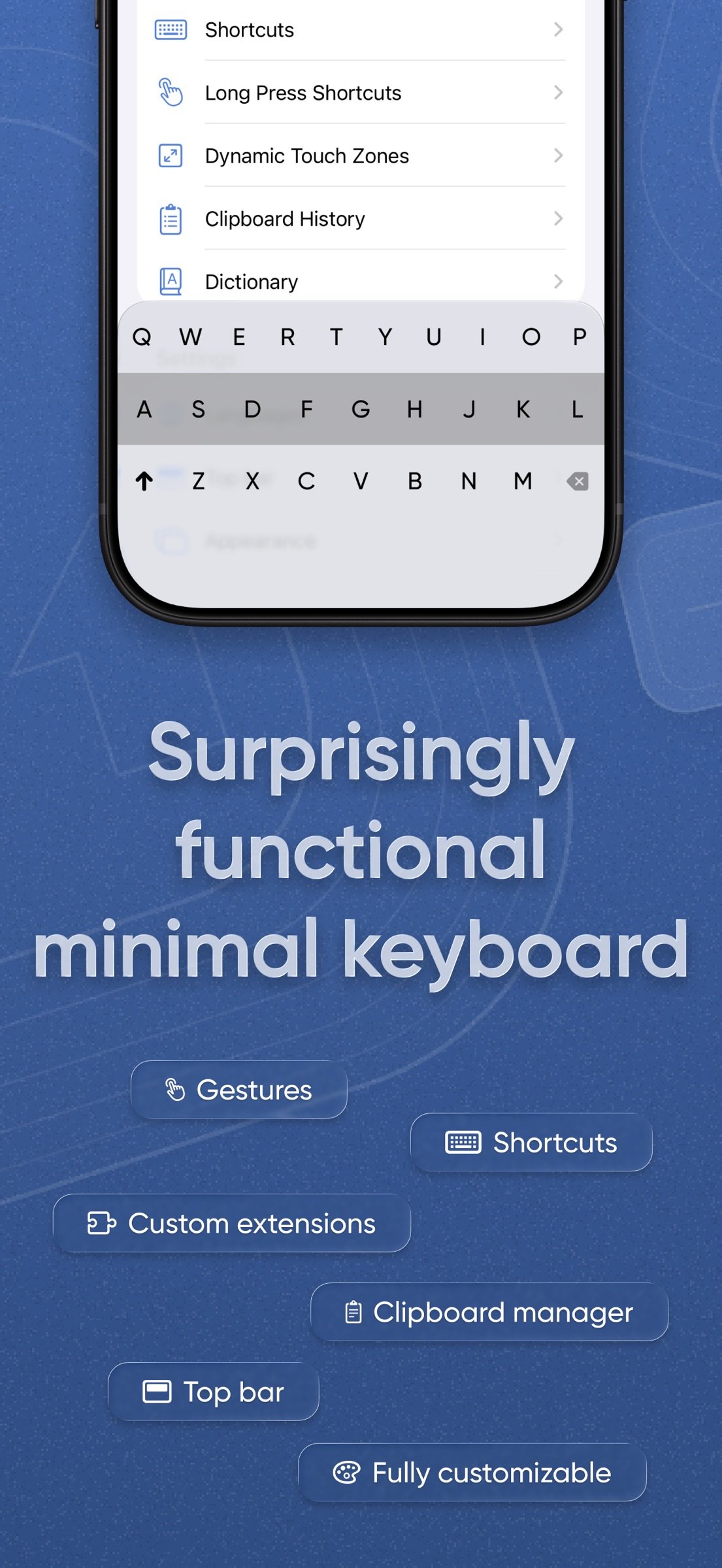
Finale Keyboard is a gesture-based minimal keyboard loaded with smart features to help you type faster. Ever used Fleksy (R.I.P)? You'll feel right at home. A new, freshly renovated, modern home.
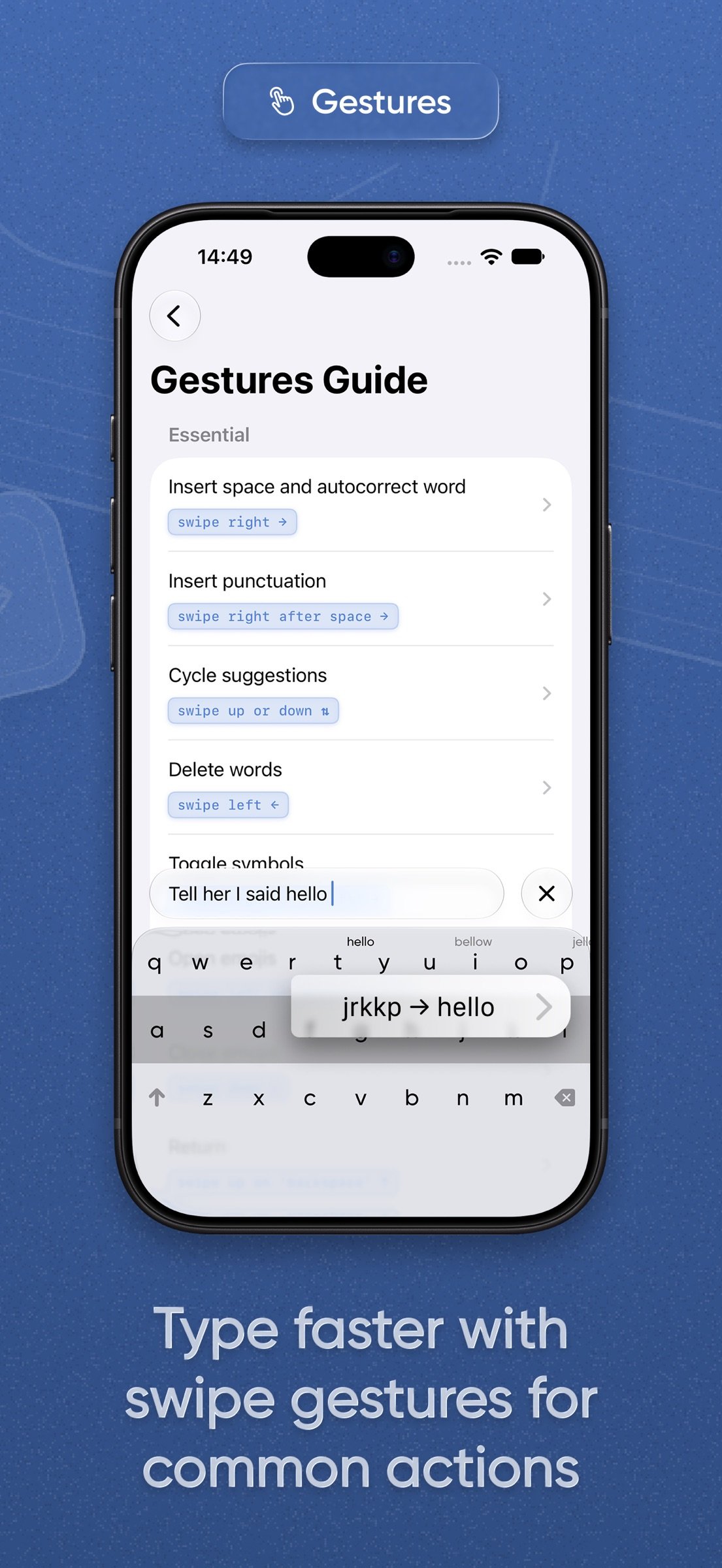
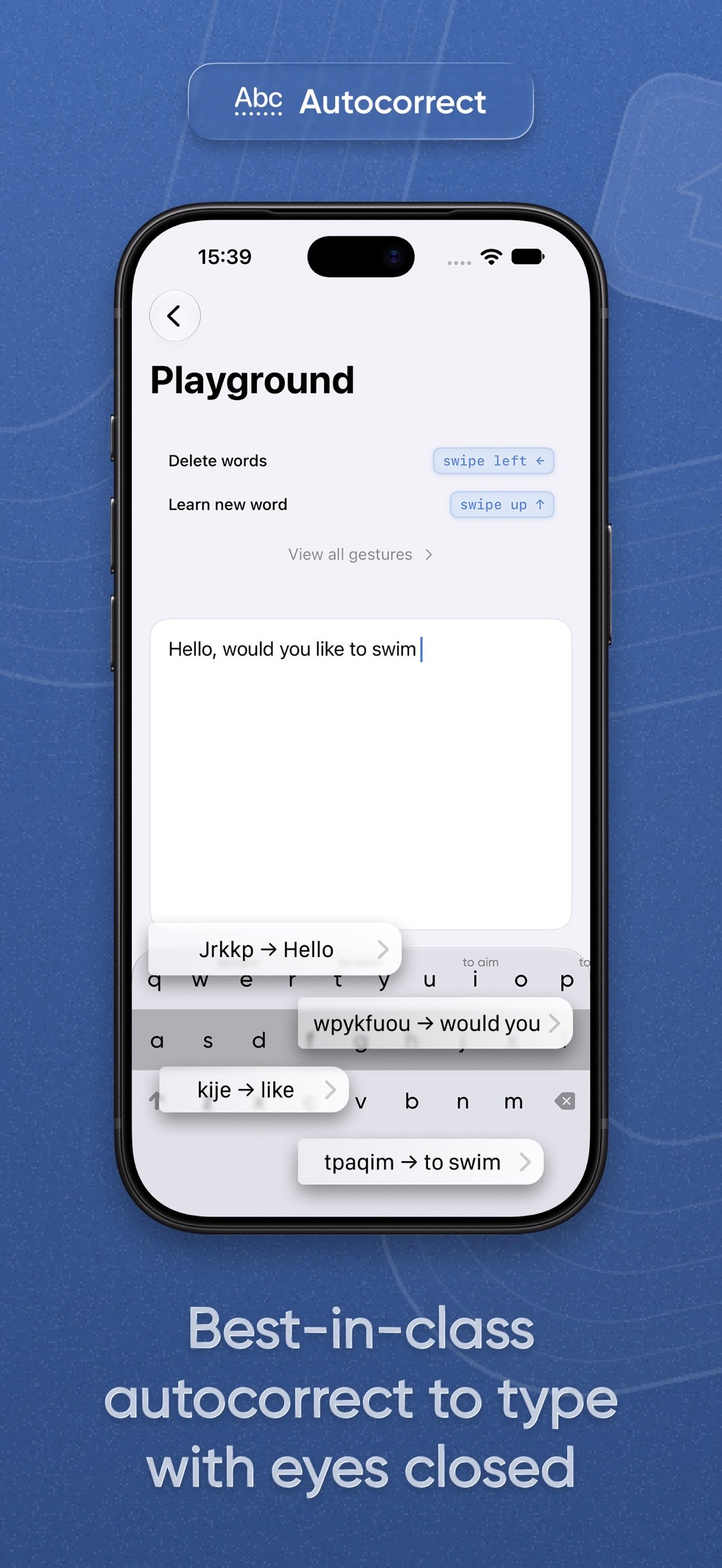
Finale Keyboard is not your typical keyboard. While you type characters as usual, most other actions - like inserting spaces, autocorrecting, adding punctuation, and more - are done using swipe gestures.
Gestures allow you to type much faster than traditional keyboards. While they may take a few days to get used to, once they become second nature, you won't want to type without them.
Finale Keyboard also has the smallest footprint of any keyboards available on iPhone. So, not only will you type faster, but you'll also reclaim valuable screen real estate.
-- Features --
- Smallest keyboard for the iPhone:
Save your screen real estate for what matters the most.
- Easy-to-master gestures that let you type faster:
Type blazingly fast with convenient gestures for your most important actions.
- Smart autocorrect:
Swipe right after typing a word to quickly autocorrect it and insert a space. Don't worry about typos - Finale will take care of misspellings for you.
- Learns your vocabulary:
Often use "gonna", "wanna", "yaaas", or have your own unique slang? Finale Keyboard will automatically learn words you type often and add them to its dictionary.
- Shortcuts:
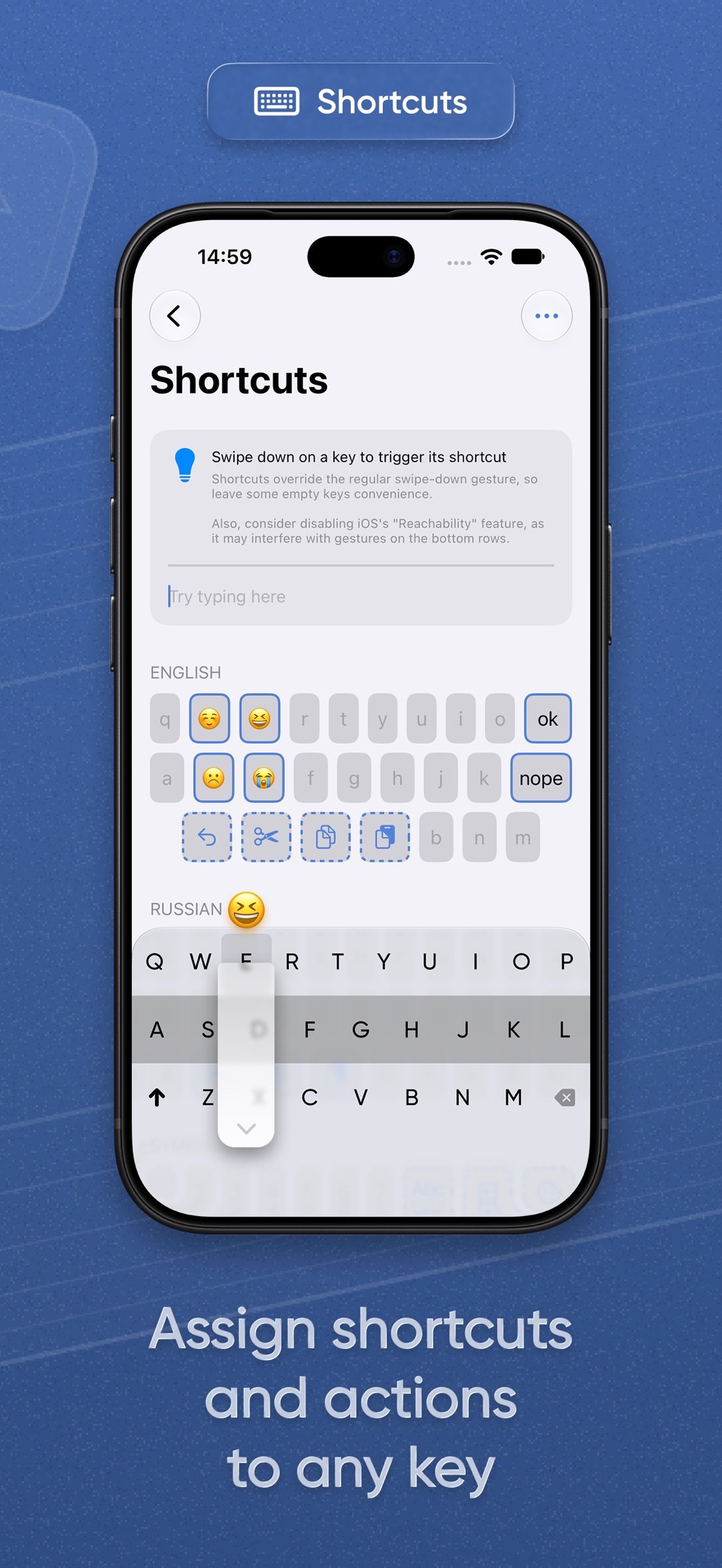
Add shortcuts to any key and trigger them with a downward swipe or a long-press. Insert emojis, contact information, perform cut / copy / paste, and more.
- Clipboard history:
Access your clipboard history to quickly paste anything you copied before. Perfect for links, codes, addresses, numbers and other text you might need to reuse.
- Dynamic touch zones:
Finale Keyboard predicts which characters you are most likely to type next and will dynamically increase their touch zones to help you be more accurate.
- Favorite Emojis:
Create a personalized emoji layout so your most-used emojis are always exactly where you expect them.
- Custom extensions:
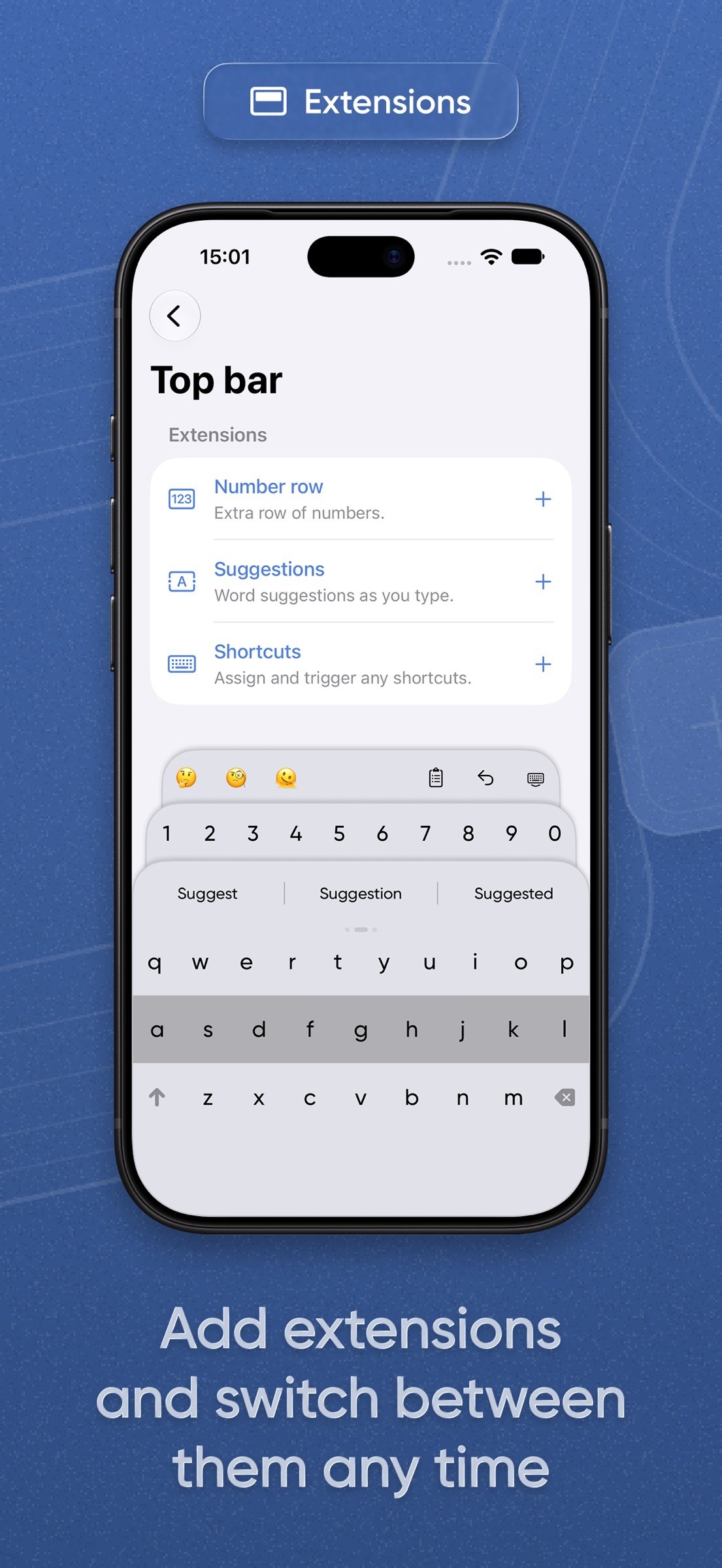
Build custom actions to load data or trigger actions in third-party apps and services, right from your keyboard.
-- Gestures guide --
Essential
- swipe right: Autocorrect a word and insert a space
- swipe right after a space: Insert punctuation
- swipe up or down: Cycle through suggestions
- swipe left: Delete words
- swipe right on 'shift': Toggle symbols
- swipe left on 'backspace': Open emojis
- swipe down: Close emojis
- swipe up on 'backspace': Return
Shortcuts
- swipe down on a shortcut key: Use shortcut
- hold 'backspace': Peek at shortcuts
Miscellaneous
- swipe up on 'shift': Change language
- swipe up: Learn a new word
- hold 'shift': Toggle autocorrection
- hold and slide anywhere: Move cursor
- swipe up and hold: Continuously type a character
- swipe left or right with two fingers: Switch one-handed mode
Keyboard controls
- swipe down on 'backspace': Hide keyboard
- swipe down on 'shift': Change keyboard
Supported languages: Arabic, Belarusian, Bulgarian, Catalan, Croatian, Czech, Dutch, English, French, German, Hebrew, Hungarian, Italian, Kazakh, Latvian, Lithuanian, Polish, Portuguese (Brazil), Portuguese (Portugal), Romanian, Russian, Serbian, Spanish, Swedish, Ukrainian.
Let's stay in touch:
Reddit: r/FinaleKeyboard
Twitter: @GrantOgany
You can use Finale Keyboard for free, while some extra features are available as an optional upgrade, either as a one-time lifetime purchase or a lower-priced monthly and yearly subscription. Subscriptions are automatically renewed and can be managed in your Apple ID account. Or, you can purchase a lifetime plan once and unlock all features forever.
Terms of service: [link removed]
Privacy policy: [link removed]
| Release info | Update on Nov 12, 2026 |
|---|---|
| Release notes | - In depth statistics about your typing habits, because I'm autistics and I like seeing number go up - Because I'm autistic, I fixed a bunch of things, but forgot exactly what Refer below for an overview of our exciting new old features from previous updates: - Super-duper cool system for building custom extensions - So many improvements that I don't care to type them out here ** Going older ** - One-handed mode, for all my handicapped users. Freaks. - You can now move the keyboard up and down. Only if you are insane, of course. ** Going even older ** - Clipboard history, so I could steal all the passwords you copy-paste. - UI improvements, because looking good is more important than typing good. ** Going even even older ** - Long-press shortcuts, the second coming of Jesus type of an idea. - Full rewrite under the hood that you will never get to see, so f*** me I guess. - Fixed previously intentionally added bugs, because apparently I was wrong and someone does use this keyboard. ** Going even even even older ** - Added spacebar for the ultra-rich. - Did anyone know that force unwrapping optional values might crash the app? Well, that no longer happens! ** Going even even even even older ** - Did you know that rendering images is less memory intensive than text emojis? I sure didn't. At least now emojis consume less RAM, making the keyboard more efficient. - Allegedly violated some Apple's patents. - Added minor bugs, but who cares, no-one uses this keyboard anyway. ** Going even even even even even older ** - Shortcuts, an idea descended from god. - Emoji skin tones, for all your inclusivity needs. - ~S.m.o.o.t.h.e.r~ animations. - Landscape mode, in case if you are one of those weirdos. - Fed the keyboard my pain so it less hungry, which drastically reduced memory consumption. |
| Listing data | App Store |
Reviews
No reviews yet. Be the first to review Finale Keyboard.
Used Finale Keyboard? Tell other visitors what you thought.
Log in to write a reviewOther products by this publisher
- "No Distractions" for YouTube 4.10 ----
- #Bible 11.6.1 "Incredible App - My sister shared this app with me a few weeks ago and it is truly incredible.
- #filmphotography 1.4.2 So, you decided to shoot on film?
- #LookBusy Fake Calendar Events 1.0.6 Look Busy scans your work calendar for open time slots and fills them with realistic-looking (but secretly fake) work events.
- #Small Talk Is Canceled 1.0.2 #Small Talk Is Canceled — Conversations That Matter
Most viewed iOS Utilities
-
1
 Device Lab 1.9.1
Device Lab is an on-device reference and toolkit for your hardware — hardware monitoring, spec references, chip and device comparisons, system information, and practical utilities, so you can understand and manage the devices you use with more struc…
-
2
 APTV 2.4.10
APTV,?????????????? IPTV M3U???,?????????????????
-
3
 VibeSDR 11.0.16
VibeSDR is a mobile-first software-defined radio (SDR) receiver — and far more than a single-server client.
-
4
 V2Box 10.2.0
V2box - VPN Internet network proxy , Supports multiple proxy protocols, such as Shadowsocks, V2ray, Vmess, Trojan , SSH , Socks, Ping Tunnel, Hysteria2, DNSTT, Wireguard
-
5
 DXClock 4.0.0
Connect, collaborate, and operate smarter with DX Clock — the ultimate meeting place for amateur radio operators.
-
6
 Demod 1.6
Demod turns your iPhone into a software-defined radio receiver.
-
7
 Ally Pro 1.4.0
Ally Pro – Amiibo & NFC Tool gives advanced collectors complete control over their Amiibo library.
-
8
 ECHOCAT 1.6.0
ECHOCAT is the iPhone and iPad companion for POTACAT, the desktop app for amateur radio operators chasing Parks on the Air (POTA), Summits on the Air (SOTA), Worldwide Bunkers on the Air (WWBOTA), Tiles on the Air and DX.
-
9
 DRC 2.0.1
A simple to use app to help calculate any dilution ratio.
-
10
 DuckDuckGo, optional Duck.ai 7.246.0
At DuckDuckGo, we believe the best way to protect your personal information from hackers, scammers, and privacy-invasive companies is to stop it from being collected at all.
Most downloaded iOS Utilities
-
1
Demod 1.6
Demod turns your iPhone into a software-defined radio receiver.
-
2
 Rat And Mouse Sound Repeller 2.8
Keep mice and rats away overnight with ultrasonic waves and predator sounds.
-
3
 Guardio 2026.110.3
Protect your identity, accounts, and online activity from scams and digital threats with Guardio.
-
4
 Screen Mirroring With Miracast 2.0
Turn your iPhone into a complete TV companion.
-
5
 Fontcase 2.0.1
Fontcase is an app that lets you install custom fonts on iOS and iPadOS.
-
6
 ParkenDD 2.0.2
ParkenDD shows a list of available public parking lots in several cities.
-
7
 PickerFull 9.18
Export colors from photos as HEX, PDF, RGB, HSB/HSV, HSBA, HSL, LUV, LCH, YUV, YCBCR, YIQ, CMYK, Grayscale, XYZ, L*a*b* (CIE), CSSVAR, SASSVAR, CSSHSL, CSSRGB, AndroidXML, FlutterDart, UnityColor32, Float, Objective-C, Swift, SwiftLiteral, SwiftUI
-
8
 Royal TSi 2.5.4
Royal TSi provides easy and secure access to your remote systems (RDP, VNC, SSH, etc.) by allowing you to open your Royal TS documents created with Royal TSX (for macOS) or Royal TS (for Windows).
-
9
 Passepartout, VPN Client 3.12.7
Protect your online privacy with Passepartout, a smart VPN client seamlessly integrated with iOS, macOS, iPadOS, and tvOS.
-
10
 Universal TV Remote Control* 2.6.8
Control your Smart TV effortlessly with iMote — the ultimate universal remote control for TV.