
FileBrowser Professional 26.8
Professional document management for iOS, with bulk rename, backup and sync tasks.
Download
86.44 MB
19downloads
5this week
FreeCommercial
0reviews
Screenshots
About FileBrowser Professional
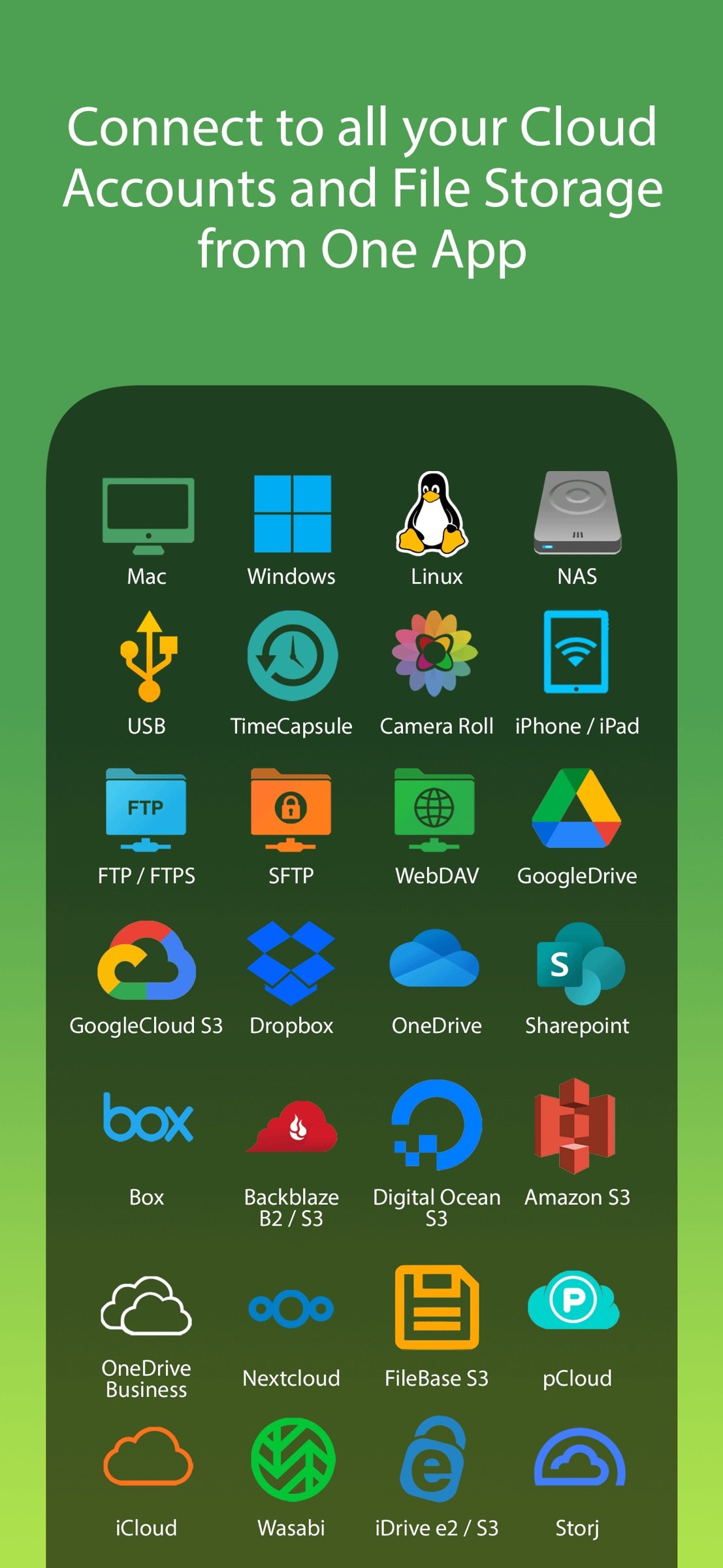
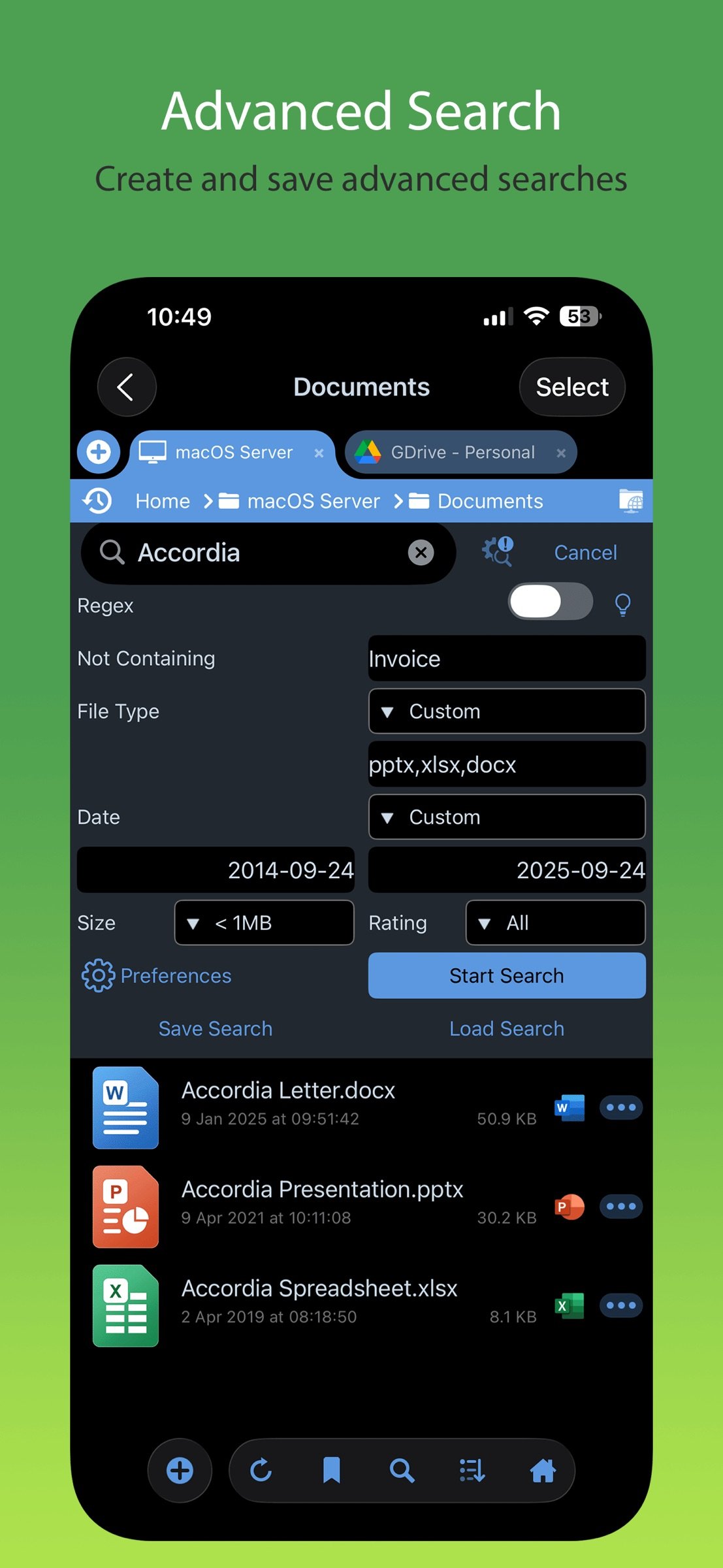
Professional document management for iOS, with bulk rename, backup and sync tasks. Edit your documents in-place, stream your media files and connect to over 20 different network and cloud storage locations.
“Maximize the potential of what you can do with files on iOS” - Cult of Mac
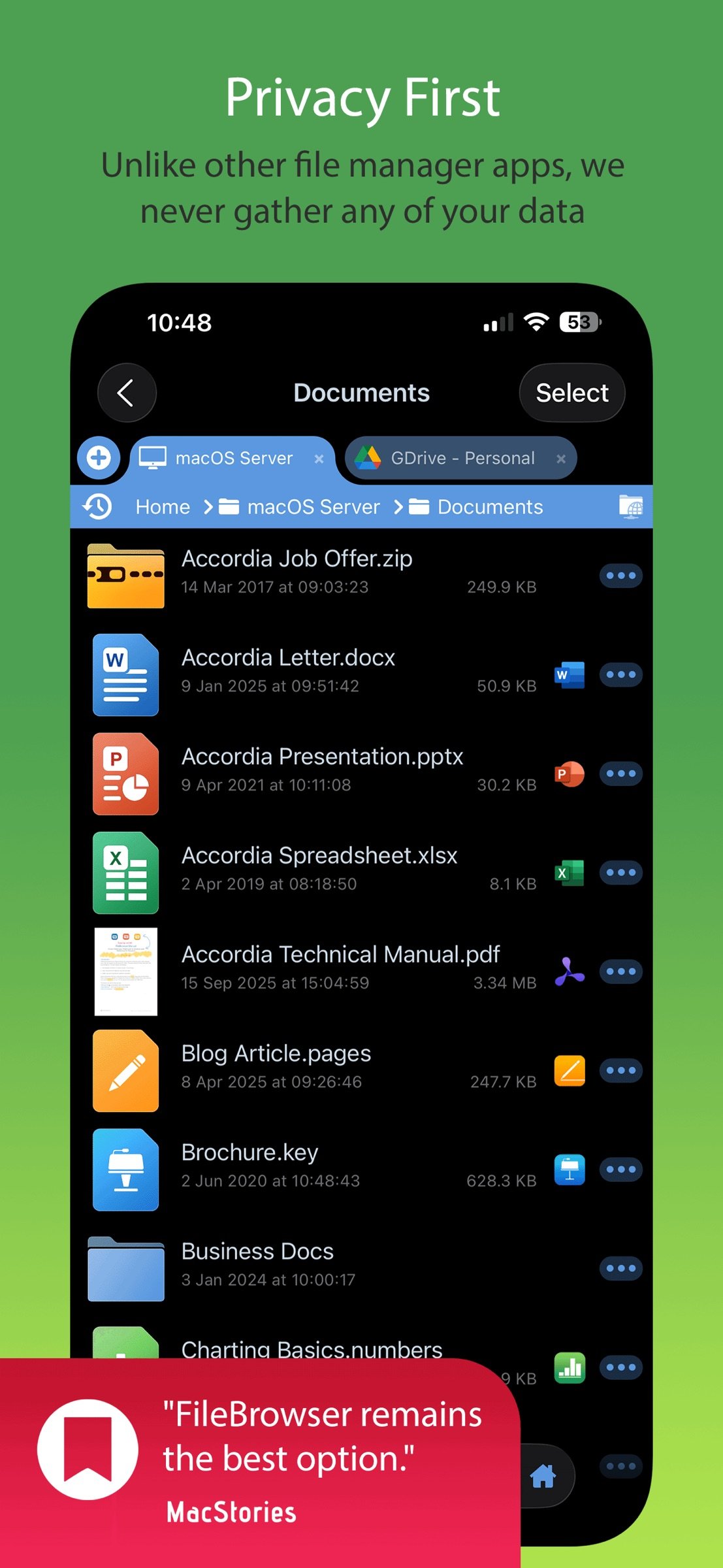
“FileBrowser remains the best option” - MacStories
Direct and secure file access to your computers, servers and other storage devices on home or company networks.
Core Features
- Access file servers and cloud storage
- View documents and optionally store them for offline viewing
- Present a video, PowerPoint or Keynote direct from the server
- Copy and move between any type of storage, from single files to whole directories
- Bi-directional automatic sync of network folders to your iPad/iPhone
- Backup local files to a network file server or cloud storage
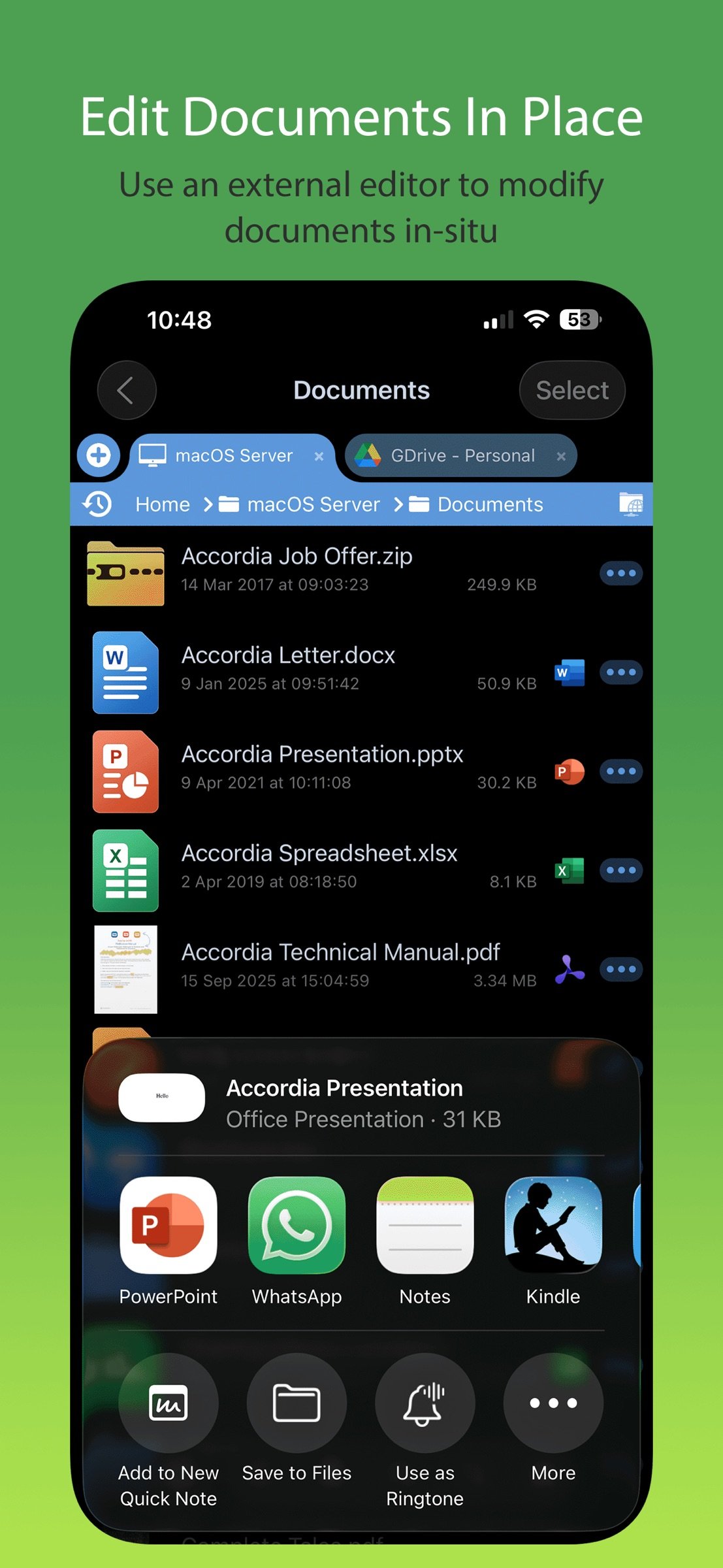
- Integrates with other apps allowing you to edit, save and share files while on the go
- Integrates with your existing infrastructure, including Active Directory
- Integrates with iOS data protection, utilising hardware-based encryption to secure content
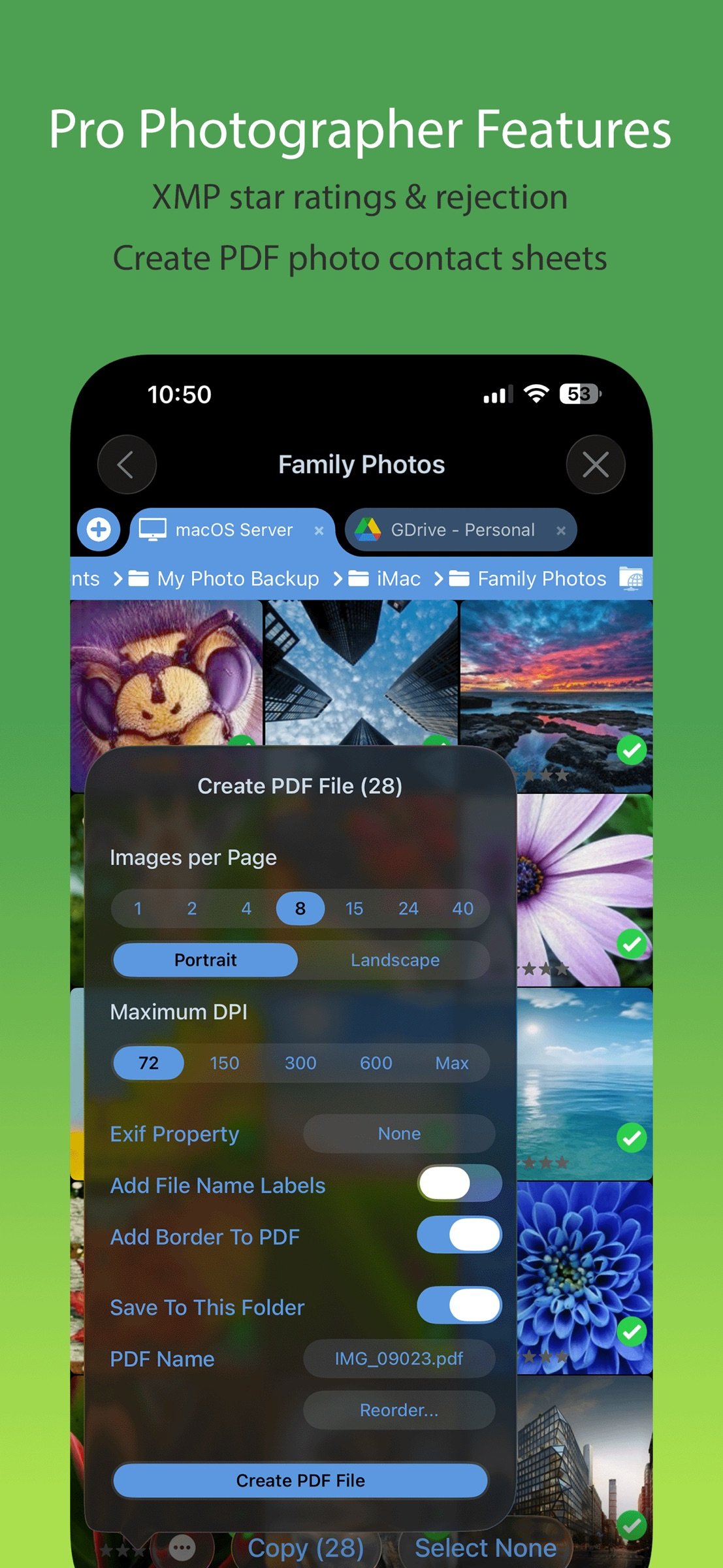
- Pro photographer XMP sidecar file support for rating images
- VPN on-demand support for third-party VPN clients
- Supports Microsoft Distributed File System (DFS)
- Requires no additional software on company servers
Office App Integration
- No more duplication of documents between apps
- Launch an Office app to edit a network document in-place
- Changes are automatically saved to the original document
- Scan documents or images direct to multi page PDF
- Automatic colour and perspective correction of scanned documents
MDM Integration
- Centralised distribution of FileBrowser configuration settings
- Enforced security lockdown
- Conform to corporate Mobile Security Policies
- Prevent users from changing local settings
- Selectively override any local configuration setting
- Distribute file server connection details
- Control whether offline viewing/storage is permitted
- Control whether content can be shared
FileBrowser Professional uses the SMB1, SMB2, and SMB3 network access protocols (also known as CIFS or Windows File Sharing) to connect to:
- Macs
- PCs
- NAS drives
- Windows File Servers (including Windows Server Clusters)
Access local storage
- USB Drives
- SD Cards
- Folders of other apps
- iCloud Drive folders of other apps
- iOS Photo Library
You can also connect to the following cloud storage
- Microsoft OneDrive
- Microsoft OneDrive for Business
- Microsoft SharePoint 2013 or later
- Box.com
- Google Drive (including Shared Team Drives)
- Dropbox (including Dropbox for Business)
- Backblaze B2
- Amazon S3
- Nextcloud
- pCloud
- Digital Ocean S3
- FileBase S3
- Google Cloud S3
- iDrive Cloud S3
- Storj S3
- Wasabi S3
- WebDAV servers
- FTP/FTPS servers
- SFTP servers
Unlike other file manager apps, we never gather any of your data. We also don't require you to create an account or register an email address with us.
For fast friendly support please email support@stratospherix.com. We are happy to receive support emails in any language, but are only able to reply in English.
License: Commercial
“Maximize the potential of what you can do with files on iOS” - Cult of Mac
“FileBrowser remains the best option” - MacStories
Direct and secure file access to your computers, servers and other storage devices on home or company networks.
Core Features
- Access file servers and cloud storage
- View documents and optionally store them for offline viewing
- Present a video, PowerPoint or Keynote direct from the server
- Copy and move between any type of storage, from single files to whole directories
- Bi-directional automatic sync of network folders to your iPad/iPhone
- Backup local files to a network file server or cloud storage
- Integrates with other apps allowing you to edit, save and share files while on the go
- Integrates with your existing infrastructure, including Active Directory
- Integrates with iOS data protection, utilising hardware-based encryption to secure content
- Pro photographer XMP sidecar file support for rating images
- VPN on-demand support for third-party VPN clients
- Supports Microsoft Distributed File System (DFS)
- Requires no additional software on company servers
Office App Integration
- No more duplication of documents between apps
- Launch an Office app to edit a network document in-place
- Changes are automatically saved to the original document
- Scan documents or images direct to multi page PDF
- Automatic colour and perspective correction of scanned documents
MDM Integration
- Centralised distribution of FileBrowser configuration settings
- Enforced security lockdown
- Conform to corporate Mobile Security Policies
- Prevent users from changing local settings
- Selectively override any local configuration setting
- Distribute file server connection details
- Control whether offline viewing/storage is permitted
- Control whether content can be shared
FileBrowser Professional uses the SMB1, SMB2, and SMB3 network access protocols (also known as CIFS or Windows File Sharing) to connect to:
- Macs
- PCs
- NAS drives
- Windows File Servers (including Windows Server Clusters)
Access local storage
- USB Drives
- SD Cards
- Folders of other apps
- iCloud Drive folders of other apps
- iOS Photo Library
You can also connect to the following cloud storage
- Microsoft OneDrive
- Microsoft OneDrive for Business
- Microsoft SharePoint 2013 or later
- Box.com
- Google Drive (including Shared Team Drives)
- Dropbox (including Dropbox for Business)
- Backblaze B2
- Amazon S3
- Nextcloud
- pCloud
- Digital Ocean S3
- FileBase S3
- Google Cloud S3
- iDrive Cloud S3
- Storj S3
- Wasabi S3
- WebDAV servers
- FTP/FTPS servers
- SFTP servers
Unlike other file manager apps, we never gather any of your data. We also don't require you to create an account or register an email address with us.
For fast friendly support please email support@stratospherix.com. We are happy to receive support emails in any language, but are only able to reply in English.
License: Commercial
| Release info | Update on Oct 23, 2026 |
|---|---|
| Release notes | 26.8 * Fix crash on startup for some users. 26.7 New Features * Added support for latest iOS devices. * Local folders can now be chosen for sync tasks. * Shared files will now be opened in a new tab. * Folder sync icon now indicates that a sync is ongoing. * Improved Share Extension UI. * Improved performance of thumbnail extraction. * Improved rename popup window. Bug Fixes * Fixed HEIC properties not being viewable after editing. * Fixed hang when extracting thumbnails. * Fixed crash when searching Google Drive. * Fixed crash when changing VPN connection type. Thank you for helping to make our apps better. If you would like to rate or leave a review on the App Store, we look forward to hearing your feedback. Unlike other file manager apps, we never gather any of your data. We also don't require you to create an account or register an email address with us. |
| Listing data | App Store |
Reviews
No reviews yet. Be the first to review FileBrowser Professional.
Used FileBrowser Professional? Tell other visitors what you thought.
Log in to write a reviewOther products by this publisher
- "No Distractions" for YouTube 4.10 ----
- #Bible 11.6 "Incredible App - My sister shared this app with me a few weeks ago and it is truly incredible.
- #filmphotography 1.4.2 So, you decided to shoot on film?
- $quirrel 1.5.1 $quirrel Budget & Finance helps you plan each paycheck, track spending, manage debt, and see what is safe to spend before the next payday.
- % Percentage Calculator Pro 1.41 This is the Pro version of % Percentage Calculator.
Most viewed iOS Business
-
1
 Navy Federal Credit Union 2026.10.2
Bank easy with the Navy Federal mobile app!
-
2
 Paycom 8.0.14
If you or your company use Paycom’s HR and software, the Paycom app helps you manage everyday HR and payroll tasks in one place — like checking your schedule, requesting time off and reviewing your pay.
-
3
 Entrust Identity 26.4.0
The Entrust Identity mobile application is the new Entrust mobile platform for delivering strong identity credentials to both employee and consumer users.
-
4
 Intune Company Portal 5.2610.0
Microsoft Intune helps organizations manage access to corporate apps, data, and resources.
- 5 % Percentage Calculator Pro 1.41 This is the Pro version of % Percentage Calculator.
-
6
 ParkNYC Powered by Flowbird 2.2
Have you ever been late to an important meeting and you can’t find a parking spot?
-
7
 Budget-Beacon 1.5
Budget Beacon connects to your Apple Wallet to help you understand and manage your spending.
-
8
 Shopify 11.2645.0
Shopify: build your online store, sell anywhere, run your business
-
9
 MiniVAN Touch 9.4.6
miniVAN Touch is a mobile canvassing application that integrates with websites provided by NGP VAN.
-
10
 Muha Members 2.0.3
With Muha Members, you’re now equipped to verify authenticity like a pro and protect yourself from counterfeits.
Most downloaded iOS Business
-
1
ParkNYC Powered by Flowbird 2.2
Have you ever been late to an important meeting and you can’t find a parking spot?
-
2
Budget-Beacon 1.5
Budget Beacon connects to your Apple Wallet to help you understand and manage your spending.
-
3
 Rocket.Chat 4.78.1
Rocket.Chat Secure CommsOS™ is a communication platform that unifies messaging, voice, video, AI, and mission-critical applications—ensuring uncompromising security, compliance, and operational efficiency for governments, defense, and critical infra…
-
4
 Business Timesheet 6.0
Are you looking for timesheet to track the work hours spent on hourly, daily or weekly basis accurately?
-
5
 Cvent Events 2.8.1
Cvent Events is your place to easily plan out your event experience, find where you need to go next, network with other attendees, and learn more about sponsors and exhibitors.
-
6
 Receivable Payment Ledger2026 1.1
Payment Ledger is a fully offline accounts receivable management tool for small businesses, shops, wholesalers, and salespeople who need to track customer debts and payment progress.
-
7
 Simple Budget Envelopes 2.2.1
An incredibly simple app, perfect for keeping track of how much money remains in your budget.
- 8 $quirrel 1.5.1 $quirrel Budget & Finance helps you plan each paycheck, track spending, manage debt, and see what is safe to spend before the next payday.
-
9
 Vola 4.9.01
Vola is the only cash advance app built for Real-Time Payments (RTP).
-
10
 Power Apps 3.26103.23
Get Power Apps to conveniently access your work or school apps no matter where you are: at home, on the road, in the field, off-campus, at the airport, or at the beach – anywhere life takes you.