
ezPDF Reader 2.600
ezPDF Reader is the world's first and only PDF viewer with the embedded multimedia (audio & video) playing capability.
Download
534.40 MB
0downloads
0this week
FreeCommercial
0reviews
Screenshots

About ezPDF Reader
ezPDF Reader is the world's first and only PDF viewer with the embedded multimedia (audio & video) playing capability. Easy annotations and PDF form-filling features are widely used.
For iPad Users, please download the iPad version in AppStore.
[link removed]
For the business use of this advanced technology, content developments or interactive eBook productions, please contact us for our SDK library / API at info@unidocs.com
? High-Quality Text-to-Speech (TTS) Features
- TTS Feature is added with In-App Purchase option. Supporting English, Chinese, Japanese & Korean.
- Please turn off the silent mode to hear from the speaker.
? Multimedia PDF Viewer - Audio and Video
ezPDF Reader is designed specifically for PDF documents and contents, but also able to play multimedia files embedded into PDF. (Multimedia file format must be compatible to your iOS device) It is the perfect solution for PDF based audio/video-enabled eBooks.
? PDF Form Filler
If the PDF file is designed with the PDF-form features, you can simply type in the form field and apply marks on buttons. Import data and export data. Fill out your form, sign, flatten, and then send via email.
? Annotation Features on PDF
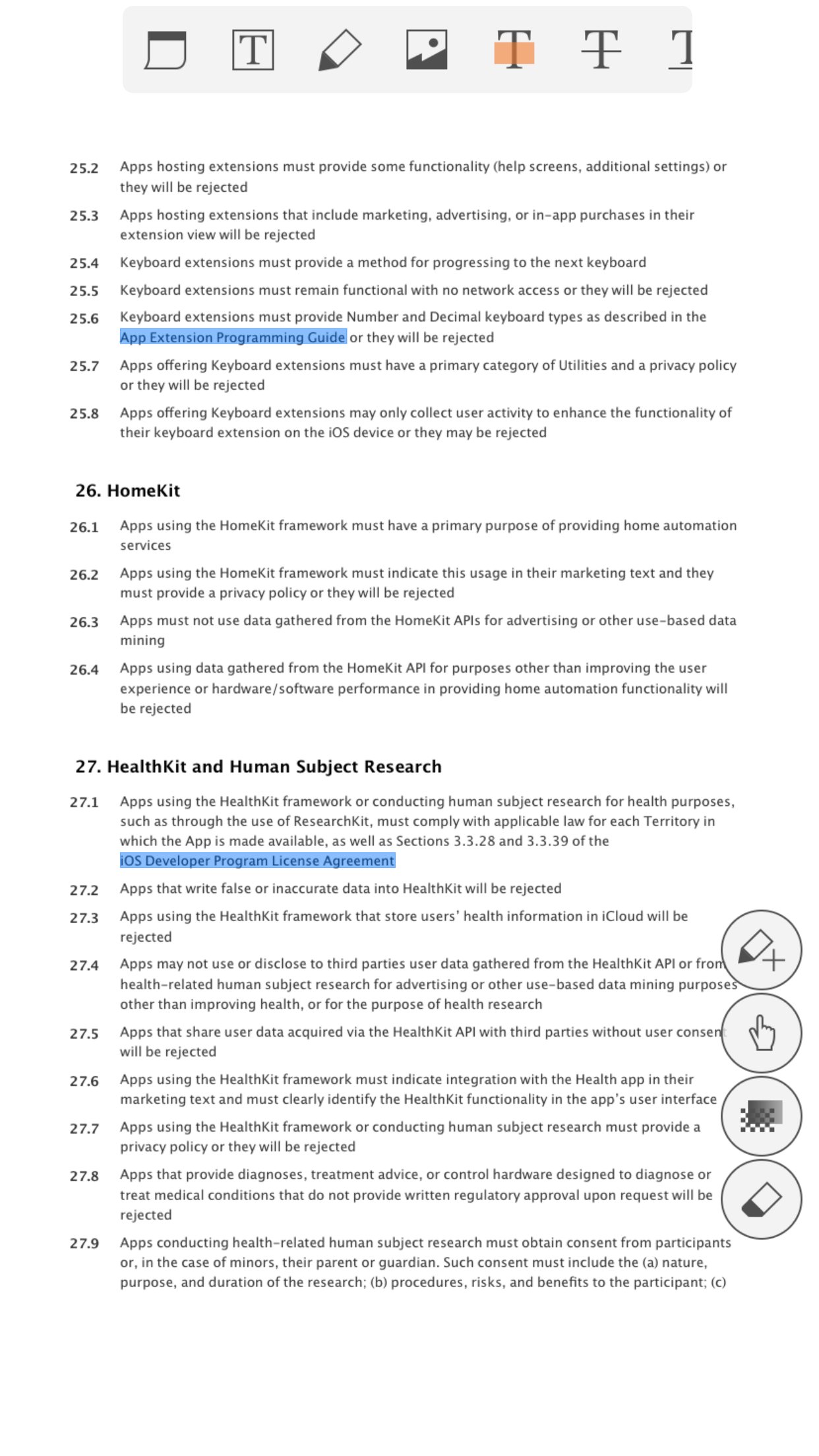
The useful tool to add text in text box and sticky notes; highlight, underline, or cross out texts; draw lines, arrows, rectangles, ovals, free text, image and freehand drawings. Add memo, change color/thickness, resize and move them around as you like. All these comments are compatible with Adobe(R) Acrobat(R). (PC or Mac version)
- Show, import, export and email annotation list
- Flatten annotations
- show and hide annotation toolbar
* Important - In order to use annotations and PDF Form features, you need to change the Viewing mode to "Slow/More" from the settings.
? Customized Viewing
Documents appear as they would be on your PC, but customized to fit your mobile device's screen. Scanned and text based PDFs are all supported, including JPEG2000 and JBIG2 compression. (Must set PDF viewing option as Slow/More from Settings) Select Text Reflow, Fit to Text Column, Copy and Paste text in PDF view and bookmark as you go.
PDF Form to fill in, check buttons, and choose from a list.
Play embedded multimedia files of audio and video files (Must be iOS compatible)
Annotation features - Apply highlight, underline or cross-over for the selected text. Add Sticky Note, Oval, Rectangle, Line, Free Text, Image.
Embedded hyperlinks are live (Go To Page and URLs)
Smart zooming by double-tapping to fit block width
Pinch and Double Tap - Zoom IN/Out
Text Selection or Markup Annotation and then Copy, Web Search, or send to Email
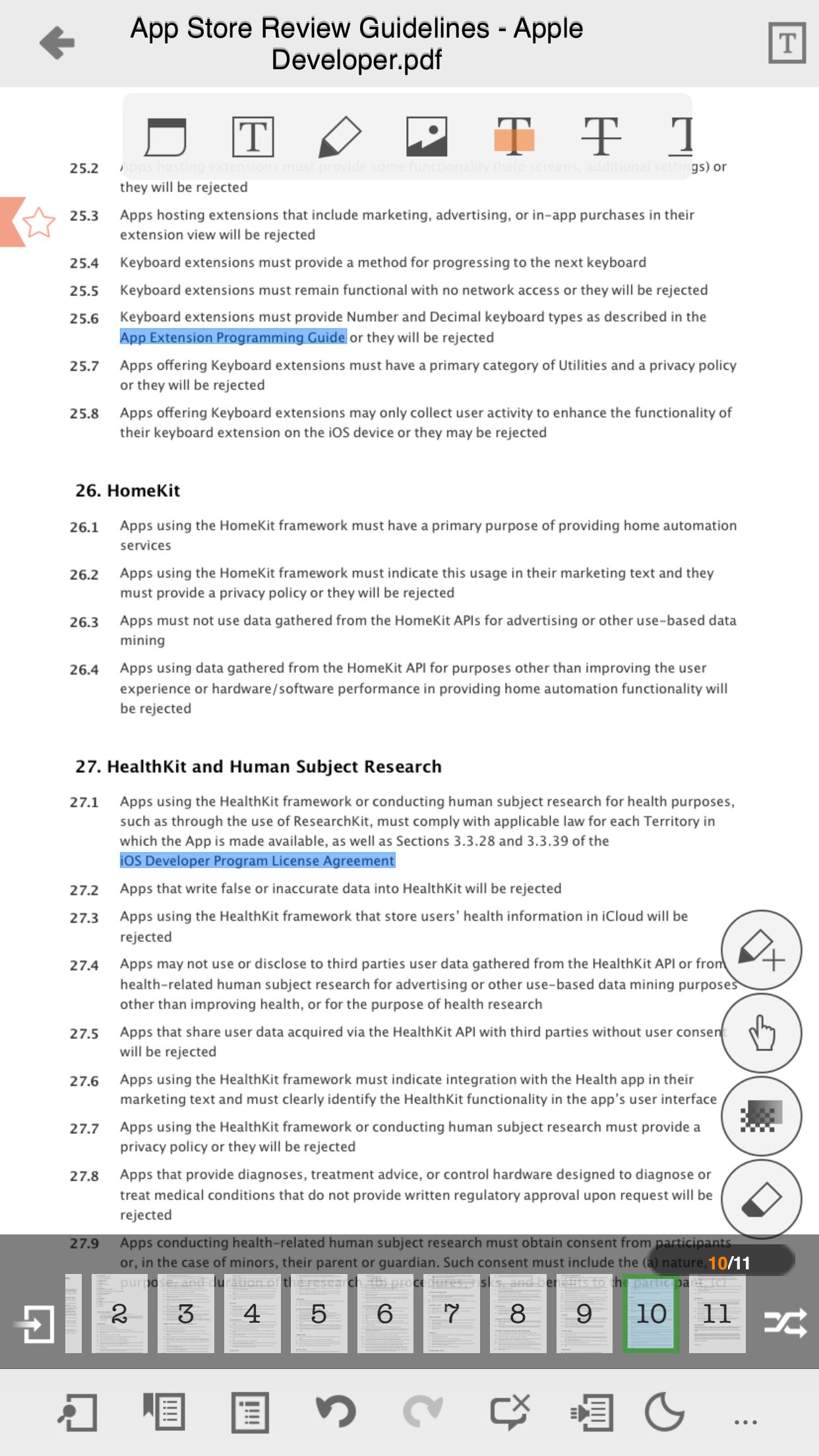
Thumbnail Image View
Text reflow with font size, color & font style (bold & italic)
Night reading mode supported for PDF view, Text Reflow
Text search and highlighted result
Open standard password-protected PDF files
Jump to a specific page by its page number
Outlines
Bookmarks
Landscape view
Annotations list/reply view
Annotations import/export/email
Page scroll vertical/horizontal
Page read direction from left to right/from right to left
Page Crop
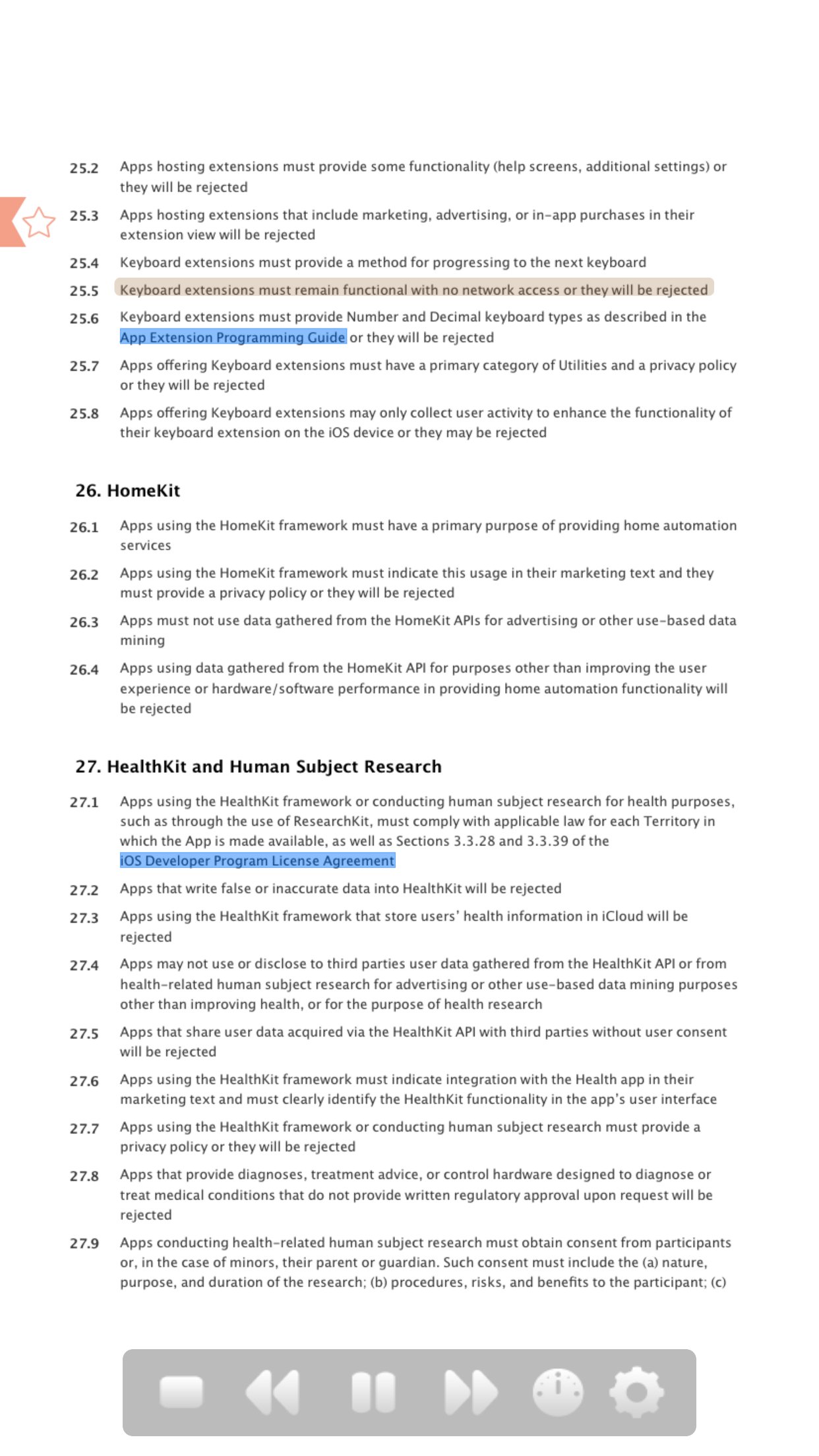
Page Slide Show
PDF File Attachment
? Support for other file formats
Supports Microsoft Office, Audio (mp3, wav, aac, aa, aiff), Video (mp4, mov, mpv, 3gp), Images, Zipped Images, Text and HTML, Annotations XML files
? Functions for File Management
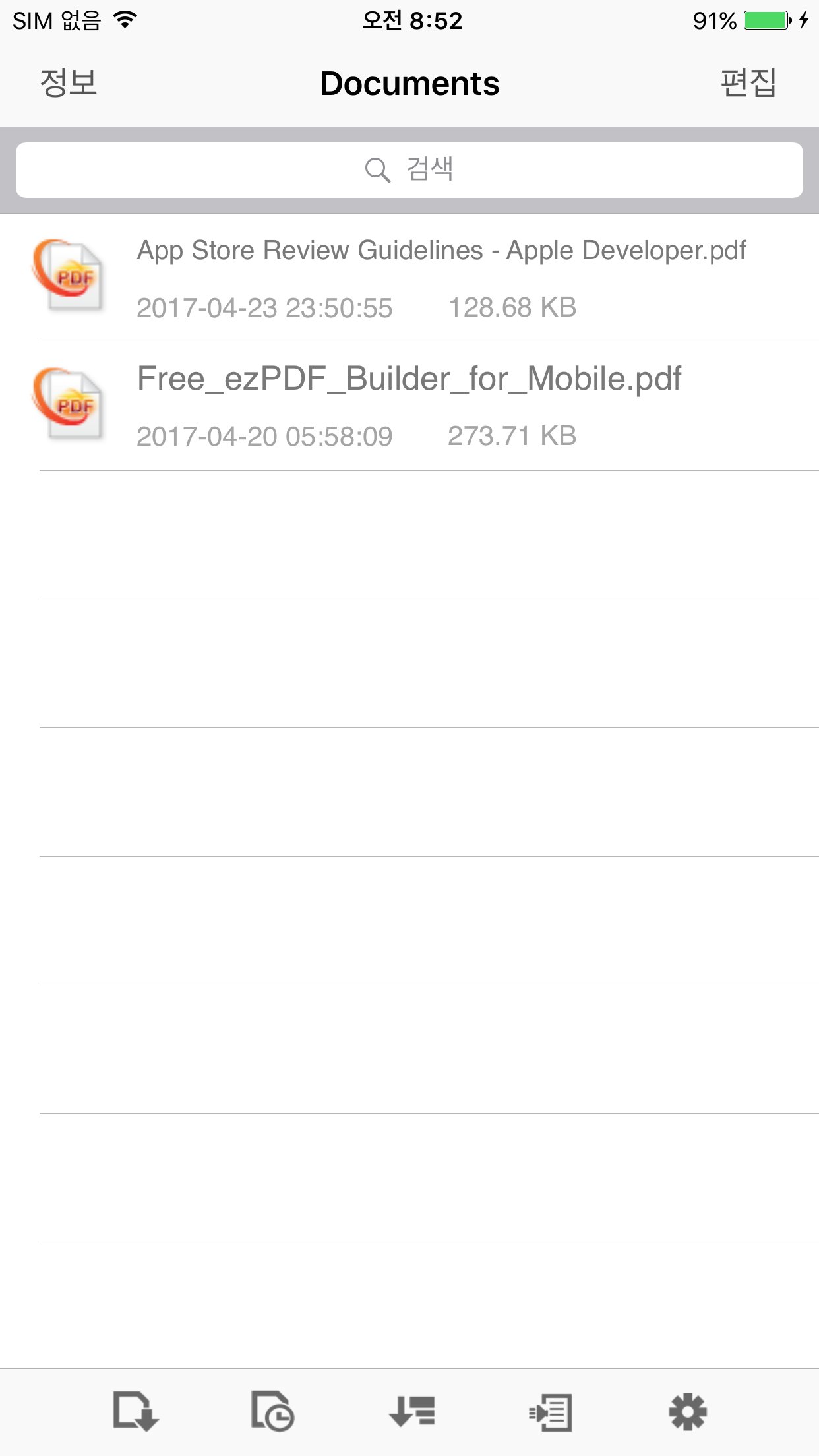
File List View
Sorting by Name/ Date/ File Size
File Search by File Name
List of the Recently-Viewed PDF Files
Various File Transfer to Device - USB Transfer via iTunes, WiFi Connection, URL Link, Download
Interaction with clouding services - G-Docs, Dropbox
Convenient File Management - Folder Creation/Copy/Cut/Paste/Delete/Rename
twitter.com/ezpdf
facebook.com/ezpdf
License: Commercial
For iPad Users, please download the iPad version in AppStore.
[link removed]
For the business use of this advanced technology, content developments or interactive eBook productions, please contact us for our SDK library / API at info@unidocs.com
? High-Quality Text-to-Speech (TTS) Features
- TTS Feature is added with In-App Purchase option. Supporting English, Chinese, Japanese & Korean.
- Please turn off the silent mode to hear from the speaker.
? Multimedia PDF Viewer - Audio and Video
ezPDF Reader is designed specifically for PDF documents and contents, but also able to play multimedia files embedded into PDF. (Multimedia file format must be compatible to your iOS device) It is the perfect solution for PDF based audio/video-enabled eBooks.
? PDF Form Filler
If the PDF file is designed with the PDF-form features, you can simply type in the form field and apply marks on buttons. Import data and export data. Fill out your form, sign, flatten, and then send via email.
? Annotation Features on PDF
The useful tool to add text in text box and sticky notes; highlight, underline, or cross out texts; draw lines, arrows, rectangles, ovals, free text, image and freehand drawings. Add memo, change color/thickness, resize and move them around as you like. All these comments are compatible with Adobe(R) Acrobat(R). (PC or Mac version)
- Show, import, export and email annotation list
- Flatten annotations
- show and hide annotation toolbar
* Important - In order to use annotations and PDF Form features, you need to change the Viewing mode to "Slow/More" from the settings.
? Customized Viewing
Documents appear as they would be on your PC, but customized to fit your mobile device's screen. Scanned and text based PDFs are all supported, including JPEG2000 and JBIG2 compression. (Must set PDF viewing option as Slow/More from Settings) Select Text Reflow, Fit to Text Column, Copy and Paste text in PDF view and bookmark as you go.
PDF Form to fill in, check buttons, and choose from a list.
Play embedded multimedia files of audio and video files (Must be iOS compatible)
Annotation features - Apply highlight, underline or cross-over for the selected text. Add Sticky Note, Oval, Rectangle, Line, Free Text, Image.
Embedded hyperlinks are live (Go To Page and URLs)
Smart zooming by double-tapping to fit block width
Pinch and Double Tap - Zoom IN/Out
Text Selection or Markup Annotation and then Copy, Web Search, or send to Email
Thumbnail Image View
Text reflow with font size, color & font style (bold & italic)
Night reading mode supported for PDF view, Text Reflow
Text search and highlighted result
Open standard password-protected PDF files
Jump to a specific page by its page number
Outlines
Bookmarks
Landscape view
Annotations list/reply view
Annotations import/export/email
Page scroll vertical/horizontal
Page read direction from left to right/from right to left
Page Crop
Page Slide Show
PDF File Attachment
? Support for other file formats
Supports Microsoft Office, Audio (mp3, wav, aac, aa, aiff), Video (mp4, mov, mpv, 3gp), Images, Zipped Images, Text and HTML, Annotations XML files
? Functions for File Management
File List View
Sorting by Name/ Date/ File Size
File Search by File Name
List of the Recently-Viewed PDF Files
Various File Transfer to Device - USB Transfer via iTunes, WiFi Connection, URL Link, Download
Interaction with clouding services - G-Docs, Dropbox
Convenient File Management - Folder Creation/Copy/Cut/Paste/Delete/Rename
twitter.com/ezpdf
facebook.com/ezpdf
License: Commercial
| Release info | New Release on Apr 24, 2017 |
|---|---|
| Release notes | - iOS 10 Bug fixed. - TTS feature updated. - iPhone+ UI updated. |
| Listing data | App Store |
Reviews
No reviews yet. Be the first to review ezPDF Reader.
Used ezPDF Reader? Tell other visitors what you thought.
Log in to write a reviewOther products by this publisher
- #Bible 11.5 "Incredible App - My sister shared this app with me a few weeks ago and it is truly incredible.
- % Percentage Calculator Pro 1.41 This is the Pro version of % Percentage Calculator.
- (beat) for iOS 0.5.8 An elegant Fountain screenwriting app, created by a screenwriter for screenwriters.
- (Deep) HIARCS Chess Explorer 1.14 Chess database, analysis and game playing program
- (How to) Pronounce PRO 1.5.6 This is a PRO version of (How to) Pronounce.
Most viewed iOS Productivity
- 1 Voice Translator - Alive 1.6 Translation app that turns your iPhone into an interpreter instantly.
-
2
 WordPress 27.3
Manage or create your WordPress blog or website right from your iOS device: create and edit posts and pages, upload your favorite photos and videos, view stats and reply to comments.
WordPress 27.3
Manage or create your WordPress blog or website right from your iOS device: create and edit posts and pages, upload your favorite photos and videos, view stats and reply to comments.
- 3 (beat) for iOS 0.5.8 An elegant Fountain screenwriting app, created by a screenwriter for screenwriters.
-
4
 Claude by Anthropic 1.261016.20
Meet Claude, your AI problem solver and thinking partner.
Claude by Anthropic 1.261016.20
Meet Claude, your AI problem solver and thinking partner.
-
5
 Howbout 16.5.3
The shared calendar for friends, couples, and family
Howbout 16.5.3
The shared calendar for friends, couples, and family
-
6
 Life360 26.39.0
Whether at home, online, or on the move, our comprehensive family safety features bring peace of mind to your loved ones AND help safeguard your personal belongings.
Life360 26.39.0
Whether at home, online, or on the move, our comprehensive family safety features bring peace of mind to your loved ones AND help safeguard your personal belongings.
-
7
 BirthdaysPro HD 14.3.3
Never miss a birthday or anniversary again.
BirthdaysPro HD 14.3.3
Never miss a birthday or anniversary again.
-
8
 Linktree 3.64.0
Linktree is the largest link in bio tool used by over 70 million people and organizations around the world.
Linktree 3.64.0
Linktree is the largest link in bio tool used by over 70 million people and organizations around the world.
-
9
 Facebook Creator Studio 8.0
Creator Studio is an AI-powered daily companion for Facebook creators that tells them exactly how to grow -- Remove distractions and focus on what's most important.
Facebook Creator Studio 8.0
Creator Studio is an AI-powered daily companion for Facebook creators that tells them exactly how to grow -- Remove distractions and focus on what's most important.
-
10
 Birthday Reminder Pro+ 3.6.2
Birthday Reminder Pro+ is the easiest and most effective way to remind you of your friends' and family members' birthdays so that you never forget another Birthday ever again.
Birthday Reminder Pro+ 3.6.2
Birthday Reminder Pro+ is the easiest and most effective way to remind you of your friends' and family members' birthdays so that you never forget another Birthday ever again.
Most downloaded iOS Productivity
- 1 Voice Translator - Alive 1.6 Translation app that turns your iPhone into an interpreter instantly.
-
2
Life360 26.39.0
Whether at home, online, or on the move, our comprehensive family safety features bring peace of mind to your loved ones AND help safeguard your personal belongings.
-
3
 Auto Clicker 4.6.2
Auto clicker includes clicks, curve swipes and pinch gestures, Anywhere on the custom web pages or web games you want with custom durations.
Auto Clicker 4.6.2
Auto clicker includes clicks, curve swipes and pinch gestures, Anywhere on the custom web pages or web games you want with custom durations.
- 4 (beat) for iOS 0.5.8 An elegant Fountain screenwriting app, created by a screenwriter for screenwriters.
-
5
 Skool Communities 1.1.21
The official Skool app.
Skool Communities 1.1.21
The official Skool app.
-
6
Facebook Creator Studio 8.0
Creator Studio is an AI-powered daily companion for Facebook creators that tells them exactly how to grow -- Remove distractions and focus on what's most important.
-
7
Howbout 16.5.3
The shared calendar for friends, couples, and family
-
8
 Beer Buddy 6.43
Your friend wants you to get a notification when they take a drink.
Beer Buddy 6.43
Your friend wants you to get a notification when they take a drink.
-
9
 Ralph Breaks the Internet 1.2.3
Now loading: Ralph Breaks the Internet stickers!
Ralph Breaks the Internet 1.2.3
Now loading: Ralph Breaks the Internet stickers!
-
10
 Park Smarter 4.4.0
With PARK SMARTER™, just park and walk away as you pay!
Park Smarter 4.4.0
With PARK SMARTER™, just park and walk away as you pay!