
DeDuplicate 2.7.0
Google Drive, OneDrive, Dropbox, and other cloud services don’t offer built-in tools to find and remove duplicates.
Download
25.97 MB
17downloads
5this week
FreeCommercial
0reviews
Screenshots

About DeDuplicate
Google Drive, OneDrive, Dropbox, and other cloud services don't offer built-in tools to find and remove duplicates.
If you store many files in the cloud, it's easy to lose control and waste space. Automatic mobile backups make this problem even worse.
DeDuplicate scans your cloud storage, finds identical files, and lets you remove the extra copies to free up space.
How it works:
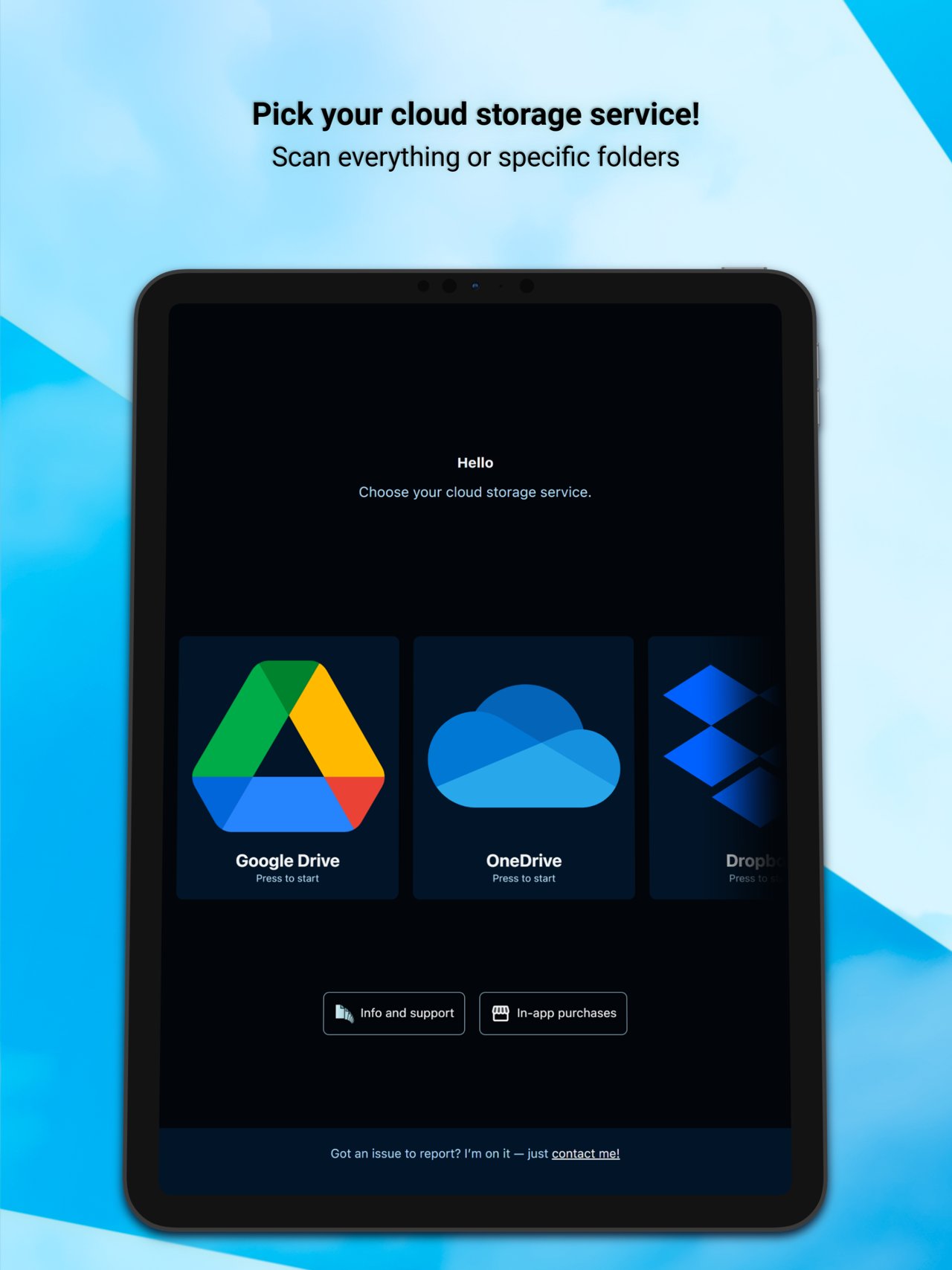
1) Log into your account.
2) Choose one or more folders (or the entire drive) and start the scan. Scan time depends on the NUMBER of files, not their size.
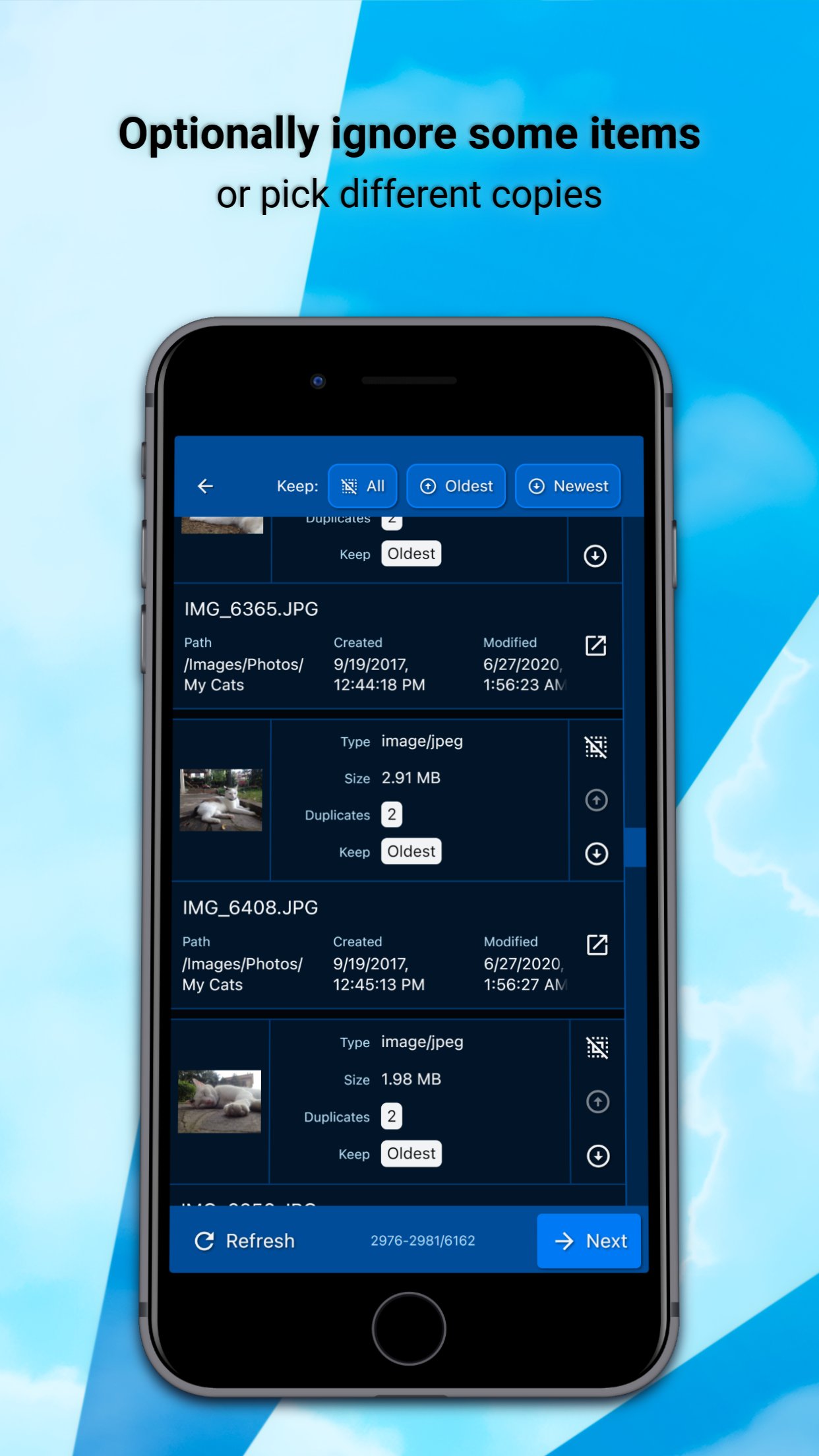
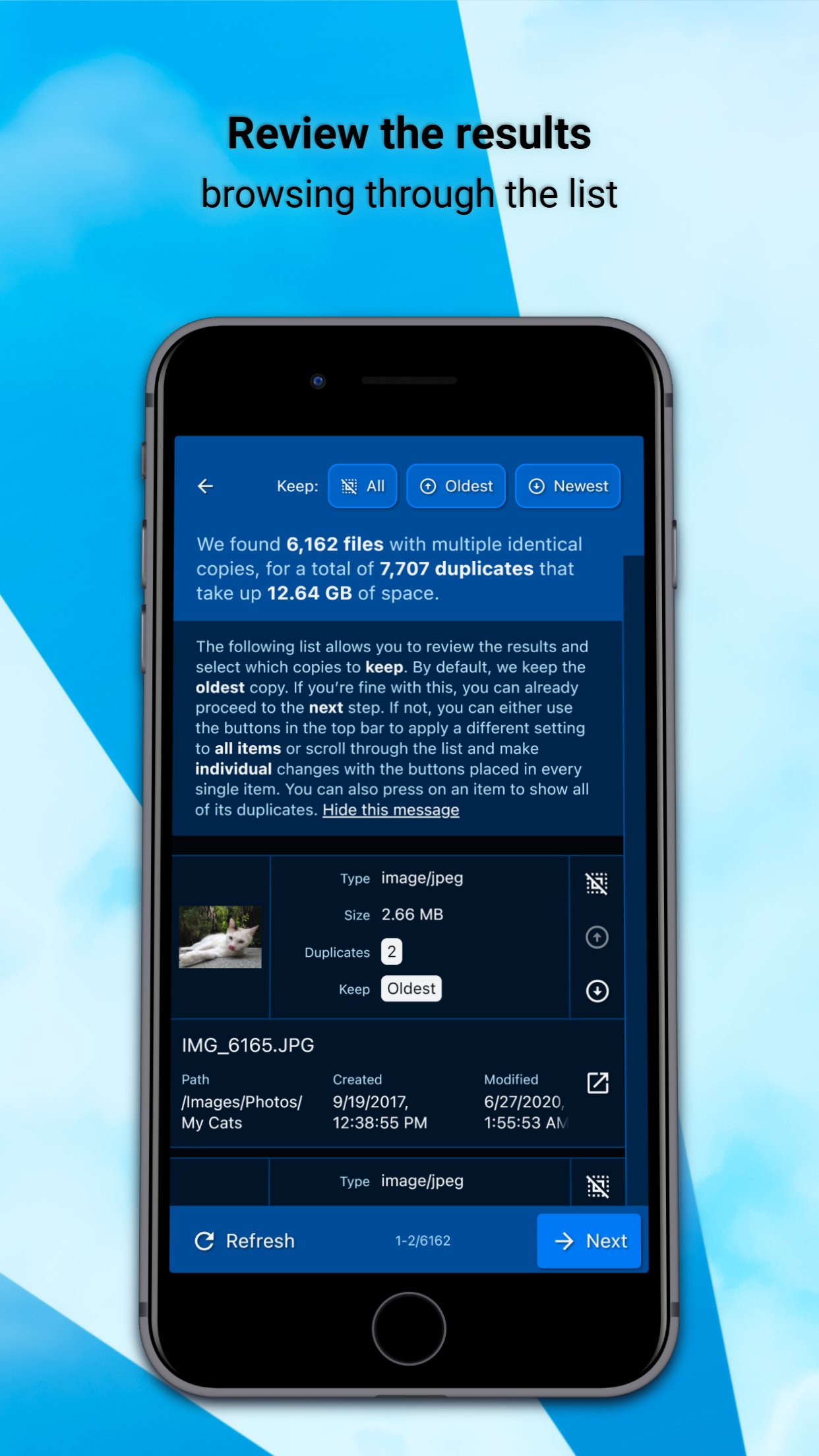
3) Review the detected duplicates and optionally ignore some of them.
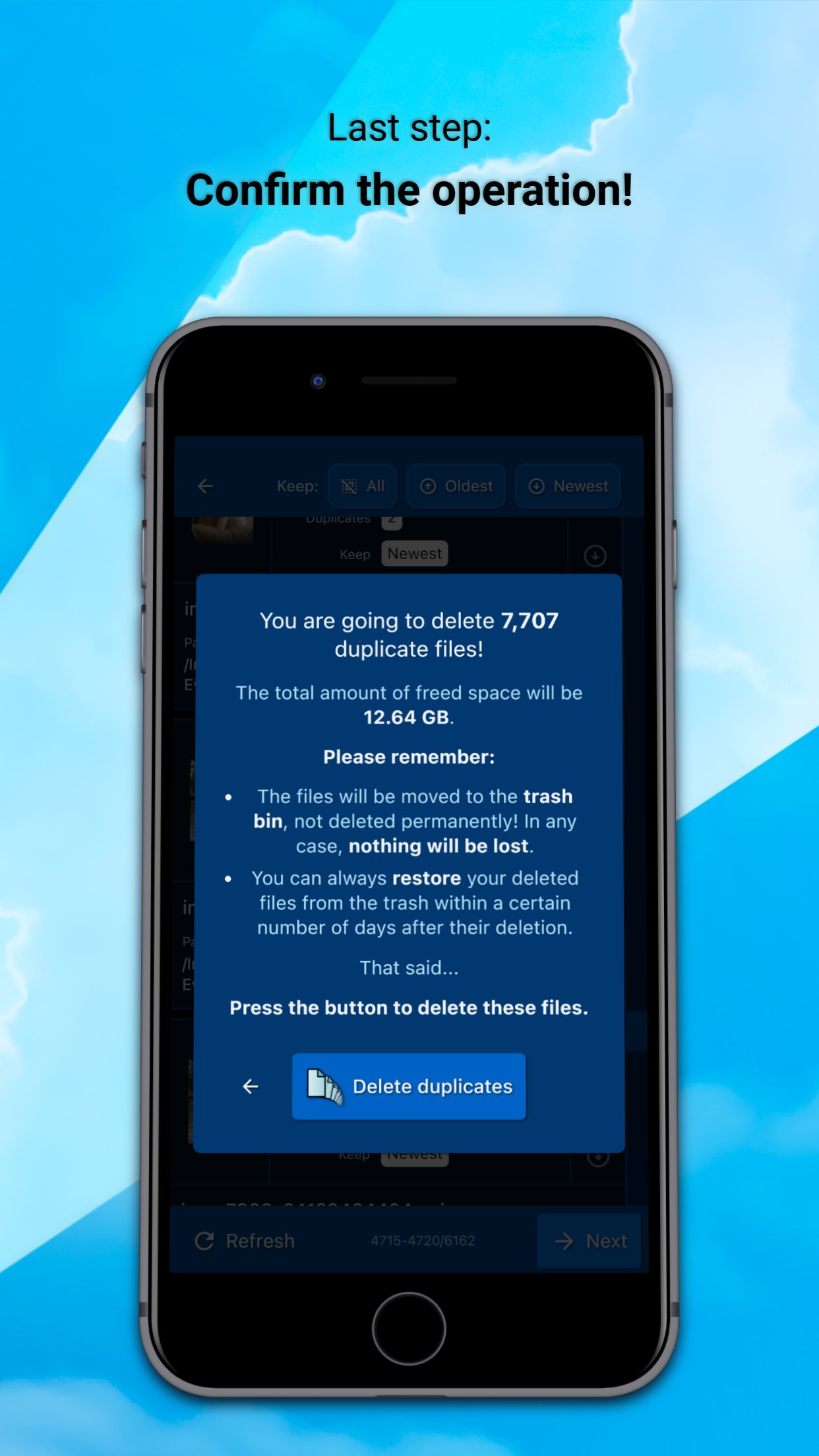
4) Confirm the operation.
What makes DeDuplicate different:
o Efficient and fast: files are NOT downloaded. DeDuplicate uses metadata provided by cloud services, so it saves bandwidth, requires no extra storage, and scans are very quick (e.g. ~100,000 files in under 10 minutes, depending on network speed).
o Accurate detection: only EXACT duplicates are detected using file hash values. File names are ignored; contents must be identical.
o Privacy-first: everything runs locally on your device. The app connects directly to cloud providers, with no intermediary servers and no file data collection.
o Cross-platform support.
DeDuplicate currently supports the following cloud services:
(PERSONAL ACCOUNTS - see notes below!)
o OneDrive
o Dropbox
o Google Drive (*)
o MEGA
o Box
o pCloud
o Yandex.Disk
IMPORTANT: DeDuplicate is designed and tested primarily with PERSONAL/CONSUMER ACCOUNTS. Business, school, or enterprise accounts may behave differently and are not fully supported yet. Improving support for those account types is planned for a future update!
NOTES ABOUT GOOGLE DRIVE:
- Due to recent changes in Google's requirements for third-party apps, DeDuplicate currently does not have a "verified" status. You can still use Google Drive normally, but signing in requires a small workaround, which is explained step by step inside the app!
- Google proprietary file types (such as Google Docs, Google Sheets, etc.) are treated specially by Google Drive and are NOT included in DeDuplicate's scan.
WHY DO YOU NEED THIS APP?
Until now, the only practical way to remove duplicates from cloud storage was a very time-consuming workaround: downloading everything to your computer, using one of the many "offline" duplicate-file utilities, and then syncing the changes back to the cloud. In the worst-case scenario, this even means re-uploading everything from scratch. That's hardly a viable option when you have over 500 GB of unorganized cat pictures :)
DeDuplicate is actively developed. If you encounter any issues, please take the time to contact us!
License: Commercial
If you store many files in the cloud, it's easy to lose control and waste space. Automatic mobile backups make this problem even worse.
DeDuplicate scans your cloud storage, finds identical files, and lets you remove the extra copies to free up space.
How it works:
1) Log into your account.
2) Choose one or more folders (or the entire drive) and start the scan. Scan time depends on the NUMBER of files, not their size.
3) Review the detected duplicates and optionally ignore some of them.
4) Confirm the operation.
What makes DeDuplicate different:
o Efficient and fast: files are NOT downloaded. DeDuplicate uses metadata provided by cloud services, so it saves bandwidth, requires no extra storage, and scans are very quick (e.g. ~100,000 files in under 10 minutes, depending on network speed).
o Accurate detection: only EXACT duplicates are detected using file hash values. File names are ignored; contents must be identical.
o Privacy-first: everything runs locally on your device. The app connects directly to cloud providers, with no intermediary servers and no file data collection.
o Cross-platform support.
DeDuplicate currently supports the following cloud services:
(PERSONAL ACCOUNTS - see notes below!)
o OneDrive
o Dropbox
o Google Drive (*)
o MEGA
o Box
o pCloud
o Yandex.Disk
IMPORTANT: DeDuplicate is designed and tested primarily with PERSONAL/CONSUMER ACCOUNTS. Business, school, or enterprise accounts may behave differently and are not fully supported yet. Improving support for those account types is planned for a future update!
NOTES ABOUT GOOGLE DRIVE:
- Due to recent changes in Google's requirements for third-party apps, DeDuplicate currently does not have a "verified" status. You can still use Google Drive normally, but signing in requires a small workaround, which is explained step by step inside the app!
- Google proprietary file types (such as Google Docs, Google Sheets, etc.) are treated specially by Google Drive and are NOT included in DeDuplicate's scan.
WHY DO YOU NEED THIS APP?
Until now, the only practical way to remove duplicates from cloud storage was a very time-consuming workaround: downloading everything to your computer, using one of the many "offline" duplicate-file utilities, and then syncing the changes back to the cloud. In the worst-case scenario, this even means re-uploading everything from scratch. That's hardly a viable option when you have over 500 GB of unorganized cat pictures :)
DeDuplicate is actively developed. If you encounter any issues, please take the time to contact us!
License: Commercial
| Release info | New Release on Jan 06, 2026 |
|---|---|
| Release notes | - App performance and memory usage improved. - Navigation system refinements. - Minor fixes and improvements. |
| Listing data | App Store |
Reviews
No reviews yet. Be the first to review DeDuplicate.
Used DeDuplicate? Tell other visitors what you thought.
Log in to write a reviewOther products by this publisher
- "No Distractions" for YouTube 4.10 ----
- #Bible 11.5 "Incredible App - My sister shared this app with me a few weeks ago and it is truly incredible.
- #filmphotography 1.4.2 So, you decided to shoot on film?
- $quirrel 1.5.1 $quirrel Budget & Finance helps you plan each paycheck, track spending, manage debt, and see what is safe to spend before the next payday.
- % Percentage Calculator Pro 1.41 This is the Pro version of % Percentage Calculator.
Most viewed iOS Utilities
-
1
 Device Lab 1.8.4
Device Lab ??????????????????????? App,?????????????????????????????????,????????????????????????
-
2
 VibeSDR 11.0.16
VibeSDR is a mobile-first software-defined radio (SDR) receiver — and far more than a single-server client.
-
3
 APTV 2.4.8
APTV,?????????????? IPTV M3U???,?????????????????
-
4
 DXClock 4.0.0
Connect, collaborate, and operate smarter with DX Clock — the ultimate meeting place for amateur radio operators.
-
5
 DRC 2.0.1
A simple to use app to help calculate any dilution ratio.
-
6
 ECHOCAT 1.5.2
ECHOCAT is the iPhone and iPad companion for POTACAT, the desktop app for amateur radio operators chasing Parks on the Air (POTA), Summits on the Air (SOTA), Worldwide Bunkers on the Air (WWBOTA), Tiles on the Air and DX.
-
7
 iNetTools 11.0
iNetTools Pro is the Pro Version of iNetTools.
-
8
 Ally Pro 1.4.0
Ally Pro – Amiibo & NFC Tool gives advanced collectors complete control over their Amiibo library.
-
9
 Demod 1.5.1
Demod turns your iPhone into a software-defined radio receiver.
-
10
 Plague Inc 1.27.3
Enter the lab and develop your own custom scenarios for Plague Inc.
Most downloaded iOS Utilities
-
1
 Rat And Mouse Sound Repeller 2.8
Keep mice and rats away overnight with ultrasonic waves and predator sounds.
-
2
Demod 1.5.1
Demod turns your iPhone into a software-defined radio receiver.
-
3
 Screen Mirroring With Miracast 1.6
Turn your iPhone into a complete TV companion.
-
4
 Guardio 2026.105.1
Guardio protects every part of your digital life: your devices, identity, accounts, and activity, so you can browse, shop, text, and bank online with confidence.
-
5
 Fontcase 2.0.1
Fontcase is an app that lets you install custom fonts on iOS and iPadOS.
-
6
 PickerFull 9.18
Export colors from photos as HEX, PDF, RGB, HSB/HSV, HSBA, HSL, LUV, LCH, YUV, YCBCR, YIQ, CMYK, Grayscale, XYZ, L*a*b* (CIE), CSSVAR, SASSVAR, CSSHSL, CSSRGB, AndroidXML, FlutterDart, UnityColor32, Float, Objective-C, Swift, SwiftLiteral, SwiftUI
-
7
DRC 2.0.1
A simple to use app to help calculate any dilution ratio.
-
8
 Facemoji AI Emoji Keyboard 4.63
Facemoji Emoji Keyboard is a Free AI-Powered Custom Keyboard with Cool Fonts.
-
9
 RigCalc 1.0
RigCalc puts the everyday drilling calculations you need on the rig floor, in the mud pit, or in the office into one fast, offline app.
-
10
 Google 445.5
Download the Google app to find quick answers, explore your interests, and ask anything on your mind in any way.