
35downloads
6this week
FreeFreeware
0reviews
Screenshots
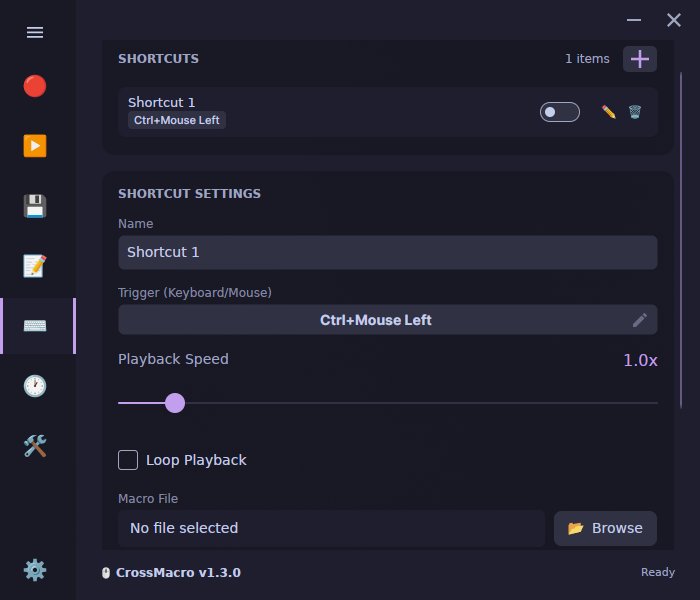
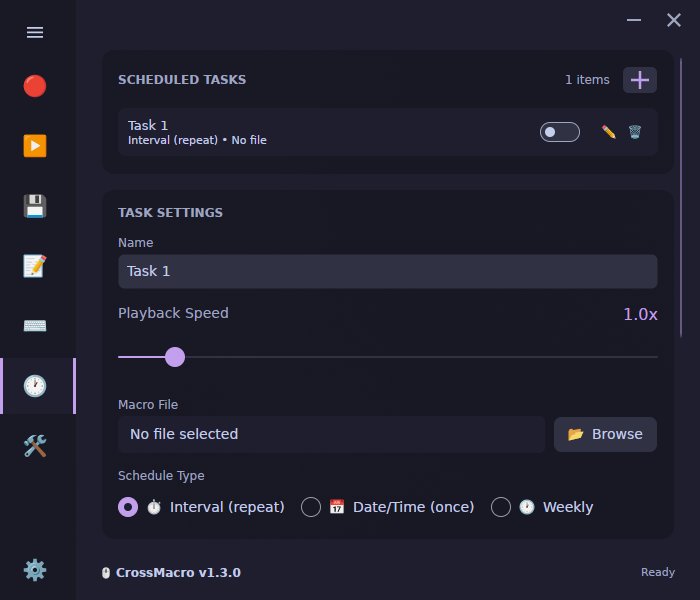
About CrossMacro
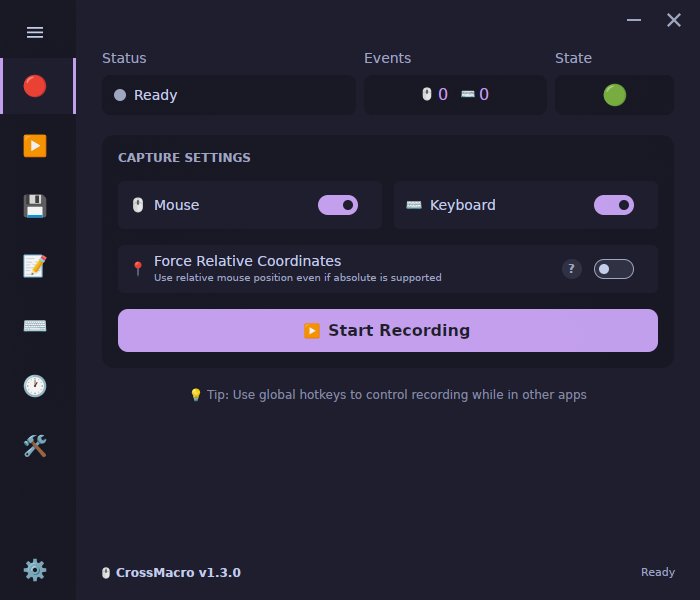
CrossMacro is an open-source, cross-platform mouse and keyboard macro
recorder, editor, and automation tool for Linux, Windows, and macOS. Record
clicks, movement, scrolling, and keyboard input, then edit and replay macros
with configurable speed, pauses, loops, repeat counts, delays, global
hotkeys, or schedules.
Linux-first Wayland and X11 support provides compositor-aware cursor
positioning and daemon-backed or direct-device input paths. CrossMacro uses
absolute mouse positioning when the active session exposes a compatible
cursor-position protocol and falls back to relative input when that
capability is unavailable. It also combines text expansion, screen-reading
commands, native PNG image recognition, profiles, themes, a GUI, and a
scriptable CLI in one application.
Features:
• Record and replay mouse and keyboard macros with configurable timing and pause/resume control
• Edit macros with undo/redo, action reordering, coordinate modes, variables, loops, conditionals, and text input
• Bind macros to global hotkeys with toggle or hold-to-run modes
• Schedule macros at specific times or intervals, including one-time, weekly, custom weekday, and randomized intervals
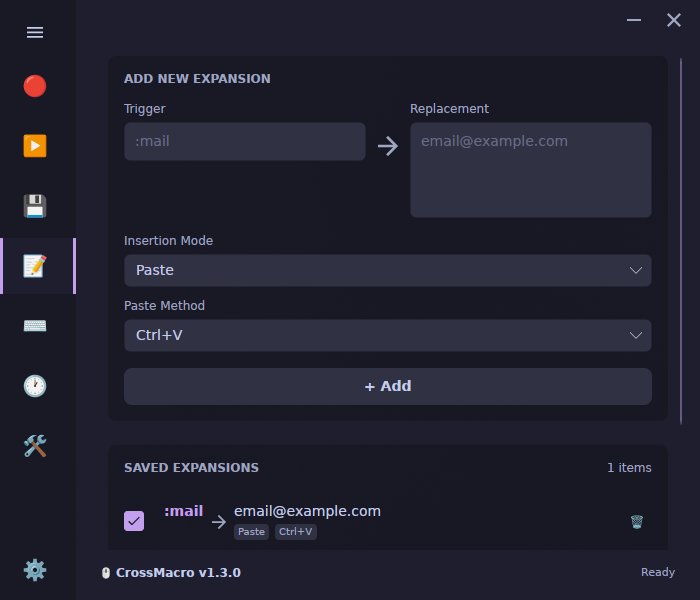
• Expand text from global shortcuts with configurable typing methods
• Read screen pixels and search native PNG templates for image-based workflows
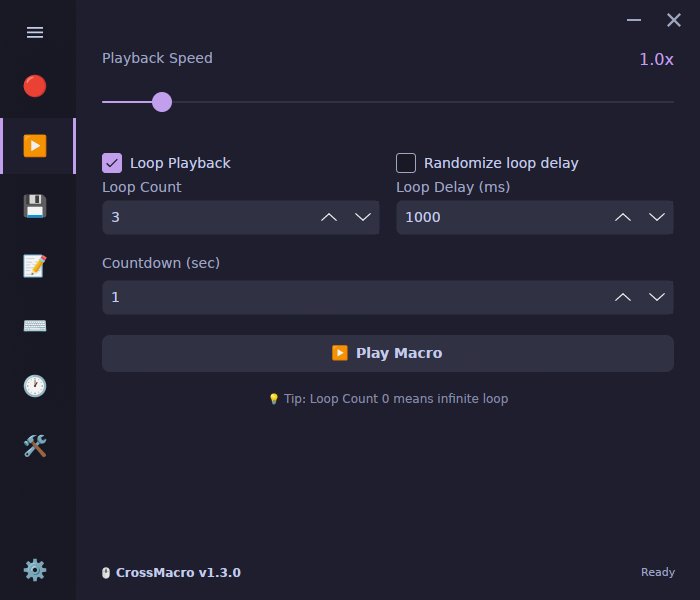
• Control playback speed from 0.1x to 10x, loops, repeat counts, and fixed or randomized repeat delays
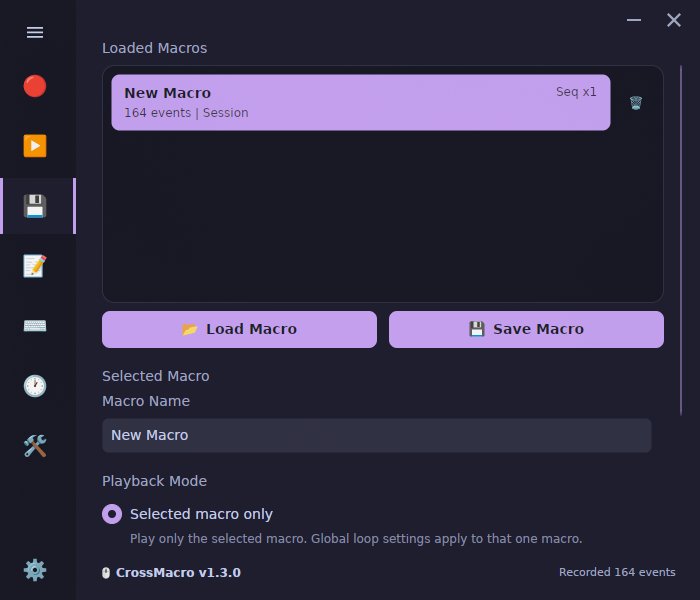
• Save, load, sequence, and replay .macro files, then switch between profiles
• Customize themes and use the desktop GUI, CLI, or GUI-less runtime on Linux Wayland/X11, Windows, and macOS
• Use customizable global controls with F8 recording, F9 playback, and F10 pause as the defaults
Wayland and X11 support:
CrossMacro treats Wayland and X11 as first-class Linux targets and selects
compositor-aware positioning and daemon-backed or direct-device input
according to the active session's capabilities.
On GNOME, a Shell Extension can be installed on first run.
A logout/login may be required for the extension to take effect.
If permissions are missing, the app offers Quick Setup on launch.
Quick Setup opens a standard system authorization prompt to enable direct device access for the current user session.
If setup cannot complete, use the direct-device troubleshooting instructions in the Linux guide's Flatpak On Wayland section, available through the Help link.
License: GPL-3.0-only
recorder, editor, and automation tool for Linux, Windows, and macOS. Record
clicks, movement, scrolling, and keyboard input, then edit and replay macros
with configurable speed, pauses, loops, repeat counts, delays, global
hotkeys, or schedules.
Linux-first Wayland and X11 support provides compositor-aware cursor
positioning and daemon-backed or direct-device input paths. CrossMacro uses
absolute mouse positioning when the active session exposes a compatible
cursor-position protocol and falls back to relative input when that
capability is unavailable. It also combines text expansion, screen-reading
commands, native PNG image recognition, profiles, themes, a GUI, and a
scriptable CLI in one application.
Features:
• Record and replay mouse and keyboard macros with configurable timing and pause/resume control
• Edit macros with undo/redo, action reordering, coordinate modes, variables, loops, conditionals, and text input
• Bind macros to global hotkeys with toggle or hold-to-run modes
• Schedule macros at specific times or intervals, including one-time, weekly, custom weekday, and randomized intervals
• Expand text from global shortcuts with configurable typing methods
• Read screen pixels and search native PNG templates for image-based workflows
• Control playback speed from 0.1x to 10x, loops, repeat counts, and fixed or randomized repeat delays
• Save, load, sequence, and replay .macro files, then switch between profiles
• Customize themes and use the desktop GUI, CLI, or GUI-less runtime on Linux Wayland/X11, Windows, and macOS
• Use customizable global controls with F8 recording, F9 playback, and F10 pause as the defaults
Wayland and X11 support:
CrossMacro treats Wayland and X11 as first-class Linux targets and selects
compositor-aware positioning and daemon-backed or direct-device input
according to the active session's capabilities.
On GNOME, a Shell Extension can be installed on first run.
A logout/login may be required for the extension to take effect.
If permissions are missing, the app offers Quick Setup on launch.
Quick Setup opens a standard system authorization prompt to enable direct device access for the current user session.
If setup cannot complete, use the direct-device troubleshooting instructions in the Linux guide's Flatpak On Wayland section, available through the Help link.
License: GPL-3.0-only
| Release info | Update on Nov 10, 2026 |
|---|---|
| Release notes | CrossMacro 1.5.3 fixes Windows startup, improves Linux tray and single-instance reliability, and adds system theme following with new palettes. • Fix the Windows GUI exiting at startup without showing a window in 1.5.2, caused by native graphics libraries that did not match the bundled Avalonia version. Applies to the portable executable and MSIX packages. • Add a native Linux system tray backend with StatusNotifierItem and DBusMenu support, track tray registration, and restore hidden windows when the tray becomes unavailable. • Keep single-instance activation working for long Linux runtime paths and normalize cache lock handling. • Follow the operating system light or dark appearance with the new System theme option, and choose from new light and dark palettes. • Reduce startup work by optimizing window presentation and running independent startup tasks in parallel. • Report screen-reading initialization failures and X11 readiness in doctor output. • Update Avalonia to 12.1.6, require the patched .NET 10 runtime, and refresh Flatpak and Nix dependency sources. Full Changelog: https://github.com/alper-han/CrossMacro/compare/v1.5.2...v1.5.3 |
| Related tags | crossmacro macro automation |
| Listing data | Flathub |
Reviews
No reviews yet. Be the first to review CrossMacro.
Used CrossMacro? Tell other visitors what you thought.
Log in to write a reviewOther products by this publisher
- "No Distractions" for YouTube 4.10 ----
- #Bible 11.6 "Incredible App - My sister shared this app with me a few weeks ago and it is truly incredible.
- #filmphotography 1.4.2 So, you decided to shoot on film?
- $quirrel 1.5.1 $quirrel Budget & Finance helps you plan each paycheck, track spending, manage debt, and see what is safe to spend before the next payday.
- % Percentage Calculator Pro 1.41 This is the Pro version of % Percentage Calculator.
Most viewed Linux Utilities
-
1
 Press 0.4.0
Music library compressor
-
2
 Anytype 0.57.8-alpha
The everything app for those who celebrate trust and autonomy
-
3
 Secrets 14.0
Manage your passwords
-
4
 SlimeVR 21.1.0
Accessible full-body tracking in VR
-
5
 Tasks 0.3.1
Get things done
-
6
 Luna 1.1.6
An amazing calendar widget
-
7
 Greenery 1.0.0
Crypto bookkeeping wallet
-
8
 openterfaceQT 0.5.33
App control openterface-Mini-KVM
-
9
 Mingle 0.30
Combine emojis with Google's Emoji Kitchen
-
10
 Barrier 2.4.0-5.15-23.08
Barrier - Share mouse and keyboard over the local network
Most downloaded Linux Utilities
-
1
 YankLog 2.5.2
Searchable clipboard history
-
2
 FormatLab 2026.11.3
Convert Video, Audio and Images
-
3
 NeoRegex 3.2.0
Regular expression editor and tester.
-
4
 Millisecond 0.2.3
Optimize for low latency
-
5
 Dabri 2.4.0
Offline speech-to-text desktop app
-
6
openterfaceQT 0.5.33
App control openterface-Mini-KVM
-
7
 Khushu 1.3.5
An all-in-one Muslim app for Linux
-
8
 Redumper GUI 1.1.1
Dump optical discs with a graphical interface
-
9
 JRomManager 3.0.5
A Mame and Retrogaming Rom Manager
-
10
 Bazecor 1.11.0
Configurator for Dygma keyboards