
Crosscheck 1.3.3
Two lines of trigonometry, in the runup area, with the ATIS still in your head.
Download
7.47 MB
9downloads
1this week
FreeCommercial
0reviews
Screenshots

About Crosscheck
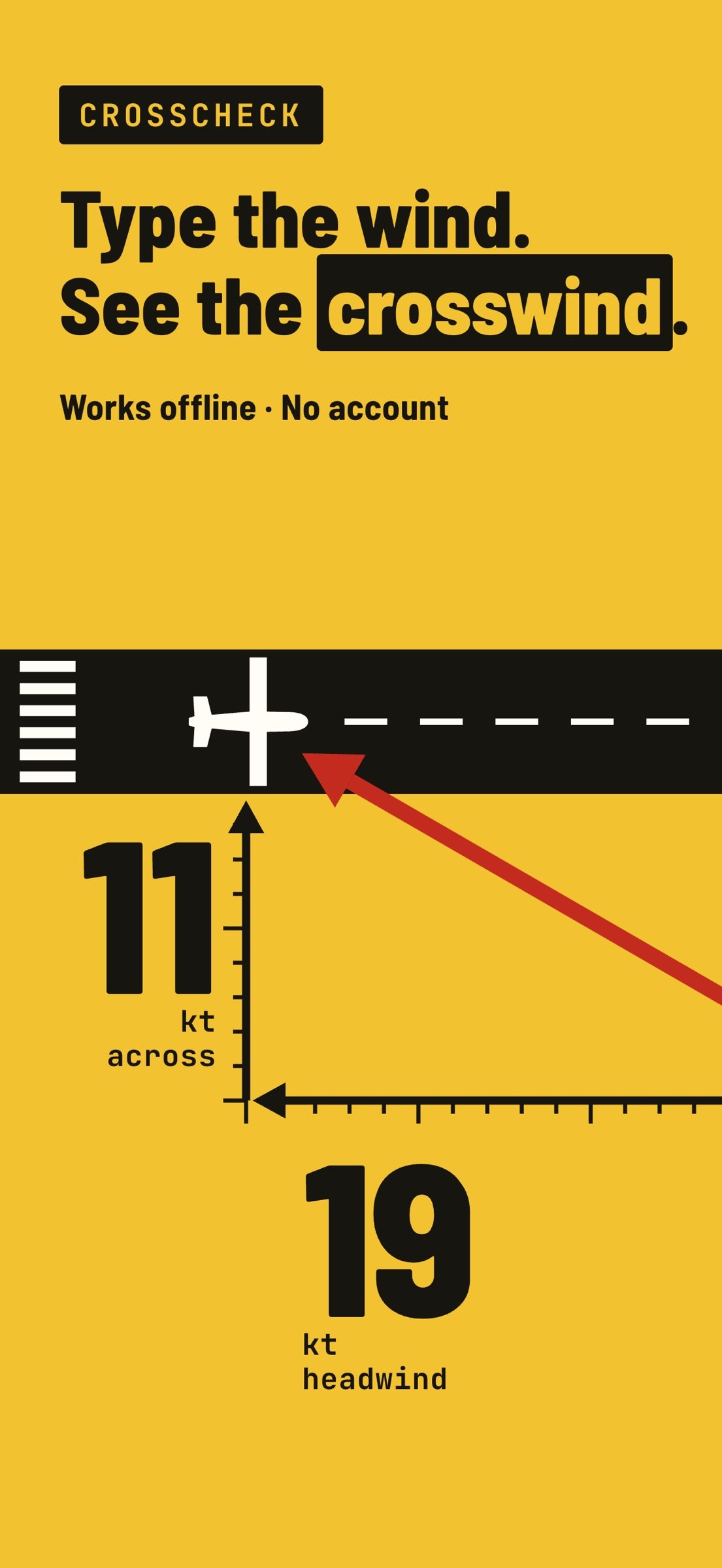
Two lines of trigonometry, in the runup area, with the ATIS still in your head. Crosscheck does them and draws the answer.
Type the runway and the wind. You get the crosswind and the head or tailwind, and — the part that matters — the runway drawn with the wind across it at the real angle, so which side it is on is unmistakable. Knowing the number is easy. Picturing the side wrong under pressure is what puts an aeroplane in the grass.
THE GUST IS THE NUMBER THAT DECIDES
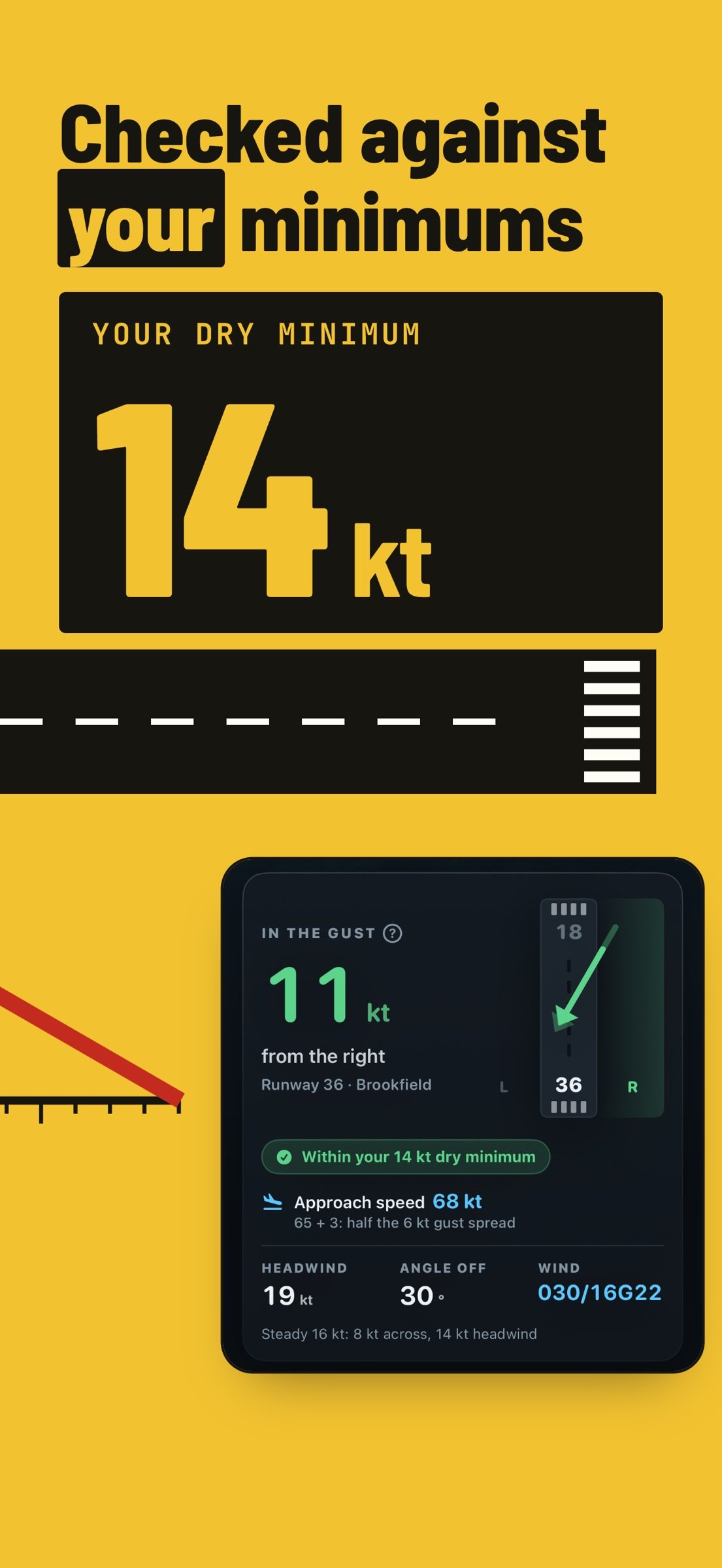
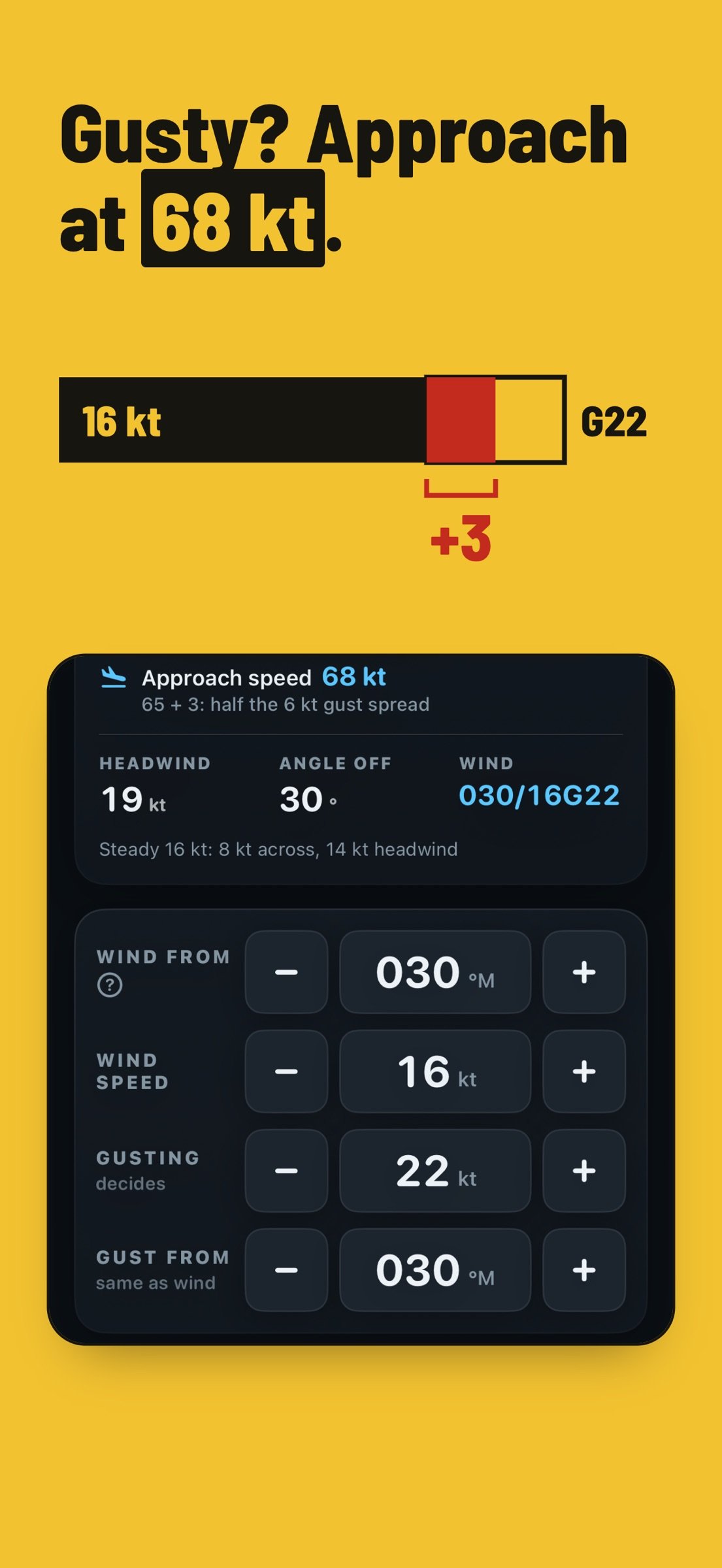
Plan on the steady wind and land in the gust and you planned the wrong number. The headline figure is the gust; the steady one is underneath it, because you brief both.
IT WORKS THE OTHER END WITHOUT BEING ASKED
Every wind is computed for the reciprocal too. If that end is the better one — a headwind instead of a tailwind, or materially less across — the app says so with the numbers already on it, and swaps with one tap. That is the question you actually have when a crosswind is marginal, and no other calculator answers it.
GRADED AGAINST YOUR FIGURE, NOT OURS
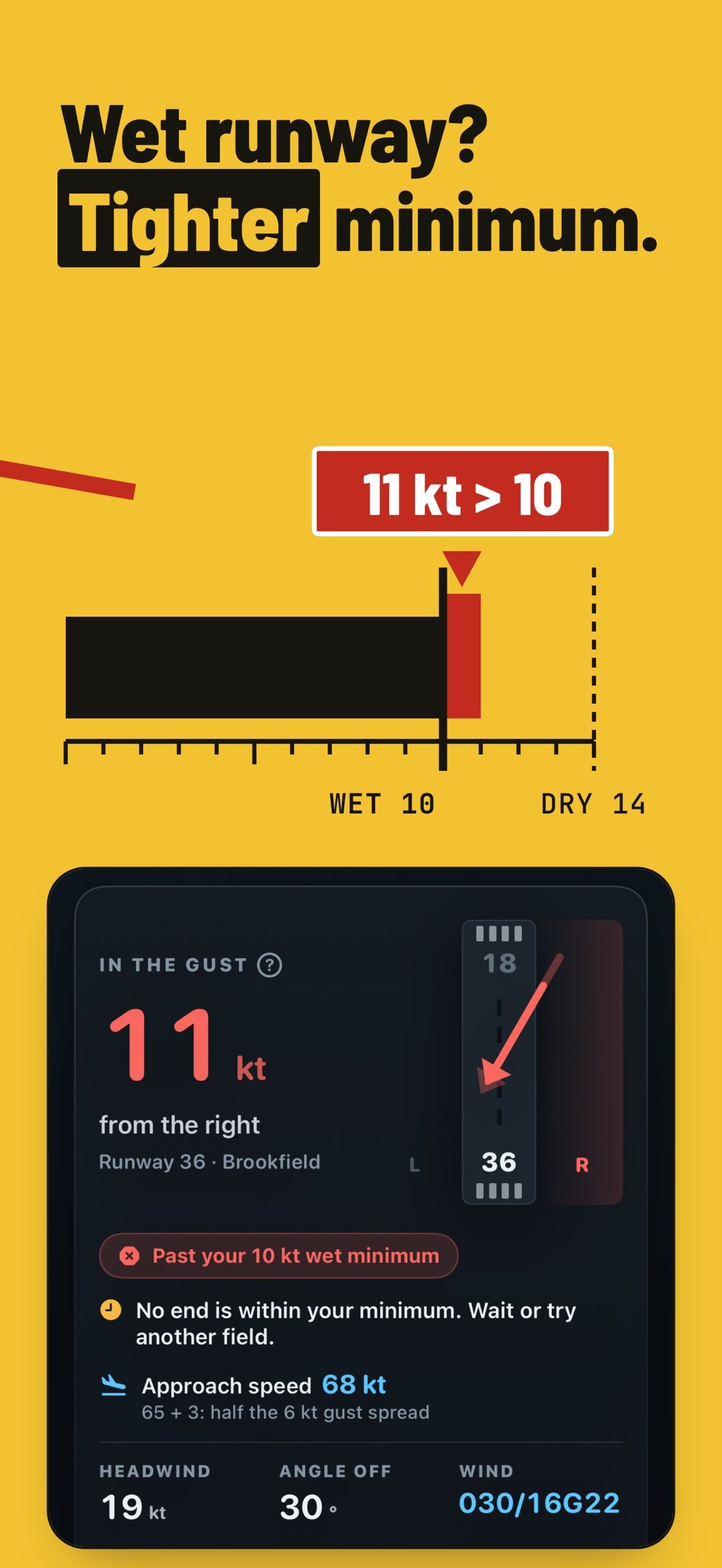
You type the demonstrated crosswind from your own POH. The app compares your number to the computed component and tells you where you sit — within it, close to it, or past it — and it names which figure it means, the crosswind or the tailwind.
There is no built-in aircraft database, on purpose. Demonstrated crosswind varies by model, by year and sometimes by modification, and a figure that is close but wrong is worse than no figure at all.
For most light aircraft the demonstrated crosswind is a DEMONSTRATED value — the strongest crosswind a test pilot happened to find during certification — not a structural or regulatory limit. Some types are placarded with a real limit. The app says so where you enter it.
DENSITY ALTITUDE TOO
Field elevation, altimeter setting and OAT give you pressure altitude and density altitude, using the standard approximation printed in POH supplements.
AND THE CLOCK RULE, HONESTLY
The mental shortcut you were taught — angle off over sixty, times the wind — shown against the real figure at every angle, so you can see exactly where it starts over-reading. At 60° it says the full wind when the answer is 87%.
WHAT IT IS NOT
A planning aid, not an authority, and not a source of weather. It has no network connection of any kind: it does not fetch METARs, and the wind it uses is the wind you typed. Verify against the current ATIS or ASOS.
It does not compute weight and balance, takeoff or landing distance, or performance of any kind. The pilot in command decides.
Works offline. No account.
License: Commercial
| Release info | Update on Nov 21, 2026 |
|---|---|
| Release notes | Small improvements and fixes. |
| Listing data | App Store |
Reviews
No reviews yet. Be the first to review Crosscheck.
Used Crosscheck? Tell other visitors what you thought.
Log in to write a reviewOther products by this publisher
- "No Distractions" for YouTube 4.10 ----
- #Bible 11.6.1 "Incredible App - My sister shared this app with me a few weeks ago and it is truly incredible.
- #filmphotography 1.4.2 So, you decided to shoot on film?
- #LookBusy Fake Calendar Events 1.0.6 Look Busy scans your work calendar for open time slots and fills them with realistic-looking (but secretly fake) work events.
- #Small Talk Is Canceled 1.0.2 #Small Talk Is Canceled — Conversations That Matter
Most viewed iOS Utilities
-
1
 Device Lab 1.9.1
Device Lab is an on-device reference and toolkit for your hardware — hardware monitoring, spec references, chip and device comparisons, system information, and practical utilities, so you can understand and manage the devices you use with more struc…
-
2
 APTV 2.4.10
APTV,?????????????? IPTV M3U???,?????????????????
-
3
 VibeSDR 11.0.16
VibeSDR is a mobile-first software-defined radio (SDR) receiver — and far more than a single-server client.
-
4
 V2Box 10.2.0
V2box - VPN Internet network proxy , Supports multiple proxy protocols, such as Shadowsocks, V2ray, Vmess, Trojan , SSH , Socks, Ping Tunnel, Hysteria2, DNSTT, Wireguard
-
5
 DXClock 4.0.0
Connect, collaborate, and operate smarter with DX Clock — the ultimate meeting place for amateur radio operators.
-
6
 Ally Pro 1.4.0
Ally Pro – Amiibo & NFC Tool gives advanced collectors complete control over their Amiibo library.
-
7
 Demod 1.6
Demod turns your iPhone into a software-defined radio receiver.
-
8
 ECHOCAT 1.6.0
ECHOCAT is the iPhone and iPad companion for POTACAT, the desktop app for amateur radio operators chasing Parks on the Air (POTA), Summits on the Air (SOTA), Worldwide Bunkers on the Air (WWBOTA), Tiles on the Air and DX.
-
9
 DuckDuckGo, optional Duck.ai 7.247.0
At DuckDuckGo, we believe the best way to protect your personal information from hackers, scammers, and privacy-invasive companies is to stop it from being collected at all.
-
10
 DRC 2.0.1
A simple to use app to help calculate any dilution ratio.
Most downloaded iOS Utilities
-
1
Demod 1.6
Demod turns your iPhone into a software-defined radio receiver.
-
2
 Rat And Mouse Sound Repeller 2.8
Keep mice and rats away overnight with ultrasonic waves and predator sounds.
-
3
 Guardio 2026.110.3
Protect your identity, accounts, and online activity from scams and digital threats with Guardio.
-
4
 Screen Mirroring With Miracast 2.0
Turn your iPhone into a complete TV companion.
-
5
 Fontcase 2.0.1
Fontcase is an app that lets you install custom fonts on iOS and iPadOS.
-
6
 ParkenDD 2.0.2
ParkenDD shows a list of available public parking lots in several cities.
-
7
 PickerFull 9.18
Export colors from photos as HEX, PDF, RGB, HSB/HSV, HSBA, HSL, LUV, LCH, YUV, YCBCR, YIQ, CMYK, Grayscale, XYZ, L*a*b* (CIE), CSSVAR, SASSVAR, CSSHSL, CSSRGB, AndroidXML, FlutterDart, UnityColor32, Float, Objective-C, Swift, SwiftLiteral, SwiftUI
-
8
 Passepartout, VPN Client 3.12.8
Protect your online privacy with Passepartout, a smart VPN client seamlessly integrated with iOS, macOS, iPadOS, and tvOS.
-
9
 Royal TSi 2.5.4
Royal TSi provides easy and secure access to your remote systems (RDP, VNC, SSH, etc.) by allowing you to open your Royal TS documents created with Royal TSX (for macOS) or Royal TS (for Windows).
-
10
 Universal TV Remote Control* 2.6.9
Control your Smart TV effortlessly with iMote — the ultimate universal remote control for TV.