
CrocApp 1.2.1
CrocApp sends files, folders and text from one device to another with a short code phrase such as cape-junky-widow.
Download
18.00 MB
0downloads
0this week
FreeFreeware
0reviews
Screenshots
About CrocApp
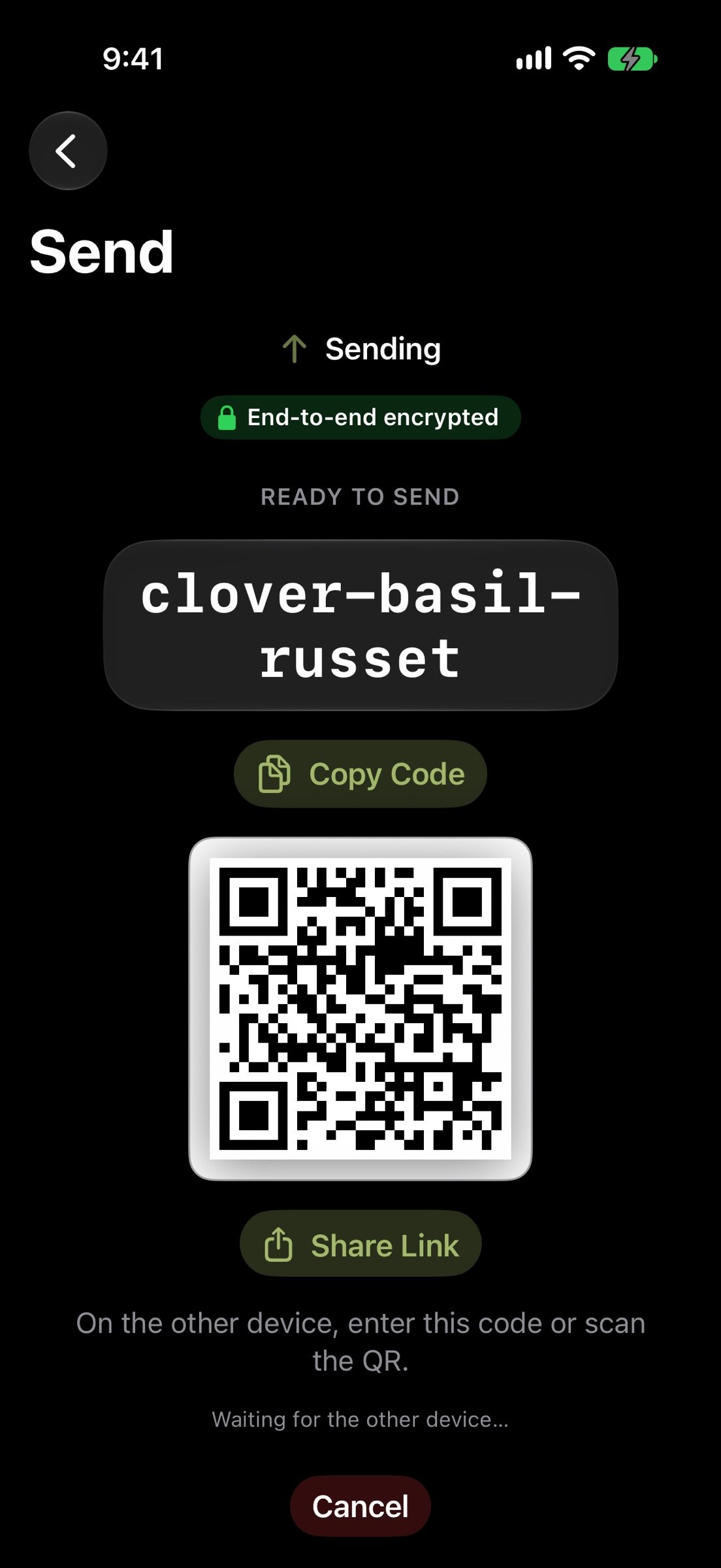
CrocApp sends files, folders and text from one device to another with a short code phrase such as cape-junky-widow. No account, no sign-up, and the two devices do not need to be on the same network.
HOW IT WORKS
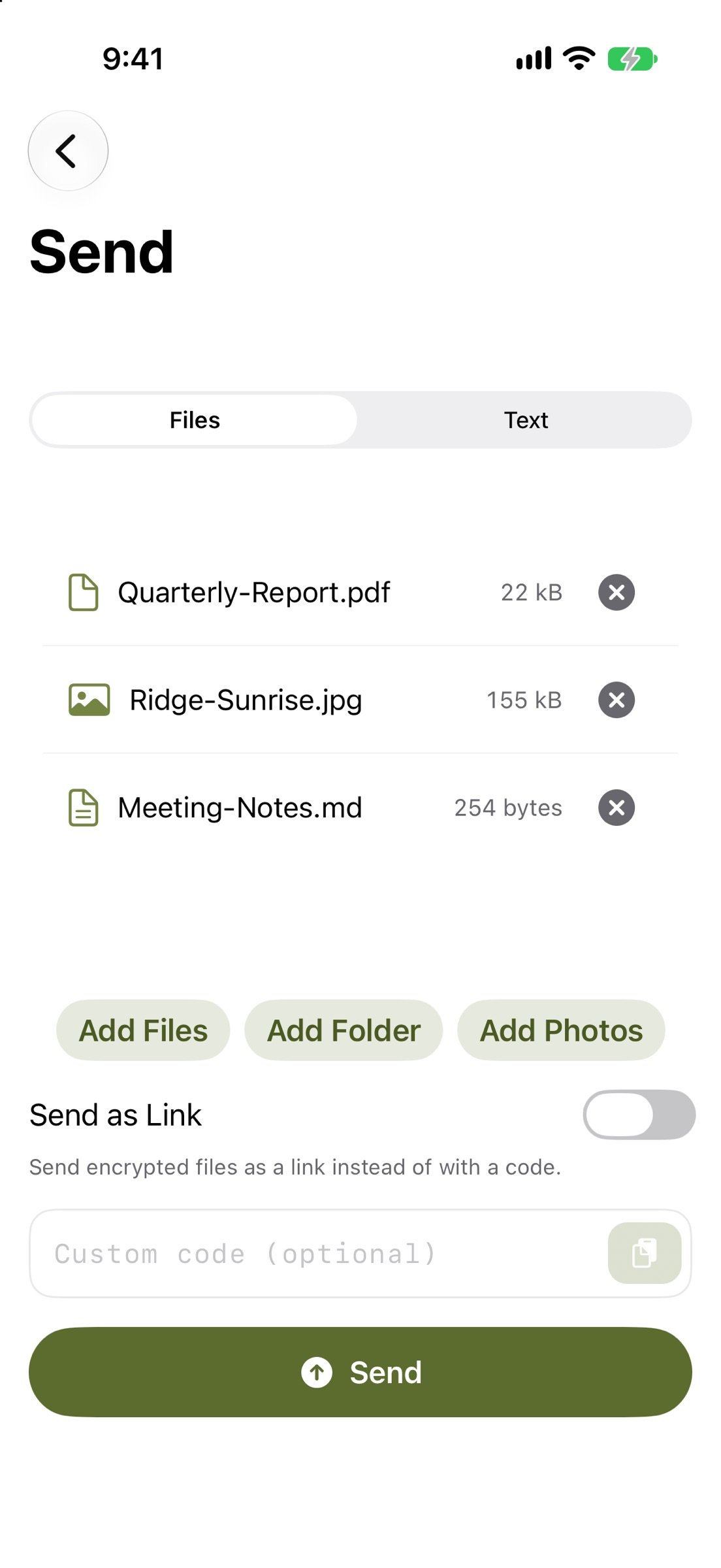
1. Choose what to send: files, a folder, or some text.
2. CrocApp shows a code phrase and a QR code. Read it out, message it, or let the other person scan it.
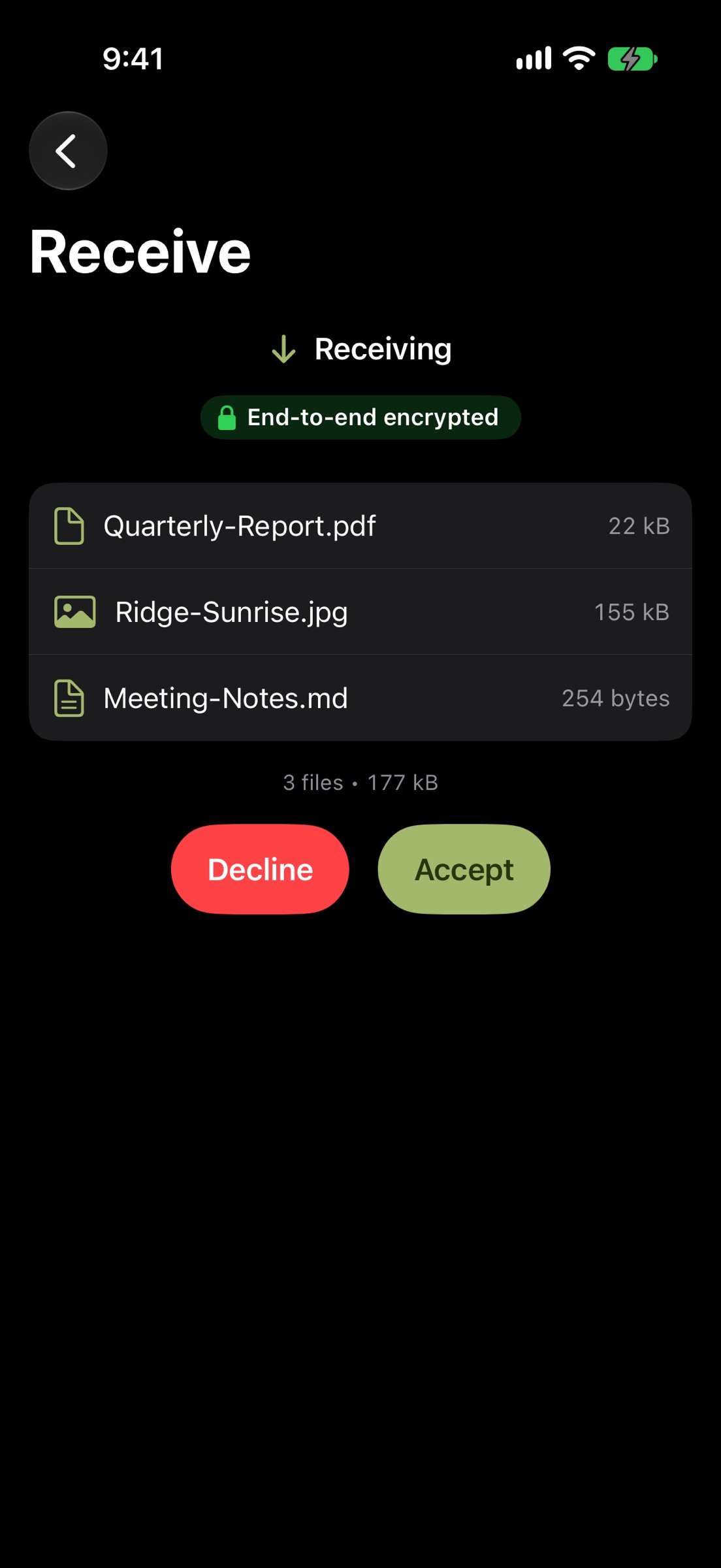
3. The other device enters the phrase, sees the list of files, and accepts. The transfer starts.
PRIVATE BY DESIGN
Transfers are end-to-end encrypted. The code phrase authenticates both devices, and a relay that passes the data along only ever sees ciphertext. CrocApp has no accounts, no analytics, no ads and no tracking, and your transfer history stays on your device. CrocApp has not had a formal third-party security audit.
FREE AND OPEN SOURCE
CrocApp is free: no purchases, no subscription, no tiers. The source code is public under the MIT license at github.com/bakirgdev/CrocApp.
WORKS WITH THE CROC COMMAND LINE
CrocApp is a native SwiftUI app built on croc, the file-transfer tool by Zack Scholl. A code phrase from the croc command line works in CrocApp, and the other way around. The other device needs croc 11 or newer: older croc 10 cannot transfer with CrocApp.
WHAT YOU CAN DO
- Send several files, whole folders, or text and clipboard contents.
- Receive with a code phrase, a scanned QR code, or a link. Opening a link only fills in the code; nothing connects until you tap Receive.
- See the file list before you accept, and choose Keep Both or Replace when a name is already taken.
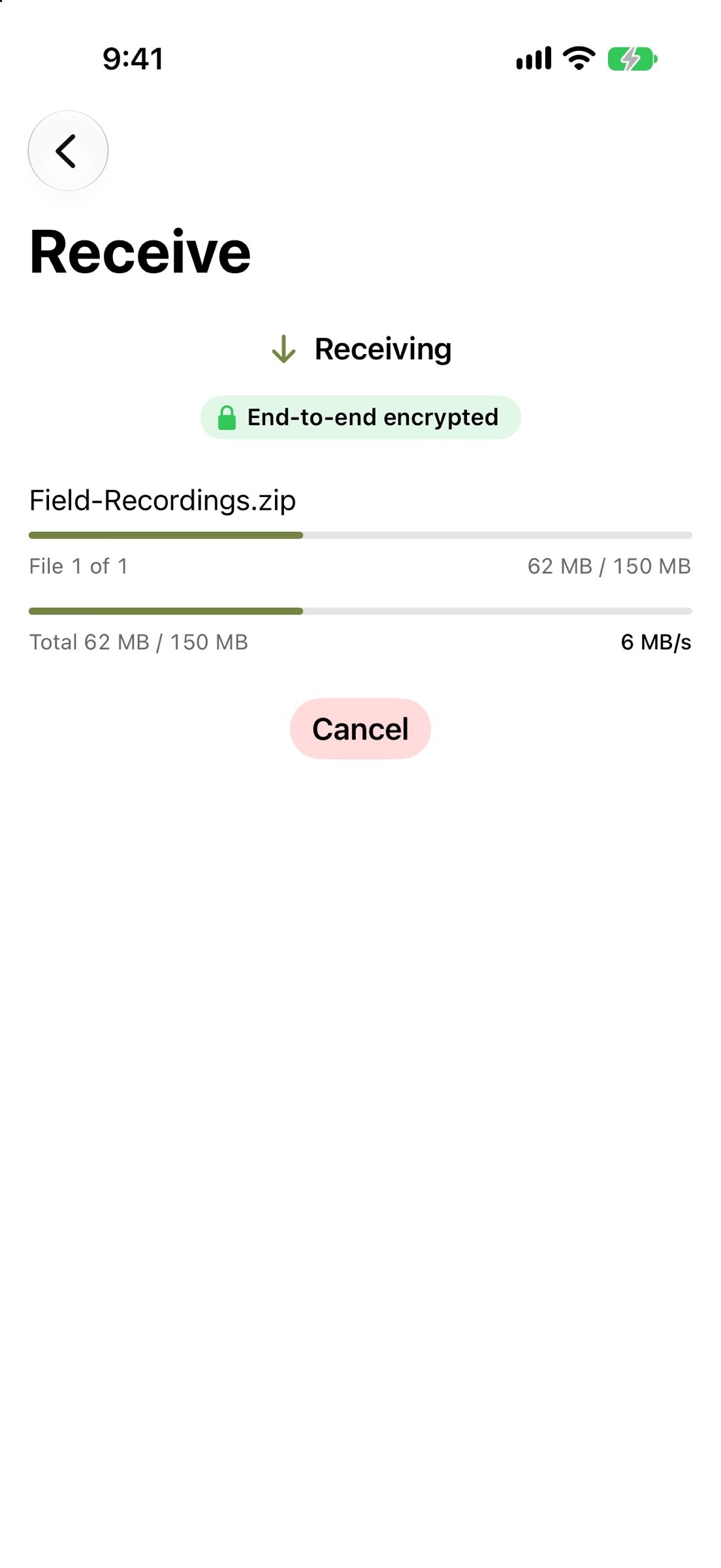
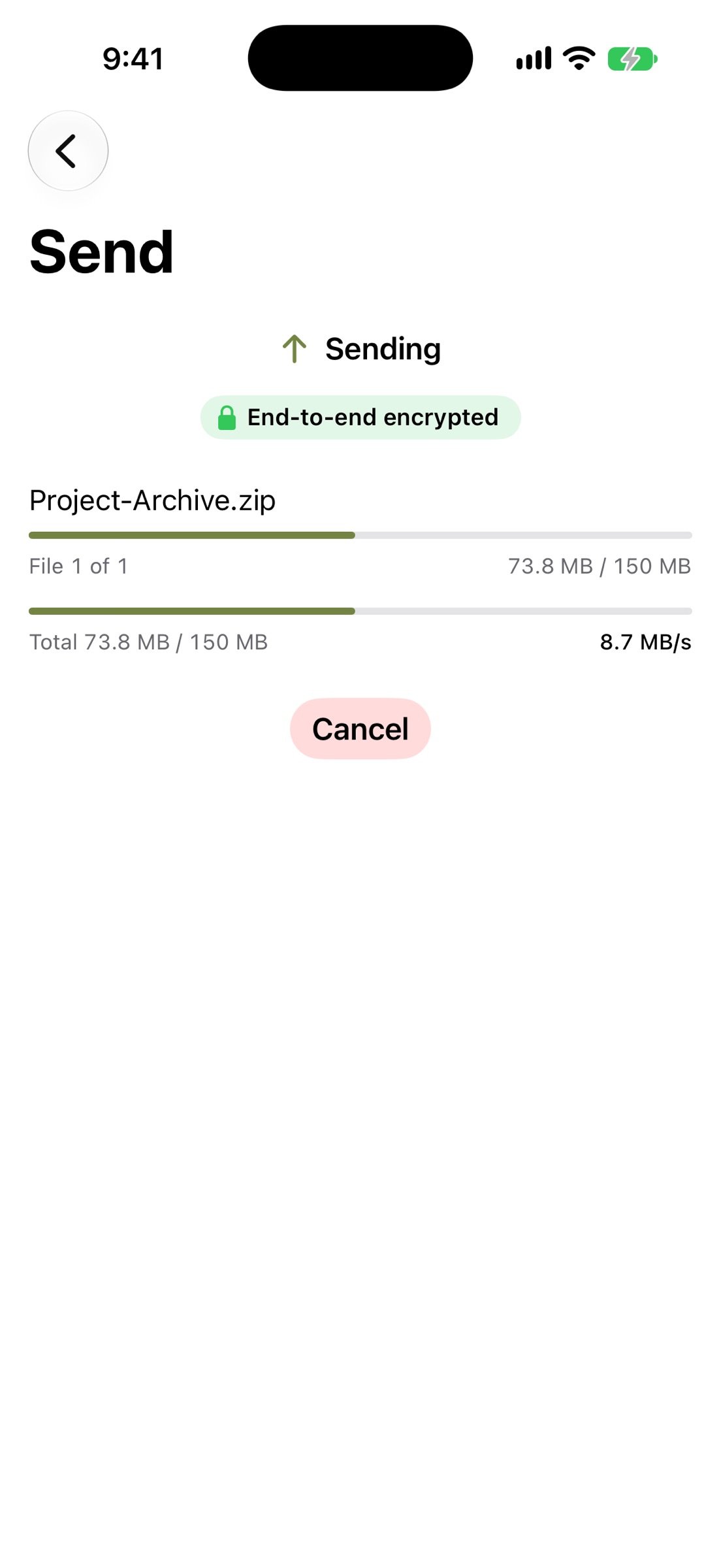
- Watch progress and speed, cancel at any time, and resume an interrupted transfer.
- Send as Link: share encrypted files for someone who is not online, with a lifetime of 1 hour, 1 day or 7 days. A link holds up to 100 files and 1 GiB in total, and can be downloaded up to 100 times. You can revoke the link from History.
- Use your own relay, force local-network-only transfers, or route through a proxy, from Settings.
- iPhone and iPad: send from any app with the share sheet, find received files in the Files app, and use Shortcuts and Siri actions.
- Mac: drag and drop, a menu bar window for quick sends, and Shortcuts actions.
- Light and dark appearance and Dynamic Type.
WHAT TO KNOW
By default CrocApp uses the public relays run by the croc project to connect two devices, and the croc project's link server at getcroc.com for links. Your files are encrypted before they leave your device. You can point CrocApp at relays and a link server you run yourself. Nearby transfers over the local network depend on what your network and device allow.
CrocApp is an independent project. It is unofficial and not affiliated with or endorsed by croc or its author. croc is MIT licensed. Apple, iPhone, iPad, Mac and Siri are trademarks of Apple Inc.
Free to use, with no account. Questions and bug reports: [link removed]
HOW IT WORKS
1. Choose what to send: files, a folder, or some text.
2. CrocApp shows a code phrase and a QR code. Read it out, message it, or let the other person scan it.
3. The other device enters the phrase, sees the list of files, and accepts. The transfer starts.
PRIVATE BY DESIGN
Transfers are end-to-end encrypted. The code phrase authenticates both devices, and a relay that passes the data along only ever sees ciphertext. CrocApp has no accounts, no analytics, no ads and no tracking, and your transfer history stays on your device. CrocApp has not had a formal third-party security audit.
FREE AND OPEN SOURCE
CrocApp is free: no purchases, no subscription, no tiers. The source code is public under the MIT license at github.com/bakirgdev/CrocApp.
WORKS WITH THE CROC COMMAND LINE
CrocApp is a native SwiftUI app built on croc, the file-transfer tool by Zack Scholl. A code phrase from the croc command line works in CrocApp, and the other way around. The other device needs croc 11 or newer: older croc 10 cannot transfer with CrocApp.
WHAT YOU CAN DO
- Send several files, whole folders, or text and clipboard contents.
- Receive with a code phrase, a scanned QR code, or a link. Opening a link only fills in the code; nothing connects until you tap Receive.
- See the file list before you accept, and choose Keep Both or Replace when a name is already taken.
- Watch progress and speed, cancel at any time, and resume an interrupted transfer.
- Send as Link: share encrypted files for someone who is not online, with a lifetime of 1 hour, 1 day or 7 days. A link holds up to 100 files and 1 GiB in total, and can be downloaded up to 100 times. You can revoke the link from History.
- Use your own relay, force local-network-only transfers, or route through a proxy, from Settings.
- iPhone and iPad: send from any app with the share sheet, find received files in the Files app, and use Shortcuts and Siri actions.
- Mac: drag and drop, a menu bar window for quick sends, and Shortcuts actions.
- Light and dark appearance and Dynamic Type.
WHAT TO KNOW
By default CrocApp uses the public relays run by the croc project to connect two devices, and the croc project's link server at getcroc.com for links. Your files are encrypted before they leave your device. You can point CrocApp at relays and a link server you run yourself. Nearby transfers over the local network depend on what your network and device allow.
CrocApp is an independent project. It is unofficial and not affiliated with or endorsed by croc or its author. croc is MIT licensed. Apple, iPhone, iPad, Mac and Siri are trademarks of Apple Inc.
Free to use, with no account. Questions and bug reports: [link removed]
| Release info | Update on Nov 13, 2026 |
|---|---|
| Release notes | • Sharing to CrocApp twice before opening it no longer loses the first share, and a share that arrives during a transfer waits in the Shared Files sheet until the transfer ends. • Copies of shared files are deleted as soon as they are sent. • Receiving a text longer than 1 MB now says it is too long and suggests sending it as a file. • A send of thousands of files with Confirm on Both Sides on no longer hangs when the other device stops answering. • The app may ask once for a rating after a few successful transfers, and Settings, About has Rate CrocApp. • Saved codes under the code field no longer run off the edge of the screen, and the iPad sidebar no longer breaks words. • Text field borders are easier to see, and darker with Increase Contrast. • The two Paste buttons on Send have their own names. • Add Files, Add Folder, Add Photos and Scan QR Code are larger and easier to tap. • History shows unusual characters in file names safely, also in older entries. • A file name with a line break now explains how to fix it. • The transfer engine is built with Go 1.27.4, which fixes a security issue. |
| Listing data | App Store |
Reviews
No reviews yet. Be the first to review CrocApp.
Used CrocApp? Tell other visitors what you thought.
Log in to write a reviewOther products by this publisher
- "No Distractions" for YouTube 4.10 ----
- #Bible 11.6 "Incredible App - My sister shared this app with me a few weeks ago and it is truly incredible.
- #filmphotography 1.4.2 So, you decided to shoot on film?
- $quirrel 1.5.1 $quirrel Budget & Finance helps you plan each paycheck, track spending, manage debt, and see what is safe to spend before the next payday.
- % Percentage Calculator Pro 1.41 This is the Pro version of % Percentage Calculator.
Most viewed iOS Utilities
-
1
 Device Lab 1.8.5
Device Lab ??????????????????????? App,?????????????????????????????????,????????????????????????
-
2
 APTV 2.4.9
APTV,?????????????? IPTV M3U???,?????????????????
-
3
 VibeSDR 11.0.16
VibeSDR is a mobile-first software-defined radio (SDR) receiver — and far more than a single-server client.
-
4
 DXClock 4.0.0
Connect, collaborate, and operate smarter with DX Clock — the ultimate meeting place for amateur radio operators.
-
5
 ECHOCAT 1.5.2
ECHOCAT is the iPhone and iPad companion for POTACAT, the desktop app for amateur radio operators chasing Parks on the Air (POTA), Summits on the Air (SOTA), Worldwide Bunkers on the Air (WWBOTA), Tiles on the Air and DX.
-
6
 iNetTools 11.0
iNetTools Pro is the Pro Version of iNetTools.
-
7
 Ally Pro 1.4.0
Ally Pro – Amiibo & NFC Tool gives advanced collectors complete control over their Amiibo library.
-
8
 DRC 2.0.1
A simple to use app to help calculate any dilution ratio.
-
9
 RigCalc 1.0
RigCalc puts the everyday drilling calculations you need on the rig floor, in the mud pit, or in the office into one fast, offline app.
-
10
 DuckDuckGo, optional Duck.ai 7.245.0
At DuckDuckGo, we believe the best way to protect your personal information from hackers, scammers, and privacy-invasive companies is to stop it from being collected at all.
Most downloaded iOS Utilities
-
1
 Rat And Mouse Sound Repeller 2.8
Keep mice and rats away overnight with ultrasonic waves and predator sounds.
-
2
 Demod 1.6
Demod turns your iPhone into a software-defined radio receiver.
-
3
 Screen Mirroring With Miracast 2.0
Turn your iPhone into a complete TV companion.
-
4
 Guardio 2026.105.1
Guardio protects every part of your digital life: your devices, identity, accounts, and activity, so you can browse, shop, text, and bank online with confidence.
-
5
 Fontcase 2.0.1
Fontcase is an app that lets you install custom fonts on iOS and iPadOS.
-
6
 PickerFull 9.18
Export colors from photos as HEX, PDF, RGB, HSB/HSV, HSBA, HSL, LUV, LCH, YUV, YCBCR, YIQ, CMYK, Grayscale, XYZ, L*a*b* (CIE), CSSVAR, SASSVAR, CSSHSL, CSSRGB, AndroidXML, FlutterDart, UnityColor32, Float, Objective-C, Swift, SwiftLiteral, SwiftUI
-
7
DRC 2.0.1
A simple to use app to help calculate any dilution ratio.
-
8
DuckDuckGo, optional Duck.ai 7.245.0
At DuckDuckGo, we believe the best way to protect your personal information from hackers, scammers, and privacy-invasive companies is to stop it from being collected at all.
-
9
 PDF Reader 1.3.1
Turbo PDF: Scanner & Editor is a highly reliable scanner application that effectively transforms your smartphone into a robust PDF scanner.
-
10
RigCalc 1.0
RigCalc puts the everyday drilling calculations you need on the rig floor, in the mud pit, or in the office into one fast, offline app.