
22downloads
9this week
FreeCommercial
0reviews
Screenshots
About CoreSpend
Stop guessing where your money went. Start telling it where to go.
CoreSpend is the personal finance companion for people who value speed, visual clarity and absolute privacy. A clean, powerful budgeting app that puts you back in control -- with no subscription.
Whether you need a quick expense tracker for the daily coffee or a full financial tracker for yearly trends, CoreSpend makes it effortless, beautiful and 100% private.
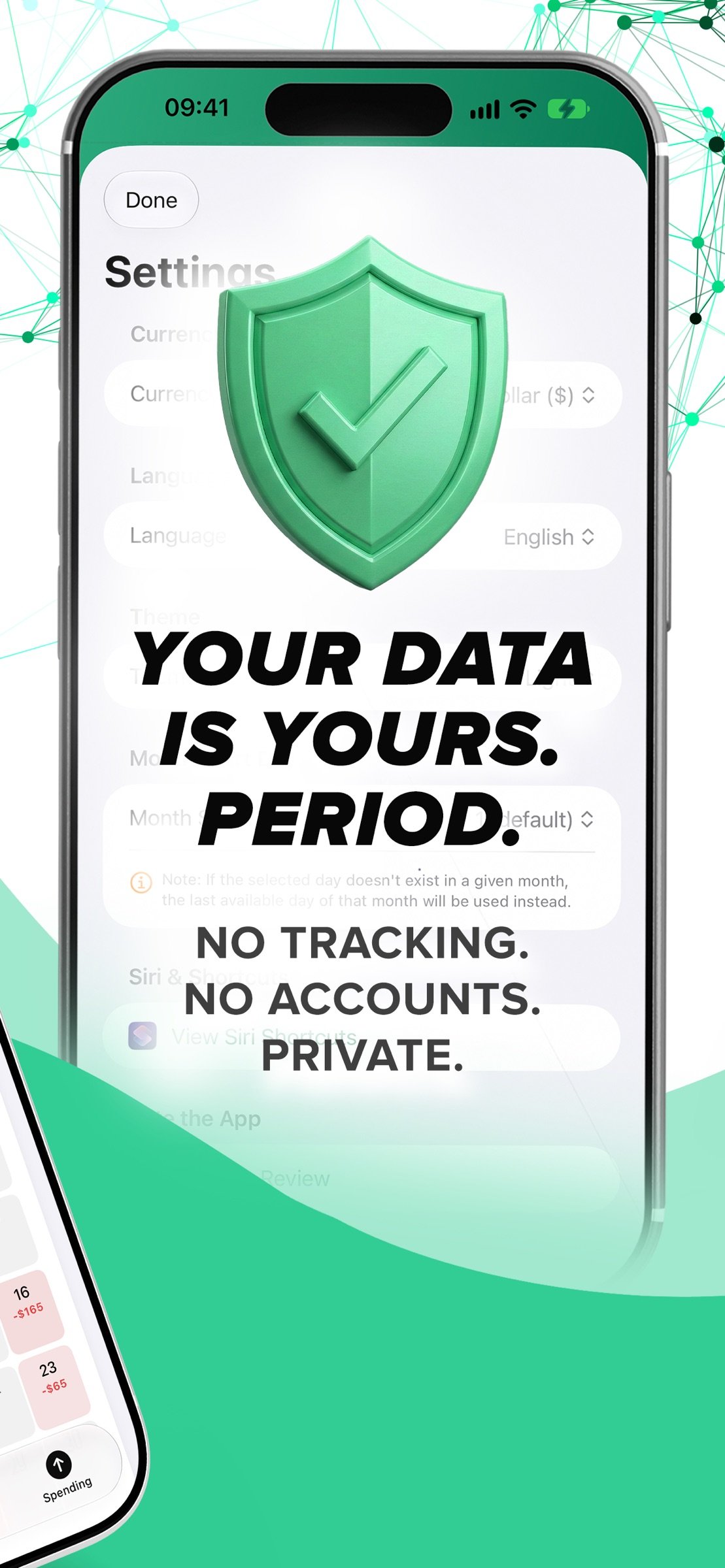
THE PRIVACY PROMISE
Your financial data is your business, not ours.
o Zero Sign-Ups: No accounts. No emails. No passwords.
o 100% Private: Your data lives on your devices and in your personal iCloud. We never see it.
o No Data Selling: You are the customer, not the product.
o No Subscriptions: One-time purchase, lifetime ownership.
ONE BUDGET ON iPHONE, iPAD AND MAC
o iCloud Sync: Add an expense on your phone and it's on your iPad and Mac in seconds.
o New device or reinstall: Sign in with the same Apple ID and everything comes back.
o iPad: Wide two-column layouts and keyboard shortcuts.
o Mac: A native app with a sidebar, menus, ? shortcuts and desktop widgets.
A CLEARER OVERVIEW
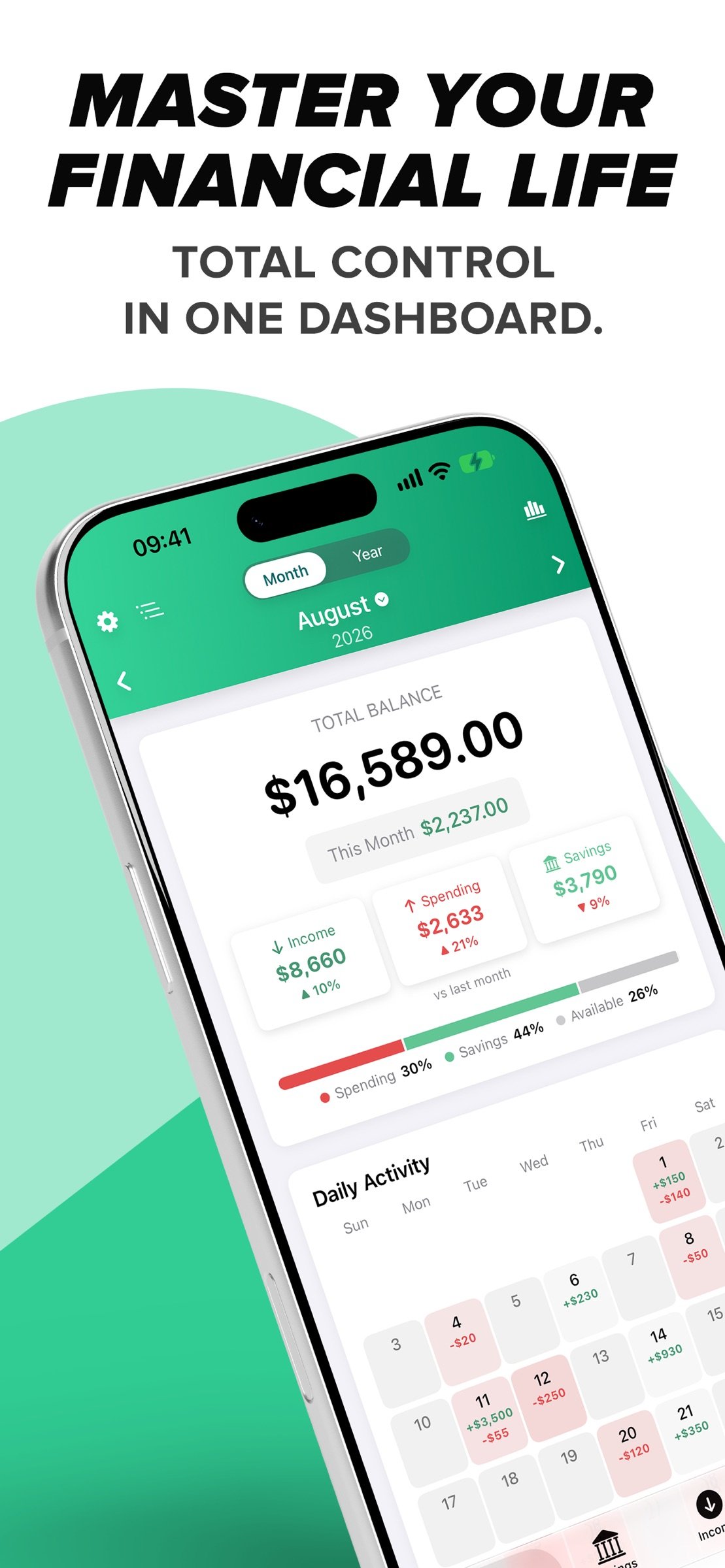
o Income, Spending and Savings, each with how it changed since last month.
o A bar showing where your income went: Spending, Savings and what's still Available.
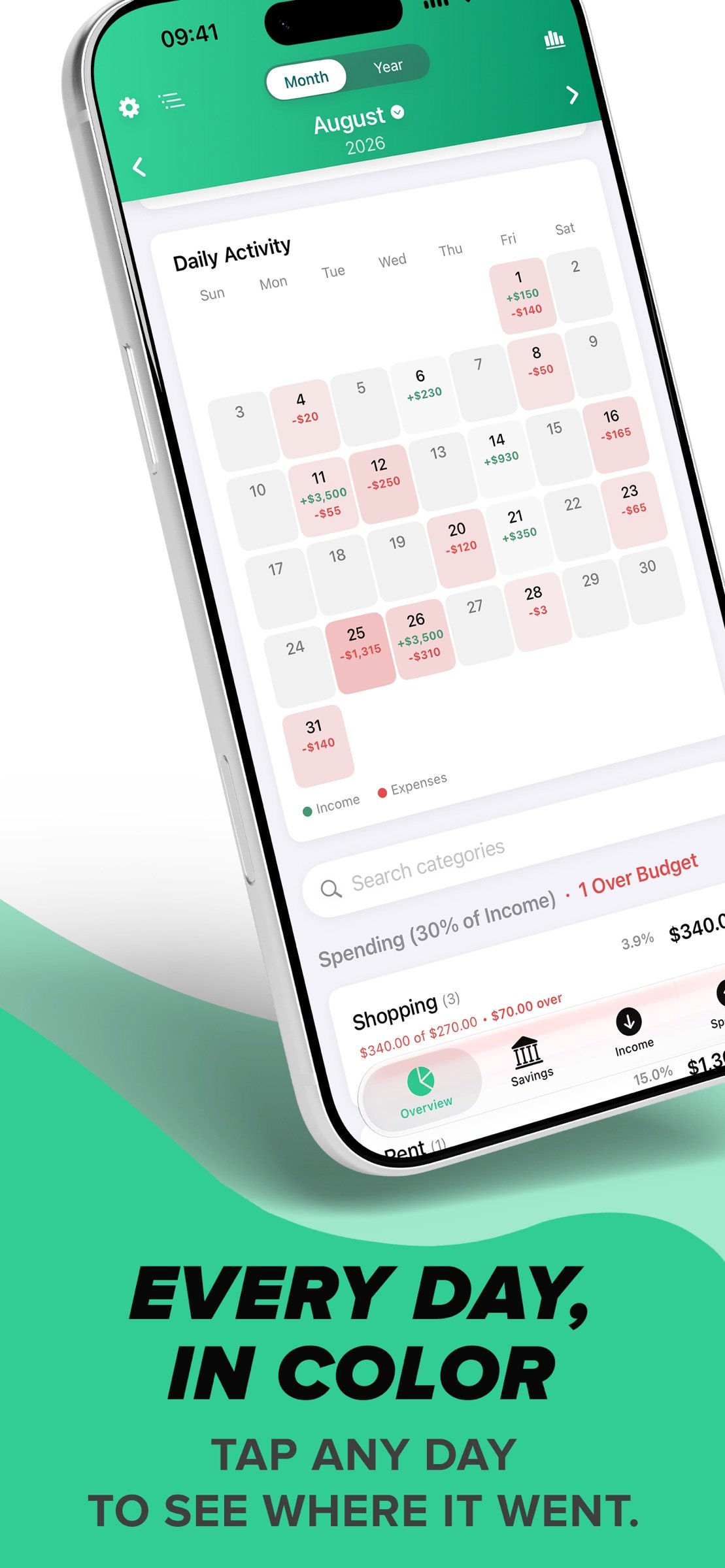
o Budget bars turn blue, amber or red as you near a limit; over-budget categories rise to the top.
o A calendar tinted by how much you spent each day. Tap any day to see and edit its transactions.
WIDGETS & LOCK SCREEN
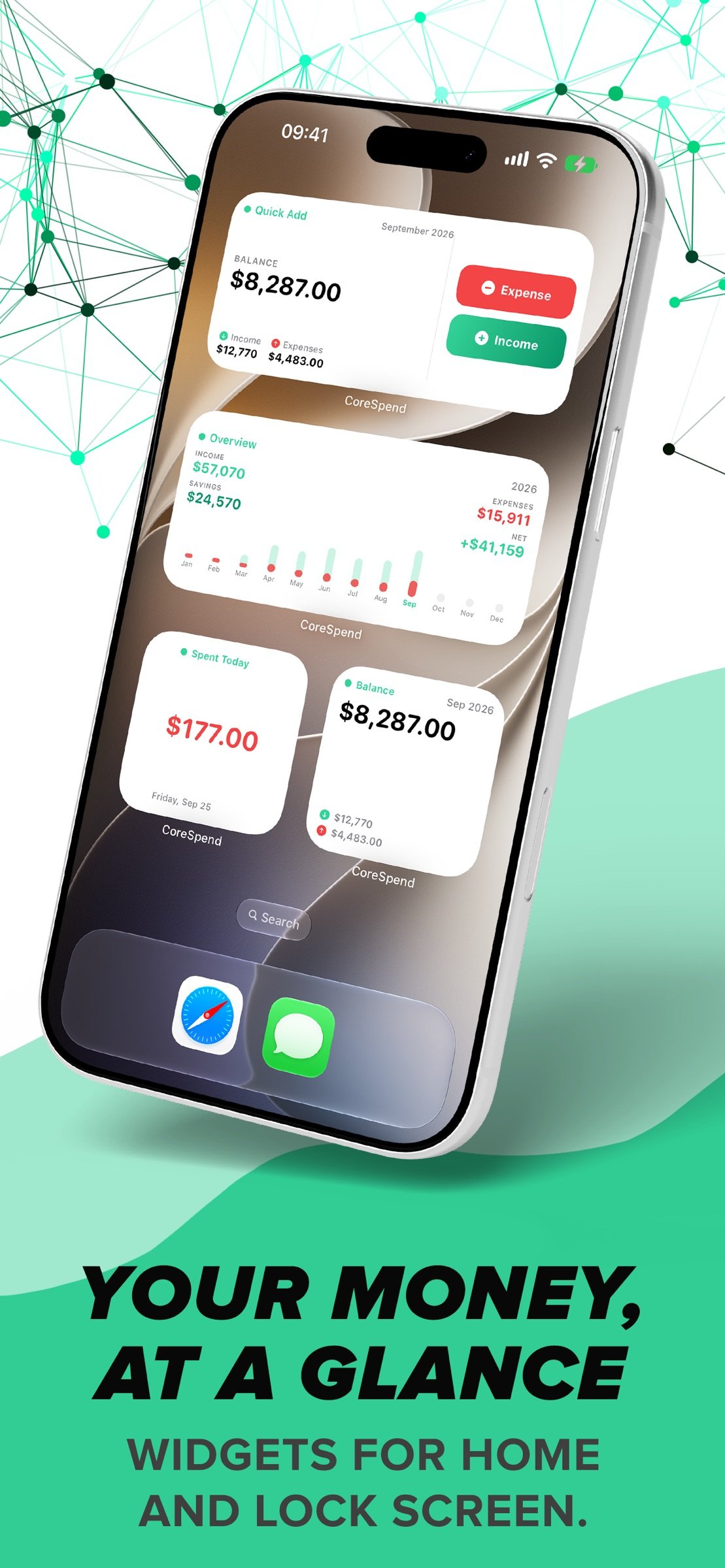
o Home Screen and desktop widgets: Balance with your latest transactions, Budget Left, Today's Spending, Savings Goals, Upcoming Bills, Quick Add Expense and Income, and a Yearly Overview.
o Lock Screen widgets: Check your balance at a glance, or tap once to log a transaction.
SIRI & SHORTCUTS
o "Hey Siri, add a 12 dollar expense for lunch."
o Ask Siri for your balance, today's spending, or how much is left in any category.
o Long-press the app icon for instant Add Expense, Add Income and Balance.
VISUAL ANALYTICS
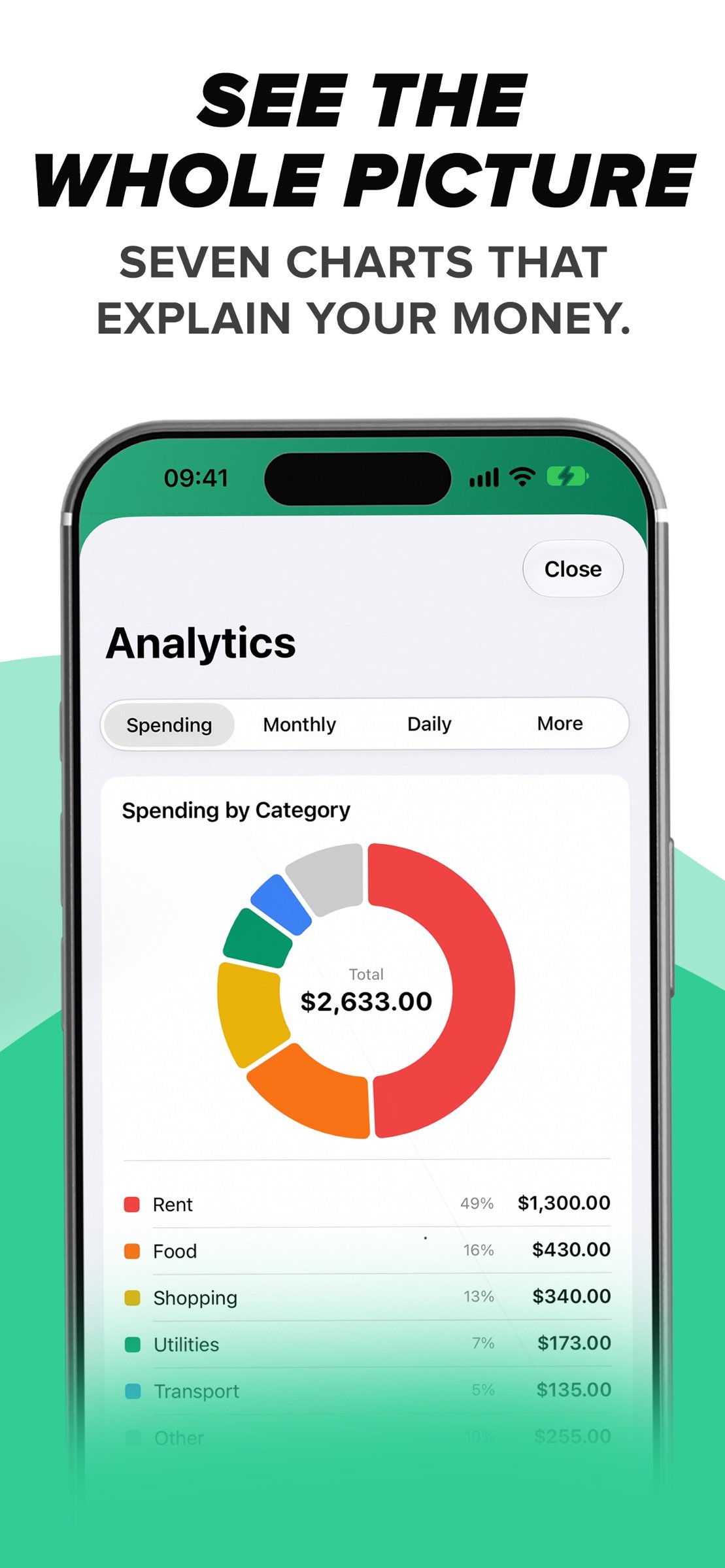
o Spending by Category and Income by Source as clear donut charts.
o Monthly income vs expenses, Savings Rate, Average Spend by Weekday.
o Budget vs Actual, Category Over Time, Top Transactions and Savings Progress.
BUILT-IN CALCULATOR
Type 24+18.50 straight into the amount field and CoreSpend does the math.
RECURRING TRANSACTIONS
o Rent, salaries and subscriptions are logged automatically on their due date.
o Daily, Weekly, Bi-weekly, Monthly or Yearly. See what's Active or Paused at a glance.
CUSTOM MONTH START
Set your financial month to start on payday (e.g. the 9th or 25th). Dashboard, calendar and analytics all follow your real budget period.
SMARTER SAVINGS & GOALS
o Realistic projections: Goal dates are calculated from your whole contribution history, skipped months included.
o Plan for a raise or a tight month with your own monthly contribution.
o Track your "Piggy Banks" with color-coded progress bars.
o A summary of Total Saved, Target, Left and Progress above your goals.
BUDGET LIMITS
Set a monthly ceiling for any category and see how close you are in every list and widget.
GLOBAL BY DESIGN
31 languages and 34 currencies, including English, Spanish, French, German, Japanese, Hindi, Turkish, Italian, Portuguese and more; USD, EUR, GBP, JPY, INR, CHF, TRY, PLN, SEK, NOK, DKK and more.
CoreSpend is more than a spending tracker -- it's your path to financial freedom.
Download CoreSpend today and master your money.
License: Commercial
| Release info | Update on Nov 06, 2026 |
|---|---|
| Release notes | Version 1.4: The "Everywhere" Update. CoreSpend now runs on your iPhone, iPad and Mac, and keeps them all in step. NEW: iCLOUD SYNC o Your transactions, budgets, recurring payments and savings goals sync across your iPhone, iPad and Mac. Add an expense on one device and it's on the others in seconds. o Reinstall the app or get a new device: sign in with the same Apple ID and everything comes back. o Nothing changes if you don't use iCloud -- the app keeps working on its own. NEW: iPAD AND MAC o iPad: wide two-column layouts, a sidebar, keyboard shortcuts and the same widgets. o Mac: a native Mac app with a sidebar, File and View menus, ? shortcuts, a proper app icon and desktop widgets. IMPROVED: OVERVIEW o Income, Spending and Savings are labeled and show how they changed since last month. o A new bar shows where your income went: Spending, Savings and what's still Available. o Budget bars turn blue, amber or red as you approach a limit; over-budget categories move to the top, and the header tells you how many there are. o Each category now opens into neat boxes per day, so a day and its transactions read as one unit. o Search categories right on the Overview. IMPROVED: CALENDAR AND RECURRING PAYMENTS o Days in the calendar are tinted by how much you spent, so heavy days stand out. o Recurring payments are now added at midnight on their due day. IMPROVED: CALCULATOR o Type a calculation such as 20-12 in any amount field and save -- CoreSpend stores the result. No need to press = first. IMPROVED: WIDGETS o Large widgets use their full height. Upcoming Bills lists up to seven bills for the next 30 days with the total due, Savings Goals shows active goals first, the Balance widget adds your latest transactions, and the Yearly Overview lists every month so far. o Today's Spending shows how today compares with yesterday. o Amounts are shown whole unless the cents matter, and currencies such as zl and Kc sit after the number, as in the app. o A larger balance on Quic |
| Listing data | App Store |
Reviews
No reviews yet. Be the first to review CoreSpend.
Used CoreSpend? Tell other visitors what you thought.
Log in to write a reviewOther products by this publisher
- "No Distractions" for YouTube 4.10 ----
- #Bible 11.6.1 "Incredible App - My sister shared this app with me a few weeks ago and it is truly incredible.
- #filmphotography 1.4.2 So, you decided to shoot on film?
- #LookBusy Fake Calendar Events 1.0.6 Look Busy scans your work calendar for open time slots and fills them with realistic-looking (but secretly fake) work events.
- #Small Talk Is Canceled 1.0.2 #Small Talk Is Canceled — Conversations That Matter
Most viewed iOS Business
-
1
 Navy Federal Credit Union 2026.10.2
Bank easy with the Navy Federal mobile app!
-
2
 Paycom 8.0.14
If you or your company use Paycom’s HR and software, the Paycom app helps you manage everyday HR and payroll tasks in one place — like checking your schedule, requesting time off and reviewing your pay.
-
3
 Entrust Identity 26.4.0
The Entrust Identity mobile application is the new Entrust mobile platform for delivering strong identity credentials to both employee and consumer users.
- 4 % Percentage Calculator Pro 1.41 This is the Pro version of % Percentage Calculator.
-
5
 Intune Company Portal 5.2610.0
Microsoft Intune helps organizations manage access to corporate apps, data, and resources.
-
6
 ParkNYC Powered by Flowbird 2.2.1
Have you ever been late to an important meeting and you can’t find a parking spot?
-
7
 Budget-Beacon 1.5
Budget Beacon connects to your Apple Wallet to help you understand and manage your spending.
- 8 $quirrel 1.5.1 $quirrel Budget & Finance helps you plan each paycheck, track spending, manage debt, and see what is safe to spend before the next payday.
-
9
 Shopify 11.2646.0
Shopify: build your online store, sell anywhere, run your business
-
10
 MiniVAN Touch 9.4.7
miniVAN Touch is a mobile canvassing application that integrates with websites provided by NGP VAN.
Most downloaded iOS Business
-
1
ParkNYC Powered by Flowbird 2.2.1
Have you ever been late to an important meeting and you can’t find a parking spot?
-
2
Budget-Beacon 1.5
Budget Beacon connects to your Apple Wallet to help you understand and manage your spending.
-
3
 Rocket.Chat 4.78.1
Rocket.Chat Secure CommsOS™ is a communication platform that unifies messaging, voice, video, AI, and mission-critical applications—ensuring uncompromising security, compliance, and operational efficiency for governments, defense, and critical infra…
-
4
 Business Timesheet 6.0
Are you looking for timesheet to track the work hours spent on hourly, daily or weekly basis accurately?
-
5
 Receivable Payment Ledger2026 1.1
Payment Ledger is a fully offline accounts receivable management tool for small businesses, shops, wholesalers, and salespeople who need to track customer debts and payment progress.
-
6
 Simple Budget Envelopes 2.2.1
An incredibly simple app, perfect for keeping track of how much money remains in your budget.
-
7
 Cvent Events 2.9.0
Cvent Events is your place to easily plan out your event experience, find where you need to go next, network with other attendees, and learn more about sponsors and exhibitors.
-
8
 Power Apps 3.26112.10
Get Power Apps to conveniently access your work or school apps no matter where you are: at home, on the road, in the field, off-campus, at the airport, or at the beach – anywhere life takes you.
-
9
 Vola 4.9.02
Vola is the only cash advance app built for Real-Time Payments (RTP).
-
10
 Checkbook Pro 3.3.5
An easy & quick way to manage your daily finances, Checkbook Pro keeps track of your credit card charges, cash expenditures...etc.