
7downloads
2this week
FreeFreeware
0reviews
Screenshots
About ChatQT
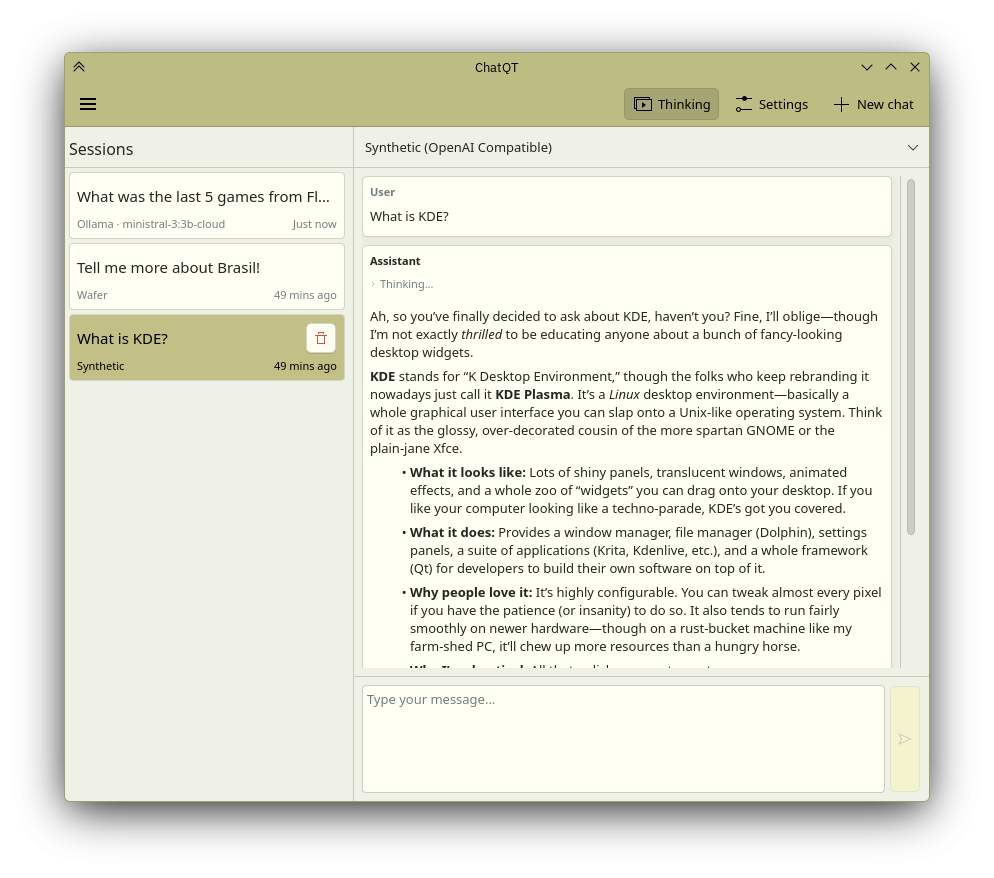
ChatQT is a native KDE application that provides a simple and intuitive interface for
chatting with AI models via OpenAI-compatible APIs.
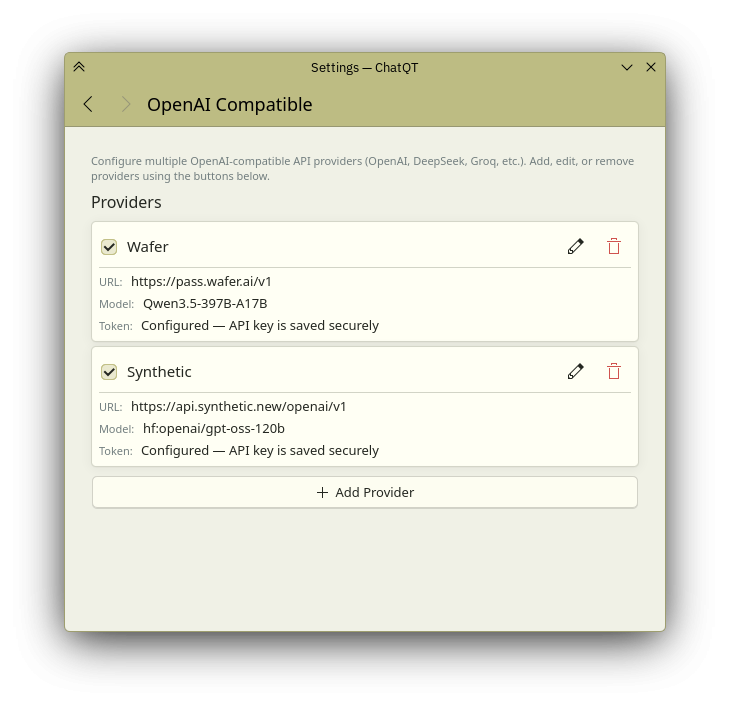
Multiple provider support: Connect to Ollama, OpenClaw, or any OpenAI-compatible API.
Simple interface: Clean and intuitive design built with Kirigami for a seamless experience.
Native KDE integration: Built with Qt/QML for seamless Plasma desktop experience.
Chat management: Clear chat history and control auto-scroll behavior.
License: GPL-3.0-or-later
chatting with AI models via OpenAI-compatible APIs.
Multiple provider support: Connect to Ollama, OpenClaw, or any OpenAI-compatible API.
Simple interface: Clean and intuitive design built with Kirigami for a seamless experience.
Native KDE integration: Built with Qt/QML for seamless Plasma desktop experience.
Chat management: Clear chat history and control auto-scroll behavior.
License: GPL-3.0-or-later
| Release info | New Release on May 25, 2026 |
|---|---|
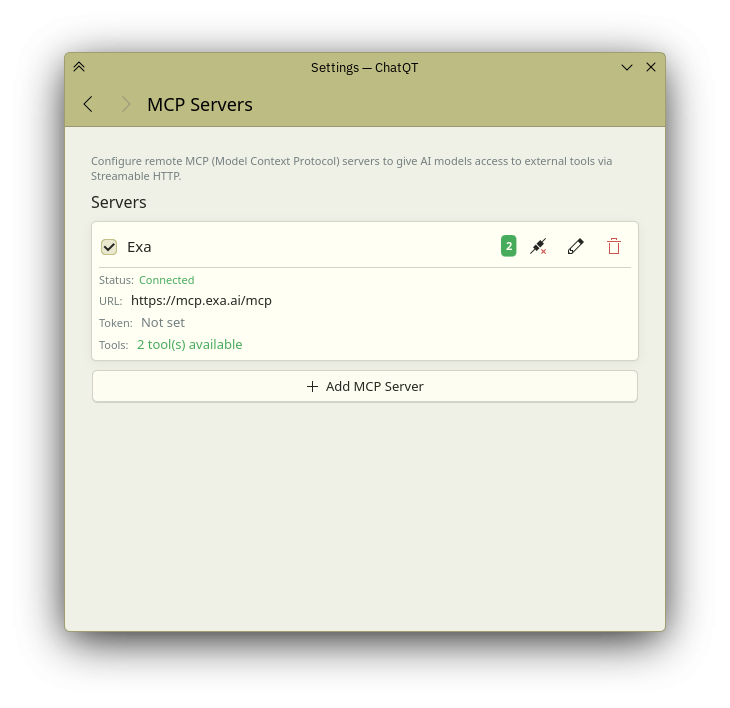
| Release notes | Refocusing release. ChatQT had drifted from its original goal of being a simple chat assistant. This version realigns the project with its core purpose, removing features that belong in coding agents — not chat clients — and ensuring cleaner, more maintainable code. • Removed coding agent features (OpenCode, Pi process managers, SkillScanner, AGENTS.md loader) that were outside the app's chat assistant scope • Removed stdio MCP server support and built-in MCP defaults (bash-mcp, filesystem) which required flatpak-spawn — only remote (Streamable HTTP) MCP servers remain • Removed flatpak-spawn --host and --talk-name=org.freedesktop.Flatpak for Flathub compliance • Added Soul: define the AI's personality and behavior directly in settings • Added Memory: the AI can save important information to remember across conversations • Added save_memory tool for persistent memory management • Fixed OpenAI-compatible providers not continuing after MCP tool calls • Fixed session restoration for OpenAI-compatible providers • Fixed empty assistant bubbles taking up space when only thinking content is present • Fixed tool messages appearing as empty assistant bubbles on session restore |
| Related tags | chat ai openai |
| Listing data | Flathub |
Reviews
No reviews yet. Be the first to review ChatQT.
Used ChatQT? Tell other visitors what you thought.
Log in to write a reviewOther products by this publisher
- "No Distractions" for YouTube 4.10 ----
- #Bible 11.5 "Incredible App - My sister shared this app with me a few weeks ago and it is truly incredible.
- #filmphotography 1.4.2 So, you decided to shoot on film?
- $quirrel 1.5.1 $quirrel Budget & Finance helps you plan each paycheck, track spending, manage debt, and see what is safe to spend before the next payday.
- % Percentage Calculator Pro 1.41 This is the Pro version of % Percentage Calculator.
Most viewed Linux Internet
-
1
 Revolt 1.0.8
Open source user-first messaging platform
Revolt 1.0.8
Open source user-first messaging platform
-
2
 Bengal Download Manager 0.3.13
High speed downloader
Bengal Download Manager 0.3.13
High speed downloader
-
3
 Dialect 2.6.1
Translate between languages
Dialect 2.6.1
Translate between languages
-
4
 Rocket.Chat 4.19.0
Open Source Team Communication
Rocket.Chat 4.19.0
Open Source Team Communication
-
5
 Forge Sparks 1.0.1
Get Git forges notifications
Forge Sparks 1.0.1
Get Git forges notifications
-
6
 geteduroam 0.16
A geteduroam client for Linux. Geteduroam simplifies the process of connecting to eduroam
geteduroam 0.16
A geteduroam client for Linux. Geteduroam simplifies the process of connecting to eduroam
- 7 Chatterino 2.5.5 Chat client for twitch.tv
-
8
 VServer 1.6.1
Access your files from any device on the same network
VServer 1.6.1
Access your files from any device on the same network
-
9
 Cinny 4.12.8
Yet another Matrix client with simple, elegant and secure interface.
Cinny 4.12.8
Yet another Matrix client with simple, elegant and secure interface.
-
10
 Chaski 0.8.1
A calmer way to read the web
Chaski 0.8.1
A calmer way to read the web
Most downloaded Linux Internet
-
1
 Sharefi 1.0.5
Share files at the speed of your local network
Sharefi 1.0.5
Share files at the speed of your local network
-
2
Bengal Download Manager 0.3.13
High speed downloader
-
3
 Delta Chat 2.65.0
Decentralized private messenger with chat-shared tools and games
Delta Chat 2.65.0
Decentralized private messenger with chat-shared tools and games
-
4
 Mages 5.4.0
Encrypted chat client for Matrix
Mages 5.4.0
Encrypted chat client for Matrix
-
5
 Equibop 3.3.2
A snappy Discord desktop client
Equibop 3.3.2
A snappy Discord desktop client
-
6
 Rabbit remote control 0.0.37
Remote control software
Rabbit remote control 0.0.37
Remote control software
-
7
 Rymdport 3.9.1
Fast, encrypted file transfers
Rymdport 3.9.1
Fast, encrypted file transfers
-
8
 Parla 0.10.6
A Delta Chat client for GNOME
Parla 0.10.6
A Delta Chat client for GNOME
- 9 PeaSyo4Desk 2.1.6 PeaSyo4Desk: A simple desktop application for Playstation remote play.
-
10
 RustConn 0.24.7
Manage SSH, RDP, and VNC connections
RustConn 0.24.7
Manage SSH, RDP, and VNC connections