
Card Exhibit 1.1.3
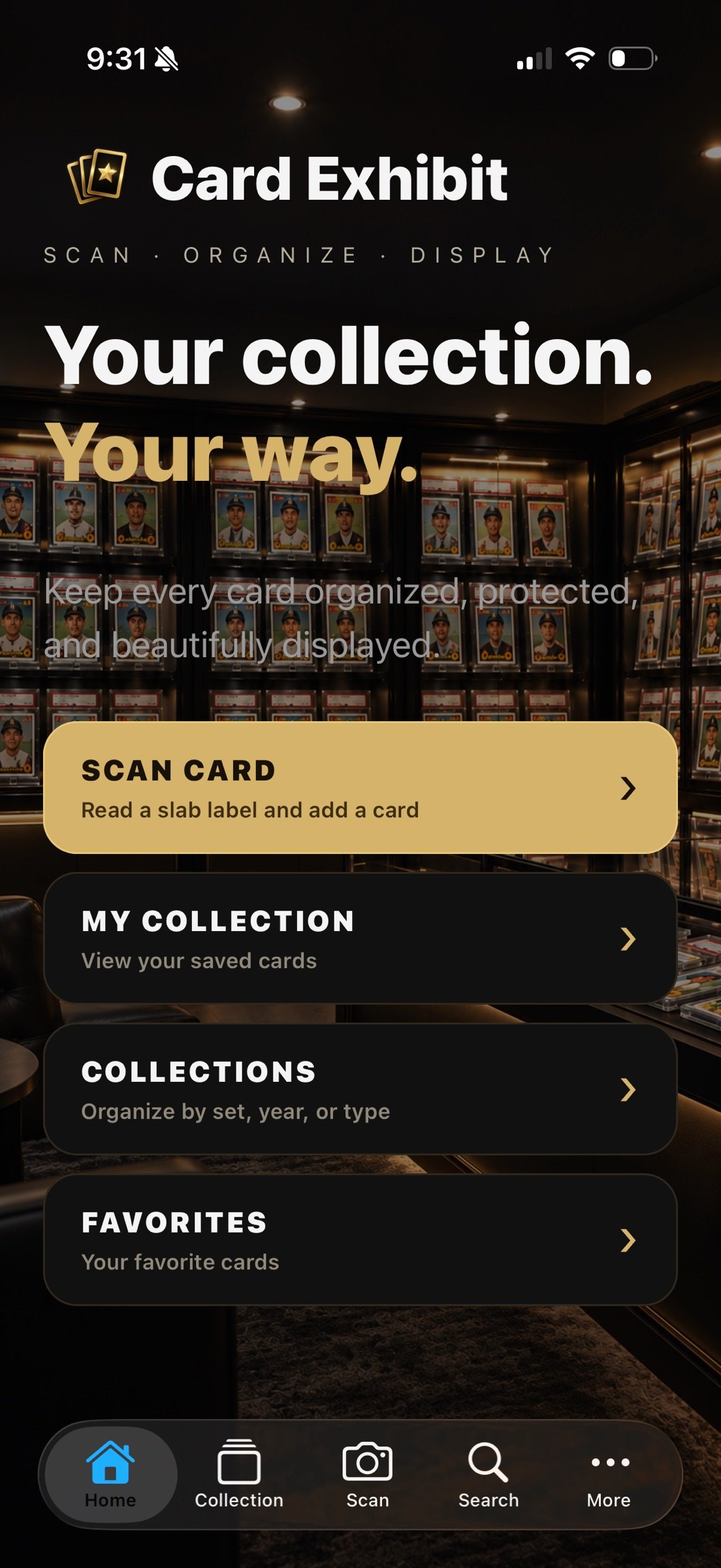
Card Exhibit helps you organize and display your sports card collection.
Download
52.79 MB
13downloads
1this week
FreeCommercial
0reviews
Screenshots
About Card Exhibit
Card Exhibit helps you organize and display your sports card collection.
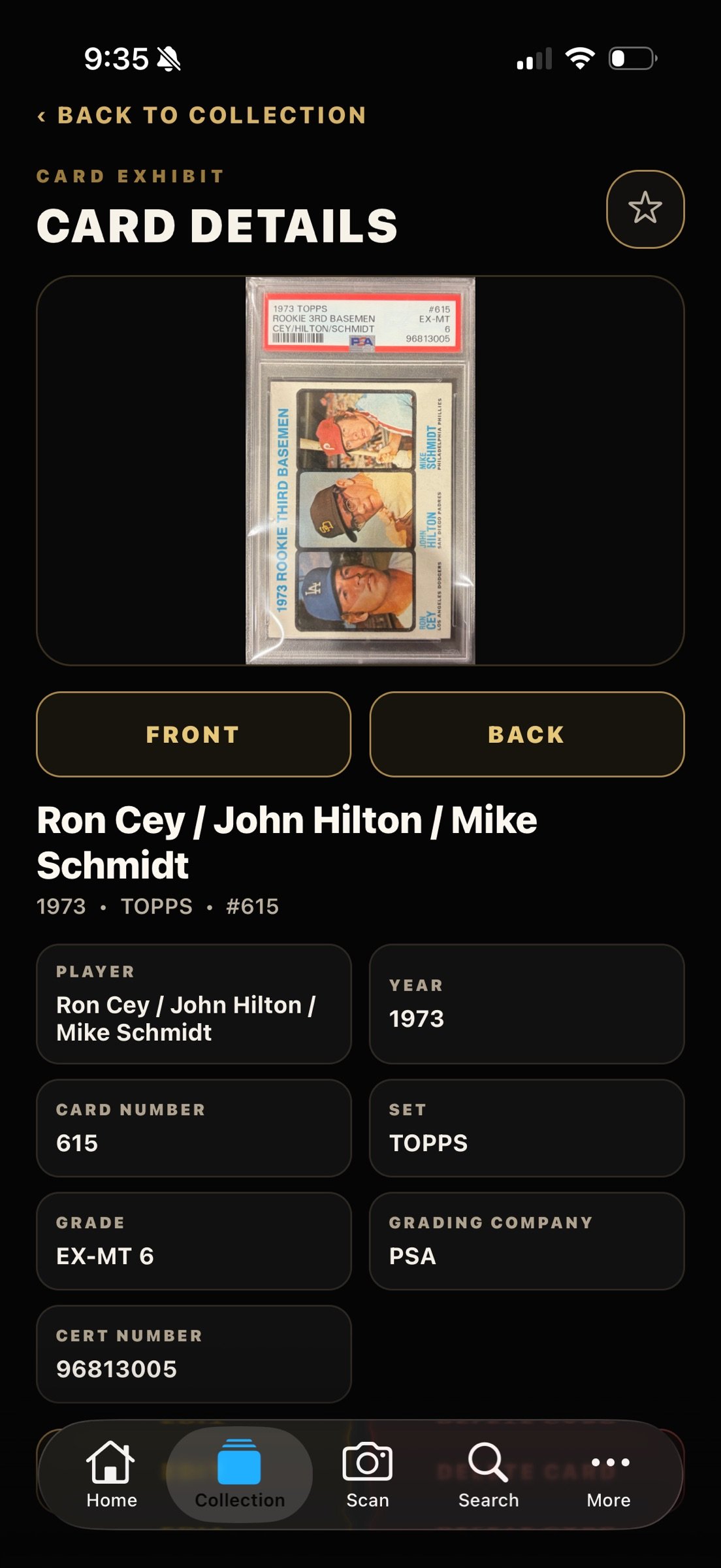
Take a photo of a graded card or choose a saved photo or screenshot from Photos. Read visible slab-label text on your iPhone without uploading it. Results may be incomplete or incorrect: review every field and edit before saving. You can also enter details manually. Originals in Photos stay unchanged.
Use the image as it is, or optionally crop inward or outward and straighten it. Review the updated preview before saving. Find Corners and perspective correction are optional, require an internet connection, and use separate, remembered photo-upload permission. Local label reading, ordinary cropping, editing and saving work with uploads off.
Add an optional back photo under the same card. Review any proposed missing details or conflicts; back readings do not replace the front grade or capture subgrades. Add a back later or replace it in Edit, and switch between Front and Back in Card Details. Photos import and optional back images are included in the base app without an additional fee.
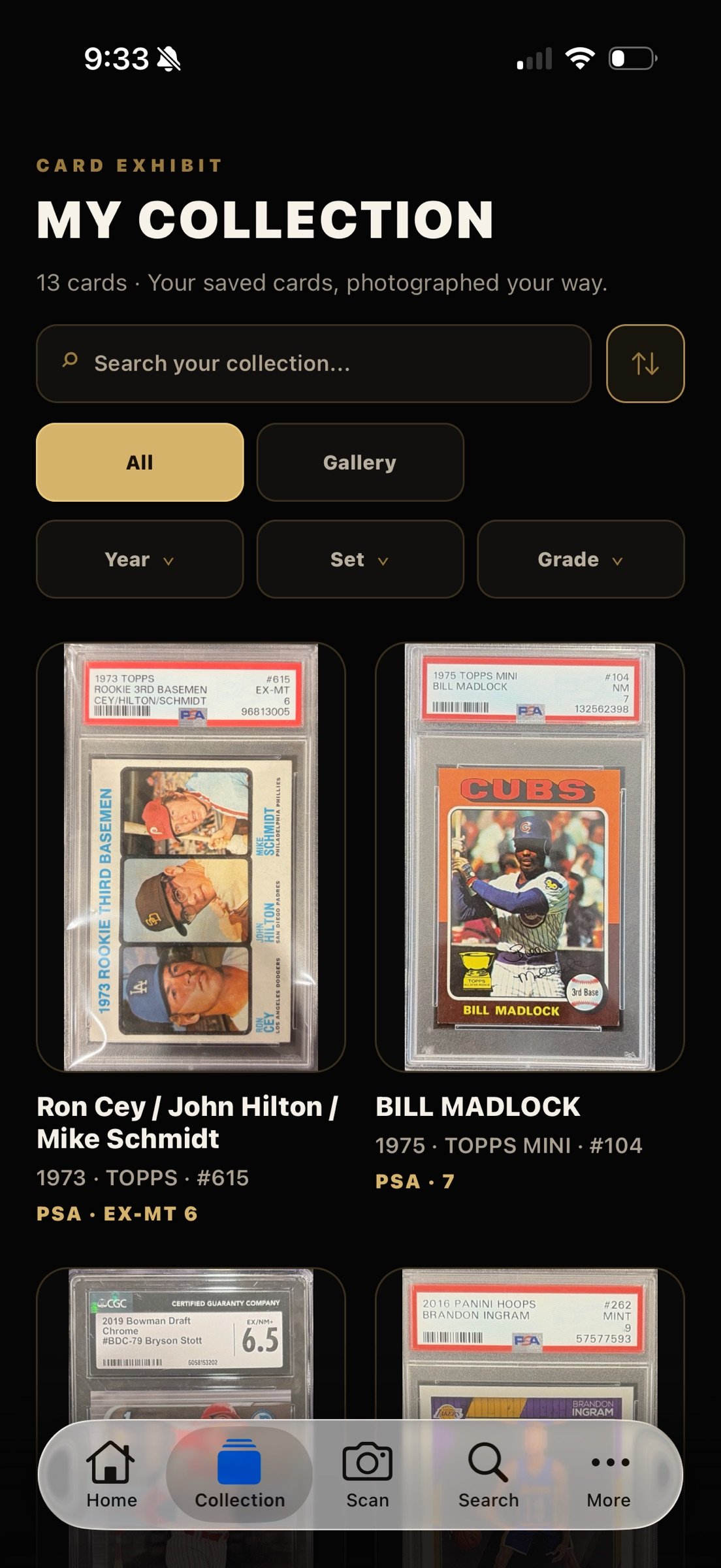
Browse your saved cards in a grid or Gallery, create and sort custom collections, mark Favorites, search your saved details, and present cards in Showcase Mode. Saved collection browsing, editing and display work offline. Possible-duplicate warnings help you review matching cards before saving a new entry.
Back up card details, saved front and back photos, Favorites, and collections to a location you choose. Archives are unencrypted: protect them and verify that the file was saved outside the app. Restore adds missing archived cards without replacing existing cards or photos. Deleted archived cards can be recovered without duplicating cards still present. Backups contain saved photos, which may differ from original captures.
Your collection is stored on your device. No account is required, and automatic collection cloud sync is not included. Device backup settings may create additional copies. Check Collection Storage under More, replay the tutorial under More -> Scan Help, or manage optional photo uploads under More -> Privacy & Support.
License: Commercial
| Release info | Update on Nov 17, 2026 |
|---|---|
| Release notes | • Browse individual collections in All, compact List, and Gallery views, and open Showcase using only that collection’s cards. • Matching collection controls make searching, filtering, sorting, and switching views consistent with My Collection. • Improved camera instruction spacing keeps guidance clear of the corner guides and shutter controls. |
| Listing data | App Store |
Reviews
No reviews yet. Be the first to review Card Exhibit.
Used Card Exhibit? Tell other visitors what you thought.
Log in to write a reviewOther products by this publisher
- "No Distractions" for YouTube 4.10 ----
- #Bible 11.6.1 "Incredible App - My sister shared this app with me a few weeks ago and it is truly incredible.
- #filmphotography 1.4.2 So, you decided to shoot on film?
- #LookBusy Fake Calendar Events 1.0.6 Look Busy scans your work calendar for open time slots and fills them with realistic-looking (but secretly fake) work events.
- #Small Talk Is Canceled 1.0.2 #Small Talk Is Canceled — Conversations That Matter
Most viewed iOS Sports
-
1
 ZephyrAir 1.5.4
ZEPHYRAIR — Stop Guessing...
-
2
 VolleyWrite Buddy 2.4
The VolleyWrite Buddy connects to the Windows version (for now) of VolleyWrite via bluetooth or WiFi.
-
3
 Draft Edge 1.1.2
STOP FOLLOWING THE EXPERTS.
-
4
 TCS Toronto WaterfrontMarathon 5.2
The TCS Toronto Waterfront Marathon is Canada’s premier running event and the grand finale of the Canada Running Series.
-
5
 RallyCam 1.0.7
Never lose a great point again.
-
6
 FlyBox 6.3
FlyBox is your personal fly fishing reference and collection manager for iPhone, iPad, and Mac.
-
7
 Adult 1-6 4.0
Learn to Skate USA, the premier source for all things figure skating, has teamed up with Rink Tank Interactive to bring you the ' Learn to Skate USA 'Skate Coach' app series for iOS!
-
8
 Fox Magnet 1.0
On the edge of the field you're sitting on the ground in camouflage with a distressed rabbit decoy in front of you.
-
9
 Spectrum SportsNet 5.0.1
Stay connected with the Lakers, Dodgers, and Sparks with the Spectrum SportsNet app!
-
10
 Avalanche Inclinometer 1.0.1
Avy savvy backcountry skiers and riders know that three things count when it comes to the terrain’s influence on avalanches: the slope, the elevation, and the (compass) aspect.
Most downloaded iOS Sports
-
1
 Coyote Magnet 2.1
Coyote Magnet puts 79 full-quality predator sounds in your pocket, recorded clean and organized the way a hunt actually unfolds.
-
2
ZephyrAir 1.5.4
ZEPHYRAIR — Stop Guessing...
-
3
Draft Edge 1.1.2
STOP FOLLOWING THE EXPERTS.
-
4
Adult 1-6 4.0
Learn to Skate USA, the premier source for all things figure skating, has teamed up with Rink Tank Interactive to bring you the ' Learn to Skate USA 'Skate Coach' app series for iOS!
-
5
TCS Toronto WaterfrontMarathon 5.2
The TCS Toronto Waterfront Marathon is Canada’s premier running event and the grand finale of the Canada Running Series.
-
6
Spectrum SportsNet 5.0.1
Stay connected with the Lakers, Dodgers, and Sparks with the Spectrum SportsNet app!
-
7
 100 Climbs of Italy 4.3
The 100 greatest Cycling Climbs of Italy App is an indispensable tool if you’re planning a cycling trip to Italy.
-
8
 ESPN Fantasy Sports & More 9.13.0
With the #1 fantasy sports app, fantasy sports are always in-season.
-
9
VolleyWrite Buddy 2.4
The VolleyWrite Buddy connects to the Windows version (for now) of VolleyWrite via bluetooth or WiFi.
-
10
 DraftKings 5.57
Now Live in All 50 States!