
CapExplorer 1.9.1
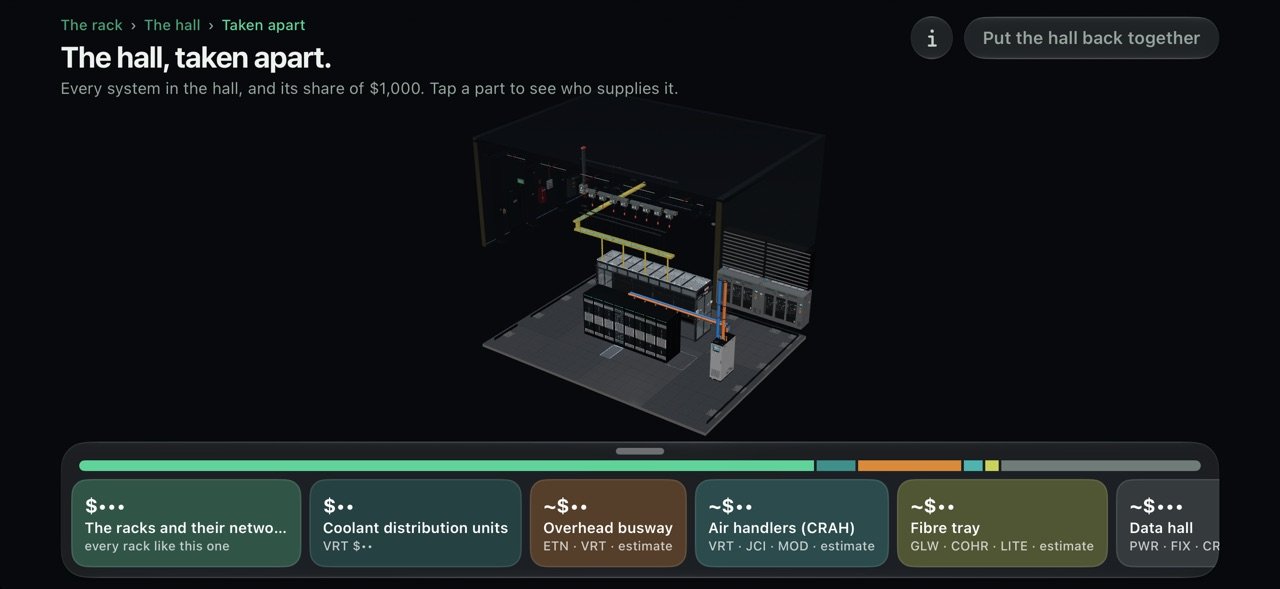
CapExplorer is a 3D model of an AI data center that you can take apart, piece by piece, to see where the money goes.
Download
82.36 MB
41downloads
1this week
FreeCommercial
0reviews
Screenshots
About CapExplorer
CapExplorer is a 3D model of an AI data center that you can take apart, piece by piece, to see where the money goes.
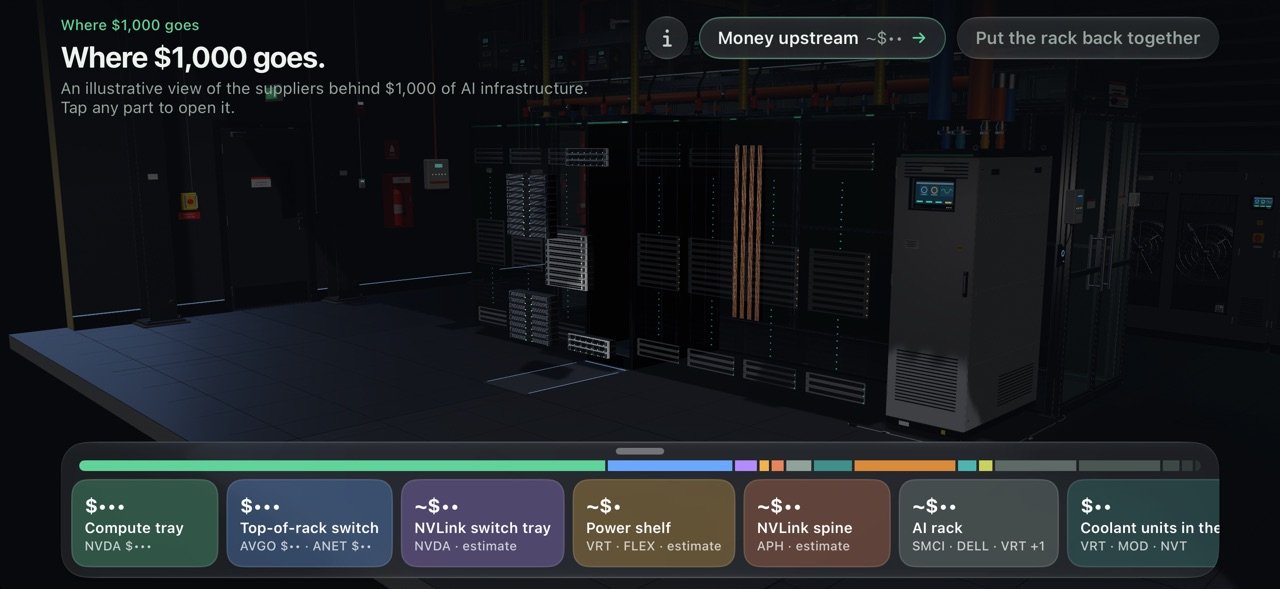
Start at a single AI server rack. Tap "See where $1,000 goes" and the rack pulls apart into its parts, each labelled with its share of $1,000 of data center spending and the companies that supply it. A bar along the bottom shows the whole split at a glance.
HOW YOU EXPLORE
• The rack: compute trays, switches, the power shelf, the copper spine and the rack itself, each with its dollar share.
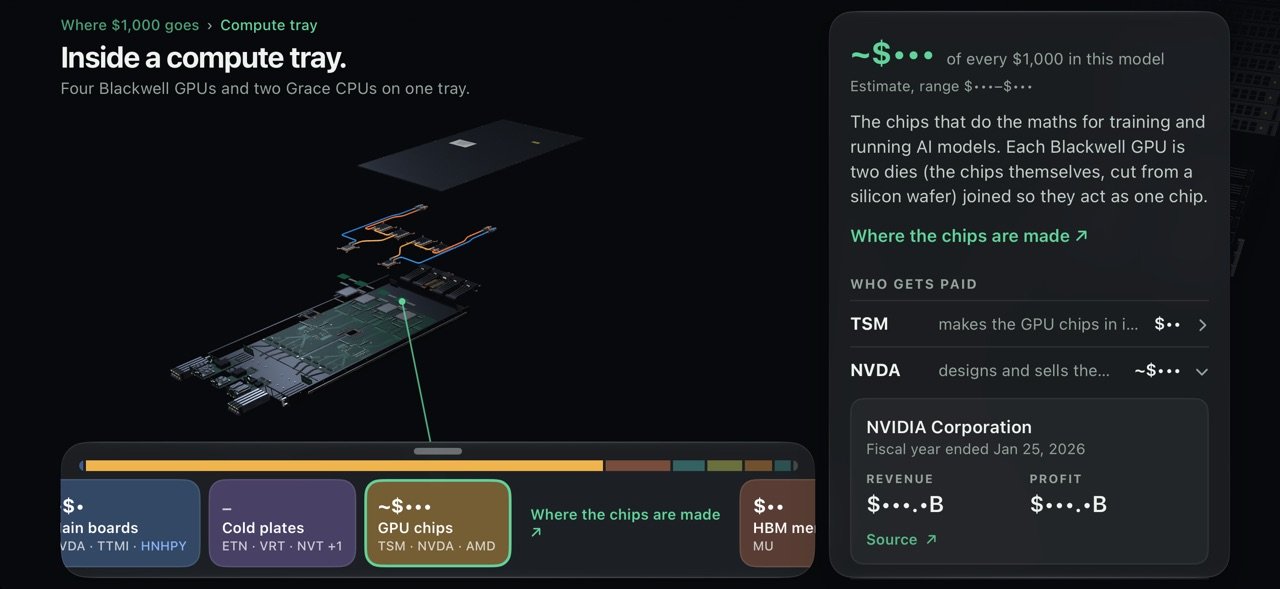
• Inside the parts: open a compute tray to see its GPUs, memory, CPUs, boards, cold plates and network cards, then follow the chips back to the fab and the lithography machine that prints them.
• The money upstream: a flow diagram of the spending that is already inside the $1,000, from chipmakers to the toolmakers and software vendors they pay.
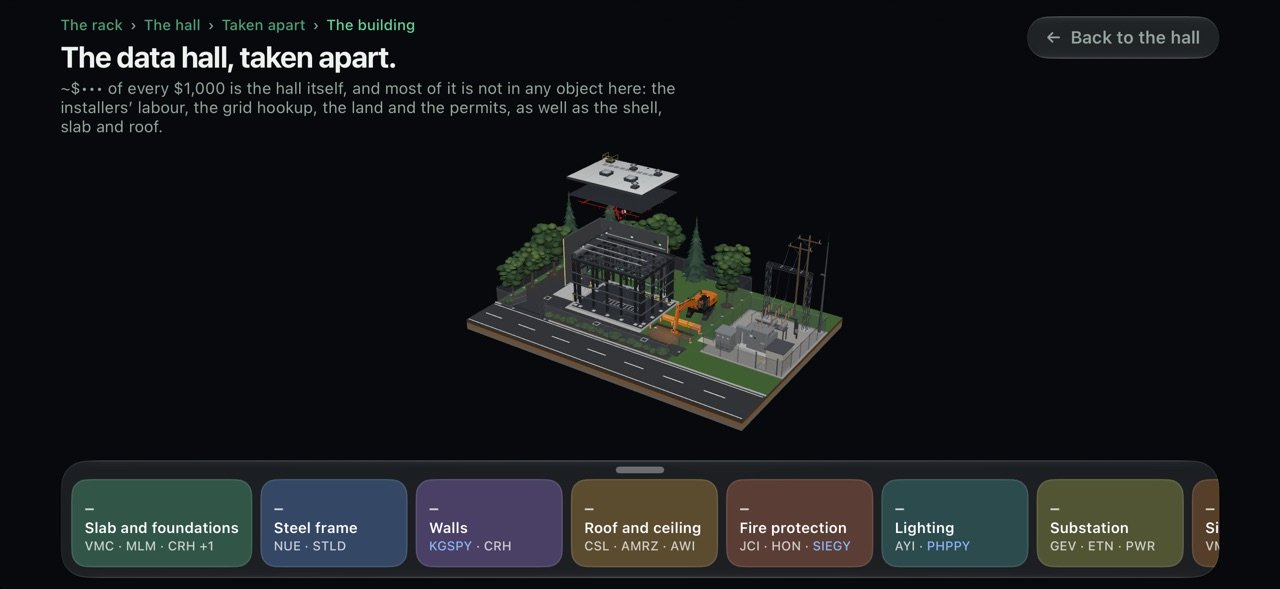
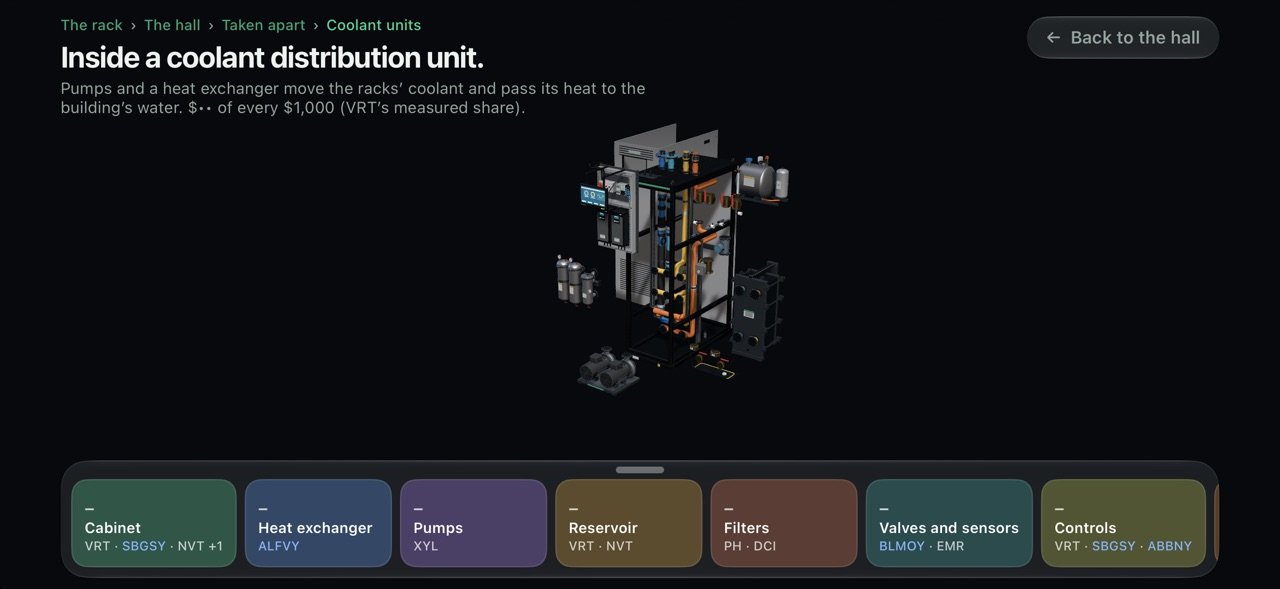
• The data hall: step back to see the hall around the rack, then take it apart: coolant units, overhead busway, air handlers, containment and fibre tray.
• The hall's systems: each one opens in its own level, from the pumps and heat exchanger of a coolant unit to the switchgear, UPS, transformers and generators behind the busway.
• The building and the site: zoom out to the whole building on its plot, with slab, steel frame, walls, roof, substation and an excavator at work, and see how much of the cost is labour, land, permits and the grid connection rather than equipment.
WHO GETS PAID
Every part lists the publicly traded companies that make it, by ticker. Companies listed outside the US are shown by the symbol a US investor would use and marked as ADRs or foreign listings. Open a company to see its latest annual revenue and profit, with a link to the filing it comes from.
SOURCED FIGURES
The dollar figures are illustrative estimates built from cited public sources: company filings, teardown and bill-of-materials analyses, and industry research. Every panel lists its sources, and estimates are marked as estimates, with a range where one is available. The model shows one plausible split of spending; real projects vary.
EDUCATIONAL, NOT ADVICE
CapExplorer is an educational tool for understanding how AI infrastructure is built and paid for. It is not investment advice, and it does not recommend buying or selling any security. Company names and tickers are shown for identification only; CapExplorer is not affiliated with or endorsed by any of the companies it mentions.
PRIVATE AND OFFLINE
• Works fully offline: the models and data are in the app.
• No account, no sign-in.
• No ads, no analytics, no tracking. No data is collected.
Built for iPad in any orientation and iPhone in landscape
License: Commercial
| Release info | Update on Nov 11, 2026 |
|---|---|
| Release notes | More detail in five 3D models. The power supply, the power shelf, the NVLink switch tray, the top-of-rack switch and the EUV lithography machine now show far more of their real parts: filters, capacitors and gate drivers in the power supply, a populated backplane in the shelf, retimers and power stages on the switch boards, and the scanner's mirror actuators, masking blades and wafer load locks. |
| Listing data | App Store |
Reviews
No reviews yet. Be the first to review CapExplorer.
Used CapExplorer? Tell other visitors what you thought.
Log in to write a reviewOther products by this publisher
- "No Distractions" for YouTube 4.10 ----
- #Bible 11.6.1 "Incredible App - My sister shared this app with me a few weeks ago and it is truly incredible.
- #filmphotography 1.4.2 So, you decided to shoot on film?
- #LookBusy Fake Calendar Events 1.0.6 Look Busy scans your work calendar for open time slots and fills them with realistic-looking (but secretly fake) work events.
- #Small Talk Is Canceled 1.0.2 #Small Talk Is Canceled — Conversations That Matter
Most viewed iOS Business
-
1
 Navy Federal Credit Union 2026.10.2
Bank easy with the Navy Federal mobile app!
-
2
 Paycom 8.0.14
If you or your company use Paycom’s HR and software, the Paycom app helps you manage everyday HR and payroll tasks in one place — like checking your schedule, requesting time off and reviewing your pay.
-
3
 Entrust Identity 26.4.0
The Entrust Identity mobile application is the new Entrust mobile platform for delivering strong identity credentials to both employee and consumer users.
- 4 % Percentage Calculator Pro 1.41 This is the Pro version of % Percentage Calculator.
-
5
 Intune Company Portal 5.2610.0
Microsoft Intune helps organizations manage access to corporate apps, data, and resources.
-
6
 ParkNYC Powered by Flowbird 2.2.1
Have you ever been late to an important meeting and you can’t find a parking spot?
- 7 $quirrel 1.5.1 $quirrel Budget & Finance helps you plan each paycheck, track spending, manage debt, and see what is safe to spend before the next payday.
-
8
 Shopify 11.2646.0
Shopify: build your online store, sell anywhere, run your business
-
9
 Budget-Beacon 1.5
Budget Beacon connects to your Apple Wallet to help you understand and manage your spending.
-
10
 MiniVAN Touch 9.4.7
miniVAN Touch is a mobile canvassing application that integrates with websites provided by NGP VAN.
Most downloaded iOS Business
-
1
ParkNYC Powered by Flowbird 2.2.1
Have you ever been late to an important meeting and you can’t find a parking spot?
-
2
Budget-Beacon 1.5
Budget Beacon connects to your Apple Wallet to help you understand and manage your spending.
-
3
 Rocket.Chat 4.78.1
Rocket.Chat Secure CommsOS™ is a communication platform that unifies messaging, voice, video, AI, and mission-critical applications—ensuring uncompromising security, compliance, and operational efficiency for governments, defense, and critical infra…
-
4
 Business Timesheet 6.0
Are you looking for timesheet to track the work hours spent on hourly, daily or weekly basis accurately?
-
5
 Receivable Payment Ledger2026 1.1
Payment Ledger is a fully offline accounts receivable management tool for small businesses, shops, wholesalers, and salespeople who need to track customer debts and payment progress.
-
6
 Cvent Events 2.9.0
Cvent Events is your place to easily plan out your event experience, find where you need to go next, network with other attendees, and learn more about sponsors and exhibitors.
-
7
 Simple Budget Envelopes 2.2.1
An incredibly simple app, perfect for keeping track of how much money remains in your budget.
-
8
 Power Apps 3.26112.10
Get Power Apps to conveniently access your work or school apps no matter where you are: at home, on the road, in the field, off-campus, at the airport, or at the beach – anywhere life takes you.
-
9
 Vola 4.9.02
Vola is the only cash advance app built for Real-Time Payments (RTP).
-
10
 Checkbook Pro 3.3.5
An easy & quick way to manage your daily finances, Checkbook Pro keeps track of your credit card charges, cash expenditures...etc.