CameraVision 2.5.1
"CameraVision" outputs the images of the built-in camera and the corresponding sounds from the built-in microphone to an external device such as a projector or a TV monitor.
Download
1.59 MB
15downloads
0this week
FreeCommercial
0reviews
Screenshots
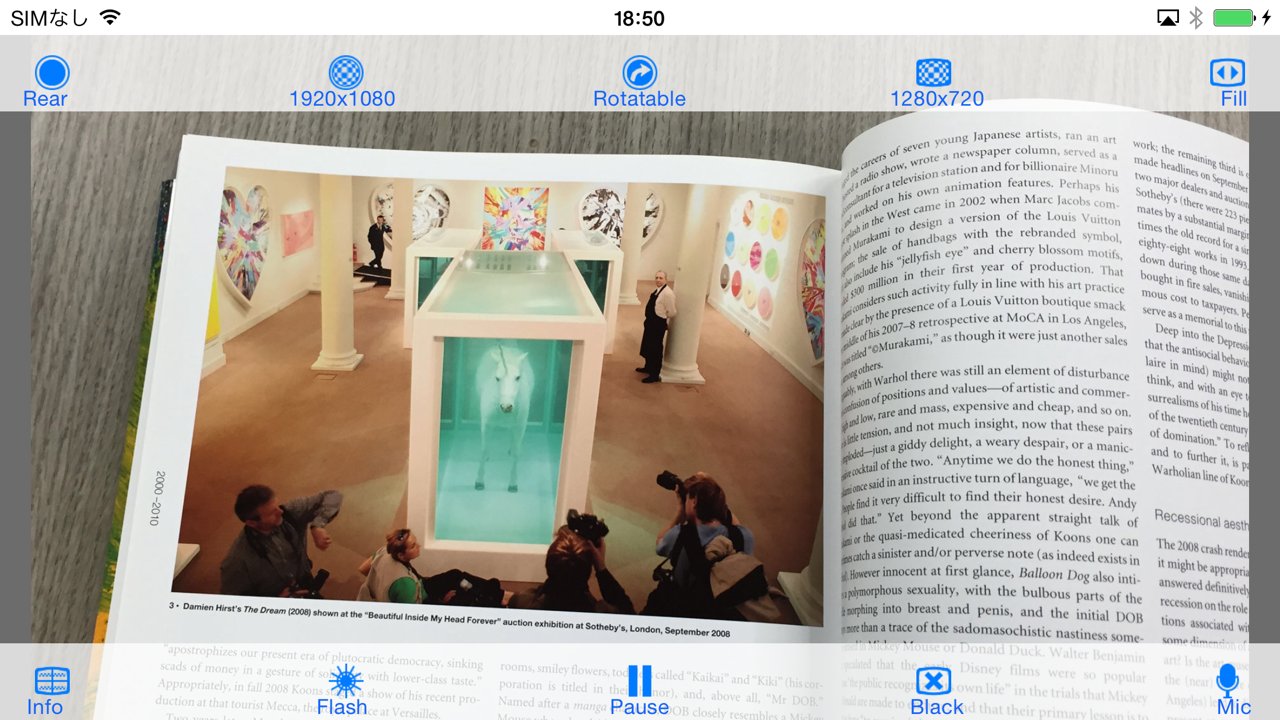
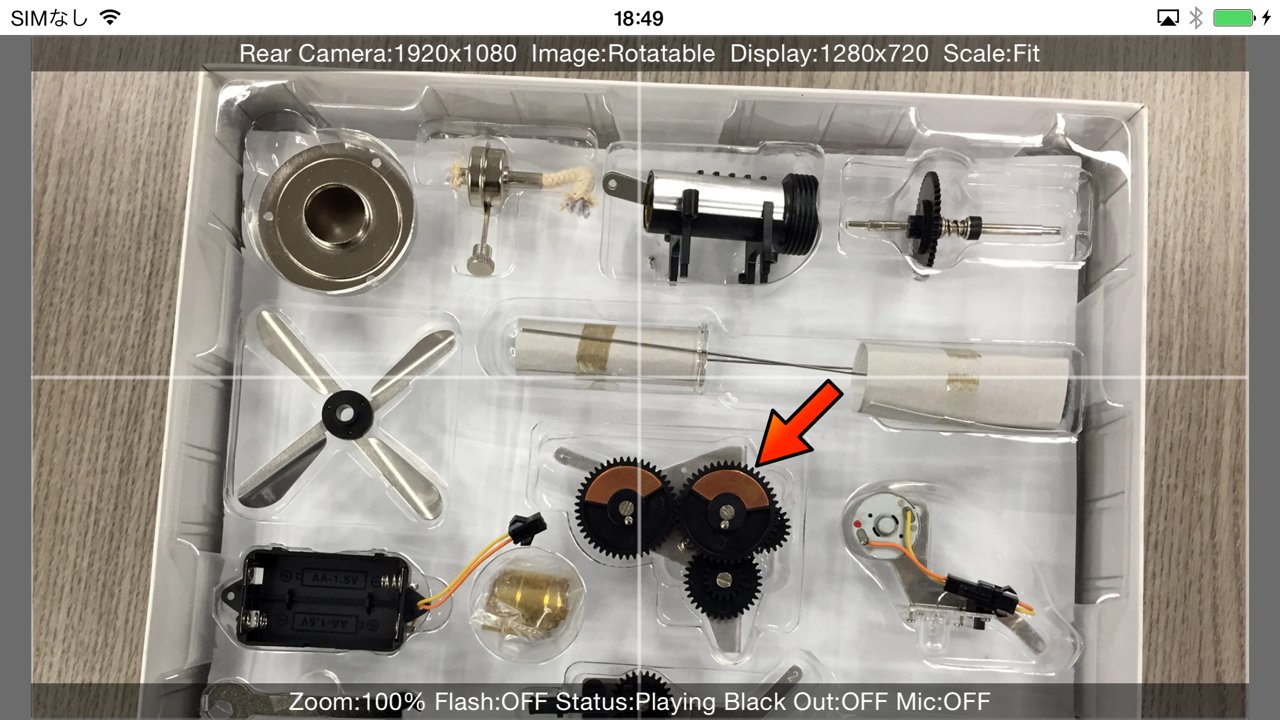
About CameraVision
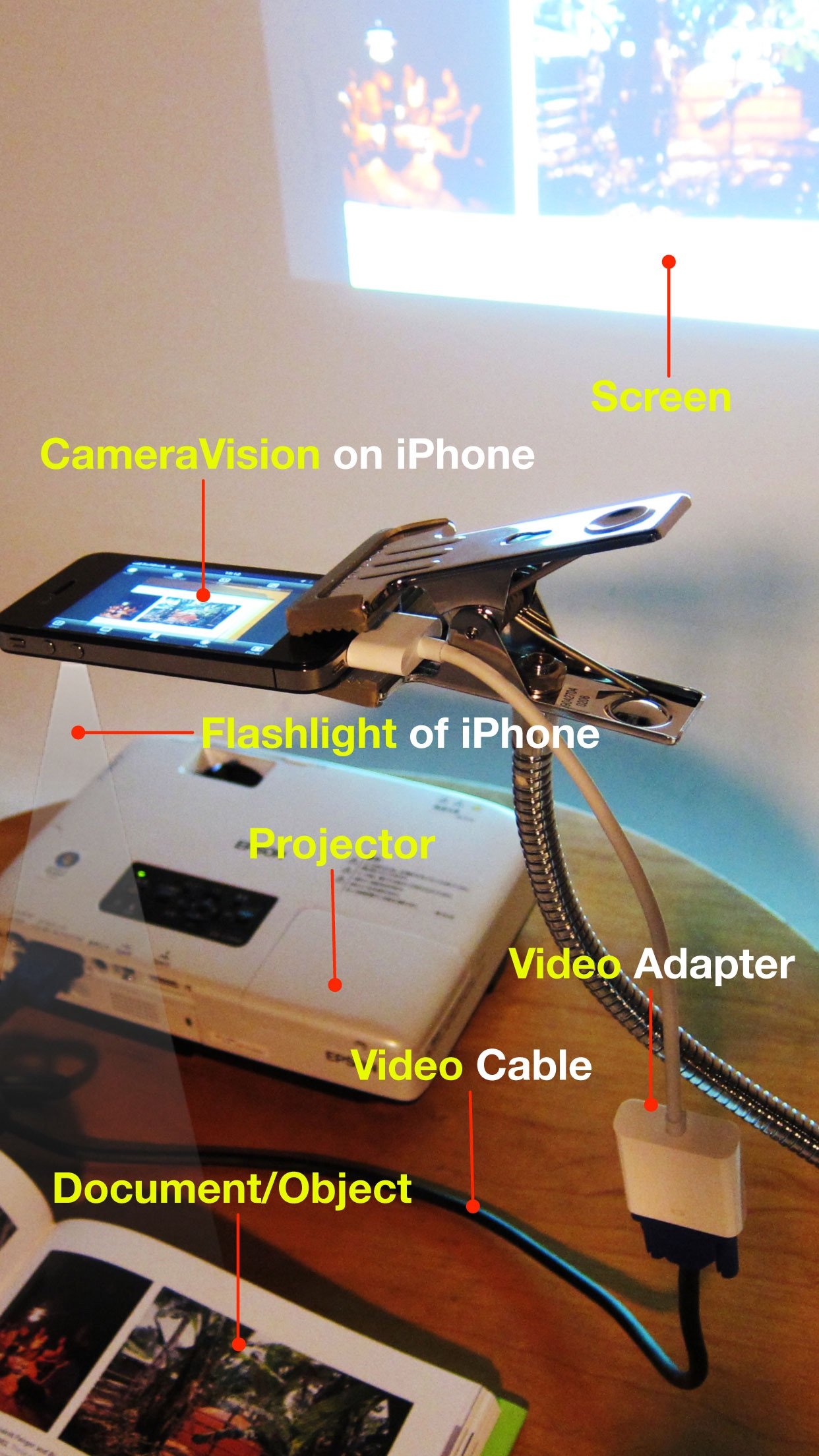
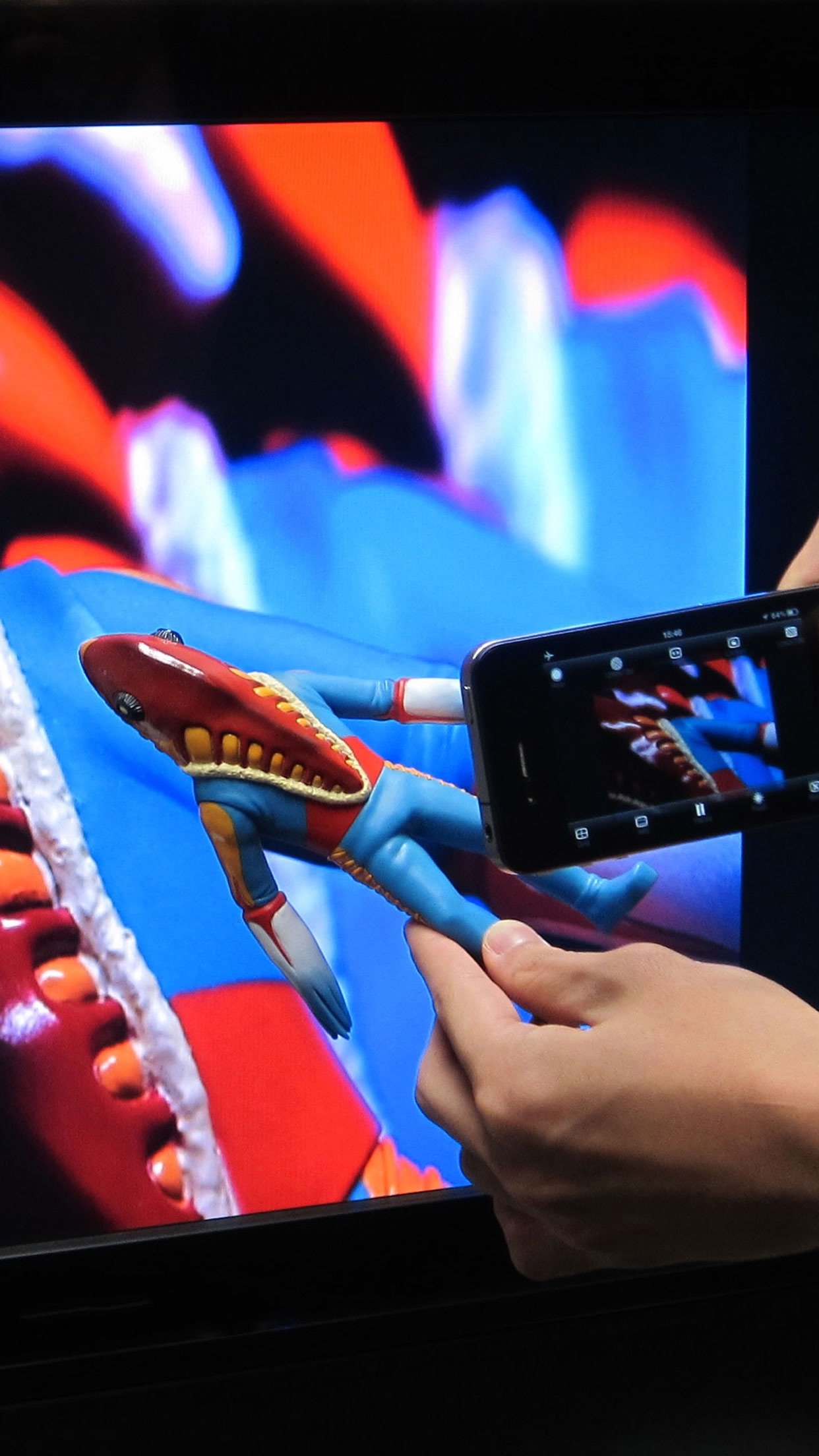
"CameraVision" outputs the images of the built-in camera and the corresponding sounds from the built-in microphone to an external device such as a projector or a TV monitor. This application can be used similar to a "document camera (overhead projector)" or a "live camera" to project documents, objects, people or scenes onto a large screen. In addition, showing a still image from Photo Albums is possible. Wireless transfer to AirPlay supported devices such as Apple TV is supported, as well as connections via various cables and adapters.
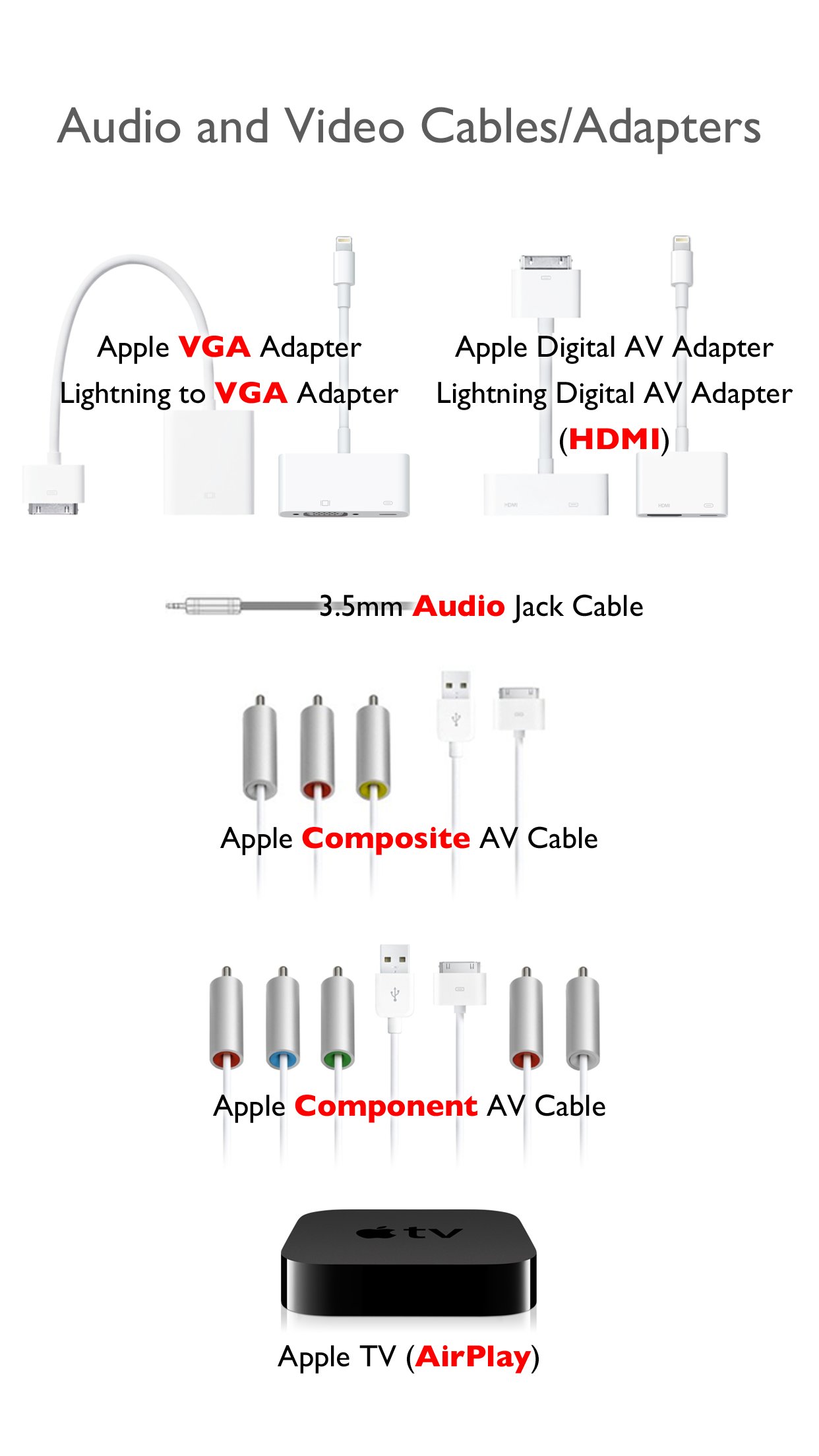
The following adapters/cables are supported:
- AirPlay supported devices
- Apple TV (2nd generation and later)
- USB Type-C Cable (video output supported)
- Lightning to VGA Adapter
- Lightning Digital AV Adapter (HDMI)
- Apple VGA Adapter
- Apple Digital AV Adapter (HDMI)
- Apple Composite AV Cable
- Apple Component AV Cable
This application has the functions listed below. You can set them up easily using the buttons on the screen.
- Rear camera / front camera switching
- Camera image resolution switching from SD (640x480 pixels) up to Full HD (1920x1080 pixels)
- External display image resolution switching from SD (640x480 pixels) up to Full HD (1920x1080 pixels)
- Scale mode switching of "Fit", "Fill" or "Resize"
- Image rotation switching of "Rotatable" or "Fixed"
- Image pausing or playing
- Flash light switching
- Audio output from microphone
- Tap to lock/unlock focus and exposure
- Double-tap or pinch to zoom image
- Drag to display an on-screen pointer
- Display of a grid image - useful to adjust image projection
- Display of setting information on an external display
- Screen blackout toggle
- Automatic adjustment of focus, exposure and white balance
- Displaying a still image from Photo Albums
- Paused image saving and sharing
* These functions depend on devices and adapter/cables used.
* Please unplug and then plug your dock adapter/cable if no image is shown on the external display properly.
* Microphone input can be sent to an external speaker via HDMI, Composite or Component cable with the camera image. It can be sent wirelessly to AirPlay supported devices or Apple TV. When using a VGA cable, plug an audio cable to iPhone's headphone jack.
* To work with AirPlay supported devices or Apple TV, tap the screen mirroring button in the Control Center. This app treats it as an external display rather than actual mirroring.
[link removed]
License: Commercial
| Release info | New Release on Jul 06, 2026 |
|---|---|
| Release notes | Minor bugs have been fixed. |
| Listing data | App Store |
Reviews
No reviews yet. Be the first to review CameraVision.
Used CameraVision? Tell other visitors what you thought.
Log in to write a reviewOther products by this publisher
- "No Distractions" for YouTube 4.10 ----
- #Bible 11.6.1 "Incredible App - My sister shared this app with me a few weeks ago and it is truly incredible.
- #filmphotography 1.4.2 So, you decided to shoot on film?
- #LookBusy Fake Calendar Events 1.0.6 Look Busy scans your work calendar for open time slots and fills them with realistic-looking (but secretly fake) work events.
- #Small Talk Is Canceled 1.0.2 #Small Talk Is Canceled — Conversations That Matter
Most viewed iOS Business
-
1
 Navy Federal Credit Union 2026.10.2
Bank easy with the Navy Federal mobile app!
-
2
 Paycom 8.0.14
If you or your company use Paycom’s HR and software, the Paycom app helps you manage everyday HR and payroll tasks in one place — like checking your schedule, requesting time off and reviewing your pay.
-
3
 Entrust Identity 26.4.0
The Entrust Identity mobile application is the new Entrust mobile platform for delivering strong identity credentials to both employee and consumer users.
- 4 % Percentage Calculator Pro 1.41 This is the Pro version of % Percentage Calculator.
-
5
 Intune Company Portal 5.2610.0
Microsoft Intune helps organizations manage access to corporate apps, data, and resources.
-
6
 ParkNYC Powered by Flowbird 2.2.1
Have you ever been late to an important meeting and you can’t find a parking spot?
-
7
 Shopify 11.2646.0
Shopify: build your online store, sell anywhere, run your business
-
8
 Budget-Beacon 1.5
Budget Beacon connects to your Apple Wallet to help you understand and manage your spending.
- 9 $quirrel 1.5.1 $quirrel Budget & Finance helps you plan each paycheck, track spending, manage debt, and see what is safe to spend before the next payday.
-
10
 MiniVAN Touch 9.4.7
miniVAN Touch is a mobile canvassing application that integrates with websites provided by NGP VAN.
Most downloaded iOS Business
-
1
ParkNYC Powered by Flowbird 2.2.1
Have you ever been late to an important meeting and you can’t find a parking spot?
-
2
Budget-Beacon 1.5
Budget Beacon connects to your Apple Wallet to help you understand and manage your spending.
-
3
 Rocket.Chat 4.78.1
Rocket.Chat Secure CommsOS™ is a communication platform that unifies messaging, voice, video, AI, and mission-critical applications—ensuring uncompromising security, compliance, and operational efficiency for governments, defense, and critical infra…
-
4
 Business Timesheet 6.0
Are you looking for timesheet to track the work hours spent on hourly, daily or weekly basis accurately?
-
5
 Receivable Payment Ledger2026 1.1
Payment Ledger is a fully offline accounts receivable management tool for small businesses, shops, wholesalers, and salespeople who need to track customer debts and payment progress.
-
6
 Cvent Events 2.9.0
Cvent Events is your place to easily plan out your event experience, find where you need to go next, network with other attendees, and learn more about sponsors and exhibitors.
-
7
 Simple Budget Envelopes 2.2.1
An incredibly simple app, perfect for keeping track of how much money remains in your budget.
-
8
 Power Apps 3.26112.10
Get Power Apps to conveniently access your work or school apps no matter where you are: at home, on the road, in the field, off-campus, at the airport, or at the beach – anywhere life takes you.
-
9
 Vola 4.9.02
Vola is the only cash advance app built for Real-Time Payments (RTP).
-
10
 Checkbook Pro 3.3.5
An easy & quick way to manage your daily finances, Checkbook Pro keeps track of your credit card charges, cash expenditures...etc.