Cameras Ultra 2.4
Cameras Ultra is the fastest way to see every HomeKit camera you own, on every Apple device you use.
Download
24.41 MB
13downloads
1this week
FreeCommercial
0reviews
Screenshots
About Cameras Ultra
Cameras Ultra is the fastest way to see every HomeKit camera you own, on every Apple device you use.
NEW IN VERSION 2: ALL YOUR HOMES, ON ONE SCREEN
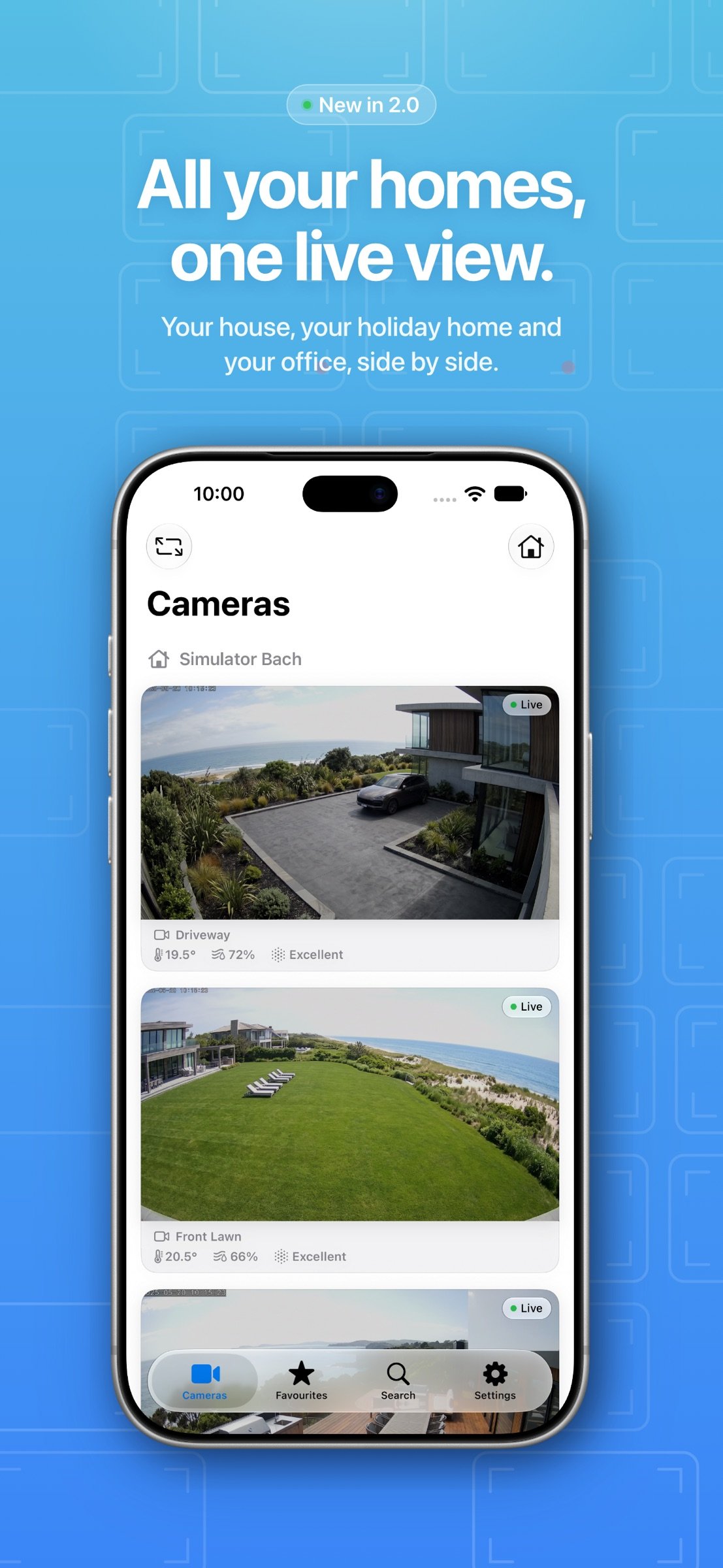
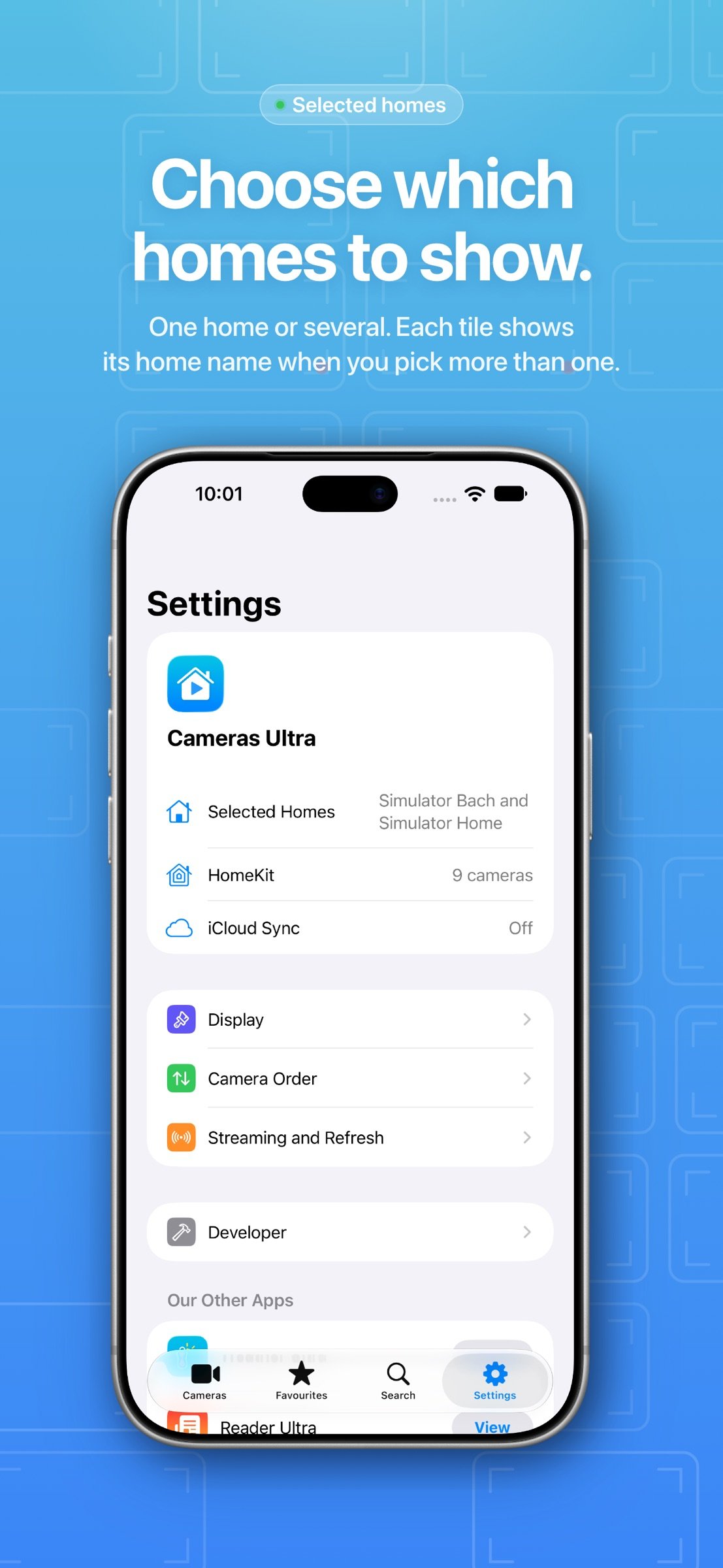
Before, you had to switch between homes. Now you can view cameras from several HomeKit homes at the same time. Pick as many homes as you like and watch your house, holiday home, office and family's place side by side. Each tile shows its home name so you always know what you're looking at. If two homes both have a "Living Room", Cameras Ultra keeps them apart.
YOUR CAMERA WALL
• A grid of 1 to 4 columns that adapts to iPhone, iPad, Mac and Apple TV
• Live video on tiles, or snapshots that refresh automatically
• Live, Online and Offline badges, plus "updated X ago" times
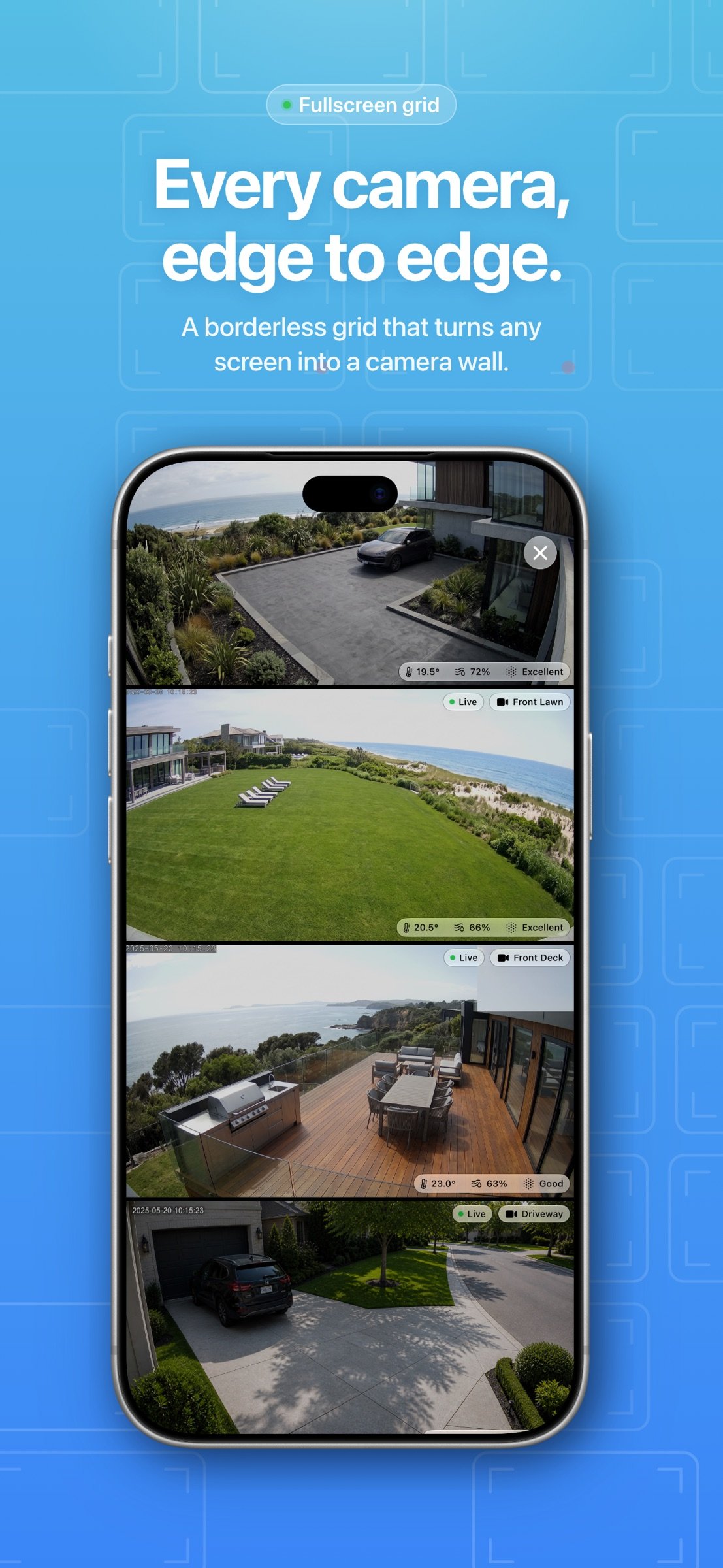
• A borderless fullscreen grid that turns any screen into a monitoring wall
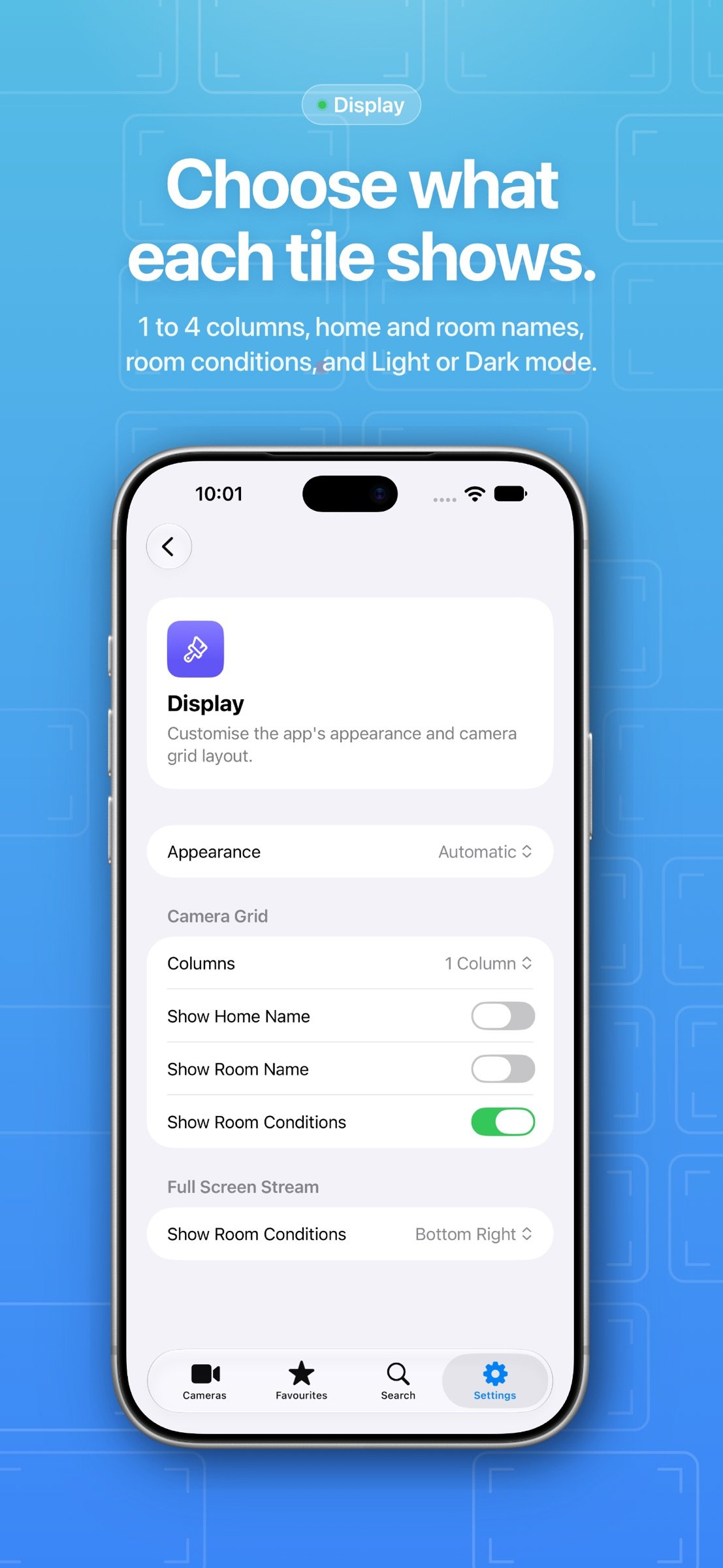
• Room conditions on each tile: temperature, humidity and air quality from your HomeKit sensors
ORGANISE IT YOUR WAY
• Group cameras by home, by room, by home and room, or not at all
• Reorder homes, rooms and cameras separately
• Your order also sets live-stream priority, so the cameras at the top go live first
• Star your most important cameras and find them in the Favourites tab
• Search by camera name, room or home
POWERFUL CAMERA DETAIL
• A live stream that shows the latest snapshot while it connects
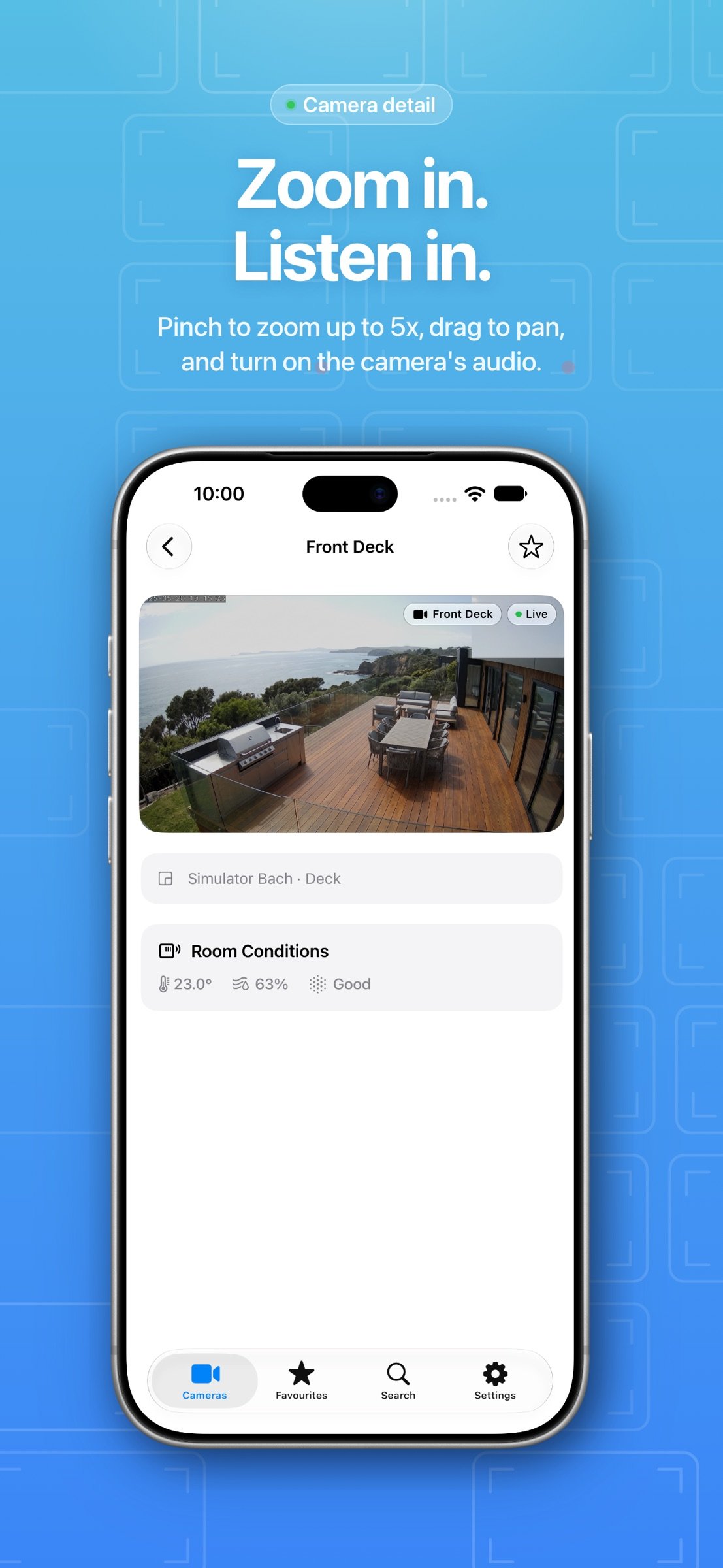
• Fullscreen viewing with pinch to zoom up to 5x, drag to pan, and double-tap to zoom
• Listen to camera audio, with volume control
• Night Vision, Digital Zoom, Optical Zoom and Pan/Tilt on cameras that support them
• Manufacturer, model and capability info at a glance
• Room conditions in fullscreen, in whichever corner you choose
BUILT FOR EVERY APPLE DEVICE
• iPhone: portrait and landscape layouts, plus Light, Dark or Automatic appearance
• iPad: an optional sidebar layout with support for every orientation
• Mac: a native app that remembers its window size and position, with quick toolbar access to the fullscreen grid and home selection
• Apple TV: a living-room camera wall. Press Play/Pause for the fullscreen grid, and keep the screen saver from interrupting your view
SYNCED WITH ICLOUD
Your favourites, home order, room order and camera order sync across your devices through iCloud. Set things up once on your iPhone and your iPad, Mac and Apple TV match automatically.
SMART STREAMING
Optimised HomeKit hub streaming. Cameras Ultra starts streams one at a time, in priority order, and switches to snapshots if a stream doesn't connect. Advanced settings let you:
• Set how many live streams can play on tiles and in fullscreen
• Control how many streams start at once
• Prefer snapshots to live streams, with refresh intervals from 5 to 120 seconds
PRIVATE BY DESIGN
• No accounts and no sign-in
• No ads, no analytics and no tracking
• Your video goes straight from your cameras through Apple's HomeKit. It never passes through our servers.
Cameras Ultra works with any HomeKit-compatible camera already set up in Apple's Home app.
License: Commercial
| Release info | Update on Nov 21, 2026 |
|---|---|
| Release notes | - Listen to multiple cameras at once. Tap the speaker icon on any camera tile to turn on listen mode. Support and reliability may vary depending on your camera model. In previous updates: - Multi-home display: view cameras from several HomeKit homes at the same time - Group cameras by home, by room, or by home and room - Reorder homes, rooms and cameras separately, and your order sets live-stream priority - Home names on tiles when more than one home is selected- iCloud sync now includes home and room order - Performance and reliability improvements |
| Listing data | App Store |
Reviews
No reviews yet. Be the first to review Cameras Ultra.
Used Cameras Ultra? Tell other visitors what you thought.
Log in to write a reviewOther products by this publisher
- "No Distractions" for YouTube 4.10 ----
- #Bible 11.6.1 "Incredible App - My sister shared this app with me a few weeks ago and it is truly incredible.
- #filmphotography 1.4.2 So, you decided to shoot on film?
- #LookBusy Fake Calendar Events 1.0.6 Look Busy scans your work calendar for open time slots and fills them with realistic-looking (but secretly fake) work events.
- #Small Talk Is Canceled 1.0.2 #Small Talk Is Canceled — Conversations That Matter
Most viewed iOS Lifestyle
-
1
 Shefa Gold 1.6.2.5
More than 100 new and delicious Hallelu-Yah chants to exalt and bless and celebrate the simple fact of existence.
-
2
 Light Language Grid Creator 6.4.1
Light Language Grid Creator lets you create Grids with 3D shapes and colours, then export them as images.
-
3
 UltiPro 3.0
Ulti Servives is your one stop destination for your day by day services.
-
4
 Joguman Daily Calendar 1.0.14
New drawings every day, and every day feels brand new.
-
5
 CHAI 2.198
Our app revolutionizes the way we interact with AI chatbots.
-
6
 Anker eufy 6.1.40
The new all-in-one eufy app that designed to bring together all your favorite eufy products—eufy Security, eufy Clean, eufy Baby, eufy Life, and eufy Pet—into one seamless platform.
-
7
 Tesla 4.63.0
The Tesla app puts owners in direct communication with their vehicles and energy products anytime, anywhere.
-
8
 Booksy for Customers 26.11.1600
Self-care, on your schedule.
-
9
 12 Steps Companion 3.0.9
First developed in 2008, 12 Steps Companion was the world’s first recovery app.
-
10
 CopperKnob 2.1.1
CopperKnob is an App which allows you to browse over 185,000 line dance stepsheets from the CopperKnob website.
Most downloaded iOS Lifestyle
-
1
Light Language Grid Creator 6.4.1
Light Language Grid Creator lets you create Grids with 3D shapes and colours, then export them as images.
-
2
 Pieceful 3.1.0
Capture briefly. Remember deeply.
-
3
UltiPro 3.0
Ulti Servives is your one stop destination for your day by day services.
-
4
Joguman Daily Calendar 1.0.14
New drawings every day, and every day feels brand new.
-
5
 Electronic Rosary 4.0.3
The Rosary (from Latin rosarium, meaning "rose garden") is a traditional Catholic devotion.
-
6
 Core Values 1.0.1
Core Values: Find Yours is a guided self-reflection exercise that helps you identify your top five values that matter most to you.
-
7
 Santa Christmas Snowing 1.1.0
Experience the magic of Christmas right on your wrist!
-
8
CHAI 2.198
Our app revolutionizes the way we interact with AI chatbots.
-
9
 Horoscope $ 7.0.15
Experience astrology without limits.
-
10
 Instant Cash Advance 1.0
Instant Cash Advance - Zora: Smart Solutions for Your Budget