
10downloads
2this week
FreeCommercial
0reviews
Screenshots
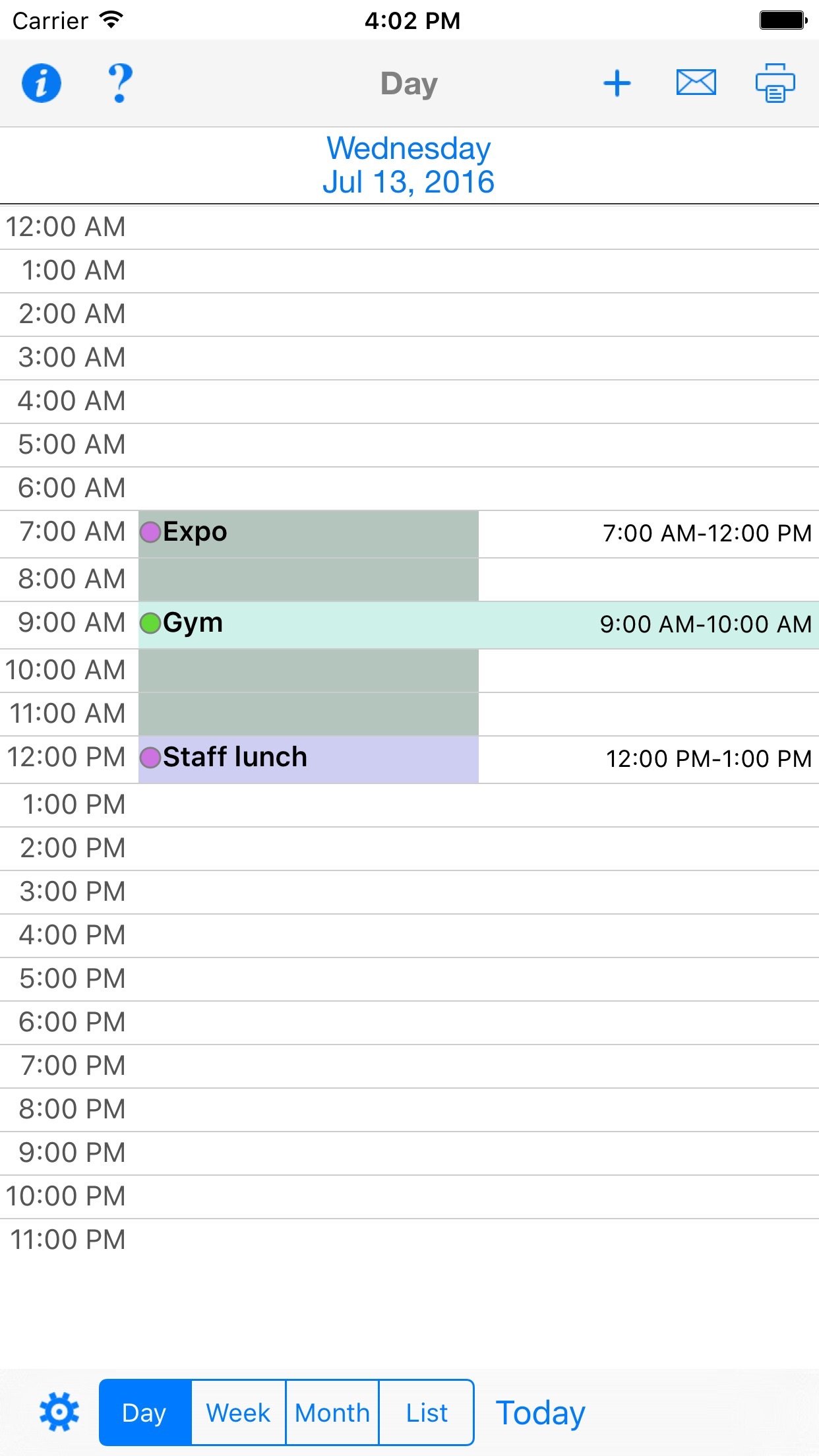
About CalPrint for iPhone
Print your Calendar and Reminders from your iPhone. You can print your Day, Week, Month and custom list calendar views to ANY printer, not just AirPrint. Email your calendar or reminders as a PDF file to share with others. Print out your monthly calendar and stick it to the fridge or office wall. Print out a shared family reminder shopping list.
Full support for Shortcuts eg. "Print today", "Print tomorrow", "Print this week", "Print this month"
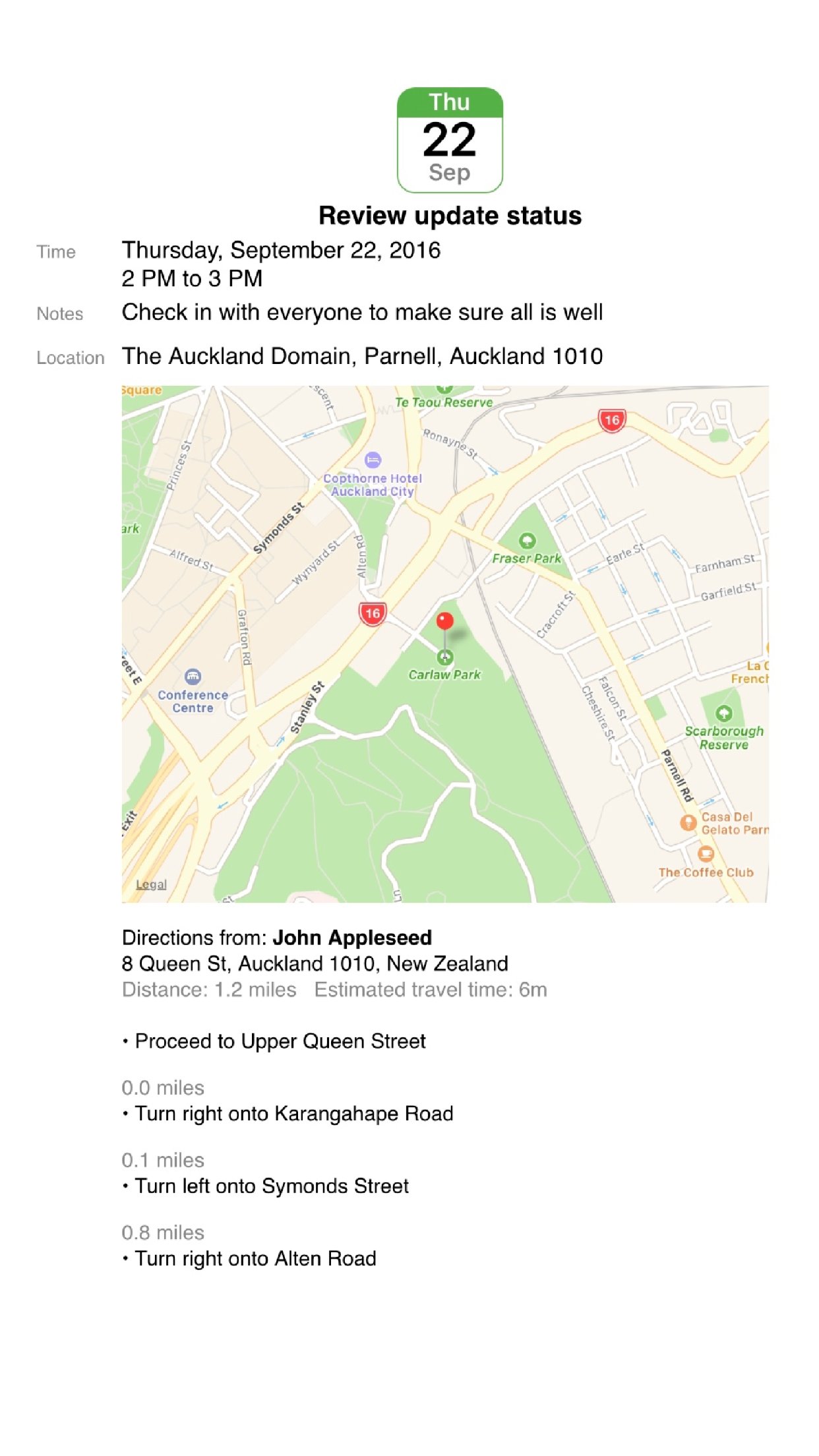
Print maps and driving directions for appointments.
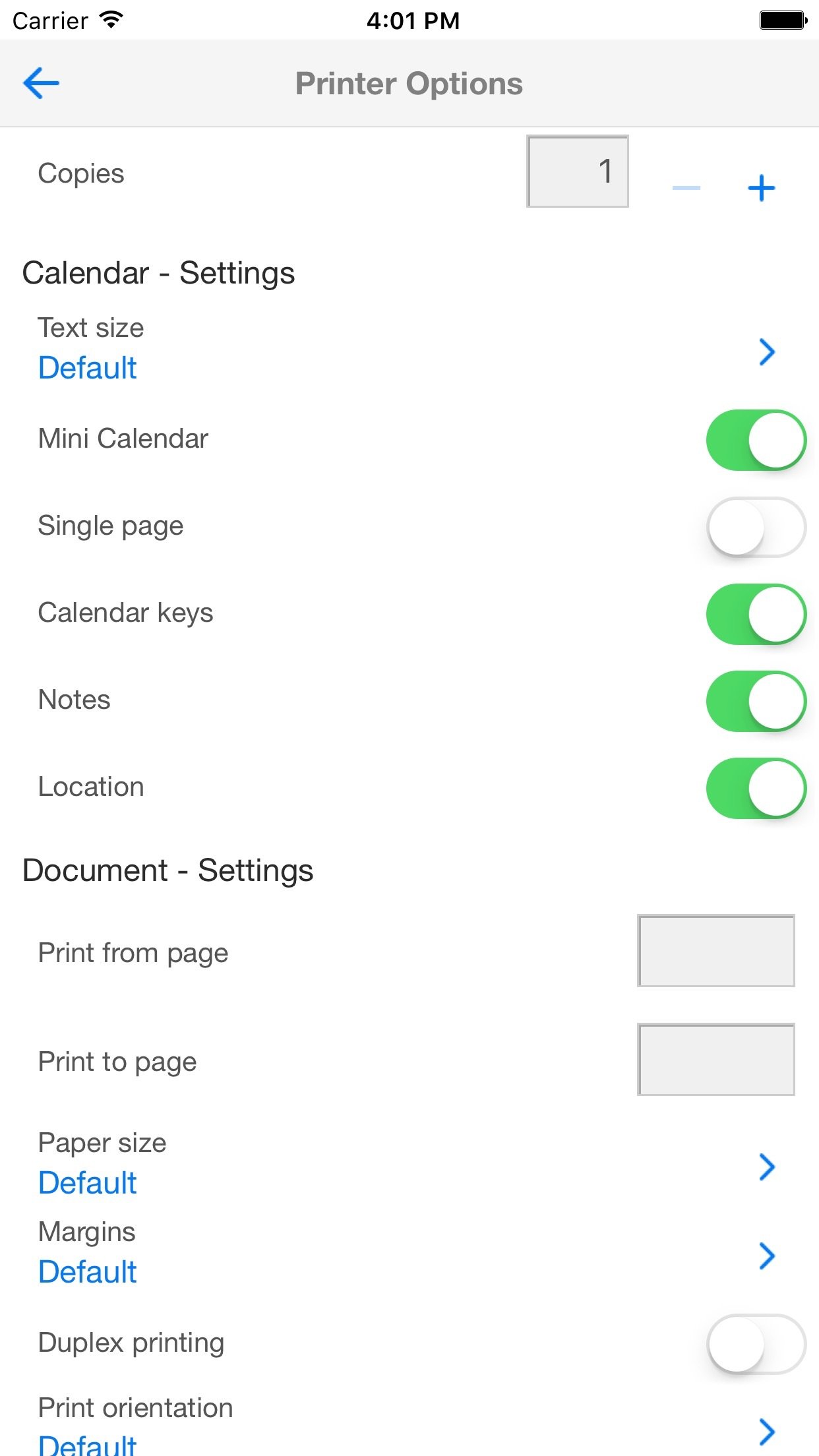
Add, delete and edit your appointments inside CalPrint and print them out straight away. Choose from a range of print options, including layout, mini calendar inserts, text size, single page and more.
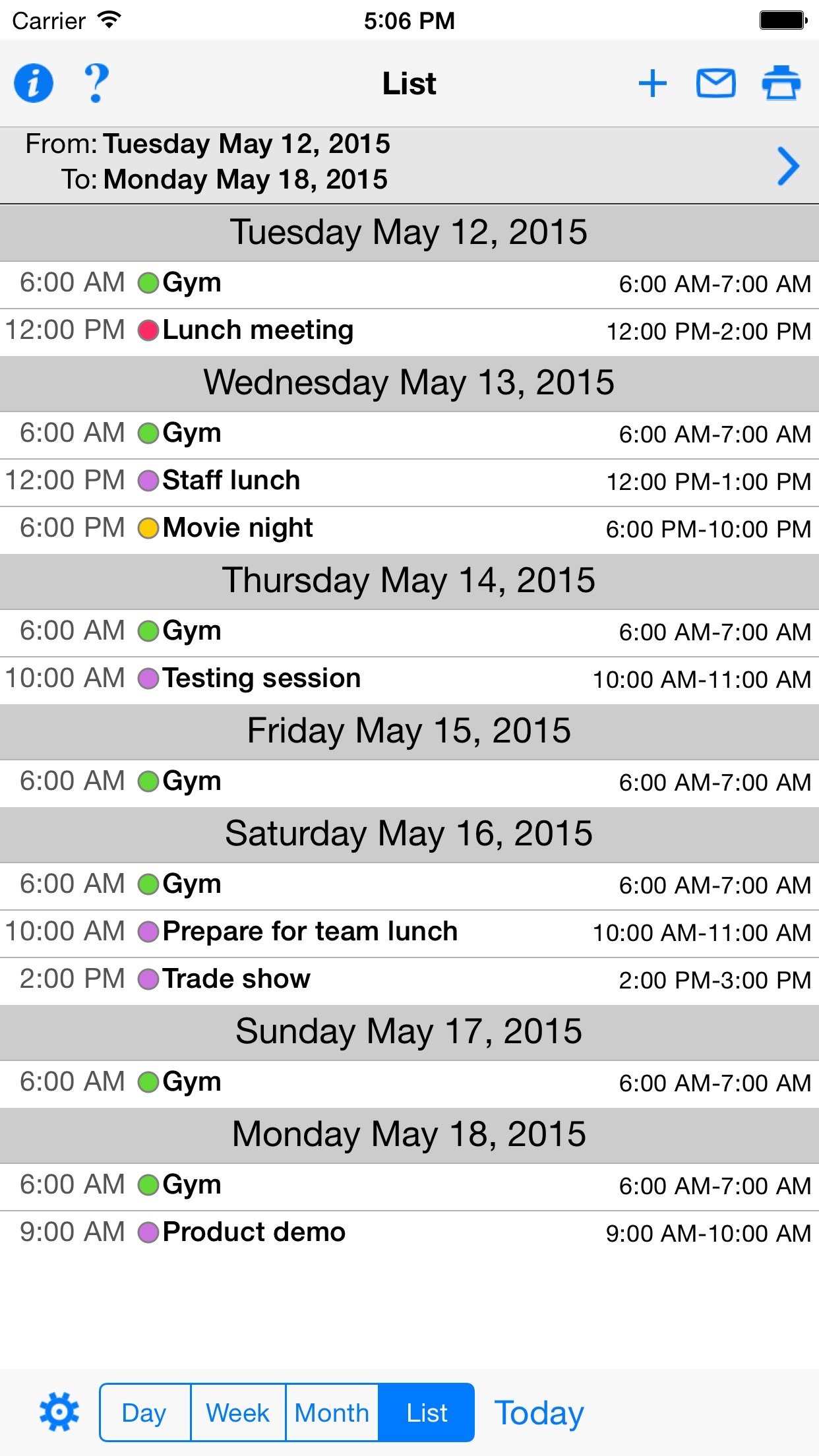
Create a list view of upcoming appointments for the next week, month or any date range you choose. Each appointment is itemized and printed in a list.
There is no need to setup calendars as CalPrint uses your existing calendar on your iPhone or iPad. Google Calendar, Exchange and other calendar formats are all supported.
FULL CALENDAR FUNCTIONALITY
• Choose which calendars to display and print
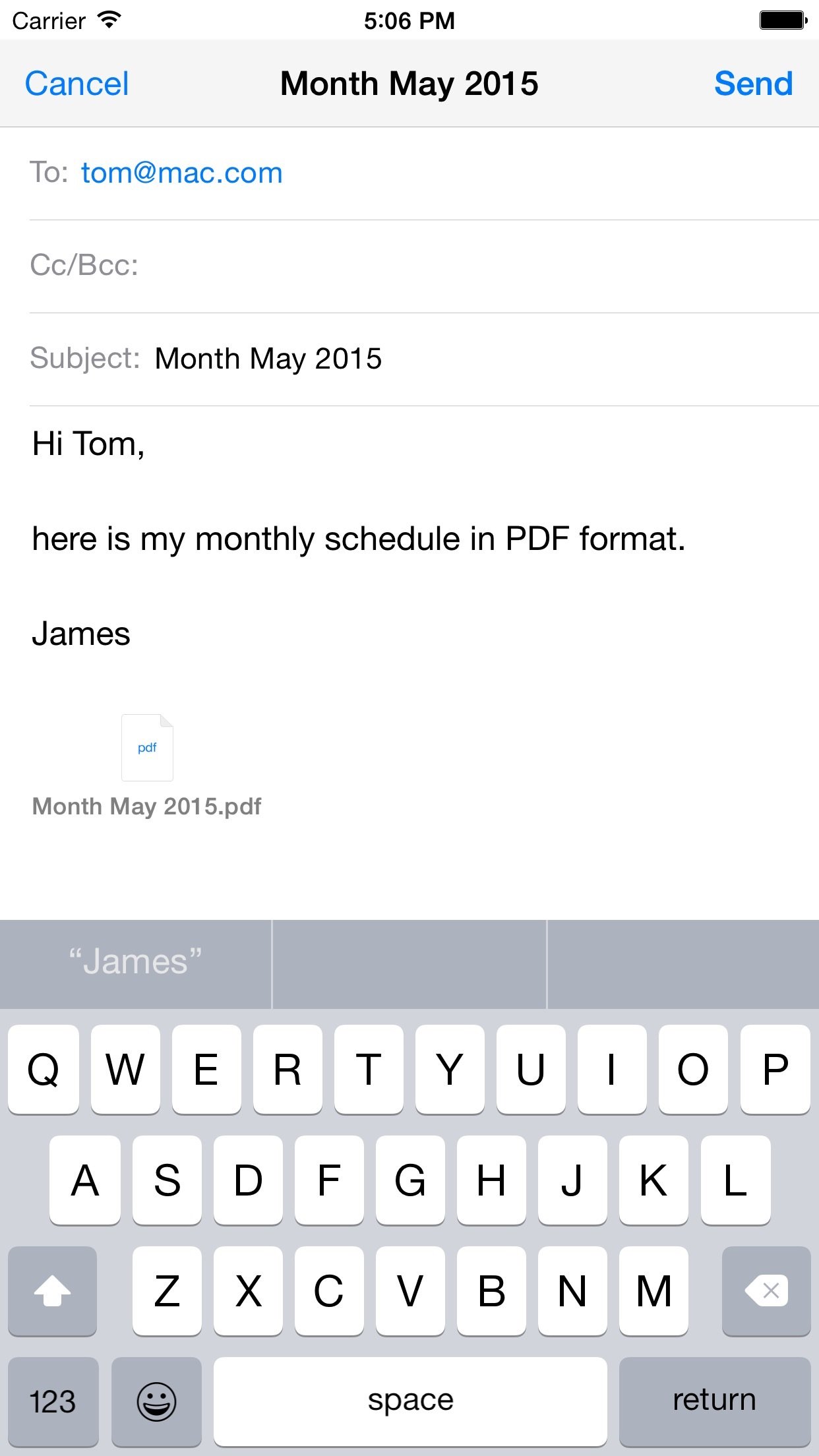
• Email your calendar views as PDF files
• Search for events and print the results
• Easy scroll the week view
• Quickly zoom to a day in month view
• Easily create new appointments
• Print event maps and driving directions
• Print your calendar as a PDF for use in other apps
• Utilizes existing calendars, no new calendar setup needed.
• View and Print by Day/Week/Month and a custom list view
REMINDER FUNCTIONALITY
• Choose which reminder lists to display and print
• Print your shopping list, to do list, or other lists shared with your family
• Filter by scheduled and completed
• Search for text in reminders to filter results
• Email your reminder lists as PDF files
FULLY FUNCTIONAL PRINTING
• Print to ALL printers (Network/WiFi/USB/Bluetooth) via your Mac or PC or direct to most WiFi printers without additional software. Also print to Apple AirPrint printers.
• USB & Bluetooth printers can be used with free print server software (Windows & Mac)
• Print remotely via 3G/4G
• Print using ALL the same document formats to ALL printers used by your Mac/PC
License: Commercial
Full support for Shortcuts eg. "Print today", "Print tomorrow", "Print this week", "Print this month"
Print maps and driving directions for appointments.
Add, delete and edit your appointments inside CalPrint and print them out straight away. Choose from a range of print options, including layout, mini calendar inserts, text size, single page and more.
Create a list view of upcoming appointments for the next week, month or any date range you choose. Each appointment is itemized and printed in a list.
There is no need to setup calendars as CalPrint uses your existing calendar on your iPhone or iPad. Google Calendar, Exchange and other calendar formats are all supported.
FULL CALENDAR FUNCTIONALITY
• Choose which calendars to display and print
• Email your calendar views as PDF files
• Search for events and print the results
• Easy scroll the week view
• Quickly zoom to a day in month view
• Easily create new appointments
• Print event maps and driving directions
• Print your calendar as a PDF for use in other apps
• Utilizes existing calendars, no new calendar setup needed.
• View and Print by Day/Week/Month and a custom list view
REMINDER FUNCTIONALITY
• Choose which reminder lists to display and print
• Print your shopping list, to do list, or other lists shared with your family
• Filter by scheduled and completed
• Search for text in reminders to filter results
• Email your reminder lists as PDF files
FULLY FUNCTIONAL PRINTING
• Print to ALL printers (Network/WiFi/USB/Bluetooth) via your Mac or PC or direct to most WiFi printers without additional software. Also print to Apple AirPrint printers.
• USB & Bluetooth printers can be used with free print server software (Windows & Mac)
• Print remotely via 3G/4G
• Print using ALL the same document formats to ALL printers used by your Mac/PC
License: Commercial
| Release info | New Release on Oct 06, 2026 |
|---|---|
| Release notes | Update for iOS 27 Support our hard working team - support regular updates and new features with a quick review on the App Store, thanks! |
| Listing data | App Store |
Reviews
No reviews yet. Be the first to review CalPrint for iPhone.
Used CalPrint for iPhone? Tell other visitors what you thought.
Log in to write a reviewOther products by this publisher
- "No Distractions" for YouTube 4.10 ----
- #Bible 11.6 "Incredible App - My sister shared this app with me a few weeks ago and it is truly incredible.
- #filmphotography 1.4.2 So, you decided to shoot on film?
- $quirrel 1.5.1 $quirrel Budget & Finance helps you plan each paycheck, track spending, manage debt, and see what is safe to spend before the next payday.
- % Percentage Calculator Pro 1.41 This is the Pro version of % Percentage Calculator.
Most viewed iOS Utilities
-
1
 Device Lab 1.8.5
Device Lab ??????????????????????? App,?????????????????????????????????,????????????????????????
-
2
 APTV 2.4.8
APTV,?????????????? IPTV M3U???,?????????????????
-
3
 VibeSDR 11.0.16
VibeSDR is a mobile-first software-defined radio (SDR) receiver — and far more than a single-server client.
-
4
 DXClock 4.0.0
Connect, collaborate, and operate smarter with DX Clock — the ultimate meeting place for amateur radio operators.
-
5
 iNetTools 11.0
iNetTools Pro is the Pro Version of iNetTools.
-
6
 DRC 2.0.1
A simple to use app to help calculate any dilution ratio.
-
7
 ECHOCAT 1.5.2
ECHOCAT is the iPhone and iPad companion for POTACAT, the desktop app for amateur radio operators chasing Parks on the Air (POTA), Summits on the Air (SOTA), Worldwide Bunkers on the Air (WWBOTA), Tiles on the Air and DX.
-
8
 Ally Pro 1.4.0
Ally Pro – Amiibo & NFC Tool gives advanced collectors complete control over their Amiibo library.
-
9
 Demod 1.6
Demod turns your iPhone into a software-defined radio receiver.
-
10
 RigCalc 1.0
RigCalc puts the everyday drilling calculations you need on the rig floor, in the mud pit, or in the office into one fast, offline app.
Most downloaded iOS Utilities
-
1
 Rat And Mouse Sound Repeller 2.8
Keep mice and rats away overnight with ultrasonic waves and predator sounds.
-
2
Demod 1.6
Demod turns your iPhone into a software-defined radio receiver.
-
3
 Screen Mirroring With Miracast 2.0
Turn your iPhone into a complete TV companion.
-
4
 Guardio 2026.105.1
Guardio protects every part of your digital life: your devices, identity, accounts, and activity, so you can browse, shop, text, and bank online with confidence.
-
5
 Fontcase 2.0.1
Fontcase is an app that lets you install custom fonts on iOS and iPadOS.
-
6
DRC 2.0.1
A simple to use app to help calculate any dilution ratio.
-
7
 PickerFull 9.18
Export colors from photos as HEX, PDF, RGB, HSB/HSV, HSBA, HSL, LUV, LCH, YUV, YCBCR, YIQ, CMYK, Grayscale, XYZ, L*a*b* (CIE), CSSVAR, SASSVAR, CSSHSL, CSSRGB, AndroidXML, FlutterDart, UnityColor32, Float, Objective-C, Swift, SwiftLiteral, SwiftUI
-
8
 Google 446.3
Download the Google app to find quick answers, explore your interests, and ask anything on your mind in any way.
-
9
 Facemoji AI Emoji Keyboard 4.63
Facemoji Emoji Keyboard is a Free AI-Powered Custom Keyboard with Cool Fonts.
-
10
 PDF Reader 1.3.1
Turbo PDF: Scanner & Editor is a highly reliable scanner application that effectively transforms your smartphone into a robust PDF scanner.