
13downloads
1this week
FreeCommercial
0reviews
Screenshots
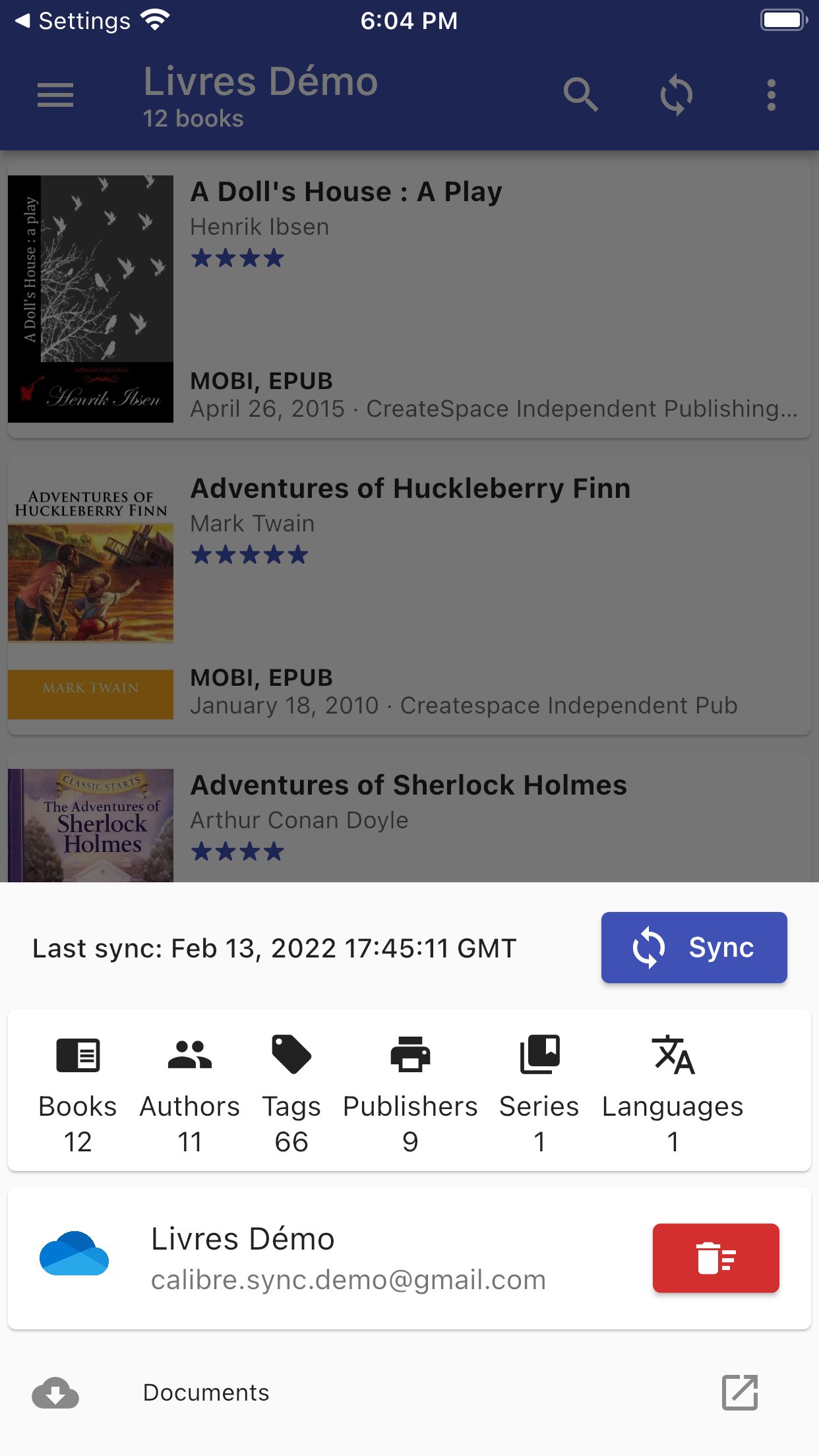
About Calibre Sync
Lifetime support, no extra charge, no subscription fee.
Calibre Sync can:
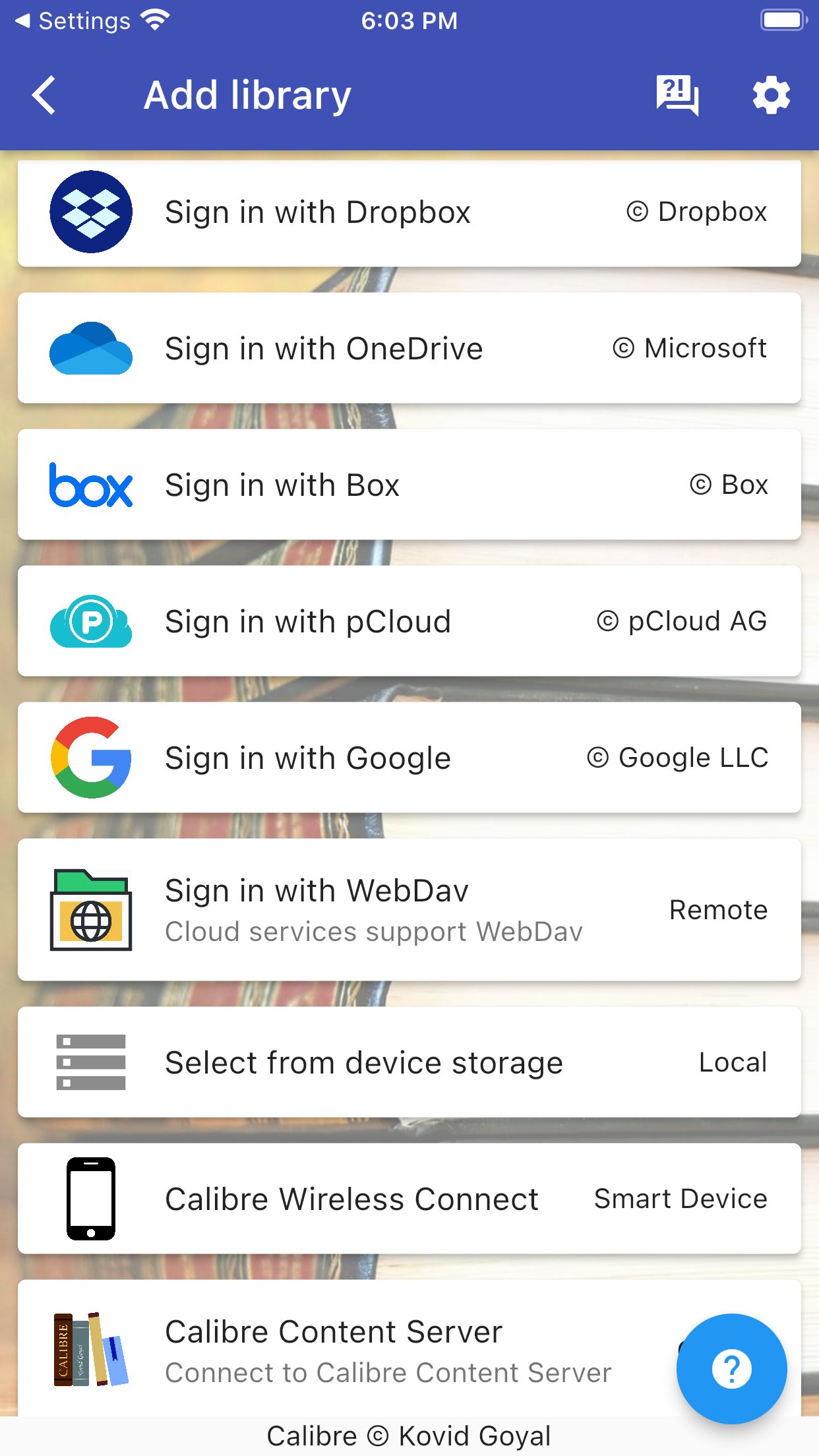
- help you access full Calibre libraries on most popular personal cloud services, including Google Drive, Dropbox, Microsoft OneDrive, Box, pCloud, MEGA, iCloud, WebDav, Nextcloud, OwnCloud, and TeraBox - simply the most supported for cloud services.
- transform your device to a smart device emulator that connects to Calibre wirelessly. It even supports Calibre libraries on your external storage and from Calibre Content Server or Calibre-web with amazing performance.
Move your Calibre libraries to your favourite cloud providers and access those libraries via Calibre Sync to browse, sort, search, download and read books on your device. Calibre Sync also supports multiple libraries across multiple Drive, Dropbox, OneDrive, Box, pCloud, MEGA, iCloud, WebDav, Nextcloud, OwnCloud, and TeraBox accounts simultaneously.
Features:
- Unlimited Calibre libraries
- Wireless connect to Calibre effortlessly as Smart device
- Easy switch between multiple libraries across multiple accounts
- Automatic check and update libraries when launching the app
- Pull, Refresh or Remove a library from Calibre Sync
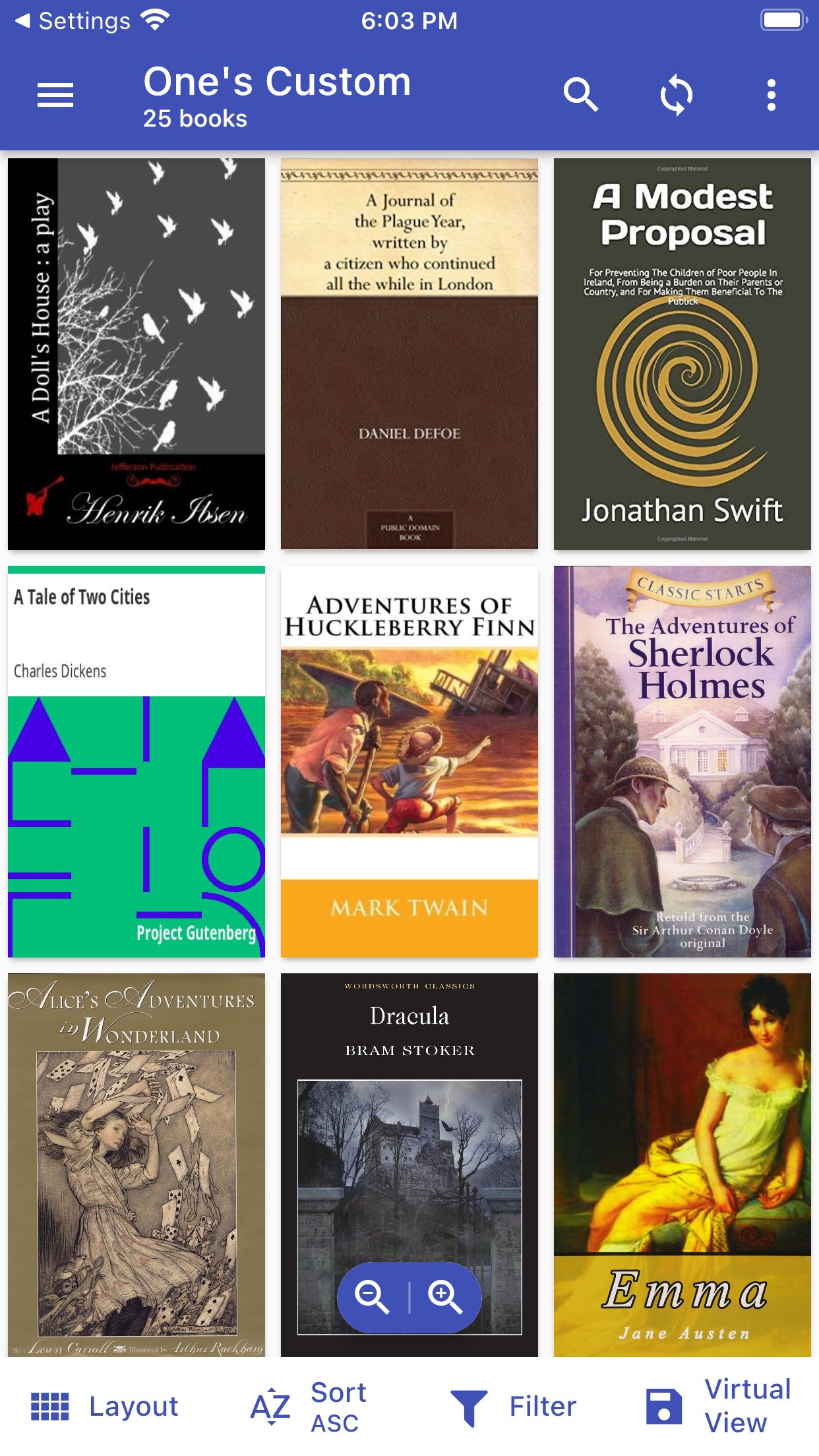
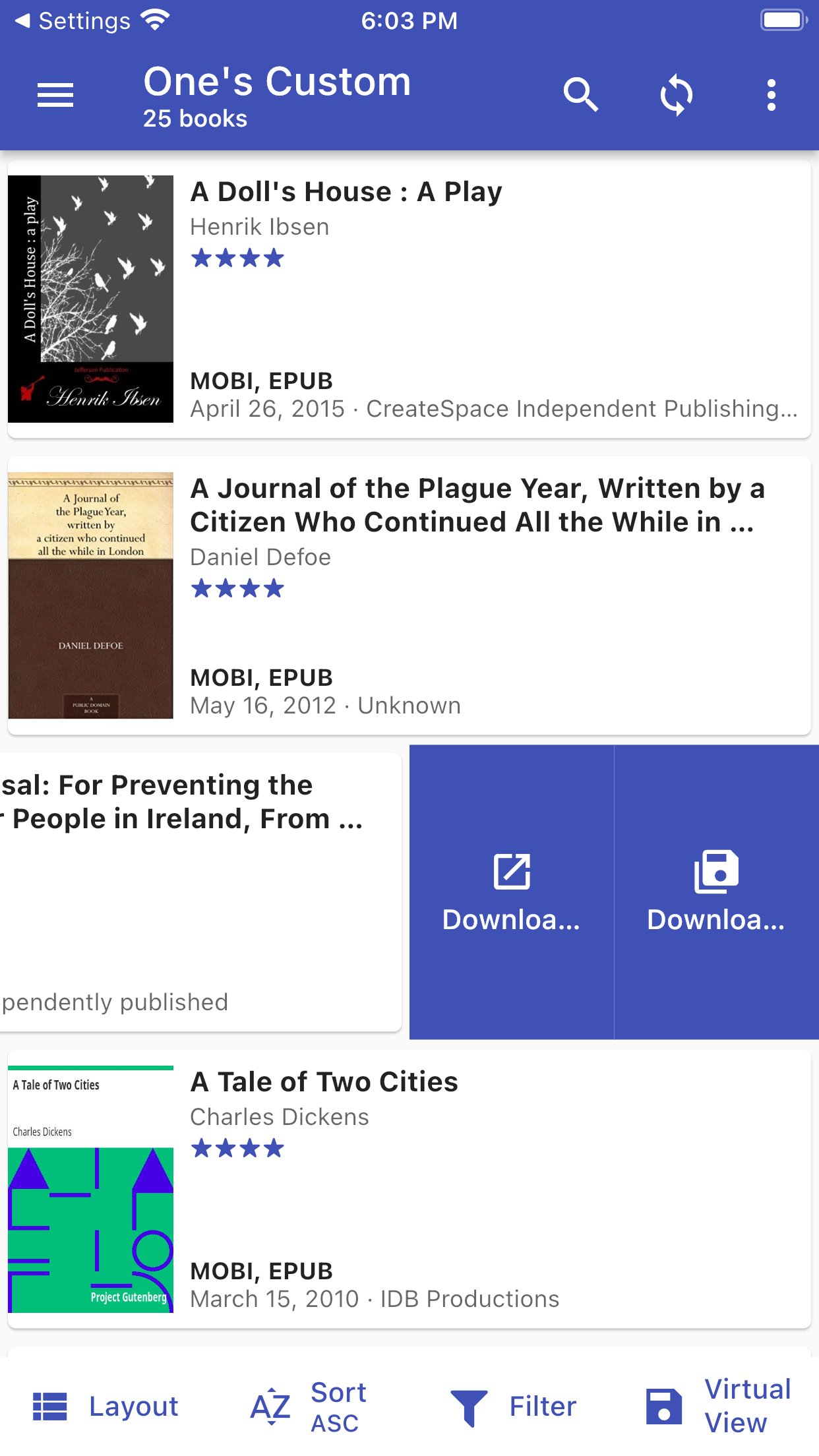
- Support different book list layouts: List - detailed and simple, Grid, and Carousel
- View your library statistics
- Send books to Kindle with ease
- Search across all of your available libraries
- Search books by title, authors, and even in comments and custom columns
- Filter books on authors, series, tags, language, publishers, formats and in custom columns
- Sort libraries by title, author, ratings, and several Date options - ascending and descending
- Filter downloaded books
- Configuration for each library download location
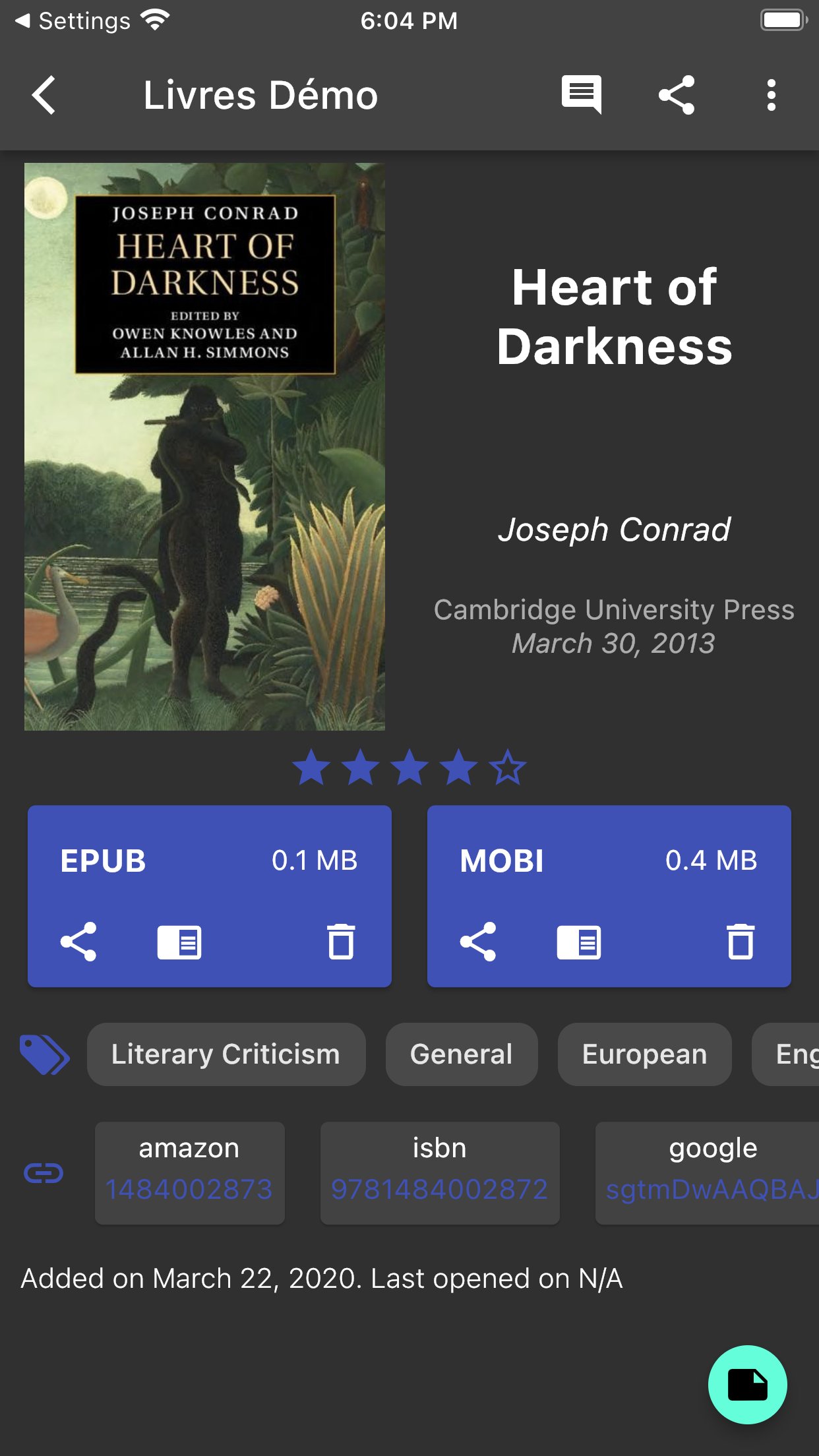
- Support for custom columns in book details view
- Quick access to book download and share via slideable list view
- Zoom the book cover
- Support "swipe from book to book" in book details view
- Email or share a copy of downloaded book
- Open downloaded book in your book reader application to read a book
- View the file size of each book format
- Show book identifiers and link to source (like ISBN, Amazon, Google Books, Goodreads, etc)
- Dark/light themes
- And many more features...
To move your Calibre library to cloud services:
1) Open Calibre on your Laptop/PC/Desktop
2) Select "Switch/create library..." from the Calibre menu
3) Select an empty folder on your Cloud drive in "New Location" drop down
4) Select "Move current library to new location", then press OK
5) Wait for cloud sync to complete.
6) Then you are ready to use Calibre Sync.
To move your Calibre library to your phone storage, just copy the library directory to your phone storage.
Notes:
- Calibre Sync is not a reader app. You must install and use one of the many excellent reader apps available.
- Only Microsoft OneDrive for Personal accounts (shared) are supported. Please email us if you observe any inconsistencies.
- Due to restriction in Box API, Calibre Sync must acquire write permission in order to download files, download is not a read action on Box. Calibre Sync guarantees that it will not perform any write actions against your data in Box cloud account.
- Calibre Sync use WebDav API of Nextcloud and OwnCloud services, and it requires case sensitive file system to work properly. Therefore, you must make sure that your libraries are set up on case sensitive file system (Linux, recent MacOS, Windows NTFS with case sensitive enabled).
Please leave your reviews and suggestions to help us improve the app. For more information see [link removed]
Calibre is © Kovid Goyal - calibre-ebook.com
Drive is © Google LLC.
Dropbox is © Dropbox inc.
OneDrive is © Microsoft
Box is © Box inc.
pCloud is © pCloud AG
Nextcloud is © Nextcloud GmbH
OwnCloud is © OwnCloud
MEGA is © MEGA
iCloud is © Apple Inc
TeraBox © Flextech Inc
License: Commercial
| Release info | Update on Nov 02, 2026 |
|---|---|
| Release notes | - New feature: advanced library search. - UI improvement: remember scroll position in filter page. - UI improvement: book summary to detailed and simple list views. |
| Listing data | App Store |
Reviews
No reviews yet. Be the first to review Calibre Sync.
Used Calibre Sync? Tell other visitors what you thought.
Log in to write a reviewOther products by this publisher
- "No Distractions" for YouTube 4.10 ----
- #Bible 11.6.1 "Incredible App - My sister shared this app with me a few weeks ago and it is truly incredible.
- #filmphotography 1.4.2 So, you decided to shoot on film?
- #LookBusy Fake Calendar Events 1.0.6 Look Busy scans your work calendar for open time slots and fills them with realistic-looking (but secretly fake) work events.
- #Small Talk Is Canceled 1.0.2 #Small Talk Is Canceled — Conversations That Matter
Most viewed iOS Utilities
-
1
 Device Lab 1.9.1
Device Lab is an on-device reference and toolkit for your hardware — hardware monitoring, spec references, chip and device comparisons, system information, and practical utilities, so you can understand and manage the devices you use with more struc…
-
2
 APTV 2.4.10
APTV,?????????????? IPTV M3U???,?????????????????
-
3
 VibeSDR 11.0.16
VibeSDR is a mobile-first software-defined radio (SDR) receiver — and far more than a single-server client.
-
4
 V2Box 10.2.0
V2box - VPN Internet network proxy , Supports multiple proxy protocols, such as Shadowsocks, V2ray, Vmess, Trojan , SSH , Socks, Ping Tunnel, Hysteria2, DNSTT, Wireguard
-
5
 DXClock 4.0.0
Connect, collaborate, and operate smarter with DX Clock — the ultimate meeting place for amateur radio operators.
-
6
 Demod 1.6
Demod turns your iPhone into a software-defined radio receiver.
-
7
 Ally Pro 1.4.0
Ally Pro – Amiibo & NFC Tool gives advanced collectors complete control over their Amiibo library.
-
8
 ECHOCAT 1.6.0
ECHOCAT is the iPhone and iPad companion for POTACAT, the desktop app for amateur radio operators chasing Parks on the Air (POTA), Summits on the Air (SOTA), Worldwide Bunkers on the Air (WWBOTA), Tiles on the Air and DX.
-
9
 DRC 2.0.1
A simple to use app to help calculate any dilution ratio.
-
10
 DuckDuckGo, optional Duck.ai 7.246.0
At DuckDuckGo, we believe the best way to protect your personal information from hackers, scammers, and privacy-invasive companies is to stop it from being collected at all.
Most downloaded iOS Utilities
-
1
Demod 1.6
Demod turns your iPhone into a software-defined radio receiver.
-
2
 Rat And Mouse Sound Repeller 2.8
Keep mice and rats away overnight with ultrasonic waves and predator sounds.
-
3
 Guardio 2026.110.3
Protect your identity, accounts, and online activity from scams and digital threats with Guardio.
-
4
 Screen Mirroring With Miracast 2.0
Turn your iPhone into a complete TV companion.
-
5
 Fontcase 2.0.1
Fontcase is an app that lets you install custom fonts on iOS and iPadOS.
-
6
 ParkenDD 2.0.2
ParkenDD shows a list of available public parking lots in several cities.
-
7
 PickerFull 9.18
Export colors from photos as HEX, PDF, RGB, HSB/HSV, HSBA, HSL, LUV, LCH, YUV, YCBCR, YIQ, CMYK, Grayscale, XYZ, L*a*b* (CIE), CSSVAR, SASSVAR, CSSHSL, CSSRGB, AndroidXML, FlutterDart, UnityColor32, Float, Objective-C, Swift, SwiftLiteral, SwiftUI
-
8
 Royal TSi 2.5.4
Royal TSi provides easy and secure access to your remote systems (RDP, VNC, SSH, etc.) by allowing you to open your Royal TS documents created with Royal TSX (for macOS) or Royal TS (for Windows).
-
9
 Passepartout, VPN Client 3.12.7
Protect your online privacy with Passepartout, a smart VPN client seamlessly integrated with iOS, macOS, iPadOS, and tvOS.
-
10
DRC 2.0.1
A simple to use app to help calculate any dilution ratio.