
9downloads
1this week
FreeFreeware
0reviews
Screenshots
About Bouncer
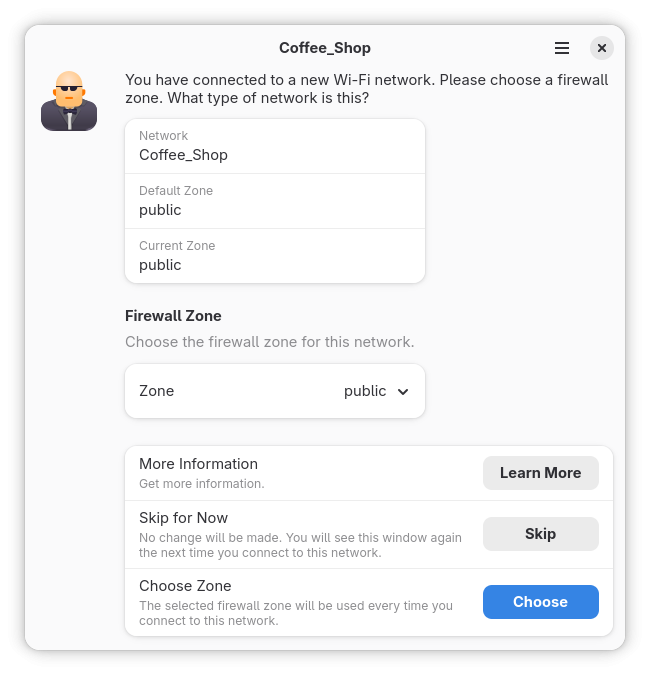
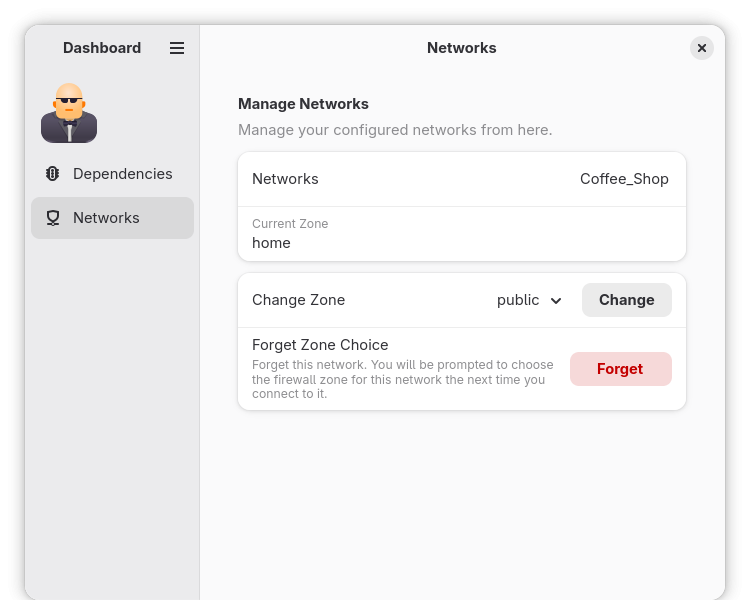
Bouncer is an application to help you choose the correct firewall zone for wireless connections. When you connect to a new network, a window opens prompting you for what kind of network (eg home, public, work) it is. When you choose the network type, it is associated with that network and automatically used in the future.
NetworkManager and firewalld are required. If you don't use those, you can't use Bouncer. Fedora uses both by default. Other distributions may not.
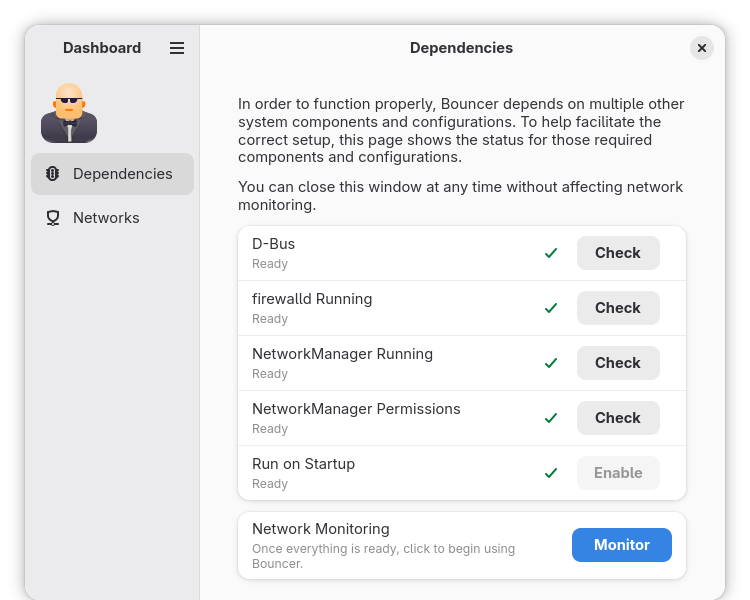
Additional setup is required after installation. See the applicable section for your distribution. Once the setup is done, start Bouncer and confirm your system is configured correctly. Then click the Monitor button to begin using Bouncer. After that, it will start automatically when you log in.
Fedora
• For Fedora, everything just works! Just start Bouncer to confirm, and click the Monitor button to begin using Bouncer.
Ubuntu
• Uninstall ufw: sudo apt remove ufw
• Install firewalld: sudo apt install firewalld
• By default, polkit is configured to not let regular users set the zone for a connection. The simplest way to change this is to add users to the netdev group (eg usermod -a -G netdev justin). Alternatively, you can create a custom polkit rule for the org.freedesktop.NetworkManager.settings.modify.system action (how to create custom polkit rules is beyond the scope of this document and is left as an exercise for the reader).
• Start Bouncer and confirm your system is configured correctly. Then click the Monitor button to begin using Bouncer.
Debian
• Install firewalld: sudo apt install firewalld
• By default, polkit is configured to not let regular users set the zone for a connection. The simplest way to change this is to add users to the netdev group (eg usermod -a -G netdev justin). Alternatively, you can create a custom polkit rule for the org.freedesktop.NetworkManager.settings.modify.system action (how to create custom polkit rules is beyond the scope of this document and is left as an exercise for the reader).
• Start Bouncer and confirm your system is configured correctly. Then click the Monitor button to begin using Bouncer.
License: MPL-2.0
NetworkManager and firewalld are required. If you don't use those, you can't use Bouncer. Fedora uses both by default. Other distributions may not.
Additional setup is required after installation. See the applicable section for your distribution. Once the setup is done, start Bouncer and confirm your system is configured correctly. Then click the Monitor button to begin using Bouncer. After that, it will start automatically when you log in.
Fedora
• For Fedora, everything just works! Just start Bouncer to confirm, and click the Monitor button to begin using Bouncer.
Ubuntu
• Uninstall ufw: sudo apt remove ufw
• Install firewalld: sudo apt install firewalld
• By default, polkit is configured to not let regular users set the zone for a connection. The simplest way to change this is to add users to the netdev group (eg usermod -a -G netdev justin). Alternatively, you can create a custom polkit rule for the org.freedesktop.NetworkManager.settings.modify.system action (how to create custom polkit rules is beyond the scope of this document and is left as an exercise for the reader).
• Start Bouncer and confirm your system is configured correctly. Then click the Monitor button to begin using Bouncer.
Debian
• Install firewalld: sudo apt install firewalld
• By default, polkit is configured to not let regular users set the zone for a connection. The simplest way to change this is to add users to the netdev group (eg usermod -a -G netdev justin). Alternatively, you can create a custom polkit rule for the org.freedesktop.NetworkManager.settings.modify.system action (how to create custom polkit rules is beyond the scope of this document and is left as an exercise for the reader).
• Start Bouncer and confirm your system is configured correctly. Then click the Monitor button to begin using Bouncer.
License: MPL-2.0
| Release info | New Release on Oct 10, 2026 |
|---|---|
| Release notes | • Use GNOME 51 • Improve dashboard navigation in narrow windows |
| Related tags | firewall network Wi-Fi |
| Listing data | Flathub |
Reviews
No reviews yet. Be the first to review Bouncer.
Used Bouncer? Tell other visitors what you thought.
Log in to write a reviewOther products by this publisher
- "No Distractions" for YouTube 4.10 ----
- #Bible 11.6 "Incredible App - My sister shared this app with me a few weeks ago and it is truly incredible.
- #filmphotography 1.4.2 So, you decided to shoot on film?
- $quirrel 1.5.1 $quirrel Budget & Finance helps you plan each paycheck, track spending, manage debt, and see what is safe to spend before the next payday.
- % Percentage Calculator Pro 1.41 This is the Pro version of % Percentage Calculator.
Most viewed Linux Internet
-
1
 Revolt 1.0.8
Open source user-first messaging platform
-
2
 Bengal Download Manager 0.3.13
High speed downloader
-
3
 Forge Sparks 1.0.1
Get Git forges notifications
-
4
 Rocket.Chat 4.19.0
Open Source Team Communication
-
5
 VServer 1.6.1
Access your files from any device on the same network
-
6
 Delta Chat 2.65.0
Decentralized private messenger with chat-shared tools and games
-
7
 geteduroam 0.16
A geteduroam client for Linux. Geteduroam simplifies the process of connecting to eduroam
-
8
 Dialect 2.6.1
Translate between languages
- 9 Chatterino 2.5.5 Chat client for twitch.tv
-
10
 Cinny 4.12.8
Yet another Matrix client with simple, elegant and secure interface.
Most downloaded Linux Internet
- 1 PeaSyo4Desk 2.1.6 PeaSyo4Desk: A simple desktop application for Playstation remote play.
-
2
 Vieb 12.11.0
Vim Inspired Electron Browser
- 3 Icalingua++ 2.26.8 A Linux client for QQ and more
-
4
Delta Chat 2.65.0
Decentralized private messenger with chat-shared tools and games
-
5
 RClone Manager 0.3.5
Browse and sync cloud storage
-
6
 Mercurygram 7.3.3.2
Privacy-focused Telegram fork
-
7
 Meron 0.4.11
Fast/secure mail client with kanban and chat views
-
8
 Sharefi 1.0.5
Share files at the speed of your local network
-
9
 Aria for Misskey 1.5.16
Dive into the interplanetary microblogging platform
-
10
 Syncthing Tray 2.1.9
Tray application for Syncthing