
12downloads
2this week
FreeCommercial
0reviews
Screenshots
About Booklover
Booklover is a highly responsive and robust eBook reader. It excels at handling PDFs, manga, and scanned books.
The metadata-driven library management system makes it easy to organize and enjoy a large collection of books in PDF, ZIP/CBZ, and RAR/CBR formats.
Seamlessly integrated with iCloud Drive, books in the iCloud Drive/Booklover folder automatically appear in the app’s library and can be downloaded on demand.
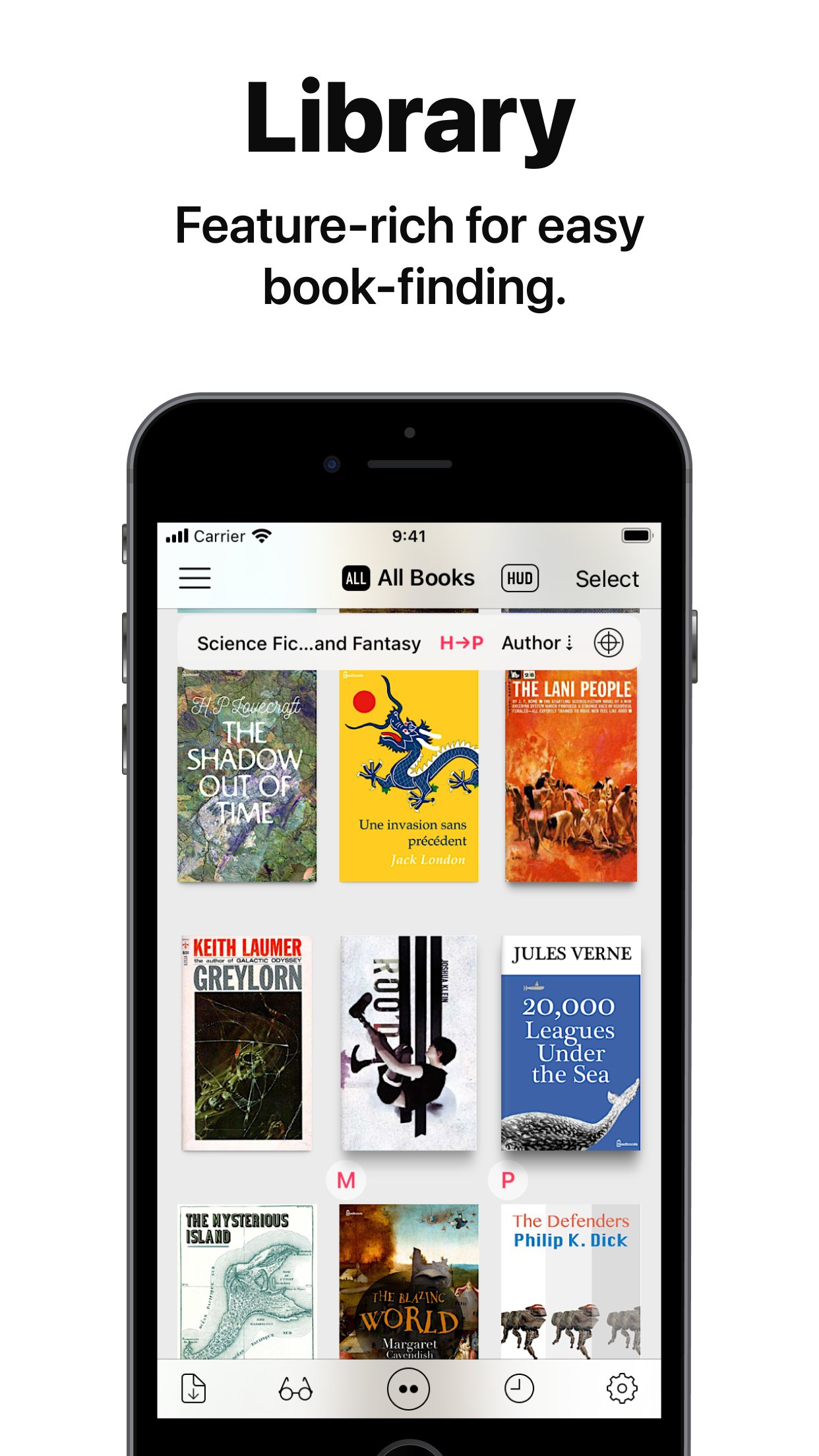
In the library, you can organize books by genres and arrange them using various bibliographic details such as title, author, publisher, and more.
With the search field and powerful Library Navigator, you can quickly locate a book among thousands in your collection.
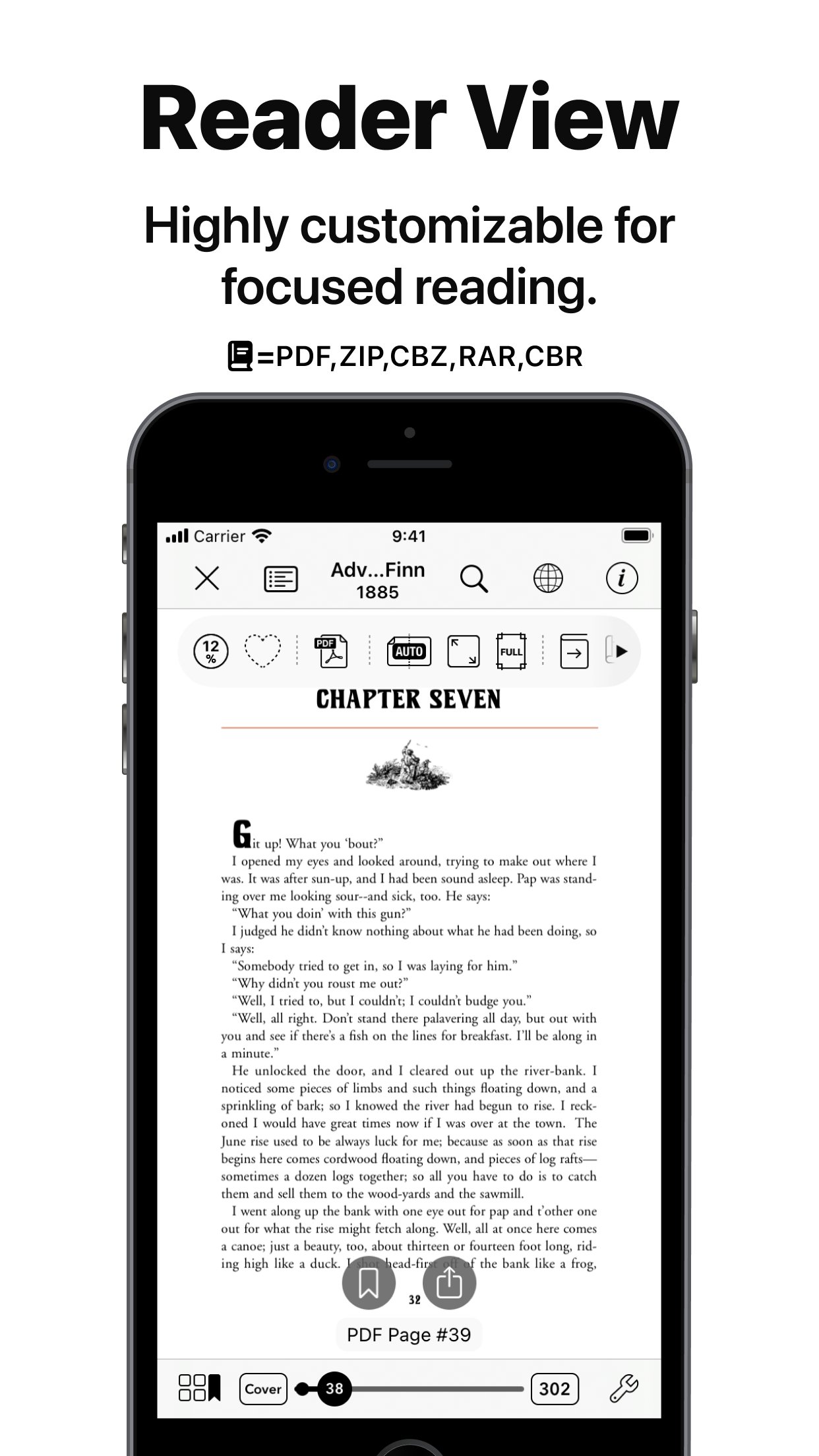
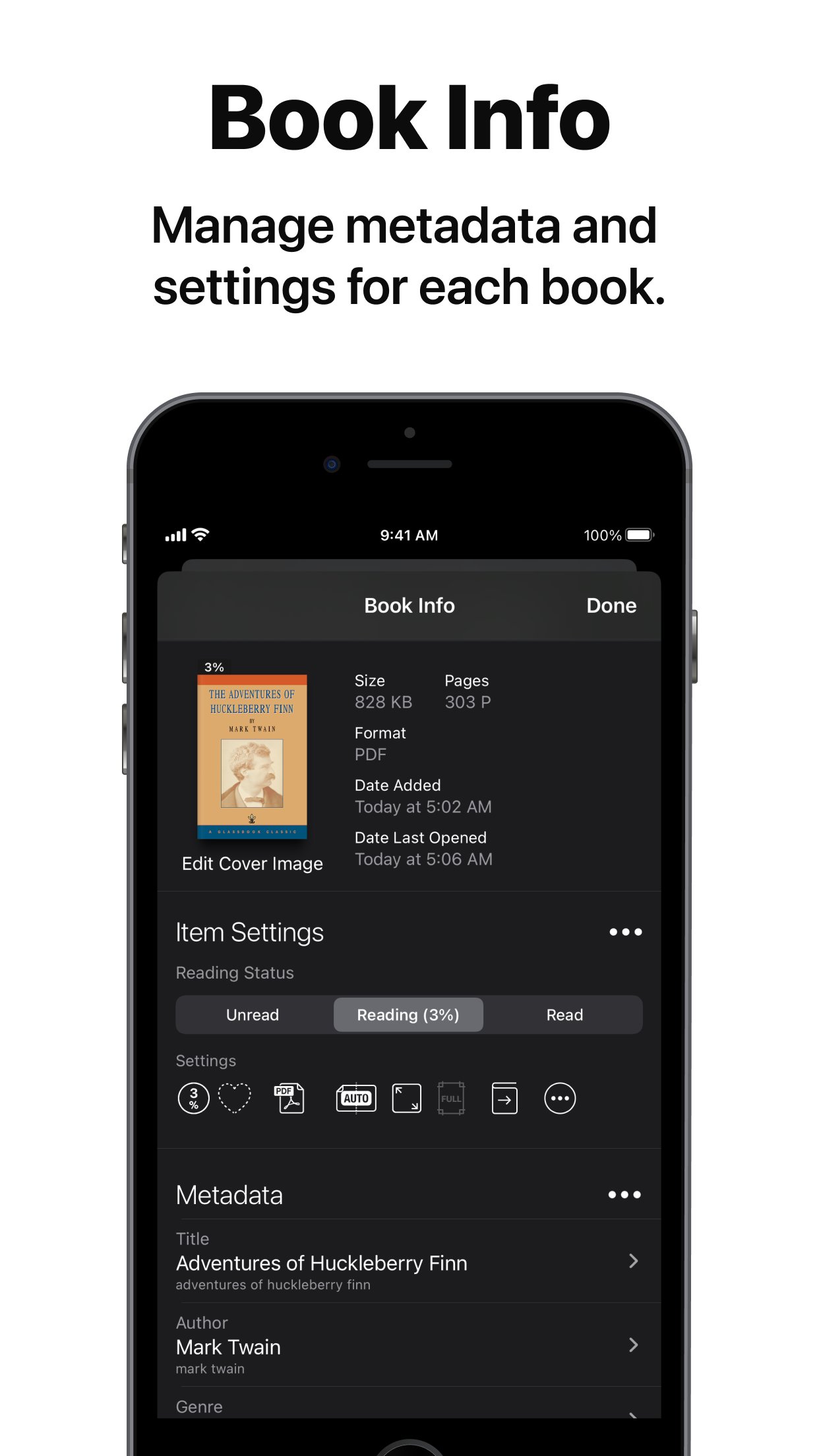
Customize your reading experience with settings for each book, including page layout, transition axis and style, cropping, filters, progress direction, background, and more.
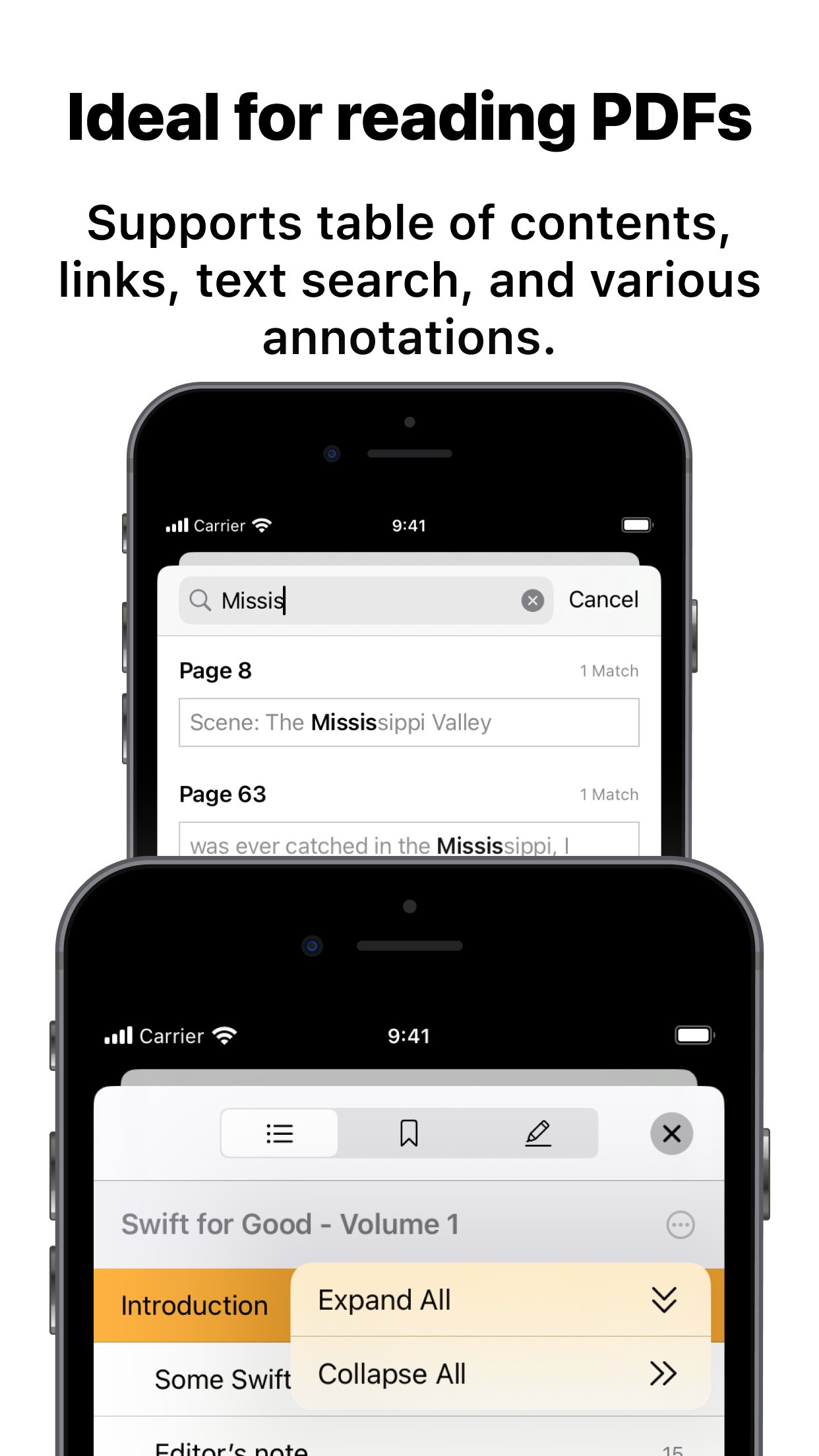
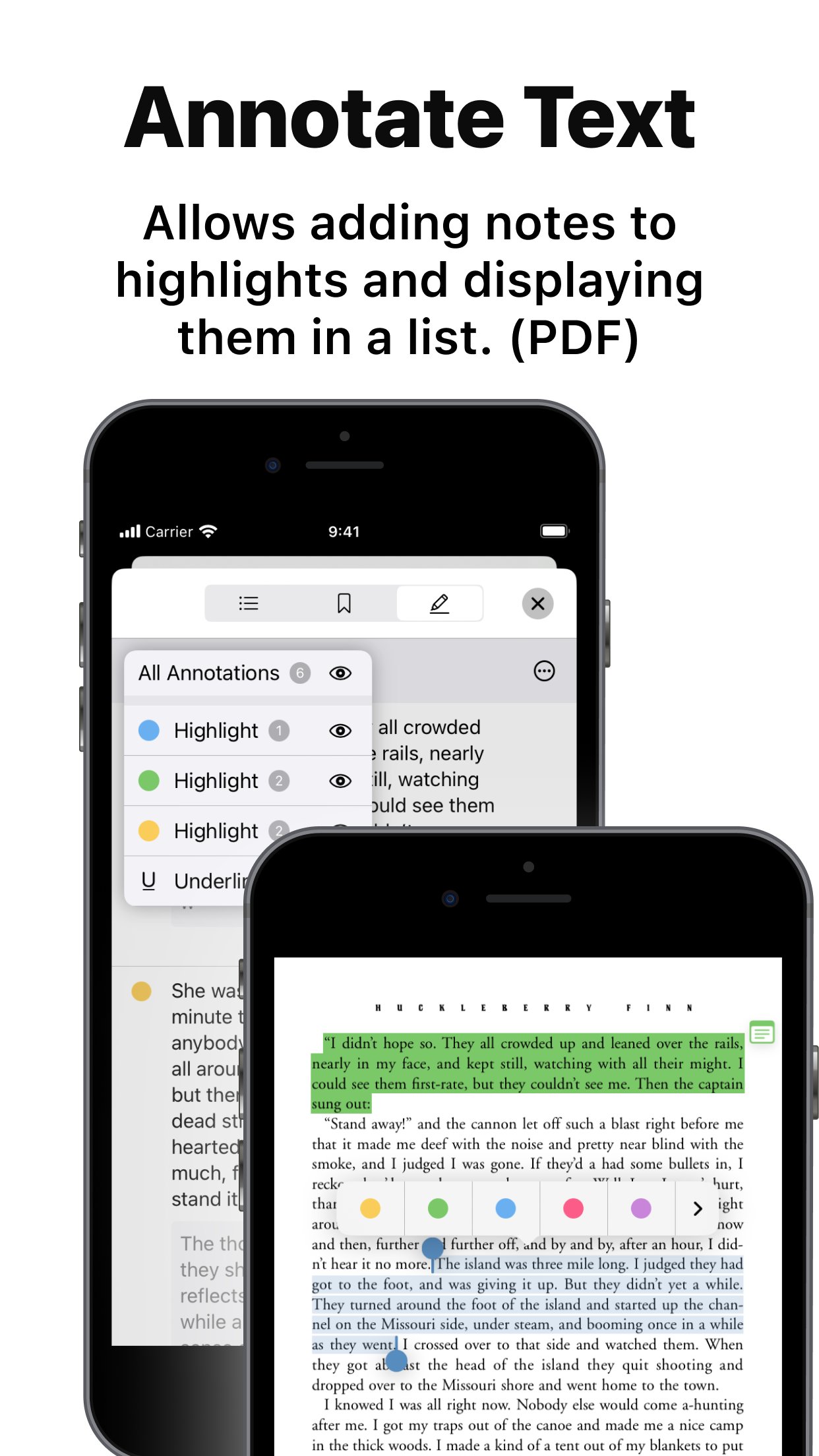
Booklover supports bookmarks with titles and notes, as well as PDF text annotations (highlights), text search, and a table of contents.
Main Features:
# General
• Manage and view eBooks (PDF, ZIP/CBZ, RAR/CBR)
• Support for archived image files in JPG, PNG, GIF, HEIF, WEBP, AVIF, and JPEG XL formats
• Automatic syncing of book files placed in iCloud Drive/Booklover. On-demand caching (download) of the remote files
• Import files via iTunes (Windows), Finder (Mac), AirDrop, Drag & Drop, "Open with..." etc.
• Import files via apps from various cloud storage services, such as Dropbox and OneDrive, as well as other services accessible through the iOS Files app.
• Slide Over / Split View (iPad)
• Hardware keyboard support (mainly in the reader)
# Library
• Section books by genre (ON/OFF)
• The Library Navigator (ON/OFF)
• Histories of added and opened books
• Context Menu for individual books (long-press a book cover)
• Change sort order: By Title, Author, Publisher, Filename, Added Date, etc.
• Alphanumeric Index Labels (ON/OFF)
• Toggle display of cover accessories
• Adjust cover grid size
• Responsive Shadow (shows page volume with shadow)
• Filter books by Status, Genre, Tags, etc.
• Search books by various bibliographic details, file name, and tags
# Reader
• PDF text annotations (highlights) with notes, text search, and a table of contents
• Bookmarks with titles and notes
• Lists of bookmarks and PDF annotations
• Page transition settings: Axis (Horizontal, Vertical), Style (Scroll, Continuous Scroll, Stack, Crossfade, Zoom fade, Instant)
• Progress direction setting: Left to Right, Right to Left (for vertical text, manga, Arabic, etc.)
• Page layout setting: Automatic, Single-Page, Two-Pages (spread)
• Separate page layout settings for view orientation (Portrait / Landscape)
• Page trimming (for images only)
• Page sizing: Show All, Width-Fit, Height-Fit
• Page thumbnail view (overview, bookmarks)
• Image correction filters
• Dynamic background (When the "Background Color" option for a book is set to "Dynamic")
• Adjust page spread position (Insert adjuster page at the beginning of the book body)
• Text recognition within images (with compatible devices only)
• Export (share) the currently displayed page
# Book Management
• Edit metadata: Title, Author, Genre, Publisher, Published Date, ISBN, etc.
• Edit Tags (Can be used as filter criteria in the side menu)
• Extract metadata (title/author) from PDFs
• Extract various metadata from file names with configurable extraction rules
• Automatic/Manual cropping of book covers
• Batch modification of book settings and metadata
• Transfer book files: "Open with...", AirDrop, Drag & Drop, etc.
• Can manage the content files and data separately ("Ghost Book")
———————————————
# Acknowledgments [Books used in the screenshots]
• "Give My Regards to Black Jack" by SHUHO SATO (Manga on Web: [link removed])
• Public domain books from Feedbooks ([link removed])
• Public domain comics from digitalcomicmuseum.com ([link removed])
License: Commercial
The metadata-driven library management system makes it easy to organize and enjoy a large collection of books in PDF, ZIP/CBZ, and RAR/CBR formats.
Seamlessly integrated with iCloud Drive, books in the iCloud Drive/Booklover folder automatically appear in the app’s library and can be downloaded on demand.
In the library, you can organize books by genres and arrange them using various bibliographic details such as title, author, publisher, and more.
With the search field and powerful Library Navigator, you can quickly locate a book among thousands in your collection.
Customize your reading experience with settings for each book, including page layout, transition axis and style, cropping, filters, progress direction, background, and more.
Booklover supports bookmarks with titles and notes, as well as PDF text annotations (highlights), text search, and a table of contents.
Main Features:
# General
• Manage and view eBooks (PDF, ZIP/CBZ, RAR/CBR)
• Support for archived image files in JPG, PNG, GIF, HEIF, WEBP, AVIF, and JPEG XL formats
• Automatic syncing of book files placed in iCloud Drive/Booklover. On-demand caching (download) of the remote files
• Import files via iTunes (Windows), Finder (Mac), AirDrop, Drag & Drop, "Open with..." etc.
• Import files via apps from various cloud storage services, such as Dropbox and OneDrive, as well as other services accessible through the iOS Files app.
• Slide Over / Split View (iPad)
• Hardware keyboard support (mainly in the reader)
# Library
• Section books by genre (ON/OFF)
• The Library Navigator (ON/OFF)
• Histories of added and opened books
• Context Menu for individual books (long-press a book cover)
• Change sort order: By Title, Author, Publisher, Filename, Added Date, etc.
• Alphanumeric Index Labels (ON/OFF)
• Toggle display of cover accessories
• Adjust cover grid size
• Responsive Shadow (shows page volume with shadow)
• Filter books by Status, Genre, Tags, etc.
• Search books by various bibliographic details, file name, and tags
# Reader
• PDF text annotations (highlights) with notes, text search, and a table of contents
• Bookmarks with titles and notes
• Lists of bookmarks and PDF annotations
• Page transition settings: Axis (Horizontal, Vertical), Style (Scroll, Continuous Scroll, Stack, Crossfade, Zoom fade, Instant)
• Progress direction setting: Left to Right, Right to Left (for vertical text, manga, Arabic, etc.)
• Page layout setting: Automatic, Single-Page, Two-Pages (spread)
• Separate page layout settings for view orientation (Portrait / Landscape)
• Page trimming (for images only)
• Page sizing: Show All, Width-Fit, Height-Fit
• Page thumbnail view (overview, bookmarks)
• Image correction filters
• Dynamic background (When the "Background Color" option for a book is set to "Dynamic")
• Adjust page spread position (Insert adjuster page at the beginning of the book body)
• Text recognition within images (with compatible devices only)
• Export (share) the currently displayed page
# Book Management
• Edit metadata: Title, Author, Genre, Publisher, Published Date, ISBN, etc.
• Edit Tags (Can be used as filter criteria in the side menu)
• Extract metadata (title/author) from PDFs
• Extract various metadata from file names with configurable extraction rules
• Automatic/Manual cropping of book covers
• Batch modification of book settings and metadata
• Transfer book files: "Open with...", AirDrop, Drag & Drop, etc.
• Can manage the content files and data separately ("Ghost Book")
———————————————
# Acknowledgments [Books used in the screenshots]
• "Give My Regards to Black Jack" by SHUHO SATO (Manga on Web: [link removed])
• Public domain books from Feedbooks ([link removed])
• Public domain comics from digitalcomicmuseum.com ([link removed])
License: Commercial
| Release info | Update on Oct 31, 2026 |
|---|---|
| Release notes | This version includes optimizations for iPhone Duo, along with various fixes and minor improvements. Fixes • [Reader View] Fixed an issue where, depending on aspect ratio, page images may be displayed at lower resolution than optimal in continuous-scrolling mode • [Reader View] Fixed an issue where zooming with double-tap frequently triggered simultaneous toggling of top and bottom bars • Fixed display and layout issues in various parts of user interface • Other miscellaneous bug fixes Improvements • Optimization for iPhone Duo • [Reader View] Improved behavior of tap and double-tap gestures in continuous-scrolling mode • Stability improvements Others • This is planned to be the last version supporting iOS/iPadOS 18. |
| Listing data | App Store |
Reviews
No reviews yet. Be the first to review Booklover.
Used Booklover? Tell other visitors what you thought.
Log in to write a reviewOther products by this publisher
- "No Distractions" for YouTube 4.10 ----
- #Bible 11.6 "Incredible App - My sister shared this app with me a few weeks ago and it is truly incredible.
- #filmphotography 1.4.2 So, you decided to shoot on film?
- $quirrel 1.5.1 $quirrel Budget & Finance helps you plan each paycheck, track spending, manage debt, and see what is safe to spend before the next payday.
- % Percentage Calculator Pro 1.41 This is the Pro version of % Percentage Calculator.
Most viewed iOS News
-
1
 The People's Poll 1.0.1
People’s Poll puts the 2026 midterm polls in one place: every Senate and governor race and every House district with published polls, the polling average for each race, how it has moved, and a link to every poll behind it.
-
2
 NYTimes 11.99.0
Discover original reporting and understand the events shaping the world in The New York Times app.
-
3
 content 1.3.2
The internet used to feel different.
-
4
 Current 1.0.15
Current is an RSS reader built on a simple idea: your feed should never make you feel behind.
-
5
 NBC LA 8.10.1
The NBC LA app is your trusted source for local news, First Alert Weather forecasts and breaking alerts.
-
6
 LingRoll 2.1.2
LingRoll brings reading and listening together with flexible ebook layouts, rich TTS tools, and practical file management.
-
7
 NewsBreak 26.45.2
Get daily news and events sent straight to your phone, because small news makes a big difference to communities!
-
8
 Readest 0.12.20
Readest is an ebook reader for people who read a lot, and who want their books, notes and reading position on whatever device is nearest.
-
9
 The Post 113.114.5590
The Post – Your Neighborhood, Your News, Your World
-
10
 Substack 3.24.0
Substack is a new media app that connects you with the creators, ideas, and communities you care about most.
Most downloaded iOS News
-
1
 KMBC 9 News 5.15.2344
Take the KMBC 9 News app with you everywhere you go and be the first to know of breaking news happening in Kansas City and the surrounding area.
-
2
NewsBreak 26.45.2
Get daily news and events sent straight to your phone, because small news makes a big difference to communities!
-
3
NYTimes 11.99.0
Discover original reporting and understand the events shaping the world in The New York Times app.
-
4
Substack 3.24.0
Substack is a new media app that connects you with the creators, ideas, and communities you care about most.
-
5
 Electoral Map Maker 2024 1.9.1
Electoral Map Maker 2024: Unleash Your Inner Political Strategist!
-
6
content 1.3.2
The internet used to feel different.
-
7
 Novelink 1.6.1
Novelink - a link from the novels to your heart, a bridge from the real world to your fantasy dreams.
-
8
 MSN 34.4.441029001
The MSN app keeps you informed, productive, and entertained with tailored content, real-time weather, stock tracking, short videos and more.
-
9
 Fizz 1.64.0
Fizz is your go-to place to connect with the people who matter to you most.
-
10
 Spectrum News 3.0.1
Spectrum News is your all-in-one destination for local news, weather forecasts and information.