
BigKeys Large Key Keyboard 1.0.19
Big, easy-to-read keys for seniors and anyone with low vision.
Download
7.22 MB
7downloads
2this week
FreeCommercial
0reviews
Screenshots
About BigKeys Large Key Keyboard
Big, easy-to-read keys for seniors and anyone with low vision. Type in
Messages, Mail and every other app with fewer typos.
PAY ONCE
One purchase, and BigKeys is yours. No subscription, no advertising, and nothing held back behind a later purchase — every feature on this page is included.
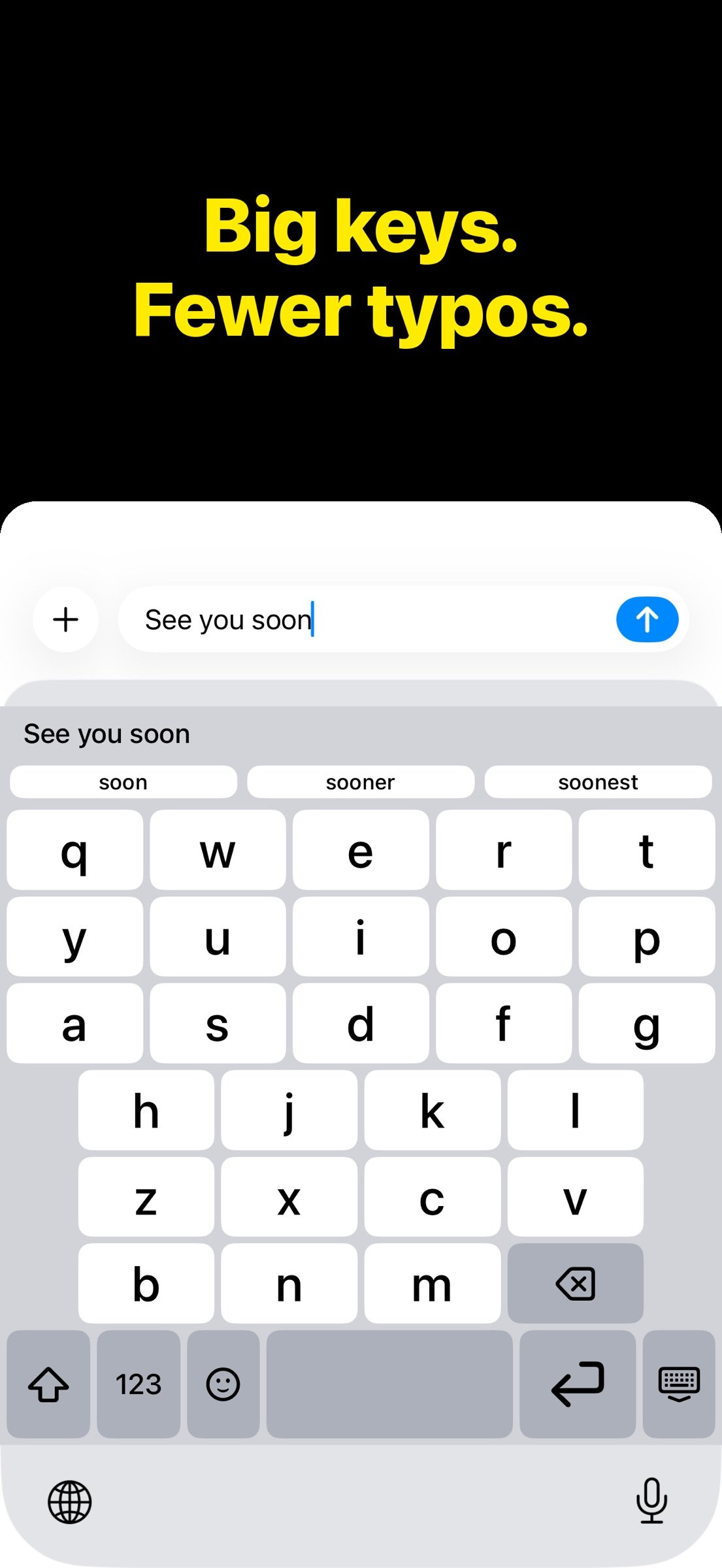
MUCH BIGGER KEYS
Each row of the usual keyboard is split across two rows, so every key is
roughly twice as wide. The letters grow with them. Four sizes, from Medium up to about three times the standard key.
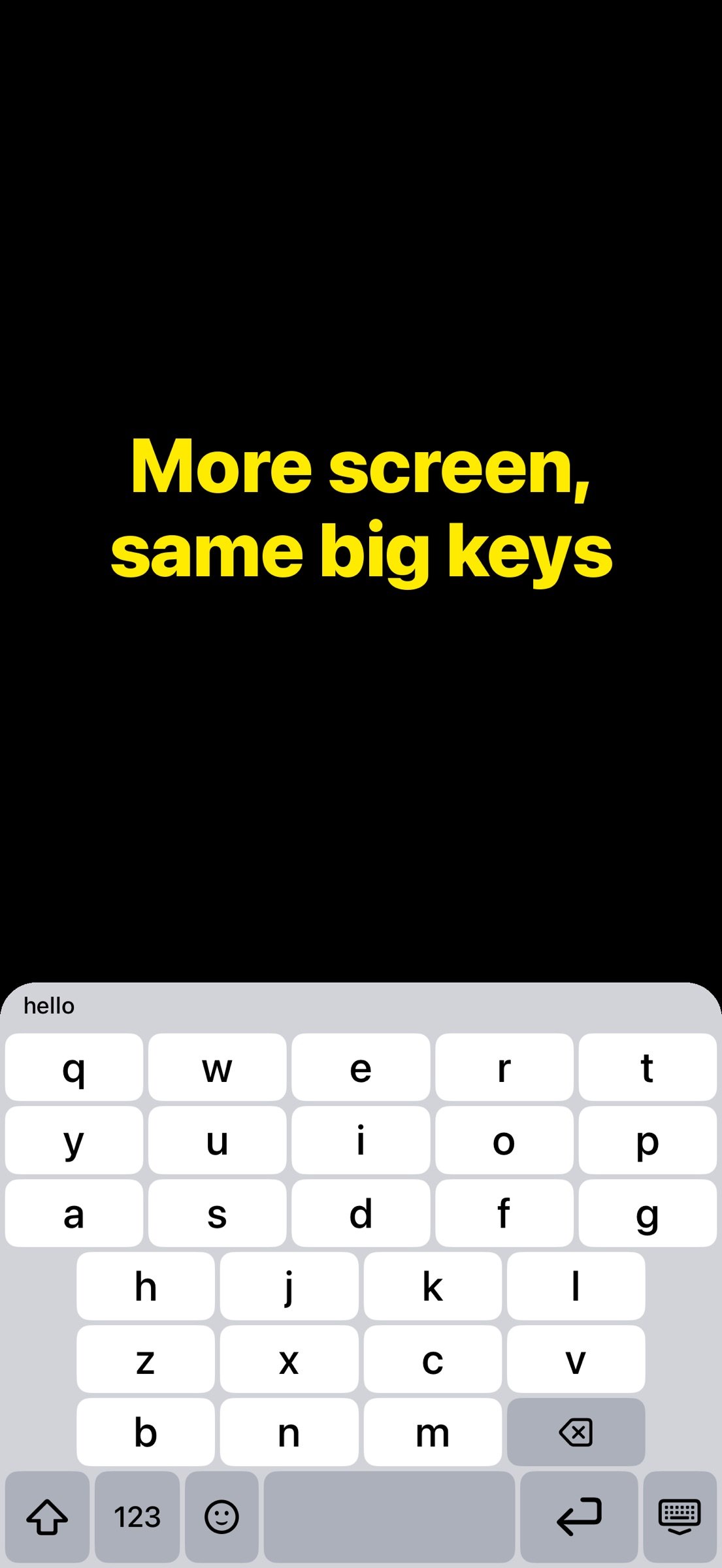
MORE OF YOUR SCREEN, SAME BIG KEYS
Turn on the thin strip above the keys and the keyboard takes less of the
screen, while every key stays exactly as big.
BIG EMOJI
Tap the smiley key next to 123 for the iPhone's own emoji,
as big as the keys. The ones you sent last come first.
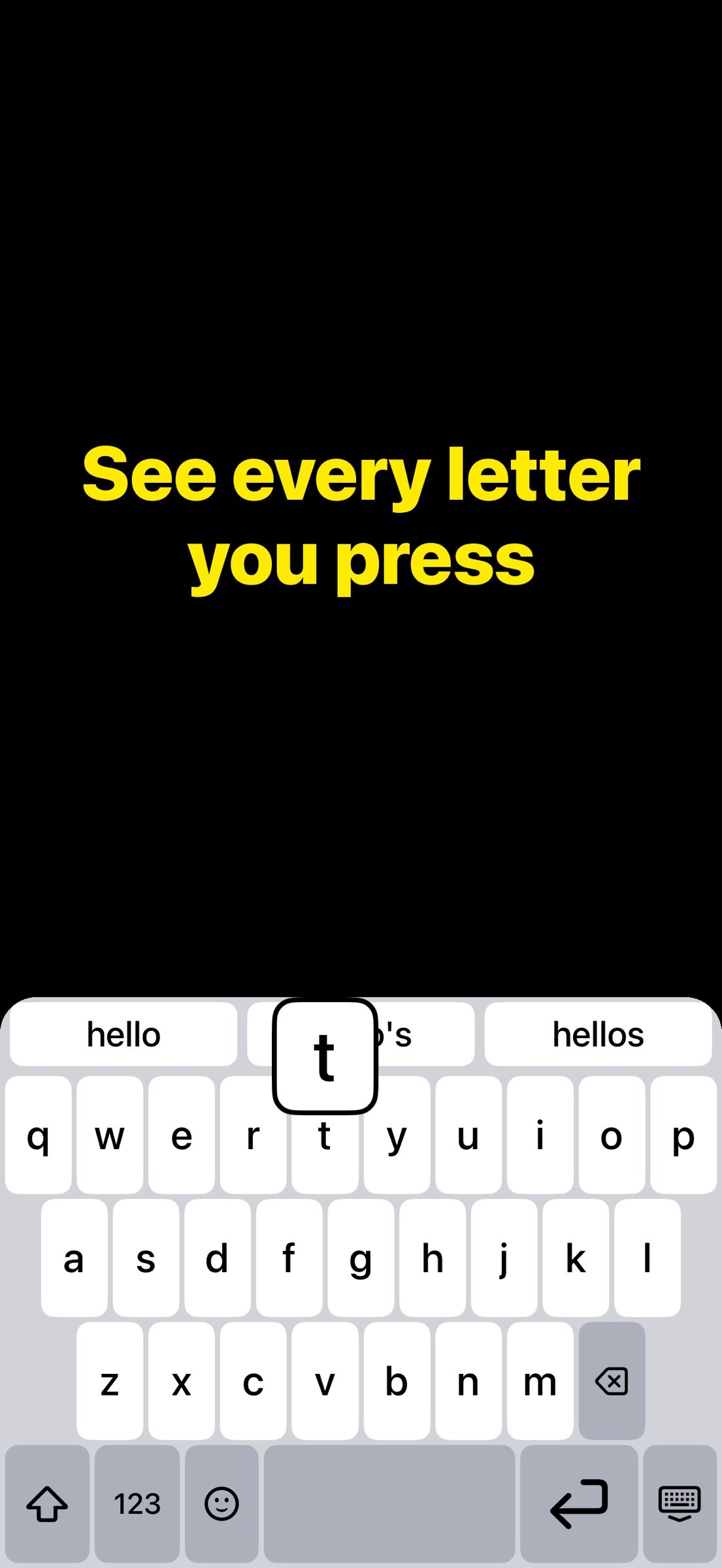
SEE THE KEY BEFORE YOU COMMIT
Nothing is typed when you touch a key. Hold your finger down and the letter
appears above it, very large. If it is the wrong one, slide to the right one
and let go. Only then is it typed.
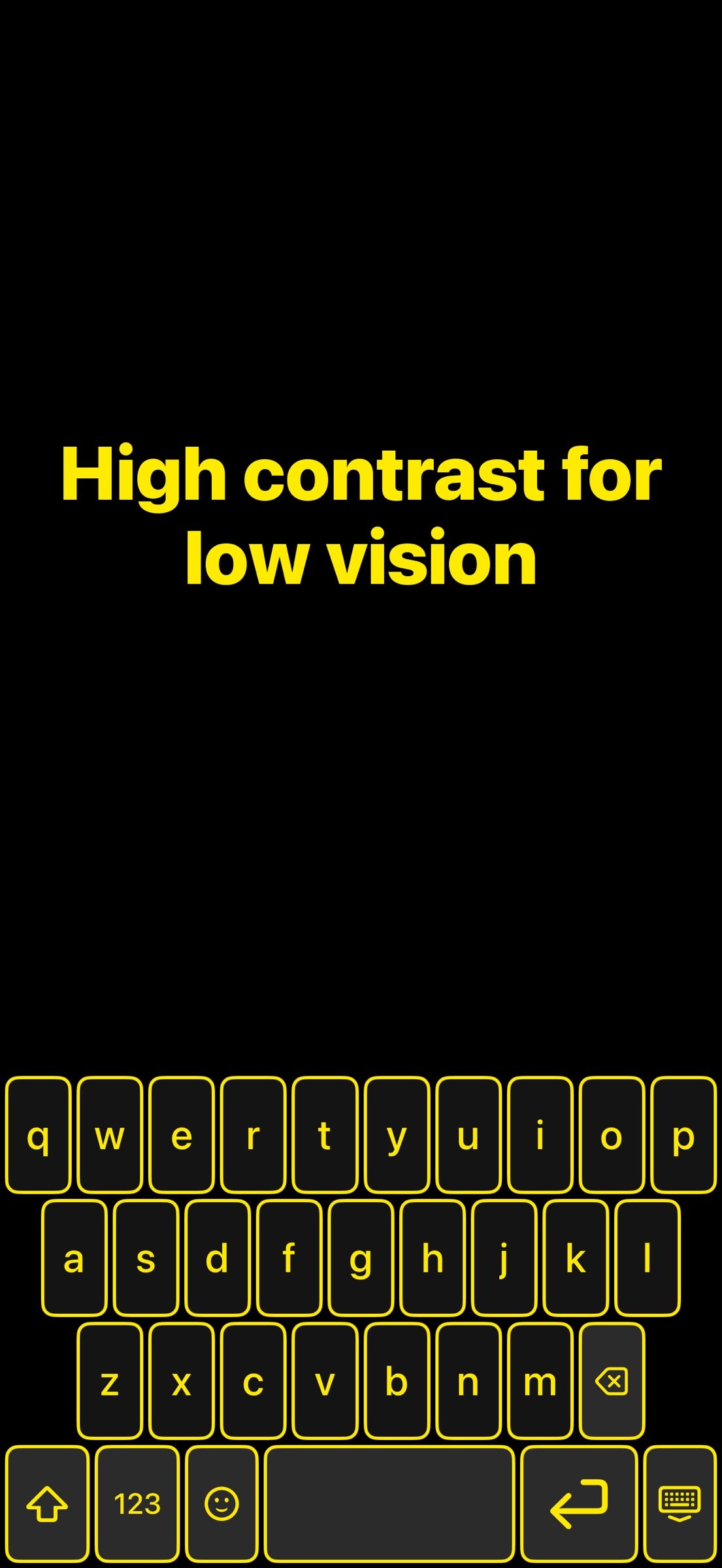
COLOURS THAT WORK FOR YOUR EYES
Yellow on black, white on black, black on yellow, black on white, or matching
your iPhone's light and dark mode. If bright screens are painful, the dark
themes are not a novelty — they are the point.
HEAR WHAT YOU TYPE
BigKeys can speak each key as your finger passes over it, and each word as you
finish it. It works alongside VoiceOver rather than talking over it.
WORD SUGGESTIONS
Suggestions appear in large type as you type, and BigKeys learns the words you
use most. All of it happens on your iPhone.
TEN LANGUAGES, ONE KEYBOARD
English, Hebrew, Spanish, French, German, Italian, Portuguese, Dutch, Russian
and Arabic — including right-to-left. Add it once and switch between them from
the keyboard.
NOTHING LEAVES YOUR IPHONE
BigKeys never asks for "Allow Full Access". You can check: Settings > General >
Keyboard > Keyboards > BigKeys. There is no such switch. Without it iOS will
not let a keyboard reach the network at all, so nothing you type can go
anywhere.
BEFORE YOU BUY
iOS never allows any third-party keyboard into a password field. Apple's own
keyboard appears instead. This is true of every keyboard app on the App Store
and cannot be changed.
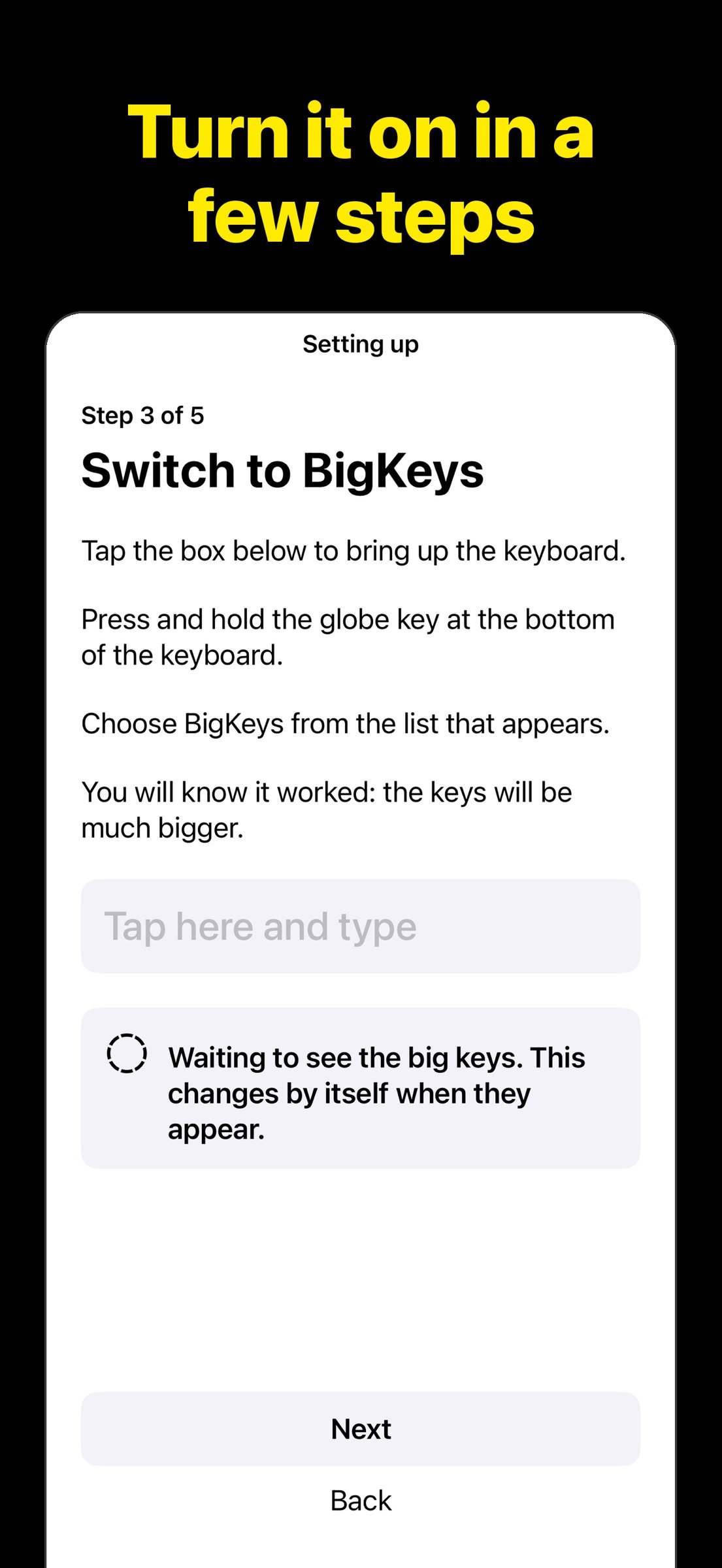
Setting BigKeys up takes about a minute. The app walks you through it one step
at a time, in large print, and tells you when it is working.
License: Commercial
| Release info | Update on Nov 23, 2026 |
|---|---|
| Release notes | Small improvements |
| Listing data | App Store |
Reviews
No reviews yet. Be the first to review BigKeys Large Key Keyboard.
Used BigKeys Large Key Keyboard? Tell other visitors what you thought.
Log in to write a reviewOther products by this publisher
- "No Distractions" for YouTube 4.10 ----
- #Bible 11.6.1 "Incredible App - My sister shared this app with me a few weeks ago and it is truly incredible.
- #filmphotography 1.4.2 So, you decided to shoot on film?
- #LookBusy Fake Calendar Events 1.0.6 Look Busy scans your work calendar for open time slots and fills them with realistic-looking (but secretly fake) work events.
- #Small Talk Is Canceled 1.0.2 #Small Talk Is Canceled — Conversations That Matter
Most viewed iOS Utilities
-
1
 Device Lab 1.9.2
Device Lab is an on-device reference and toolkit for your hardware — hardware monitoring, spec references, chip and device comparisons, system information, and practical utilities, so you can understand and manage the devices you use with more struc…
-
2
 V2Box 10.2.0
V2box - VPN Internet network proxy , Supports multiple proxy protocols, such as Shadowsocks, V2ray, Vmess, Trojan , SSH , Socks, Ping Tunnel, Hysteria2, DNSTT, Wireguard
-
3
 APTV 2.4.10
APTV,?????????????? IPTV M3U???,?????????????????
-
4
 VibeSDR 11.0.17
VibeSDR is a mobile-first software-defined radio (SDR) receiver — and far more than a single-server client.
-
5
 Nextin 1.4.2
Nextin is a subscription-based configuration and connection tool designed to simplify the setup process and improve everyday usability.
-
6
 ECHOCAT 1.6.0
ECHOCAT is the iPhone and iPad companion for POTACAT, the desktop app for amateur radio operators chasing Parks on the Air (POTA), Summits on the Air (SOTA), Worldwide Bunkers on the Air (WWBOTA), Tiles on the Air and DX.
-
7
 Ally Pro 1.4.0
Ally Pro – Amiibo & NFC Tool gives advanced collectors complete control over their Amiibo library.
-
8
 Demod 1.6
Demod turns your iPhone into a software-defined radio receiver.
-
9
 DXClock 4.0.0
Connect, collaborate, and operate smarter with DX Clock — the ultimate meeting place for amateur radio operators.
-
10
 DRC 2.0.1
A simple to use app to help calculate any dilution ratio.
Most downloaded iOS Utilities
-
1
 Rat And Mouse Sound Repeller 2.8
Keep mice and rats away overnight with ultrasonic waves and predator sounds.
-
2
Demod 1.6
Demod turns your iPhone into a software-defined radio receiver.
-
3
 Guardio 2026.111.3
Protect your identity, accounts, and online activity from scams and digital threats with Guardio.
-
4
 Screen Mirroring With Miracast 2.0
Turn your iPhone into a complete TV companion.
-
5
 Fontcase 2.0.1
Fontcase is an app that lets you install custom fonts on iOS and iPadOS.
-
6
 ParkenDD 2.0.2
ParkenDD shows a list of available public parking lots in several cities.
-
7
 PickerFull 9.18
Export colors from photos as HEX, PDF, RGB, HSB/HSV, HSBA, HSL, LUV, LCH, YUV, YCBCR, YIQ, CMYK, Grayscale, XYZ, L*a*b* (CIE), CSSVAR, SASSVAR, CSSHSL, CSSRGB, AndroidXML, FlutterDart, UnityColor32, Float, Objective-C, Swift, SwiftLiteral, SwiftUI
-
8
 Passepartout, VPN Client 3.12.8
Protect your online privacy with Passepartout, a smart VPN client seamlessly integrated with iOS, macOS, iPadOS, and tvOS.
-
9
 Royal TSi 2.5.4
Royal TSi provides easy and secure access to your remote systems (RDP, VNC, SSH, etc.) by allowing you to open your Royal TS documents created with Royal TSX (for macOS) or Royal TS (for Windows).
-
10
 Digi Voices 1.1.1
Digi Voice is a comprehensive digital radio client designed for licensed amateur radio operators, offering multi-protocol digital voice communication on iPhone, iPad, Mac, and Apple Watch.