
Beanbook 1.0.4
Plain-text accounting for Beancount, on your phone, with no account.
Download
162.89 MB
44downloads
18this week
FreeFreeware
0reviews
Screenshots
About Beanbook
Beanbook keeps your books where they already live: in ordinary Beancount text files, on your phone. It runs the real Beancount and Fava on the device, so the figures you see are the ones bean-check and Fava produce on a desktop.
There is no account to create, no sign-in and no server run by this project. Your ledger is a folder of text files you own.
What you can do
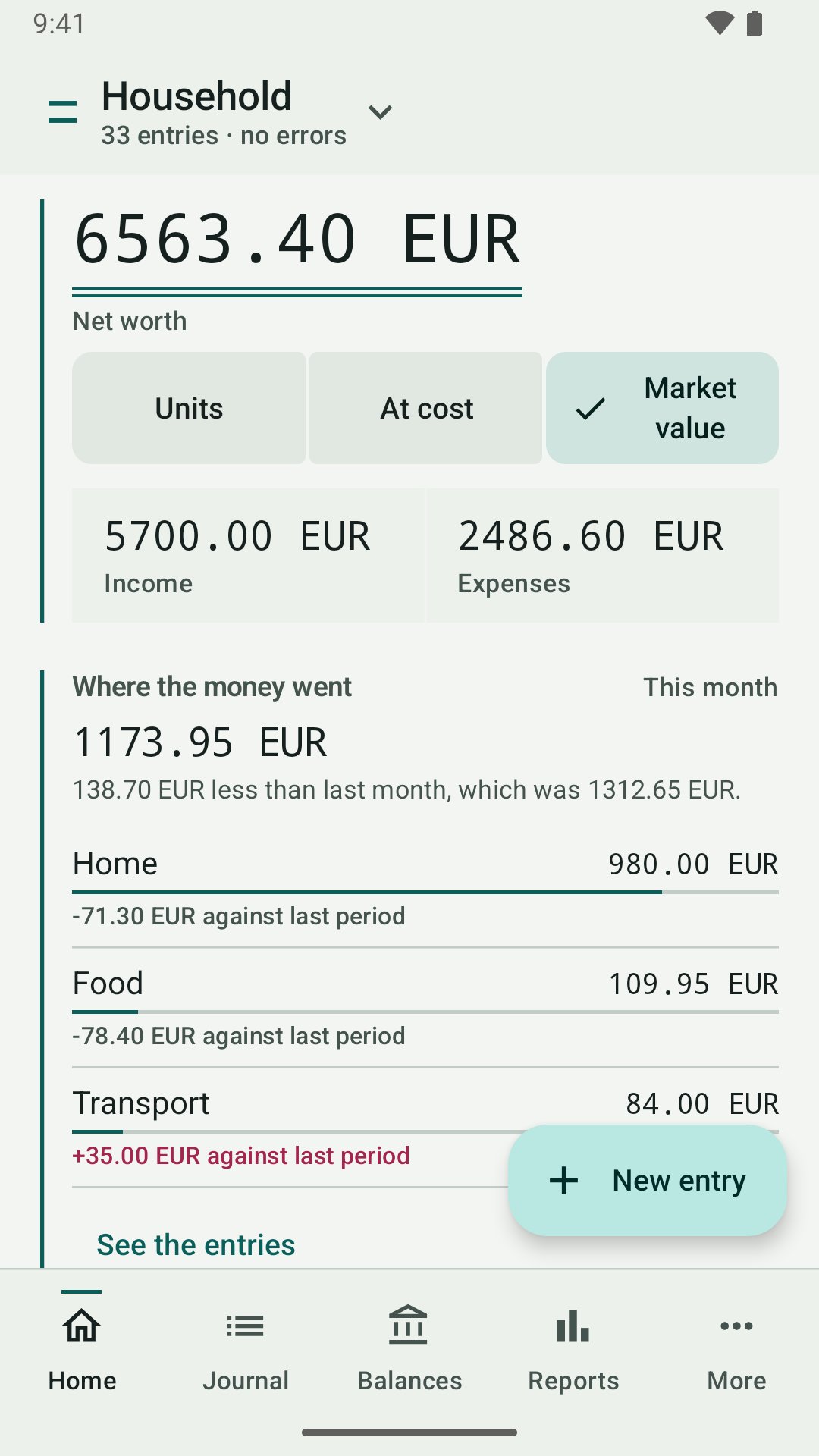
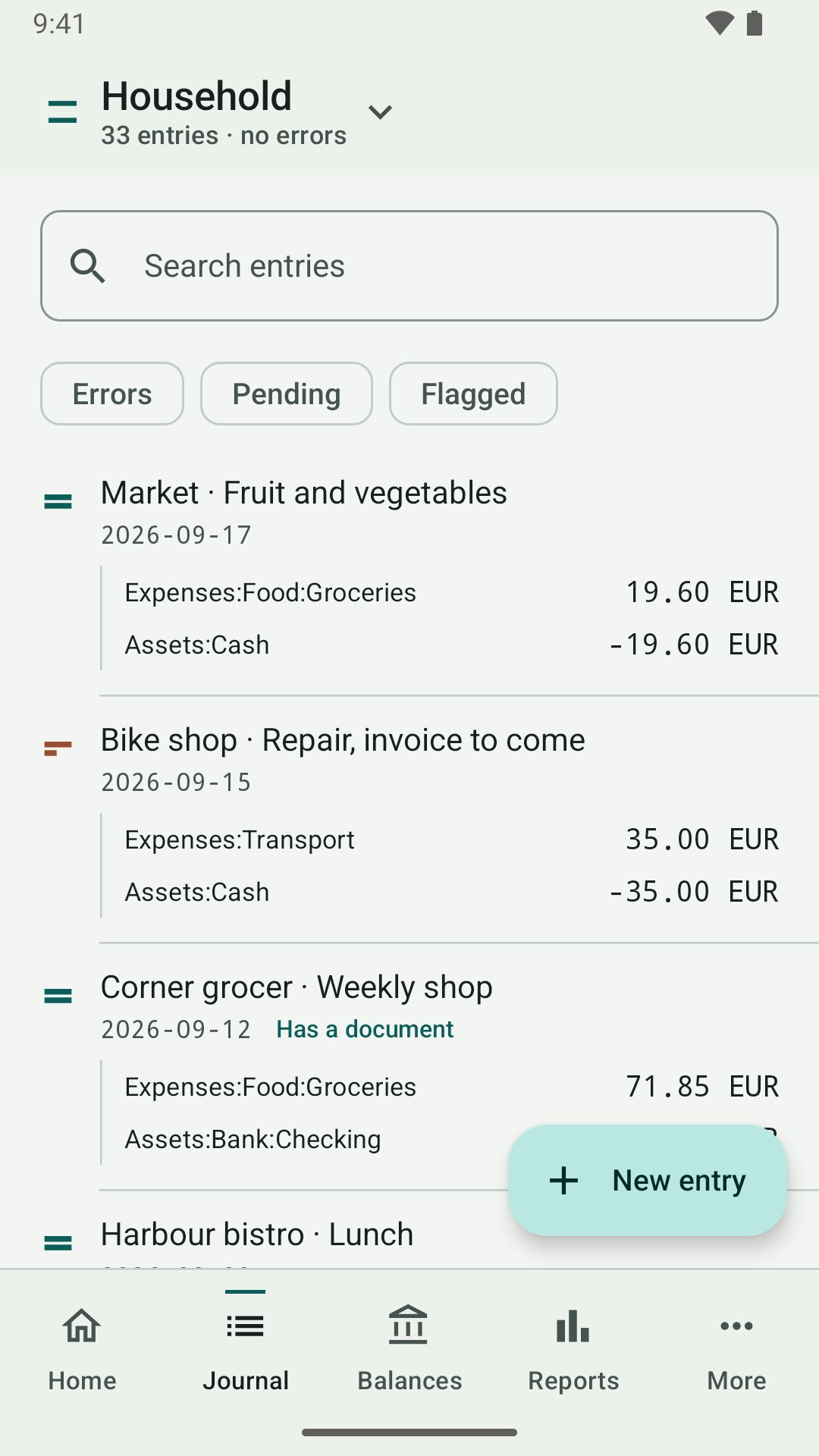
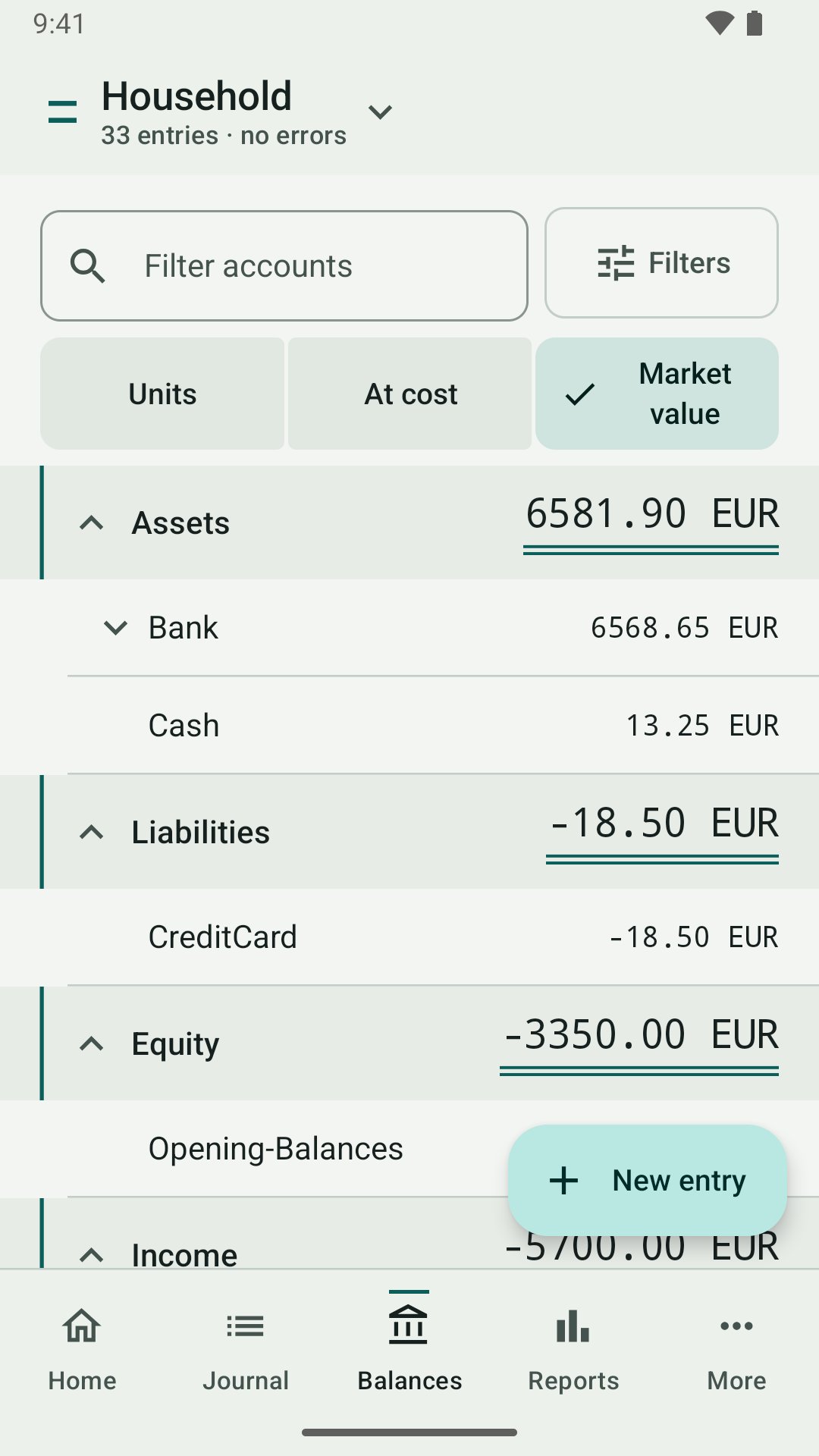
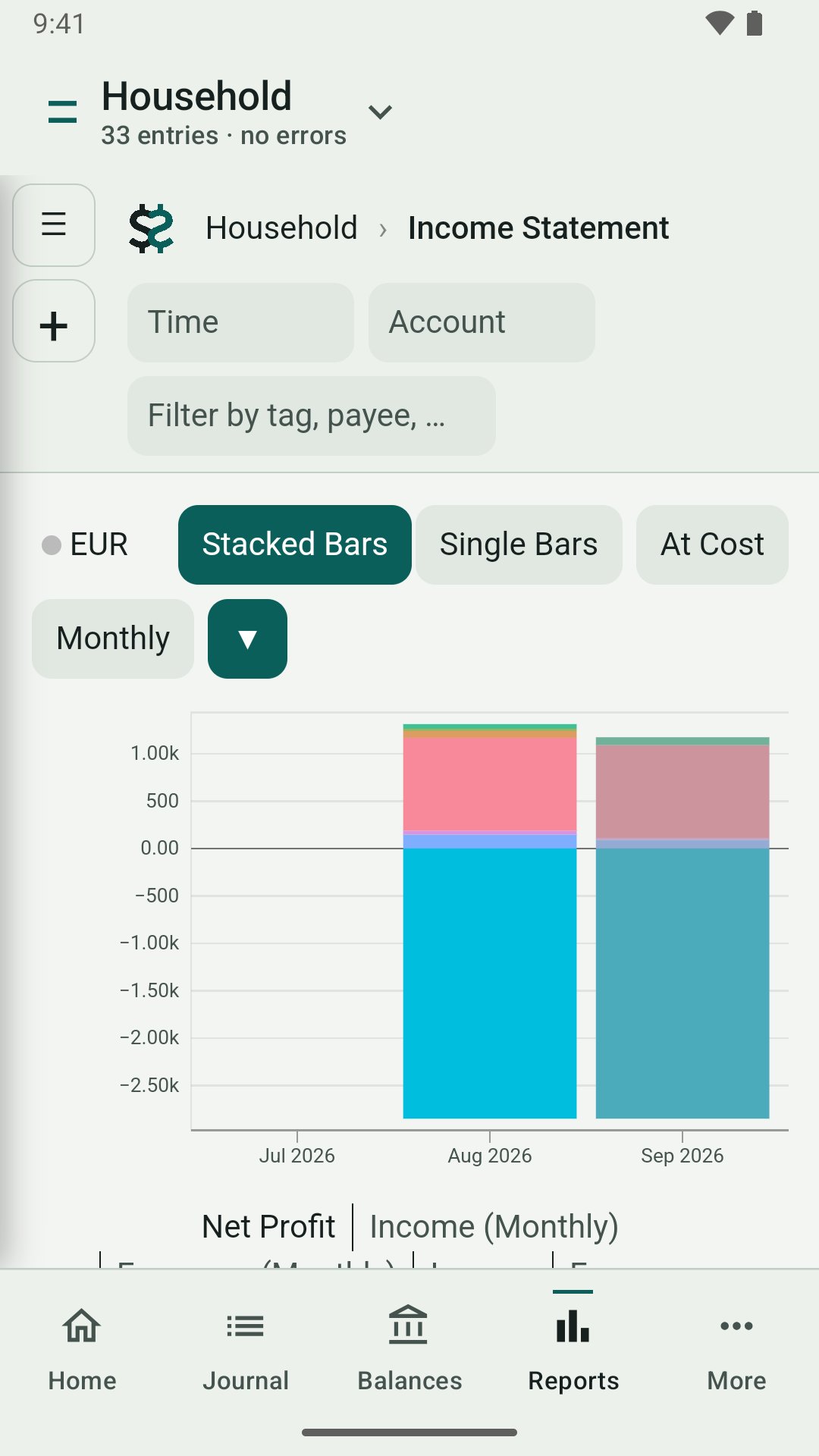
• Read your ledger: a Home page with net worth and where the money went, a searchable Journal, and Balances for every account.
• Show figures three ways, as Fava does: Units, At cost, or Market value.
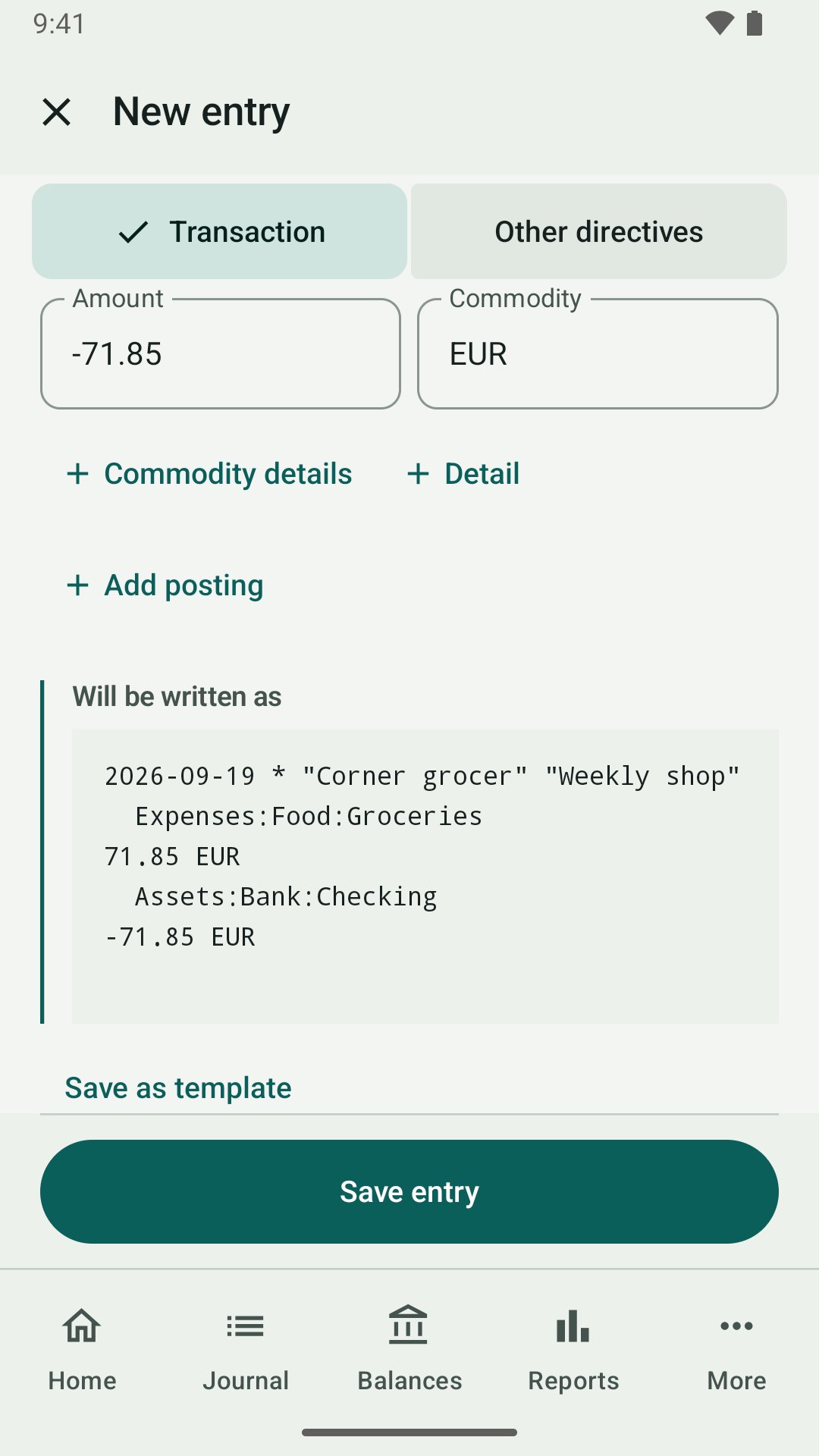
• Add entries and other Beancount directives with a form that shows the exact text before it is written.
• Edit the files themselves, with every save re-read by Beancount before it is called saved, and an Undo for the last change.
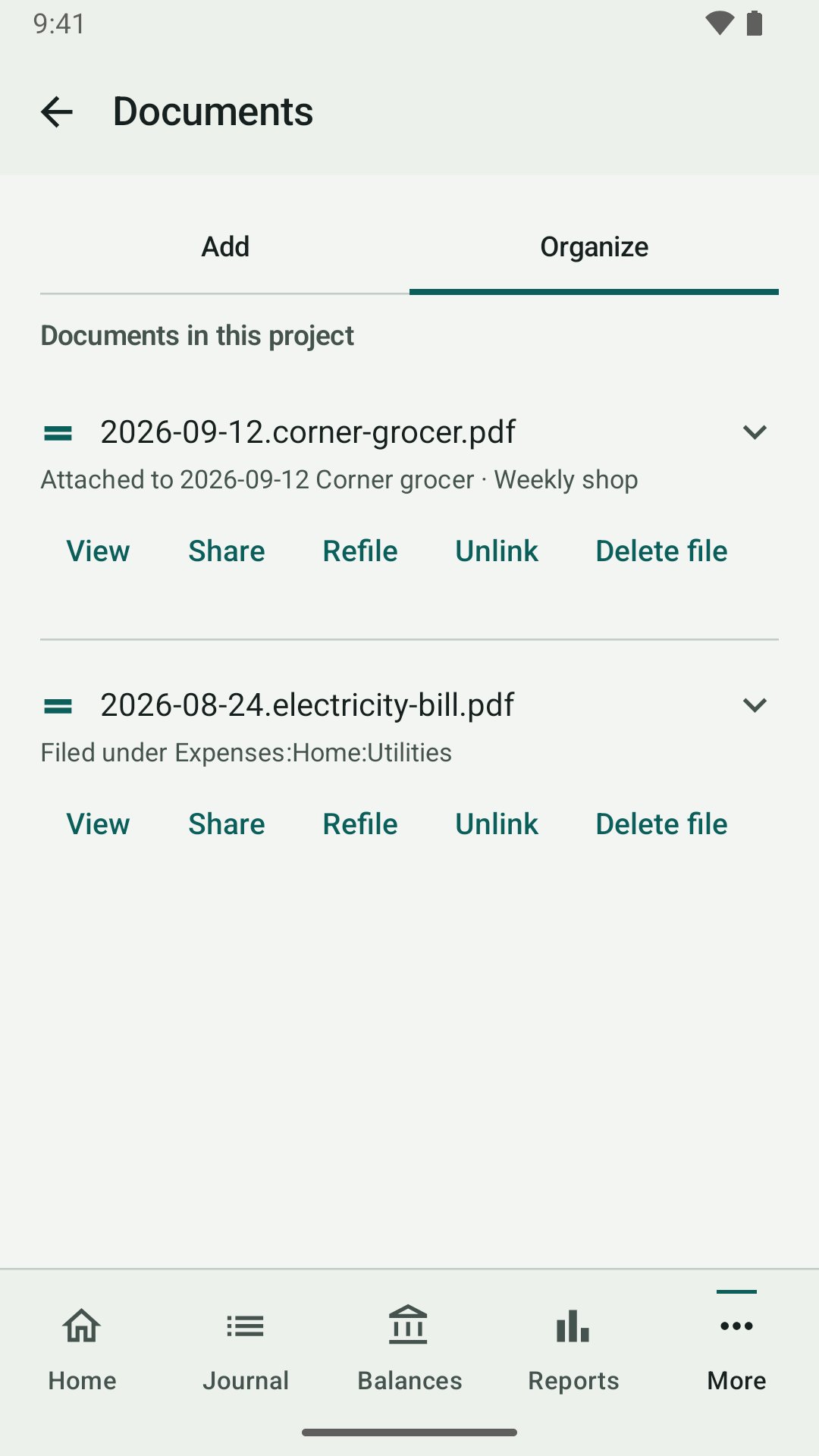
• Scan receipts and statements into PDFs and file them under an account.
• Open Fava's Reports inside the app.
• Mirror a project to a folder you choose, and back it up with an optional passphrase.
• Use Beancount plugins and Fava extensions, and run your own Python scripts.
• Home-screen widgets for balances and net worth.
Your data stays yours
• No telemetry, analytics, crash uploads or ads.
• Local mode makes no network requests.
• If you turn on Share on Wi-Fi, other devices can reach your Reports only while it is on, only on a private network, and only after signing in.
• Nothing is sold, and there is nothing to subscribe to.
Two editions
The Expert edition adds plugins and packages that include native code, fetched only when you ask. The Play edition does without them. Both are free.
Beanbook is an independent project. It is built on Beancount and Fava and is not affiliated with or endorsed by them. It comes with no warranty, as its GPL-2.0 licence states: keep backups of your ledger.
License: GPL-2.0-only
There is no account to create, no sign-in and no server run by this project. Your ledger is a folder of text files you own.
What you can do
• Read your ledger: a Home page with net worth and where the money went, a searchable Journal, and Balances for every account.
• Show figures three ways, as Fava does: Units, At cost, or Market value.
• Add entries and other Beancount directives with a form that shows the exact text before it is written.
• Edit the files themselves, with every save re-read by Beancount before it is called saved, and an Undo for the last change.
• Scan receipts and statements into PDFs and file them under an account.
• Open Fava's Reports inside the app.
• Mirror a project to a folder you choose, and back it up with an optional passphrase.
• Use Beancount plugins and Fava extensions, and run your own Python scripts.
• Home-screen widgets for balances and net worth.
Your data stays yours
• No telemetry, analytics, crash uploads or ads.
• Local mode makes no network requests.
• If you turn on Share on Wi-Fi, other devices can reach your Reports only while it is on, only on a private network, and only after signing in.
• Nothing is sold, and there is nothing to subscribe to.
Two editions
The Expert edition adds plugins and packages that include native code, fetched only when you ask. The Play edition does without them. Both are free.
Beanbook is an independent project. It is built on Beancount and Fava and is not affiliated with or endorsed by them. It comes with no warranty, as its GPL-2.0 licence states: keep backups of your ledger.
License: GPL-2.0-only
| Release info | Update on Nov 07, 2026 |
|---|---|
| Release notes | Beanbook 1.0.4 changes how an entry's flag is chosen, lets a backup be restored from the first-run setup, makes the widgets follow the system colours, and fixes a number of problems found in daily use. Entry form. The flag is one choice of Cleared, Pending or Other. Other takes any flag Beancount allows, such as P, and says what is wrong with one it would refuse. An entry that carries such a flag can now be edited, saved and cloned from the form, which it could not before. Account suggestions follow Fava's ranking, the suggestion list floats over the fields below it, and templates are one list where each can be renamed or deleted. Journal and Accounts. The Errors, Pending and Other flags filters are one choice. The Accounts page has a search box and the currencies each account allows. Backups, Mirror and widgets. A Beanbook backup (.bcaz) can be restored from the first-run setup and from the Projects page, and comes back as a new project. In Mirror, a file deleted on one side can now be settled. The widgets take their colours from the system palette when dynamic colour is on, and the Balances widget shows the basis you tap. Fixed. Market values worked out through a price quoted the other way round now round as Beancount and Fava do. The blank-posting sentence on the form and the Accounts page follow the ledger's own rounding and separators, and Use last no longer fills in the currency of the posting left blank. A tap on a notification opens the page it is about. Added • The Accounts page has a search box: type words and only the accounts whose name has all of them stay listed, closed accounts included. (#314) • On the Accounts page, the details of an account now include the currencies it allows: add, change or clear them. Only the currency list on its open line is rewritten, in the same single save as any other detail you changed. (#315) Changed • The widgets take their colours from the system palette when dynamic colour is on (paper, text, the basis row and… |
| Listing data | F-Droid |
Reviews
No reviews yet. Be the first to review Beanbook.
Used Beanbook? Tell other visitors what you thought.
Log in to write a reviewOther products by this publisher
- "No Distractions" for YouTube 4.10 ----
- #Bible 11.6 "Incredible App - My sister shared this app with me a few weeks ago and it is truly incredible.
- #filmphotography 1.4.2 So, you decided to shoot on film?
- $quirrel 1.5.1 $quirrel Budget & Finance helps you plan each paycheck, track spending, manage debt, and see what is safe to spend before the next payday.
- % Percentage Calculator Pro 1.41 This is the Pro version of % Percentage Calculator.
Most viewed Android Finance Manager
- 1 Denaro 2.10.4 Private, offline personal finance with accounts, categories and insights.
- 2 Tally 1.4.4 One tap per expense. Every account, every currency. Private, offline, no ads.
- 3 Bily 2.1.4 Aids in splitting shared receipts fairly
- 4 Bote 3.0 Split shared group expenses and settle up with minimal transfers
- 5 NanoLedger 1.5.0 Data entry app for plain text accounting
- 6 RapidSplit 4.2.2 Split trip costs fairly: per leg, not flat. Offline, no account needed.
- 7 cone 0.2.20 Data entry tool for the plain text accounting ledger format
-
8
 piggybudget 2.5
Easily track your expenses
- 9 Debitum 1.7.2 keep track of lent money and items
- 10 Decred Address Scanner 1.10 Scans Decred addresses for available funds and notifies of changes.
Most downloaded Android Finance Manager
-
1
 Tallybook 1.16.0
Private, offline-first expense and budget tracker, no account required
-
2
 WallosMobile 1.1.0
Unofficial Android client for the Wallos subscription tracker
-
3
 Nexus Command Center 1.20.0
One Life Score for finance, fitness, study, work and habits
- 4 Denaro 2.10.4 Private, offline personal finance with accounts, categories and insights.
-
5
 Ricevapp Documento Commerciale 1.9.6
Third-party app for quick access, not affiliated with Agenzia delle Entrate
-
6
 Money Manager Ex 5.5.15
Manage your finances on-the-go, encrypted for security, sync via your storage
-
7
 MRT Buddy 0.0.26
Check your Dhaka MRT / Rapid Pass balances and trips instantly
-
8
 Okanzo 1.4.3
Private, offline-first net worth tracker with on-device encryption
-
9
 Leftovers 1.9.0
Private expense tracker: log in two taps and see what is safe to spend today.
-
10
 Plutus - Investment Tracker 2.0.1
We're here to track money going out of your checking account into different type