Address Labels & Envelopes 7.97
Print your mailing/cards address labels and envelopes in minutes.
Download
19.13 MB
5downloads
5this week
FreeCommercial
0reviews
Screenshots
About Address Labels & Envelopes
Print your mailing/cards address labels and envelopes in minutes.
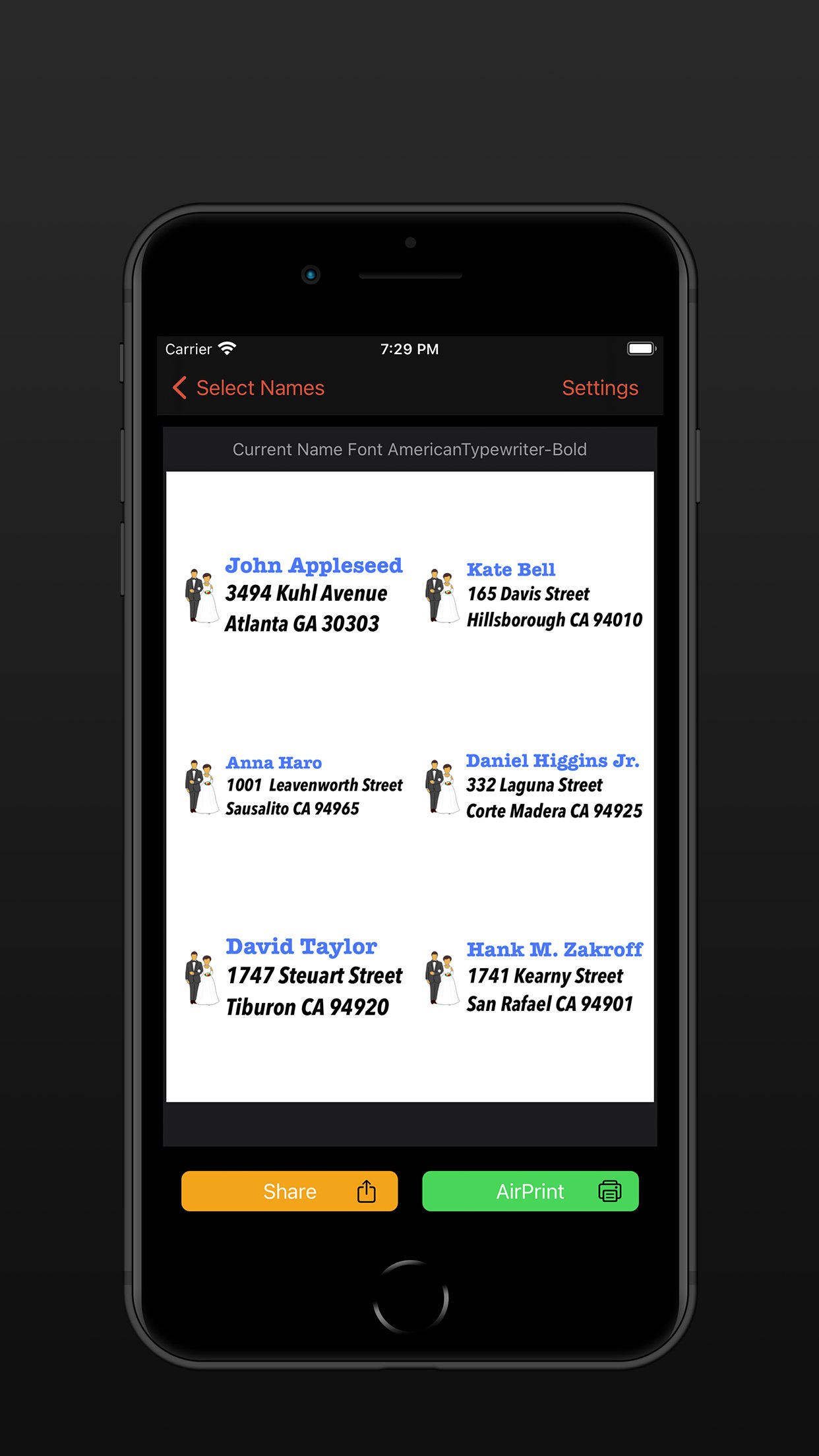
Address Labels takes care of fitting the text/image to the label size. You just supply the contents and select label type - AddressLabels does the rest.
Compatible with the mac app via Cloud syncing.
Excellent for organising Christmas card or other mailing lists. No more forgetting to send a card – use your list year after year.
No. 1 iPad Utilities App last Christmas on USA and UK stores.
Most Avery label sheet types supported.
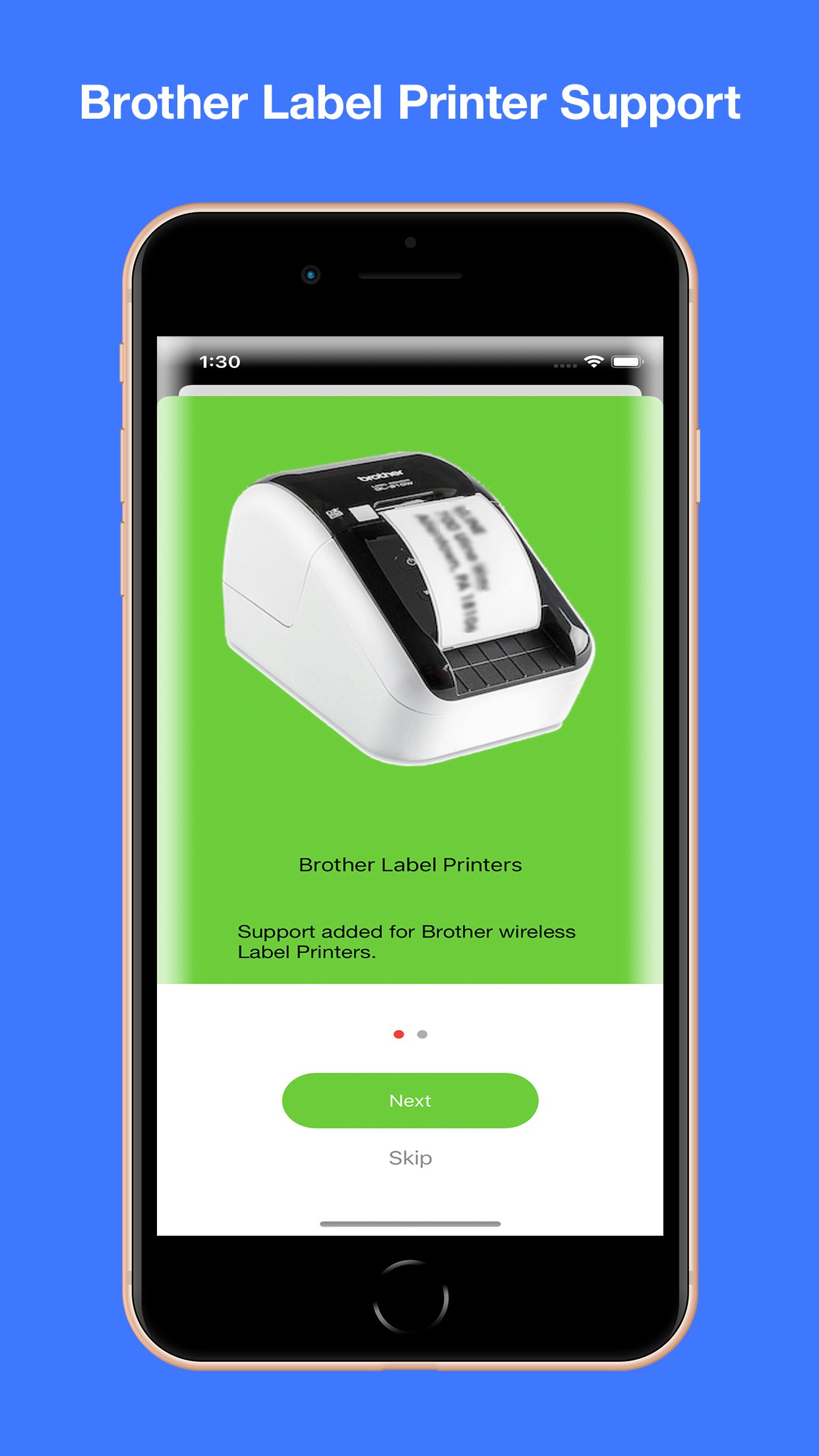
Supports Brother label printers (wifi).
Supports some Dymo LabelWriters though also requires 3rd party software (see website).
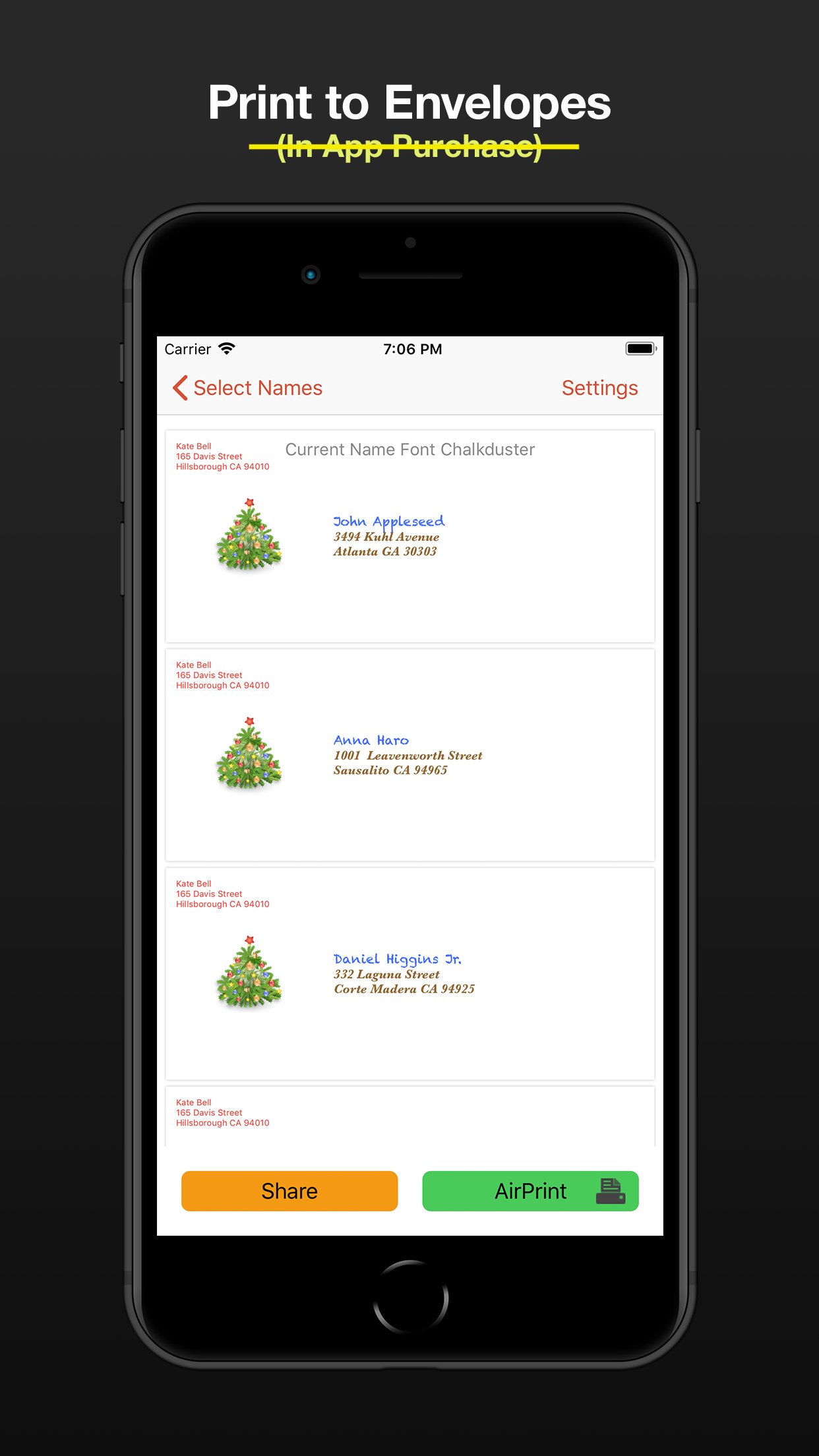
Prints to wide variety of envelopes - even custom sizes. Note: whilst working on most printers, it is not guaranteed to work on all printers.
Print USPS IM barcodes for USA addresses.
AddressLabels remembers the settings, making the next job even easier.
Import names from Contacts, spreadsheet csv files or type manually.
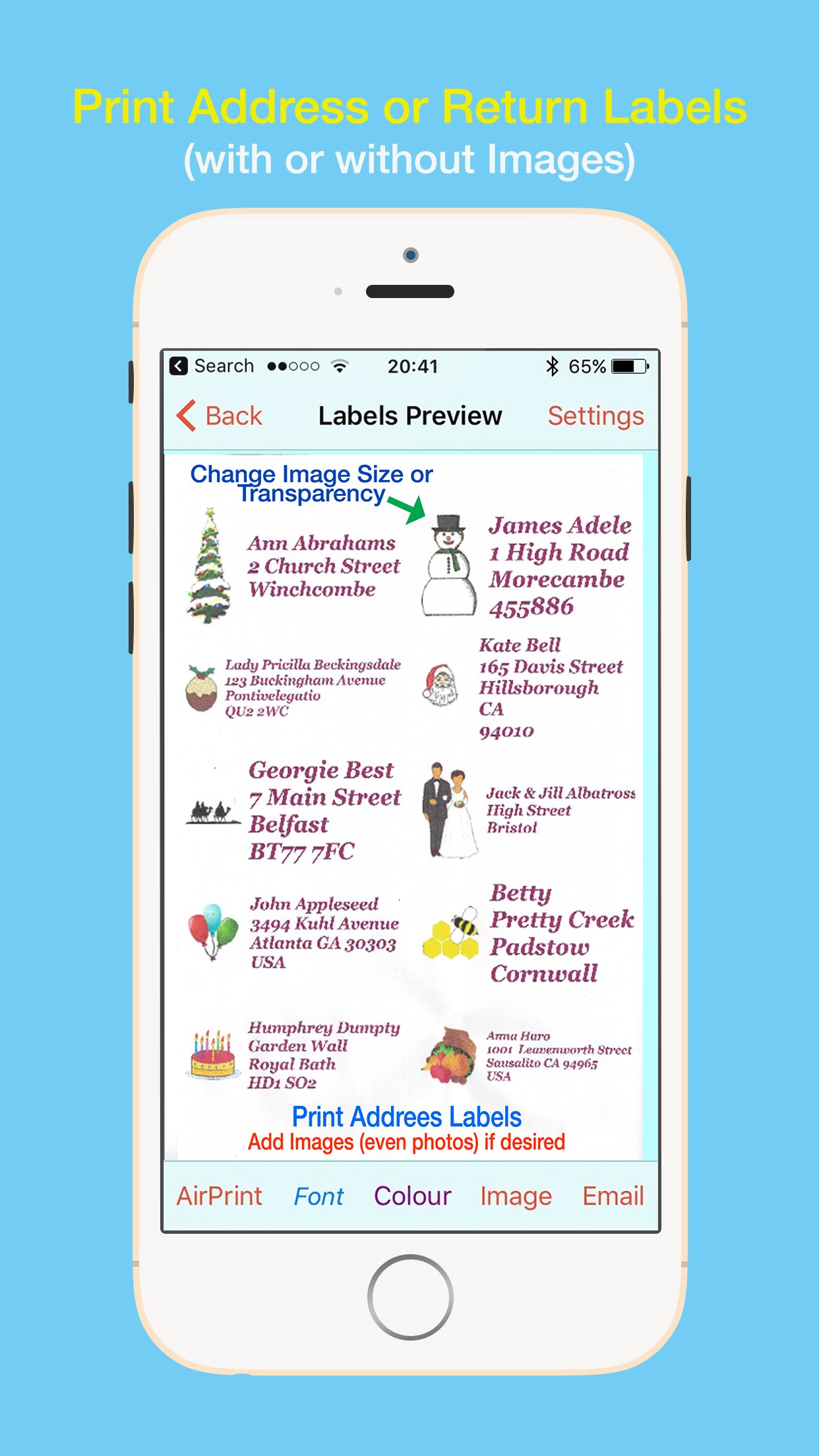
Personalize labels with image/photo e.g. Christmas icon
Create Return address labels.
Sort on First/Last Names, post/zip code, manually or Birthday (really handy for Birthday List)
The zip sort lets you target your mailings to specific neighbourhoods and can be especially helpful in the USA allowing you to get the lowest possible postal rates for bulk mail.
Create simple Custom labels e.g. for produce labels, storage boxes etc.
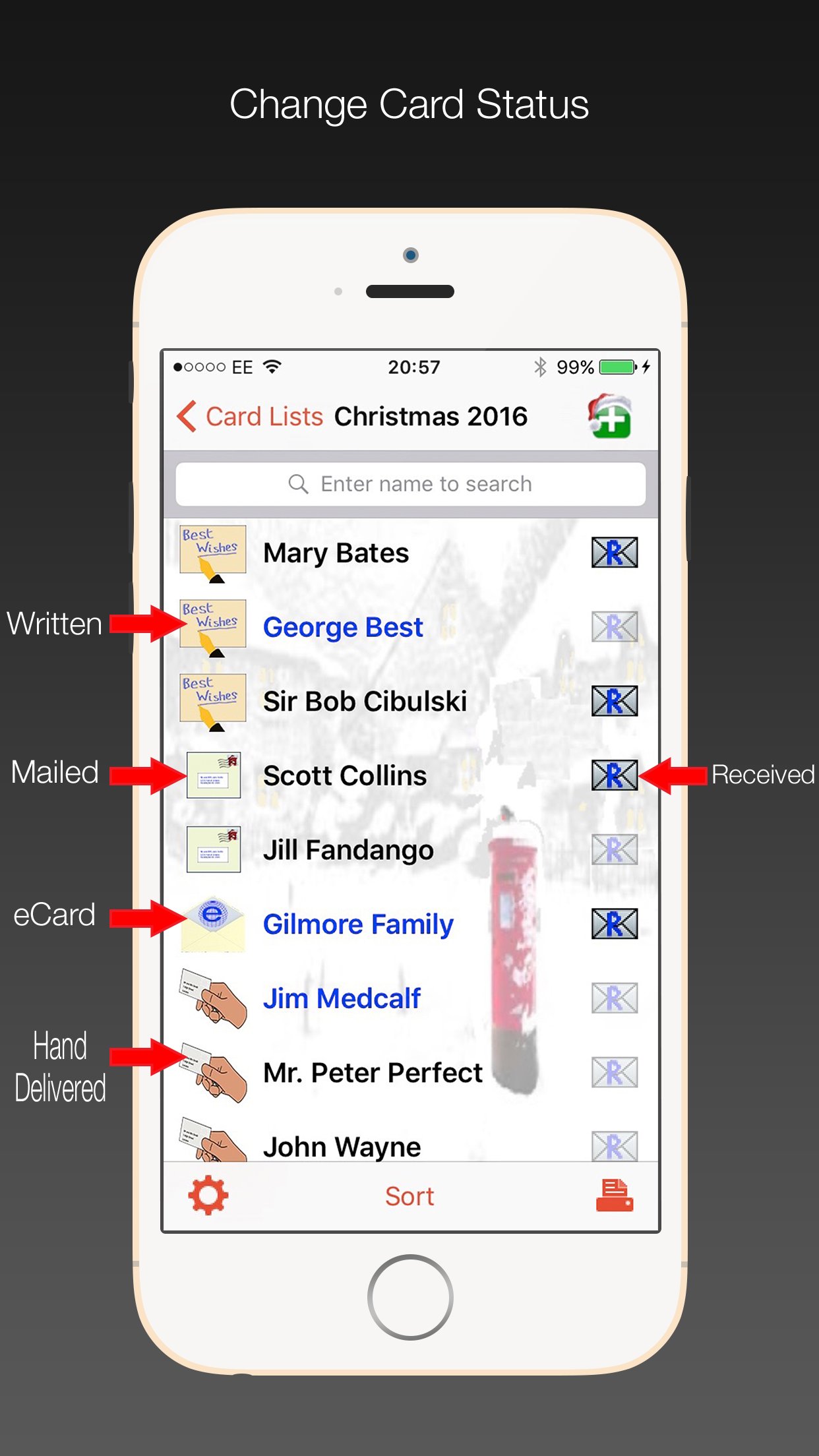
Record when cards have been written, mailed, hand-delivered or sent as eCards, and number of replies.
Number of stamps required displayed.
Print directly from your device via Airprint-enabled printer.
Share - e.g. email or airdrop list.
Export to csv.
Store extra info e.g. children names etc.
Multiple uses - Christmas, Thanksgiving, Birthdays, Weddings, Baby Showers, storage jars, file labels etc. - use your imagination.
Lists sync with other iOS devices and Mac (iOS 13 or later).
Check person’s history e.g. to see when they last sent you a card.
Use “alias” e.g. import “John Smith” from Contacts, but display and print “The Smiths” etc.
Use person's nickname/company for label/envelope
****************************************************************
Instructions on using the app at [link removed]
Great support available - support@ios.addresslabels.app
***************************************************************
"This app, however, is nothing short of brilliant, easy to use and printing sensible labels."
"This app certainly takes the pain out of producing your Christmas and other lists. A lot of thought has gone into this truly excellent product."
"This is a superb program and does what it says simply and efficiently. The developer responds promptly to suggestions. Importing Contacts works well and changes are instantly carried through. My cards have never been sent out so early!"
"I love how this app has streamlined addressing my Christmas cards!! Thank you!!"
"AddressLabels delivers an extremely effective way to manage card lists which means the ability to easily compose lists from your Contacts, get the labels printed, and keep track of cards received and sent! Add the ability to manually enter list members, assign nicknames, select from multiple addresses, intelligent handling the country portion of the address, accommodate a large range of label types, AirPrint directly or produce a PDF of the labels, clone new lists from existing lists, all wrapped in a visually pleasing interface. Winner!"
"I hate addressing my Christmas cards. This app made it very easy to make labels. I don't have a printer that works with my iPad yet, so I really appreciated having the capability to send them as a PDF to my email address. The app is awesome..."
“Just what you need at this time of year - a reliable self updating list to speed up sending out cards. This is the 3rd or 4th year I've used it and it just gets better and better.”
“After years of tearing my hair out trying to get labels out of my iphone/iPad/iMac combo, an app that actually does what it promised!”
License: Commercial
Address Labels takes care of fitting the text/image to the label size. You just supply the contents and select label type - AddressLabels does the rest.
Compatible with the mac app via Cloud syncing.
Excellent for organising Christmas card or other mailing lists. No more forgetting to send a card – use your list year after year.
No. 1 iPad Utilities App last Christmas on USA and UK stores.
Most Avery label sheet types supported.
Supports Brother label printers (wifi).
Supports some Dymo LabelWriters though also requires 3rd party software (see website).
Prints to wide variety of envelopes - even custom sizes. Note: whilst working on most printers, it is not guaranteed to work on all printers.
Print USPS IM barcodes for USA addresses.
AddressLabels remembers the settings, making the next job even easier.
Import names from Contacts, spreadsheet csv files or type manually.
Personalize labels with image/photo e.g. Christmas icon
Create Return address labels.
Sort on First/Last Names, post/zip code, manually or Birthday (really handy for Birthday List)
The zip sort lets you target your mailings to specific neighbourhoods and can be especially helpful in the USA allowing you to get the lowest possible postal rates for bulk mail.
Create simple Custom labels e.g. for produce labels, storage boxes etc.
Record when cards have been written, mailed, hand-delivered or sent as eCards, and number of replies.
Number of stamps required displayed.
Print directly from your device via Airprint-enabled printer.
Share - e.g. email or airdrop list.
Export to csv.
Store extra info e.g. children names etc.
Multiple uses - Christmas, Thanksgiving, Birthdays, Weddings, Baby Showers, storage jars, file labels etc. - use your imagination.
Lists sync with other iOS devices and Mac (iOS 13 or later).
Check person’s history e.g. to see when they last sent you a card.
Use “alias” e.g. import “John Smith” from Contacts, but display and print “The Smiths” etc.
Use person's nickname/company for label/envelope
****************************************************************
Instructions on using the app at [link removed]
Great support available - support@ios.addresslabels.app
***************************************************************
"This app, however, is nothing short of brilliant, easy to use and printing sensible labels."
"This app certainly takes the pain out of producing your Christmas and other lists. A lot of thought has gone into this truly excellent product."
"This is a superb program and does what it says simply and efficiently. The developer responds promptly to suggestions. Importing Contacts works well and changes are instantly carried through. My cards have never been sent out so early!"
"I love how this app has streamlined addressing my Christmas cards!! Thank you!!"
"AddressLabels delivers an extremely effective way to manage card lists which means the ability to easily compose lists from your Contacts, get the labels printed, and keep track of cards received and sent! Add the ability to manually enter list members, assign nicknames, select from multiple addresses, intelligent handling the country portion of the address, accommodate a large range of label types, AirPrint directly or produce a PDF of the labels, clone new lists from existing lists, all wrapped in a visually pleasing interface. Winner!"
"I hate addressing my Christmas cards. This app made it very easy to make labels. I don't have a printer that works with my iPad yet, so I really appreciated having the capability to send them as a PDF to my email address. The app is awesome..."
“Just what you need at this time of year - a reliable self updating list to speed up sending out cards. This is the 3rd or 4th year I've used it and it just gets better and better.”
“After years of tearing my hair out trying to get labels out of my iphone/iPad/iMac combo, an app that actually does what it promised!”
License: Commercial
| Release info | New Release on Sep 23, 2026 |
|---|---|
| Release notes | Fixed crash when launching on iOS 27. |
| Listing data | App Store |
Reviews
No reviews yet. Be the first to review Address Labels & Envelopes.
Used Address Labels & Envelopes? Tell other visitors what you thought.
Log in to write a reviewOther products by this publisher
- "No Distractions" for YouTube 4.10 ----
- #Bible 11.5 "Incredible App - My sister shared this app with me a few weeks ago and it is truly incredible.
- % Percentage Calculator Pro 1.41 This is the Pro version of % Percentage Calculator.
- (beat) for iOS 0.5.8 An elegant Fountain screenwriting app, created by a screenwriter for screenwriters.
- (Deep) HIARCS Chess Explorer 1.14 Chess database, analysis and game playing program
Most viewed iOS Utilities
-
1
 APTV 2.4.5
APTV,?????????????? IPTV M3U???,?????????????????
APTV 2.4.5
APTV,?????????????? IPTV M3U???,?????????????????
-
2
 Xfinity 6.14.0
Your Xfinity experience, enhanced.
Xfinity 6.14.0
Your Xfinity experience, enhanced.
-
3
 Plague Inc 1.27.3
Enter the lab and develop your own custom scenarios for Plague Inc.
Plague Inc 1.27.3
Enter the lab and develop your own custom scenarios for Plague Inc.
-
4
 Cleanup 6.24.0
Clean up your iPhone and optimize storage in seconds.
Cleanup 6.24.0
Clean up your iPhone and optimize storage in seconds.
-
5
 Rebel Inc 1.18.7
Rebel Inc: Scenario Creator
Rebel Inc 1.18.7
Rebel Inc: Scenario Creator
-
6
 Google 443.0
Download the Google app to find quick answers, explore your interests, and ask anything on your mind in any way.
Google 443.0
Download the Google app to find quick answers, explore your interests, and ask anything on your mind in any way.
-
7
 Microsoft Edge 155.4283.61
Browse with Microsoft Edge, your everyday web browser with built-in Copilot.
Microsoft Edge 155.4283.61
Browse with Microsoft Edge, your everyday web browser with built-in Copilot.
-
8
 DuckDuckGo, optional Duck.ai 7.242.0
At DuckDuckGo, we believe the best way to protect your personal information from hackers, scammers, and privacy-invasive companies is to stop it from being collected at all.
DuckDuckGo, optional Duck.ai 7.242.0
At DuckDuckGo, we believe the best way to protect your personal information from hackers, scammers, and privacy-invasive companies is to stop it from being collected at all.
-
9
 Google Authenticator 5.1.0
Google Authenticator adds an extra layer of security to your online accounts by adding a second step of verification when you sign in.
Google Authenticator 5.1.0
Google Authenticator adds an extra layer of security to your online accounts by adding a second step of verification when you sign in.
-
10
 My Verizon 22.2.1
Meet the My Verizon app.
My Verizon 22.2.1
Meet the My Verizon app.
Most downloaded iOS Utilities
-
1
 Rat And Mouse Sound Repeller 2.8
Keep mice and rats away overnight with ultrasonic waves and predator sounds.
Rat And Mouse Sound Repeller 2.8
Keep mice and rats away overnight with ultrasonic waves and predator sounds.
-
2
 TimeGlance 2.6
If the app does not show on your Watch after purchase please go to App Store on your watch (not phone) - scroll to bottom - Account - Purchased - and download from here.
TimeGlance 2.6
If the app does not show on your Watch after purchase please go to App Store on your watch (not phone) - scroll to bottom - Account - Purchased - and download from here.
-
3
 Facemoji AI Emoji Keyboard 4.63
Facemoji Emoji Keyboard is a Free AI-Powered Custom Keyboard with Cool Fonts.
Facemoji AI Emoji Keyboard 4.63
Facemoji Emoji Keyboard is a Free AI-Powered Custom Keyboard with Cool Fonts.
-
4
 ProMasters Only 2.0.0
Welcome to the ProMasters Only App version 2.0.
ProMasters Only 2.0.0
Welcome to the ProMasters Only App version 2.0.
-
5
APTV 2.4.5
APTV,?????????????? IPTV M3U???,?????????????????
-
6
 Proton VPN 7.5.2
Trusted by millions worldwide, Proton VPN is the world's only free VPN app that is safe to use and respects your privacy.
Proton VPN 7.5.2
Trusted by millions worldwide, Proton VPN is the world's only free VPN app that is safe to use and respects your privacy.
-
7
 V2Box Pro 10.1.9
V2box Pro - VPN Internet network proxy , Supports multiple proxy protocols, such as Shadowsocks, V2ray, Vmess, Trojan , SSH , Socks, hysteria2, Ping Tunnel, Wireguard, DNSTT
V2Box Pro 10.1.9
V2box Pro - VPN Internet network proxy , Supports multiple proxy protocols, such as Shadowsocks, V2ray, Vmess, Trojan , SSH , Socks, hysteria2, Ping Tunnel, Wireguard, DNSTT
-
8
Rebel Inc 1.18.7
Rebel Inc: Scenario Creator
-
9
 Pass 0.18.0
- Compatible with the Password Store command line tool.
Pass 0.18.0
- Compatible with the Password Store command line tool.
-
10
 Flirty Emoji Pro 2.0
This is the professional version of Flirty Emoji with much more adult emojis & stickers & animated emojis on iMessage sticker extension.
Flirty Emoji Pro 2.0
This is the professional version of Flirty Emoji with much more adult emojis & stickers & animated emojis on iMessage sticker extension.