
25downloads
2this week
FreeFreeware
0reviews
Screenshots
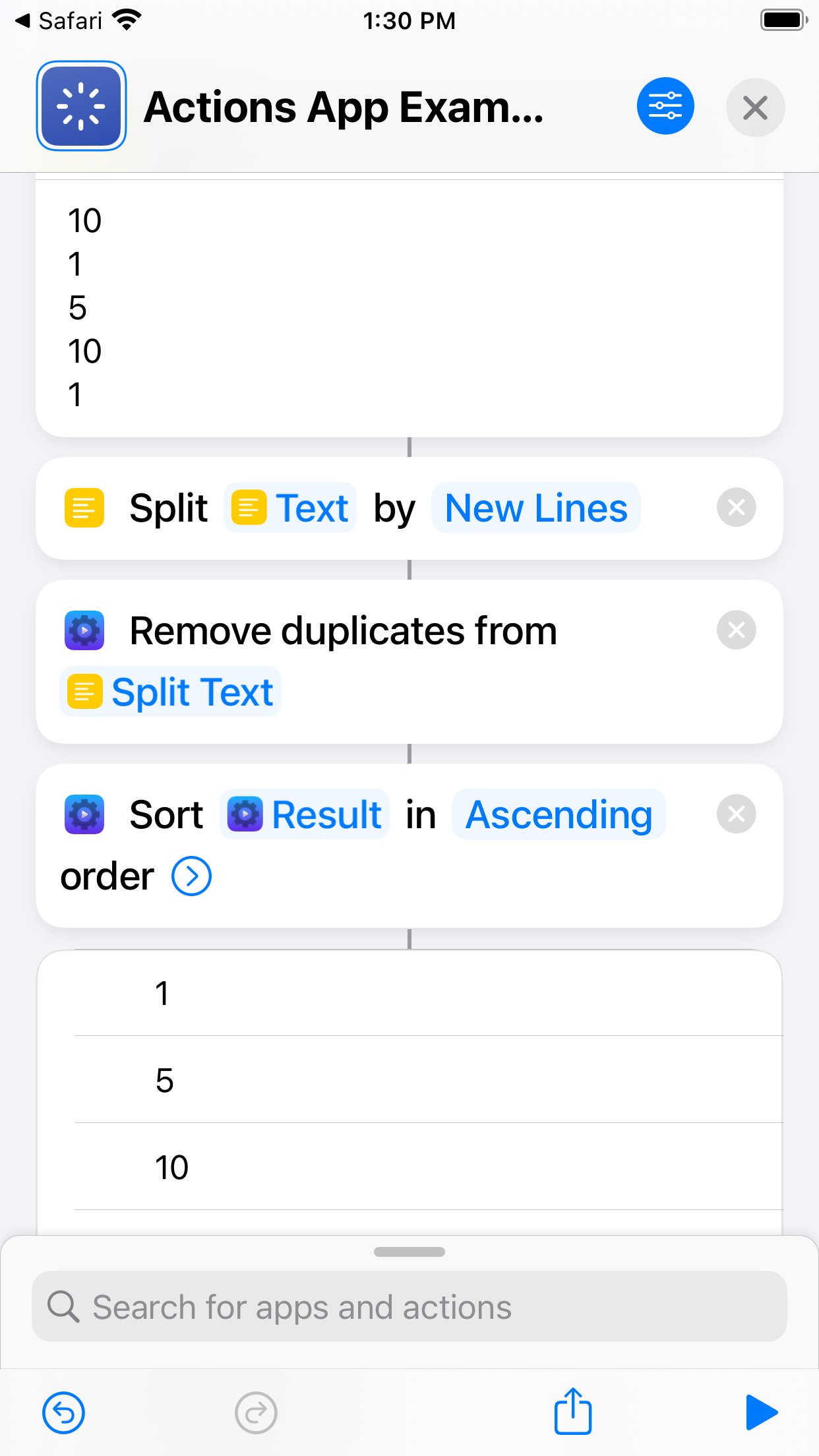
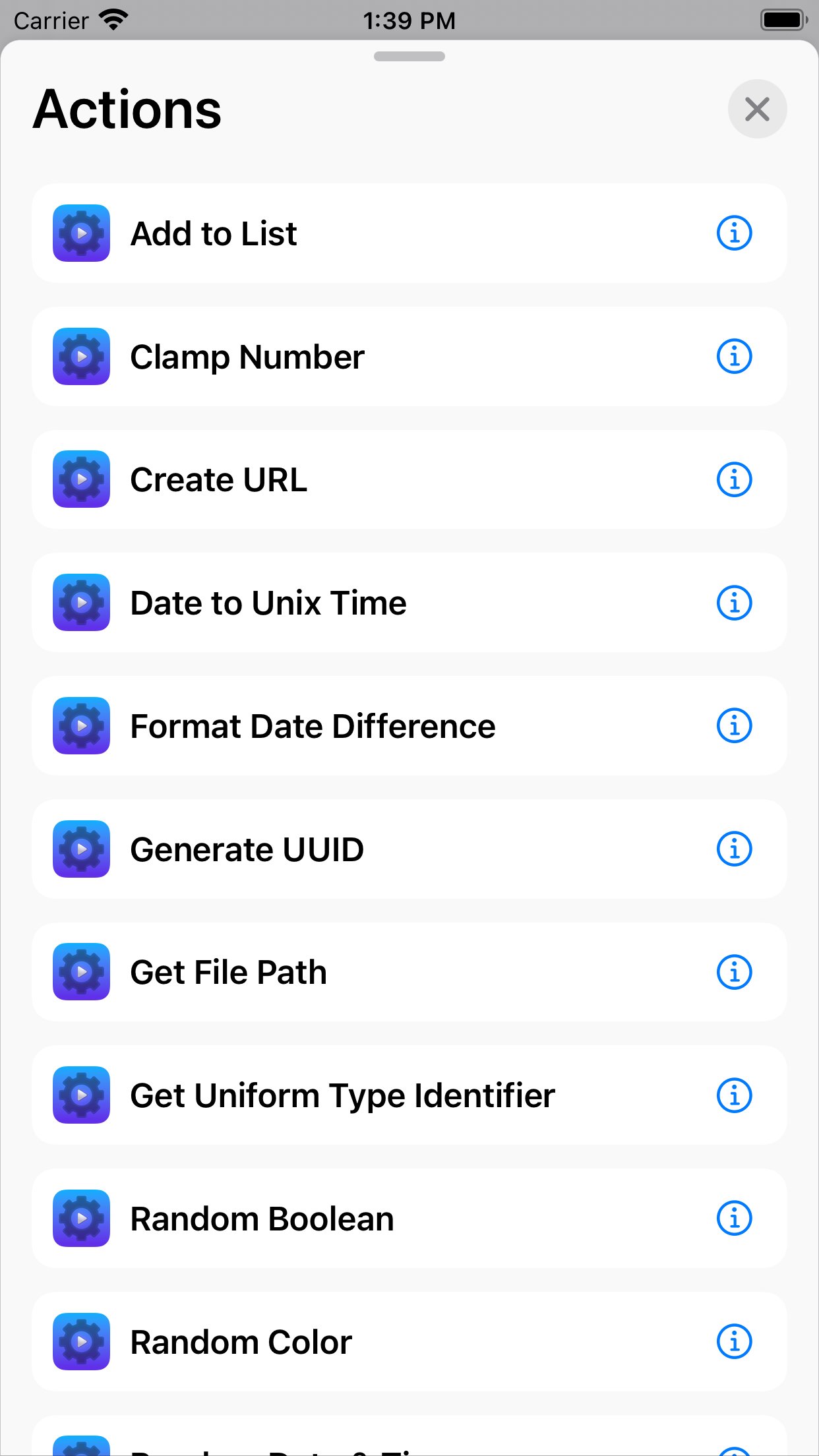
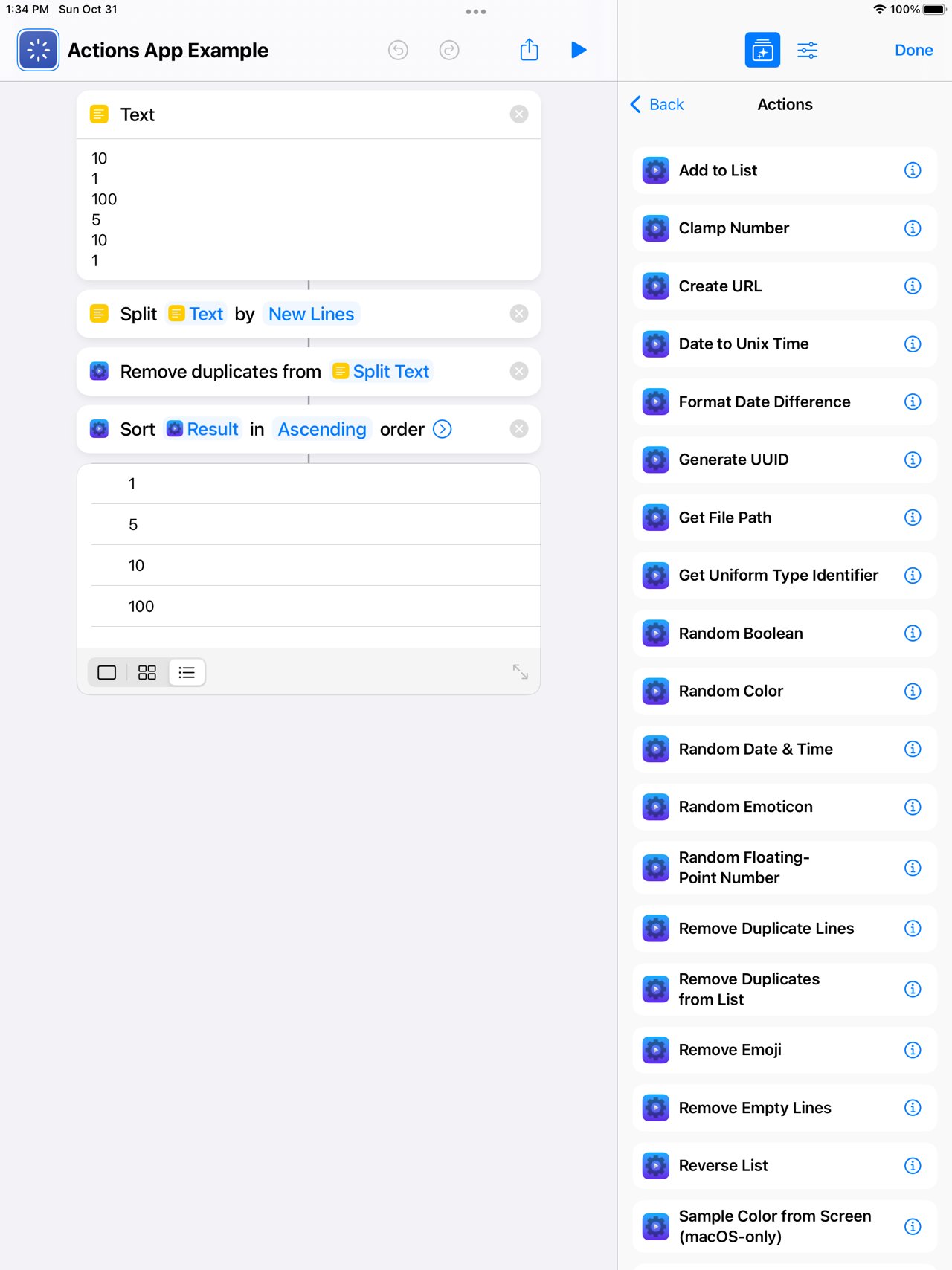
About Actions
Supercharge your shortcuts with lots of useful actions.
It provides additional actions for the Shortcuts app.
IMPORTANT: Because of an iOS bug, to make the actions show up in the Shortcuts app, you need to first launch the app and then restart your device.
????:?? iOS ??,???????"????"?????,???????????,?????????
WICHTIG: Aufgrund eines iOS-Fehlers mussen Sie, damit die Aktionen in der Shortcuts-App angezeigt werden, zuerst die App starten und dann Ihr Gerat neu starten.
IMPORTANT : en raison d'un bug iOS, pour que les actions s'affichent dans l'application Raccourcis, vous devez d'abord lancer l'application, puis redemarrer votre appareil.
The actions are not able to run on Apple Watch or HomePod.
Restart your device if the actions don't show up in the Shortcuts app.
? Actions
- Add to List
- Apply Capture Date
- Ask for Text with Timeout
- Authenticate
- Blur Images
- Boolean
- Calculate with Soulver
- Choose from List (Extended)
- Clamp Number
- Color
- Combine Lists
- Combine Videos
- Convert Coordinates to Location
- Convert Date to Unix Time
- Convert Location to Geo URI
- Convert Unix Time to Date
- Create Color Image
- Create Menu Item
- Create URL
- Download File
- Edit URL
- Encrypt File
- Encrypt Text
- Filter List
- Find Music Playlist
- Format Currency
- Format Date Difference
- Format Duration
- Format Number as Ordinal
- Format Number -- Compact
- Format Person Name
- Format Text List
- Generate CSV
- Generate Haptic Feedback
- Generate Random Data
- Generate Random Text
- Generate UUID
- Get All System Colors
- Get Audio Playback Destination
- Get Average Color
- Get Average Color of Image
- Get Battery State
- Get Bluetooth Device
- Get Bluetooth Devices
- Get Boolean from Input
- Get Compass Heading
- Get Device Details (Extended)
- Get Device Motion Activity
- Get Device Motion Data
- Get Device Orientation
- Get Dominant Colors of Image
- Get Elevation
- Get Emojis
- Get File Path
- Get High-Resolution Timestamp
- Get Image Capture Date / Set Image Capture Date
- Get Image Location / Set Image Location
- Get Index of List Item
- Get Map Image of Location
- Get Paragraphs from Text
- Get Query Item Value from URL
- Get Query Items from URL
- Get Query Items from URL as Dictionary
- Get Random Boolean
- Get Random Color
- Get Random Date and Time
- Get Random Emoticon
- Get Random Floating-Point Number
- Get Random Number from Seed
- Get Related Words
- Get Sentences from Text
- Get SF Symbol Image
- Get System Color
- Get Title of URL
- Get Uniform Type Identifier / Set Uniform Type Identifier
- Get User Details
- Get Values Using JSONPath
- Global Variable
- Hex Encode
- Hide Shortcuts App
- Invert Images
- Is Accessibility Feature On
- Is Audio Playing
- Is Bluetooth On
- Is Call Active
- Is Cellular Data On
- Is Cellular Low Data Mode On
- Is Conforming to Uniform Type Identifier
- Is Connected to VPN
- Is Dark Mode On
- Is Day
- Is Device Locked
- Is Device Moving
- Is Device Orientation
- Is Host Reachable
- Is Location Services Enabled
- Is Low Power Mode On
- Is Online
- Is Shaking Device
- Is Silent Mode On
- Is Time
- Is Time In Range
- Is Web Server Reachable
- Join Wi-Fi
- Merge Dictionaries
- Open URLs in Safari
- Overwrite File
- Parse CSV
- Parse JSON5
- Pick Color
- Pretty Print Dictionaries
- Remove Duplicate Lines
- Remove Duplicates from List
- Remove Emojis
- Remove Empty Lines
- Remove from List
- Remove Non-Printable Characters
- Reverse Lines
- Reverse List
- Round Number to Multiple
- Scan Documents
- Scan QR Codes in Image
- Set Creation and Modification Date of File
- Show Black Screen
- Show Notification
- Shuffle List
- Sort List
- Sort Months
- Spell Out Number
- Toggle Boolean
- Transform Lists
- Transform Text
- Transform Text with JavaScript
- Trim Whitespace
- Truncate List
- Truncate Number
- Truncate Text
- Wait Milliseconds
- Write or Edit Text
License: Free
| Release info | New Release on Jun 08, 2026 |
|---|---|
| Release notes | New actions: - Is Bluetooth Device Connected - Get Default Gateway IP Address - Format URL - Normalize URL - Get Folder Size - Calculate String Distance - Sign JSON Web Token - Encode Property List - Trim Text - Get/Set Extended Attribute |
| Listing data | App Store |
Reviews
No reviews yet. Be the first to review Actions.
Used Actions? Tell other visitors what you thought.
Log in to write a reviewOther products by this publisher
- "No Distractions" for YouTube 4.10 ----
- #Bible 11.6.1 "Incredible App - My sister shared this app with me a few weeks ago and it is truly incredible.
- #filmphotography 1.4.2 So, you decided to shoot on film?
- #LookBusy Fake Calendar Events 1.0.6 Look Busy scans your work calendar for open time slots and fills them with realistic-looking (but secretly fake) work events.
- #Small Talk Is Canceled 1.0.2 #Small Talk Is Canceled — Conversations That Matter
Most viewed iOS Utilities
-
1
 Device Lab 1.9.2
Device Lab is an on-device reference and toolkit for your hardware — hardware monitoring, spec references, chip and device comparisons, system information, and practical utilities, so you can understand and manage the devices you use with more struc…
-
2
 V2Box 10.2.0
V2box - VPN Internet network proxy , Supports multiple proxy protocols, such as Shadowsocks, V2ray, Vmess, Trojan , SSH , Socks, Ping Tunnel, Hysteria2, DNSTT, Wireguard
-
3
 APTV 2.4.10
APTV,?????????????? IPTV M3U???,?????????????????
-
4
 VibeSDR 11.0.17
VibeSDR is a mobile-first software-defined radio (SDR) receiver — and far more than a single-server client.
-
5
 Nextin 1.4.2
Nextin is a subscription-based configuration and connection tool designed to simplify the setup process and improve everyday usability.
-
6
 ECHOCAT 1.6.0
ECHOCAT is the iPhone and iPad companion for POTACAT, the desktop app for amateur radio operators chasing Parks on the Air (POTA), Summits on the Air (SOTA), Worldwide Bunkers on the Air (WWBOTA), Tiles on the Air and DX.
-
7
 Ally Pro 1.4.0
Ally Pro – Amiibo & NFC Tool gives advanced collectors complete control over their Amiibo library.
-
8
 Demod 1.6
Demod turns your iPhone into a software-defined radio receiver.
-
9
 DRC 2.0.1
A simple to use app to help calculate any dilution ratio.
-
10
 DXClock 4.0.0
Connect, collaborate, and operate smarter with DX Clock — the ultimate meeting place for amateur radio operators.
Most downloaded iOS Utilities
-
1
 Rat And Mouse Sound Repeller 2.8
Keep mice and rats away overnight with ultrasonic waves and predator sounds.
-
2
Demod 1.6
Demod turns your iPhone into a software-defined radio receiver.
-
3
 Guardio 2026.111.3
Protect your identity, accounts, and online activity from scams and digital threats with Guardio.
-
4
 Screen Mirroring With Miracast 2.0
Turn your iPhone into a complete TV companion.
-
5
 Fontcase 2.0.1
Fontcase is an app that lets you install custom fonts on iOS and iPadOS.
-
6
 ParkenDD 2.0.2
ParkenDD shows a list of available public parking lots in several cities.
-
7
 PickerFull 9.18
Export colors from photos as HEX, PDF, RGB, HSB/HSV, HSBA, HSL, LUV, LCH, YUV, YCBCR, YIQ, CMYK, Grayscale, XYZ, L*a*b* (CIE), CSSVAR, SASSVAR, CSSHSL, CSSRGB, AndroidXML, FlutterDart, UnityColor32, Float, Objective-C, Swift, SwiftLiteral, SwiftUI
-
8
 Passepartout, VPN Client 3.12.8
Protect your online privacy with Passepartout, a smart VPN client seamlessly integrated with iOS, macOS, iPadOS, and tvOS.
-
9
 Royal TSi 2.5.4
Royal TSi provides easy and secure access to your remote systems (RDP, VNC, SSH, etc.) by allowing you to open your Royal TS documents created with Royal TSX (for macOS) or Royal TS (for Windows).
-
10
DRC 2.0.1
A simple to use app to help calculate any dilution ratio.